

You might be going through a manual or an industry report PDF document for your business analysis but find it difficult to extract key information or points from the PDF. Well, this situation is similar to that of millions across the globe.

Summarizing PDFs with multiple pages can be a pain because, first, you must go through the entire content and then jot down the important points. In this era of AI (artificial intelligence), the manual operation of going through a multiple-page PDF and noting down important points doesn’t sound good. There are several AI PDF summarizer tools available that can help save you time when summarizing PDFs.
The tough part of looking for the best AI PDF summarizer is that finding a reliable and desired tool can be difficult. That’s why, at TechPP, we believe in making such tasks easier for you.
In this guide, we have tested and listed some of the top AI PDF summarizer tools that you can rely on to extract the important points for your PDF manual, business report, legal documents, etc. Let’s check out each tool one by one.
Table of Contents
Best AI PDF summarizer tools
ChatPDF
ChatPDF is one of the best AI PDF summarizer tools, which lets you get any information from your PDF through chatting. Yes! You can ask the AI tool about anything, for example, your booking ID, your flight PNR number, etc., and ChatPDF will immediately give you the answer. It’s as simple as that.

The website is free to use and offers an easy-to-use and user-friendly interface. To use it, all you need to do is visit the website, upload your PDF, and ask for any information about the PDF, and it will present you with the answer. It is a good tool for researchers and students, as it can help them get much-needed information from a PDF just by asking a question. If you wish to save your chat history, then you need to sign in.
Sometimes, you may find that you need to enter multiple prompts to get the information, as the AI often misbehaves. You can upload the PDF from your computer storage or use it online from a URL. The tool also gives you some example prompts that can help you get started with the ChatPDF AI PDF summarizer. While the tool is available for free, there are a few restrictions on the number of prompts that you can use and the PDF size. You can upgrade to Plus for unlimited features for $90.99/year or $12.99/month.
Intellippt
Another powerful PDF summarizer tool is Intellippt, which can help summarize large text documents and save you time. It breaks down complex sentences into easy-to-understand small paragraphs, helping you get the gist of the PDF in a few words. It makes use of advanced algorithms that produce great accuracy when summarizing PDFs.

You can upload PDF, Docx, and Word, and even copy and paste the content from anywhere. There is a Summarize slider that you can use to change the summary size of the PDF. There are a few limitations in the free version of Intellippt: you can only upload PDFs of size 1MB or less, and you can summarize 3000 characters at a single time.
Apart from giving you the PDF summarizer, their website also offers PDF-to-PPT conversion. It can easily create presentation slides for you with the correct headings and layouts. Overall, you can use this tool to summarize your research reports, business reports, emails, or any other technical documents.
Scholarcy
Scholarcy is one of the most accurate and feature-loaded AI PDF summarizer tools you can use on your PC if your work involves going through multi-page PDFs. It summarizes your PDF content into small texts that are easy to understand and helps you understand the main information of the PDF in seconds. To get you started, it gives you background reading to help you understand what the main idea of the document is.
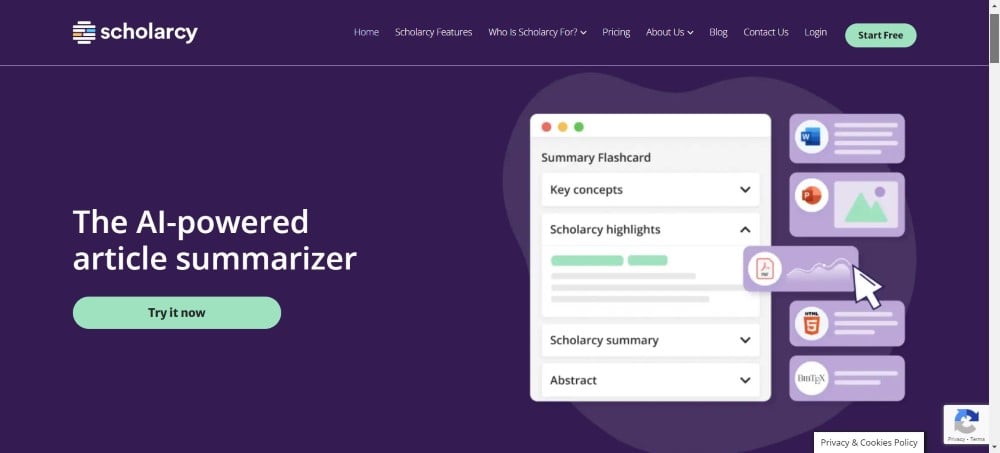
It extracts the most crucial information from your document and presents it to you in bite-sized sections so you can go through and grasp the information you want. According to the company’s data, thanks to the Scholarcy AI PDF summarizer’s efficiency, the time spent extracting information from PDFs is reduced by 70%. You can download the entire bibliography in BibTex or .RIS format using the excellent UnPaywall API.
The notable feature of the Scholarcy tool is that it gives you multiple modes of summaries from which you can select, such as comparative analysis, expanded, compact, synopsis, and more. You can upload Word, PPT, HTML, text, or even copy/paste the content onto the Scholarly website to summarize it. You can export the summary of your content into various formats, including Word, Excel, etc. For $4.99/month, you can unlock the Plus version for unlimited access to its features.
QuillBot
QuillBot is a popular grammar checker, but it comes with a host of tools such as a paraphraser, plagiarism checker, translator, citation generator, and most importantly, a summarizer. It has advanced algorithms that help the tool quickly extract important information from a document and present it to you with high accuracy. Besides, on testing, it was found that Quillbot has one of the highest accuracy as an AI PDF summarizer tool among its competitors.
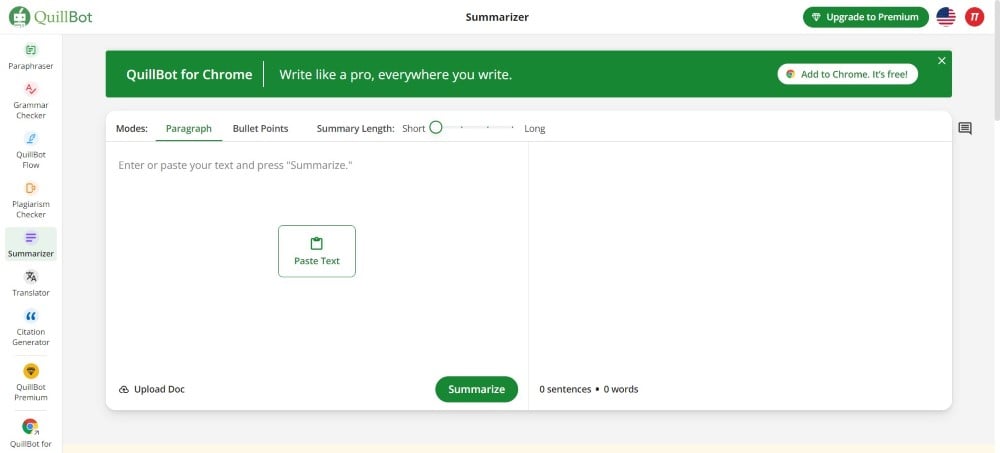
You can either copy the contents of a document or upload it directly to the website to summarize. You can then choose to view the content in paragraphs or bullet points. The best part about this tool, compared to others, is that you can choose a specific keyword to optimize the content.
Quillbot is also available as a Chrome extension. It comes with a dual summarization mode where the paragraph mode deconstructs the contents into simple sentences, whereas the key sentence mode lists the main points in bullet format for a clear understanding. You may find some limitations when using the free version of the summarizer. However, that can be unlocked by paying a price of $4.17/month.
SummarizeBot
If you are looking for a multi-faceted tool that lets you summarize PDFs, other documents, MP3, text, or even images, then SummarizeBot is the tool for you. It is a blockchain-powered AI PDF summarizer that can help you summarize any content into small, meaningful sentences. You can also use the tool to summarize a website with a link.

You can use the features of SummarizeBot by sharing links directly with the SummarizeBot or by inviting the bot to the chatroom. The most important part of the content will be presented to you. You can also get the latest news from SummarizeBot by simply typing latest or news+subject. It also helps with keyword extraction, which helps you understand the main essence of the content.
SummarizeBot allows you to choose the summary size and has the option to save or download the extracted summary for free. You also get the option to save your summary or share it with anyone for free. It supports over 100 languages and offers you the option for audio and image file summarization, which makes this AI PDF summarizer unique.
Related Read: UPDF: An Affordable PDF Tool With Advanced PDF Manipulation Features
TLDR This
Is your business report too long to read and understand? Don’t worry, as TLDR This will help you summarize it and give you the most important points of the PDF so that you can better understand it. It uses advanced AI that helps it condense long text walls of documents, essays, and anything involving text into an easy-to-understand summary.

One of the best features of TLDR This is that you don’t need to have an account or sign in to use the platform and summarize your documents. The interface is pretty easy to get around, and you will summarize your PDF in no time. Apart from summarizing your document, it also gives you the important keywords in the summary results.
The website gives you the option to upload a document, use any URL, or even paste the content directly into the summarizer box. The TLDR This website supports PDF, DOC, and DOCX formats, and the file size limit is 25 MB. If you want an on-the-go summarizer, you can also use the Chrome or Firefox extension.
Paraphrasingtool.AI
You will find the Paraphrasingtool.AI similar to Intellippt in some ways. This website is free to use, and you can use it without any limitations for the original word summarizer. The AI PDF summarizer works well and is fairly accurate for condensing lengthy text documents. You get two options, i.e., you can either choose to stick with the original Word summary or opt for the AI summary (Near Human) mode for AI-ish summaries.
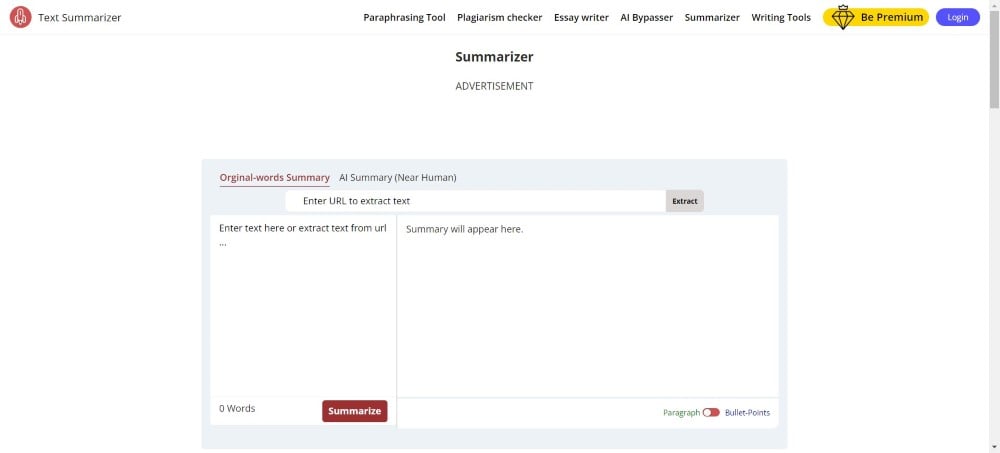
To use the other AI summary mode, you need to pay $15 per month. You can also opt to paste the link, and it will extract the contents from the URL directly. You will see the summarized contents as paragraphs or bullet points. The original word summary keeps the original words and is also faster than the other mode.
However, the AI summaries are also great and close to human words, and they are plagiarism-free. There are no word limits, so that you can get a summary of unlimited words or pages. You cannot import PDFs to the platform; however, you can copy the content of the PDF and then paste it to the website to get a summary.
Summarizer.org
Summarizer.org is another powerful PDF summarizer that can help you get a condensed form of text using AI. It has two modes, i.e., AI Summarizer and AI Summarizer 2.0. In the general AI summarizer mode, you can summarize up to 3000 words. However, for the AI Summarizer 2.0, you need to purchase the premium version.
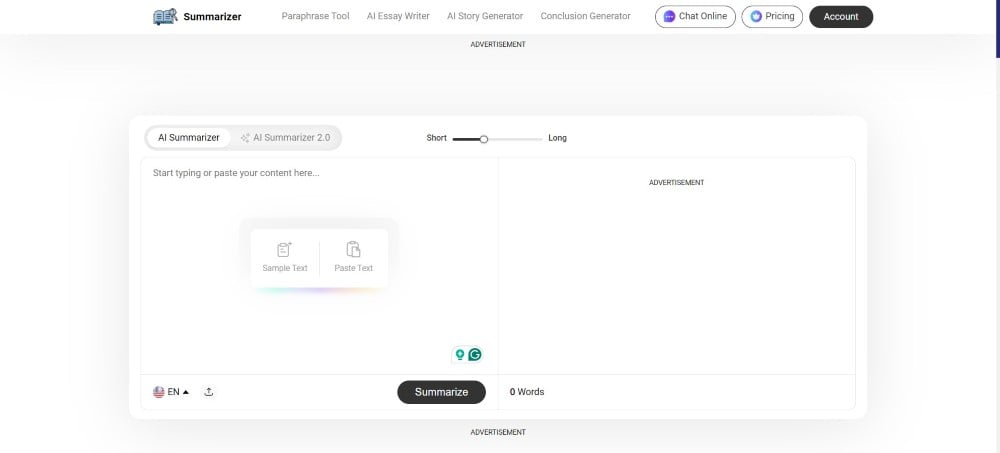
This tool retains all the main points and ensures that you get accurate summaries of your content. The summarizer supports seven different languages, and you get the summaries in bullets and one line. Summarizer.org shows you the word count so that you can check the word count before and after the summary is generated.
Using this tool is pretty easy. All you need to do is upload any document or paste the text, verify the reCAPTCHA, and hit the Summarize Now button. There is a slider that you can use to set the summary length. As per the website, any text or document that you upload to the website isn’t stored by the website.
FAQs about AI PDF summarizer tools
1. Can ChatGPT summarize a PDF document?
Yes. You can easily summarize a PDF using ChatGPT. However, you cannot simply go ahead and upload a PDF document and get a summary. For that, you need to convert the PDF or any other document into text, paste it into the ChatGPT, and ask it to summarize the text. ChatGPT will present you with a summary; you can then enter prompts to get the summary in bullet points or paragraphs.
2. How to select the best AI PDF summarizer?
There are a few factors that you should consider before opting for an AI PDF summarizer. The factors include accuracy, trust by people, summarization, limitations, features, and tool integrations. Moreover, document security is also one factor that you should consider, and it shouldn’t be too expensive. Considering all these factors, we have prepared the above list.
3. Does AI summarize with 100% accuracy?
No. None of the AI summarizers will produce an output with 100% accuracy. You will find some issues with each tool. However, the above-listed ones are some of the best AI PDF summarizer tools that you can opt for. However, do keep in mind that they are also not perfect.

