

The ExpertBook is a popular series of business laptops from Asus. It’s been around for a while, and the company has launched many models under it over the years.
However, among these, the ExpertBook B9, which belongs to the ExpertBook Premium lineup, is a more favorable choice among business professionals looking for powerful performance with enterprise-grade security in a portable and durable design.

A while back, I received the latest model of ExpertBook B9, the B9403CVA, which Asus launched in India in November 2023, for review. It’s priced at Rs. 2,17,990 ($1826.79 in the US) and comes with a 2.8k display, a 13th-Gen Intel Core i7 processor under the hood, and Microsoft’s Windows 11 Pro operating system (with a suite of nifty Asus features).
I’ve been using the laptop for work over the past three weeks. This Asus ExpertBook B9 review talks about my experience.
Table of Contents
Asus ExpertBook B9 Review: Design and Build
The ExpertBook B9 models have generally looked the same over the years. This is true for the latest model [B9403CVA], too. The laptop has a compact chassis, similar to previous models, and is super light, too, at just 990gm, which is impressive considering its size.
Part of the reason the new ExpertBook B9 model is so light is the material used in its build; Asus has opted for a magnesium-lithium alloy (over the magnesium-aluminum alloy it used previously) on the latest model. Aside from making the laptop lighter, the new alloy also makes it stronger and more durable than previous models while maintaining the sleek design.
Asus has also done a good job with the laptop’s hinge. The ExpertBook B9 has a solid hinge that’s neither too tight to cause trouble opening the lid with one hand, nor too loose to make the top lid sway easily. Plus, to make it easy to open the lid with one hand, the company has added a divot along the front lip of the bottom case. The hinge supports a maximum opening angle of 180°.
Another thing I like about the hinge is that as soon as you open the top lid (beyond a 100-110° angle), it also raises the laptop’s height. This allows for better ventilation and improves the typing angle.
Lastly, talking about the appearance, the ExpertBook B9 B9403CVA features a matte finish all around. It looks clean and subtle, which is well-suited for business aesthetics. That said, although the laptop’s matte finish does a good job of repelling fingerprints, it can’t conceal scratches, which spoils its appeal.
Asus ExpertBook B9: Display

Flip open the lid, and the ExpertBook B9 B9403CVA greets you with a 14-inch OLED panel from Samsung. The panel has slim bezels (sitting at just 4mm), which offers more screen area. In addition, Asus has also kept the aspect ratio at 16:10. This increased vertical space makes the screen ideal for working on a wide range of productivity and creativity apps.
The display offers a screen resolution of 2880×1800 pixels and refreshes at 90Hz. It’s sharp, reproduces good colors, and gets sufficiently bright for indoor use. However, when sitting outside where there’s no shade above you, the laptop’s visibility goes for a toss, and you begin to wish the panel wasn’t as reflective or at least a little brighter.
Another gripe I have with the ExpertBook B9’s display is that it’s a little over-reactive to the Adaptive Color feature, which results in rapid color temperature changes at times and hampers the experience. This is troubling especially while editing photos, for instance.
All in all, the display is good considering the kind of work it’s meant for. However, you can find laptops with better displays than this in this price range.
Asus ExpertBook B9: I/O and Connectivity
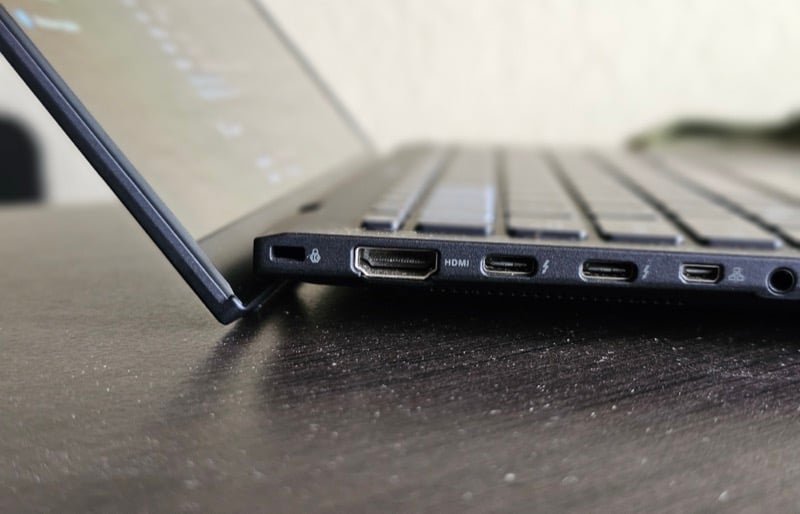
Despite having a slim chassis, the ExpertBook B9 B9403CVA packs an array of ports. You’ll find them along the left and right edge of the laptop.
To begin with, there’s a full-sized HDMI 2.1 slot along the left edge for connecting the laptop to an external display. Below it, there are two Thunderbolt 4 (USB-C) ports for fast charging, data transfer (with up to 40Gbps speeds), and triple 4K display output; one micro HDMI to RJ45 port for transmitting video and audio signals over Ethernet; and one audio jack. You also get one Nano Kensington lock slot located at the top that you can use to protect your laptop from being stolen in unsupervised locations.

Along the laptop’s right edge, there’s a full-sized USB 3.2 Gen 2 (Type-A) port. You can use it to transfer data (at speeds of up to 10Gbps speeds) or connect the laptop to a 4K display. Then, there’s an air vent, below which you have the power button that doubles as a fingerprint scanner. Although the scanner is pretty accurate and helps unlock the laptop quickly, I find its position a little awkward.
As for wireless connectivity, the ExpertBook B9 supports Wi-Fi 6E and Bluetooth 5.3. Although many laptops have started offering Wi-Fi 7, Wi-Fi 6E isn’t bad either since you can still get gigabyte speeds with it.
Asus ExpertBook B9: Keyboard and Trackpad
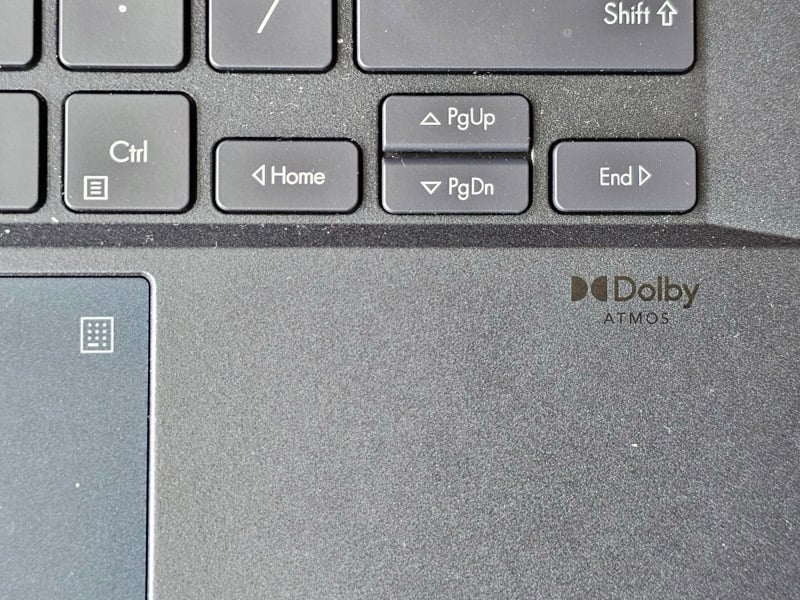
Asus has packed a full-sized keyboard with well spaced out keys on the ExpertBook B9 [B9403CVA]. The keyboard is claimed to be spill-resistant and can withstand water spills of up to 400cc.
Typing on the keyboard is a pleasant experience. There’s a good amount of travel (1.5mm) in the keys, which ensures you don’t get tired while typing on it for hours. The keyboard is also backlit, so you can comfortably type on it even in dark environments. Sadly, you’re stuck with just one brightness level. The ExpertBook also comes with the ExpertWidget software, which lets you customize your own hotkeys using a combination of function keys and number keys (1-4).
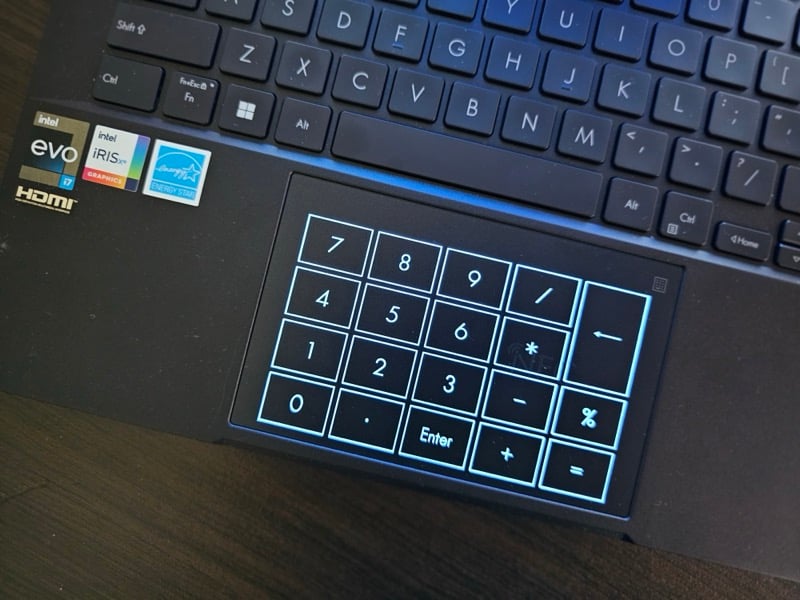
Moving to the touchpad, it’s the biggest Asus has offered on the series yet—26.8% larger than all the previous models. This large surface area, combined with support for multi-touch gestures, allows for a better navigation and app- and- screen-switching experience.
What’s more, Asus has integrated a number pad into the touchpad. It’s an LED-illuminated numeric keyboard that you can enable by tapping the numpad icon in the top-right corner of the touchpad. Depending on how much of your work requires you to use the number keys, this can either be very useful or pointless. Also, if you’re wondering, yes, it’s possible to accidentally turn on the numpad while trying to tap or swipe on the touchpad.
Asus ExpertBook B9: Camera, Mic, and Speakers
Camera is another aspect that can make or break your purchase decision. On its latest ExpertBook B9, Asus has employed an FHD (1080p) camera, which is pretty good for video calls. Asus also employs a couple of AI smarts, like Background Blurring, Eye Tracking, and Motion Tracking, which you can access in the MyAsus for a better video-conferencing experience.

In addition, the camera also works with the IR proximity sensor to its left to quickly and automatically read your face as soon as you come in front of the laptop and log you in. That way, you don’t need to enter your PIN/password or scan your fingerprint and can get to work quickly.
Another nice element about the ExpertBook B9 camera is the webcam shield. Put simply, it’s a toggle that you can slide over the webcam to cover it when it’s not in use and safeguard your privacy.
Similarly, Asus has done a good job with the microphone, too. It’s pretty good, which makes taking voice notes or attending meetings a pleasant experience. Plus, the company also offers a couple of AI features, like AI Noise Canceling and AI ClearVoice, which help reduce ambient noise and enhance your voice.
As for the speakers, they’re decent—and not the best sounding. The sound quality is fine but lacks bass. Similarly, the speakers don’t get sufficiently loud, which sometimes leave you desiring more volume.
However, you get the Dolby Access pre-installed on the laptop, which lets you tweak its sound to your preference.
Asus ExpertBook B9: Performance and Software
The ExpertBook B9 B9403CVA runs on Intel’s Core i7-1355U vPro processor, clocked at 1.70GHz. Intel’s vPro, for those unaware, is a platform aimed at improving the security and manageability of business PCs, and it makes sense for Asus to use it on the ExpertBook. Besides packing a powerful processor, the laptop also comes with 16GB of LPDDR5x RAM and 1TB of M.2 (PCIe) SSD.
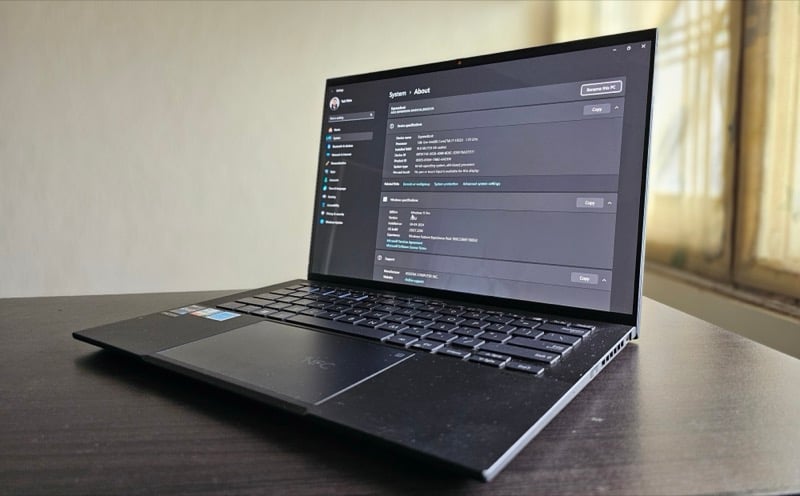
In my time with the ExpertBook B9, where I used it for work every day, I was impressed with the overall performance. My work typically involves a lot of browser-based tasks. This includes researching topics and drafting and editing stories—all of which require me to open multiple tabs in Firefox or Chrome—depending on which CMS I’m working on.
However, on no occasion did the laptop slow down or succumb to the different apps I had running in the background. Similarly, at no point did I feel the need for more RAM; apps open quickly on the laptop and remain in memory even with multiple apps open at once. I did notice the laptop getting a bit warm, though. Mind you, I was using the laptop on a desk all this time.
To push the ExpertBook B9 further, I connected it to an external (FHD) monitor and paired it with an external keyboard and mouse. I also switched to a heavier workload, where I was editing photos in GIMP while playing music in Apple Music, with a bunch of apps, including Firefox, Visual Studio Code, and Sublime Text running in the background with some tasks open. On another instance, I whipped up a couple of virtual machines to test some Linux distros on the laptop. I did close out a few apps from the background this time.

The fans turned on quickly in both scenarios, and the laptop got significantly warm this time around—to the point where I wouldn’t want to use it on my lap. Since I was in Performance mode this time, I was expecting the fans to be a little more effective, but I was left with their whir for a little longer than I expected. There was no drop in performance at all, though, which is a good thing.
Talking about graphics, the ExpertBook has integrated—Intel Iris Xe graphics—onboard. It’s fine and can handle basic graphics processing, like basic photo and video editing, without a hitch, but you shouldn’t expect anything beyond that.
Now, being a business laptop, the ExpertBook B9 [B9403CVA] runs on Windows 11 Pro. Windows 11 Pro offers all the features from Windows 11 Home but throws a few extras, such as virtualization, advanced security features (like BitLocker Device Encryption), and many enterprise management features (like Group Policy Editor, Mobile Device Management, and more) into the mix, which can come in handy for business professionals.
When it comes to user experience, it’s pretty smooth and fast. Apps open quickly, animations feel smooth, and the multitasking experience is pretty snappy as well. All in all, throughout my time with the laptop, I didn’t experience any noticeable issues or lags with the software.
Asus ExpertBook B9: Battery Life

Asus has packed a 63Wh battery on its latest ExpertBook B9, which it claims can last an entire day. And when the battery runs out of charge, the company says you can top it up to 50% in just 36 minutes using the bundled charger.
With my usage, I was getting between 7 to 9 hours of screen time, which is pretty good considering the laptop’s size. However, your mileage may vary depending on your workflow and factors like brightness level, screen mode (light or dark), and performance mode.
As for charging, the 65W charger Asus bundles with the ExpertBook B9 takes close to two hours to charge the battery from ~5% to 100%. I’d like it if the charging was a little faster.
Asus ExpertBook B9 Review Verdict

The Asus ExpertBook B9 [B9403CVA] is a solid laptop for business people. It’s a nice amalgamation of portability and power with a good display and good battery life; not to mention, there’s Windows 11 Pro, which offers a few nifty features along with better privacy and security, and a few Asus features that subtly elevate the user experience. However, when you factor in its Rs 2,17,990/ $1826 price tag, the Asus ExpertBook B9 begins to feel a little too expensive, considering its competitors have some good business laptops at a lower price.
Note:ASUS doesn’t promote the ExpertBook B9 for retail users in India since it’s a business series laptop. While the international price tag can be a reference point, Indian users can reach out to Asus for competitive prices in their regions.
- Premium looks
- Sturdy build
- Great display
- Good battery life
- Good performance
- Good webcam
- Nice touchpad; numpad can be a useful addition to some
- Good software performance
- Nice-to-have features and apps from Asus
- Awkwardly placed power button
- Adaptive Color sometimes becomes overreactive
- Speakers aren't very loud and lack bass
- Chassis can heat up quite a bit under moderate to heavy workload
- Loud fans
- Expensive
| Design & Build |
|
| Display |
|
| Performance |
|
| Features |
|
| Price |
|
|
SUMMARY
The ExpertBook is a popular series of business laptops from Asus. I've been using the laptop for work over the past three weeks. This Asus ExpertBook B9 review talks about my experience. |
4.0
|

