

In Summary
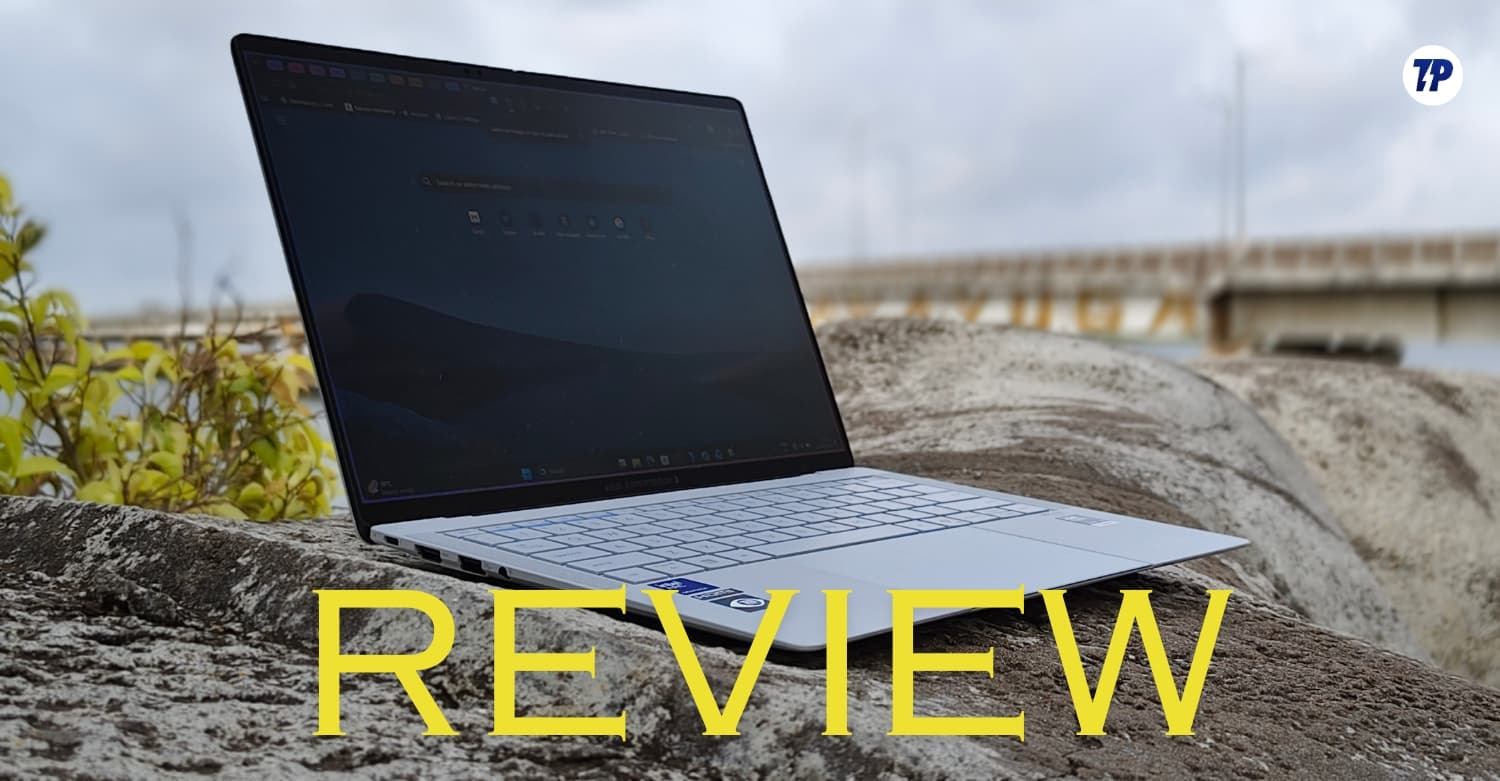
- Asus announced its new ExpertBook Ultra recently. The laptop was first unveiled at CES 2026 and was recently brought to India. It is an Ultrabook high-end flagship series that also comes with a premium price tag.
- The ExpertBook Ultra has a thin and light design, a bright tandem OLED display, and excellent performance powered by the Intel Core Ultra. It features a very long battery life, making it an easy choice for a business lifestyle
- Not just for Asus, this laptop is also a comeback for Intel, too. This is one of the few laptops I can recommend over MacBooks. I have shared my detailed two-week experience of using this laptop.
Asus positions the ExpertBook Ultra as a laptop for business people. The new Asus ExpertBook Ultra, announced at CES 2026 in January, has recently been launched in India.
The base variant is priced at ₹2,39,990 for the 1TB storage model that comes with the Intel Core Ultra X7 358H processor. The higher variant, priced at ₹3,49,000, features the Intel Core Ultra X7 358H with 64GB LPDDR5x RAM and 2TB of storage. Here is a more detailed pricing:
- Core Ultra X7 358H, 32GB RAM, 1TB SSD – Rs 2,39,990
- Core Ultra X7 358H, 64GB RAM, 2TB SSD – Rs 3,49,990
The laptop is ultra-thin and lightweight, and it is easy to carry without feeling heavy. This can be especially beneficial if you often commute between different work locations.
The Core Ultra X7 358H inside my variant offers solid performance. The laptop handles any task without lag, whether browsing, coding, or multitasking, and feels faster and more fluid on this device. The tandem OLED display is bright, and the colors look vibrant. The text is sharp.
It is also excellent for media consumption. The 70Wh battery lasted me for a full day on most days. All four categories are particularly useful for business people, and the laptop checks all of them exceptionally well. If you are considering the ASUS ExpertBook Ultra for your next purchase, here is everything that you need to know about this laptop.
Table of Contents
Asus ExpertBook Ultra Specifications
Category | Specification |
|---|---|
Model | ASUS ExpertBook Ultra B9406CAA |
Colors | Morn Grey, Jet Fog |
Operating system | Windows 11 Home / Windows 11 Pro, depending on variant |
Processor options | Intel Core Ultra X7 358H, Intel Core Ultra 5 325. Global variants also come with Core Ultra X9 388H and Core Ultra 7 356H |
CPU details | Core Ultra X7 358H: 16 cores, 16 threads, up to 4.8GHz, 18MB cache |
AI performance | Up to 50 TOPS on Core Ultra X7 |
Graphics | Intel Arc B390 / Intel Graphics, depending on variant |
Display size | 14-inch / 35.56cm |
Display type | Tandem OLED touchscreen |
Display resolution | 2880 × 1800 pixels, WQXGA+ |
Aspect ratio | 16:10 |
Refresh rate | 120Hz |
Brightness | 600 nits typical, up to 1400 nits HDR peak |
Protection | Corning Gorilla Glass Victus with Gorilla Matte coating |
RAM options | 16GB / 32GB / 64GB LPDDR5X onboard |
Storage options | 512GB PCIe 4.0 SSD, 1TB PCIe 5.0 SSD, 2TB PCIe 5.0 SSD |
Expansion slot | 1x M.2 2280 PCIe 4.0 slot |
Ports | 2x Thunderbolt 4 USB-C, 2x USB 3.2 Gen 2 Type-A, 1x HDMI 2.1 TMDS, 1x 3.5mm combo audio jack |
Wireless connectivity | Wi-Fi 7, Bluetooth 6.0 wireless card |
Camera | 1080p FHD camera with IR support |
Keyboard | Backlit keyboard with 1.5mm key travel |
Speakers | 6 built-in speakers |
Microphone | Built-in array microphone |
Battery | 70Wh, 4-cell Li-ion |
Charger | 90W USB-C adapter |
Charging support | USB-C charging |
Weight | Starts at 0.99kg |
Dimensions | 31.09 × 21.28 × 1.09–1.64cm |
Durability | MIL-STD-810H certified |
Security | ASUS ExpertGuardian, TPM 2.0, Microsoft Pluton, Secured-core PC, Intel Boot Guard, Intel BIOS Guard, BIOS self-recovery, fingerprint sensor |
ASUS ExpertBook Ultra Design and Appearance: Thin, Light, Minimal, and Tougher Than It Looks
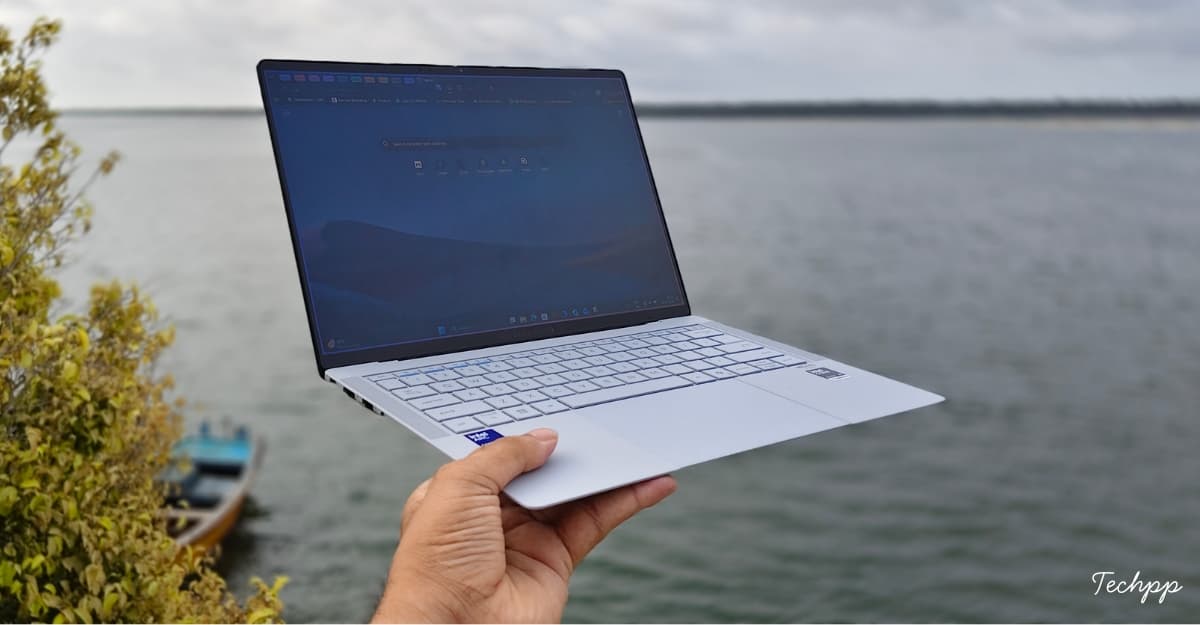
Two things I really love about ExpertBook Ultra are its minimal and lightweight design. I love minimal designs; I don’t want fancy lights and colors on a device that I use every single day.
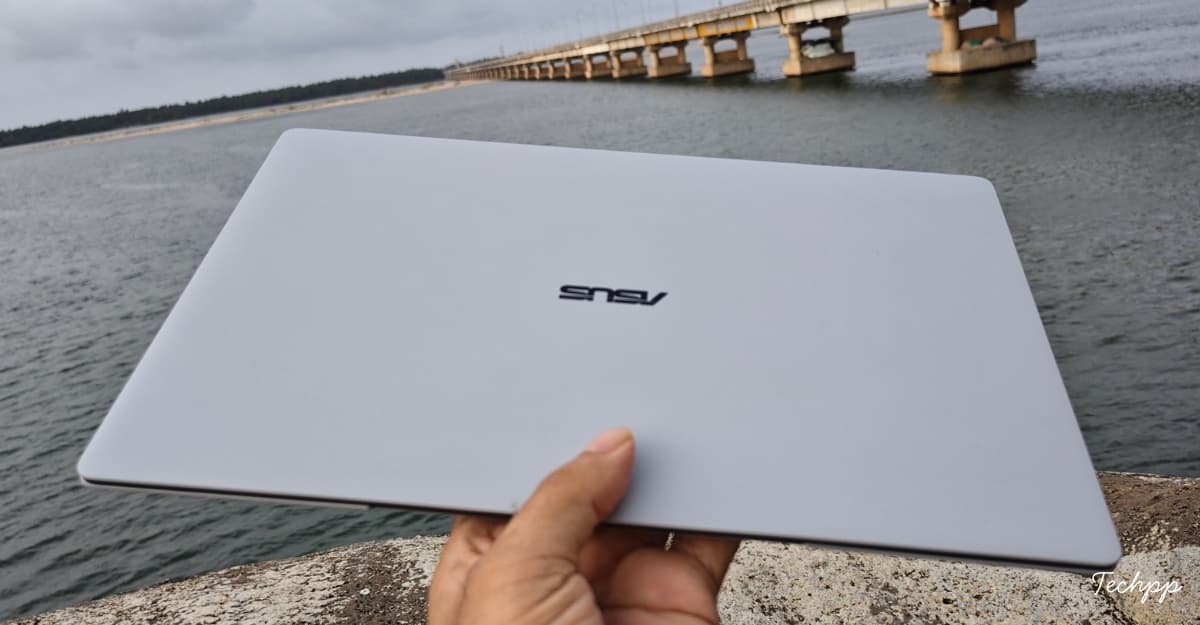
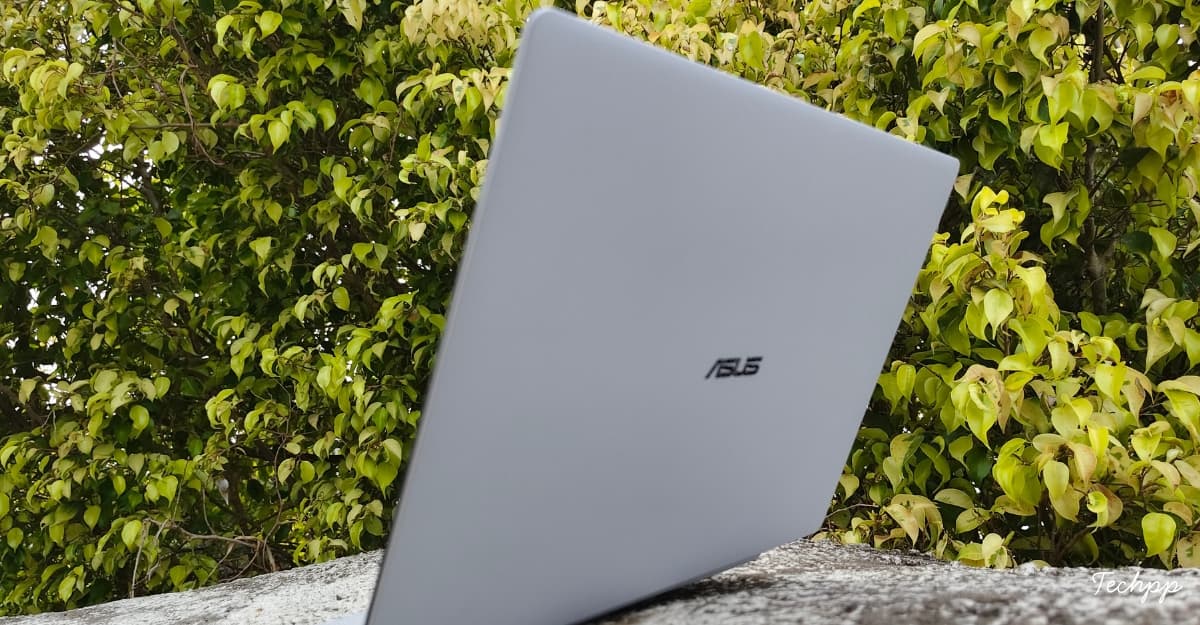
Asus has kept the design very minimal. You will just find the Asus logo on the surface. It uses a neutral gray color, which doesn’t draw much attention. The matte finish on the lid not only feels soft but also makes it look premium.
Asus hasn’t used any fancy lighting, except for the single light strip under the display. It is only visible when you power on the device and when the lid is open. You can even turn it off completely using the function key.
The laptop weighs just 1.09 kg, and the normal POled variant weighs around 0.99 Kg. When I first got hold of it, I was truly surprised by how lightweight it is. Asus used a magnesium alloy body with a Nano-Ceramic coating to achieve this build quality.
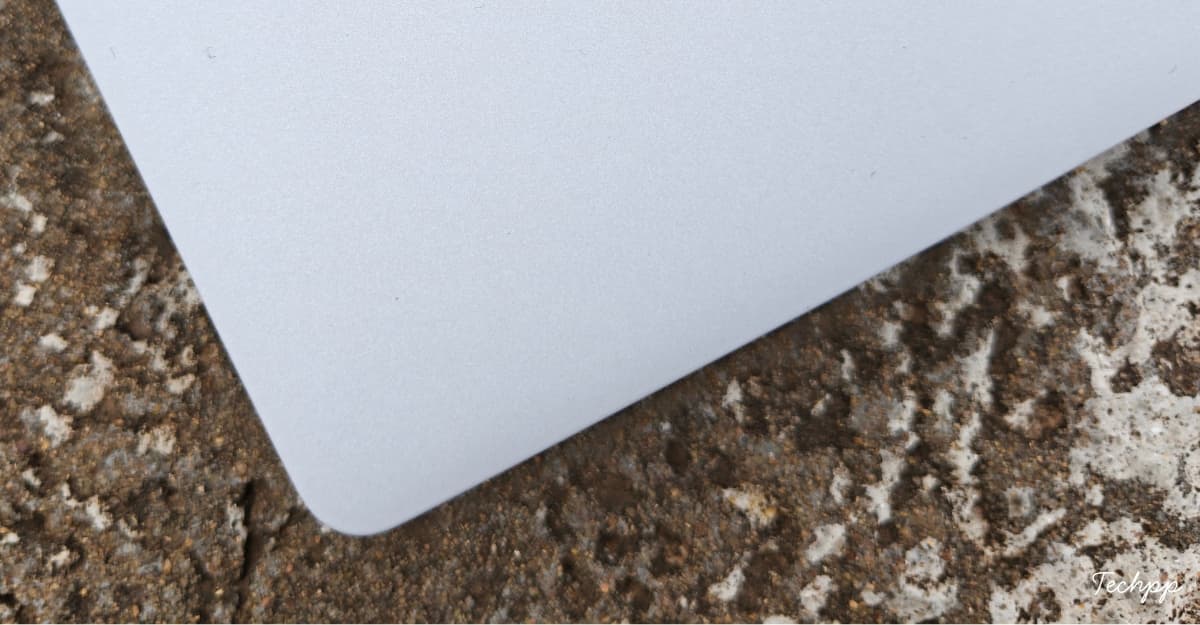
In my two weeks of use, I carried the laptop in the backpack without a case, along with other materials, including keys, a mouse, and more; there isn’t a single scratch on the top of the lid. It can even withstand drops; you can place a 100-kilo weight on the laptop, and it will survive that pressure. Asus even demonstrated it live on stage at the launch event.
I tested it during the launch. I did not dare to test it on my review unit. The laptop is also MIL-STD-810H certified. It can also withstand harsh conditions, including accidental drops.
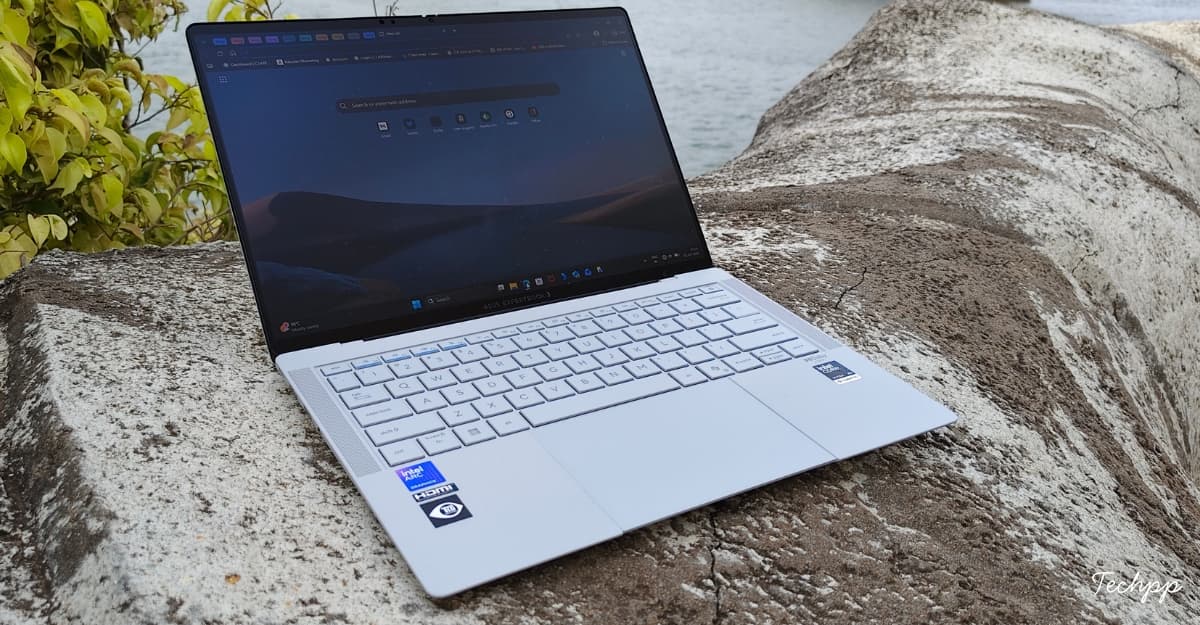
The laptop is built sturdily. I haven’t noticed any wobble, unlike the ExpertBook P1, which has noticeable when placed on the lap and when typing. The laptop also doesn’t have screen flex, and it has very minimal deck flex. The finish also prevents any smudges or stains. If coffee spills accidentally, you can swipe with your bare hand, and it will be fine.
Overall, it brings solid build quality while being lightweight. The lid is also smooth. You lift the lid with a single finger without holding the base, which is another sign of its premiumness.
Despite being ultra-thin, ASUS didn’t give us just two USB-C ports (ahem, Apple). You actually get a full port selection on this device, including 2x USB-C ports, 2x USB-A ports, 1 x HDMI port, and a 3.5mm jack.
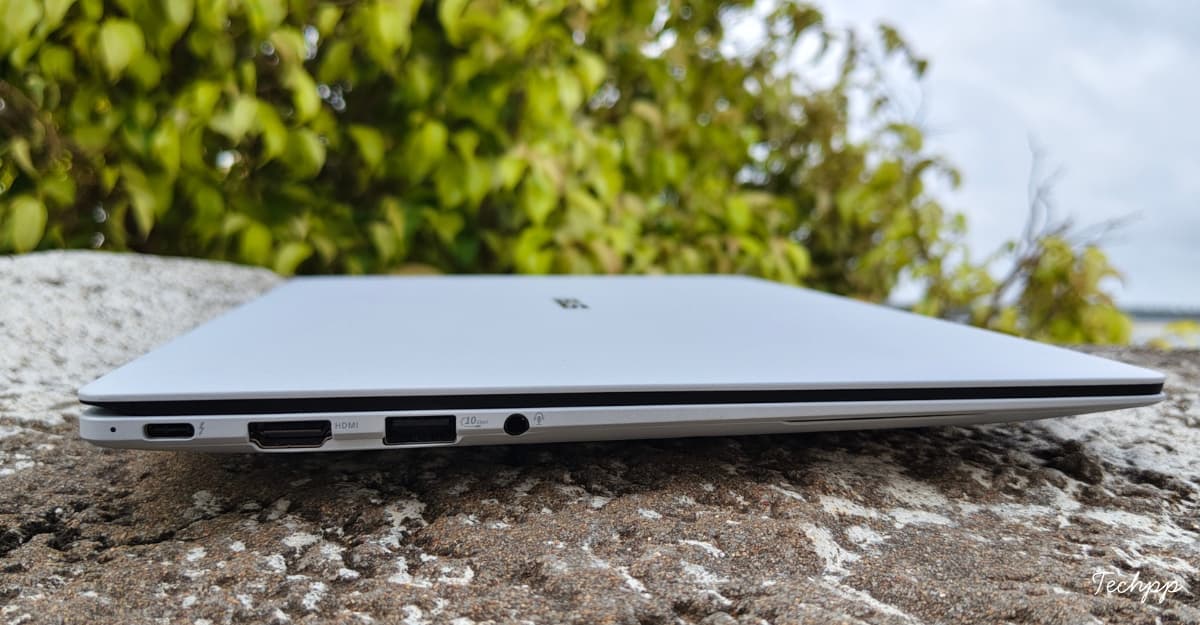
This is enough to connect modern and older devices without carrying an adapter. Although it misses Ethernet, which is not a problem unless your company still uses it for internet connection. Maybe the world has changed; it’s time for your company to upgrade.
ASUS ExpertBook Ultra Display: Bright, Beautiful, and Almost Perfect, Except for One Visible Issue
I can look at the Asus ExpertBook Ultra display all day. It comes with a 14-inch display, the sweet spot between the smaller 13.6-inch and the huge 15.6-inch models. Despite the 14-inch display, I didn’t feel it was smaller at all. Here is how it compares against my MacBook Air’s 13-inch display.
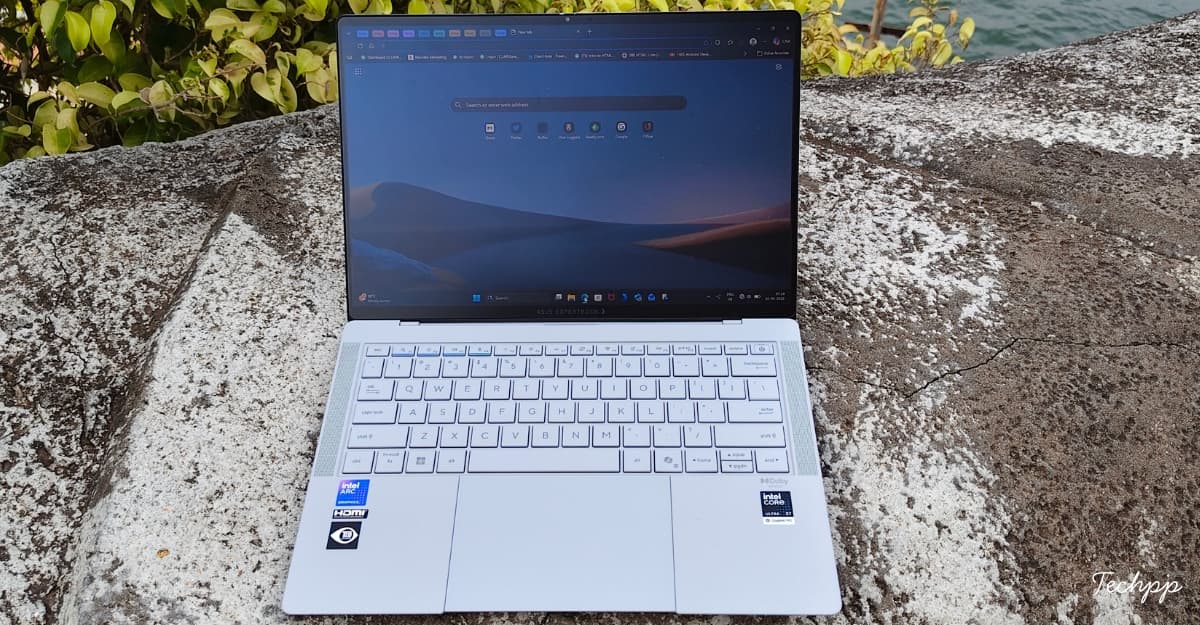
The ASUS ExpertBook Ultra features a tandem OLED (there is also another variant which uses pOLED) display with 100% DCI-P3 and 100% sRGB color coverage. The display is also Pantone-validated and VESA DisplayHDR True Black 1000-certified. This is one of the best displays I have ever seen on a laptop, even better than the MacBooks in terms of brightness.
The tandem OLED, with its dual-layer structure, offers higher brightness and a longer lifespan than regular OLED displays. It can go up to 600 nits of brightness and even 1,400 nits under HDR. It can be useful when you work in bright outdoor daylight. The screen is easily visible even in direct sunlight, with no glare or reflections.
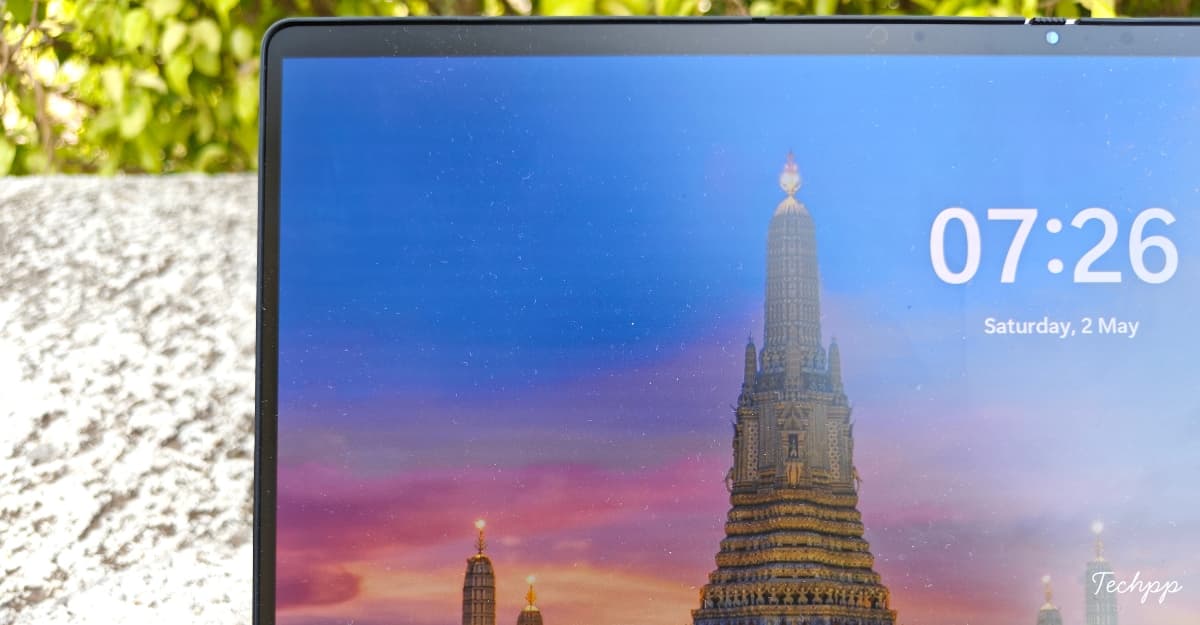
One thing I noticed is that the text looks slightly pixelated. It is very noticeable on the webpages, as you can see from the image below on Netflix.
I can see the tiny gaps between the pixels; the edges look broken. And this is easily noticeable in white backgrounds. I found that this effect is called the screen-door effect, in which the pixels appear broken at the edges. This hinders the reading experience. Once you notice it, you cannot get away with this issue.

The deeper blacks and the high contrast tandem OLED display also make it pleasant to watch movies. You will find noticeable bezels, unlike the Dell XPS laptop. It’s not an all-screen display.
Bezels are not bad either; you won’t notice them once you stare at the beautiful display. You will find full ASUS branding in the bottom bezel. On top, ASUS has left deliberate space to house a camera. The display is protected with Corning Gorilla Glass Victus.
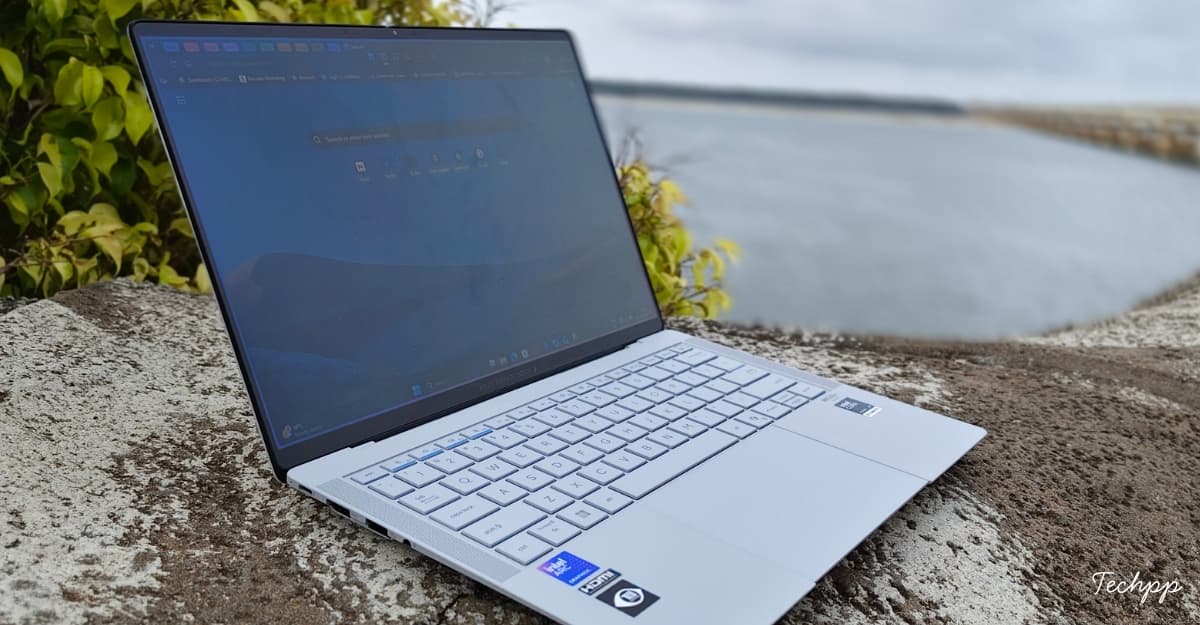
My unit also supports a touchscreen, but the lid doesn’t fully rotate 360 degrees to use it as a tablet. The 120Hz refresh rate makes every interaction smoother. You also won’t feel that grainy texture; the matte finish is soft to the touch and easy to interact with.
Overall, with the tandem OLED display, ExpertBook Ultra delivers the brightest screens I have used on a laptop. The deeper blacks on the 3K display make it best for watching movies. My only concern is the text distortion caused by the screen-door effect. It is noticeable in every application, especially when browsing.
ASUS ExpertBook Ultra Performance: Intel Finally Feels Back in the Premium Laptop Game
The Asus ExpertBook Ultra is powered by the latest Intel Panther Lake processors. Panther Lake is Intel’s code name for Core Ultra Series 3 processors. The unit I tested comes with Intel Core Ultra X7 358H, which sits right below the top variant, Intel Core Ultra X9.
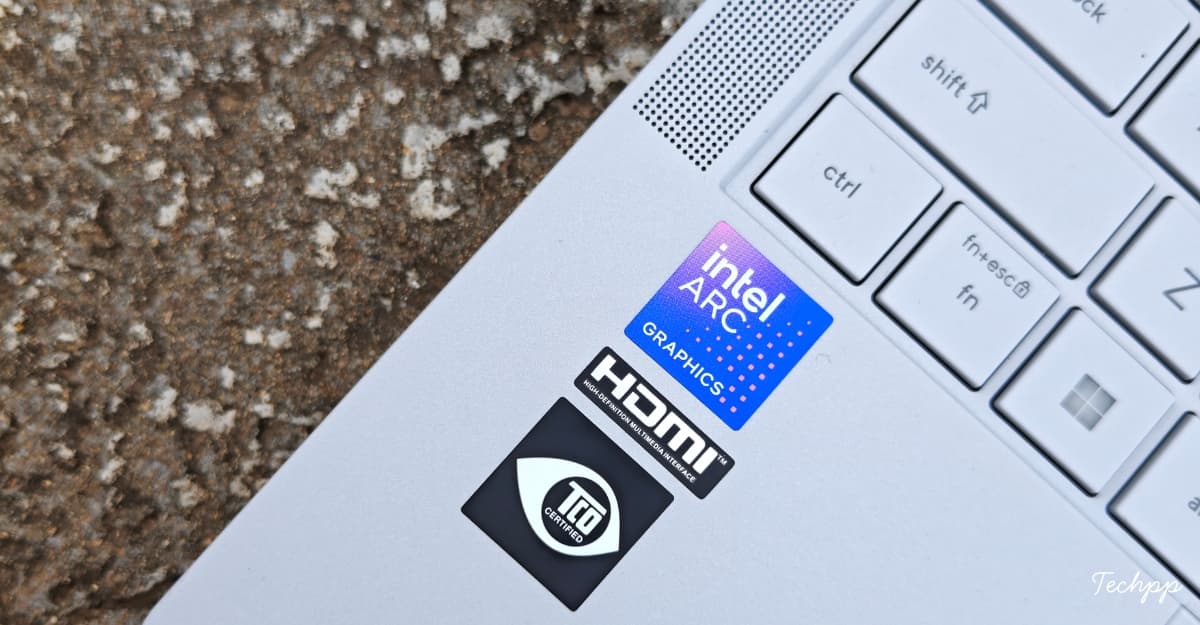
It comes with 4 performance cores, 8 efficiency cores, and 4 low-power efficiency cores. The maximum clock speed is 4.8 GHz, with support for integrated Intel Arc B390 graphics. My variant comes with 32GB LPDDR5X RAM and supports a 50 TOPS NPU performance. All base variants start with at least 32GB of RAM, which is more than enough to handle heavy tasks simultaneously without slowing down.
I can confidently say this is Intel’s comeback from its very bad state. For the past few years, Intel has been struggling with manufacturing delays and high pressure from its competitors. Apple’s transition to silicon, AMD’s popularity, and Qualcomm’s entry into the laptop segment have further fueled this pressure. At one point, the company, which was the leader in laptop processors, was up for sale.
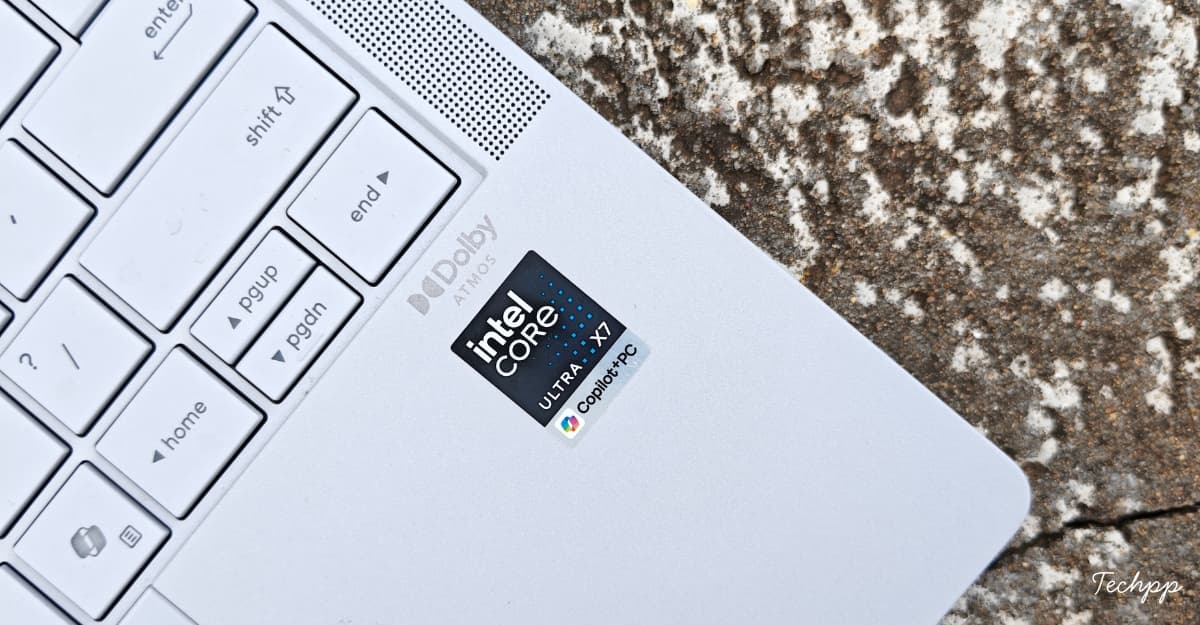
Intel’s Lunar Lake processors were a big leap in efficiency, but they underperformed compared to competitors. Arrow Lake has delivered incredible performance but has fallen short on efficiency. Now, with the latest Panther Lake, Intel uses its most advanced 18A architecture, which promises both performance and efficiency. Intel has claimed up to 50% faster GPU performance and up to 180 platform TOPS for AI workloads on these new Panther Lake processors.
After testing Core Ultra X7 358H on the Asus ExpertBook Ultra, Intel is back in the game by offering top-tier performance and efficiency. Before going to the benchmarks, here is my experience with this processor so far.
The laptop can handle all work tasks without lag, whether they are light, medium, or heavy. Apps open faster, data transfer speeds are significantly higher, and the SSD offers excellent read and write speeds.
The integrated GPU is also very powerful. While I haven’t compared it directly to an RTX 4060, based on some online comparisons, it is close to the RTX 4060’s performance, but it is still an integrated GPU. It can also play medium- to high-quality modern games without breaking a sweat. Remember, all these efficiency numbers are achieved on a thin and light laptop with just 10.99 mm thickness, with thermal limitations.

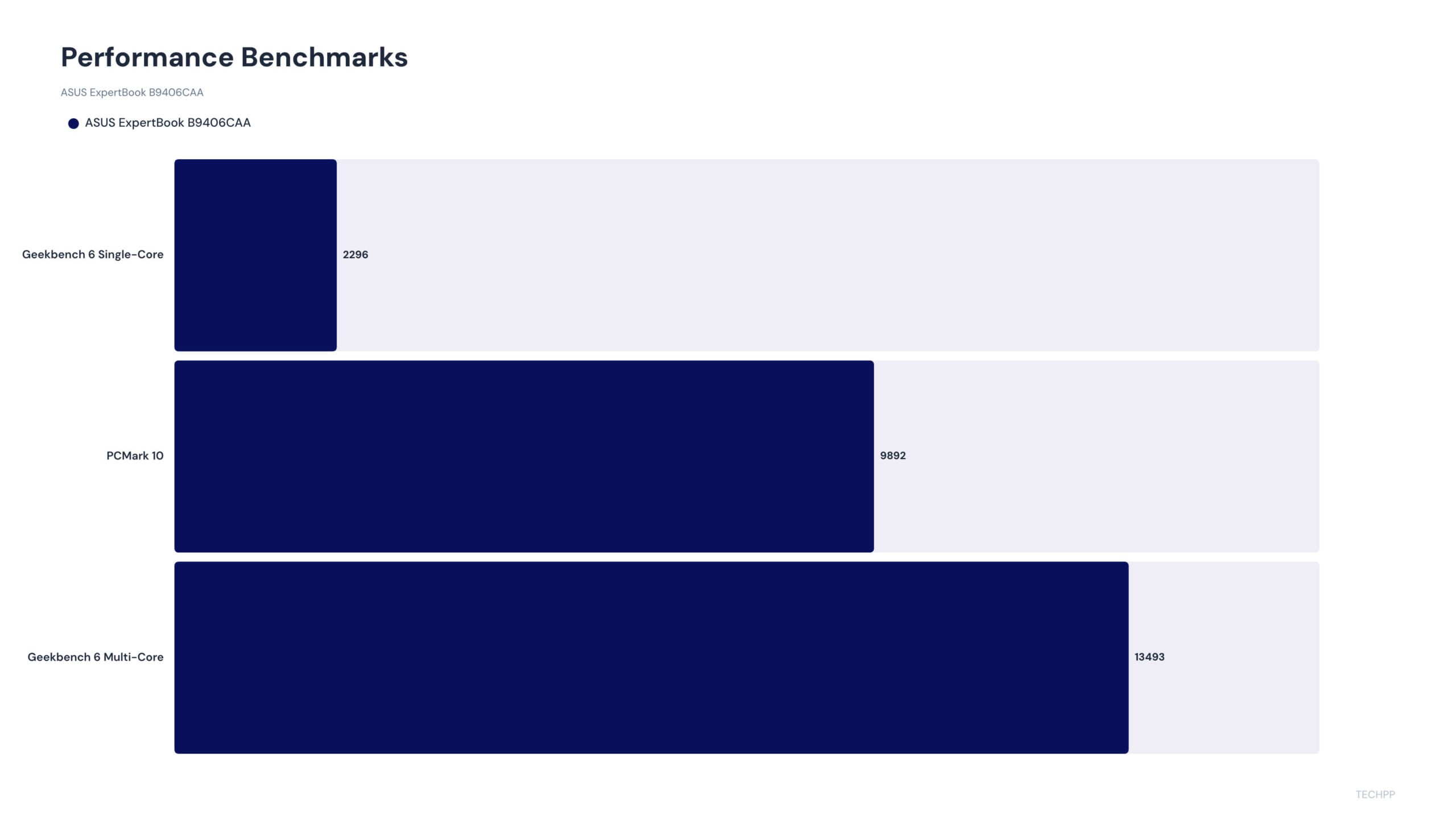
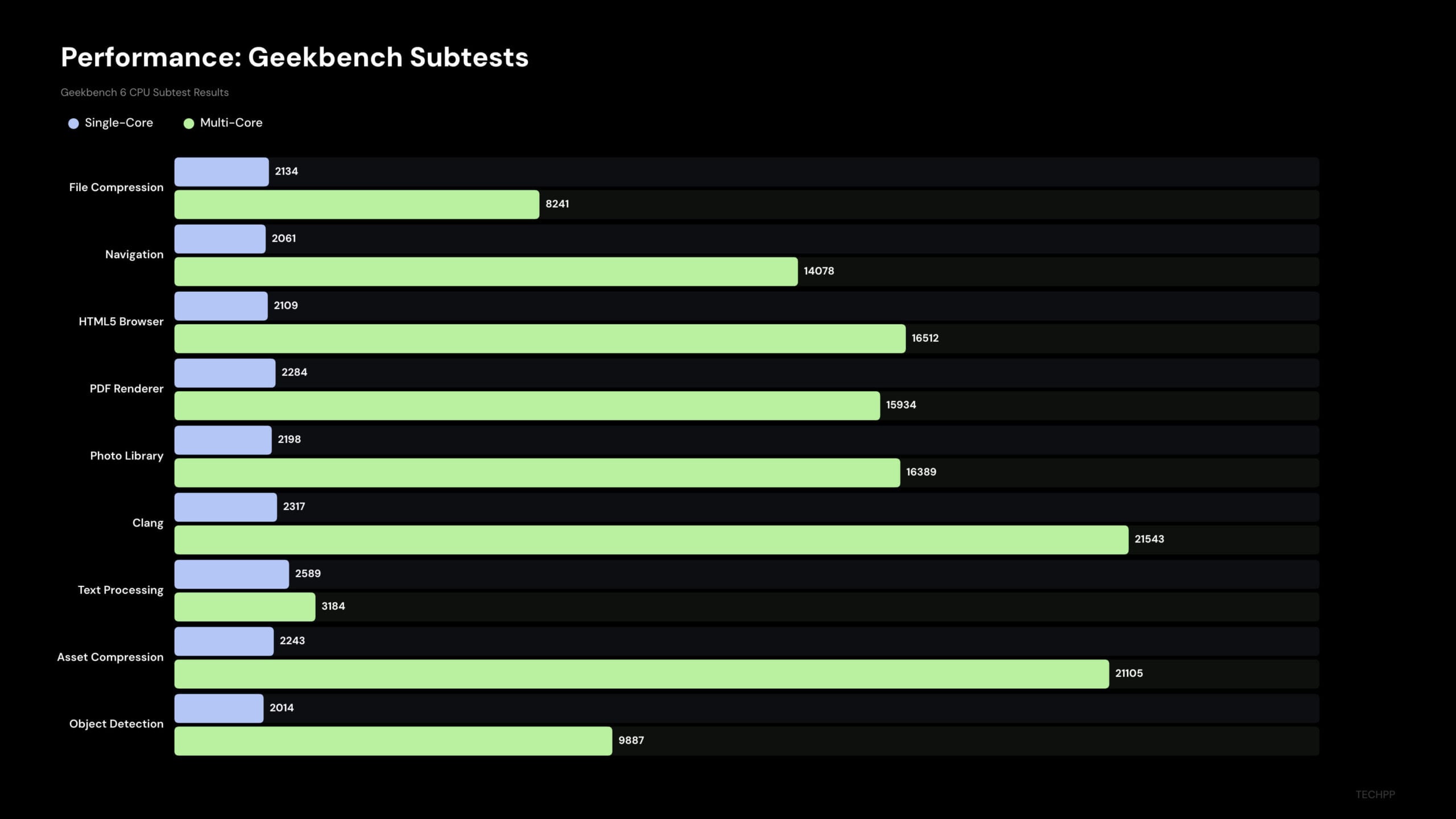
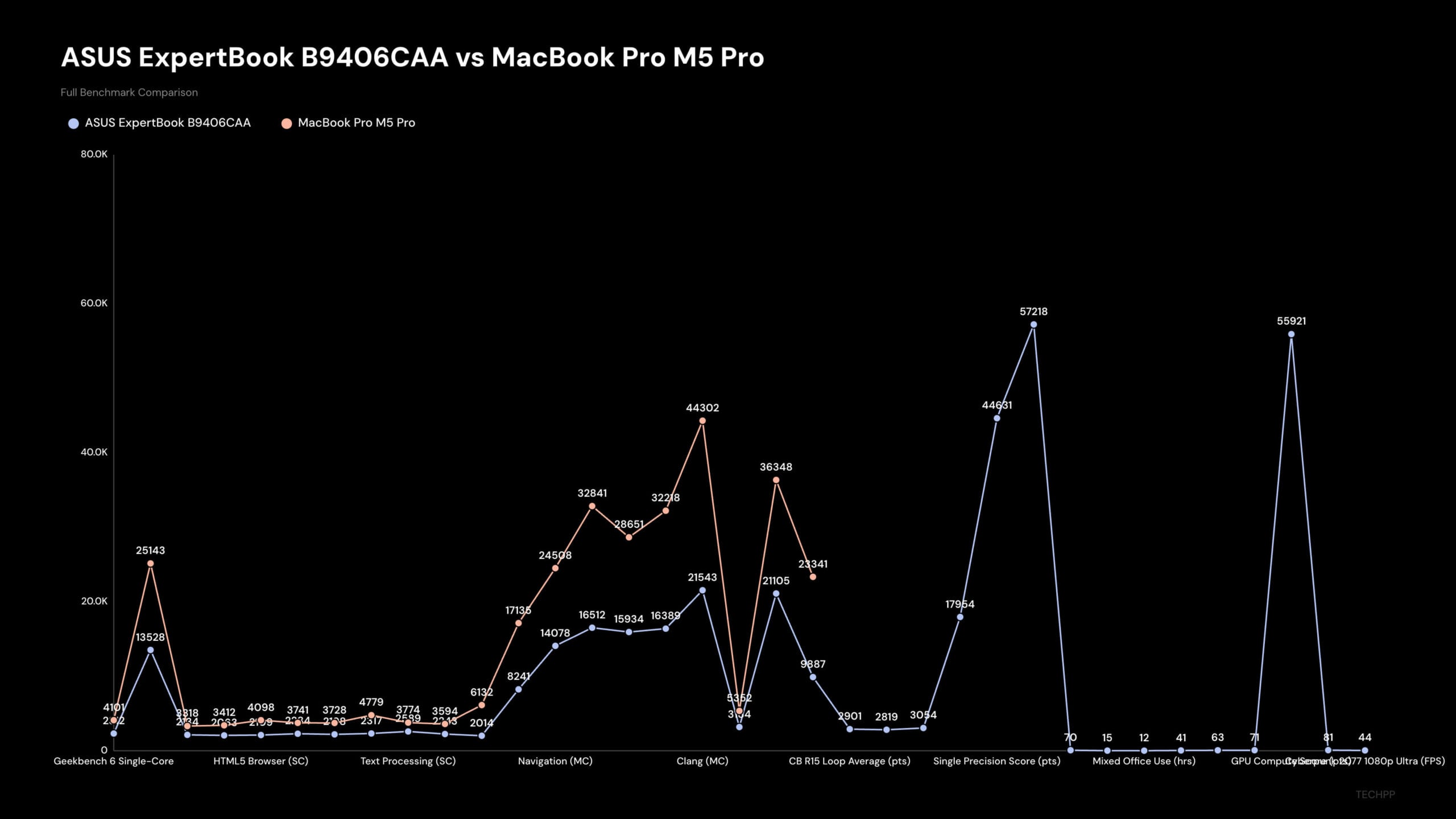
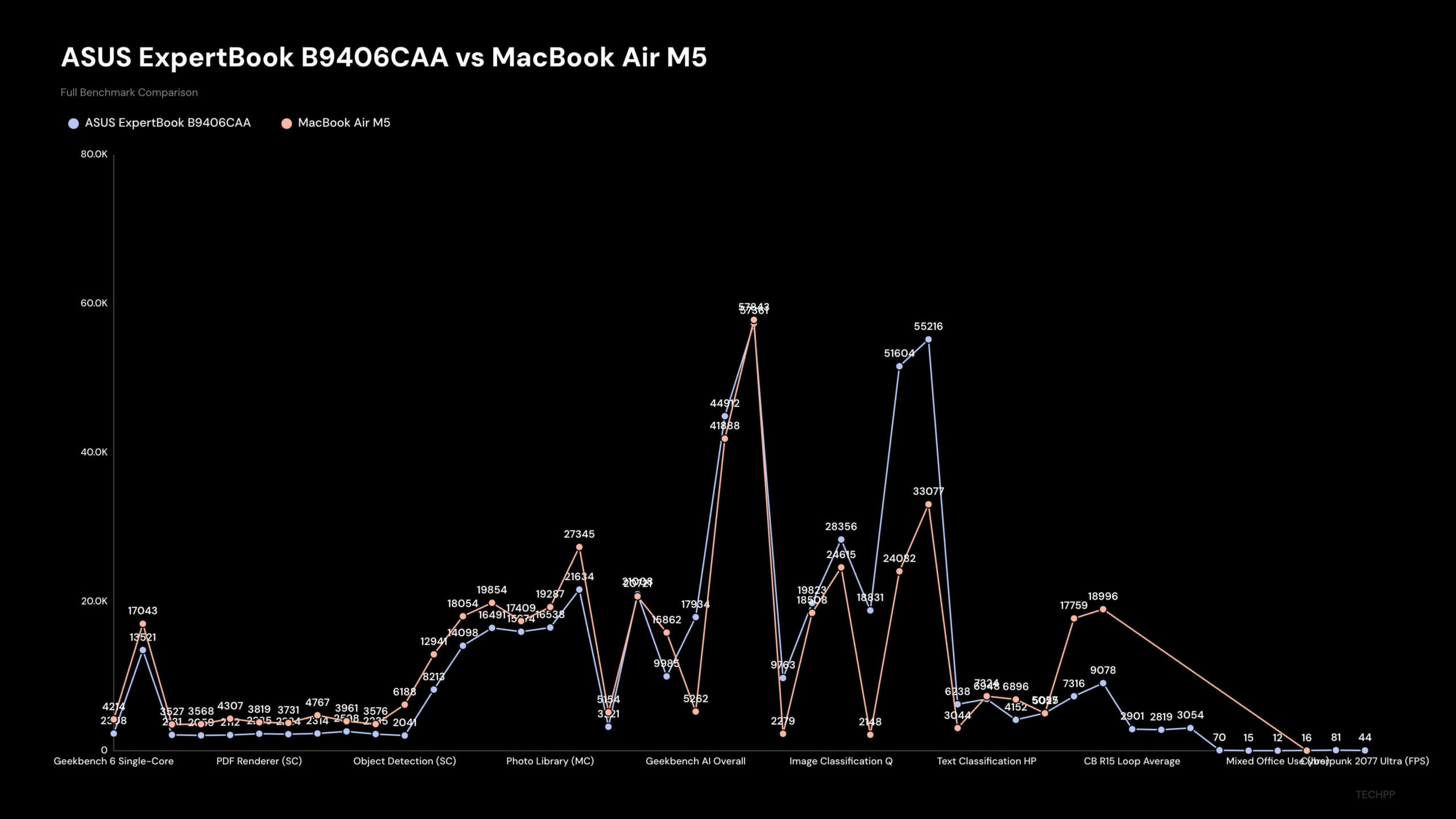
In terms of benchmarks, the ASUS ExpertBook Ultra with Core Ultra X7 358H scored about 2,900 on the Geekbench single-core test and 16,000 on the multi-core test. In comparison, the Core Ultra X9 388H (found on the ASUS Zenbook Duo) scored 2,900 on the single-core and 17,000 on the multi-core. There isn’t a significant performance difference between these processors in terms of Geekbench scores.
While the Apple M4 still leads in single-core performance, scoring about 3,800 in the Geekbench single-core test, it falls slightly short with 14,000 in multi-core compared to 16,000 on the ASUS ExpertBook Ultra. While I don’t have dedicated numbers comparing it against the Snapdragon X Elite, the multi-core scores are very similar, and it is significantly better than the Snapdragon X Elite.
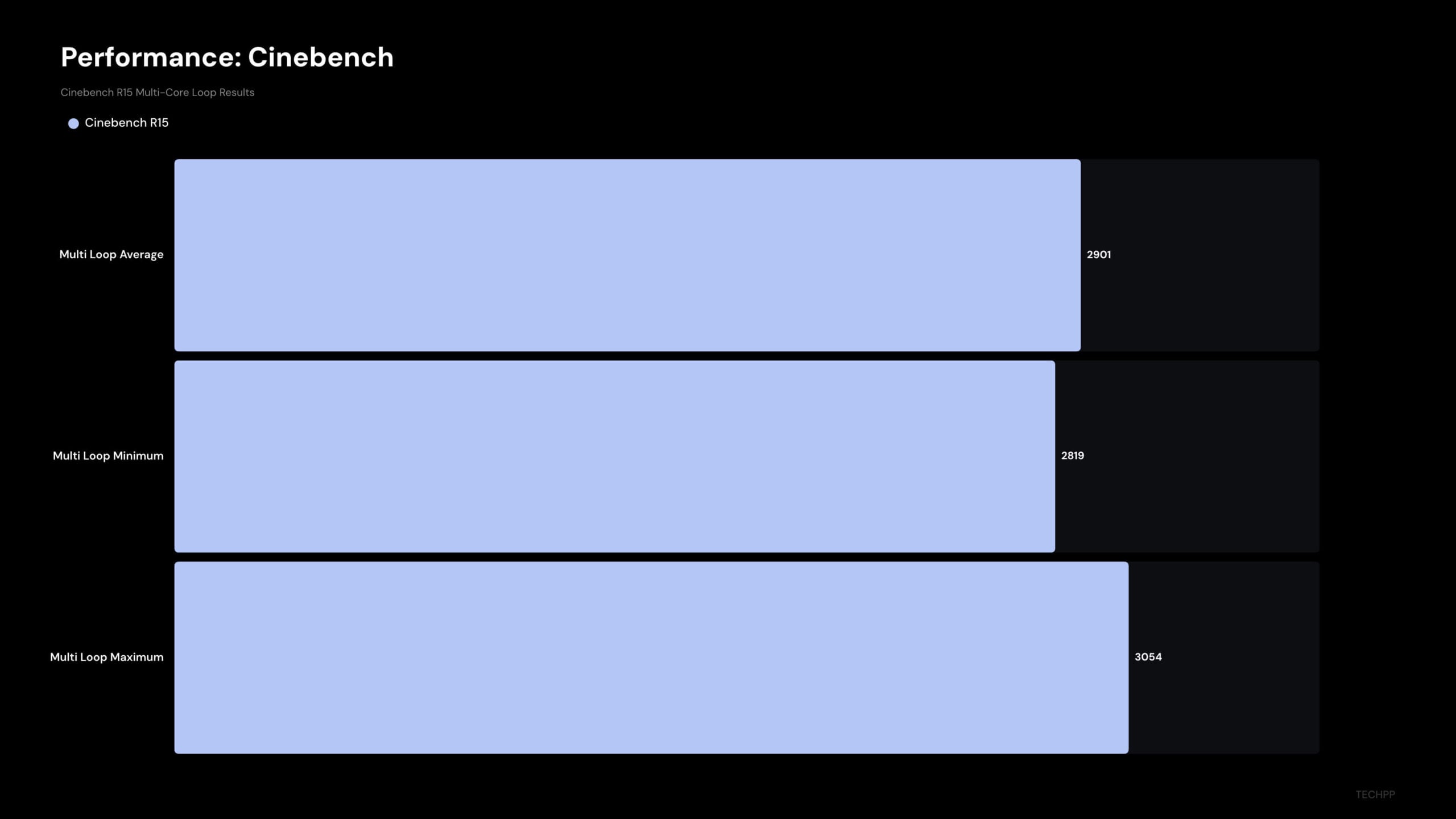
In the Cinebench R24 comparison, the ASUS ExpertBook with the Core Ultra X7 385H scored 120 on Cinebench R24 single score and 838 on the Cinebench R24 multi-score. The ASUS ZenBook Duo with Core Ultra X9 scored 127 in single-core and 929 in the multi-score. The Apple M4 scored 172 and 982 in the multi-score. The AMD Ryzen AI 9 scored 125 and 1242 in the same benchmarks. You can find detailed benchmarks in our Techpp.app expertbook ultra benchmarks post.
Overall, translating these performance numbers into real value, whether you are a business user, a content creator, or someone who wants to do video editing and light gaming, the ASUS ExpertBook Ultra handles almost all of these tasks without breaking a sweat.
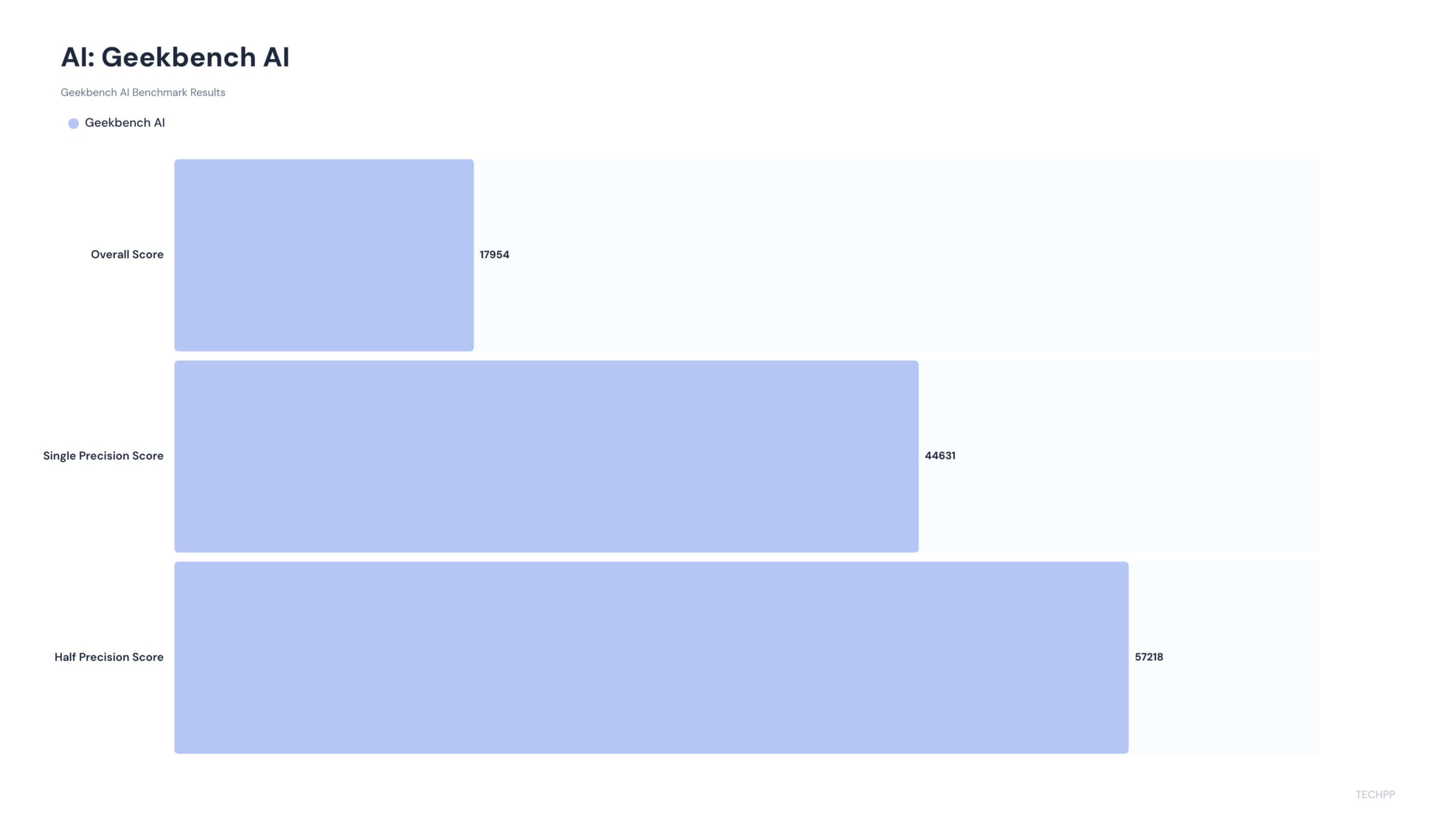
I have installed the LM Studio to run AI models locally. I downloaded Google Gemma (4 billion parameters) and also Qwen 3 (18 billion parameters) to test the NPU. With 50 TOPS, the Gemma 4B can run locally on the device without issues or performance drops. At the same time, the Qwen 3 model’s responses are slower than those of the Gemma 4 model. But it’s still impressive that it can run it locally without relying on the cloud.
Thermals are in control in ExpertBook Ultra. Even under heavy workloads however I did notice heat when charging. During tasks, I didn’t hear any fans running. I even forgot fans exist on the Asus ExpertBook Ultra because my MacBook has a fanless design and hasn’t heard a fan noise in a long time.
For everyday tasks, the laptop runs cooler, but it only gets slightly warm under heavy tasks and while charging. You notice it when you place your laptop on your lap. Even then, the fans are not aggressive, pumping out hot air. This heat is exhausted through the bottom. It does not have an ergonomic lift, unlike other Asus laptops, so it sits flat and stable on any surface.
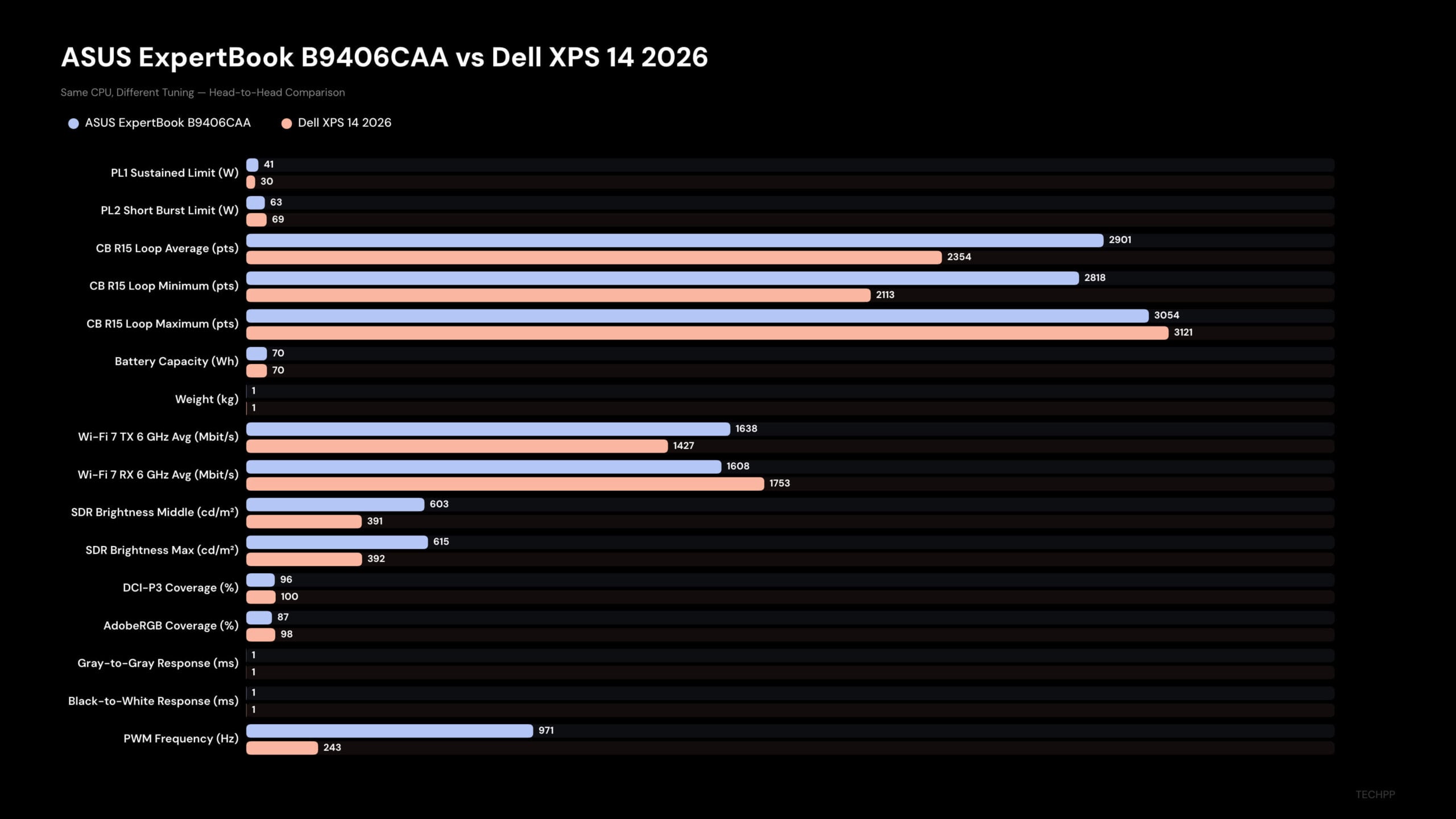
Here are some benchmarks for the Asus ExpertBook Ultra from the internet and including my tests, and a comparison with other laptops, including MacBooks and Dell laptops. But remember, benchmarks don’t always tell the full story.
ASUS ExpertBook Ultra Battery Life: Easily Lasts a Workday
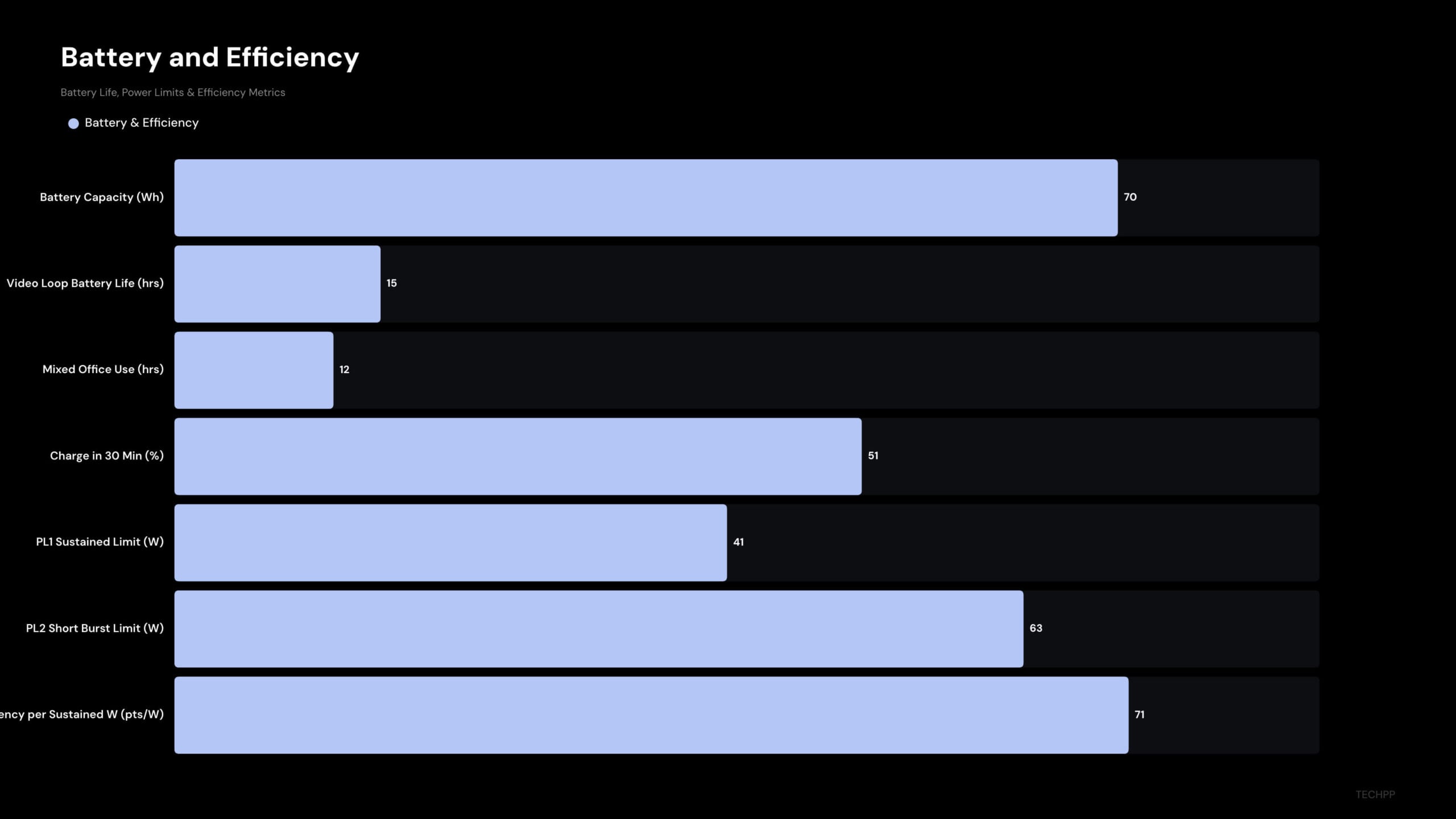
Battery life is impressive. The ASUS ExpertBook Ultra comes with a 70 Wh battery. Thanks to its most efficient processor, the battery can last all day. ASUS claims up to 24 hours of battery life. In my testing, I got an average of 11-13 hours of battery life on a single charge. My tasks mostly include browsing, playing light games, watching Netflix, and video editing. So, whether you are on the move or attending multiple meetings, this laptop can last a full day without a charger.
On days of light use, the laptop even lasted two days without a charge. The standby battery life is excellent. It didn’t even lose 1% after hours in sleep mode.
It also supports fast charging. You get a fast charger in the box that supports up to 90W. Asus claims it can charge your laptop 0-50% under 30 minutes, but in my testing, it took exactly 49 minutes to go from 20% to 70%.
The charging brick is also portable, so you can charge the laptop using the other USB-C connector type at any time, but we wouldn’t recommend doing so. The charger offered in the box is also portable. You can carry it anywhere inside your bag or put it in the sleek bag and charge it whenever you need it. The cable length is long. You can even connect and charge your laptop from distant power outlets without any issues.
ASUS ExpertBook Ultra Keyboard and Touchpad: Comfortable Keys
It usually takes me time to adapt to a new keyboard, especially after being used to the size and spacing of my MacBook keyboard. This happened with many review laptops in the past, but somehow that’s not the case with this ExpertBook Ultra.
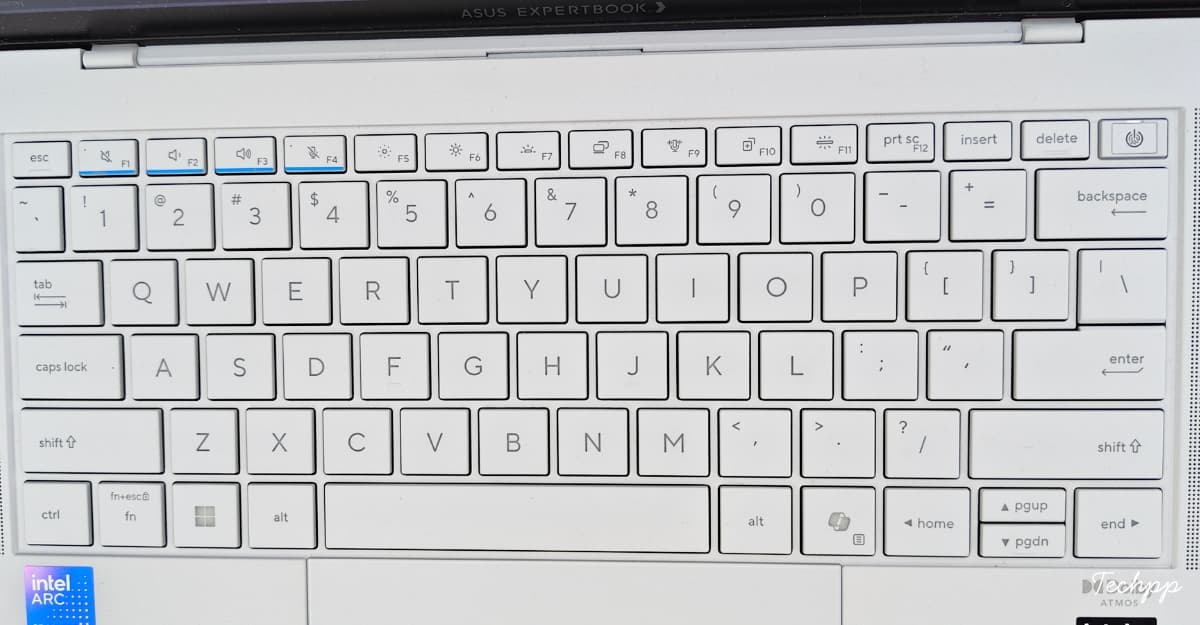
The Asus ExpertBook uses a full-size laptop keyboard with the number keys and function keys. The keys are almost the same size as my current MacBook Air M1 but slightly larger, with more key travel. The keys are softer, less clicky, and more tactile than on the MacBook. The typing experience is not noticeably better than any other Asus keyboard I’ve used in the past.
This is not a new keyboard design, but it’s perfectly tuned for business use cases. If you are a business owner who types a lot, you will feel the key travel and softer tactiles of the keyboard, and it’s smoother to type. It is also quieter to type on this device with its soft clicks. Even if you are moving from the Mac, you should be able to get along with it in no time.

The biggest improvements are on the trackpad. The ExpertBook uses a glass touchpad and supports haptic feedback. The touchpad is significantly larger, and it takes up the full vertical space.
The glass touchpad has a very low-friction surface and is less resistant. Swiping, scrolling, and everything else felt very smooth, and the touchpad is also very responsive and comes with soft clicky feedback. I felt it was very similar to the MacBook touchpad, which is soft and also silent.
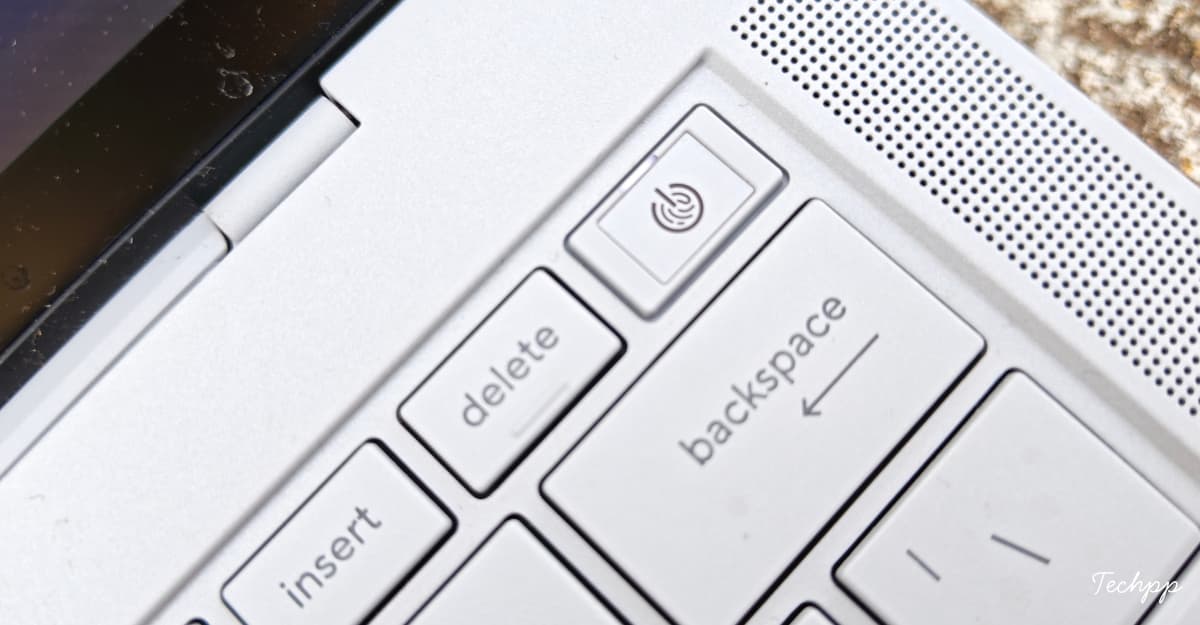
Fortunately, it doesn’t host a fingerprint or a digital number pad. Thankfully, Asus moved the power button to the top-right corner, similar to the MacBooks.
ASUS ExpertBook Ultra Speakers: Loud, Clear, and Surprisingly Good for a Thin Business Laptop
During the launch in a closed room, Asus demonstrated a test comparing the Asus ExpertBook Ultra speakers with the MacBook, Lenovo, and Dell. The testing was done in an isolated space with their own music selection. Every device sounded almost the same, except both the Asus ExpertBook and the MacBook were louder and punchier.
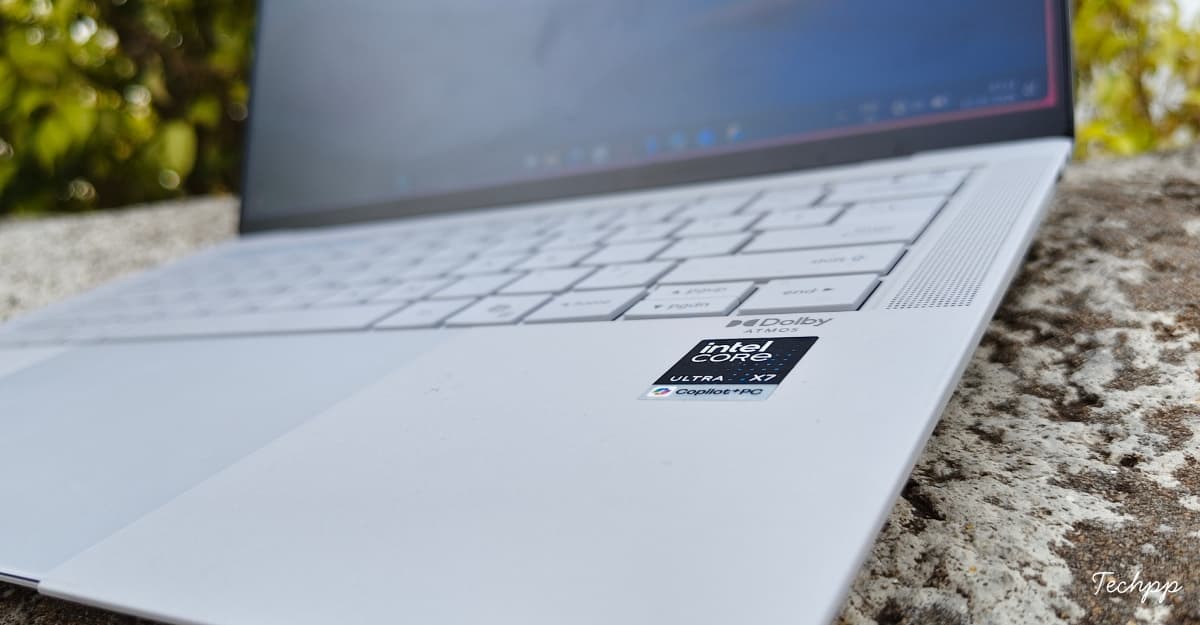
The Asus ExpertBook Ultra features six built-in speakers, with two woofers on either side. It also supports Dolby Atmos. The best part of the speaker setup is the top-firing speakers. The sound is directed toward the user rather than away. We should also appreciate that ASUS has managed to fit all six speakers into a thin, light chassis.
The speakers are way louder and richer, almost very similar to the MacBook range. These speakers are also specially tuned for voice clarity. If you take a lot of Zoom calls and record meeting notes, you get clear audio. The top-firing speakers are very loud and clear, without muffling or distortion. But the sound is slightly harsher when you pump the volume to 100 percent.
ASUS ExpertBook Ultra Business Features: Strong Security, Useful AI Tools, but Weak Camera and Mic
ExpertBook comes with all the enterprise-grade security features to ensure strong security.
The laptop is equipped with an ASUS ExpertBook Guardian. It offers enterprise-grade security, including BIOS-level protection, so even if your antivirus fails to detect the threat, the ASUS ExpertBook Guardian protects at the BIOS level from low-level attacks. It also comes with self-healing BIOS and firmware protection that automatically recovers from an attack. You also get a Microsoft Pluton security processor built right into the CPU to protect your sensitive data.
It supports a physical fingerprint sensor you can use to securely log in to your laptop. It also comes with a physical camera shutter you can slide to block your front camera completely. Alongside it, the Asus Expert Productivity Suite offers plenty of AI features for most of your workflows. The meeting summaries and the noise reduction were the two best features, being both practical and very useful for most people.
The camera and mic quality are not up to the mark. If you often take video calls, attend meetings and interviews, or even conduct client discussions, you will need good lighting to achieve high-quality video output.
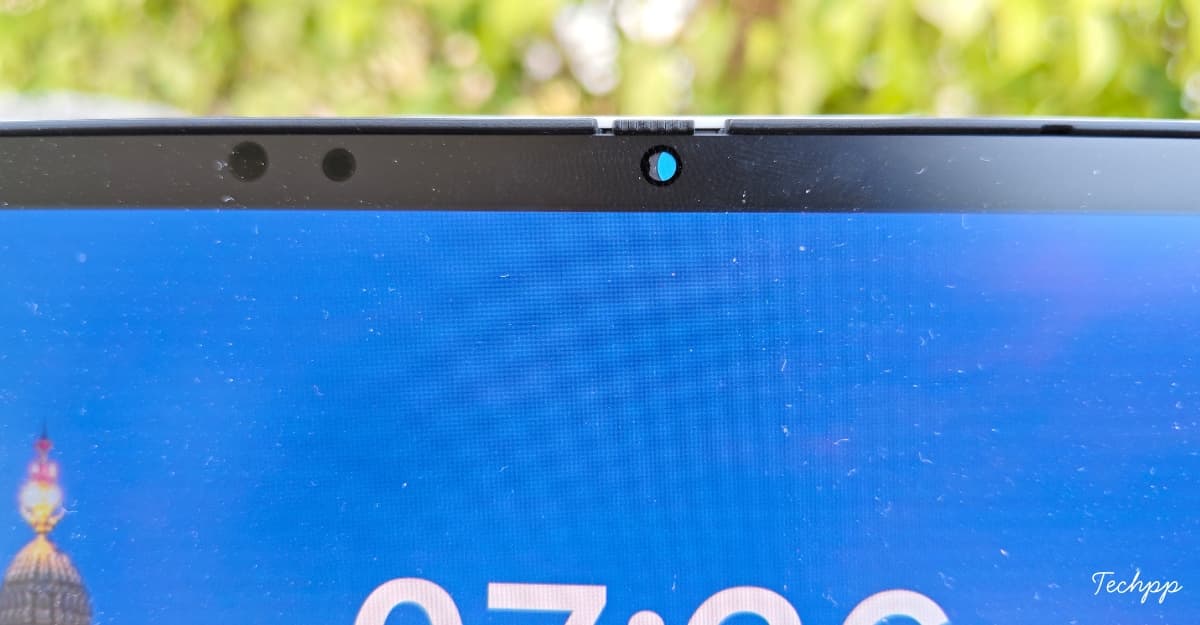
Even in good lighting, the footage looks pixelated, and even worse in low light. Most of the time, the colors look washed out. The camera quality fell short of expectations. The microphone quality could also be better. The voice felt muffled and, at times, even robotic. It also picks up background noise, but the ASUS noise reduction tool helps minimize it.
ASUS ExpertBook Ultra Windows Experience: Fast and Smooth, but Windows Still Gets in the Way
Thanks to Panther Lake and 32GB RAM, and the faster SSD on the device, the Windows experience felt very snappy throughout my usage. But Windows still has many problems to fix, especially how updates are handled.
During the initial setup, Windows prompted me to update to the latest Windows version. I accidentally triggered the update, and it took 45 minutes for my device to finish setting up before I could access the home screen. And still, there is a lot of unwanted bloatware which Microsoft promises to resolve in future updates. But Copilot on Windows is one that Microsoft should avoid, or at least give us control to disable these unwanted experiences on Windows.
The performance is mostly stable. I haven’t noticed any lags or drawbacks throughout my experience. Apps load faster, and everyday tasks like using Chrome on multiple tabs, Google Docs, Excel sheets, opening Slack, Motion, email, File Explorer, and video meetings, everything felt smooth and snappier.
ASUS ExpertBook Ultra Repairability: Not Very Upgrade-Friendly, but Service Support Helps
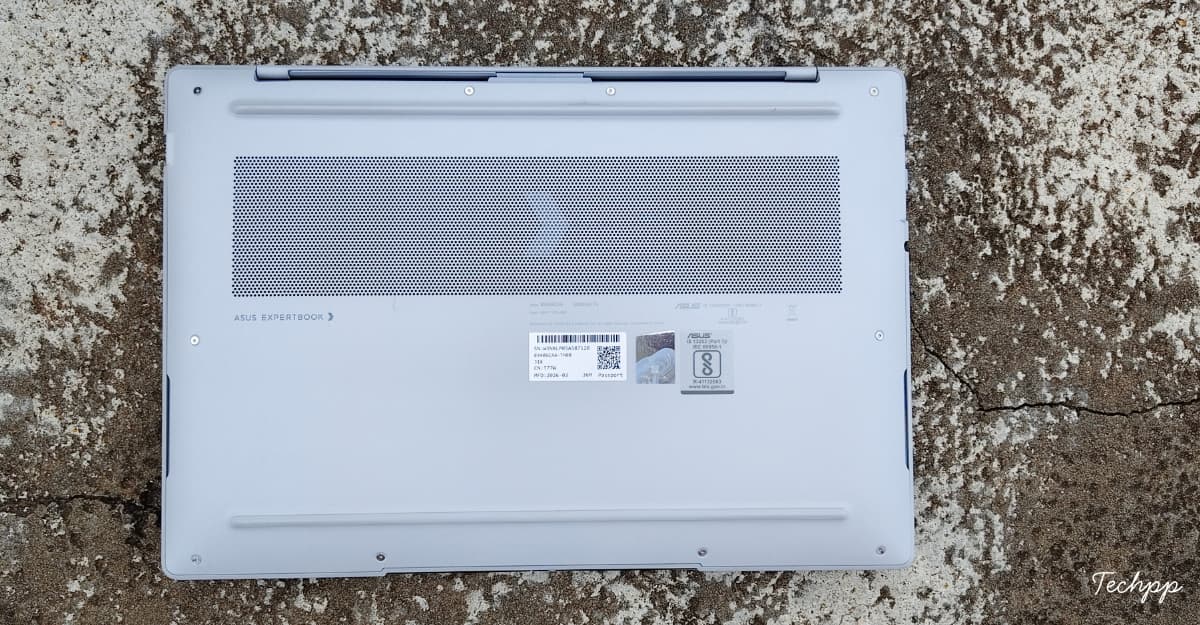
Like other ultrathin and lightweight laptops, the ASUS ExpertBook is also not repair-friendly. Most components are soldered directly to the motherboard, so they cannot be easily upgraded or replaced. However, Asus allows you to upgrade your SSD and makes it easy to repair if anything goes wrong. Since the ExpertBook is a premium laptop and you are paying a hefty price, Asus is offering premium after-sales service. You can register your product online and track its warranty status.
Conclusion:
Asus ExpertBook Ultra is the most exciting Windows laptop in a very long time. The premium market segment, which Apple mostly dominates, finally has a reliable competitor and more choices for users. Not just for Asus, this laptop is also a message from Intel that they have returned to recapture the premium market. It combines performance, portability, and premium in one device.
ASUS ExpertBook Ultra (2026) Review Verdict: The Windows Laptop That Finally Feels Truly Premium Again
If you are looking for a premium Windows laptop that checks every box and is the most reliable option for your daily business tasks, then the Asus ExpertBook Ultra is the one to get. Its ultra-thin and lightweight design makes it easy to carry anywhere without feeling heavy.
It can withstand accidental drops and even spills of coffee or water. Intel Core Ultra 3 delivers exceptional performance for browsing, multitasking, and opening multiple applications. It can handle everything you throw at it.

The tandem OLED is one of the best-looking displays with maximum brightness support if you often work outdoors. The battery can last a full day of work; you don’t need to charge it midday.
It has plenty of ports, so you don’t need to carry an extra adapter to connect all your peripherals. The business-grade protection protects your data from malicious activity, and the soft-click keyboard is intuitive and easy to type on, even if you are a new user switching to this laptop.
Except for its premium price, there aren’t many reasons not to recommend this laptop. If you want a simple and reliable work laptop for many, this is overkill. On major issues, I noticed that the text on this laptop’s screen looks slightly pixelated, but if you can get past this, there aren’t many deal-breakers for most business users.
- Thin and lightweight at just 0.99 kg and 10.99 mm thickness
- Magnesium alloy body and Nano Ceramic coating give it a strong feel.
- Excellent 3K tandem OLED display
- Core Ultra X7/X9 chips deliver excellent performance
- Stronger GPU
- Nice keyboard
- Useful port selection
- Expensive
- The matte OLED coating can show a screen-door effect
- The webcam is only average
- Gets warm when charging
- No Thunderbolt 5 or SD card reader
| Design & Build |
|
| Display |
|
| Performance |
|
| Battery Life |
|
| Business features |
|
|
SUMMARY
Asus ExpertBook Ultra is the most exciting Windows laptop in a long time. The laptop does an exceptional job across all key areas, whether it is design, durability, performance, display, or battery, making it not only an all-rounder but also an easy choice to pick as your business companion. |
4.2
|

