

In Summary
- The OnePlus Nord Buds 3 Pro have a stem-style design with an angled nozzle, ensuring a comfortable fit and good isolation.
- They offer Google Fast Pair for easy connectivity, multi-device support for seamless switching, and customizable touch controls.
- They deliver good sound quality with ample bass and have a long battery life, lasting up to 12 hours without ANC and 50 hours with the case.
The budget TWS earbuds space has become overcrowded over the last few years. As such, we’re getting more value-for-money offerings from various brands under Rs. 5,000 (~$18). OnePlus Nord lineup of earbuds is a good example of this, and its all-new Nord Buds 3 Pro is here to take that further.

Priced at Rs 3,299 ($79.99 in the US), the OnePlus Nord Buds 3 Pro have a lot to offer. Here are seven things that make them an enticing offering for that price, in my opinion.
Table of Contents
Practical and Comfortable Earbud Design

I prefer stem-style earbuds over other styles since they generally offer a better fit and are more comfortable even when worn for long hours. As such, the OnePlus Nord Buds 3 Pro earn immediate praise from me.
The earbuds come with a decently long stem that widens at the base. Not only does this give them a unique look, but it also allows them to sit in the ear comfortably. What aids with the fit further is the angled nozzle design. Combined, you get a good seal that offers ample isolation.
Both earbuds sit inside a pebble-shaped case. It’s a two-tone case with a decent build and a solid hinge. The case is also lightweight and handy, which makes carrying the earbuds easy. You can get Nord Buds 3 Pro in two colors: Starry Black and Soft Jade. I like the Starry Black more.
Instant Pairing With Google Fast Pair
The Nord Buds 3 Pro come with Google Fast Pair support. This makes pairing them with an Android phone (that supports Fast Pair) super easy, eliminating the need to go through the hassle of manually pairing them.
Simply put the earbuds into pairing mode by pressing the button at the bottom of the case, then open the case’s lid. You’ll now see a pop-up on your phone’s screen with their name and a Connect button. Hit Connect to pair the earbuds, and they’ll be ready to use.
Once paired, the Nords Buds 3 Pro will be linked to your Google account. You can then access them on other devices with the same Google account.
Multi-device Connectivity for Seamless Switching
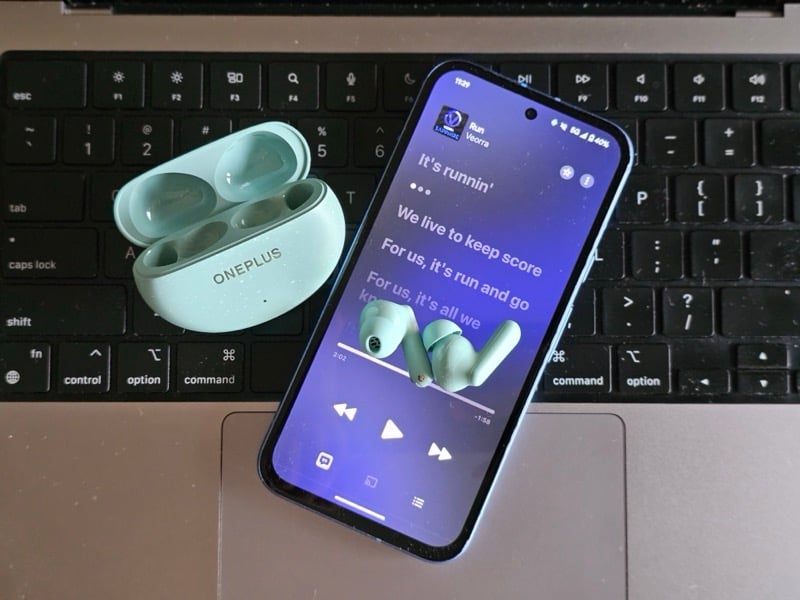
Another nice feature you get on the Nord Buds 3 Pro is Dual Connection. What this lets you do is connect the earbuds with two devices at once and switch between them instantly, depending on the situation. The two devices can be your smartphone, tablet, or laptop.
To understand how Dual Connection can be useful, consider a scenario where you’ve paired your Nord Buds 3 Pro with your Android phone and your PC. You’re watching a movie on your PC (with your earbuds plugged in), and you get a call on your Android phone. Thanks to Dual Connection, you can instantly switch to your Android phone to take the call. Then, once that’s done, switch to your PC to continue watching the movie again. The best part is all of this happens automatically.
Highly Customizable Touch Controls
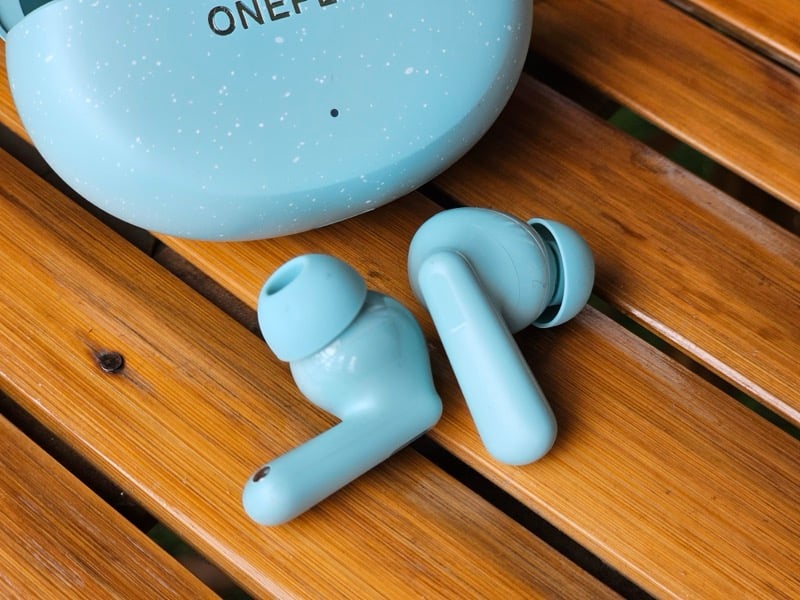
Alongside offering a comfortable fit, the stem-style design of the Nord Buds 3 Pro also makes using touch controls a convenient experience. And that’s a good thing because the earbuds support a bunch of gestures to help you perform a range of operations.
Both earbuds support five gestures each. This includes three tap gestures and two touch-and-hold gestures. But what’s really nice is that all these gestures are customizable, so you can set them to perform actions based on your preference.
I find the long touch-and-hold gesture really useful, as it lets you increase or decrease the volume, saving you the effort of doing the same on your phone. Similarly, I’ve customized the touch-and-hold gesture to switch between noise cancelation and normal modes only, as I rarely use the transparency mode.
If you use the voice assistant a lot, you can set the double-tap or triple-tap gesture on either earbud to trigger it. Or if you’re into gaming—and plan on using the Game mode on the Buds 3 Pro—set either gesture to enable it instantly.
Camera Shortcut for Quick Snaps
If you use a OnePlus phone, you will get an additional feature with your Nord Buds 3 Pro: Camera Control. Camera Control lets you shoot selfies or group photos and can be useful in numerous scenarios. You can find the feature under the Camera Related Settings option on the settings page of the earbuds under Bluetooth settings. Once enabled, it lets you quickly snap pictures with a simple gesture.
To use Camera Control, simply open the Camera app and double-tap the touch area on either earbud. (It won’t trigger its original action for the duration.) This will give you a 3-second countdown to pose or adjust the frame, after which it’ll click a picture. You can then head to the Photos app to view the snapped picture.
Good Sound Quality With Ample Bass

Sound preferences are subjective. However, earbuds with a bass-forward sound signature, i.e., those that emphasize the lower frequencies more, are generally more popular among the masses.
OnePlus understands this, and it’s reflected in many of its products over the years, including the Buds 3 Pro. The earbuds feature a single 12.4mm dynamic driver and support SBC and AAC codecs. They’re bassy-heavy, which you can tell right away. But the good thing is that the bass doesn’t bleed much into the mids or highs. Some bleeding is noticeable in the mids when you go back and forth listening to the same track on a pair of balanced-sounding earbuds, but otherwise, you can clearly hear everything in the range most of the time. Overall, they sound good and have ample bass.
That said, if you don’t prefer the default sound, OnePlus offers multiple presets, which you can switch between using the HeyMelody app on non-OnePlus phones; OnePlus phone users can find these under Bluetooth settings. I prefer the Balanced preset. It does a good job with most genres. For vocal-rich songs, you can also switch to the Serenade preset, which makes the mids sound clearer.

Besides, you also get the Bass preset. I, however, don’t find it worthwhile. Likewise, OnePlus has another feature for bass lovers: BassWave. It’s essentially an algorithm that promises to enhance the bass quality. You can use it with any preset and adjust the bass intensity, depending on your preference. While the feature does boost the bass significantly, it also makes it bloomy; I’d rather use the custom EQ to tweak the bass to my liking.
Great Battery Life for Long Music Sessions
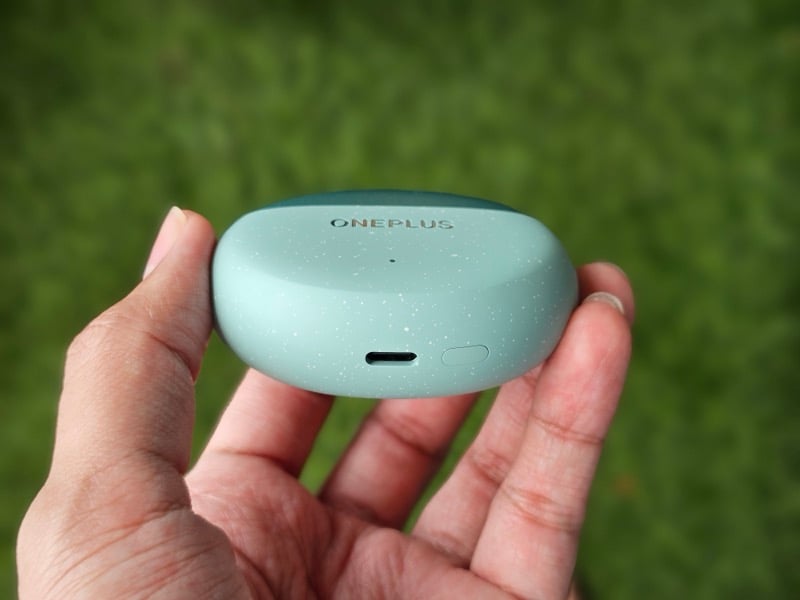
No earbuds are good if they don’t last long and require you to plug them in frequently. The OnePlus Nord Buds 3 Pro excel in this department, too.
As per the company’s claims, the earbuds can last up to 5.5 hours with ANC and 12 hours without ANC. While I could never manage to run them out in one stretch during my testing, I wore them through almost an entire workday (~7 hours)—listening to music on and off and taking a couple of calls—switching ANC on and off, and they still had around 10% battery left, which is great. Combined with the case, OnePlus says you can get up to 50 hours out of the earbuds on a single charge.
Besides having a great battery life, the Nord Buds 3 Pro also support fast charging. OnePlus claims a 10-minute quick charge can top up the battery for up to 4 hours. I tested this claim, and it came out to be accurate.
Bang for the Buck
There’s no one-size-fits-all approach when it comes to audio products; your requirements are a key factor in helping you choose the right pair of earbuds. However, the Nord Buds 3 Pro are a pair of earbuds that offer good value and check all the boxes any good pair of earbuds at that price should do, which make them a good fit for most people.

