

Quick Answer
iOS 27 supports all iPhone 11 and newer models, but AI features have different requirements. Apple Intelligence and the new Siri AI are available only on iPhone 15 Pro, iPhone 15 Pro Max, and newer models, while Apple’s most advanced on-device AI features are limited to iPhone Air, iPhone 17 Pro, and iPhone 17 Pro Max.
Apple just wrapped up its WWDC 2026 event, wherein the company announced plenty of new features across its OSes, including iOS 27. The biggest highlight is the improved Siri. Apple completely revamped Siri and now calls it Siri AI. It now has its own interface and also a dedicated app, and can answer questions with much more context. It can read your apps and files, and it is integrated across the system UI.
Alongside the news of Siri, Apple also announced plenty of Apple Intelligence features coming to Apple devices, along with design and performance improvements. One useful design update is that you can now tweak the liquid glass and adjust its opacity. However, similar to the confusion about Apple Intelligence-supported devices, this year’s feature availability is even more confusing.
To clear things up, the new Siri AI will be available for all devices with Apple Intelligence support. The iPhone 15 Pro and later devices support Apple Intelligence.
Some of the Apple Intelligence features require the most powerful on-device models to run AI locally on your iPhone. Because of this, some on-device AI features will only be available for iPhone Air and 17 Pro or later devices. Likewise, iPads with M4 or later and MacBooks with M3 or later are compatible with this powerful on-device model.
Finally, iOS 27 is available for all iPhone 11 or later devices. However, if your device is an iPhone 15 Pro or a previous model, Apple Intelligence features are not available. If you are not using an iPhone Air, iPhone 17 Pro, or later devices, your iPhone is not compatible with the on-device AI features. I hope that cleared things up for you. See the full list of supported devices below.
Table of Contents
iOS 27 Supported iPhone List
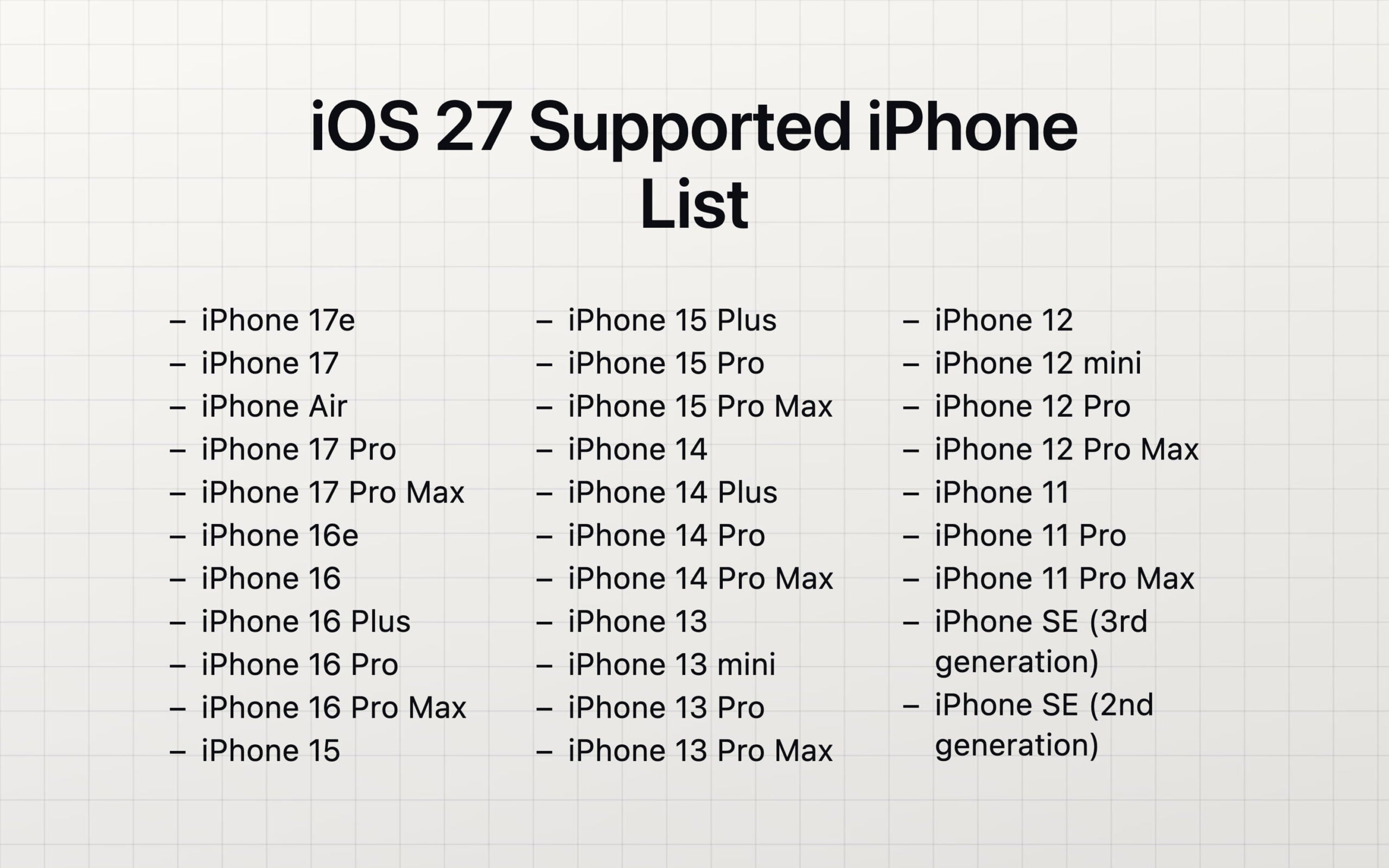
Here is a list of all devices that support Apple’s latest iOS 27. Fortunately, iPhone 11 or later devices are also supported with iOS 27. Check out the full supported iOS 27 list.
iPhone 17 Series and iPhone Air
- iPhone 17e
- iPhone 17
- iPhone Air
- iPhone 17 Pro
- iPhone 17 Pro Max
iPhone 16 Series
- iPhone 16e
- iPhone 16
- iPhone 16 Plus
- iPhone 16 Pro
- iPhone 16 Pro Max
iPhone 15 Series
- iPhone 15
- iPhone 15 Plus
- iPhone 15 Pro
- iPhone 15 Pro Max
iPhone 14 Series
- iPhone 14
- iPhone 14 Plus
- iPhone 14 Pro
- iPhone 14 Pro Max
iPhone 13 Series
- iPhone 13
- iPhone 13 mini
- iPhone 13 Pro
- iPhone 13 Pro Max
iPhone 12 Series
- iPhone 12
- iPhone 12 mini
- iPhone 12 Pro
- iPhone 12 Pro Max
iPhone 11 Series
- iPhone 11
- iPhone 11 Pro
- iPhone 11 Pro Max
iPhone SE Series
- iPhone SE (3rd generation)
- iPhone SE (2nd generation)
iPhones that Support the Latest Apple Intelligence in iOS 27
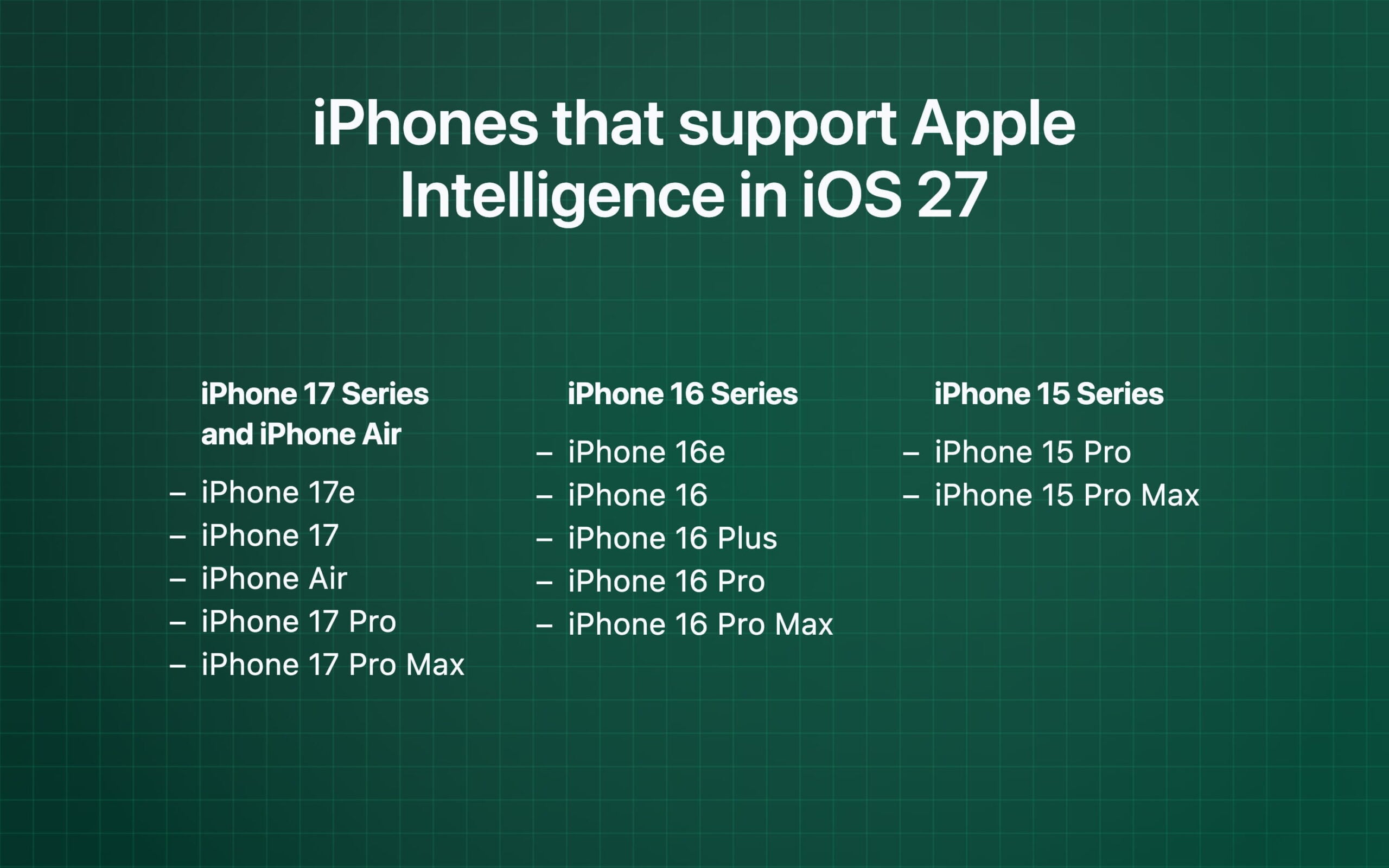
Apple Intelligence is the set of AI features available for Apple devices. When Apple announced it two years ago, only iPhone 15 Pro or later devices were compatible with Apple Intelligence. The same rule applies to the Apple Intelligence features in the latest iOS 27. Only iPhone 15 Pro or later devices support Apple Intelligence features in iOS 27. Remember that even if your device supports iOS 27, to use Apple Intelligence, you need an Apple Intelligence-supported device.
Check the full list of Apple intelligence-supported devices:
iPhone 17 Series and iPhone Air
- iPhone 17e
- iPhone 17
- iPhone Air
- iPhone 17 Pro
- iPhone 17 Pro Max
iPhone 16 Series
- iPhone 16e
- iPhone 16
- iPhone 16 Plus
- iPhone 16 Pro
- iPhone 16 Pro Max
iPhone 15 Series
- iPhone 15 Pro
- iPhone 15 Pro Max
Siri AI Supported Devices
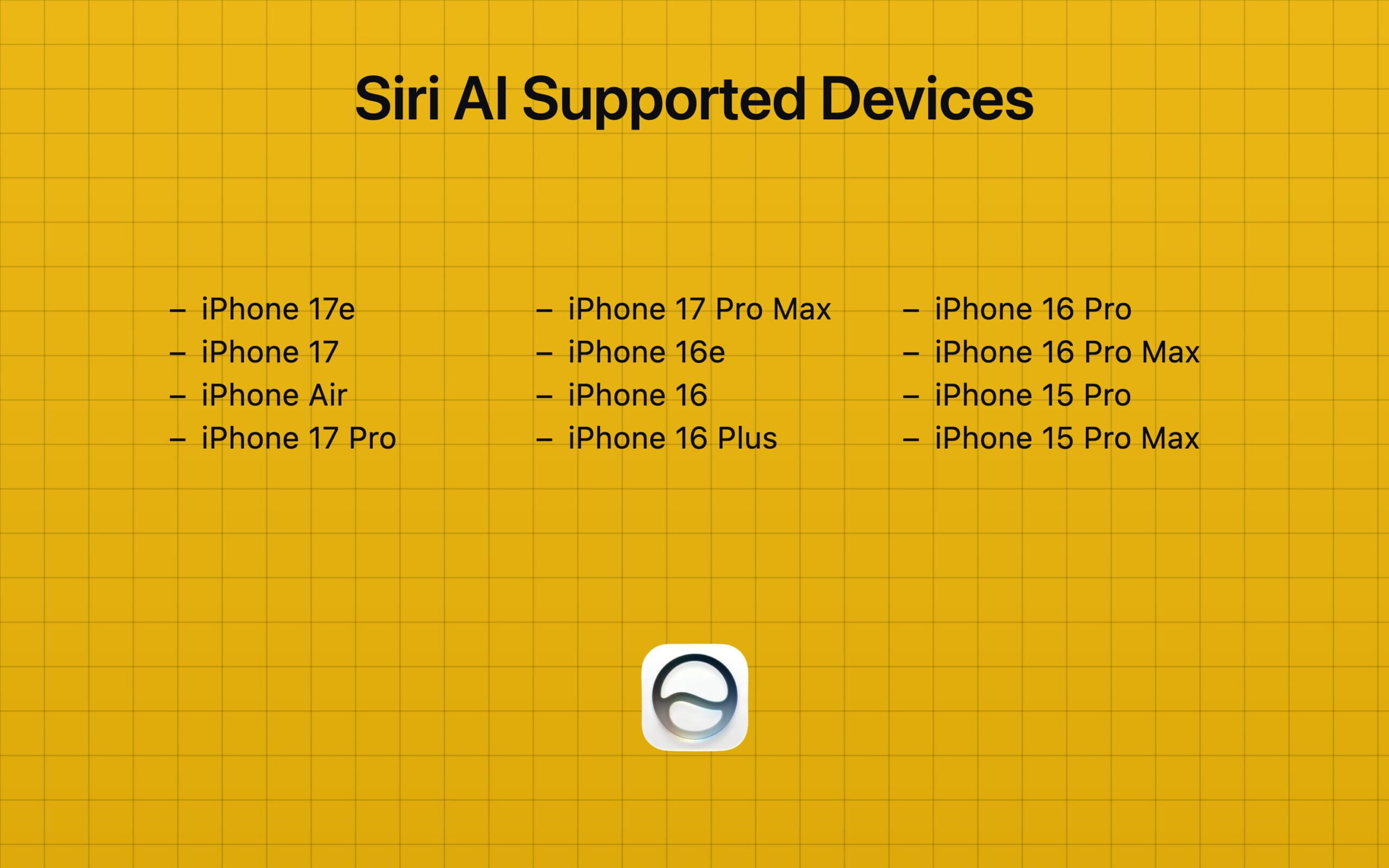
Apple announced a new Siri AI with iOS 27. The new Siri AI is available for all devices that support Apple Intelligence. It means if you are using an iPhone 15 Pro or later device and have upgraded to iOS 27, the new Siri AI is available on your device.
- iPhone 17e
- iPhone 17
- iPhone Air
- iPhone 17 Pro
- iPhone 17 Pro Max
- iPhone 16e
- iPhone 16
- iPhone 16 Plus
- iPhone 16 Pro
- iPhone 16 Pro Max
- iPhone 15 Pro
- iPhone 15 Pro Max
iPhones That Support Apple’s Most Powerful On-Device AI Model
Apple also announced its own foundational models that power the latest Siri AI. These models run both offline and in the cloud. AI features that utilize cloud processing for AI tasks are available for all Apple Intelligence-supported devices.
However, Apple’s most powerful AI model that runs locally on your iPhone is only available for the latest iPhones.
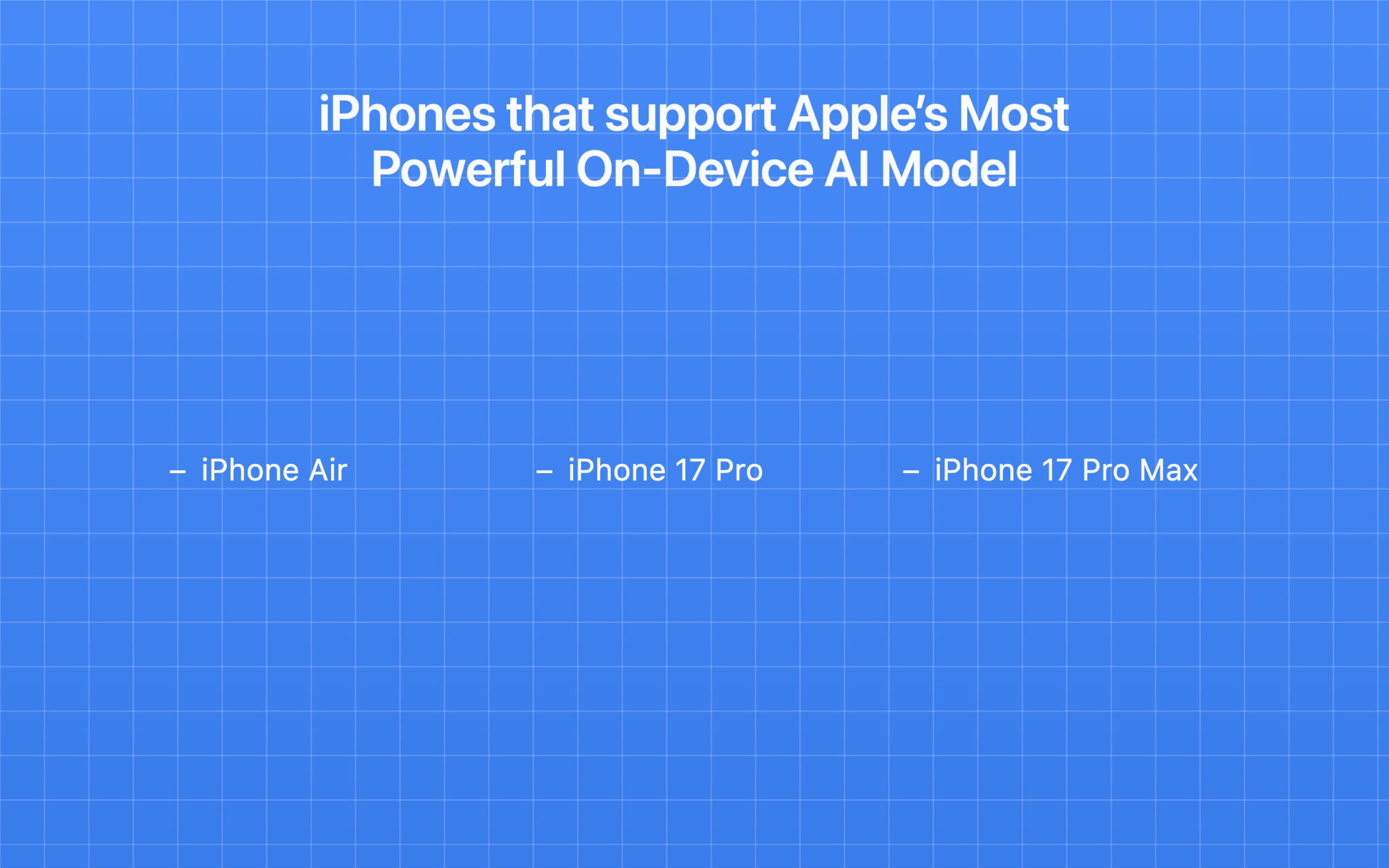
Apple officially announces that iPhone Air and iPhone 17 Pro or later devices are only compatible with running Apple’s most powerful on-device AI model for some on-device AI tasks.
- iPhone Air
- iPhone 17 Pro
- iPhone 17 Pro Max
How to upgrade to iOS 27
iOS 27 is currently available as a developer beta. I wouldn’t recommend installing it on your primary iPhone, since developer versions often have bugs and battery optimization issues. If you really want to try iOS 27, follow the steps below.
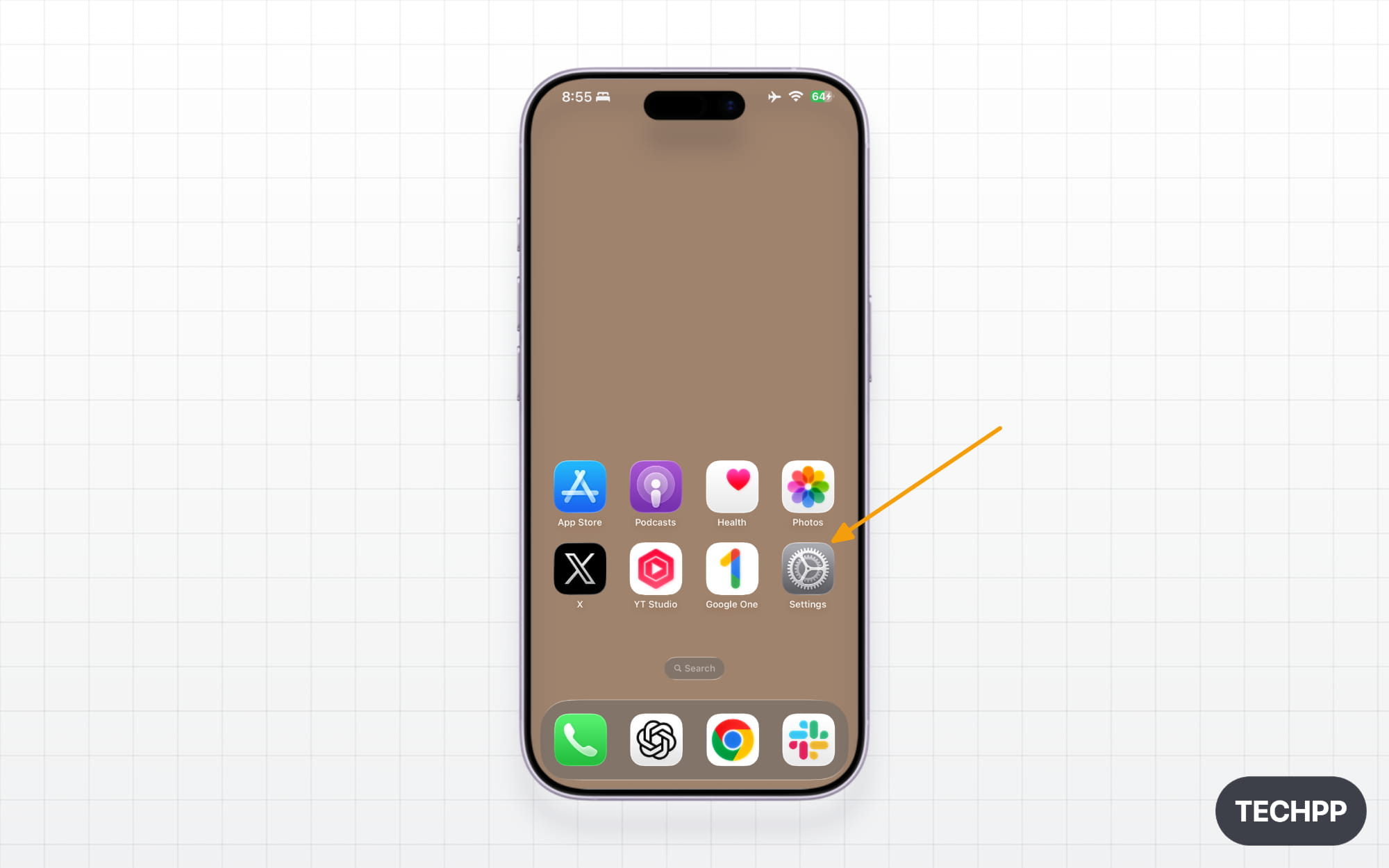
Step 1: Open Settings on your iPhone.
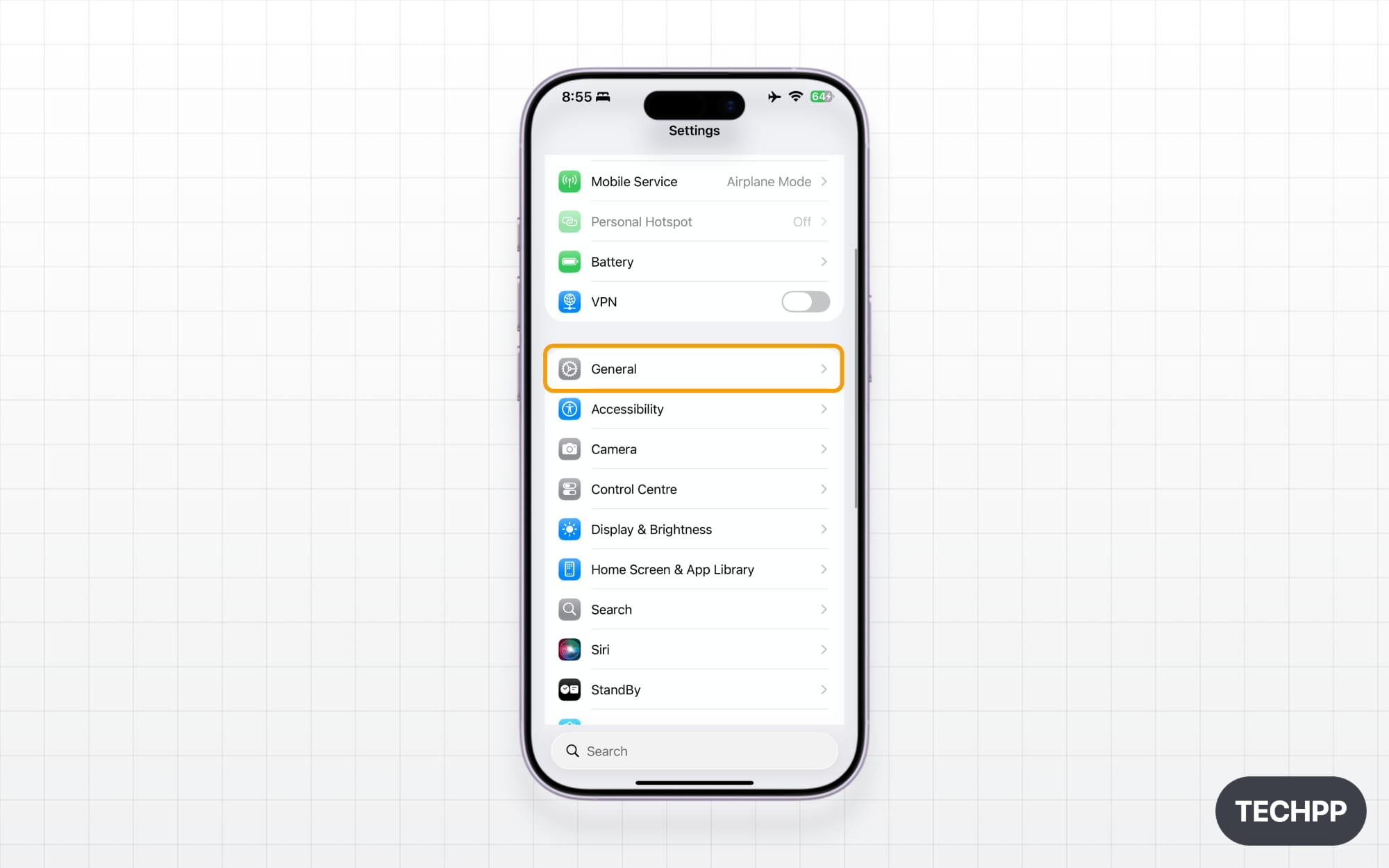
Step 2: Scroll down and tap on General.
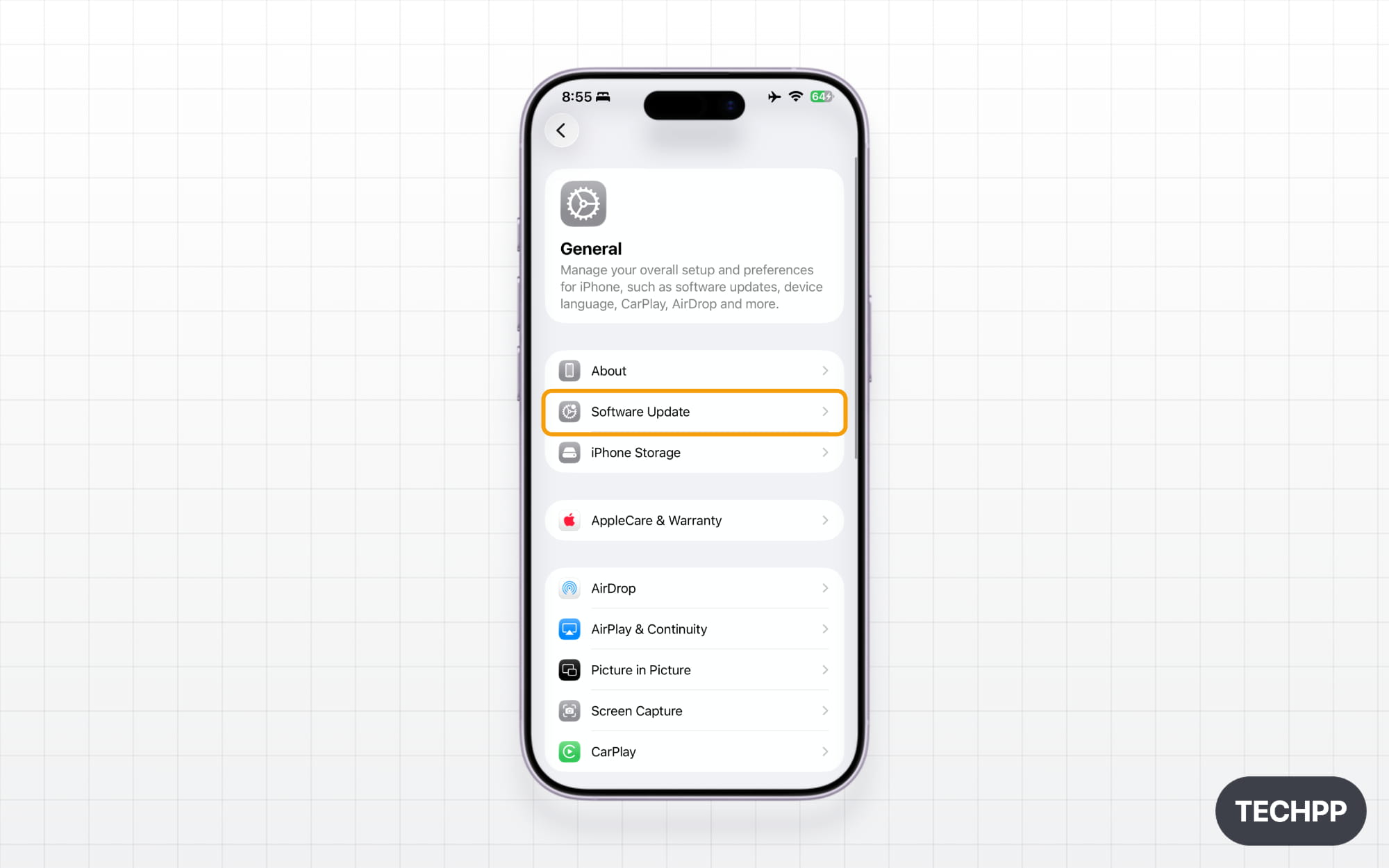
Step 3: Tap on Software Update.
Step 4: Tap on Beta Updates.
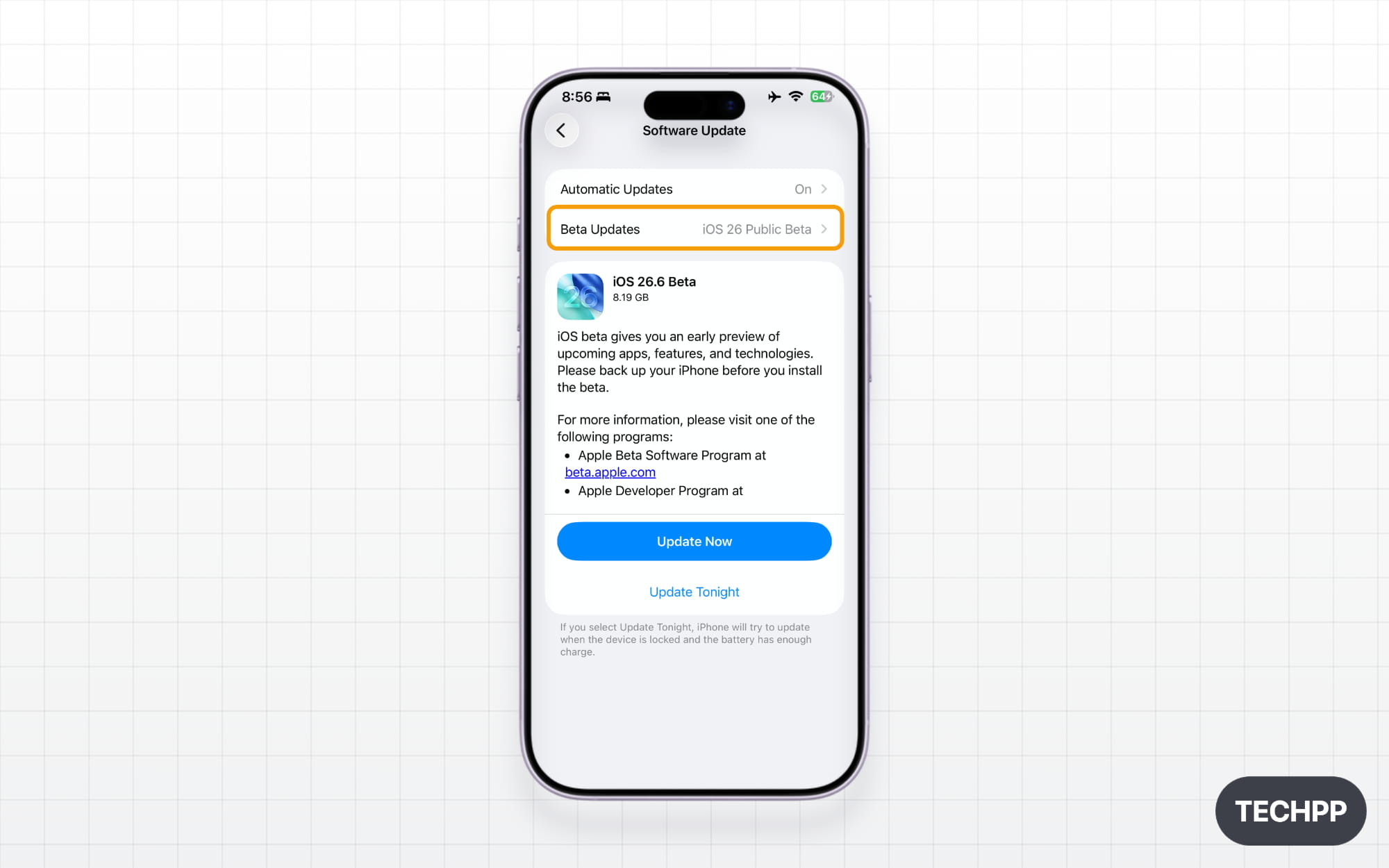
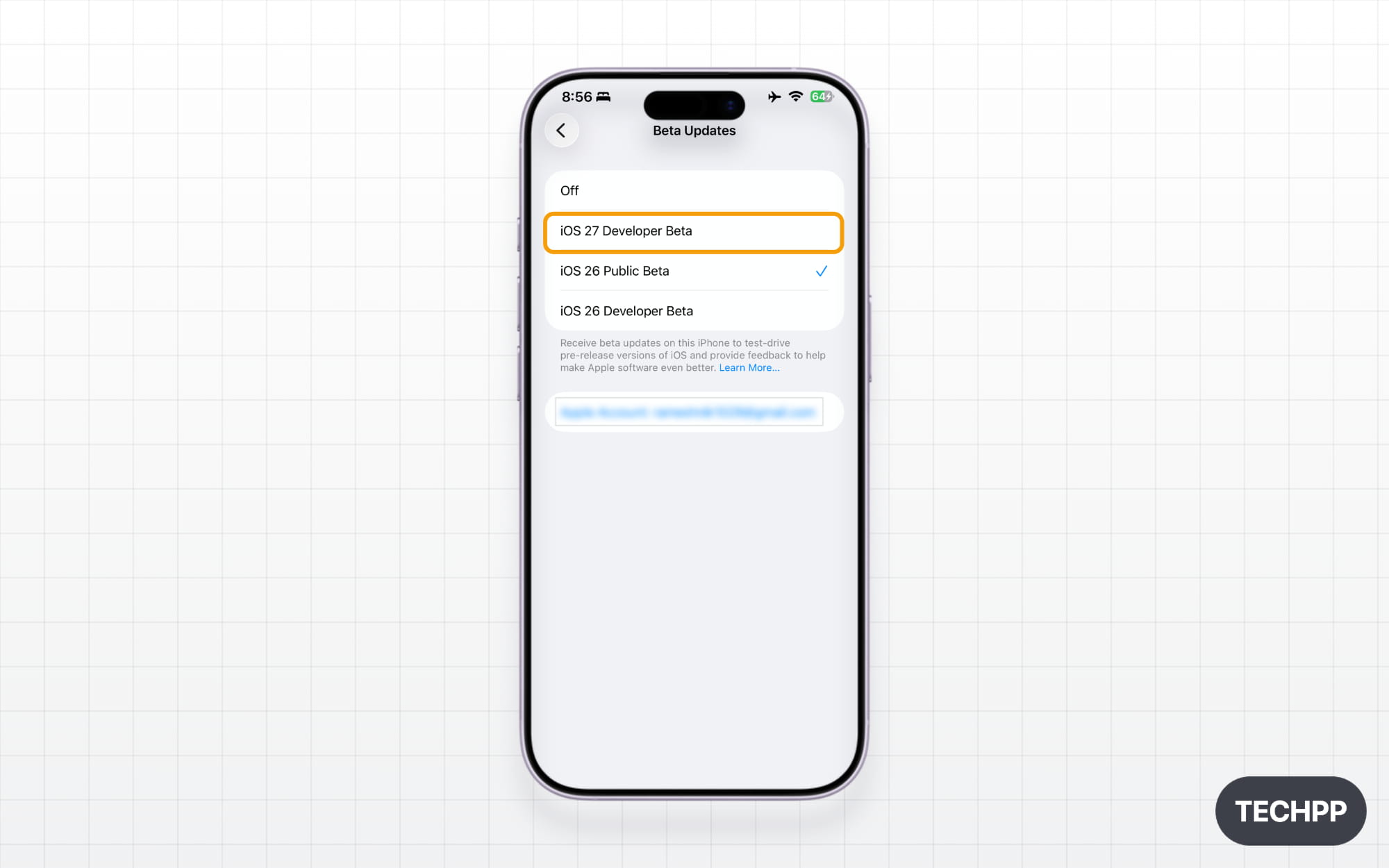
Step 5: Now tap on iOS 27 Developer Beta. If you don’t see this option, ensure your device is eligible and in the iOS 27 supported device list.
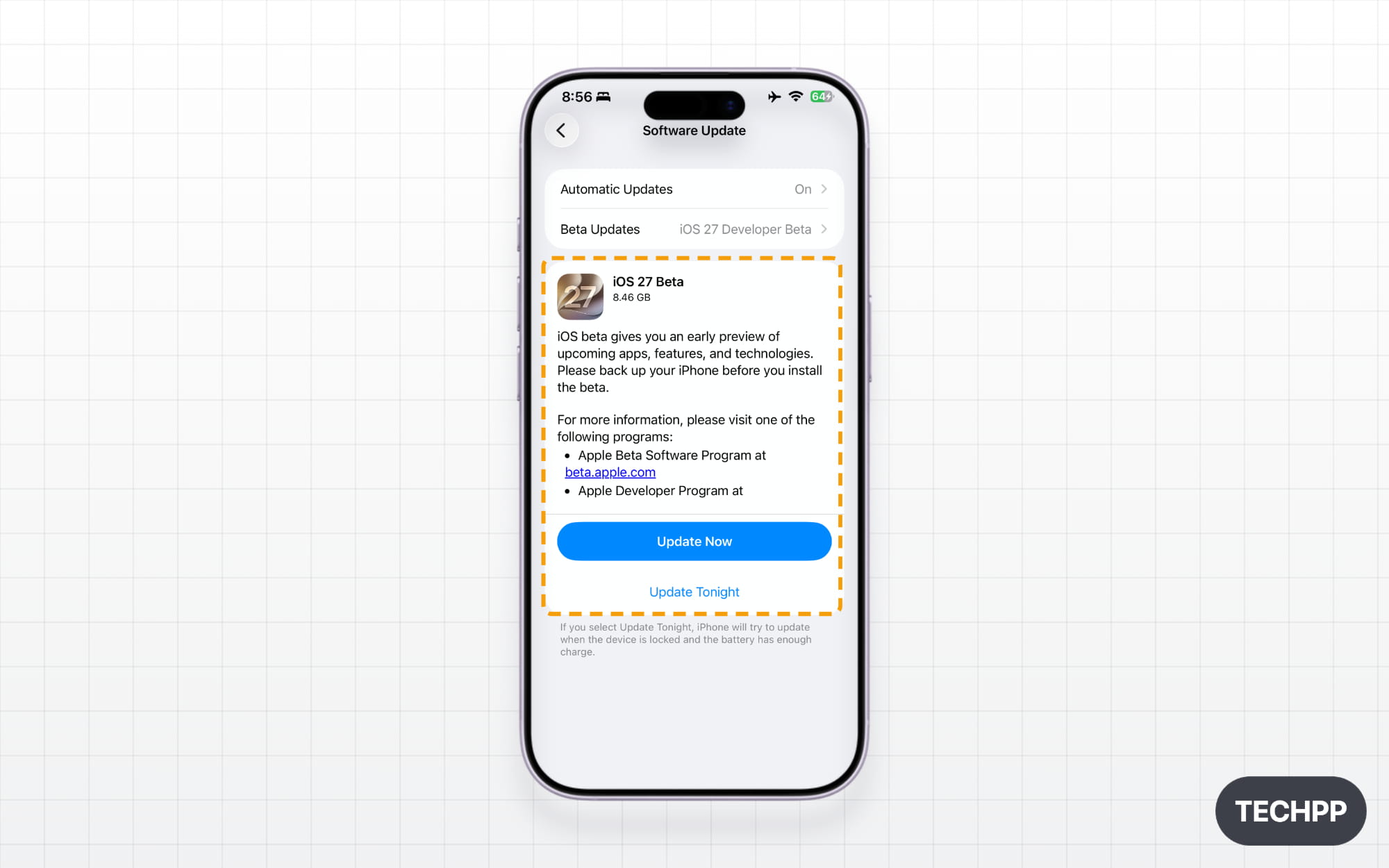
Step 6: Now go back and tap on “Update Now,” and that’s it. The iOS 27 developer beta will be installed on your iPhone.
Top 5 Biggest Changes coming to iOS 27
Customize Liquid Glass Appearance
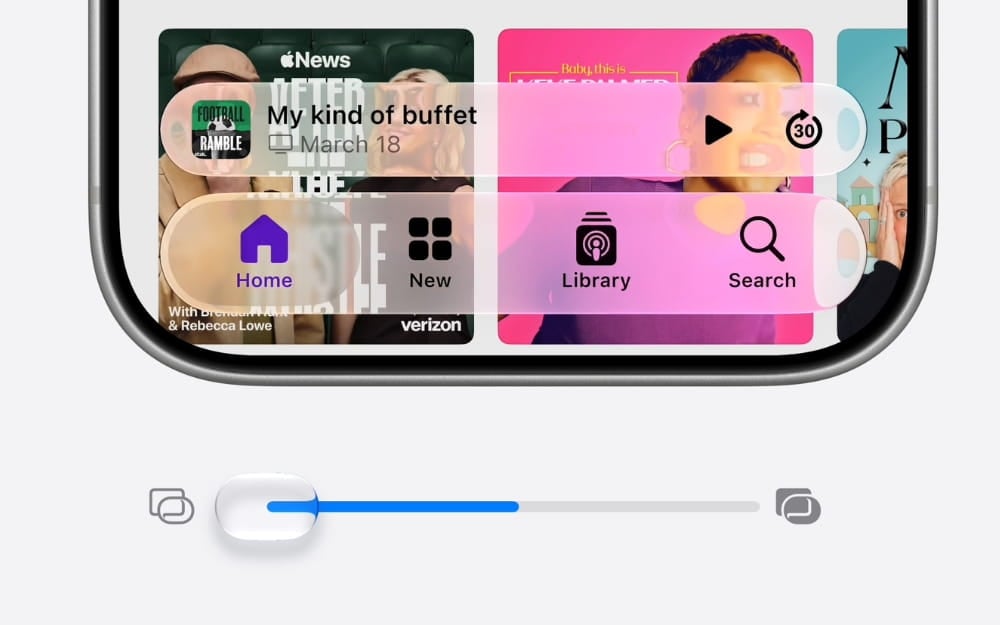
Apple’s Liquid Glass is one of the most controversial design changes for Apple devices. Many people have hated the Liquid Glass design, stating it is more resource-heavy and makes text less clear and harder to read.
But Apple hasn’t given up on liquid glass. Throughout the version releases of iOS 26, Apple has refined the liquid glass design. But now with iOS 27, Apple is finally giving us an option to adjust the liquid glass effect on iPhones.
If your device runs on iOS 27 or later, there will be a new opacity slider for liquid glass in the settings. Using this slider, you can set how translucent and frosted the liquid glass should look on your iPhone. This is a global setting, meaning that changes made to Liquid Glass design here will be applied to the entire system, including Apple devices and third-party devices that use Liquid Glass UI. It is available for all supported iOS 27 iPhones, including iPhone 11 or later.
Better Performance that We All Missed
Apple’s new Siri took the spotlight from the entire AI announcements made today in WWDC, but for me, the biggest update this year is the improvements in performance. Apple says that if your device is running on iOS 27, it can now launch apps up to 30% faster and also claims that the entire UI and system interactions will now feel smoother.
AirDrop transfers are now 80% faster. iPhone can also switch more seamlessly between Wi-Fi and cellular networks. Apple also rebuilt the search index, which now offers better search results and improved performance on older devices, too.
New Siri is here
Apple’s entire WWDC 2026 announcements revolved around the new Siri and its capabilities. Finally, after announcing it in 2024, Apple is finally delivering what it promised in 2027 with iOS 27. With the new Apple foundational models and the partnership with Google Gemini, the new, improved Siri AI. It can now better answer your questions.
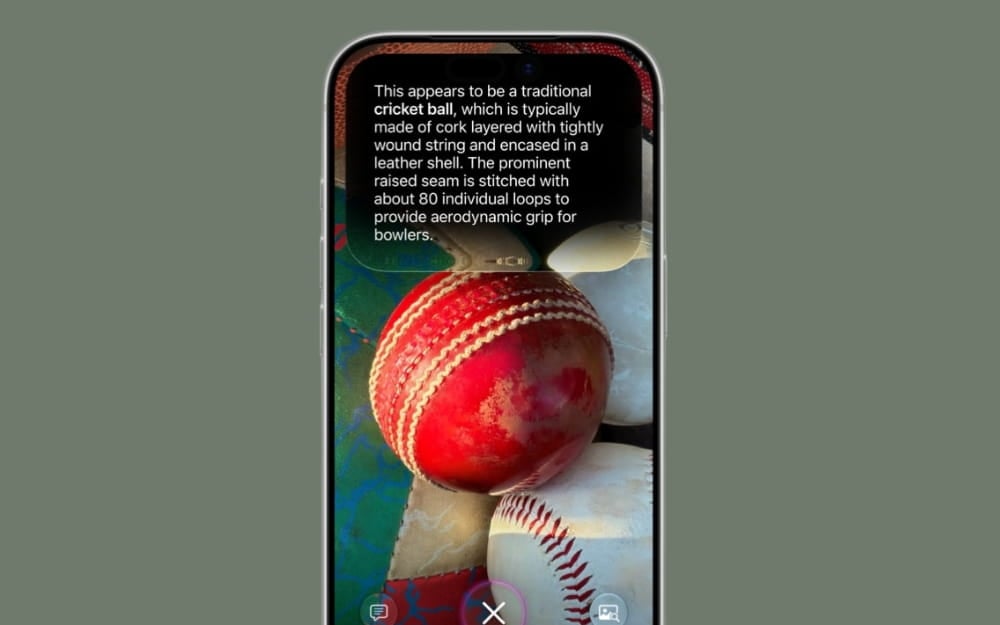
It comes with visual intelligence and can search across all your system apps, including messages, emails, photos, and other personal information, to answer your questions. Moreover, it can also do actions on your behalf.
Depending on the model, the new Siri AI runs in the cloud, which Apple says is completely private. No data is used for training, and even Apple cannot see your data stored in the private cloud.
However, the new Siri AI also comes with some powerful AI features that run locally on-device, such as the ability to customize the Siri voice and its pace. Since on-device AI features require powerful AI models to run locally, Apple is limiting some Siri AI features that require powerful on-device AI to iPhone Air and iPhone 17 Pro and later devices.
Safari Can Now Automatically Group Related Tabs and Monitor Web Pages
Apple’s browser, Safari, is also getting some useful features. Using Apple Intelligence, Safari can now automatically group related tabs. And also, all your new tasks are automatically categorized and automatically grouped.
Safari can also monitor web pages and notify you if there is any change in the web page. Many users rely on third-party services to track changes on a web page, but with iOS 27, Apple is bringing this feature natively to all iPhones that support iOS 27.
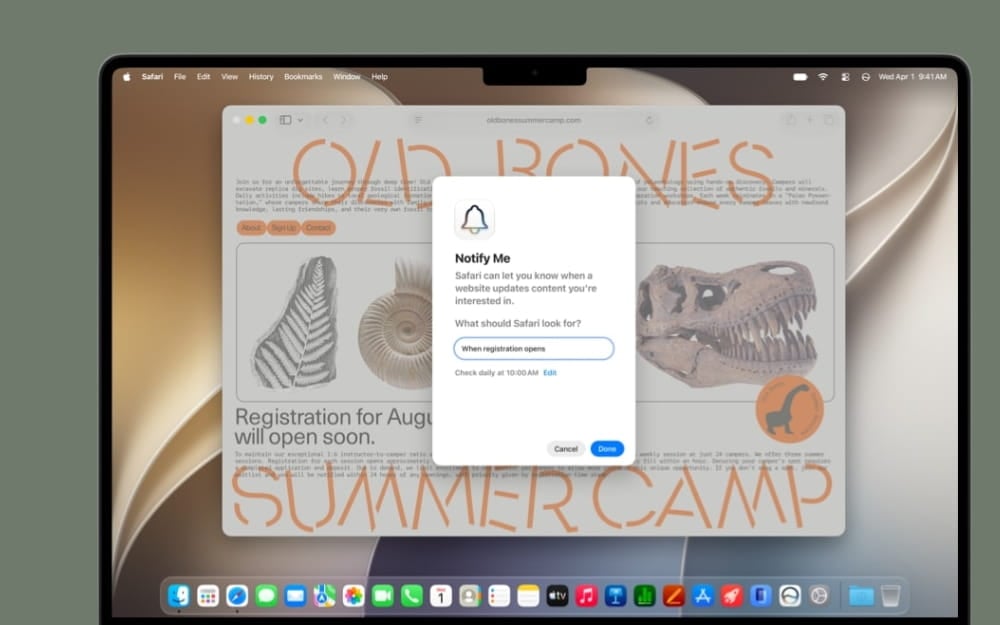
For those who are not aware, website monitoring notifies you if there is any change on a website. For instance, if you are looking for your favorite product but it is currently out of stock, you can ask Safari to notify you when the product is back in stock.
Safari tracks all the real-time changes happening to the website for you. If the item is back in stock, Safari will notify you. The best part is that you don’t need to keep your Safari tab open. It automatically tracks all the updates of the webpage behind the scenes.
Currently, there is no information on how many websites you can track changes and set real-time alerts. If this feature works well without any limitations, I strongly bet Apple has killed many website monitoring services with a single update.
All Other Useful Updates to Passwords, Emails, Messages, and Much More
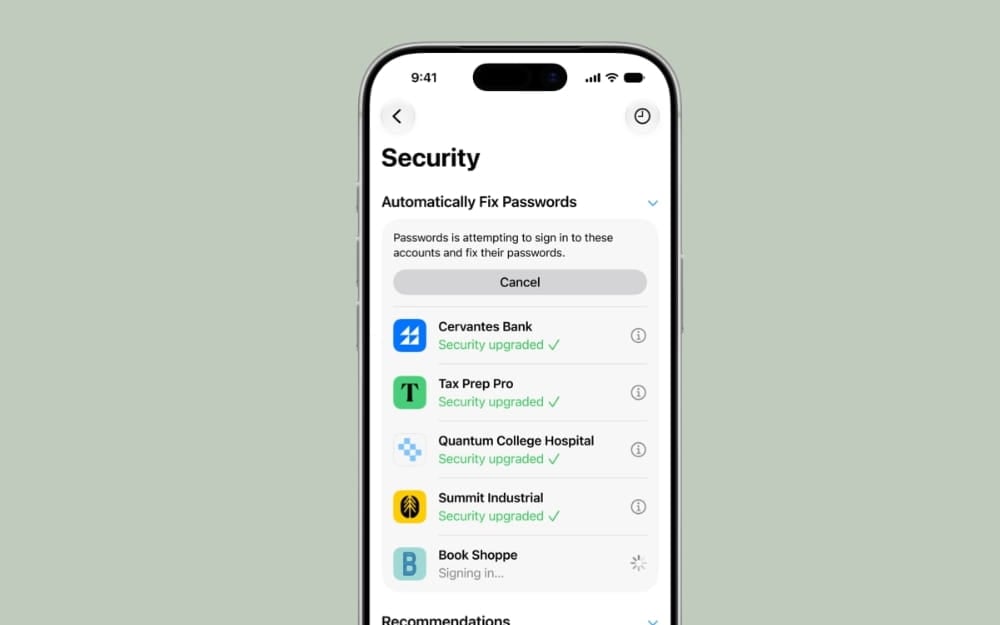
iOS 27 also adds several useful features apart from Siri. First, the Apple Passwords app, which many of us ignored for being basic at launch, can now automatically update your passwords if they are compromised. The new search indexing enhancements are also available for Apple Mail.
Apple Mail now comes with a new ranking system where Apple says it displays the most relevant information at the top when you search. iMessage is also getting a useful update. Now, if the message fails to deliver, your iPhone will retry automatically.
If you are using iPhone 17, 17 Air, or 17 Pro, all these devices will support dual capture during FaceTime calls in iOS 27. The camera is also getting useful upgrades, including a new Siri mode and customizable controls.
It is also getting enhancements to the AI editing features in the photos. Apple’s AI photo editing tool Clean, which produced weird results before, totally looked messed up when compared to Samsung AI, is now more reliable and on par with other image models, as it uses Google Gemini Nano behind the scenes. At least from the initial results, people posting on the internet have significantly improved.
Another useful update is that you can now set alarm volume separately from your regular system volume, which has been available on Android for ages. Thanks, Apple.
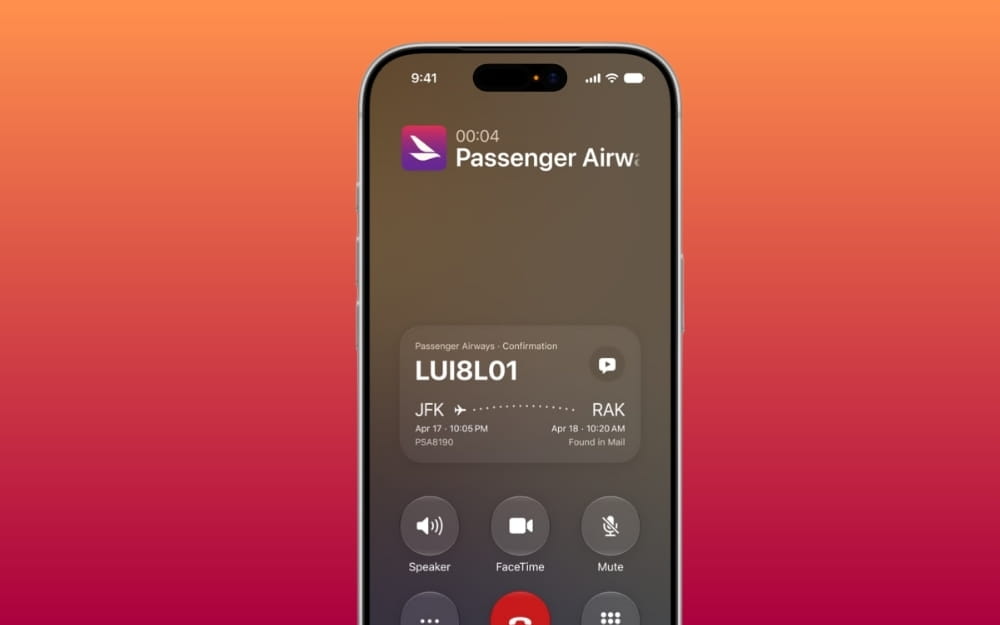
If your device supports Apple Intelligence, your call screen will now display useful information while you are on calls. For instance, if you are trying to book a reservation and you are on a call, it will automatically display your reservation code and display it on the call screen. So you don’t need to manually check your Apple Mail to find the code. This is one of the useful additions, but we should see how accurately it will perform in the real world.
Next, Apple Maps is getting a detailed flyover view, and the AirPods control screen on iOS is also getting a new interface and custom EQ support. Apple also made several changes to child accounts and child safety. Child safety features now come with a dedicated setup screen for parents to better control what their children can see and access.
Apple Health is also getting useful upgrades. Now, the cycle tracking feature can alert you when your logged patterns suggest perimenopause. GymKit, a dedicated kit for workouts, is also coming to the iPhone and Apple Watch for more accurate workout data.
Those are the lists of iOS 27 supported iPhones, along with the list of iPhones supported for Siri AI and on-device features. Apple iOS 18 isn’t a significant update apart from all those AI additions. The downside is that most of these new AI features are only available for a limited number of iPhones. Even if your device supports iOS 27, if you are not using an iPhone 15 Pro or a later model, you will miss most of these features.
iOS 27 is currently available as a developer beta and can be installed on iPhone 11 or later iPhone models. Keep in mind that the developer beta had many issues, especially battery drain issues. So, ensure you consider this before upgrading.

