

Quick Answer
Expedia’s new Trip Matching feature turns your saved Instagram Reels into real travel itineraries. Using AI, it scans shared Reels to suggest places to stay, things to do, hidden gems, and even travel hacks — all within Instagram DMs. Just share a Reel with Expedia’s account, and it builds a personalized plan without leaving the app.
Traveling is no longer just a place-seeking activity; it has evolved into pleasure and exploration. Social media apps have also contributed to increased traveling, as people like to share their memories, or even itineraries. Especially on Instagram, you will find people sharing their travel itineraries that not only save you money, but sometimes give you details about some hidden gems in a popular tourist country. You also get to learn various travel hacks and save some bucks.
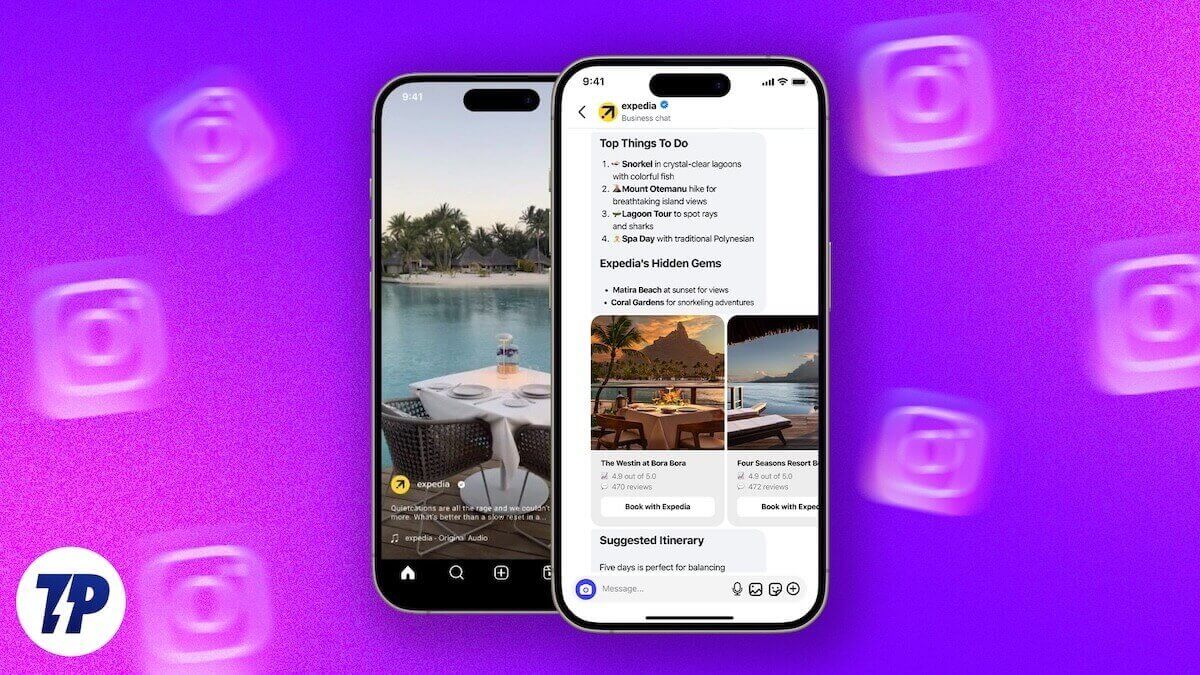
You might’ve been saving all those reels and posts on Instagram about your dream destination, but the difficulty is that you can’t remember everything in every reel. To your rescue, travel platform Expedia has come up with a solution. Notably, Expedia has a feature on Instagram that can help you turn your Instagram travel reel into itineraries. In this guide, we will show you exactly that and get you exactly what you wanted out of those saved reels. Let us get right into it.
How does Expedia turn your Instagram Reels into travel itineraries?
For the unaware, Expedia is a platform that takes care of all your travel needs, right from booking tickets to getting you the right hotel, to everything in between. Now, to ease things up, Expedia has come up with a feature called “Trip Matching” that leverages AI to scan your travel Reels and create a travel itinerary. The best part about this feature is that you don’t need to follow Expedia on Instagram to use this feature.

It extracts all the information from the Reel and suggests real places to stay and things to do. You can also ask AI any of your follow-up questions or ask AI to personalize the plan. All this is done without leaving the Instagram app or using a different AI agent. Notably, the feature is currently in beta, and if you want to try out this feature, then you should hurry, as there might be limited access available (currently it is full).
How to use the Expedia Trip Matching feature?
- Open the Instagram app.
- Search for Expedia’s Instagram profile and open it.
- You can do the next steps without following Expedia, but even if you don’t, no worries. Just following them makes things a bit easier.
- Tap on Message to start a new chat.
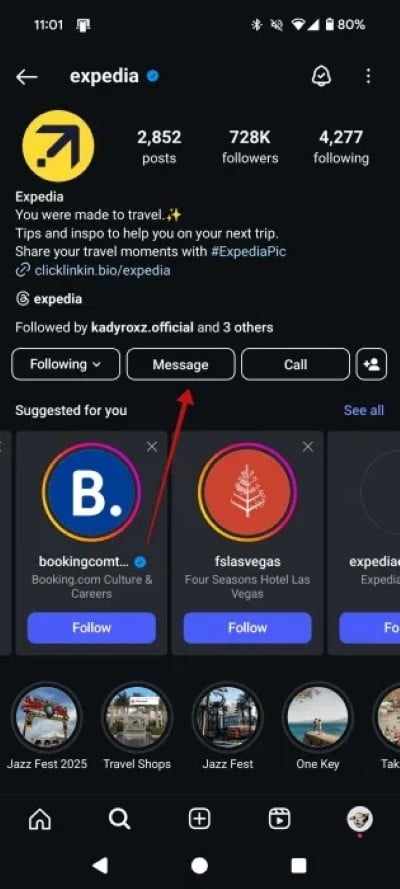
- You need to type #tripmatchingaccess. Wait a few seconds for Expedia to process, and it will reply with “Welcome to Expedia Trip Matching,” with two buttons: Privacy Statement and Terms of Use.

- If you have already saved Reels, then you need to head over to Profile > Hamburger menu > Saved.
- Open the Reel and tap on the Share button.

- You need to share the Reel with the Expedia account. Initially, Expedia won’t show as the most interacted account. So, you will need to search for it.
- That’s it! Expedia will turn the Instagram Reel into a Travel Itinerary.
Here’s what Expedia Trip Matching offers
- It recommends some other unknown or hidden places in the destination city for you to explore.
- Expedia will provide you with accommodation recommendations, along with links to its website.
- You can ask follow-up questions, such as whether that certain place requires a ticket or not, etc.
- There are also multiple chip-like buttons at the end of the conversation, which offer related suggestions.
- It can also help you find flights or routes to your destination.
Travel hasslefree
While there are AI agents available that can help you plan your itinerary or even let you explore the place in more detail, this new concept introduced by Expedia is quite interesting and allows you to do everything within the Instagram app. Meaning, you don’t need to leave the app, and it is like having an AI agent inside the Instagram app, powered by Expedia. If you like planning ahead of time, then you can check out our dedicated guide that lists some of the best flight price predictor apps.

