

Quick Answer
To download Instagram reels, you can use the built-in download option. However, it has limitations like a creator watermark, limited support, and a lack of audio for licensed music reels. To download Reels without constraints, you can use third-party websites like SaveFromInstagram or SnapInsta. If you use an iPhone, you can also use the R-Download shortcut to download reels.
In June 2023, Instagram introduced the ability to download reels natively from the app without using third-party tools. This feature was initially available to users in the US, but it is now available to everyone.

Previously, we used different techniques to download reels, but now, with native support, anyone can download reels directly from the app.
In this guide, you’ll learn how to download and save Instagram reels using the app and how to edit reels before saving them to your device. When you’re ready, let’s get started.
Table of Contents
How to Download Instagram Reels on Android
Method | Pros | Cons |
|---|---|---|
Use Built-in Download Option | - No need for third-party apps - Quick and simple | - Only public reels can be downloaded - Includes watermark - Removes licensed audio from the reel. |
Using Third-Party Websites | - No watermarks - Keeps original music - Can choose video quality | - Requires copying and pasting links - Some websites may have ads - Less secure compared to native options |
Using Shortcuts (iPhone) | - Share to download reels. - Music included - No watermarks | - Requires setup |
1. Download Reels Using Built-in Download Option
Before you go through the steps, you should consider the following things. If you download Instagram Reels using the app’s built-in feature, there are a few things to remember. Firstly, you can only download reels from public accounts. The downloaded reels will have an Instagram watermark with the Instagram logo and the account name of the person who posted the reel. This is similar to TikTok, where watermarks are added.
Secondly, if the reel uses licensed music, the music will not be included in your downloaded reel but will be muted. Only reels with original soundtracks will have sound in the downloaded version. Also, not all public reels can be downloaded. The account owner can disable downloading their reels in their privacy settings. Follow these simple steps to download Instagram Reels using the app’s built-in direct method. These steps work for both Android and iPhone.

- Open the Instagram app and find the reel you want to download.
- Tap the Share icon on the Reel. This icon looks like a paper airplane.
- In the menu that appears, choose “Download.”
- The reel will be downloaded and saved in your gallery.
Related Read: How to Download Private Instagram Reels
2. Download Instagram Reels Using Third-Party Websites
While the built-in download option is handy, it does have limitations. In this case, you can use the traditional method of downloading reels through third-party websites. It doesn’t have any limitations. Moreover, you can choose the reel’s quality, and it doesn’t strip the music or include a watermark.
There are plenty of websites that allow you to download Instagram reels. I have been using SaveFrom.net for the past three days, and there are also plenty of updated websites with better options and a better interface. Here are the popular ones that I like the most.
How to download Instagram reels using third-party websites

- Open Instagram, and copy the link of the reel you want to download
- Visit any Instagram reel download website; in this case, I am using the Snapinsta.
- Paste the link and click on Download. If available, select the video resolution and click on Download.
- Your reel will be downloaded and saved into your galley. Follow the same steps for the Android and iPhone.
3. Download Instagram Reels Using Shortcut (iPhone)
If you use an iPhone, you can use shortcuts to download reels. I have tried plenty of shortcuts to download reels and even created one, but it didn’t work as expected. Finally, I found the popular “R-download” shortcut, which works exceptionally well.
Shortcuts are very quick compared to the other two methods. They also come with many benefits. You can download reels without any limitations. You don’t have to go through all the steps; share the link to the shortcut and the video will be saved in your gallery. Creating shortcuts requires additional steps than other methods. For added convenience, I have made a video guide to help you follow the steps easily. Click on the video below for a detailed step-by-step process.
How to use a shortcut to download Instagram reels
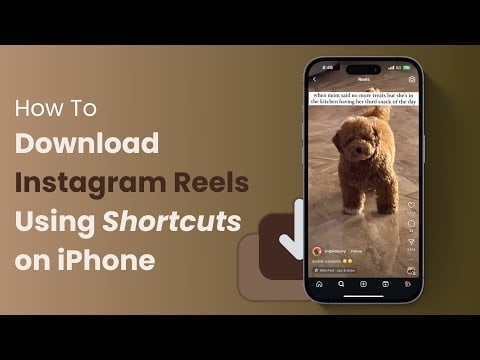
- Visit the routine hub and download the R-Download shortcut.
- Click on the Set up Shorcut and then next and click on Add shortcut.
- Open the Instagram app and go to the reel you want to download. Click the share icon in the bottom left corner and select Share to.
- Scroll down to the button and click on Edit actions. Find the R—download shortcut and click the plus icon to add it to the quick actions.
- Now click on the Done, and select the R-download app. Wait for sometime
- Now, go to the photos app on your iPhone, and your reel will be downloaded and saved to your gallery with music.
4. Save Reels From the Stories
You can also save Instagram Reels by posting them to your Story. When you save Instagram Reels by posting them to your Story, you can edit and personalize them with stickers, text, and filters, making them even more unique and fun. Like the direct download method, saving reels to the story is subject to the same restrictions: You can only save reels from public accounts, there are music restrictions and more.
How to download reels from Stories:

- Open the Instagram app and find the Reel you want to download.
- Tap the Share icon on the Reel. This icon looks like a paper airplane.
- In the menu that appears, choose Add to Story.
- Add stickers and other elements you want to add.
- Click on the three-dot menu at the top and then on Save.
- The edited reel will be saved in your gallery.
FAQs About Downloading Instagram Reels
1. Can I download Reels without an Instagram account?
Yes, it is possible to download Instagram reels with an Instagram account. Get the link to the Instagram reel you want to download. You can ask your friend for the link, as you cannot access the links to the reels directly without an Instagram account. Copy the link and use any third-party Instagram video download website; paste the link and download the video. You can use websites like Instagram Video Downloader to save videos.
2. Are there any limitations on how many Reels I can download?
There are no download limits for reels from the Instagram app. Even if Instagram imposes restrictions, you can use alternative methods to download the reels from Instagram.
3. Is it legal to download and share Instagram Reels?
Yes, it is legal to download and share Instagram Reels, but not for commercial purposes. Instagram also warns against this if you download the reels directly.
4. How do you turn off the download feature on Instagram reels?
If you have a public Instagram account and don’t want others to download your Reels, you can change your settings. Go to Settings > Privacy > Reels and Remix, and turn off the Allow people to download your Reels option.

