

Quick Answer
Jio has announced its first JioPC, an AI cloud PC in India. The plans start at Rs 599 (~ $7) per month, and Jio is offering a 1-month free trial. To use JioPC, you need to have a Jio set-top box from Jio Fiber or Jio Air Fiber. If you don’t have an existing connection, you can get a new one from the Jio app or the Jio website. Currently, JioPC is only available for the Jio set-top box, and it is not available on other platforms.
India’s largest telecom operator, Reliance Jio, has announced JioPC, a new virtual computer service. Unlike traditional PCs, which require a complete setup, cloud-based AI PCs, including JioPC, only require the hardware from your end. While all the high-end software is managed on the cloud.
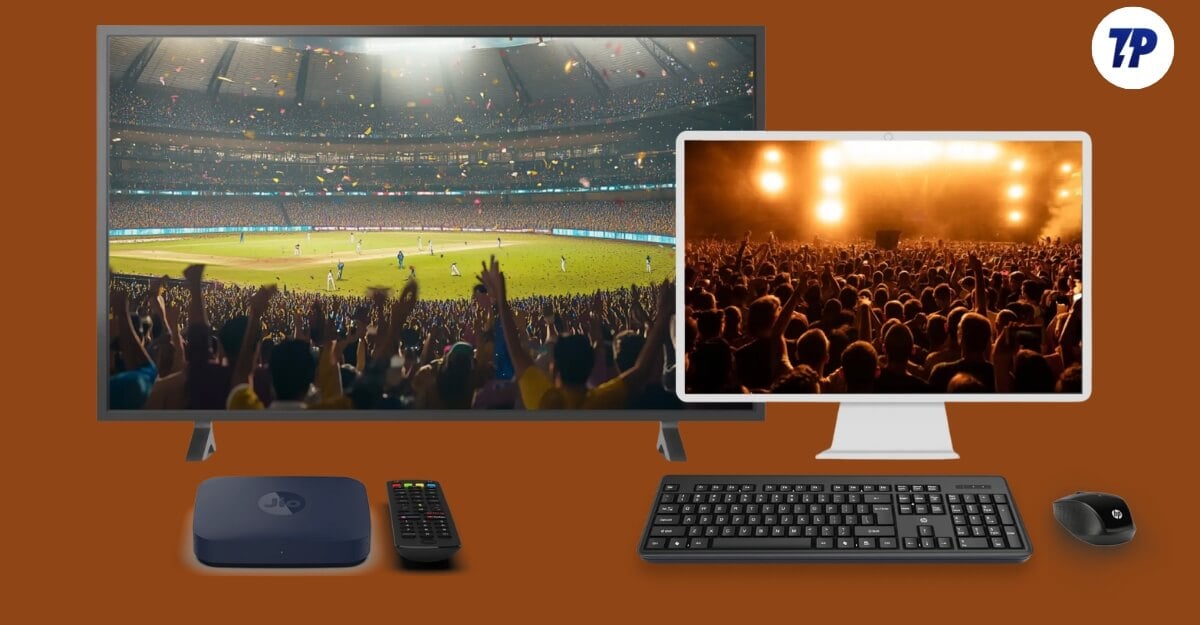
JioPC was first announced in March 2025 during the Mumbai Tech Grand. Now, it is available for all users in India starting at Rs 599 (~ $7) per month. Here is everything you should know about the JioPC.
Table of Contents
What is JioPC, and how does JioPC work?
JioPC is a virtual computer stored on the cloud, which you can access using the internet. However, to use the PC, you need to set up a basic hardware setup from your end, including a screen to view, a keyboard and a mouse to interact with it. Since it’s on the cloud, you need a constant internet connection.
Similar to a regular PC, you have access to apps, use a browser and complete tasks on the cloud. For now, JioPC can be accessed only using the Jio set-top box, which is already available for Jio Fiber and Jio Fiber users, and you need to connect the keyboard and mouse to the Jio set-top box using USB or Bluetooth, depending on preference and a TV or monitor to view the screen.
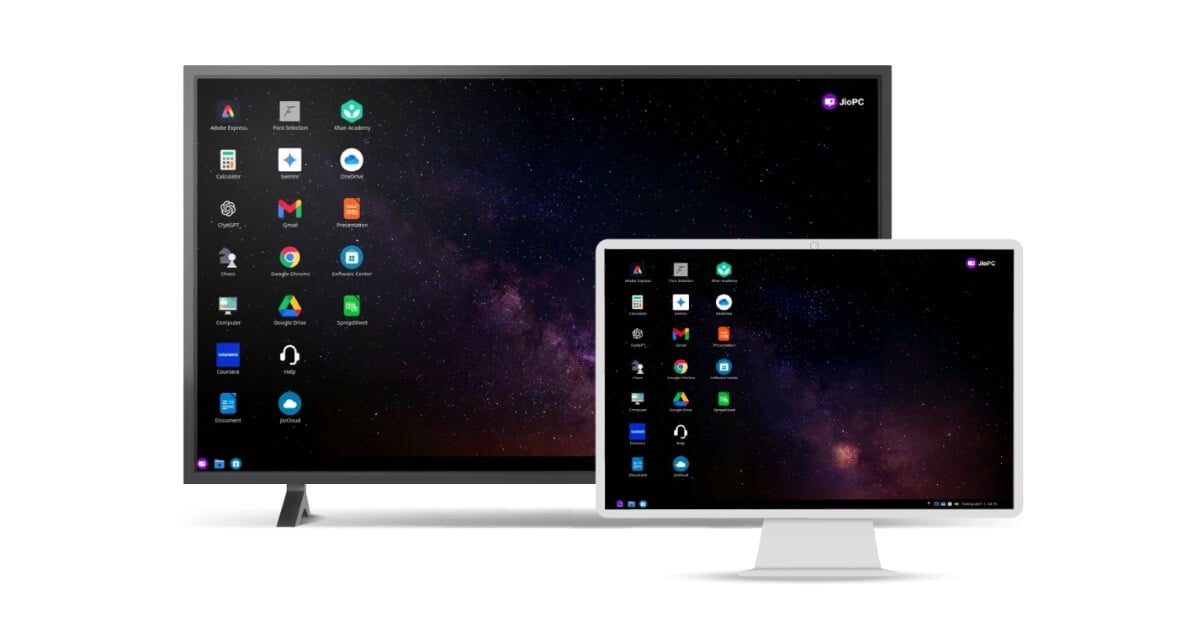
Once you have the setup, you can simply go to the apps menu and launch the new JioPC app. Jio is offering a free 1-month subscription, which allows you to access JioPC without any upfront cost.
Jio claims these AI PCs are equal to Rs 50,000 computers in India. JioPC comes with 1GB of RAM and 100GB of cloud storage, depending on your plan. It runs on Ubuntu OS, and Jio has not mentioned the exact CPU configuration; however, it is stated that it comes with support for four CPU configurations.
At the launch, JioPC supports Adobe Express, which is also bundled for free and also supports Microsoft Office web version, which includes Word, Excel and PowerPoint, which you can access from the browser, Chromium-based web browser, and free AI tools, which include speech-to-text, AI writing assistant and more. Since it is virtual, it is expected to support more apps soon. We will update here as soon as we get the full supported app list.
JioPC Specifications
- CPU: 4 CPU (virtual cores)
- RAM: 8 GB
- Storage: 100 GB Cloud Storage
- Usage: Unlimited
- Operating System: Ubuntu (Linux)
JioPC Plans and Pricing
Since it is a virtual PC, Jio is offering a pay-as-you-go model where you need to subscribe to the monthly plan to access a JioPC from your Jio set-top box.
Jio is also offering a one-month free JioPC subscription, and there is also a 1,499 + GST limited offer, which offers four months of unlimited usage, with specifications of 8GB and 100GB free cloud storage. Jio offers several plans, and almost all of them offer up to 8GB of RAM and 100GB of free storage. Jio is also offering an Adobe Express premium subscription for free, as well as free 512 GB cloud storage and the Microsoft Office web version.
Here are the complete details, plans and pricing.
| Plan Price | Validity | Usage | RAM | Storage | Free offerings |
| ₹599 + GST ($7) | 1 Month | Unlimited | 8 GB | 100 GB | Adobe Express Premium, 512 GB Jio cloud storage, Microsoft Office (web) |
| ₹999 + GST ($11.5) | 2 Months | Unlimited | 8 GB | 100 GB | Adobe Express Premium, 512 GB Jio cloud storage, Microsoft Office (web) |
| ₹1,499 + GST (Limited offer) ($17) | 3+1 Months (4 Months) | Unlimited | 8 GB | 100 GB | Adobe Express Premium, 512 GB Jio cloud storage, Microsoft Office (web) |
| ₹2,499 + GST ($29) | 6+2 Months (8 Months) | Unlimited | 8 GB | 100 GB | Adobe Express Premium, 512 GB Jio cloud storage, Microsoft Office (web) |
| ₹4,599 + GST ($53) | 12+3 Months (15 Months) | Unlimited | 8 GB | 100 GB | Adobe Express Premium, 512 GB Jio cloud storage, Microsoft Office (web) |
Where to buy a JioPC?
If you are already an existing Jio Fiber customer, you can use the Jio set-up box and access the JioPCs. However, if you’re not an existing JioFiber customer, you can get the JioPC from your Jio app at the Jio website.
How to set up JioPC
If you are already an existing Jio Fiber or Jio Air Fiber user, you can follow the steps below to set up.
- First, turn on your Jio set-top box and go to the app section. Here you will see a new JioPC app. Click on the app and click on Get Started.
- Now plug in your keyboard and mouse and sign in with your account using the same contact number you used for Jio Fiber setup, or you can also enter the details to register, and that’s it.
- To start a free trial, click on the one-month free trial to begin. However, after the free trial, you need to subscribe to the plan, which will be listed above.
- You can log in and start using your JioPC.
FAQs on JioPC
1. Can I use JioPC without a Jio set-top box or JioFiber?
No. JioPC is currently only available to Jio Fiber or Jio Air Fiber users who have a Jio set-top box. You cannot access the JioPC app outside the setup box.
2. Can I use JioPC on a laptop or mobile instead of a TV?
Currently, JioPC is only available as an app for the Jio set-top box. It is not supported on your PC, mobile or TV.
3. What does “4 virtual CPUs” actually mean for real-world use?
We haven’t tested the real-world performance yet. Generally, it is good for the basic tasks like browsing and using workspace apps. Since it is a cloud-based PC, you also need to have a stable internet connection for a smooth experience.
4. Does it support Google Workspace (Docs, Sheets, etc.)?
Yes, you can access the Google Workspace app, including Google Docs, Sheets and others, using the built-in Chromium browser.
5. What internet speed is recommended for a smooth experience?
Well, we haven’t tested the real-world performance, but for the best experience, we would recommend at least 7 to 10 Mbps.

