

Quick Answer
Alexa Podcasts in Alexa+ lets you generate instant AI-powered podcasts on virtually any topic using a simple voice prompt. Alexa researches the subject, creates an outline, writes the script, adds AI narration, and delivers a ready-to-listen podcast, with options to customize the length, tone, and focus before generation.
The podcast industry is booming, and you will find dedicated podcast apps available on the market more than ever before. Popular music streaming app Spotify also joined the bandwagon back in 2015, and ever since, its library of podcasts has only grown. However, if you want to search for a podcast on a specific topic, or something that your kid asked you about, it means looking through podcast apps and hoping that they have covered that topic.
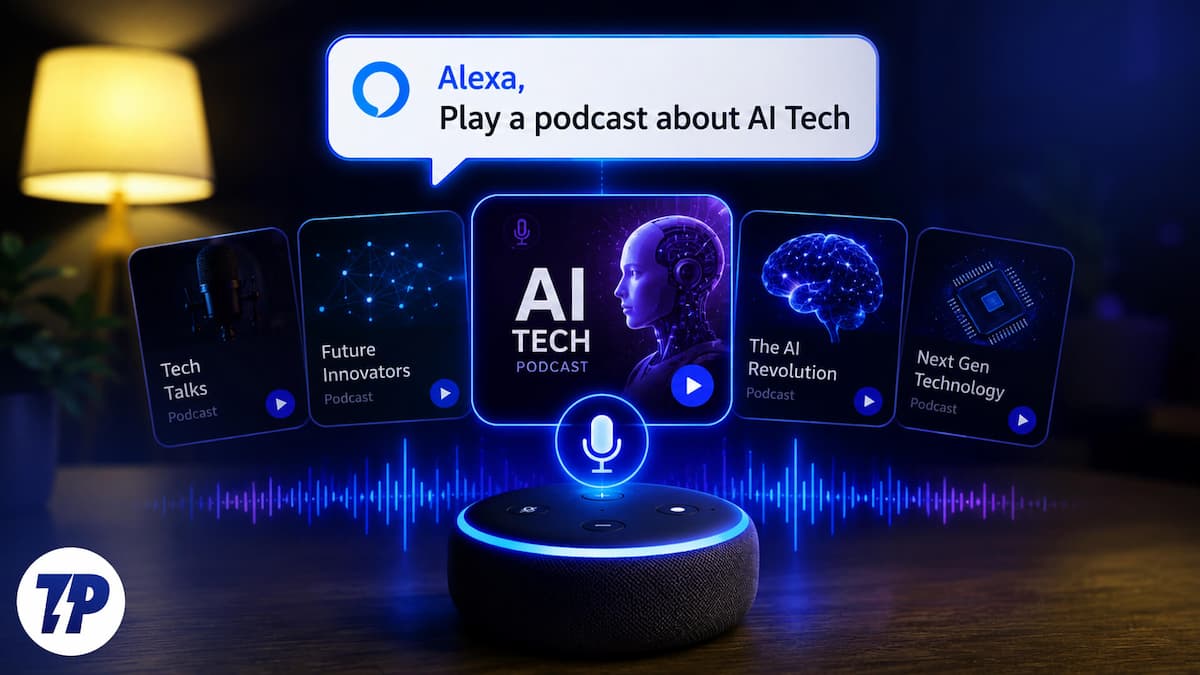
That isn’t the case anymore. Amazon has officially launched a groundbreaking feature for its premium AI assistant, Alexa+. The feature called Alexa Podcasts lets you generate a podcast on virtually any topic of your liking. This is important because it eliminates all the hurdles involved in creating a podcast manually. Here is how you can also create one.
What is Alexa+ and the new podcast feature?
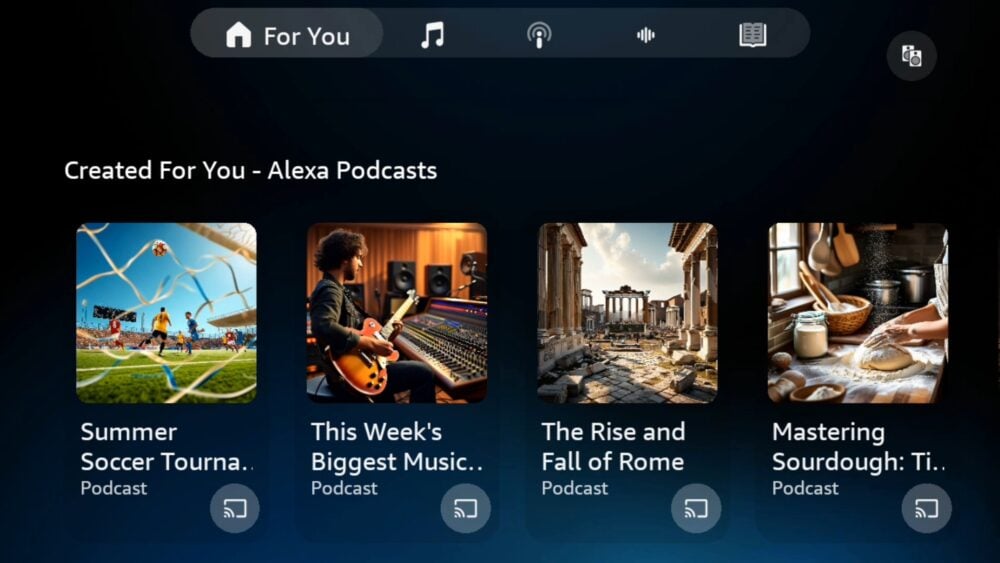
Amazon recently announced the launch of an AI-powered podcast generation feature. This move comes amidst the upgrade to Alexa into a more advanced, conversational powerhouse called Alexa+. The company has designed its AI agent in such a way that it can handle complicated requests, summarize dense information, and act like a proactive agent rather than a speaker.
Amazon calls the new feature Alexa Podcasts, and it is available inside the Alexa+ service. The feature is simple — you are curious about something, you ask Alexa about it, and instead of getting a two-sentence answer or a snippet from a generalized blog, you get a podcast episode, which is structured, narrated, and ready to play. You can listen to it anywhere, in your house, kitchen, bedroom, or even inside your car.
The idea isn’t something very new; Google’s NotebookLM has been doing this since 2024, with its Audio Overview feature. But there is one key difference. In NotebookLM, you have to feed your material to generate podcasts. You have to upload PDFs, paste links, share documents, and then it will generate podcasts from that stuff. So, basically, you are generating a narrative of the material you have. But Alexa Podcasts skips all of this.
You just have to describe what you want to hear about. Alexa will do the research, find the material, structure the podcast, add a voiceover, and give you a finished podcast. That’s the part that makes it feel like a research tool and more like something normal people will find useful in their daily lives.
Who gets access?
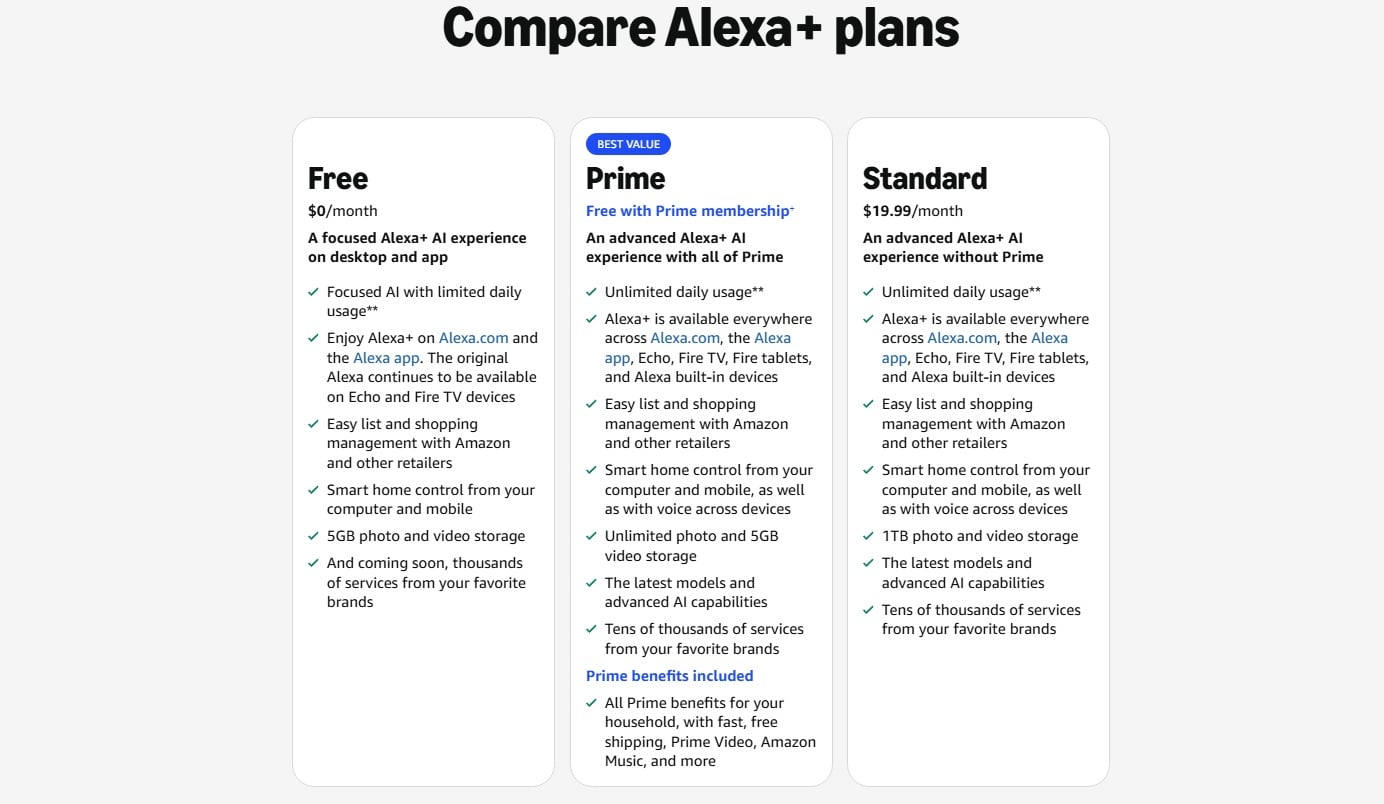
Now, this is where you keep your eyes on. Sadly, this feature isn’t available for all users. If you have Amazon Prime, you already have access to Alexa+, which is bundled with the subscription. If you are not a Prime member, then you can get the Alexa+ subscription separately for $19.99 a month. You will be able to use Alexa+ across your phone or any of the Amazon Echo Show devices. The older Echo speakers won’t be able to use this feature, though.
The key features of Alexa Podcasts
You might be wondering how authentic the data sourced by Alexa+ would be for creating a podcast. That is a genuine concern, but Amazon has addressed it already. There are some key features that will totally change the podcast game entirely.
- With other AI audio generators, you need to provide the materials to get the output. Alexa Podcasts requires absolutely nothing from your end. You don’t need to download materials or anything. Alexa+ does all the heavy lifting for you, and you just need to feed a prompt.
- One of the major worries about AI-podcasts is how accurate they would be. To fight this, Amazon has signed licensed deals with over 200 premier global news organizations and local newspapers. When your podcast generates, it pulls factual data from trusted publishers like Reuters, Associated Press, The Washington Post, Time, Forbes, Business Insider, Politico, Vox Media, Condé Nast, and more.
- You get all the control before the actual output is generated. It gives you a clear outline of what it intends to cover. If you want to focus on something specific or want to eliminate a few topics, you can simply tell us so.
Here’s how to use Alexa+ to create podcasts
The process of creating your very own podcast is quite simple. The best part is that the entire process is conversational. Here’s what you need to do:
- You can start the process by using any of your Alexa-enabled devices, like an Echo Show or standard Echo speaker. If you prefer a smartphone, you can open the Alexa app on your phone and start the process. Make sure that you are logged in with your Alexa+ account.
- Simply tell Alexa what you want the podcast to be about. You can use natural language, no need to read a script like a news reader. For instance:
- Alexa, make a podcast episode about the history of the oldest religion in the world, Hinduism.
- Alexa, generate a podcast about the basic strategies of playing baseball.
- Alexa, create an audio show explaining how astronauts survive in space.
- Now, instead of rushing to create the audio, Alexa+ will gather relevant information about the topic from various sources and give you a brief overview of what all things will be covered.
- If you want to make changes, you can simply say:
- Make the podcast shorter by 5 minutes.
- Focus more on the history than the current times.
- Make the tone a bit casual and warmer.
- Once you are happy with your plan, the AI goes to work behind the scenes.
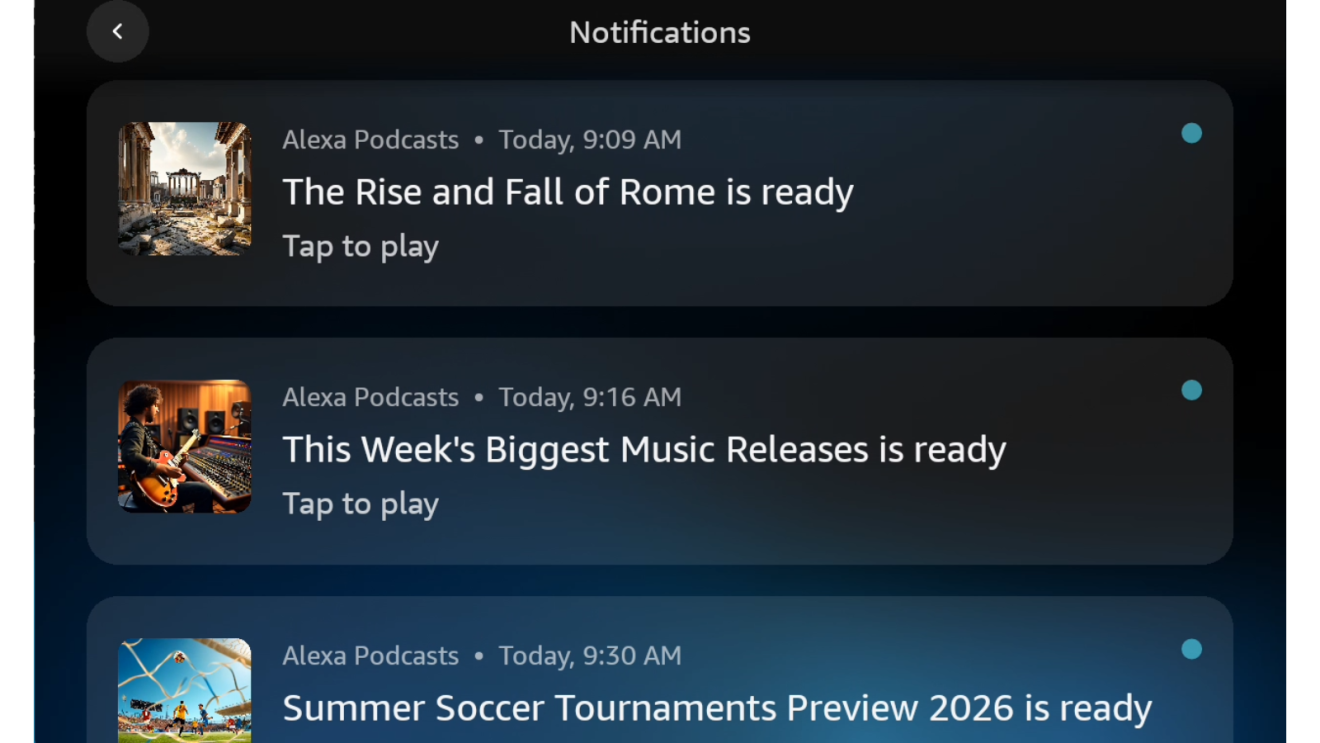
In just a few minutes, the podcasts will be generated with the script written, edited, and voiced by virtual co-hosts. If you use an Echo Show, a notification will pop up. If you are away from your home, then a notification will pop up on your phone. Simply tap the notification to play or ask your speaker, “Alexa, play my custom podcast.”
You will be able to find your generated podcasts on the Alexa mobile app. You need to head over to the Music and More section and select your podcast.
AI put to great use
Of course, you need to buy the subscription or have a Prime membership to access the Alexa Podcasts feature. However, in my opinion, this is one of the best tasks an AI can be put to. You aren’t getting a generalized audio about a topic, and you don’t know where the information is sourced from. You are getting a carefully crafted podcast on the topic that you like and want to listen to. Now, don’t wait for your favorite podcaster to cover the topic of your interest. You can now become a podcaster yourself.

