

The Depth Effect feature on iPhones is really cool to make your wallpapers look special. When you enable the depth effect, you can hide the time and date behind the subject on your lock screen wallpaper. It’s as if the numbers are floating above the photo. This works particularly well with pictures where the subject is clearly visible and the background isn’t too cluttered. It makes your phone’s lock screen look more vibrant and gives it a neat 3D-like effect. Here are some cool wallpapers with depth effect for the iPhone that you can try out.

Table of Contents
Best Depth Effect Wallpapers for iPhone
Mountain Road Journey

Here’s a cool wallpaper for you: Mountain Road Journey. It shows a long road that leads directly to large, gray mountains. The wallpaper reminds you of a quiet place. If you like seeing open roads and nature on your phone, this wallpaper is for you. The depth effect is on the mountain, and the clock can be hidden under the mountains, which adds to the closure of the wallpaper.
Aerial Maneuvers Wallpaper

Aerial Maneuvers Wallpaper shows two fighter jets flying high. The front jet has bright red and white colors. Both jets leave trails of fire and smoke. The sky in the background is calm, which makes the image look fast. The depth effect can be applied to both jets and the time and date can be hidden behind them.
Tropical Escape Wallpaper

The Tropical Escape wallpaper shows a path leading to a sunny beach. You see it in the shade of green tropical plants. The beach has bright blue water and fluffy clouds in the sky. A small boat and a cat can be seen on the water. You can hide the clock and the date behind the braid at the top so that the wallpaper looks its best.
Cosmic Gateway Wallpaper

The Cosmic Gateway wallpaper shows an astronaut standing in a hallway inside a spaceship. You can hide the clock and other information on the lock screen behind the astronaut. The wallpaper uses a combination of red and black colors. If the iPhone has a dynamic wallpaper, it blends with the wallpaper.
Urban Beacon Wallpaper
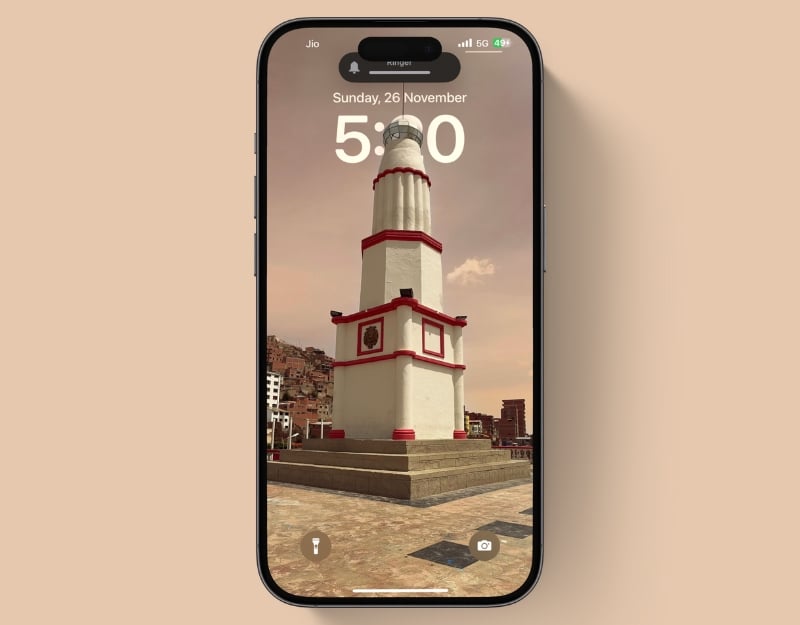
The Urban Beacon Wallpaper shows a lighthouse in a city. The lighthouse is white with bright red parts, and it stands on a street that looks rough. It gives the feeling of watching over the city. It’s good for people who like lighthouses or the mix of buildings and changing skies. You can hide the clock and date behind the lighthouse so that it looks its best.
Liftoff Majesty Wallpaper

The Liftoff Majesty wallpaper shows the impressive moment of the launch of a space shuttle. The shuttle is orange and white and flies upwards through smoke and flames. In the background you can see a stormy sky with dark clouds illuminated by the fire of the rocket. This makes the scene look intense and grand. The depth effect can be applied to the rocket and you can hide the clock and date behind the rocket.
Coastal Serenity Wallpaper
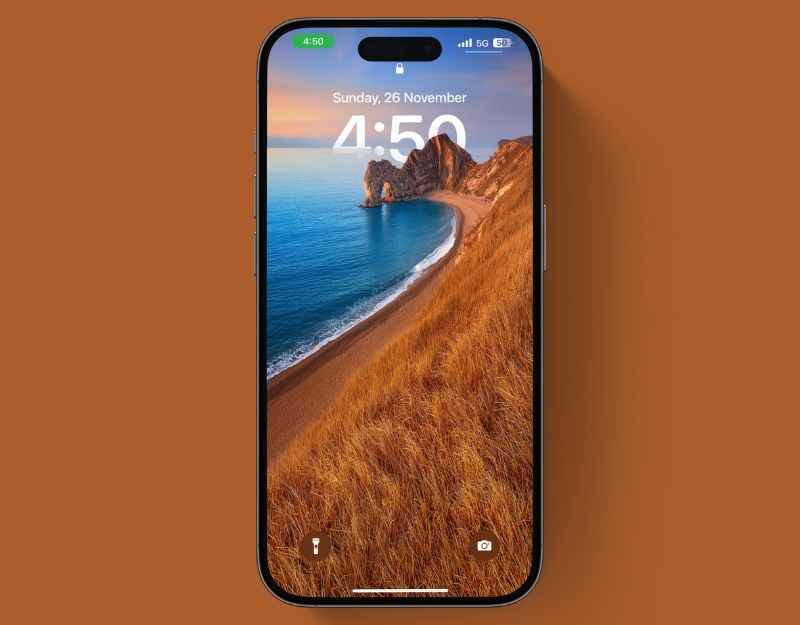
The Coastal Serenity Wallpaper” is a peaceful image of the coast at sunset. It shows a golden cliff next to a calm blue sea. The beach curves towards a natural arch on the cliff that catches your attention. The sky changes color from a warm sunset orange to a calm blue, like the sea. You can hide the clock and date behind the mountains and under the sea so that it looks its best.
Adventure’s Dawn Wallpaper

The Adventure’s Dawn wallpaper shows a young, animated figure looking towards the horizon. The background shows a warm, glowing sunrise and a peaceful sky with soft clouds. You can hide the clock and date behind the figure to give it the best look.
Battlefield Command Wallpaper
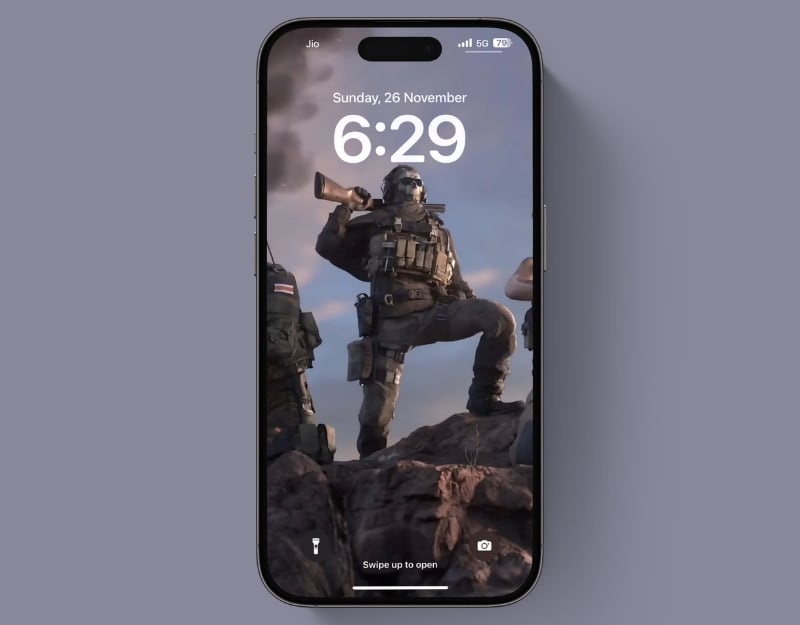
If you’re a fan of Call of Duty, this wallpaper is for you. The Battlefield Command wallpaper features a soldier in full kit, standing on rocky ground with a dramatic sky above him. He is wearing an iconic Call of Duty mask and is sending a message that he is ready for war. You can hide the watch behind the soldier’s head.
Batman Red Knight

This Batman wallpaper shows Batman in his iconic suit, standing upright against a bright red background. It looks as if he is standing on top of a building, watching over the city with a serious expression. His suit is very detailed and you can see the strong lines of his armor. It’s the best wallpaper for your iPhone lock screen. You can hide the clock behind the Batman head.
Mystic Warrior Wallpaper

The Mystic Warrior Wallpaper shows a mysterious figure that looks powerful and mysterious. This warrior wears detailed armor and holds a sword into the darkness. The wallpaper has a lot of dark color at the bottom. It doesn’t hide the dynamic island. The clock and date can be hidden under the figure without losing the powerful and mysterious look.
Dapper Duck Wallpaper

The Dapper Duck Wallpaper shows a funny and stylish duck. This duck is wearing a formal suit with a black tie and a fashionable beret. It also has a classic curled mustache. The background is a soft blue that gets lighter, which makes the duck look playful and uniquely elegant. You can hide the clock and date behind the duck head.
The Dead Man

The wallpaper shows a mysterious person standing under the bright moonlight. It comes in a dark look and gives the home screen a mysterious look. You can hide the clock and the date behind the figure standing directly on the screen.
Dirt Bike
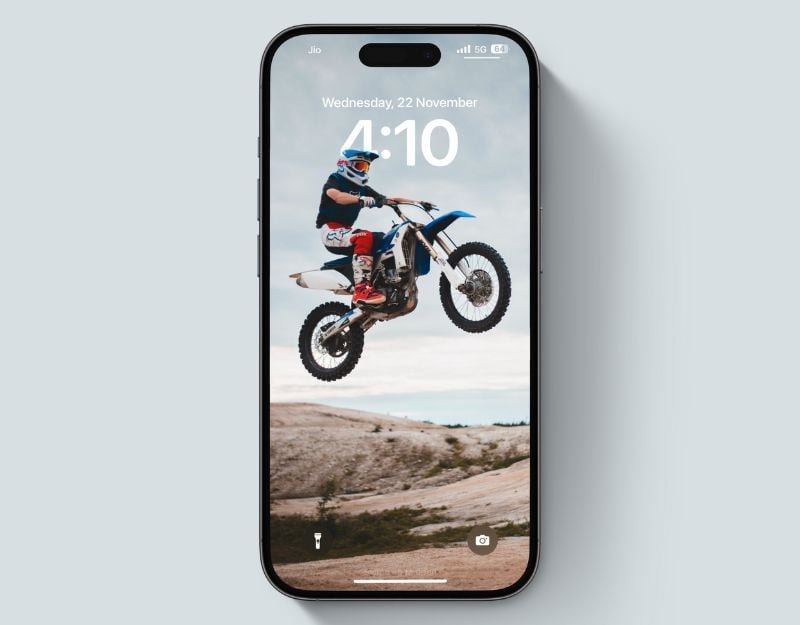
This wallpaper shows a dirt bike rider soaring through the air. If you’re a fan of dirt bikes, this wallpaper is just the thing for you. The clock can be hidden under the head of the bike and also looks like it’s floating in the sky.
Mystical Sentinel Wallpaper

The Mystical Sentinel wallpaper shows a giant figure in flowing red robes standing on the edge of a cliff. This wallpaper is ideal for people who love fantasy worlds and mystical guardians. It feels like a gateway to your imagination. You can hide the clock and date behind the figure.
Related Read: 25 Cool 4K Dynamic Island Wallpapers for iPhone
Dynamic Duo Wallpaper

The Dynamic Duo wallpaper shows Spiderman. The second superhero is in the background and has a glowing visor that conveys a sense of mystery and high-tech equipment. The background is in vibrant shades of blue and orange, providing a strong contrast to the wallpaper. This wallpaper is great for people who like Spiderman. You can hide the clock and date behind the superheroes.
Urban Expedition Wallpaper

The Urban Expedition wallpaper shows a bright yellow bridge in a city. This wallpaper has a bit of the city and a bit of the adventurous spirit. It’s great for people who like the amazing structures in cities. You can hide the clock and date behind the bridge so that the bridge looks its best.
Sunset Cityscape
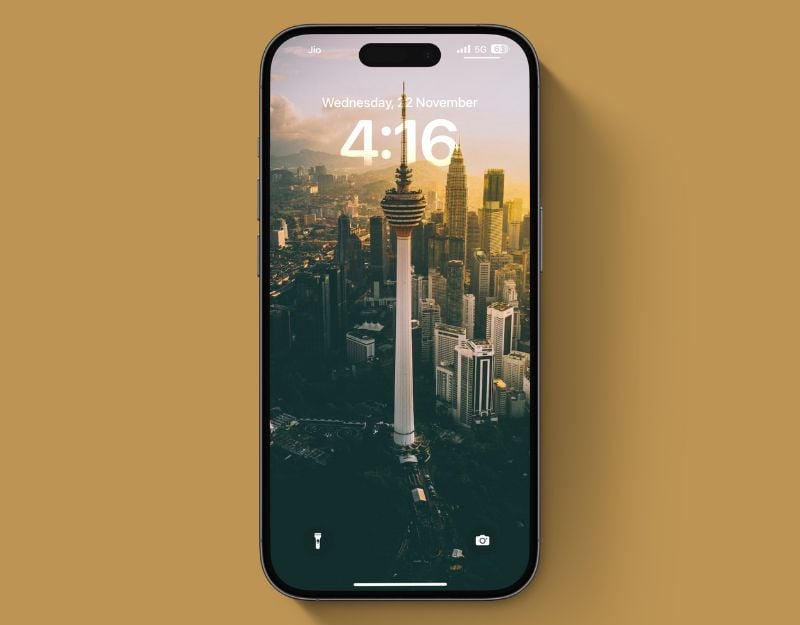
This wallpaper shows a majestic city tower rising above the surrounding skyline. The clock can be hidden in the back of the tall building, giving us a cinematic feel.
Spider City Leap
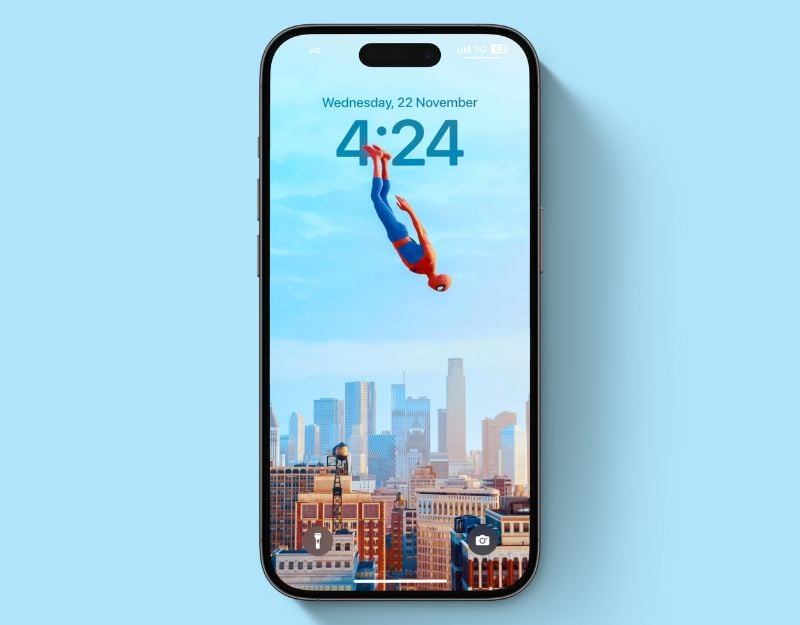
This wallpaper shows a spider flying through the air above tall buildings. It’s bright and fun, with a big city feel and a hint of comic book excitement. The wallpaper looks really cool, and the clock can be hidden under Spiderman’s legs.
Big Hero

This wallpaper shows the Big Hero movie characters. They stand in front of a bright red background, which gives the wallpaper a warm and simple look. The clock can be hidden under the boy’s head.
Statue of Liberty

This wallpaper shows the iconic Statue of Liberty standing with her torch against a clear blue sky. You can hide the click behind the Statue of Liberty to make it look even better.
Desert Flora Wallpaper
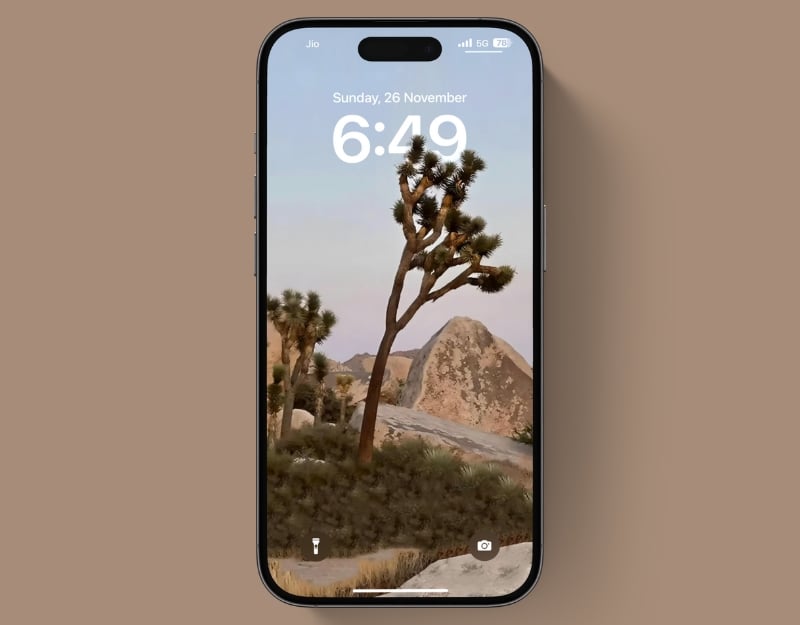
The Desert Flora Wallpaper shows the tranquil beauty of a desert, with a Joshua Tree as the main focal point. This tree has a special shape and stands out against a soft sky with bright colors, making it feel like the day is quietly coming to an end. You can hide the date and time behind the screen with a blue background.
Desert Rider’s Delight Wallpaper

If you love bikes, here’s another great bike wallpaper for you. The Desert Rider’s Delight wallpaper features a single off-road motorcycle in a vast desert. It’s perfect for anyone who loves motorcycles, traveling or just the beauty of the desert. You can hide the date and time behind the motorcycle to give it the best look.
Related Read: 25 Best 4K Christmas Wallpapers for Your iPhone
Blue Sky Bed

Here is a simple wallpaper for your iPhone. It shows a big blue balloon with a cozy bed hanging underneath. It makes your phone look cool without being too much. The depth effect refers to the balloon at the top.
Sunny Tower Splash
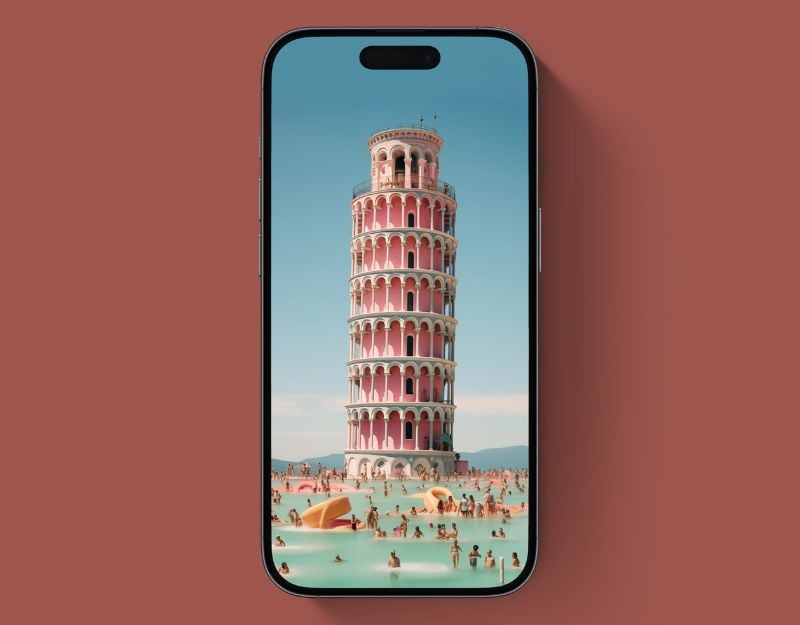
If you like sculptures, this wallpaper is just right for you. It shows a tall, striped tower with a bright pink and white pattern. The tower stands in the middle of a large pool with lots of people in the water. The clock can be hidden at the back of the tower. You can change the color to green to make it look its best.
Calm Bay Bridge
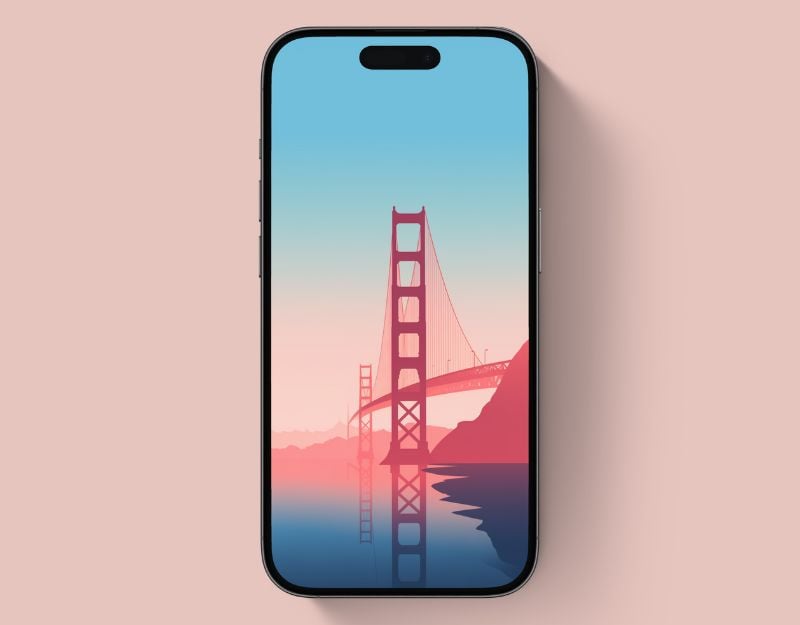
If you like abstract wallpapers, then here is a wallpaper called Calm Bay Bridge. The wallpaper is an illustration of a famous bridge with a cool pink and blue look. The water is very calm and you can see the reflection of the bridge in it. This wallpaper would be something for someone who likes famous places or peaceful scenes on their phone. You can zoom in on the wallpaper and hide the clock behind the bridge.
City Life Rhythm
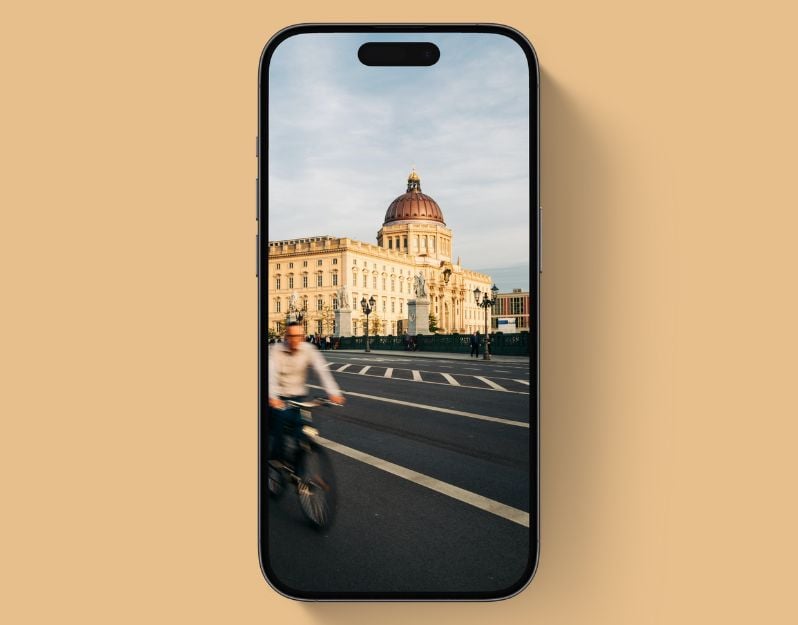
This wallpaper, City Life Rhythm, captures a busy street with a blurred cyclist riding by. This wallpaper might be suitable for someone who likes the energy of city life on their phone. It’s simple and has a bit of action. You can zoom in on the building and hide the clock behind it.
Jungle Trail Cruiser
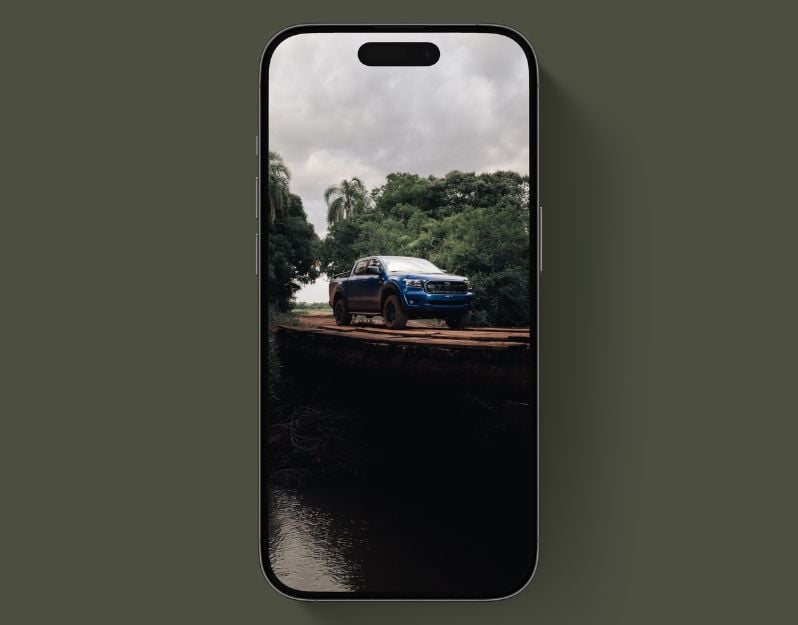
Jungle Trail Cruiser is the best depth wallpaper if you are looking for a natural wallpaper without fancy objects. It shows a blue truck on a wooden bridge in the middle of a green jungle. You can hide the clock behind the trees. Please change the color of the wallpaper to green to make it look best.
Alpine Snowboard Leap Wallpaper

The Alpine Snowboard Leap Wallpaper shows a snowboarder in the air with a clear sky behind him. This wallpaper is great for people who love adventure and winter sports. You can hide the date and time behind the skater to make it look really good.
Lunar Ascent Wallpaper

The Lunar Ascent wallpaper shows an astronaut in a bright orange suit floating over a lunar landscape with a bunch of yellow balloons. This wallpaper is all about the excitement of discovery. You can hide the clock and date behind the balloons.
Haunted Eve Wallpaper
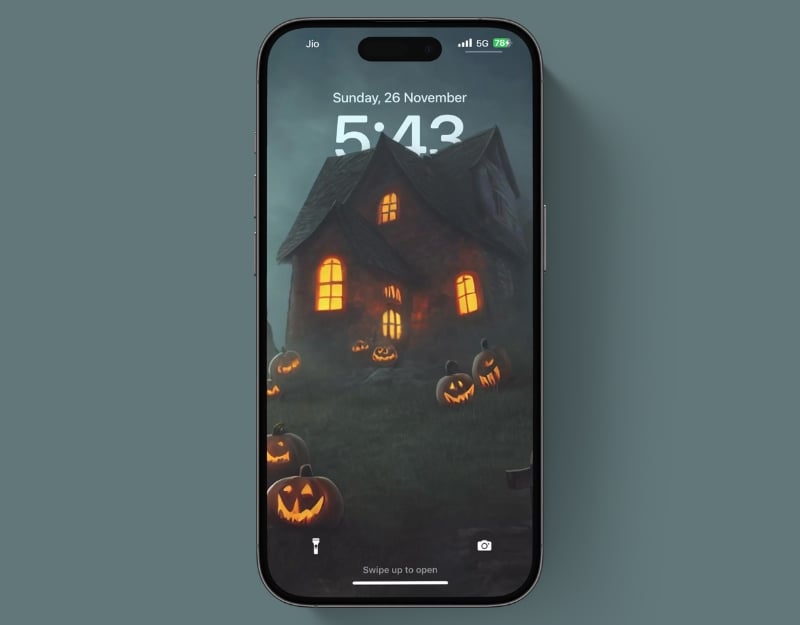
Even though Halloween is over, this wallpaper is just the thing for anyone who is still in the mood for a spooky atmosphere. The Haunted Eve wallpaper is perfect for a spooky lock screen. It shows a small house with orange glowing windows in a dark landscape. You can hide the clock behind the house to make it look even creepier.
How to set depth wallpaper for the iPhone

- Setting up the depth wallpaper is a simple process. Download the Wallpaper and save it in the Photos.
- Click on the share icon and select the Use as wallpaper option.

- The depth effect will be applied automatically if the wallpaper supports it; if not, click on the three-dot menu and activate the depth effect. You can also zoom in and out of the wallpaper and adjust the appearance of the clock to the wallpaper for the best look.
- After setting, click on the “Set as wallpaper” pair or set the wallpaper for the lock screen.
Wrapping up
We have carefully selected the best depth effect wallpapers you can find on the internet. With the depth effect on the wallpaper, you can make the lock screen of your iPhone look really cool. iPhone X and newer models. The depth effect is available on iPhone X and newer models. You can follow the steps above to set wallpapers with depth effect on your iPhone.

