

In Summary
- Fireflies AI is an automatic note-taker that can transcribe audio or video conversations and create a summary of the discussion.
- It can be integrated into popular video conferencing tools such as Google Meet, Zoom and Skype. It also has a built-in recorder that allows you to transcribe recorded conversations.
- There is a free version, but it only has a very limited range of functions. The Pro and Business versions cost $10 and $19 per month respectively with an annual contract.
If you’re looking for a comprehensive Fireflies AI review, then you’re on the right page. I’ve been using Fireflies.ai for over six months now, and in this review, I’ll tell you about my experience with the tool’s features, explain how to use it, discuss the pricing structure, and finally give my verdict on its overall performance.

And if you’ve just landed on this page and don’t know what Fireflies AI does, I’ve got you. It’s an automatic note-taking technology coupled with other special features that help you transcribe and summarize live meetings or recorded conversations. Let’s get straight to the review.
Table of Contents
Fireflies AI Features
There are some important features that you’re going to be using; let’s discuss them one by one:
Notebook
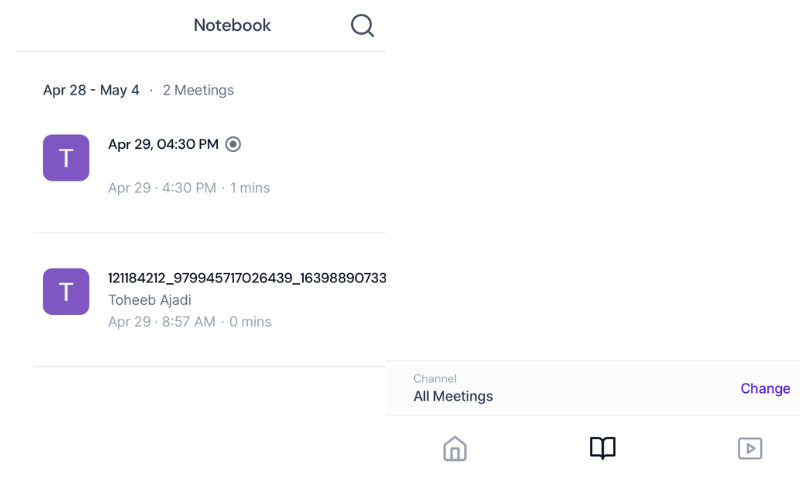
In your notebook, you can see all the meetings you have recorded with Fireflies AI, and you can filter by different options. If you upload a video or audio file, it will be displayed in all meetings. In Fireflies AI, you can share your meetings with colleagues and friends in various ways. The meetings that are shared with you will also appear in your notebook.

When I tested the Fireflies AI mobile app, I could easily find my notebook. It’s identified by an open notebook icon in the center of the horizontal menu. The notebook also has a search function that allows you to search through a bunch of meetings.
Playlist
The playlist feature is especially essential for business owners and certain people who have a lot of meetings or a multitude of audio conversations. You can create specific playlists for different meetings. This allows you to categorize them for easy access. Moreover, when you receive a transcript from a video or audio file, you can also create a soundbite from the file. These short excerpts can be found next to the playlist in the library.
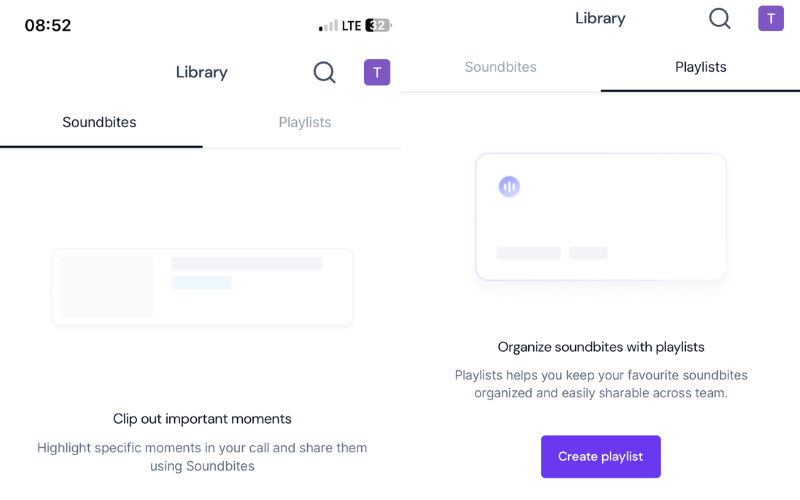
When you create a new playlist, you will be prompted to enter a name and set the privacy level. Furthermore, when I used the AI, I also found that I could add a soundbite to any playlist immediately after extraction. However, the AI transcription of the soundbite was not as accurate as the original file. Essentially, you can use this feature to manage your meetings, other audio or video conversations, and short excerpts.
Meeting Status
Meeting Status in Fireflies AI shows the status of the meeting. Normally, it can take a few minutes after each meeting until you receive the transcription. However, you can click on the meeting status to check the status.
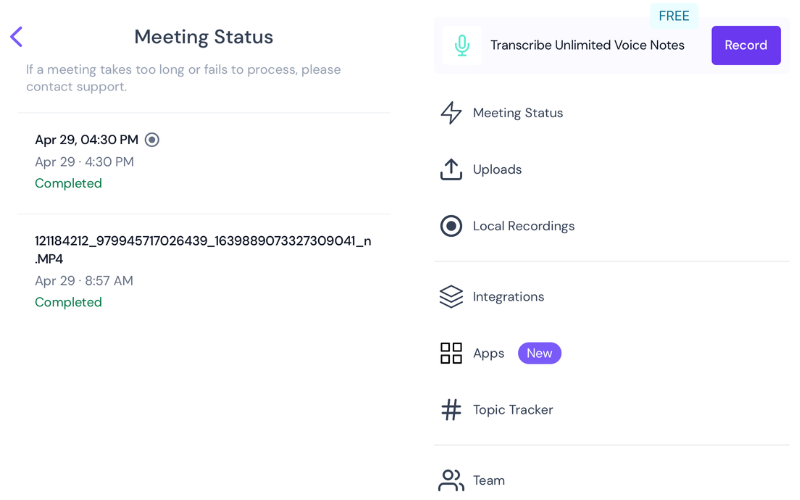
Even when you upload a video or audio file, the status will also appear here. Furthermore, a meeting may take too long to process or eventually fail; you’ll also see the status. Additionally, you can filter meetings by date.
Uploads
Fireflies AI is more than an automatic note-taking technology for meetings. You can also upload recorded audio conversations and videos and get their transcriptions and summaries. When I tested this feature in the mobile app, I uploaded a video file. I saw the status immediately after the upload was complete.
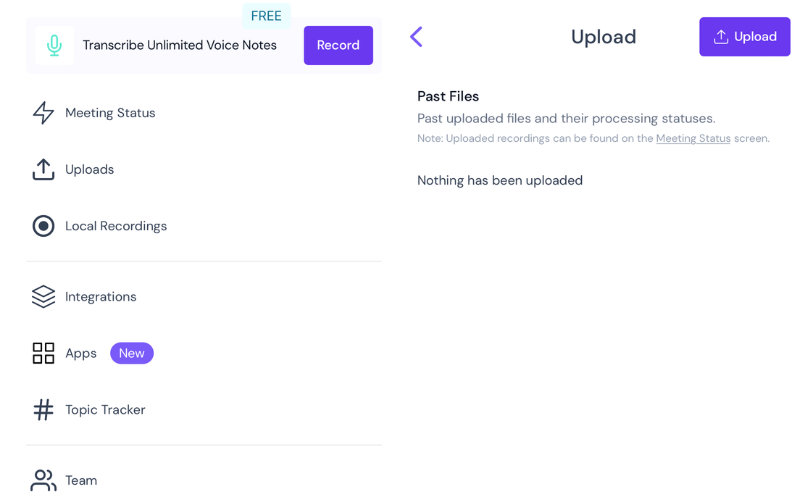
You can drag and drop any file onto the web app to automatically generate the speech from the file. When you go to your notebook, you’ll see the uploaded file. Click on the file to view the output, and then you can see the transcription, meeting notes, and summary.
Local Recordings
When I tested Fireflies AI, local recording was one of the coolest features I used. It makes it easier to work in class when it’s not so convenient to take notes of what the lecturer is teaching. All I had to do was turn on the built-in recorder. The recording was first saved to offline storage before being uploaded. The recorded audio file appeared in my notebook when the upload was complete.
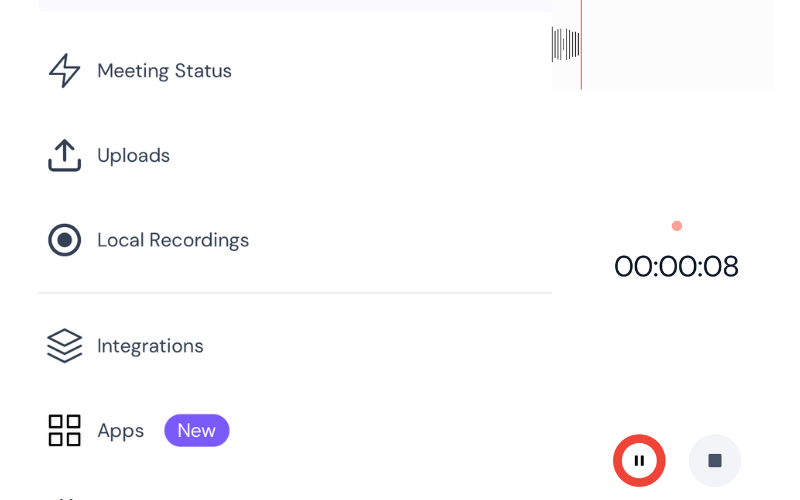
When I clicked on it, the transcription and the summary were displayed. The recorded audio file appeared in my notebook when the upload was complete. When I clicked on it, the transcription and summary were displayed. I could also create short excerpts from the original file and even share them in different ways.
Topic Tracker
The Topic Tracker in Fireflies AI is particularly useful for following up on long meetings in the shortest possible time. It filters out all the important moments in a discussion. You can search for specific keywords in a conversation and track them. All you have to do is enter the keywords into the Topic Tracker.

This will tell you how often these words were mentioned during the discussion. With the Topic Tracker, you can create topics with multiple keywords that are used to track the transcription.
Apps
In Fireflies AI, there are AI apps that help you automate actions from meetings, customize notes, create a highlight reel for your meetings, and much more. These apps include Meeting Notes, Meeting Overview, Meeting Keywords, Magic Soundbites and more. You can also create your own app if you are using an updated version of Fireflies AI.

Integrations
Fireflies AI also includes a variety of APIs that can be integrated to serve diverse purposes. They are divided into different categories, e.g., dialer, video conferencing, storage, email, audio recording, notes, and others. In the video conferencing category, for example, Google Meet, Skype, and Zoom are available for integration.

You may also have video or audio files in your Dropbox or OneDrive that you would like to transcribe. You can also connect these APIs to your Fireflies AI and use them seamlessly. You can also integrate collaboration tools like Microsoft Teams, Slack, and Workplace.
How to use Fireflies AI
Fireflies AI is available as a web app and, equally, as a mobile app. You can get transcripts in different ways, but I’ll show you how to do it when you have a stored audio or video file. Follow the steps outlined below:
- On the mobile app, click on the Profile icon at the top-right corner of the screen, then click on Uploads. If you’re on the web, you can see Uploads on the left pane.
- You can drag and drop on the web. Click on the Upload button on the mobile app.
- Once the file is completely uploaded, you can see all your uploaded files on the same page.

- Now, go back to Notebook and change the channel setting to All Meetings. Your uploaded file will appear here.
- Click on the file to generate the transcript and summary.
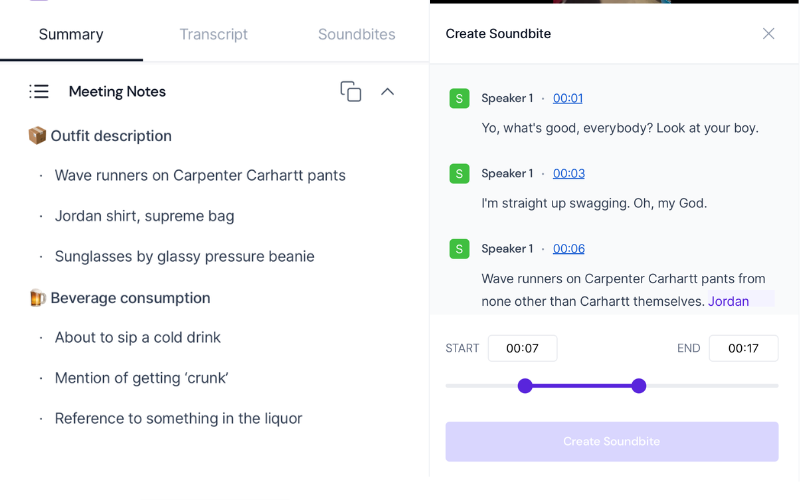
- You can also create a soundbite from the file. The summary and transcript will be generated. You can also add a soundbite directly to any playlist.
Fireflies AI Pricing
If you are new to Fireflies AI, you can test the app’s transcription performance with the free version before paying for the Pro or Business version. However, the free version only has a limited transcription credit and 800 minutes of storage space.
In the Pro version, there is unlimited transcription credit and 8,000 minutes of storage space. You can download your transcripts and recordings, which is not possible with the freemium version. With an annual subscription, it costs 10 US dollars per month. It also includes additional features such as custom vocabulary, smart search filters, and much more.
The business version, on the other hand, offers unlimited storage space and unlimited transcription credits. It costs 19 US dollars per month with an annual plan. It includes all the features of the Pro version and much more, such as conversational intelligence, unlimited integrations, and video recording.
Finally, I must mention that Fireflies AI has a refund policy to satisfy the interests of dissatisfied customers. You should check their page for extensive details.
Fireflies AI Review Verdict
Fireflies AI is an easy-to-use transcription app. It has a simple user interface that is very satisfactorily designed. It generates automatic meeting transcripts; you no longer need to take notes in your meetings.
The AI-generated summary is also invaluable. You can retrieve the key insights from any video or audio conversation. The Topic Tracker is a nice marketing tool that can be used in a variety of ways. On the other hand, the transcription accuracy was not consistent during my experience. But that can only get better.
Fireflies AI alternatives include Otter.ai, Fathom, Gong, Notta, Aroma, and others. With so much competition in the AI space, Fireflies has its task cut out to stand out from the competition and keep improving every day.
- Records meetings without the hassle
- Mostly accurate meeting transcriptions
- Seamless integration with popular platforms like Zoom and Google Meet
- Easy access to meeting notes and summaries promptly after meetings
- Easy review of past meetings for follow-up actions
- Inconsistencies in noting tasks from meetings
- Summaries generated are sometimes inaccurate
- Privacy concerns
- Errors with transcriptions with multiple speakers or technical terms
| UI & UX |
|
| Transcription accuracy |
|
| Meeting summaries |
|
| Note Taking |
|
| Price |
|
|
SUMMARY
It is an automatic note-taker that can transcribe audio or video conversations and create a summary of the discussion. It can be integrated into popular video conferencing tools such as Google Meet, Zoom and Skype. It also has a built-in recorder that allows you to transcribe recorded conversations. |
3.9
|

