

In Summary
The ASUS Zenbook Duo (UX8406MA) is the latest addition to the Zenbook Duo lineup. This time around, there are two full 14-inch OLED touchscreens and a detachable keyboard for the ultimate portable multitasking setup. Pairing the Intel Core Ultra 9 processor with long-lasting battery life, the Zenbook Duo is one of the best Windows laptops for productivity.
The ASUS Zenbook Duo (2024) is the latest addition to the line of dual-screen laptops from the brand. This time, the Zenbook Duo has two 14-inch Lumina OLED displays along with a detachable keyboard that works through magnetic pins when attached and wirelessly through Bluetooth when detached. The entire package looks minimal but does have some thickness. It is so ahead of the competition in terms of the sheer technology required to pull off this form factor while not compromising on performance or battery life.
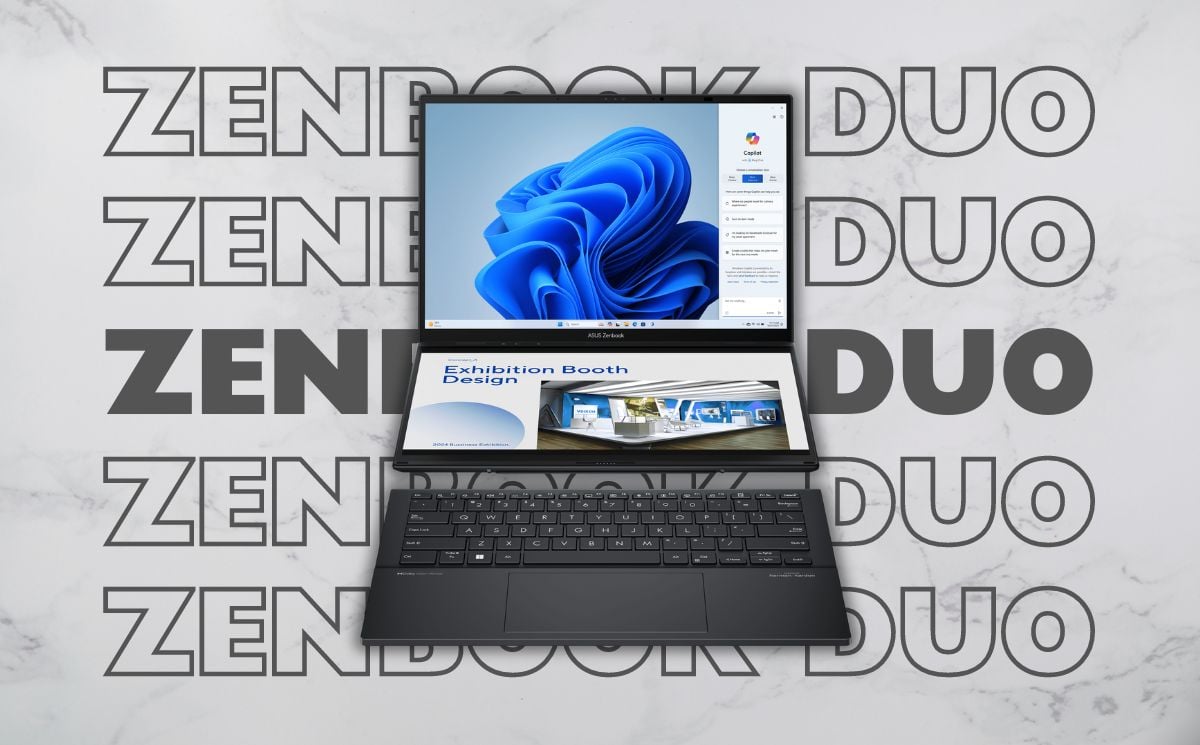
I have been using it for more than two weeks as our primary laptop, and this is my review of the ASUS Zenbook Duo (2024). Let us get started.
Table of Contents
ASUS Zenbook Duo: Build and Design
The Asus Zenbook Duo is built well. The laptop is mostly constructed out of magnesium-aluminum alloy with a bit of polycarbonate here and there. I have the Inkwell Gray color, which has a blue tint, and the lid has some patterns along with the Asus Zenbook branding on one corner. The laptop has a sturdy hinge that can be opened with one finger and the metal kickstand is very sturdy as it holds up the laptop at various angles and orientations. There are I/O ports and air vents on both sides of the laptop, and there are more air vents on the back along with the speakers. You can upgrade the SSD by removing the two screws from the quick access slot given on the back.
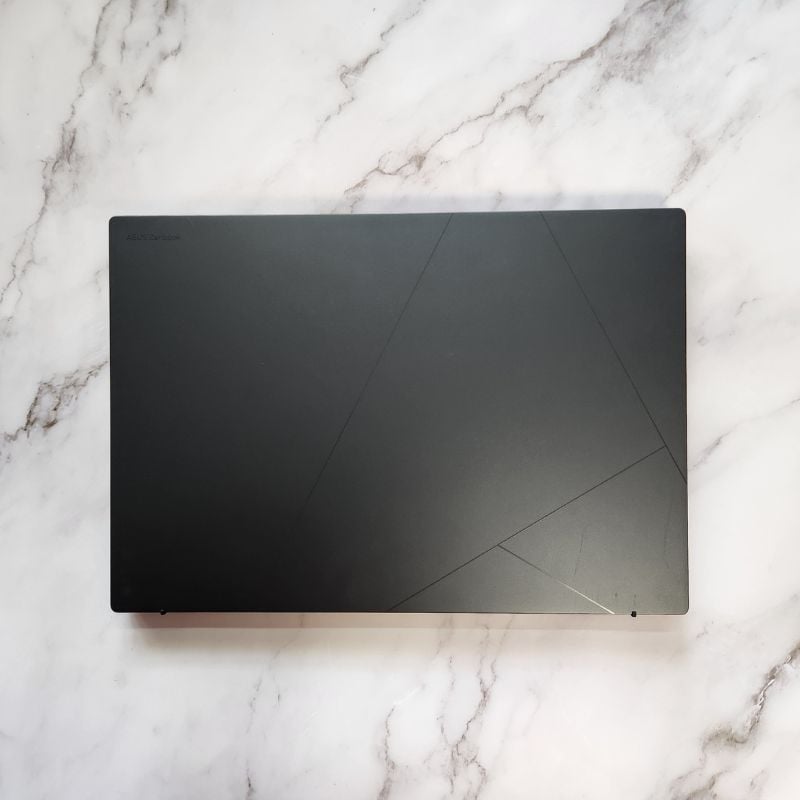
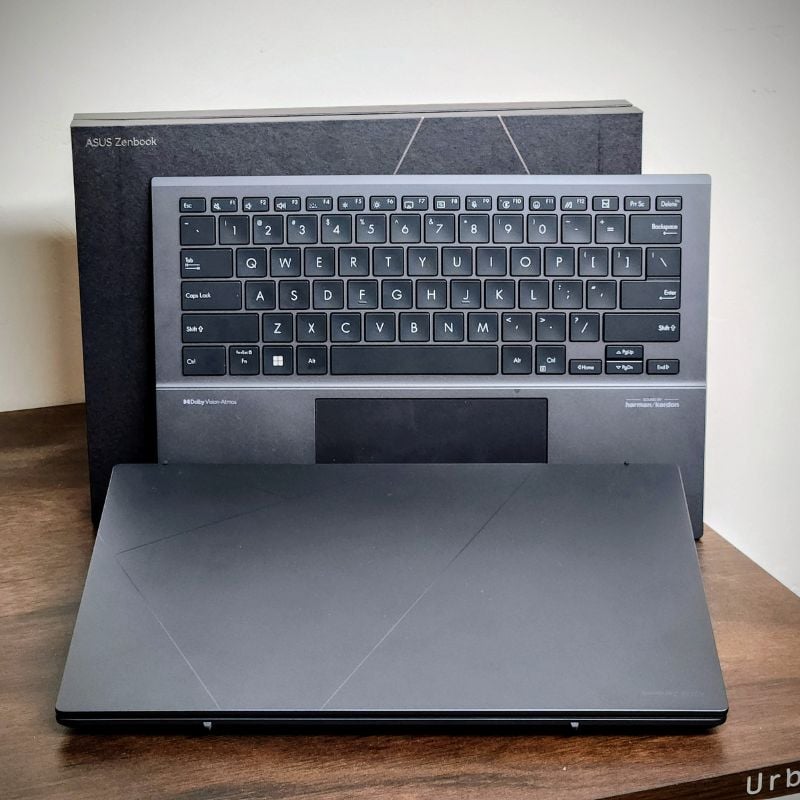
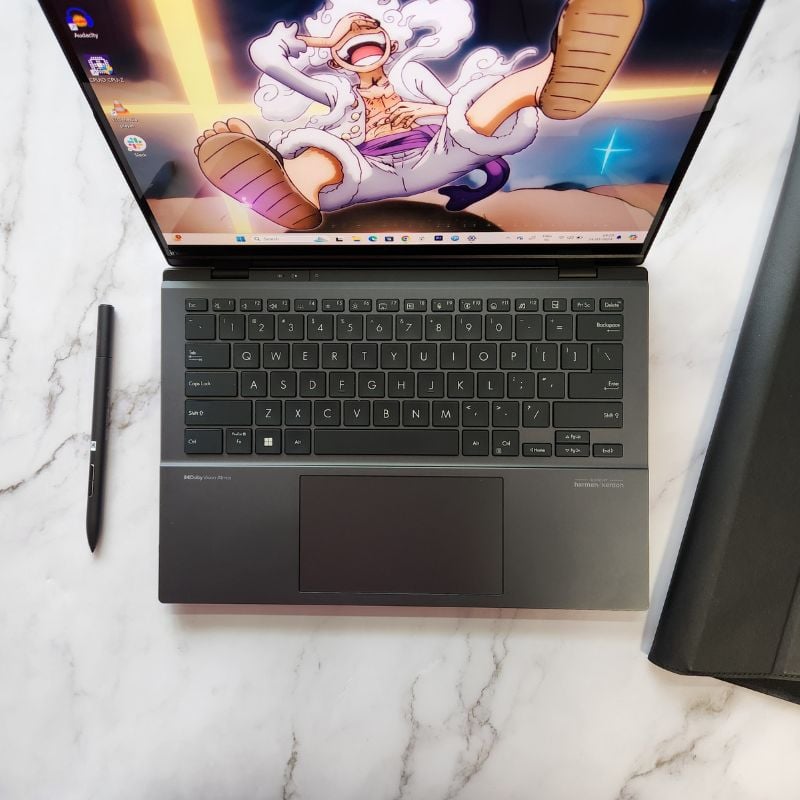
The Zenbook Duo looks sleek and weighs just around 1.65 kg, which makes it easier to carry. There is a good quality laptop sleeve bundled in the box that can hold the laptop and a stylus while also being a stand when required. The detachable keyboard is made out of magnesium-aluminum alloy as well while the trackpad feels like glass. A stylus is also bundled with the Zenbook Duo, which has a few buttons and works well on both displays. I will expand upon these in the accessories section.
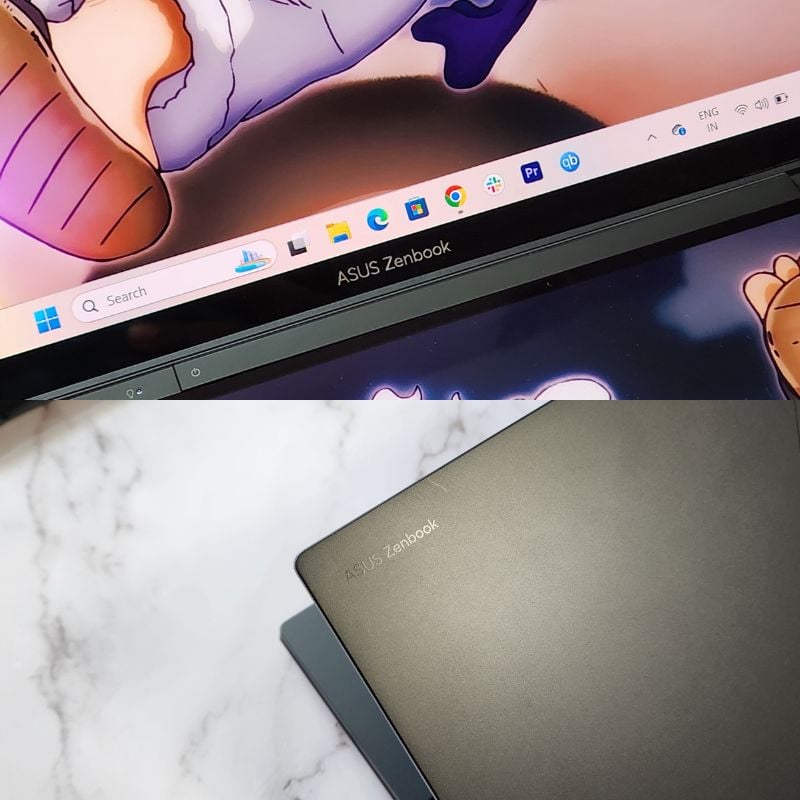
The laptop becomes quite thick when folded with the keyboard attached but is just 14.6 mm thin without the keyboard. Overall, the Zenbook Duo is built like a tank, and there should not be any issues with either the displays or the body of the laptop over several years of usage. I have been using it as a regular laptop, and so far, there are no signs of wear and tear on the Zenbook Duo. Both the displays are scratchless, and the body is as good as new. Even though the form factor is unusual, you should not worry about the laptop being flimsy or easily damageable. I love both the form factor and the build quality of the Zenbook Duo.

ASUS Zenbook Duo: Display and Audio
Let us talk about the highlight of the Asus Zenbook Duo, the dual 14-inch Lumina OLED display. In short, the displays are amazing. The Lumina OLED on the Zenbook Duo brings in features like true blacks, high brightness, HDR, Dolby Vision, and incredible color reproduction. The displays are a treat to look at. They get very bright, up to a peak brightness of 500 nits, and everything looks sharp and vivid on the displays of the Zenbook Duo. The only issue for me is that the bottom display looks brighter than the main top display, which is a bit distracting since you cannot adjust the brightness individually, and the displays are very reflective, which sometimes makes it difficult to work if sitting against direct light sources.
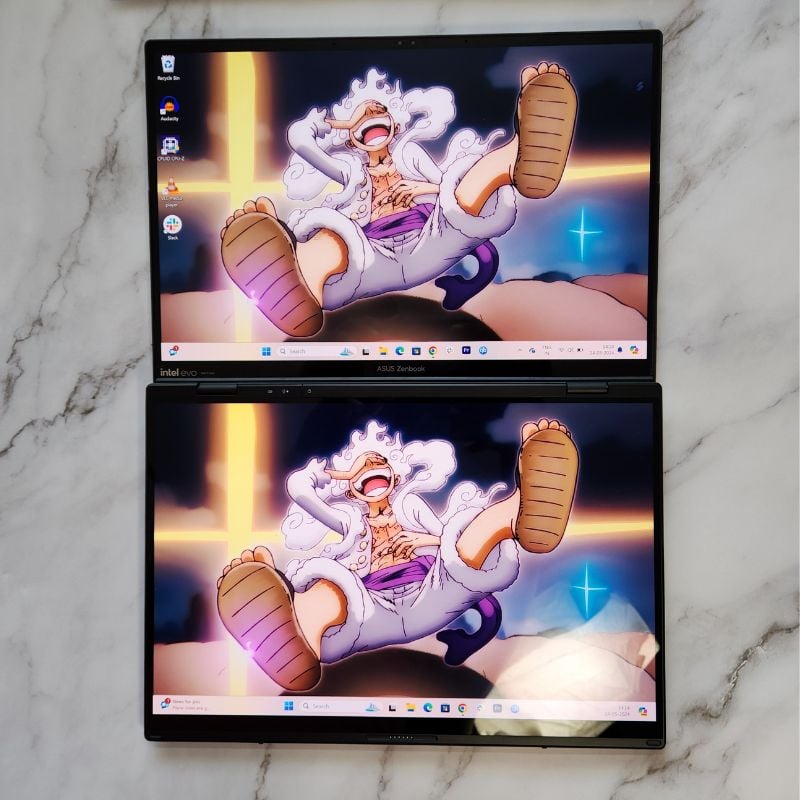
On my unit, the resolution is capped at FHD (1920 x 1200), and the refresh rate is only 60Hz, but there are higher variants of the Zenbook Duo that have up to 3.2K resolution displays with 120Hz refresh rate. But nevertheless, the displays are beautiful. I watched a ton of content in Dolby Vision on the Zenbook Duo, and everything looked bright and vibrant. There are also Harman/Kardon speakers on the Zenbook Duo with support for Dolby Atmos, and they sound loud and clear. They lack a bit of bass output but are more than enough to fill a small room.

The displays have excellent touch response, which makes the experience of using the Zenbook Duo much better than a conventional laptop. Touch screens are also convenient if you are not using the keyboard attachment, as they also have pen support on both displays. The pen is bundled in the box, which is a good thing for artists and professionals since you are spending a lot of money on this laptop. The touch works well and does not have any weird bugs or issues. Overall, the display and audio department is sorted on the Zenbook Duo, and these are some of the best displays and speakers on any Windows laptop with dual screens.
ASUS Zenbook Duo Review: The Form Factor
Let us talk about the various ways we can use the dual-screen form factor of the Zenbook Duo in our daily lives.
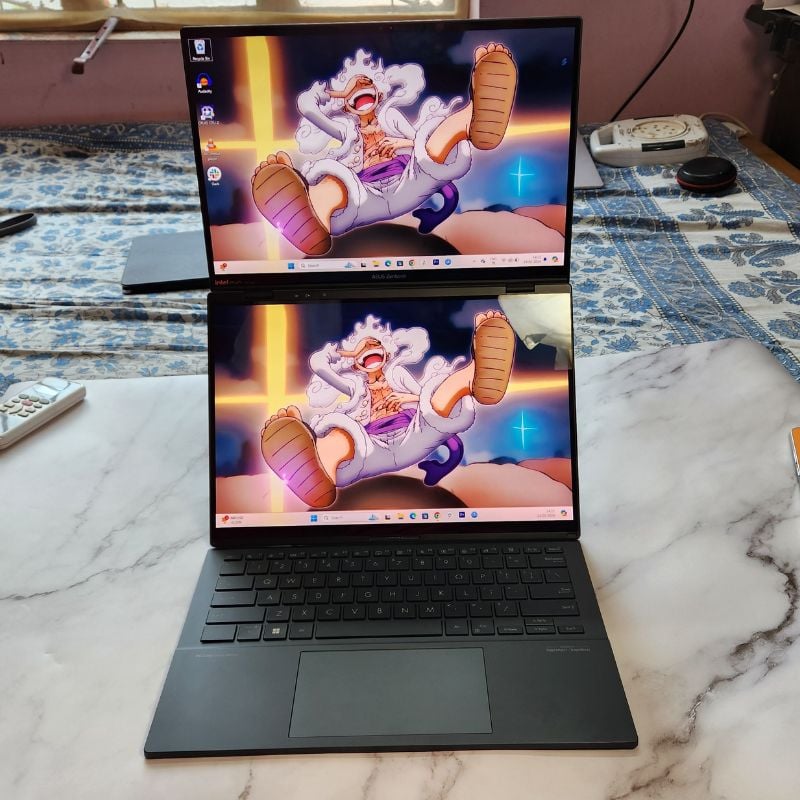
The Stack Mode
The form factor that I used the most was the one display stacked on top of another. I usually have my notepad on the top display with the web searches on the bottom display during research. The keyboard detaches wirelessly so that both displays are free and I could easily search for information on the bottom display and take notes on the top display at the same time.
The Book Mode
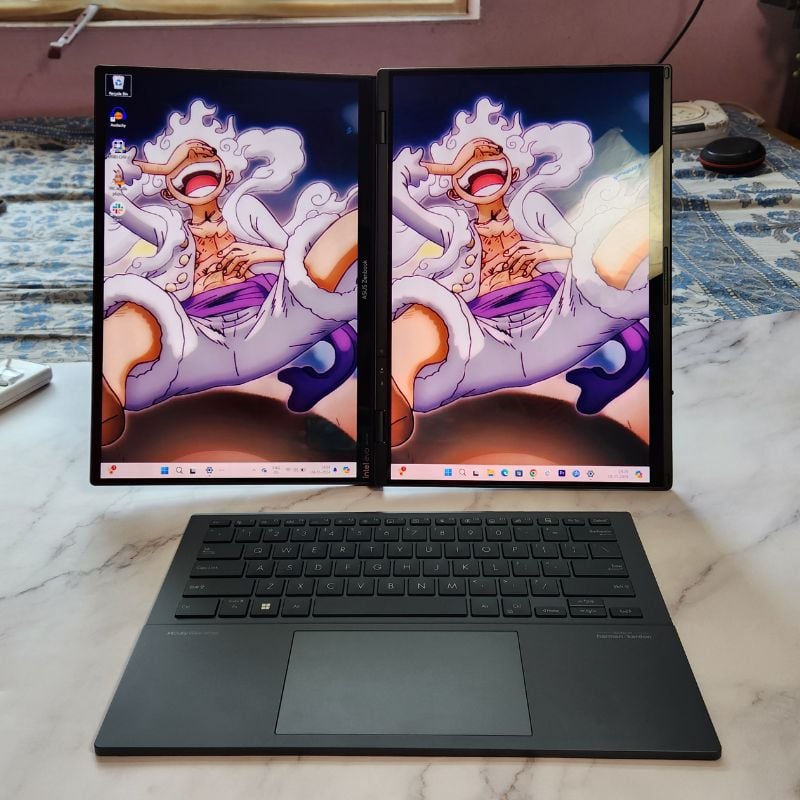
In this mode, the two displays of the Zenbook Duo are stacked side by side vertically like a book. I usually put up my playlist on the left display and an article or a code on the right display. Again, the keyboard is detached in this mode to use wirelessly.
The Laptop Mode
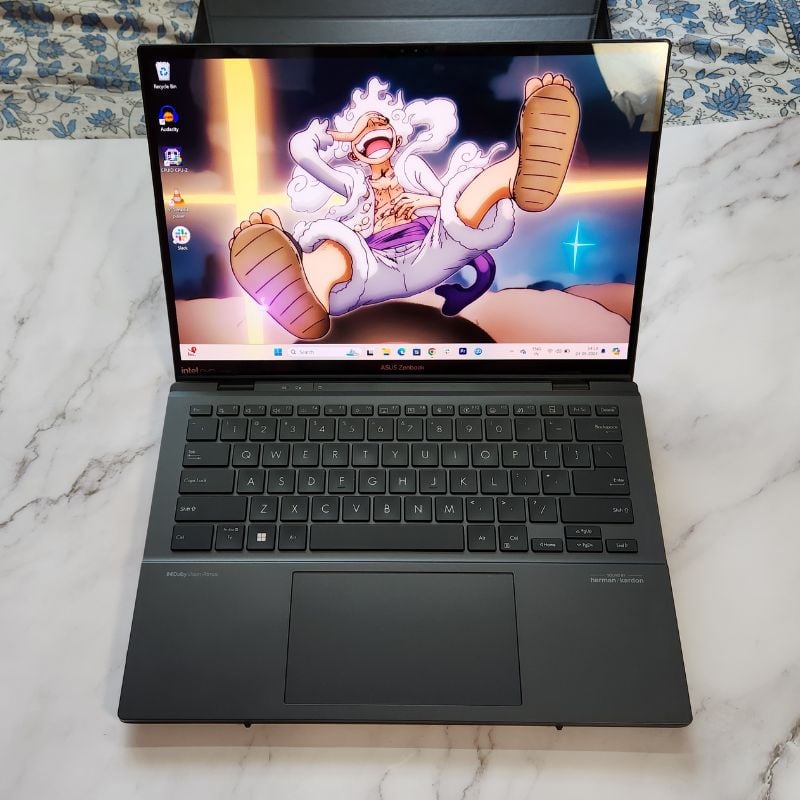
This is the second most used mode for me because here, I can use the Zenbook Duo on my lap while sitting on the bed or a couch, just like a normal laptop. I use this mode to watch content, browse the web, use social media, and do regular laptop stuff that does not require a second display. The keyboard sits above the second display and charges at the same time.
The Dual Screen Mode
You can use the Zenbook Duo easily even without the keyboard since Asus has packed in a virtual keyboard that transforms the entire second screen into a keyboard and trackpad combo for regular usage, or you just use the touch screen to navigate, and a keyboard will pop-up on the screen whenever you need to type something. This is probably the coolest mode out of all.

Unfortunately, the Zenbook Duo does not fold the other way like some 360-degree laptops (believe me, I tried!), so you cannot use it as a single-screen Windows tablet.
ASUS Zenbook Duo: I/O and Connectivity
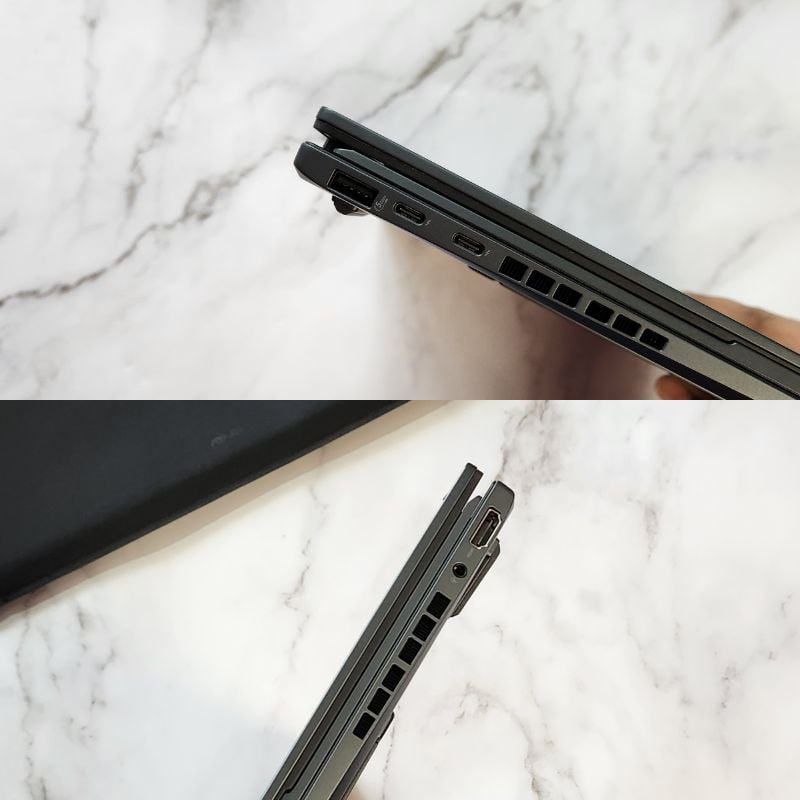
The Zenbook Duo has all the ports that we need nowadays. Here is a list of all the I/O ports.
Left side:
- 1x USB 3.2 Gen 1 Type-A
- 2x Thunderbolt™ 4 supports display/power delivery
Right side:
- 1x HDMI 2.1 TMDS
- 1x 3.5mm Combo Audio Jack
In terms of connectivity, the Zenbook Duo has support for WiFi 6E and Bluetooth 5.3. WiFi speeds are fast, and Bluetooth connectivity is strong, as is evident from the connection between the keyboard attachment and the laptop. There is an FHD camera for video conferencing along with multiple microphones and the webcam can also be used for Windows Hello authentication along with the IR sensor. The ports are limited as there is no ethernet port, but it is a thin laptop, so this is all we have.
ASUS Zenbook Duo Review: Performance and Battery
The Asus Zenbook Duo is packed with the Intel Core Ultra 9 processor along with 32GB LPDDR5X RAM and 1TB m.2 NVMe PCIe 4.0 SSD. It has an integrated Intel Arc Graphics and an Intel AI Boost NPU for all the AI processing. The benchmark results are quite decent for the Intel Core Ultra 9 processor, and I didn’t notice any hiccups or slowdowns during my use. The performance is very good, even in battery mode, which is surprising for a Windows laptop.

Regular tasks like working with documents, creating presentations, blogging, and browsing are easily handled by the Zenbook Duo. I even did a bit of video editing in Premiere Pro, and it was doable, but this laptop is not made for heavier tasks like video editing or gaming. Light photo editing, graphic design, drawing, or podcasting can be done on the Zenbook Duo without any issues. The thermals are also handled well, especially in battery mode. The laptop does get warm, but the temperatures do not lead to any slowdowns or throttling, which is a result of the cooling mechanism Asus has integrated into the mainboard of the Zenbook Duo.
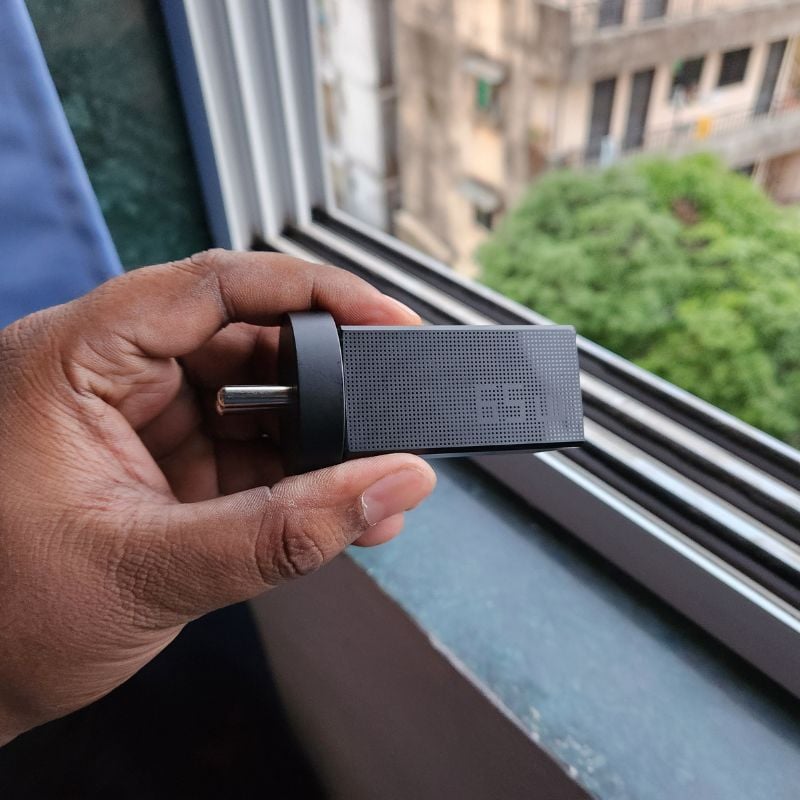
The battery performance is surprisingly good on the Zenbook Duo. The 75WHrs battery can last up to 10 hours on light to moderate usage, with both screens being on and can last even longer with a single display. The tiny 65W charger can charge the laptop from 0% to 100% in about 3 hours. The charger is not much bigger than a phone charger and is quite easy to carry around. Asus has thought this through while making the Zenbook Duo and all the accessories that it comes with. Overall, I’m quite satisfied with the performance and battery life of the Zenbook Duo. It is indeed the best machine for productivity on the go.
ASUS Zenbook Duo 2024: The Accessories
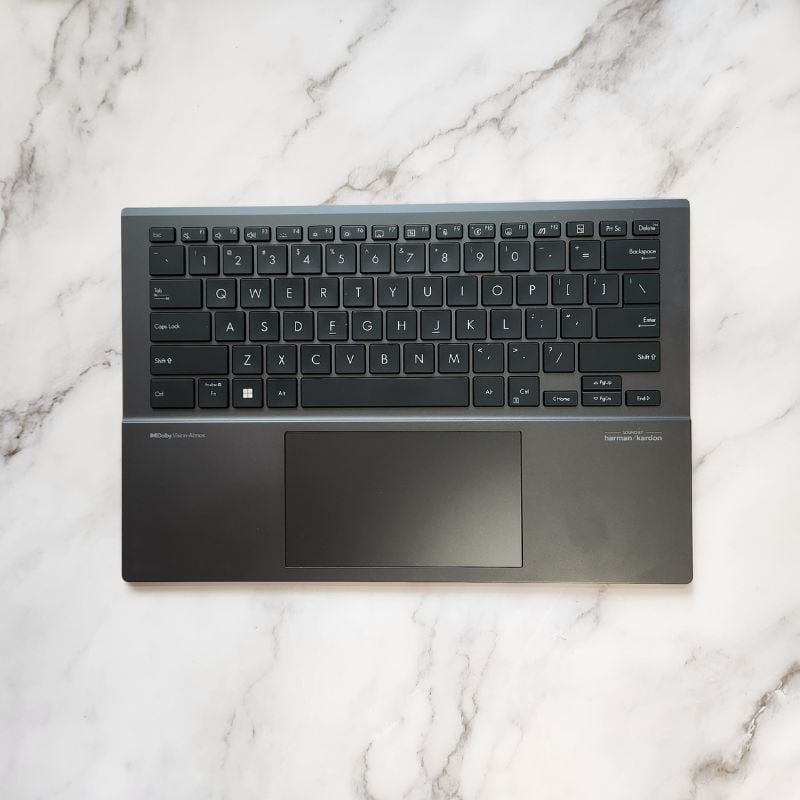
The Zenbook Duo comes bundled with a wireless keyboard that attaches to the bottom display to charge via magnetic pins. The keys have a good amount of travel, and the typing experience is pleasant. The keys have multiple levels of backlight control, which makes typing in the dark much easier. The trackpad is large and comes with Windows Precision Drivers, so all the gestures work as expected. There are tons of shortcut buttons on the function row and there is a separate USB Type-C port on the keyboard to charge it independently if needed.
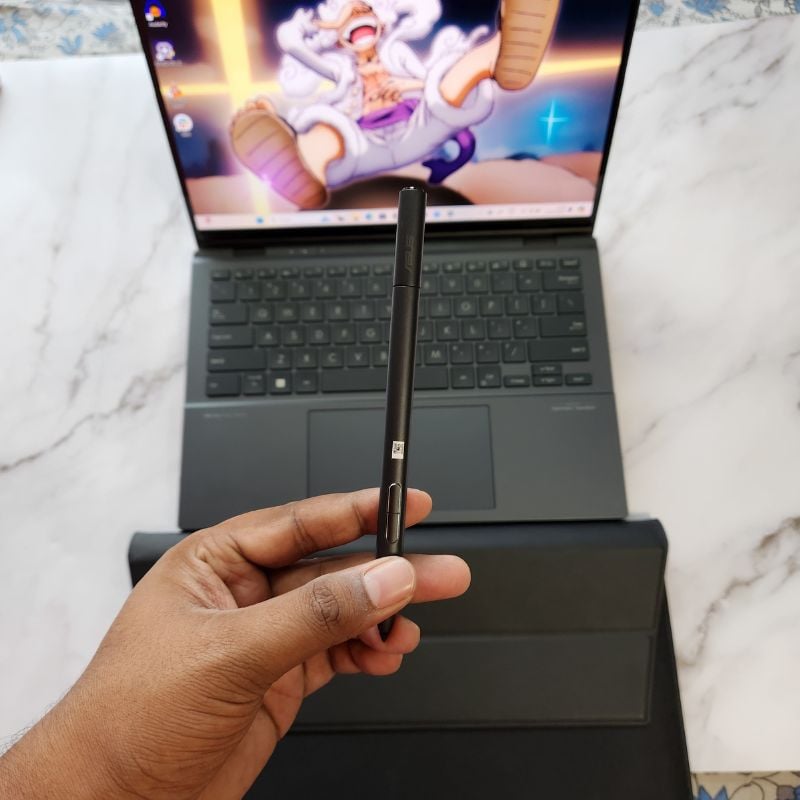
The second included accessory is the Asus Pen Stylus which works as a smart pen for your Zenbook Duo. The pen has three buttons that can be customized as needed. I mostly use the pen to take notes and annotate screenshots. There is minimal latency, which makes the experience smooth. The pen can also be used as a mouse if needed. There is a USB Type-C port to charge the pen, but it lasts for a long time, so there won’t be much of a need to charge it regularly. It works as an active stylus as well, but make sure to pair the pen with the laptop via Bluetooth to use all the features.
ASUS Zenbook Duo Review: The Software
The Asus Zenbook Duo comes pre-installed with Windows 11 Home and you will also get a lifetime free version of Microsoft Office with the laptop. Windows 11 is fast and reliable, but there are a few bugs here and there. Sometimes the auto-rotate option does not work properly, sometimes palm rejection has issues when using the Asus Smart Pen. The animations have jitters all over the UI, but it’s mostly just an issue with Microsoft and its operating system.
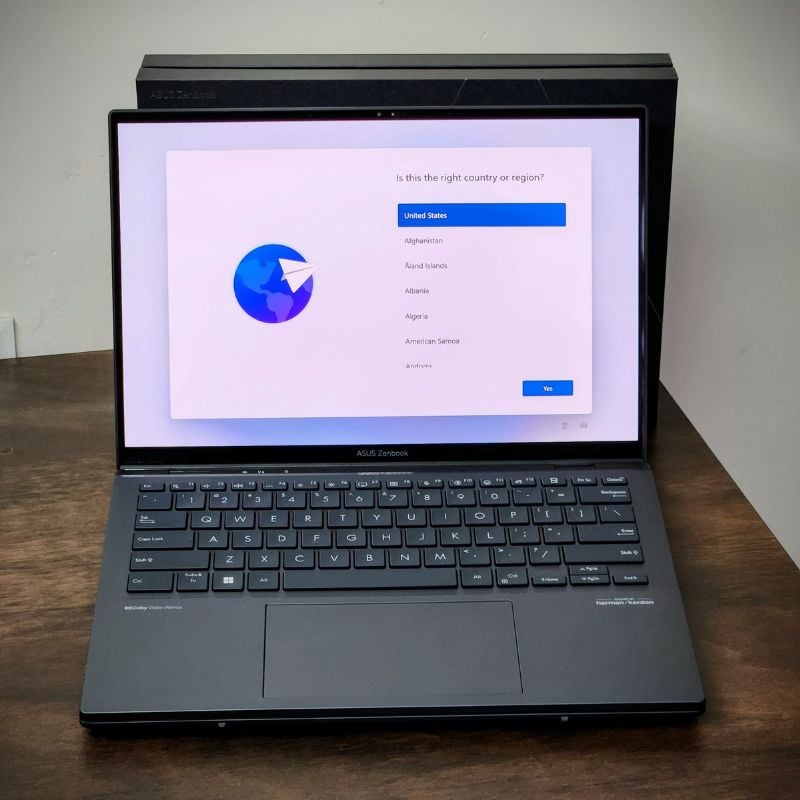
Asus has configured the software well to work seamlessly with the hardware. There are tons of options to create the perfect multitasking setup using either a single or both screens on the Zenbook Duo. There is a ScreenXpert application on the Zenbook Duo that gives you access to touch shortcuts to invoke the virtual keyboard on the second screen, easy screenshot gestures, and an easy way to move the applications across both screens. The software allows the Zenbook Duo to achieve most of the things that would not be possible with just Windows 11.

Overall, Asus has worked well on the software part of the Zenbook Duo, but there needs to be a few improvements, like better animations and fewer bugs, to make the product even better.
ASUS Zenbook Duo Review Verdict
The Asus Zenbook Duo is a very good Windows laptop with some neat tricks up its sleeve. When you get something like the Zenbook Duo in your hands, you just can’t stop yourself from admiring how unique the product is. The Zenbook Duo is my favorite Windows laptop yet because it just puts a smile on my face whenever I’m using it. You have multiple displays at your disposal whenever you need them, you have very good performance to complete your work without any issues, and the battery life is excellent as well.
Overall, the Zenbook Duo is the laptop to get if you love multitasking, you watch a ton of content, or you just want to flex on your MacBook friends!
Buy Asus Zenbook Duo (USA)
Buy Asus Zenbook Duo (India)
- Unique hardware
- Good performance and battery life
- All accessories are included
- Versatility
- Bugs in the software.
- Janky animations
- Does not fold completely
- No high refresh rate displays
| Design & Build |
|
| Performance |
|
| Software |
|
| Features |
|
| Price |
|
|
SUMMARY
Asus Zenbook Duo is the perfect laptop for people who love to multitask and need something portable enough to carry around. The Zenbook Duo performs well, lasts quite long, and has dual OLED screens. It starts from $1499/ Rs 1,59,990 and has multiple configurations to choose from. It is my favorite Windows laptop yet. |
4.2
|

