

In Summary
- Asus Zenbook S14 OLED powered by Intel Lunar Lake processor offers excellent battery life and strong day-to-day performance.
- The striking design, premium build, stunning OLED display, great battery life, and power make the Asus laptop my ideal laptop.
- However, if you prioritize raw stronger performance and more RAM along with flexibility, this might not be the best choice for you. Also, the inconsistent Windows experience still makes it reconsiderable in your decision.
If you have been following my processor comparison posts recently, you might notice one thing in common: all these companies are competing for the top spot to be the best processor in the market. As I always said, it started when Apple moved to its silicon processor, the Apple M1. Since then, Apple has dominated the market with its fastest and most efficient processor for thin and light laptops.

Later, following in Apple’s footsteps, laptop manufacturers started transitioning to ARM-based processors, such as the Snapdragon X Elite, specifically designed for Windows laptops in 2024. It was a promising start with never-before-seen battery life on a Windows laptop. In my review of the ASUS VivoBook S15 OLED, powered by the Snapdragon X Elite processor, I mentioned it had a promising future. The battery life on the device was excellent, and I was even surprised by its efficiency because of its ARM architecture. However, there were some issues, like ARM compatibility with Windows software.
While these developments were ongoing, Intel announced several processors but failed to meet the expectations set by Apple M1 or Snapdragon X Elite. Later, in 2024, Intel announced Intel Lunar Lake as a direct competitor to the Snapdragon X Elite, which promised to offer better efficiency and performance than the Snapdragon X Elite in many areas.
Even before testing the real-world performance of these laptops, Intel already had an edge over Snapdragon in terms of app support and better GPU performance. In my comparison post of Intel Lunar Lake and Snapdragon X Elite, Intel took the lead as the best processor. I predicted it would be the best laptop processor if it performed well in real-world scenarios and matched the benchmarks.
Fast forward to 2024, and after several months, I finally got my hands on the Lunar Lake processor in the new ASUS Zenbook S14 OLED laptop. Hands down, after using it for more than 10 days, I believe it is my ideal Windows laptop because of its performance and several factors that make it a great choice. This is a strong contender if you prefer a thin, light laptop with excellent battery life and good performance.
Table of Contents
Asus Zenbook S14 OLED Review: My Ideal Windows Laptop
Before the review, let’s understand what my ideal laptop looks like. Like most of you, before considering purchasing a laptop, here are four things I look at:
First, price has the majority influence on my purchasing decision. The ASUS Zenbook S14 OLED (UX5406SA-PZ357WS) is priced at rupees ₹149,990 in India and available for $1,499.99 in the U.S
Next is the performance, especially for Windows laptops, because of the bloatware and inconsistent updates. I want a laptop that is smooth for my daily tasks.
Note that by performance, I am not talking about top-notch gaming, heavy gaming, or running heavy software. I want smooth performance for my daily use, like opening a web browser, playing media without buffering or waiting, doing light gaming when bored, and faster file transfers when needed.
Next is battery life, which has become the most important factor for me, especially after moving to Macs and enjoying the freedom and flexibility of not worrying about battery discharge or rushing to find a laptop charger.
Finally, a premium-looking design with solid build quality and a good selection of ports without depending on external connected devices.
I generally don’t expect my ideal laptop to excel at all of this until I find this laptop that meets all my core requirements. To make it simple and align with your needs, my ideal laptop should perform day-to-day tasks well, have excellent build quality, a good selection of ports, top-tier battery life, and stay within the budget I have allocated.
With this in mind, let’s review the Zenbook S14 OLED and dive deeper into why it excels in all four core aspects.
Asus Zenbook S14 Specifications
FEATURE | SPECIFICATION |
|---|---|
Processor | Intel Core Ultra 7 258V, 8 cores, up to 4.8 GHz |
Graphics | Intel Arc Graphics |
Memory (RAM) | 32 GB LPDDR5X |
Storage | 1 TB PCIe 4.0 NVMe M.2 SSD |
Display | 14-inch 3K OLED (2880 x 1800) 120Hz, 100% DCI-P3, VESA HDR True Black 500 |
Battery Life | Supports 65 Watt Fastcharging; up to 50% in 34 minutes (In my testing) |
Operating System | Windows 11 Home |
AI Features | Co-pilot and other useful AI features like live captions |
Weight | Lightweight, 1.2 kg |
Thickness | 12.9 mm thin |
Connectivity | Wi-Fi 7, Bluetooth 5.4 |
Ports | Handful of ports. It has 1 x USB 3.2 Gen 2 Type-A, 2 x Thunderbolt 4, 1 x HDMI 2.1, 3.5mm audio jack |
Audio | Harman Kardon-certified, Bottom fired. Four-speaker system |
Design: Premium Build With Attractive Looks
I have used several Windows laptops, even the upper-range premium ones like the ASUS VivoBook S15 OLED laptop, which I reviewed earlier. While many laptops fell short of expectations, the ASUS Zenbook S14 OLED impressed me with its thoughtful design.
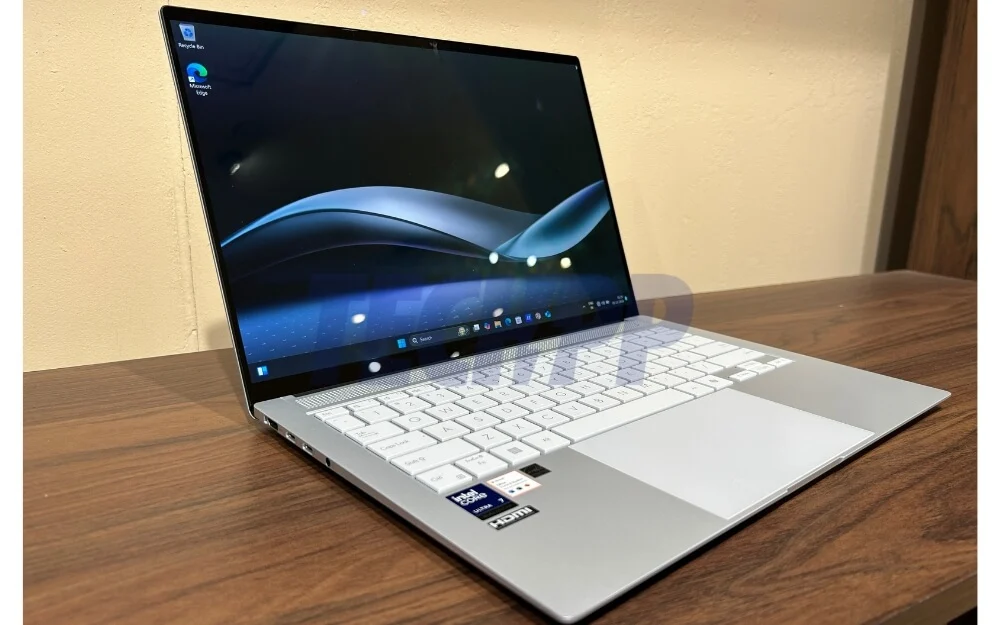
Not only does it look impressive, but it also stands out in terms of practicality, fitting in much-needed ports within this form factor. Ports have always been my biggest concern with MacBook Air. You either compromise on the ports for thinness or vice versa. However, with the ASUS Zenbook S14 OLED, you get both.
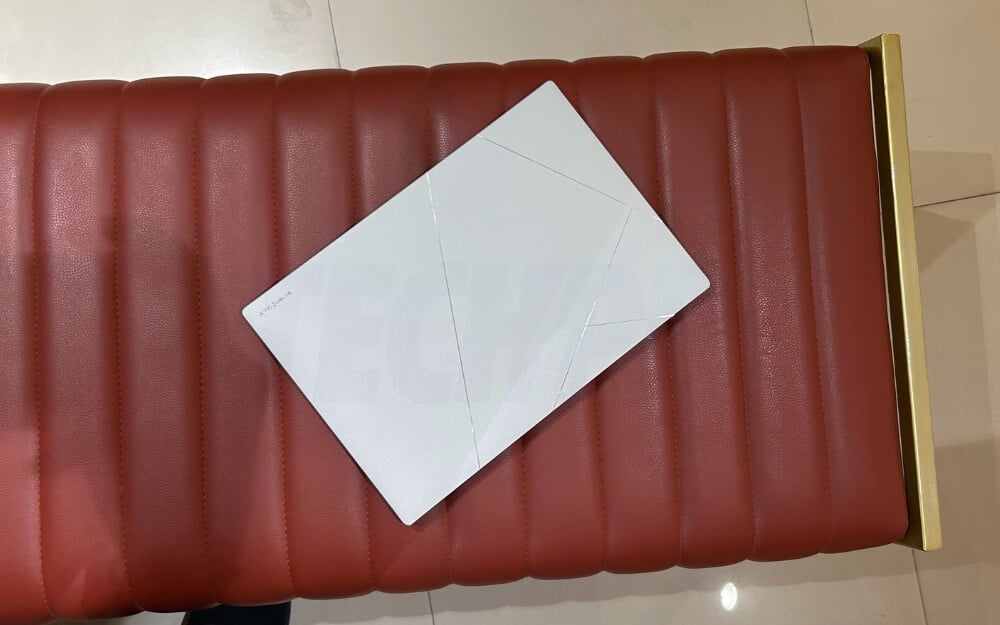
Starting with the design, I had a great experience right from the unboxing. The first time I picked up the laptop, it felt premium and lighter than my MacBook Air, weighing just 1.02 kg. As ASUS calls it, the ‘Ceraluminum’ finish brings a matte texture to the top with a silver-coloured ASUS logo. I have the grey color variant, which looks good in real life. Fortunately, it is not a fingerprint magnet, so you can easily carry it anywhere.
In the box, ASUS also offers a premium leather bag to carry and protect your laptop. I am more worried about the leather bag than my laptop because it’s so premium, and I didn’t want to damage it. It is also not a fingerprint magnet and protects your laptop from scratches and dust.
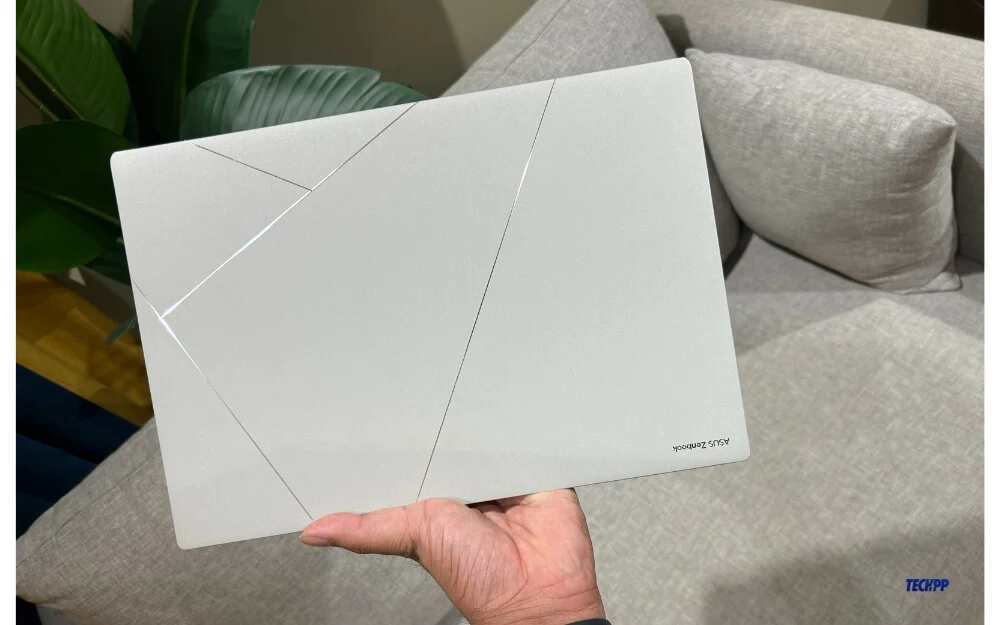
The laptop is built solidly; the lid doesn’t wobble or dent much. You can lift the lid with a single hand without moving the base. It does not have the ergonomic lift feature usually found in ASUS laptops, where the base lifts slightly when you pull the lid to the end. This is not present here.
Additionally, the lid doesn’t open fully to 180 degrees, which is disappointing because it comes with a touchscreen display. I will talk more about this in the display section and explain why a full 180-degree hinge would have been better.
On the sides, you get a good selection of ports. You can find 2 x Thunderbolt 4, 1 HDMI 2.1, 1 3.5mm Combo Audio Jack, and the Type-C charging port on the left. One more 1x USB 3.2 Gen 2 Type-A and Charging indicator light is on the right. There is no support for a microSD card slot. On the bottom, you can find vents for air circulation and single-slit speakers on either side. It comes with downward-firing speakers. Overall, I would rate this laptop 10/10 for the design and build.
Display: Stunning Beauty
Once you open the lid, you will be greeted with a 14-inch 3K (2880 x 1800) touchscreen display with a 120Hz refresh rate and 100% DCI-P3 color gamut, PANTONE Validated. You will be stunned by this display and its vibrant colors if you have never used OLED displays. I had the experience of using it on an ASUS Vivobook S15 OLED and loved the display on those laptops. I find it even better than the display on MacBook.
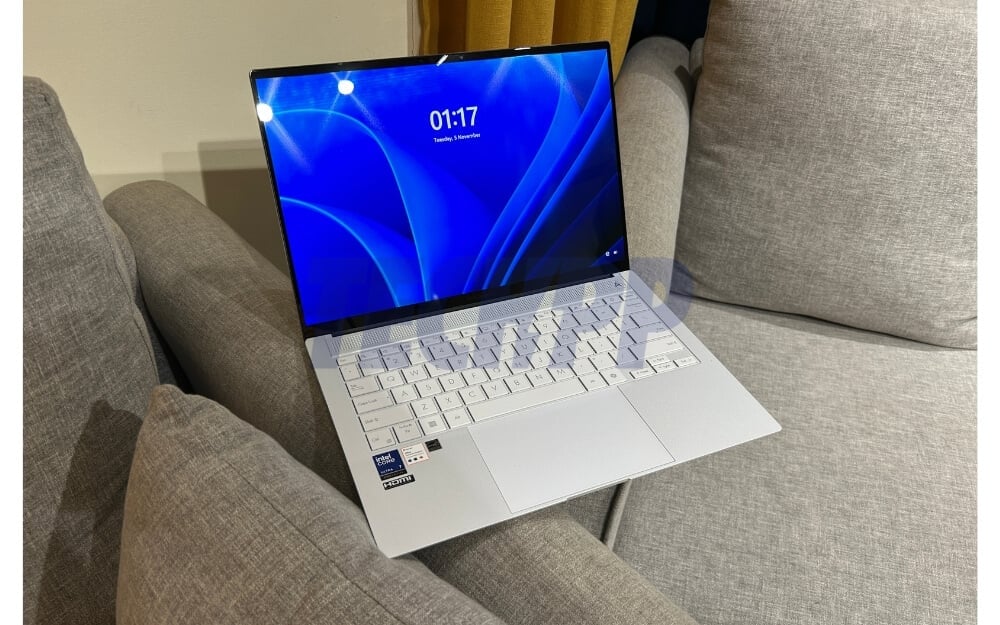
The colors are accurate and punchy, and the screen is sharp with a 3K resolution. Watching media, reading blogs, working with graphic design, editing videos, playing games, and watching movies become even more enjoyable with this display.
On top of these, the display also supports 120hz refresh, making this laptop a feast for the eyes. A higher refresh rate drains the battery more, and I have also noticed slight stutters initially, but it gets better afterward.
The outdoor visibility is fine unless you work directly under sunlight at noon. It comes with 400 nits standard brightness and 500 nits HDR peak brightness. The OLED screen and the reflective display make it hard to read the content in direct noon sunlight. However, if you get under a bit of shade or view the display in the morning or during sunset, it performs better with its vibrant colors.
You also get a touch screen. However, it would have been nice if the lid could rotate 180 degrees. I am not asking for a Flip display, but a 180-degree hinge would have been better, especially if the laptop is placed on a laptop stand. This is a minor but noticeable drawback if you often use the touchscreen on the laptop. The touchscreen is responsive and handy for regular use, such as scrolling between web pages, editing specific areas, or pausing and playing Media.
The display also has stylus support, but ASUS doesn’t bundle it in the box. You will need to buy the stylus separately, which isn’t fine considering what you are paying for this laptop. ASUS should have included it in the box.
Performance: Strong Day to Day Without Emulation
The laptop comes with Intel Lunar Lake, one of the most anticipated processors in the market currently to battle against Snapdragon X Elite and Windows transition to ARM for better efficiency. I have a detailed comparison of Intel Lunar Lake and Snapdragon X Elite; you can view the guide for more details about the processors, specifications, and variants.
The laptop I am using is powered by the Intel Core Ultra 7 Processor 258V, with hybrid 8 cores, 8 threads, and a maximum clock speed of up to 4.8 GHz. It also includes Intel Arc Graphics paired with up to 32GB LPDDR5X RAM and 1TB M.2 NVMeTM PCIe 4.0 SSD Storage.
Because of this new System-on-Chip (SoC) architecture (which integrates the CPU, GPU, RAM, and other components into a single chip), you cannot choose different RAM variants like the Intel processors in previous generations. You have limited options. However, if you want, you can expand the storage further to 2TB SSD.
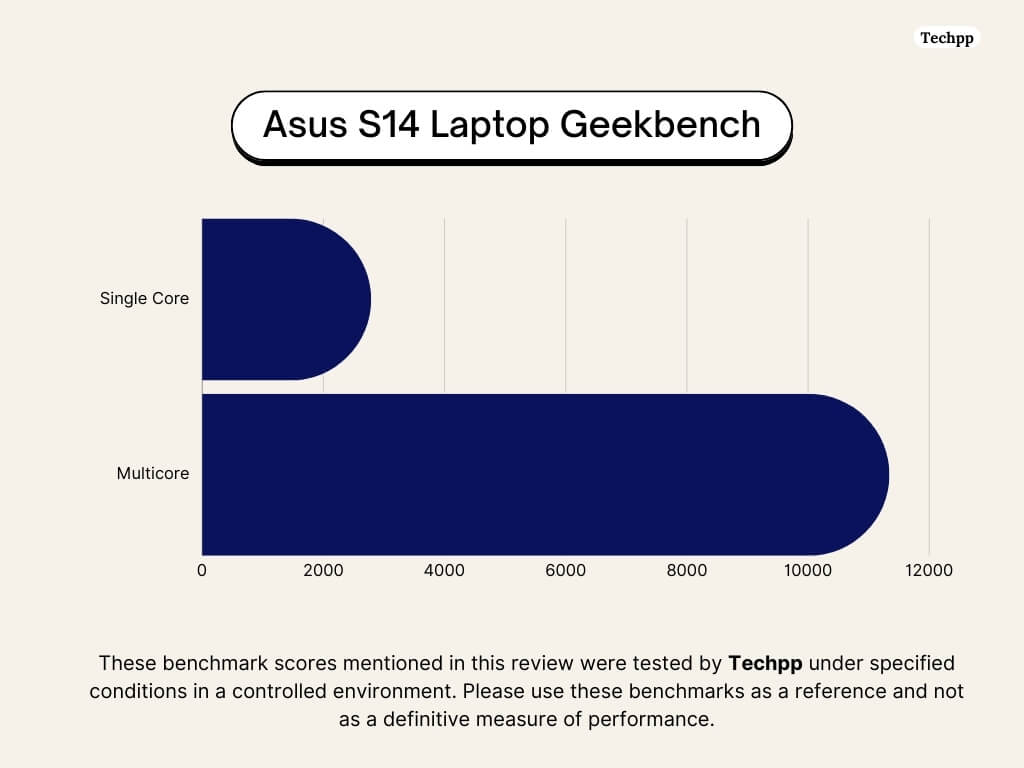
From the processor configuration and benchmark scores, the processor is aimed for efficiency in this thin and light laptop. This translates into real-world usage, where the ASUS Intel Lunar Lake excels in single-core performance, while Snapdragon X Elite beats Intel Lunar Lake by more than 30 percent in multi-core performance.
Processor/Laptop | Single-Core (Geekbench 6) | Multi-Core (Geekbench 6) | Single-Core (Cinebench 2024) | Multi-Core (Cinebench 2024) |
|---|---|---|---|---|
Snapdragon X Elite (Vivobook S15) | 2427 | 13,968 | 108 | 1,114 |
Intel Core Ultra 7 258V (Zenbook S14) | 2692 | 10,992 | 118 | 602 |
Intel Core Ultra 7 155H (Galaxy Book 4 Pro) | 2219 | 13,008 | 102 | 746 |
Snapdragon X Elite (Lenovo Yoga Slim 7x) | 2,243 | 12,567 | 1,455 | 11,515 |
AMD Ryzen AI 9 HX370 (Zenbook S16) | 2743 | 13,334 | 102 | 874 |
ntel Core i9-13900H (ASUS Vivobook S14 OLED) | 2,372 | 13,115 | 1,719 | 17,632 |
The GPU performance on the ASUS Zenbook S14 laptop with Intel Core Ultra 7 258V (with Lunar Lake) beats Snapdragon X Elite in almost every benchmark and real-world gaming performance. I haven’t tested this laptop with many games, but from my experience playing casual games like BGMI, shooting games, and more, it handles games well.
From the video shared by creator Hubwood, who tested Intel Lunar Lake with 40 of the best games on the Asus Zenbook S14, it is evident that Intel Lunar Lake is also the best for gaming when compared to Snapdragon X Elite. However, it is important to note that it is not specifically made for gaming. This is something you should keep in mind.
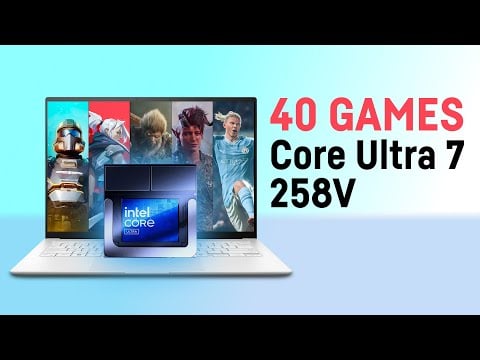
Below are the GPU benchmark scores for the Intel Core Ultra 7 on the ASUS Zenbook S14 compared to the Snapdragon X Elite and the latest Ryzen AI 9. As you can see from the benchmarks in Fire Strike, Time Spy, Night Raid, and Wild Life Extreme, along with frame rates per second in the games I have tested and real-world gaming experiences available on the internet, the Intel Core Ultra 7 beats them all and delivers better numbers in the GPU comparison table.
Laptop/Processor | Fire Strike | Time Spy | Night Raid | Wildlife Extreme | Gaming FPS (Gears 5 @1080p) | Gaming FPS (Civilization VI @1080p) |
|---|---|---|---|---|---|---|
Snapdragon X Elite (Vivobook S15) | 6129 | 1900 | 26,292 | 6,311 | 46.3 | 61.78 |
Intel Core Ultra 7 258V (Zenbook S14) | 8653 | 4,378 | 34,035 | 7,121 | 62 | 75 |
Intel Core Ultra 7 155H (Galaxy Book 4 Pro) | 7987 | 3,840 | 25,518 | 6,449 | 61 | 71.84 |
AMD Ryzen AI 9 HX370 (Zenbook S16) | 7,987 | 3,942 | 27,377 | 6,392 | 61 | 71.84 |
How do all these numbers translate to real-world performance
Before talking about it, based on the numerous Intel Lunar Lake comparison posts, you might already know that with the change in processor configuration, Intel using TSMC manufacturing, and a SoC that combines everything, the processor is made with efficiency in mind rather than raw power. This is visible in real-world performance.
I am stressing this because this is unlike any previous Intel processor you might find on laptops that focused on raw power at the expense of battery life. With this new processor (Lunar Lake), things have changed. The battery life is very good; in fact, better than any other laptop processor with an Intel chip and even better than the Snapdragon X Elite processor in some cases.
Speaking of performance, It is great for tasks that utilize single-threaded performance, which includes common activities like playing media, opening websites, browsing, casual gaming, using online or modest applications for light work, and more.
However, this laptop takes a small step back regarding multi-core performance. It can still run resource-heavy apps and software, but you won’t get the same experience as you might with other Intel laptop processors in previous years. This is something you should keep in mind before buying.
Also, this laptop won’t have any compatibility issues since most apps, games, and software are built natively for the x86 architecture. You get the same raw performance without emulation or conversion, unlike Snapdragon X Elite, where compatibility is the biggest concern.
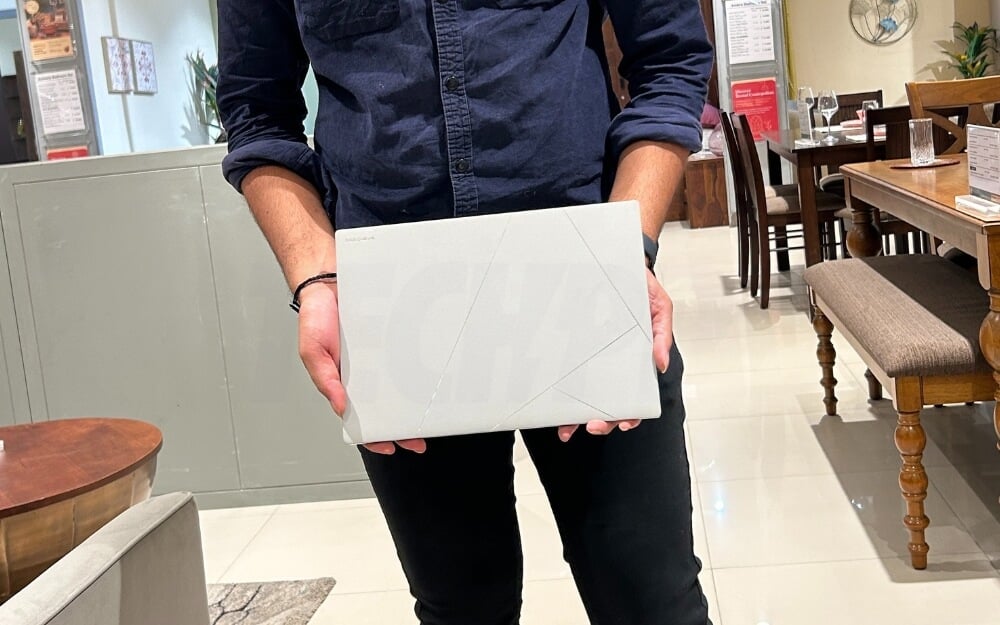
In my experience, which includes web browsing and spending most of the time on Chrome and Figma design screens, the laptop performs well at these tasks. It runs efficiently and seamlessly. However, if you run resource-heavy apps like video editing software or Android Studio, the laptop struggles but is still functional unless they are demanding apps and you are nitpicking.
Plus, the most significant advantage is that there are no compatibility issues with the laptop. No matter which app you run, you get the raw performance. You should note that when the device is not connected to charging, there is a noticeable performance drop. The performance decreases when the device is unplugged, but it gets much better if charging and running on direct power.
Regarding thermal performance, the laptop does get hot in rare scenarios, such as when updating or running resources intensively. Still, the temperature is under control most of the time, and you hardly hear the fan noise.
Battery Life: Excellent Battery on an Intel-powered machine
As mentioned in the processor and performance section, the latest Intel Lunar Lake processors are designed for better efficiency rather than raw power. This translates very well to real-world scenarios. The ASUS Zenbook S14 OLED’s battery life is very similar to the ASUS VivoBook S15 OLED (Snapdragon X Elite) I reviewed earlier, and in some cases, even better.
In the 10 days of usage, As per the specifications, it has a 72 Wh battery capacity and supports fast charging. I only charged the laptop three times, which perfectly demonstrates how good the battery life is on this device. On average, I got in between 15-17 hours. In my testing, the laptop went from 0 to 50 percent in under 1 hour, taking about two hours and 10 minutes to charge fully.
Keyboard and Touchpad: Not Enough Key Travel
ASUS keyboards generally don’t have much key travel, which makes them less appealing to type on if you have used MacBooks or mechanical keyboards before. However, eventually, you will get used to it. It has a non-numeric keypad with function and number keys aligned into a single-line layout.
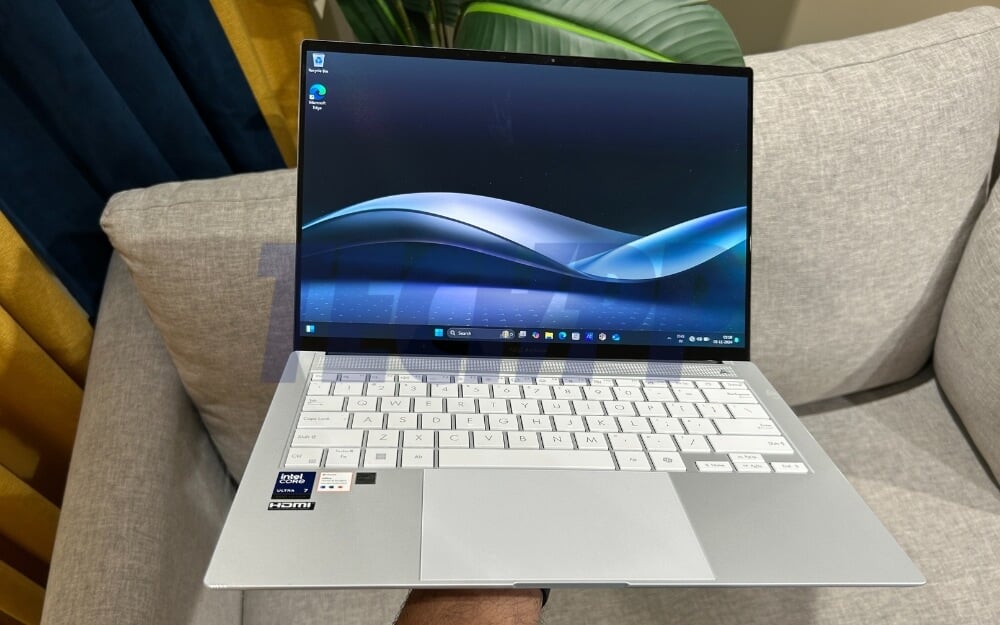
It features a dedicated co-pilot key and a full-length touchpad, which is very responsive with useful gesture support. However, I find one minor button placement issue particularly annoying. The placement of the power button next to the delete key can cause accidental shutdowns when deleting something, which takes some getting used to.
When I want to delete something, I often mistakenly press the power button, causing the system to shut down unexpectedly or interrupt my work. This is something I’ve had to get adjusted to.
The keyboard comes with three levels of backlighting for indoor and dim lighting conditions. However, if you set the brightness to low in daylight, it becomes difficult to see the lighting because of the grey and white color combinations. Apart from this, everything about the touchpad is great.
Speakers: Loud Bottom-Firing Speakers
I have always hated down-firing speakers, which is the case with this laptop. The speakers on the ASUS Zenbook S14 sound very similar to the MacBook Air. They are loud and have good separation. However, thanks to the headphone jack, you can use headphones, which I prefer the most, while watching movies on large-screen devices like laptops. It also supports Bluetooth 5.3 for better connectivity, allowing you to connect wireless devices.
Mic and Webcam
The webcam is good and captures clear video. It supports 1080p footage at a 30Hz refresh rate, sufficient for most video conferencing apps. However, unlike the ASUS VivoBook S15 OLED (Snapdragon X Elite), this laptop doesn’t have a privacy shutter.
The microphone also captures good audio, automatically filtering background noise from the input. This is very helpful in meetings with a lot of background noise. Unlike other AI-generated features that are often gimmicky, it is nice to see this feature work. It makes a significant difference, especially for people who record videos or attend frequent meetings.
Windows: The Visible In-Consistent
One area where I felt disappointed and wanted improvement is the software on the ASUS S14 OLED. It runs on the latest Windows 11, which is feature-rich, has a user-friendly interface, and works seamlessly with all hardware. However, underlying issues like bloatware and inconsistent updates make it very inconvenient.
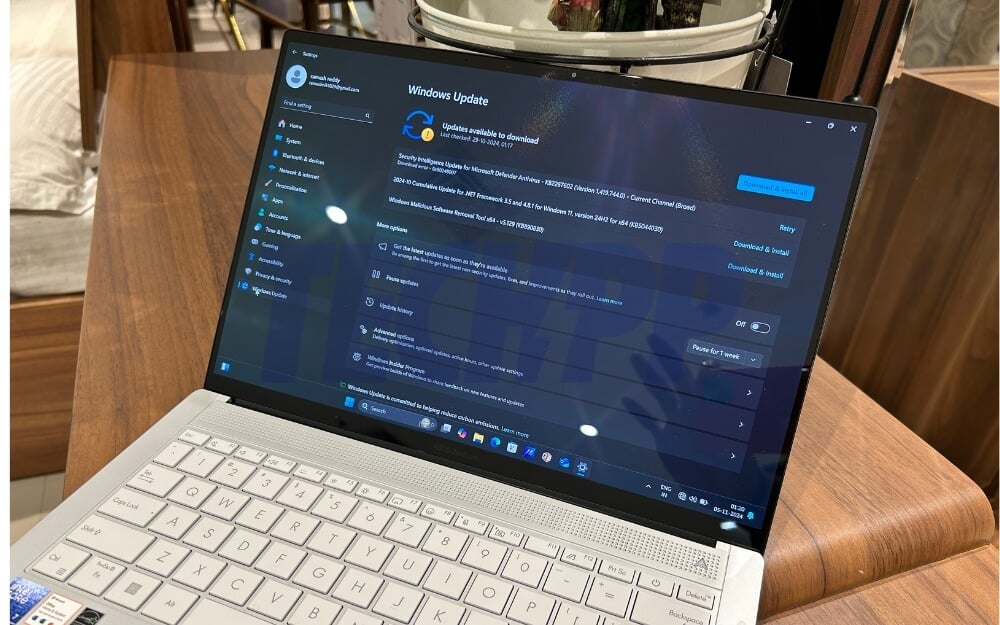
I might sound nitpicky, but Windows should seriously consider fixing the update cycle and bloatware on the platform. Bloatware can be removed in many ways, but dealing with updates can be frustrating, especially if you frequently encounter them. This is not the case with Apple macOS. After years of using macOS, I have rarely had software updates interrupt my workflow, unlike Windows.
Apart from this, you get everything from Windows, like the latest modern UI, compatibility with most apps and software without any issues, and more. It also comes with Microsoft Copilot integration and a dedicated key for easy access. It also includes local AI photo editing, live video captions, and more. The integrated Neural Processing Unit (NPU) is also capable of up to 47 TOPS (trillions of operations per second), which is better than the Snapdragon X Elite.
The Photos app uses ASUS AI to identify objects in photos and suggests images when you search, which is a handy feature. The MyAsus app is also handy and gives you complete device control. You can adjust the display and performance settings, control the fans and more.
Asus Zenbook S14 OLED Review Verdict: Great for Everyday Use
Segment | Zenbook S14 OLED | Why It’s Better | Where It Falls Short |
|---|---|---|---|
Design & Build | Premium, lightweight (1.02 kg), solid build with multiple ports support. | Premium feel, very lightweight, includes all necessary ports. | No 180-degree hinge; stylus not bundled. |
Display | 14-inch 3K OLED, 120Hz, 100% DCI-P3, touchscreen. | Stunning visuals, sharp colors, and vibrant OLED quality. | Glossy screen struggles in direct sunlight. |
Performance | Intel Lunar Lake Core Ultra 7, 8 cores, integrated GPU, 32GB RAM. | Smooth for daily tasks, excellent single-core performance. | Not for high resource use or for gaming. Also, there is a performance drop on battery power. |
Battery Life | 15–17 hours of usage, 72Wh battery, charges fully in less than 2 hours. | Exceptional for a Windows laptop; better than Snapdragon X Elite. | No cons |
Portability | A very Good port selection (Thunderbolt 4, HDMI). | Easy to carry, no dongles needed for peripherals. | No SD card slot. |
Touchscreen | Responsive touchscreen, 3K resolution, stylus support. | High-quality touch response and clarity. | No 180-degree hinge limits usability; stylus sold separately. |
AI Features | AI noise cancellation, photo recognition, Microsoft Copilot integration. | Practical AI features like noise filtering and image recognition. | Misses out few AI features found on X-Elite |
Software | Runs Windows 11 with native app support for x86 architecture. | No compatibility issues with apps; seamless performance. | Inconsistent Windows updates and bloatware can disrupt experience. |
Price | ₹149,990 (India) / $1,499.99 (US) | Offers premium specs for the price | Expensive compared to other thin-and-light laptops like VivoBook. |
I will tell you four reasons why you should buy this laptop and two why you shouldn’t. This should help you decide whether you should buy this laptop or not.
Four reasons why you should buy this laptop:
- Excellent Battery Life: With the latest Intel Lunar Lake processors, this laptop’s battery life is exceptional and surpasses the Snapdragon X Elite laptops in most conditions. If battery life is your priority, primarily if you work outdoors or travel, this laptop won’t disappoint.
- Vibrant OLED Display: The 14-inch 3K touchscreen display with a 120Hz refresh rate and 100% DCI-P3 color gamut offers stunning visuals. Not only for media consumption, the display is excellent for everyday use, whether you are using it for work, graphic design, or editing a photo. All these make the laptop. The touchscreen is an added advantage of this laptop.
- Premium Build and Design with sufficient ports: Design is subjective, but ASUS S14 OLED is the most likable design on Windows laptops with premium designs. Also, with just 1.02kg and striking, it is a great device when you work in cafes. Next, thanks to the sufficient USB ports, you don’t need to carry an extra dongle to connect your peripherals. You can directly connect the peripherals to the laptop.
- Strong Day-to-Day Performance: If you mainly use this laptop for light work, web browsing, and work, this is best for you. It excels at all of those essential tasks like a charm. However, it might struggle to use the heavy tasks running on battery power. However, unlike ARM-based processors like Snapdragon X Elite, it also supports various applications without compatibility issues.
Two reasons why you shouldn’t:
The only two reasons why you should not buy this laptop are because of the:
- Glossy Display: This might not be the best choice if you often work outdoors since it has a glossy finish. You can manage it outdoors, but it takes extra effort.
- Touch Screen Experience: The laptop does support touch screen functionality; however, it is limited as the hinge doesn’t go to 180 or 360 degrees, and there is no stylus bundled in the box. Using it as a tablet with a touch screen is impractical on this machine.
- Windows Software Experience: The inconsistent update schedule and pre-installed bloatware on Windows 11 create a hassle. While manageable, this might frustrate users who have experienced seamless updates on macOS or cleaner operating systems like Linux or Unix.
For $1,499.99 (Rs 149,990/-), you get a high-end Intel Ultra Core i7 processor, 32 GB of RAM, 1 TB SSD, an OLED screen, and premium build quality. The laptop is slightly expensive, but its specs justify the price. However, there are some downsides to it. The hinge does not go 180 or 360 degrees, so if you want to use this device as a tablet with touch functionality, this might not work for you. Additionally, it is not designed for intensive gaming or heavy workloads. But what it is great for is being your daily companion, with long-lasting battery life, good performance, lightweight design, and a display that is easy on the eyes.
Buy Asus Zenbook S14 OLED (India) Buy Asus Zenbook S14 OLED Buy Asus Zenbook S14 OLED (USA)
- Premium and lightweight.
- Great for daily tasks and casual gaming.
- Stunning OLED display with Sharp, vibrant colors with a 120Hz refresh rate.
- Offers essential connectivity options.
- Touch Screen advantage
- Excellent battery life on Windows Laptop
- Glossy Displays with reflections make it hard to see.
- Not for Heavy Tasks
- Limited practical AI features compared to X-Elite
- The hinge doesn't go 180 degrees.
- Supports a stylus, but it's not bundled in the box.
- Inconsistent Windows updates can be frustrating.
| Design & Build |
|
| Display |
|
| Performance |
|
| Battery Life |
|
| Price |
|
|
SUMMARY
If you want a premium Windows laptop with excellent battery life, a stunning OLED display, smooth performance for everyday tasks, and premium build quality. For $1,699.99 (149,990), the ASUS VivoBook S 14 OLED is a solid choice. However, if you need a laptop for heavy workloads, consider laptops with a dedicated graphics card or a MacBook Pro variant, which offers better performance. |
4.3
|

