

In Summary
- HMD Fusion stands out with its self-repairable and modular design; no other phone offers at this price.
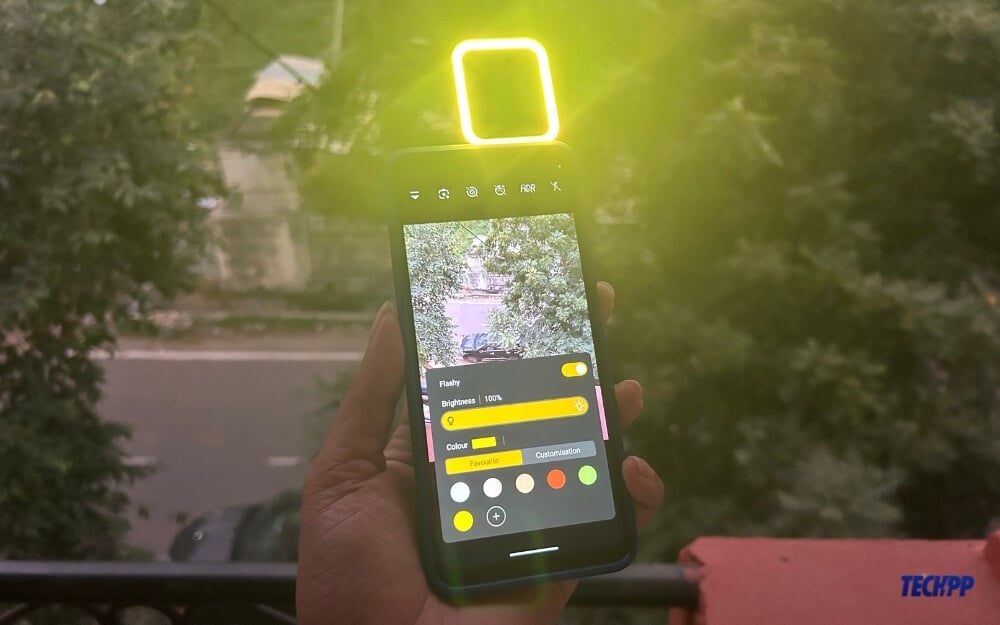
- HMD offers a free Gaming controller and a flashy outfit case for free in India as a part of its inaugural offer,
- While the modular design and self-repairability make it stand out, the HD+ IPS panel and underwhelming photos, limited to two years of software updates on a repairable smartphone, hold the device back.
Clean software experience, solid build quality, self-repair, and overall decent performance make HMD Crest 5G a compelling pick…. However, poor camera performance and an unpolished software experience make it less appealing. Fixing these issues could make it highly competitive and possibly the best smartphone in this segment, which no other brand currently can offer.
That was my verdict on the HMD Crest smartphone I reviewed a few months ago, and I stand by it for the HMD Fusion as well, which I’ve been using for the past three weeks. It delivers the cleanest stock Android experience with virtually no bloatware—something no other brand offers in this price segment.

It supports Gen2 repairability, which can replace a mobile’s display, back cover, battery and charging port using a self-repair kit. It has a modular design with a six-pin connector to attach various Mods (as HMD calls outfits) with free HMD Casual outfit, HMD Flashy Outfit, HMD Gaming Outfit, a 108-megapixel rear camera and more. This smartphone has the potential to become the best but fails due to its imperfections and an unfinished user experience.
For those unfamiliar, HMD began as the official licensee of Nokia mobile and started releasing smartphones under its own brand earlier this year. They have the HMD Fusion, Skyline and HMD Crest series. The latest of the lot, HMD Fusion, is priced at Rs 17,999 in India and $249 in the US. I have been using the device for three weeks and have much to share. If you want to buy this smartphone, here is everything you should know before deciding.
Table of Contents
HMD Fusion Unboxing
When you purchase HMD Fusion,
- Handset
- 33W Charger
- USB Type-C Cable
- Transparent Fusion Casual Outfit
- SIM Ejector Tool
- Quick Start Guide
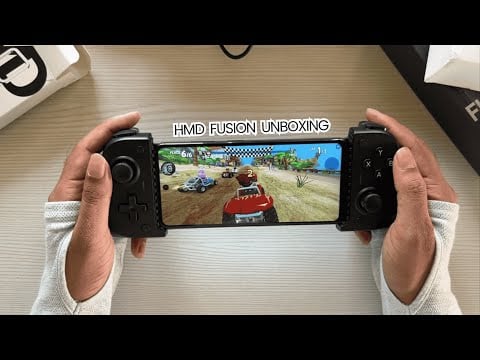
- You get a free gaming controller and flash outfit during the inaugural offer in India.
HMD Fusion Specifications
Specification | Details |
|---|---|
Dimensions & Weight | 164.15 × 75.5 × 8.32mm, 202.5g |
Display | 6.56-inch (720 × 1612 pixels) HD+ LCD, 90Hz, 600 nits peak brightness (480 nits in regular usage) |
Processor | Snapdragon 4 Gen 2 (4nm, 2.2GHz x 2 + 2GHz x 6), Adreno 613 GPU |
RAM | 4,6, 8GB Ram variants (LPDDR4x) |
Storage | Up to 256GB UFS 2.2, expandable up to 1TB with microSD |
Operating System | Android 14, 2 OS updates (Up to Android 16), 3 years of security updates |
Rear Camera | 108MP main (EIS) + 2MP portrait (f/2.4), LED flash |
Front Camera | 50MP |
Audio | Single speaker |
Connectivity | 5G SA/NSA, Dual Band Wifi support, Bluetooth 5.1 |
Battery | 5000mAh, 33W fast charging, USB Type-C |
Fingerprint Sensor | Side-mounted |
Additional Features | IP54 dust and water resistance |
Design: (Nothing) Like Design, but the Front Lets It Down
Like most of the other aspects, the modular design of the smartphone sets it apart from the competition, making it the only smartphone at this price to support self-repair and modular design. However, these standout features are let down by a not-so-good-looking design and thick bezels, making it unappealing to pick up.
HMD Fusion supports Gen 2 repairability, meaning that the whole back of the smartphone is filled with screws. You can replace the display, back cover, battery and charging port with a self-repair kit sold separately by HMD.

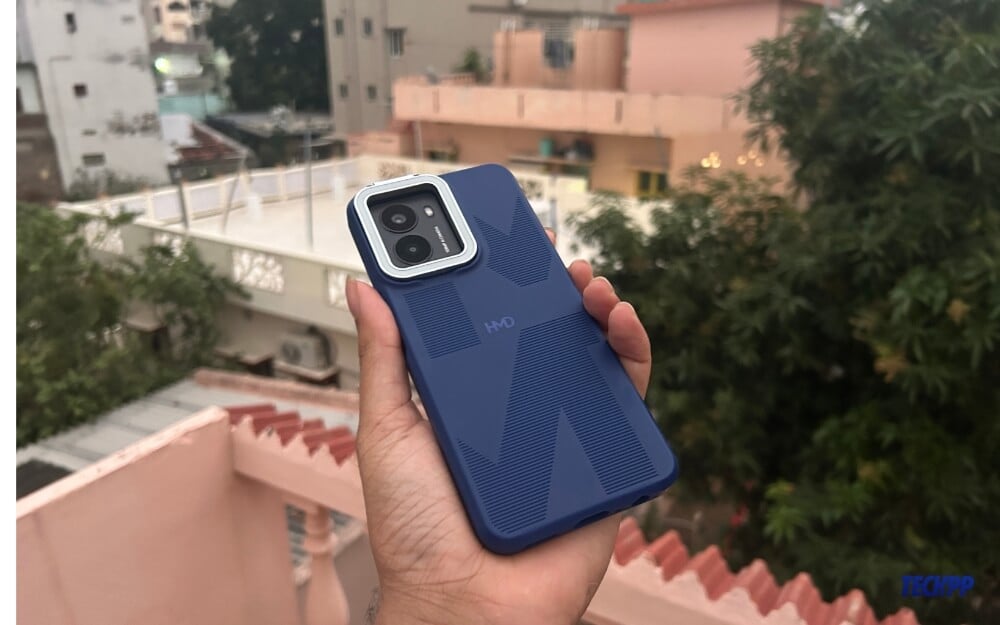
As per the design, the rear of the smartphone feels like the back panel is removed from the smartphone. I wouldn’t recommend using it this way because the battery is directly exposed to the outside, along with the modular pins that can be used to connect the mods. In the box, you get a transparent case; putting it onto the smartphone adds slight bulk to the smartphone while protecting the back panel.
Overall, with the case, the smartphone resembles nothing like a phone but without the fancy glyph interface like Nothing Phones. There is a big square, rectangular camera module housing the dual cameras and a flash. On the bottom, you’ll find the power button doubles as a fingerprint sensor, and the volume is up and down, which is very clicky. You also get a headphone jack, a Type-C input, and a single speaker at the bottom. On the other side, you’ll find the micro-SD ejector, and on the top, there is a single microphone.
The smartphone feels solid in hand, weather with or without the case and has IP54 dust and water resistance. The smartphone felt heavy to me despite weighing just 205 g. It felt significantly heavier than my iPhone 14 Pro Plus while using it daily. HMD Fusion is only available in a single matte black color, which looks good. Since the case is transparent, fingerprints are not often attracted.
While the back of the smartphone stands out from the rest and is also unique, the real letdown here is on the front. It comes with a noticeable bezel on all sides and a big bottom bezel. There might be other reasons for this design choice, like repairability, but I still think it should have had smaller bezels for an overall better look. It comes with a single punch-hole camera on the top.
Design is subjective, but if I have to compare it against the competition at this price range, it looks unique and also unappealing at the same time, considering the overall look of the device.
Overall, the HMD Fusion design gives me mixed feelings. The back of the smartphone looks good, unique, minimal, and appealing. However, in my opinion, the front is the real letdown, making it an overall unappealing design choice for the smartphone, especially compared to other smartphones in this price range.
Display: With Big Bezels and a Dull Screen
The display is another major letdown on this smartphone. It has a 6.56-inch HD+ resolution, a 90 Hz refresh rate, and a maximum 160 nits peak brightness. It seems like HMD has completely given up on every aspect of the display, which reflects in real life in a hard way
. The display is fine for everyday tasks like scrolling through YouTube, watching videos, reading blogs, browsing the internet, taking calls, and video meets. However, the moment you step outside, the display becomes hard to notice under direct sunlight.
I even had situations where I wanted to increase the display brightness to the maximum, only to find it was already at max, making my experience very frustrating.
Because of the IPS LCD panel, the colors look dim and pale. However, this hardware limitation can be minimized with software tricks. However, there is no option to adjust display colors. I wish I had a color adjustment option to make them more vibrant, which might have been a relief since I had no other option.
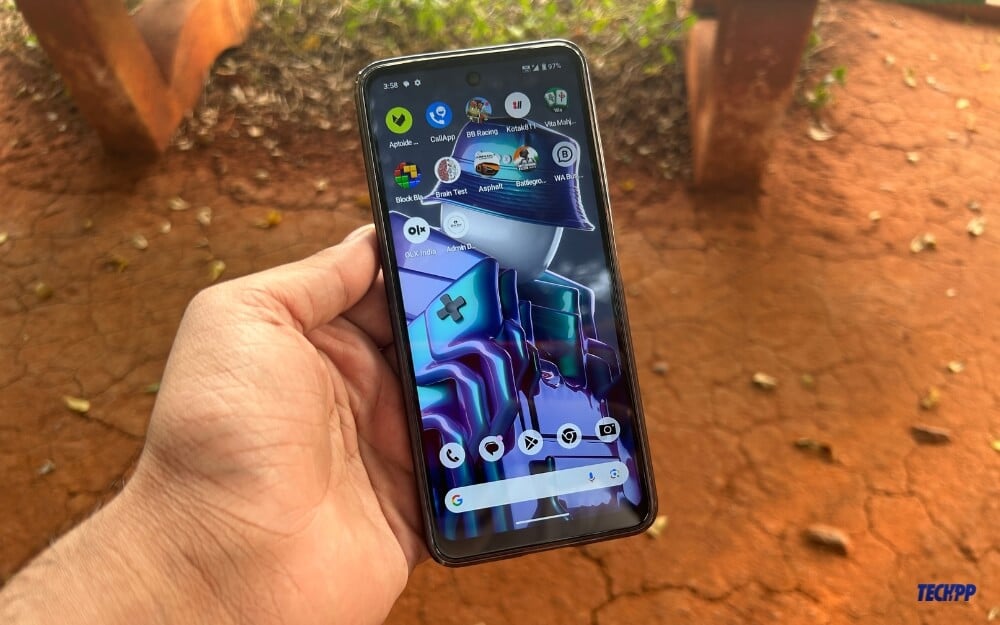
Because it is an IPS panel with only HD+ resolution, don’t expect it to support 4K videos or HD streaming for high-quality content. The display is generally fine for most tasks but not enjoyable for watching movies. HMD could have at least provided Full HD resolution, but unfortunately, it has become my biggest letdown on this smartphone.
One comforting thing about this display is that it supports a 90 Hz adaptive refresh rate, which felt smooth while scrolling through the Twitter(X) feed, switching between the apps, and reading blog posts. Apart from this, everything about this display feels underwhelming, making it a very unappealing pick for people who want to enjoy their screen for watching movies or even playing games (which we will discuss more in the performance section).
Performance: Unexpected Smoothness
One area in which the smartphone surprised me was its performance. This is my first time using a Snapdragon Gen 4 series processor. I didn’t have high expectations, but the smartphone has truly impressed me in terms of performance.
Day-to-day tasks like scrolling through webpages, switching between apps, and using resource-heavy apps like photo and video editors felt smooth, though there were minor, unnoticeable lags. The processor is paired with 6 GB of RAM. My unit has 6 GB of RAM, which usually works fine for me. It also comes in 4 GB + 128 GB and 8 GB + 256 GB RAM variants. I wouldn’t recommend the 4 GB variant because it might struggle to run more apps and could lead to poor performance, considering the mid-core processor paired and the poor software optimization. Using a Micro SD card, you can also expand storage up to 1 TB.
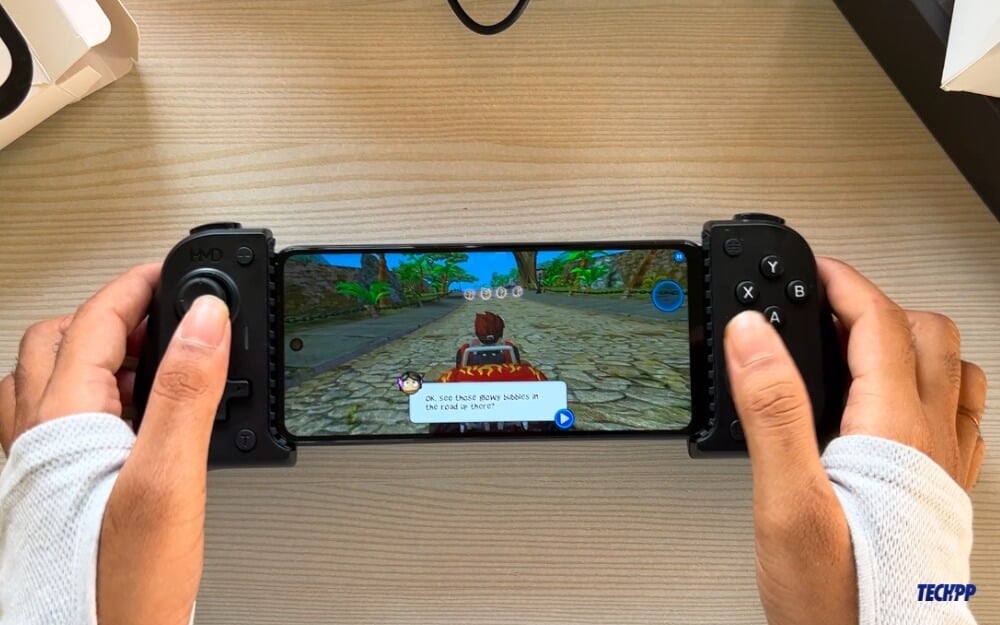
I also played medium to high-graphics games like Beach Buggy and BGMI on this HMD Fusion. They performed well without any frame drops or overheating the device. Because of the screen resolution and processor limitations, you can set BGMI graphics up to HD and have a high refresh rate at maximum.
The extra gaming controller, included in the box for free as part of an inaugural offer, was a game changer for me. I had never used a controller before, though I had played a few games on a Nintendo Switch and PS5 at my brother’s house. I didn’t know a controller could greatly enhance a smartphone’s gaming experience. It resembles a Backbone or Nintendo Switch when paired with the gaming controller. However, pairing is inconvenient because you have to remove the case, place the smartphone into the controller, and align the pins. Once set up, you can install games and enjoy a great gaming experience on a smartphone.
The screen could have had better contrast to improve the gaming experience. The HD+ display and the limitations of the IPS panel become apparent when staring at the screen for long periods while gaming. The pale colors on display are noticeable, and you must live with that.
Speaking of imperfections, the gaming controller doesn’t charge your smartphone directly. This is another major letdown for me, especially when the battery runs low during gaming sessions. To charge the smartphone, you need to remove it from the controller and charge it separately. The gaming controller draws power from the smartphone and can also be charged separately. While the gaming controller is a great solution for enhancing the experience, HMD somehow missed the mark, making it another imperfect decision for this smartphone. I hope that in the next version, the gaming controller comes with a built-in battery to charge the smartphone directly. That would be a huge plus for gaming enthusiasts, especially for longer hours.
Despite these shortcomings, I played various games for about 6-7 hours gaming on this smartphone. That’s how much I loved playing with the controller. However, when paired with the disappointing display and the imperfect battery solution for the gaming controller, the overall experience left me a little frustrated. Apart from this, the gaming performance of the smartphone is really impressive.
Performance in Other Areas
Switching between apps is smooth and fast, and RAM management is good. Since I have the 6 GB variant, opening and running games are quick and lag-free. It handles day-to-day tasks well, and I have no major complaints. I also used the smartphone to edit videos using Kinemaster, and the export speeds were good but not great. It took about 4 and 22 seconds to export a 5 min clip. The Oneplus Nord CE 4 took 3 minutes and 19 seconds to export the same clip.
Camera: 108MP on Paper, Average Photos in Reality
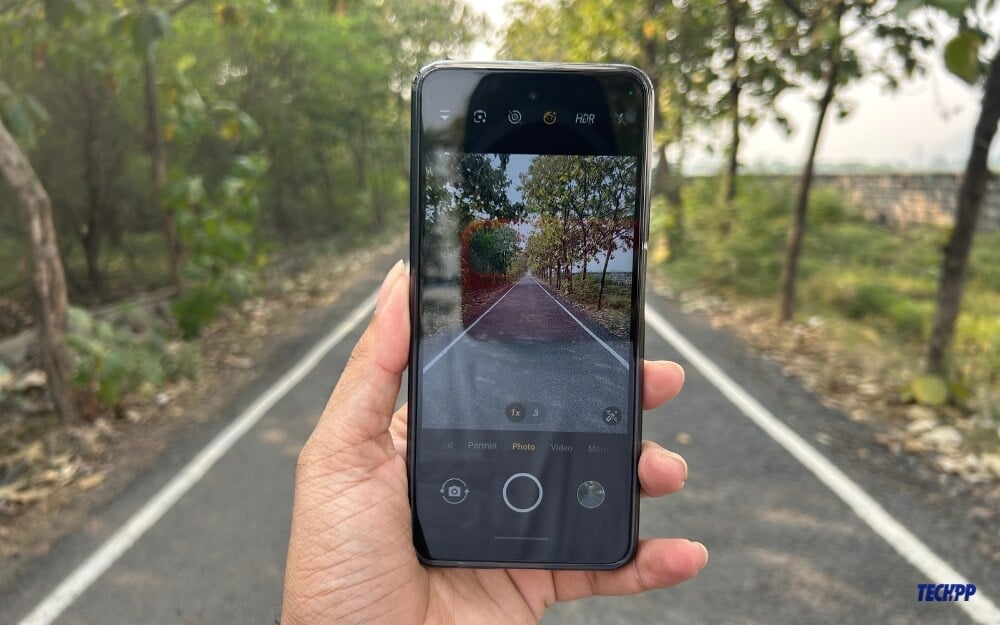
The smartphone is a prime example of how megapixels don’t count in real life. It comes with a 108-megapixel main camera paired with a 2-megapixel secondary sensor. Theoretically, the smartphone has a single usable 108-megapixel camera, which is better than the HMD Crest smartphone I have used. The photos are noticeably better compared to the HMD Crest image samples.
The smartphone takes decent photos in daylight and bright outdoor conditions. However, no matter how much light is present, the details in the overall picture look soft and lack sharpness, even when viewed on the smartphone itself. It worsens when you share or view the photos on a larger screen. This issue becomes even more prominent in low-light conditions. For example, look at the image 1 and 2 below. Apart from the noise and lack of details when zoomed in, the HDR also doesn’t work well. The bright sky in the background ends up overexposed, completely missing out on the details and producing a washed-out image.
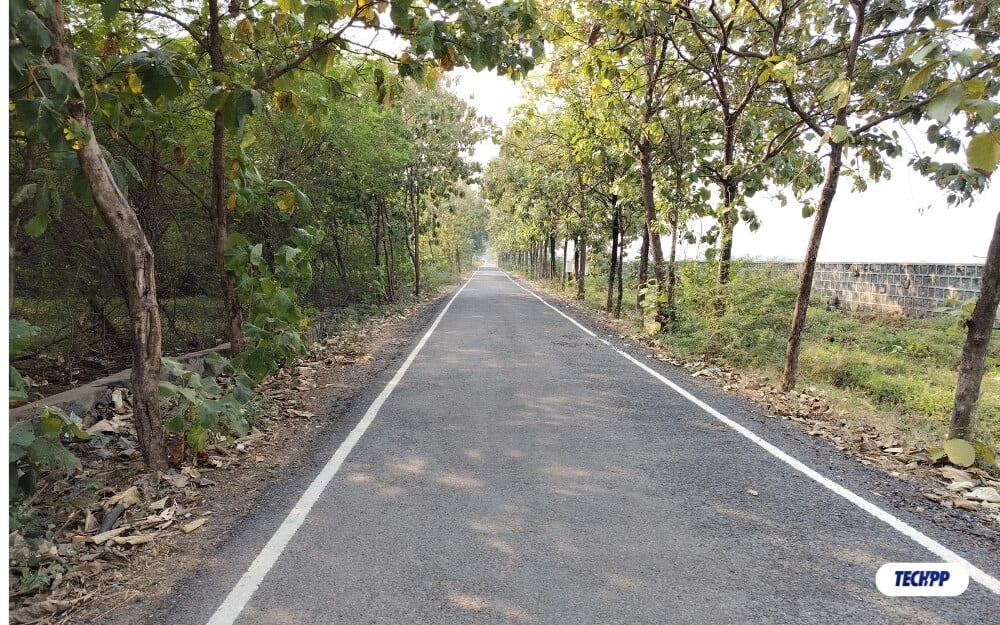

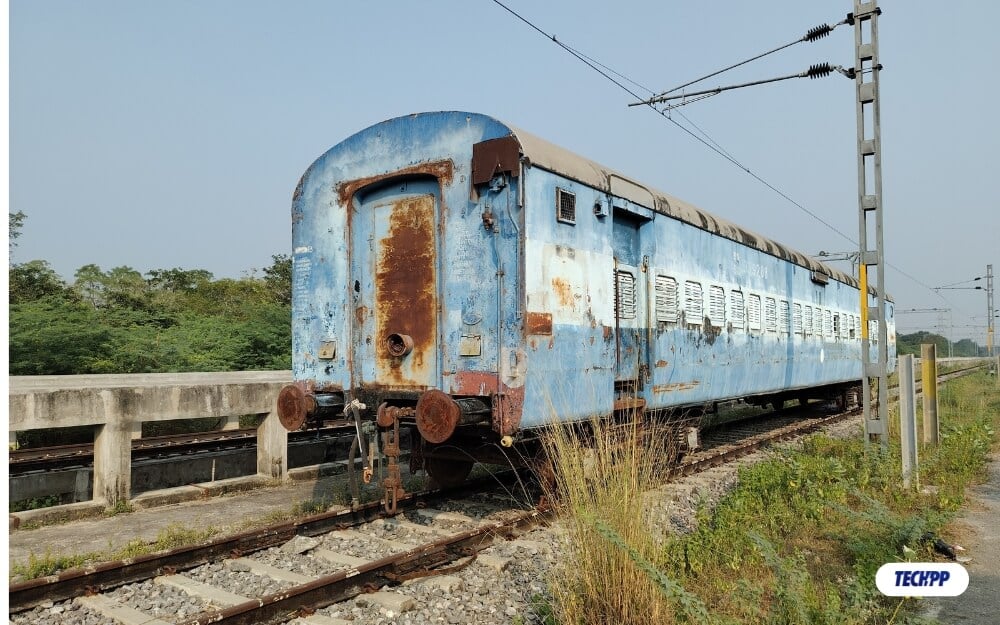

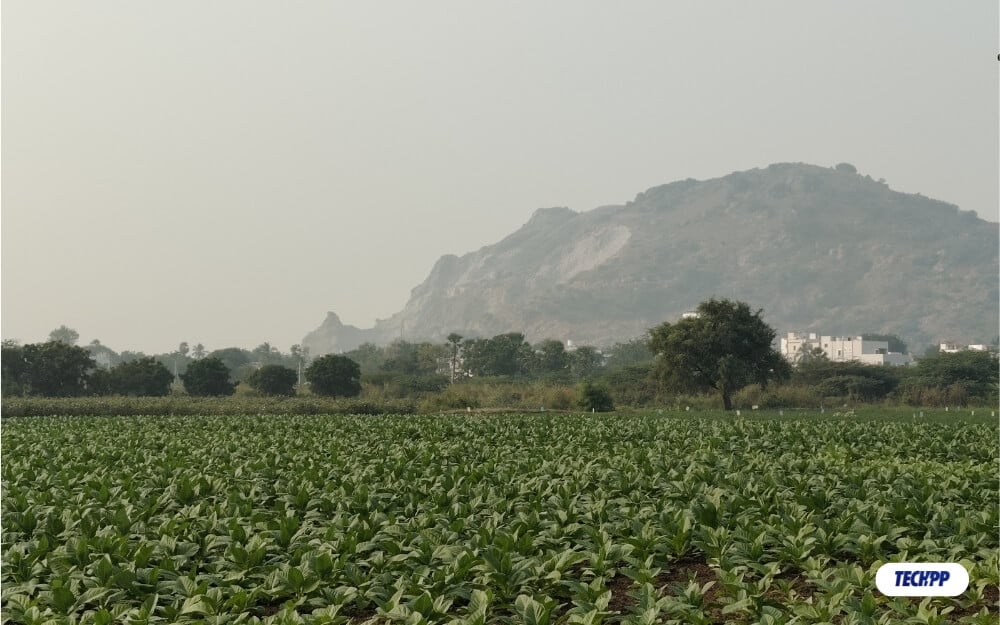
This doesn’t happen with every photo, though. For instance, look at the photo in a cafe with bright decorative stars. While the image looks bright, the camera overexposes the area around the lights, missing sharpness and making the image look softer. Overall, the back camera is decent, but don’t expect it to be the best in this price range. The images are fine for storing and viewing but aren’t great for sharing on social media.
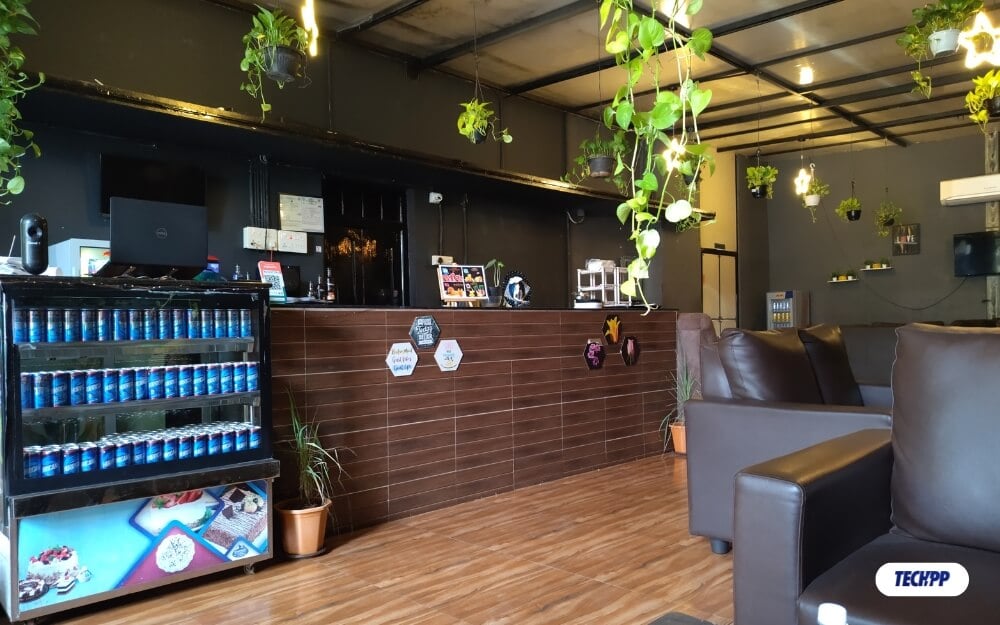


One significant improvement I noticed is with the front camera. Compared to the previous HMD Crest smartphone, the front camera now captures more details. However, the pictures still look soft, and skin tones are natural but slightly brighter and warmer than usual.

The same overexposure issue occurs with the front camera when there is a bright background. For example, check out the image I took in direct sunlight. The bright background is completely overexposed, losing all details and making the subject and background look uneven.

The front camera is better than the HMD Crushed smartphones, but it’s still far behind the competition in this price range.
Battery: Good Battery Life With Fast Charging Support
The battery life is decent, though I expected much more, considering the low-resource processor and the HD+ display. It comes with a 5000 mAh battery with 33 W wired charging. On average, if you spend time watching videos, browsing, and gaming, you can get through a day with 15-25% battery left, which is fine for now. However, with a 5000 mAh battery and low-power hardware, I would have expected better battery life, maybe 30-35% remaining by the end of the day.

The 33W wired charger uses a Type-C port on both ends and is included in the box. With this charger, you can fully charge the smartphone in about one and a half hours. It charges around 50% in 30-40 minutes, which is useful if you’re in a hurry. But you’ll have to wait around 1 hour 30 minutes to juice it up completely.
The Android software also offers battery management features, such as limiting the maximum charge percentage, showing battery health, tracking your battery cycles, and providing plenty of other details. These tools are accessible through the stock Android interface.
The flashy outfit case included in the box for free (as a part of the inaugural offer for India) comes with the flashlight. It barely makes a difference in the photo during the night; however, the fires can be helpful, though they lack detail and bring noise that doesn’t help sharing with others. Overall, the camera is much improved from what I have seen on the HMD crest, but still, HMD is far behind the competition.
Software: Long-Lasting Hardware, Short-Lived Software
I’m a big fan of stock Android experiences, but for some reason, the Android OS on this smartphone feels a little unpolished. It lacks many minor details we use daily, contributing to a frustrating experience overall.
First, there is no app search for stock Android. While it comes with a Google search bar for finding apps, I prefer a dedicated app search tool to locate apps quickly instead of going through Google search results first. This makes searching for apps a frustrating experience in my daily use.
To resolve this, I had to install a third-party launcher and replace Google search with a dedicated app search function, which helped me. HMD should add a built-in app search feature for better usability.

Another problem with the HMD Crest smartphone is the lack of an option to adjust display colors. On both the HMD Crest and HMD Fusion smartphones, the screen colors look pale and lack contrast, contributing to an underwhelming experience every time you look at the display. I wish for a software setting to adjust display colors to pop and add more contrast.
There are also other missing nitty-gritty details that I associate with stock Android being at its best, like better customization options or other features that improve day-to-day usability. HMD offers a pure stock Android experience here, and for someone wanting a truly stock Android setup without bloatware, this might still be a good option. However, the lack of polish and missing features I have mentioned will be a concern during day-to-day activities.
Another major drawback is that HMD does not promise two years of software updates. The smartphone runs on Android 14 out of the box, and it can get an update for Android 16, which is already in development and expected to roll out in early 2025.
HMD Fusion Review Verdict
HMD Fusion excels at a few things, such as modular design and pure stock Android experience, which sets it apart from the competition. Also, no competitor in this price range can offer these features now. However, the smartphone misses the basics of being a daily driver. The underwhelming display with IPS LCD panel is far behind other smartphones offering full HD and OLED screens at this price.
While the cameras have slightly improved, the 108-megapixel sensor doesn’t translate well into real-world results. The photos produced by the HMD smartphone, even in good light, outdoor conditions, and in daylight most of the time, are average. It is underwhelming in low light that you can barely look at the details. The front camera has good value.
The Android experience is a big plus for people looking for a clean software experience. However, minute details make it hard to use daily. The modular design is certainly a unique and only feature on this smartphone, and the support, especially in India, you get them free.
Who should buy the HMD smartphone? If you are buying a smartphone for your parents, a student, or a kid who enjoys a little bit and doesn’t care about the display quality, the software experience, and who doesn’t use the smartphone as often. This will be a great, solidly built smartphone with a compact design, a display that can test the work, battery life that can last two days, and performance that can run day-to-day basics smoothly. Here is the decision matrix comparing HMD Fusion with all popular smartphones to help you decide which is better.
User Type | HMD Fusion | Redmi Note 13 Pro | Samsung Galaxy F55 5G | Poco X6 | CMF Phone 1 | iQOO Z9 |
|---|---|---|---|---|---|---|
For Casual Users | 3.5 | 4.5 | 4.2 | 4.6 | 4.0 | 4.2 |
For Power Users | 3.2 | 4.6 | 4.1 | 4.7 | 4.1 | 4.3 |
For Photography Enthusiasts | 3.0 | 4.5 | 4.3 | 4.4 | 4.2 | 4.1 |
For Young Professionals | 3.5 | 4.4 | 4.2 | 4.6 | 4.0 | 4.2 |
For Parent/Elderly People | 3.8 | 4.3 | 4.4 | 4.3 | 4.0 | 4.1 |
For Budget-Conscious Users | 4.0 | 4.5 | 4.3 | 4.6 | 4.3 | 4.4 |
If you are looking for a decent smartphone for light users, the HMD Fusion is a great option, and the free gaming controller with the phone offers a great casual gaming experience. If you want a powerful performance, the Poco X6 is a great option, and the Redmi Note 13 Pro is also a better choice for powerful performance. For the camera, the Samsung Galaxy F55 5G is ideal for parents or people who want a balance of performance with the best display. The CMF Phone 1 is a good budget option for high software support and a simple modular design. The iQOO Z9 is also a good package with decent performance and cameras for the price.
Buy HMD Fusion (USA) Buy HMD Fusion (India)
- Modular design with self-repair support
- Feels sturdy and durable
- Pure Android experience without bloatware.
- Decent performance with day-to-day tasks and casual gaming.
- Free outfits and add-ons like the gaming controller and Flashy outfit case.
- Underwhelming display quality
- Photos lack detail and sharpness, especially in low light.
- Thick bezels and a large bottom chin make it look unappealing.
- It only has two years of updates despite its repairability.
| Design & Looks |
|
| Software |
|
| Camera |
|
| Battery |
|
| Price |
|
|
SUMMARY
The HMD Fusion stands out with its unique modular design, repairability, and stock Android experience, but falls short on basics like a subpar display, poor cameras, and just two years of Android updates. These choices hinder its potential. If HMD addresses these issues, it could become a highly competitive and possibly the best smartphone in this segment. |
3.5
|

