

Quick Answer
Google Assistant and Perplexity Assistant have almost similar capabilities except for one or two outliers like the capability to use the camera and explain the picture, send WhatsApp messages, etc. Other than that, Google Assistant is good to stay as the default digital assistant on your Android until Perplexity Assistant surprises us with some great features.
While giant tech corporations are stagnant, startups are becoming the new corporations, thanks to AI. Perplexity which came as an AI-powered search engine is becoming bigger with each passing day. The developers are adding new features and making it better with different models to give the best user experience for both free and premium users.

One of the latest features of Perplexity is its assistant, which is a competitor to Google Assistant on Android. As the Google Assistant is a go-to assistant on Android, it would be a tough task for Perplexity Assistant to be able to replace it. Let’s see how Perplexity Assistant compares with Google Assistant in terms of features and usability. We have used both the assistants to do basic and complex tasks. Gemini AI models from Google powers the Google Assistant. Perplexity uses multiple AI models to power its assistant.
Note: Perplexity Assistant is currently available for Android only.
Table of Contents
Perplexity Assistant or Google Assistant: Which is Better?
To compare both the assistants we do the same tasks on both Google Assistant and Perplexity Assistant and see which does the better job. Making calls, and sending SMS are basic tasks and they both can do it fine.
Set an Alarm
I asked Google Assistant to set an alarm at 5 PM. It created an alarm at 5 PM using the Utilities feature and confirmed it. When asked the same on Perplexity Assistant, it did set the alarm. They work fine to set alarms or reminders.
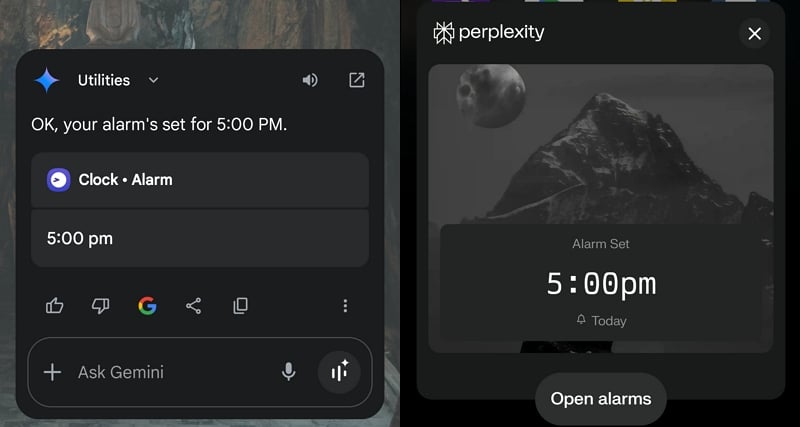
But when I asked them to find any alarms set at 5 PM today or asked them to turn off the alarms set at 5 PM today, they were just opening the Clock app indicating us to do it manually. Both the apps are as good and as okay as the other in this aspect.
Visit a Website
We normally open the web browser and navigate to the website we want. It is done in multiple steps. Can Google Assistant and Perplexity Assistant do that?
I asked both Google Assistant and Perplexity to open the web browser on my Android phone and visit TechPP.com. Google Assistant opened the Brave browser (the default web browser on my phone) and opened the TechPP website as I asked it to.
Perplexity Assistant suffers in this aspect. It failed to open the web browser and showed a message saying it cannot open web browsers or navigate websites yet. Though the developers may add it in the future, it is currently behind Google Assistant in navigating websites.

I went a step further and asked Google Assistant to open TechPP.com and find any articles to fix when the Circle to search feature is not working on my phone. I failed to do so and showed me an “Invalid URL” error.
Change Device Settings
I asked Google Assistant to change my device from dark mode to light mode. It did not do it, instead, it showed me the Settings to open and change. It showed a button to open the theme settings and a message saying it could not help with that. When I tap the Open button, it takes me to Display settings where I can change the display mode manually.

Similarly, on the Perplexity Assistant, it directly opened the Display settings and asked me to do it manually. It is evident that both Google Assistant and Perplexity Assistant can access settings, but cannot make any changes. They can just help the users by showing the path to change some settings.
Play a Song
Searching a song manually and playing it takes some time. Using assistants can make it easy to play them directly. I asked Google Assistant and Perplexity Assistant to play Maybe Man by AJR. Perplexity Assistant directly opened YouTube Music (the only music streaming app on my phone) and played the song automatically.

Google Assistant is not as good as Perplexity Assistant in this aspect. It is not working stable. First, it showed me some search results with links to songs that I had to click manually to play. When I asked it for the second time, it showed me a message saying it could not play the song and suggested I play it manually on YouTube. I asked it again and it showed another message saying it is not able to play songs yet.

Then, I asked it to play a track from Interstellar. It asked me to connect to Spotify or YouTube Music to play it. When YouTube music is connected after giving necessary permissions, it plays the song. The Perplexity Assistant has never asked to connect Spotify or YouTube Music to play. It directly opened YouTube music and played the song I asked it to.
Send a Message on WhatsApp
Making calls and sending SMS are basic tasks for assistants. I asked both Google Assistant and Perplexity Assistant to send a “Hello” message to a friend, specifying his contact name on my phone.
Google Assistant has sent it successfully after doing follow-ups regarding the contact number if there are multiple contacts for the same person.

Perplexity Assistant showed a message saying it cannot send WhatsApp messages and can help with SMS or email. Google Assistant is the obvious winner in this aspect, but if you have multiple contacts for the same number, it is easier to send a message manually than to ask Google Assistant to do it.
Send an Email
Both Google Assistant and Perplexity Assistant cannot open email apps on your phone, draft an email and send it.
Google Assistant can only help you draft your email. After that, you need to copy the text and send it manually to the person you want. Instead of sending an email, Google Assistant recognized it as a message, showed the contact, and asked what message to send.

If you ask Perplexity Assistant to send an email to some person, it searches for the person in your contacts, and if there are any email addresses associated with the person saved in your device, it asks for further steps to draft the email.

If there is no email address saved, it asks you to add the email address and subject to the draft and send it to the person with the email apps on your phone that you choose.
I do not find any usage with this feature as they are only good while drafting and you can send them manually which takes the same time as using the assistant. In terms of sending emails, the clear winner is Perplexity Assistant.
Navigation to an Address
When I asked Google Assistant and Perplexity Assistant to show me a navigational map from a specific location to another location, Perplexity Assistant opened Google Maps and showed the navigation.
Google Assistant, on the other hand, showed me an error message. Another time, it showed me info regarding the two places, the distance between them, and ways to go there, along with a navigation map in the Google Assistant’s Gemini window.

Book Movie Tickets
When I asked both the assistants to book tickets for a movie in my city, they just showed me the information regarding the movie. Then, I specifically asked the assistants to open the District app on my phone and book movie tickets.
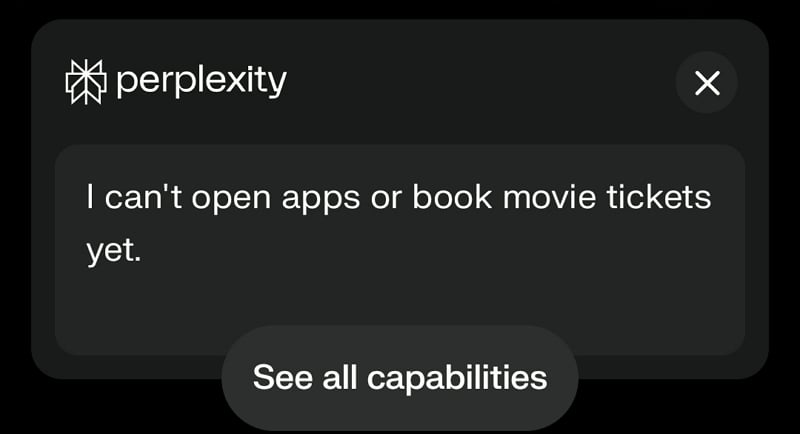
Google Assistant opened the District app and asked me to book tickets manually. Perplexity Assistant showed an error saying it cannot open apps or book tickets yet. But, when I asked it to play a song, it automatically opened the YouTube Music app on my phone and played it which Google Assistant failed to do.
Reading the Screen
Perplexity Assistant is good at reading what is on the screen and explaining it. When I asked Google Assistant to read the screen and explain it to me, it failed to do so. It showed a message saying that it is a text-based tool and cannot read the screen.
The Circle to search feature which is enabled on flagship phones can be an advantage for Google Assistant. Without it, Perplexity Assistant is a better one to read the screen.
Actions
Both Perplexity Assistant and Google Assistant are good at doing multiple tasks. I asked the assistants to generate a summary of a particular book and then send it to someone in my contacts. Though the steps involved to achieve the task may vary, they both can do the tasks fine.
Using Camera
When I asked Google Assistant to click a picture of something and explain what it was, Google Assistant could not do it. It showed me a message saying it could not do it and suggested I do it manually.

The Perplexity Assistant asked for the camera permission, clicked it on my voice command, and explained the picture exactly as it was.
Book a Cab
I asked both Google and Perplexity Assistants to book a cab from my location to another specific location. Google Assistant provided me with the list of cab services available in my area and asked me if the assistant should call any of them to book.
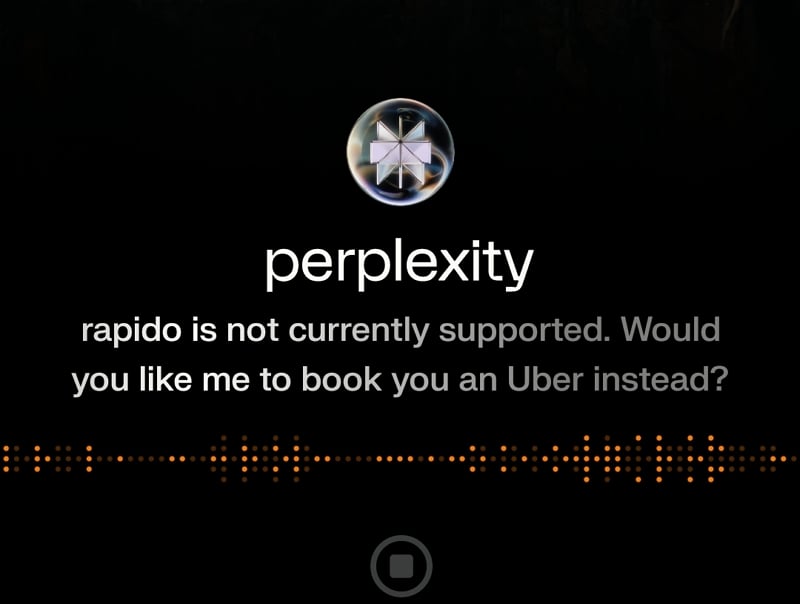
Perplexity Assistant opened Uber and tried to book, but failed as my town does not have Uber services. Then, I asked it to book a cab using the Rapido app I had on my phone. It failed to do so by showing me a message that Rapido is not supported yet.
Book a Table at a Restaurant
Perplexity claimed that its assistant could book a table at a restaurant when users asked it to. So, I asked it to book a table at a restaurant that services authentic Hyderabad biryani in Hyderabad. It asked a few follow-up questions like date, time, and number of persons. When I provided all the details, it opened the OpenTable page on my web browser with the details I had given.
When I asked Google Assistant to do the same, all it did was pull up some restaurants from Google Business listings based on the location I provided. It asked me if it should call any of the restaurants to book a table.
Perplexity Assistant might work better in cities where the OpenTable app is popular with restaurants for table bookings. Google Assistant is a letdown in this aspect.
Can Perplexity Assistant Replace Google Assistant on Android
Perplexity Assistant, which is still in the nascent stage, is good at its limited capabilities. Google Assistant is good at basic tasks and is not as stable as Perplexity Assistant in some complex tasks. Google Assistant responses are not stable for the same queries if asked multiple times.
Google Assistant has the first movers advantage along with the default assistant app on Android. If Perplexity Assistant can add some more features to it, it will easily be able to beat Google Assistant and can replace Google Assistant. At the current stage, they both have their strengths and weaknesses.
You may decide to replace Google Assistant with Perplexity Assistant in the future when it gains more features. Until then, you will not miss out on anything great with Google Assistant.

