

Quick Answer
Android 17 focuses on practical upgrades that make everyday use better, including floating app bubbles for multitasking, built-in screen reaction recording, improved foldable gaming, stronger privacy controls, enhanced anti-theft protections, cleaner Pixel customization options, and a new memory limiter that helps reduce slowdowns and improve overall performance.
Every year, Google comes up with a new version of Android. While previously, it used to be more about the overall visual changes and major features, for the past few years, it has been more about AI and small tweaks. Of course, entering its 17th year, Android OS has matured, and all we now get are sprinkles of AI and improvement. With Android 17, when you dig deeper, you will find something more interesting. These are a handful of small and boring fixes for problems Android users have been complaining about for years.
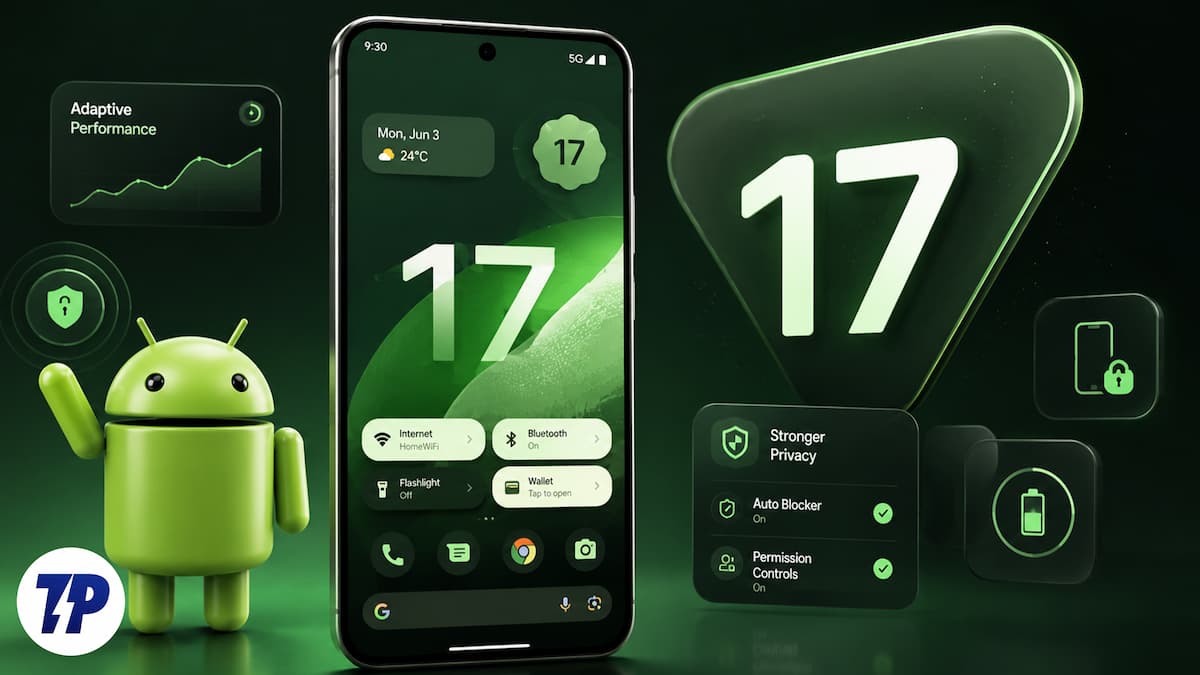
A floating window that finally works the way you wanted it to be. A file-sharing feature that handshakes with an iPhone without any extra workarounds. A setting that is typically harder for the thief to wipe off your phone. Android 17 is filled with new features, and these are the ones that you should be paying attention to.
Want a complete breakdown of everything new in Android 17? Check out our comprehensive Android 17 changelog for a feature-by-feature look at Google’s latest update.
Table of Contents
Bubbles convert every app into a floating window.
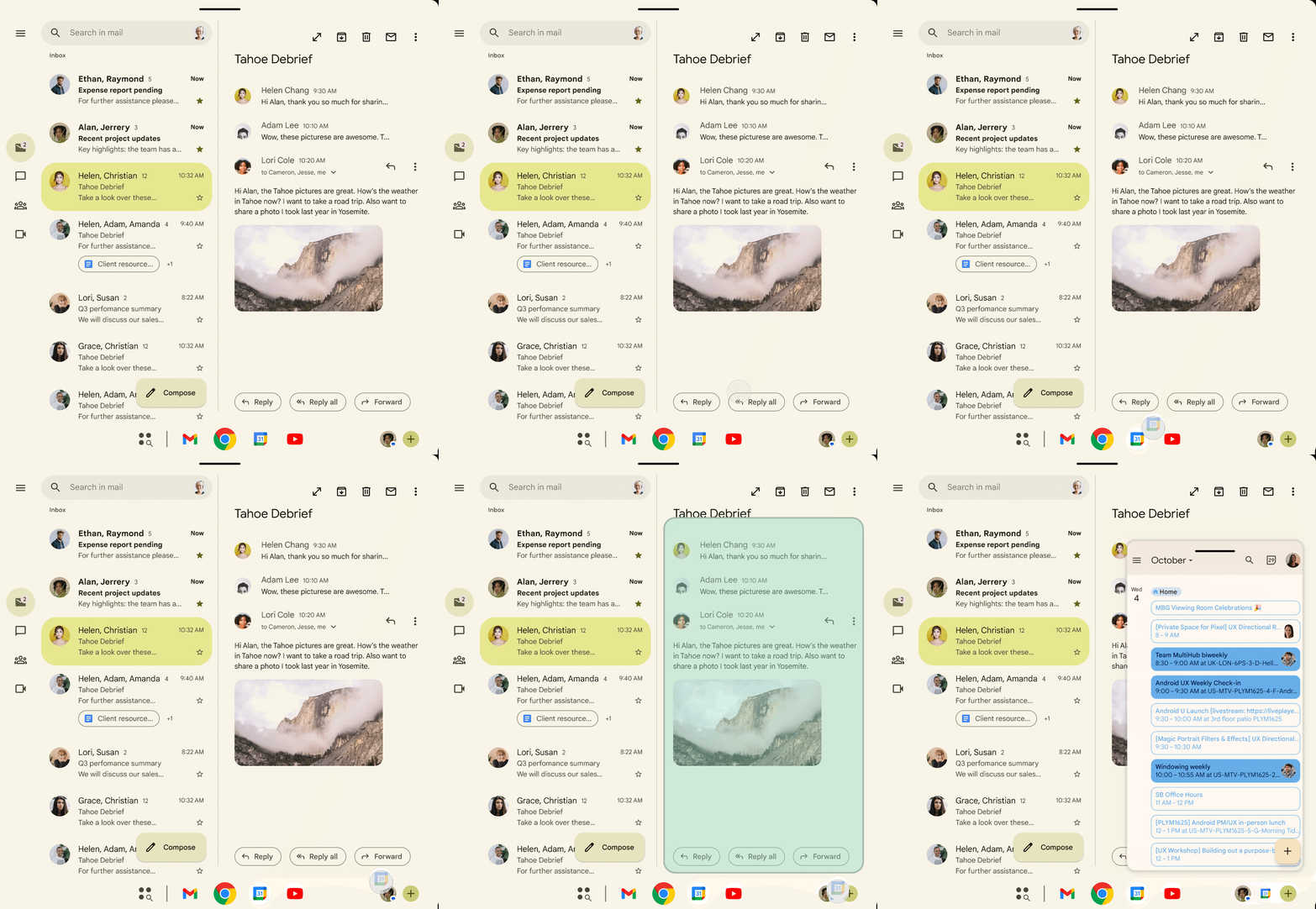
Facebook Messenger’s old chat bubbles were a thing. They used to turn your chats into small bubbles that can stay on top of any app, and you can tap on them to start messaging that contact. If you’ve used it before, then you know the concept. It ensures that you don’t lose your place in whatever you are doing. Just makes things convenient. However, the problem was that Android limited this convenience to chat apps. Thankfully, that is changing with Android 17.
With the latest version of Android OS, long pressing on any app now lets you turn it into a draggable bubble that floats above everything else on your screen. It replicates the Messenger’s behavior, but now you can use it with any app. Need to check a recipe while texting your mom about the dinner? Bubble it. Want to keep an eye on the football score while ordering some food? Bubble that too.
If you own a foldable or tablet, then the experience gets even better. Bubbles dock into a bar at the bottom of the screen on the large display. You can tap on it to access the app without disturbing what you were previously looking at. It is the type of multitasking that iPad users have enjoyed in some form for years, and now, it finally arrives on Android.
Android 17 isn’t just improving multitasking. Google is also working to make cross-platform sharing easier. If you’re wondering whether your Android phone supports the new Android-to-iPhone file-sharing experience, use our compatibility checker to see if your device is eligible.
Screen reactions no more requires green screen setup.
Reaction content is everywhere, whether it is on YouTube, TikTok, or Instagram. The format is simple: someone reacts to a video while the original clip plays in the background. However, the problem has always been the setup. Either you had to get a green screen setup or rely on third-party video editors to edit out your video so that the original video isn’t overlapped.
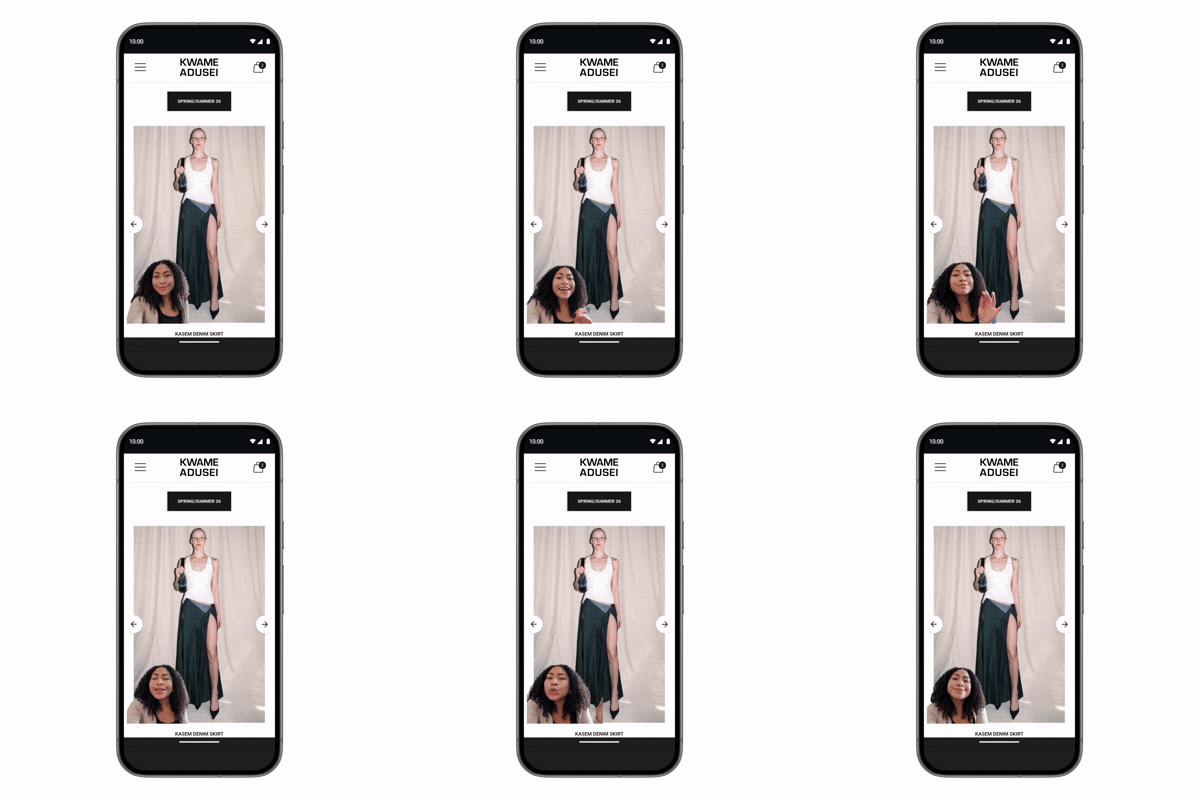
Android 17 fixes this and builds a solution that is available in the system’s screen recording tool. With a few taps, you will be able to record your footage using the selfie camera and your screen at the same time. This way, you can play the video, app, website or anything and react to it with your face. According to Google, you can “share your perspective quickly with Screen Reactions.”
The screen reactions feature on Android 17 will be pushed for Google Pixel phones this summer, with other devices expected to follow soon. If you are also among those who love recording reaction videos for your social media fam, Android 17 has got you covered.
Foldable gaming mode stops wasting half the screen
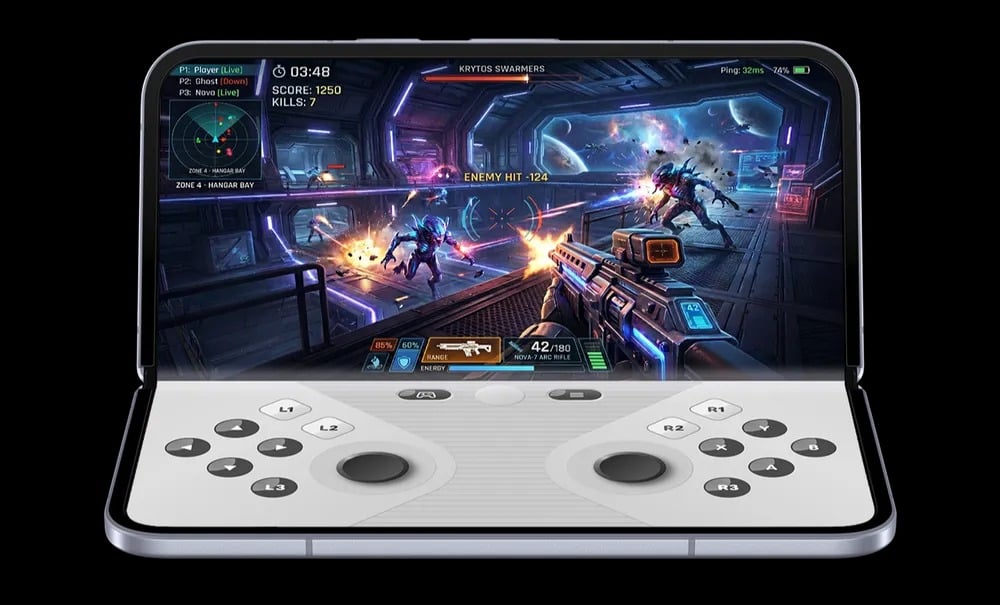
This one is for the smaller audience that owns a foldable phone like the Samsung Galaxy Z Fold series or the Google Pixel Fold. It was a genuine problem that, despite having ample screen real estate, gaming on a foldable was never a fun experience. Until now, when you played a game on a foldable, everything was crammed into a single display or awkwardly spread across the full screen with controls overlapping the action.
Android 17 finally addresses this issue by providing a real 50/50 layout. The game itself runs on the top half of the screen while a dynamic on-screen gamepad sits on the second half. You no longer see crammed gameplay. On top of this, Google has also added native controller remapping, so external gamepads actually behave the way you expect rather than needing third-party mapping apps.
Gaming sessions will also get improved as Google has also tweaked the memory management to reduce frame drops during long gaming sessions. It is a niche feature and would only benefit people who own a foldable device. But it is a relief for people who own such devices and actually play games on them.
Enhanced safety and security features
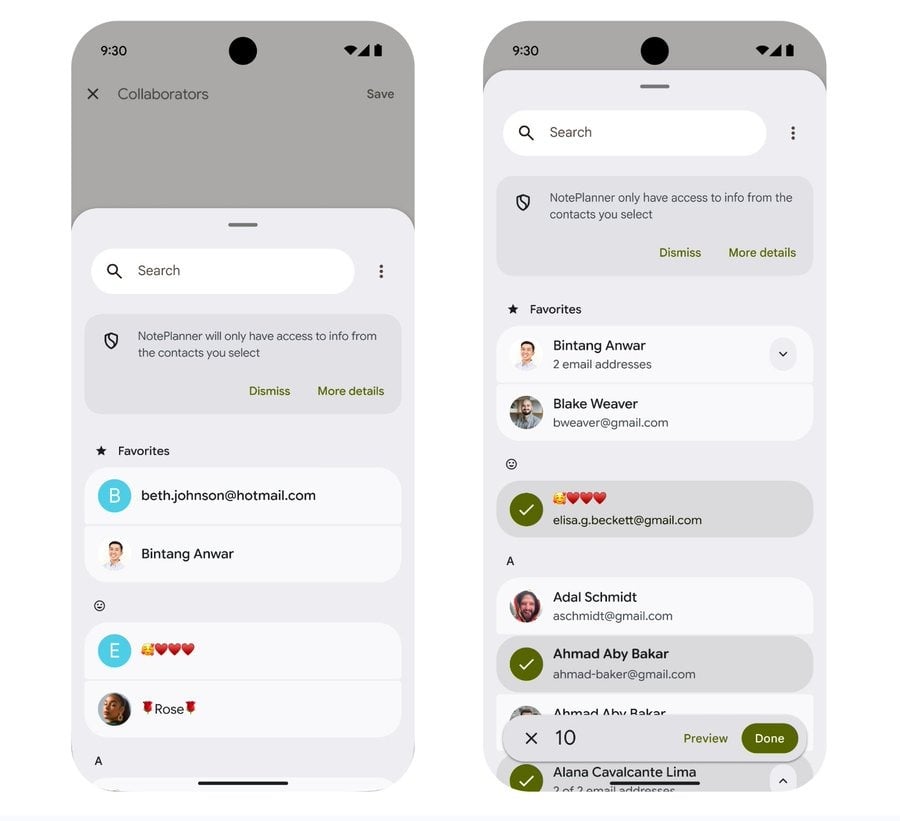
Android app permissions are quite annoying. For some reason, a food delivery app also needs access to all your files, and a game wants access to your contacts list. While some apps genuinely use the info to find your friends on the platform, the only option you get is to let them access your entire contacts list. There was no middle ground, which meant people either handed over their entire address book or lost a feature entirely.
Android 17 gets you a more granular option. You can now only share specific contacts instead of your whole address book. You get to pick exactly who an app gets to see. Paired with this is a similar upgrade to location permissions. Apps can now request temporary, precise location access for a single session instead of being granted permanently.
Together, these changes are designed to help stop apps from asking for more data than is needed. It is not a flashy feature, but it is the kind of control you would want to have and should have existed from day one. Thankfully, the latest Android version is finally bringing it to all phones.
A stolen phone is now much harder to use
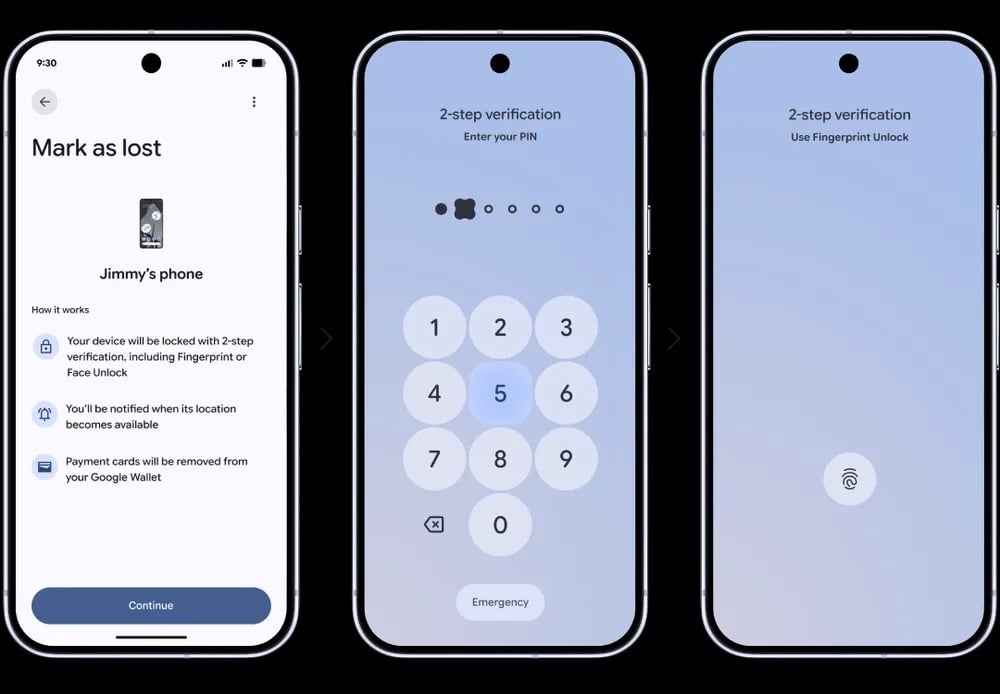
Phone theft has a predictable playbook: grab the phone, get past the lock screen, and either wipe it for resale or strip data out of it. In London, having your phone or wearing your wristwatch is quite a risky task, since there is a good chance you won’t reach home with either of them, or at least one of them. Android 17 closes a few gaps that made it easier for thieves to use a stolen phone.
With the latest update, Google has strengthened Find Hub’s “Mark as lost” feature so that a missing device can be locked with your biometrics. This means that if someone gets your passcode, they cannot get past the lock screen or turn off tracking. The second part is more important since a lot of theft cases involve someone watching you type your PIN before grabbing it. Locking tracking behind biometrics instead of a passcode removes the entire attack path.
Additionally, Android 17 has upgraded the “Live Threat Detection” feature. It can now flag suspicious apps and scams more effectively. Advanced Protection mode also gets stronger. While these are not features that you can show off to friends, they are meaningful in tightening the whole chain a thief has to break through. Android 17 also gains the feature to slow down PIN guessing by limiting the number of attempts before your phone gets locked out. The wait time is now stretched between failed tries, which directly targets people who try to sneak into your PIN and brute-force it later.
App names can now be hidden on a Pixel
If you have a Google Pixel phone, then you will be glad to know that you can now hide app names on your home screen with Android 17. This way, you can get a cleaner look and make it harder for others to see which apps you have installed. Pair this with a nice wallpaper, and you can create a great theme and customize your Google Pixel the way you want.
On top of this, Parental Controls now work on all Android devices. This way, you will be able to manage multiple phones and tablets, no matter the price. Android 17 also includes a dedicated volume control for your assistant. Additionally, the dark theme setting gets a significant upgrade. Users will be able to apply dark theme on a per-app basis, and you will be able to force dark mode on apps that don’t natively support it.
App memory limiter is here, which means fewer slowdowns
Another small but important thing that Android 17 brings on the table for Android phones and devices is a new feature for app memory limiter. When you turn on this toggle, your phone will cap how much RAM any single app is allowed to use. This stops apps from slowing down your phone or drain your battery, while you won’t see a setting for it, you should notice fewer slowdowns. There is always a rogue application that hoards memory in the background and puts the entire device walk like a turtle. But with this new feature, which you wont be able to manually enable or disable, will help your phone have a breather.
Android 17 is rolling out
Some important Android updates usually get buried because of the latest obsession over AI features. The good thing is that aside from those AI and handy features, Android 17 also brings functional features that improve the performance of your phone on a daily basis. Most of these features are rolling out gradually, starting with Pixel devices in the front line. Rest of the lot like Samsung, Xiaomi, OnePlus, etc., will join the bandwagon in the coming days.

