

Quick Answer
Looking for the best Putlocker alternatives that still work? Try Fmovies for fast, ad-light streaming up to 1080p, YesMovies for global content with smart filters, or 123Movies for quality playback. Prefer downloads? Go with YTS or 1337x. Always use an ad blocker to stay safe while streaming.
The original Putlocker, which offers free access to movies and TV shows with a clutter-free experience, is no longer active.
You can still use Putlocker using its mirrors; however, these are operated by third parties, the majority of which link to malware and excessive ads, which contrasts with the original Putlocker’s success.
Fortunately, there are Putlocker alternatives that offer a similar experience without constant redirects, fake buttons, and malware‑filled sites. And some sites even offer a better experience than Putlocker and also host the latest content.
If you are looking for the best Putlocker alternatives, here are our 10 best alternatives to Putlocker and why they are considered the best compared to Putlocker mirror sites.
Table of Contents
8 Best Putlocker Alternatives
Use Case | Best Option(s) | Why |
|---|---|---|
If you want clean and fast streaming | Fmovies, Moviejoy Plus | Lean UI, fewer ads, no clutter |
If want to download and watch later | YTS, 1337x | Small size downloads, HD quality |
If you love international movies/shows | YesMovies, 123Movies | Better genre & region filters |
If you need Android or TV support | Moviejoy Plus, Gomovies | Native apps, TV-friendly design |
If you want a Netflix/Prime-style experience | NetMirror.cc | Resume watching, modern UI |
If you prefer legal and ad-free content | Netflix, Prime Video, JioHotstar | No malware risk, clean UI |
Fmovies – Best Overall Alternative
Fmovies is my favourite, and among all the alternatives that I listed in this guide, there are plenty of reasons, and thanks to its clean layout and faster playback, it is better than the original Putlocker in many cases and also way ahead of the current Putlocker mirror sites.
First, the streaming stability is way better than the current Putlocker mirror sites. With the two weeks of usage, I never faced server downtime or even waited long for popular shows.
But this isn’t the same case for every movie or TV show.
Similar to the other sites, Fmovies also has buffering issues, especially for lesser-known movies and shows, and malicious ads, which can sometimes download malicious files to your computer.
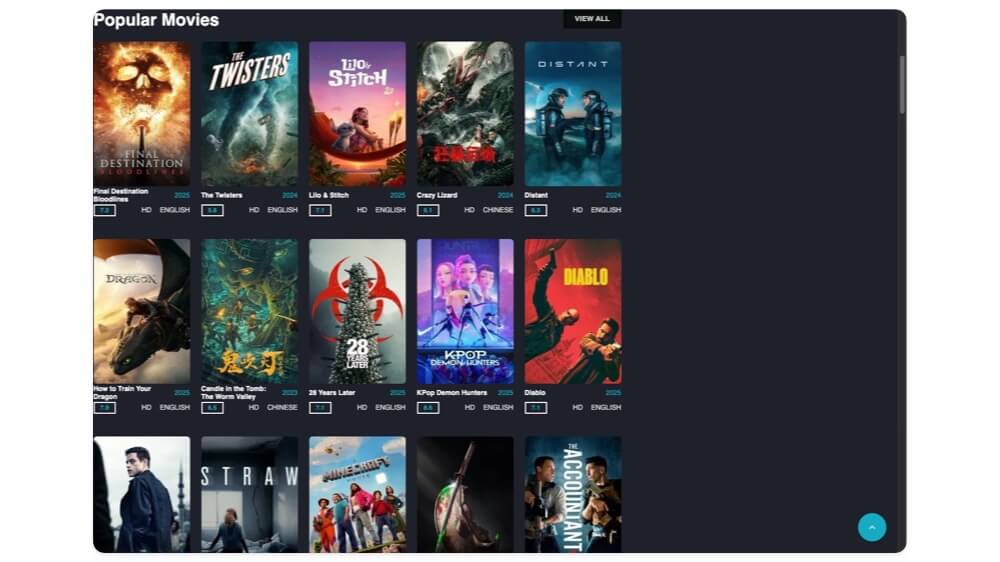
The user interface is one of the cleanest you would get, and the best part is a dedicated search page without recommendations, which makes your search for the movie you are looking for easier without overwhelming you with options.
And after the search, it also recommends similar movies to help you discover similar movies or TV shows if you like what you watched.
You can stream the content up to 1080p, which is a significant quality upgrade compared to Putlocker alternatives, which the majority of them can only stream up to 480p.
The streaming player also offers all the features to customise your viewing experience.
You can adjust the quality, enable subtitles, even download the subtitles directly from OpenSubtitles, and set your preferred language, upload your own subtitles, adjust playback speed, and even use the background blur to create a movie experience on your device. The movie experience is also fully responsive.
Another big advantage of Fmovies is that there are fewer ads compared to the alternatives.
However, if you still find them annoying, you can completely get rid of them by using an ad blocker and setting up Private DNS on your mobile.
You won’t miss Putlocker unless you are a long-time user and habituated to the Putlocker familiar interface. In every other way, Fmovies offers better features, streaming quality, and more to watch movies for free.
Pros:
- Clean layout that feels modern and familiar
- Streams up to 1080p with subtitle support
- Fast playback with fewer server issues
- Subtitle download, playback speed control, and blur mode
- Works without an account or VPN
Cons:
- Some movies still buffer, especially unpopular ones
- Occasional malicious pop-ups on some links
- Fake download buttons appear without an ad blocker
YesMovies – Best For International Content With Advanced Filters
Yesmovies is another popular and great alternative to Putlocker if you want a modern interface and content discovery. And also, unlike Fmovies, Yesmovies has a broader and more organised content library, especially for international movies and shows.
Even though Yesmovies only includes search similar to Fmovies, it comes with trending, genres, episode, and region-based content filters to help you find the latest content.

However, if you want a clean and clutter-free experience, you can visit the latest version of Yesmovies, which is very similar to Fmovies with no content suggestions. However, tapping on the movies and genres still directs you to the old Yesmovies site.
The streaming quality is very similar to Fmovies and Putlocker. However, the only downside is that the media player doesn’t come with customisation controls to customise your experience.
It doesn’t have the ability to adjust the feedback, support for OpenSubtitles, set preferred language, or adjust playback speed.
But even without it, it is still decent enough for regular use. In my two weeks of usage, I also noticed the search bar doesn’t show the real-time results, which can make finding and discovering movies and TV shows harder on the platform.
Finally, like Fmovies and Putlocker, you don’t need to sign up to create an account; you can watch the content for free without using a VPN.
However, there are plenty of Yesmovies mirror sites that you should be aware of.
Pros:
- Discover content easily with region and genre filters
- More international shows than Fmovies
- No signup or VPN needed
- Can get rid of ads using AdBlocker
Cons:
- The media player has fewer customisation controls
- Search doesn’t show real-time results
123 Movies – Watch Latest Movies With Speed and Quality Controls
WatchMovies, also known as 123Movies, is another best alternative to Putlocker.
Similar to Putlocker, Fmovies, and Yesmovies, 123Movies also has a huge content library of the latest movies and shows, and lets you stream in high quality. Plus, it also comes with useful content discovery features similar to Yesmovies.
You can sort movies by genre, country, and even find the top IMDb-rated shows and TV shows directly inside the site without switching between different tabs.
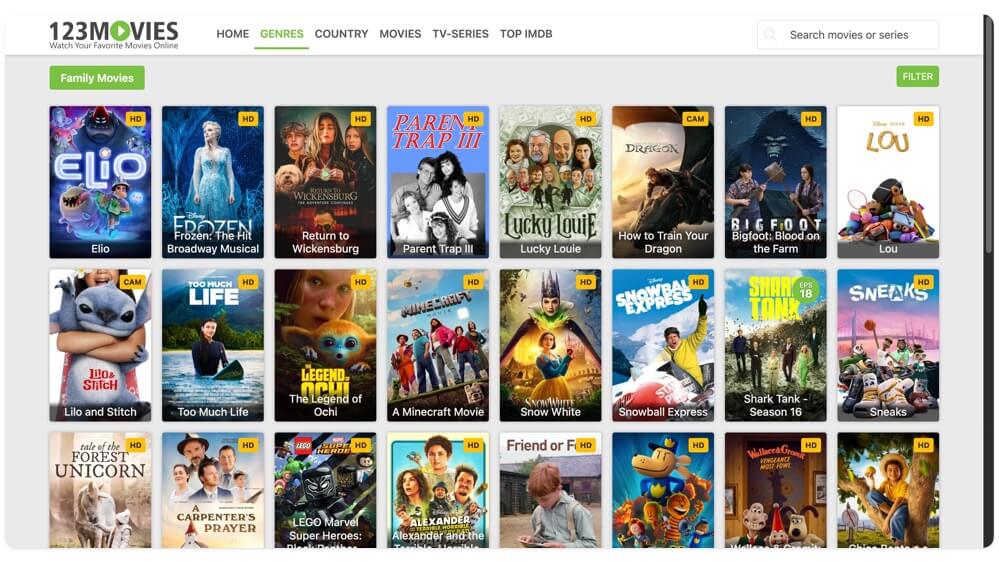
The user interface is clean and offers a very similar experience to Yesmovies. In fact, from the search to the streaming content that is very similar to Yesmovies, with almost a similar experience.
However, unlike Yesmovies, you can adjust the playback speed and also adjust the quality of the video playback.
I highly recommend using a blocker to block intrusive ads. Many users have complained about the intrusive ads and fake download buttons, which often lead to fake and malicious sites, which is why I highly recommend using a good ad blocker like AdGuard (not sponsored).
Like Yesmovies, the search is basic, there are no real-time recommendations, which can lead to wrong search queries and also make finding content hard, but thanks to other filters, you can easily find the content you are looking for. You don’t need to create an account to use a VPN to access the site.
Pros:
- Wide movie collection, including new releases
- Clean layout similar to YesMovies
- Playback speed control is available
- Supports filtering by genre and IMDb rating
Cons:
- Basic search with no smart suggestions
- Intrusive ads without an ad blocker
1337x – Best for Downloading Movies and Games
Unlike Putlocker and other alternatives, such as Fmovies and Yesmovies, 1337x is primarily a torrent indexing platform that lets you download torrent files and also lets you stream directly from the site.
Along with movies, the site also hosts software, games, music, and 18+ content, which is why the site is truly meant for 18+ users. We don’t recommend using it for kids.
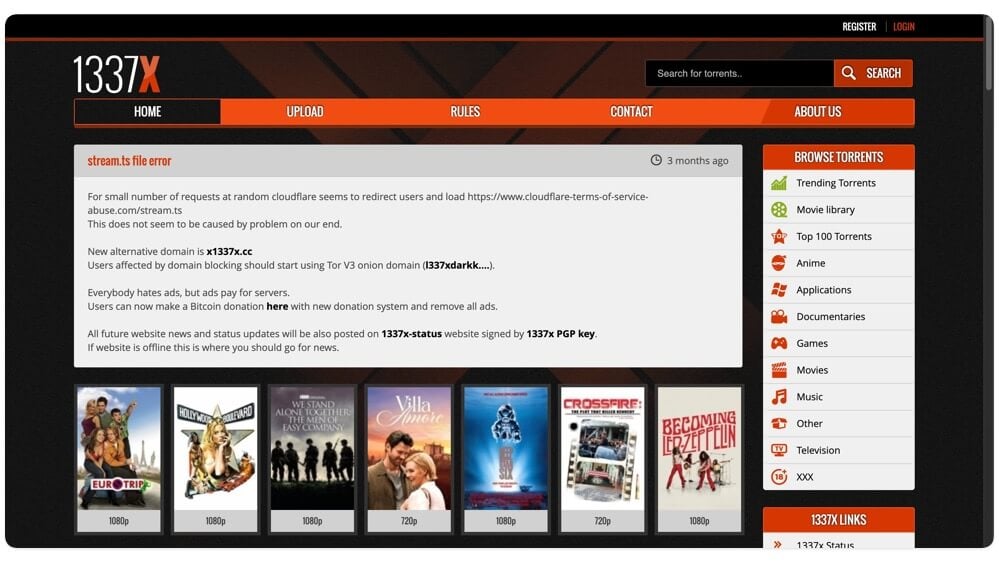
Since the 133x is a torrent indexing site, it also lets you stream movies and other shows directly from the site.
However, unlike other alternatives, since 133x is primarily a torrent indexing site, streaming content directly is not as seamless as other alternatives.
You can still stream the content directly; however, downloading content and watching it offline has its own benefits, like no ads, buffering issues, and you can play it in your favourite video player.
As said, the site hosts software, games, music, and other content directly, along with adult content, so as I said, it is not recommended for users under age 18+.
With the ad blocker, you can get rid of ads, thus offering a clean user interface. You can also use different search filters to find the content you are looking for.
The search is basic, and the movies also show the related content options to help you find the related content you are looking for. Similar to other sites, you don’t need to sign up for an account or use a VPN.
Pros:
- Let you stream or download via torrent
- Also offers software, games, and music
- Clean interface when using with an ad blocker
- Great for offline viewing
Cons:
- Not ideal for kids (adult content appears by default)
- Streaming is not as smooth as dedicated platforms
- Requires a torrent client for downloads
YTS Max – Download HD Movies in Small File Sizes
YTS is the best option if you are looking to download high-quality movies in smaller file sizes.
This site is an excellent option if you have limited data to download internet content, but still want to watch full high definition movies without degrading the quality.
According to YTS, is that they use a special YTS code to maintain high quality without increasing the output of the video.
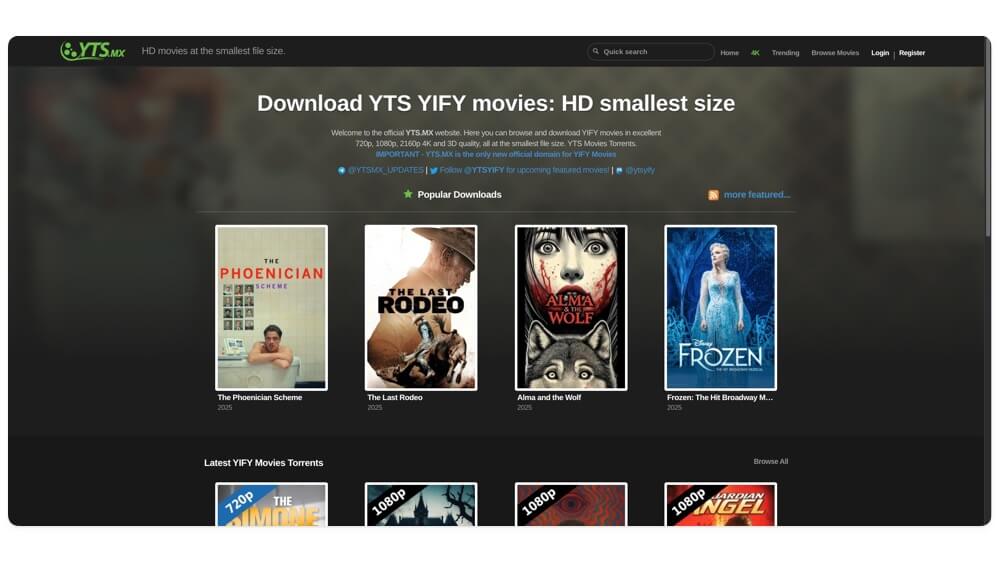
The site offers different quality options to download, and some of the latest movies also support up to 4K quality.
Remember, this is a torrent indexing site. All the downloading links are torrent magnet links, in which you need a separate torrent download website to download files.
The advantage of this method, instead of streaming directly from the sites, is that you can get rid of pop-ups, ads, and even buffering issues.
The user interface is clean, the home has minimal recommendations, you can also browse trending content, and quickly filter movies based on the quality, genre, year, and language.
However, one downside of this site is that it frequently faces downtimes; a simple refresh can fix the website.
Also, since it is not primarily a streaming site, you won’t feel frustrated; you can simply restart downloading the magnet link and watch the movies and TV shows offline at your convenience.
Plus, it also supports subtitles; you can also download subtitles related to the movies directly, preventing you from making extra effort to search for files.
Pros:
- High-quality movies in small file sizes
- Ideal for people with limited data
- Clean and fast site with minimal ads
- Great for downloading and watching offline
- Also supports subtitle downloads.
Cons:
- Only movies, no TV shows or episodes
- Requires a torrent client to download
- Not ideal if you prefer streaming
- The website sometimes goes down randomly
Moviejoy Plus – Watch Movies on Phone or TV With Simple Design
MoviesHub is another best alternative to Putlocker that is faster, cleaner, and supports a huge, high-quality content library. It also comes with dedicated Android and Android TV apps to help you stream directly from the TV without navigating the web interface.
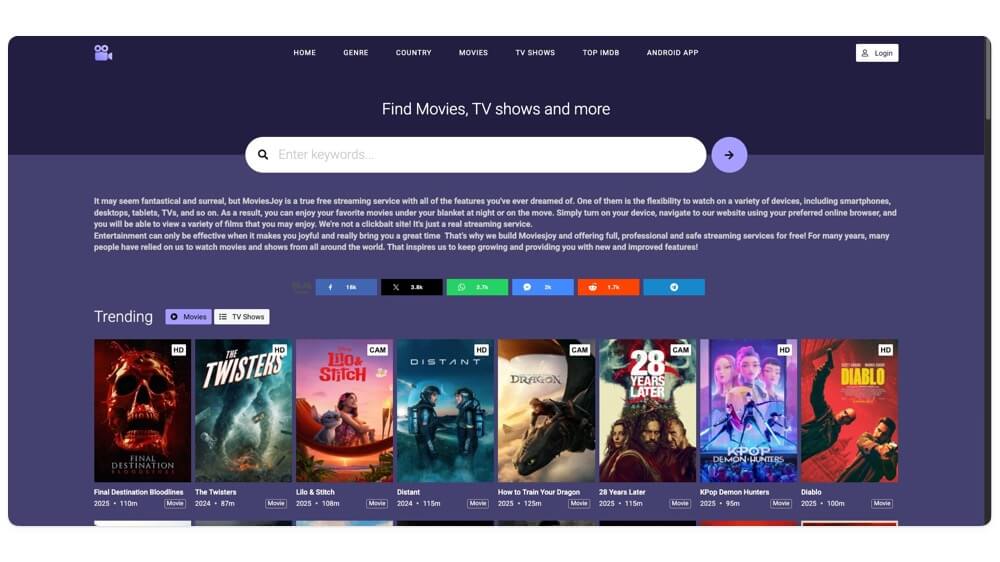
Similar to Fmovies, Yesmovies, and all other popular alternatives, MoviesHub also offers a dedicated, clutter-free search page to help you discover the content.
You can also use the recommended page from the home screen, sort content by genre, count, and even find the top content and shows directly from the IMDb rankings.
You can directly stream the content from the site. The media player also comes with all the customisation options to help you customise your viewing experience.
The useful quality labels can help you distinguish between HD and CAM content.
You can watch and stream the content for free without creating an account. However, if you create an account, you can keep track of shows by adding them to your favourites and revisit them whenever you need.
Pros:
- Comes with modern design
- Supports Android and Android TV apps
- Advanced content sorting and IMDb rankings
- Offer a media player with controls
Cons:
- Intrusive ads
Gomovies – Best Alternative to Moviejoy Plus
Gomovies is another best that offers a similar experience to MoviesHub. It offers a huge content library and also lets you stream content directly from the site.
It offers an advanced media player that lets you customise your viewing experience by adjusting various parameters like quality settings, playback controls, subtitle support, and more.
You can browse and discover content based on the home screen recommendations and even sort content based on the genre, country, and find top IMDb-rated content.
Similar to Gomovies, it also offers dedicated Android and TV apps, which can help to stream directly from the site.
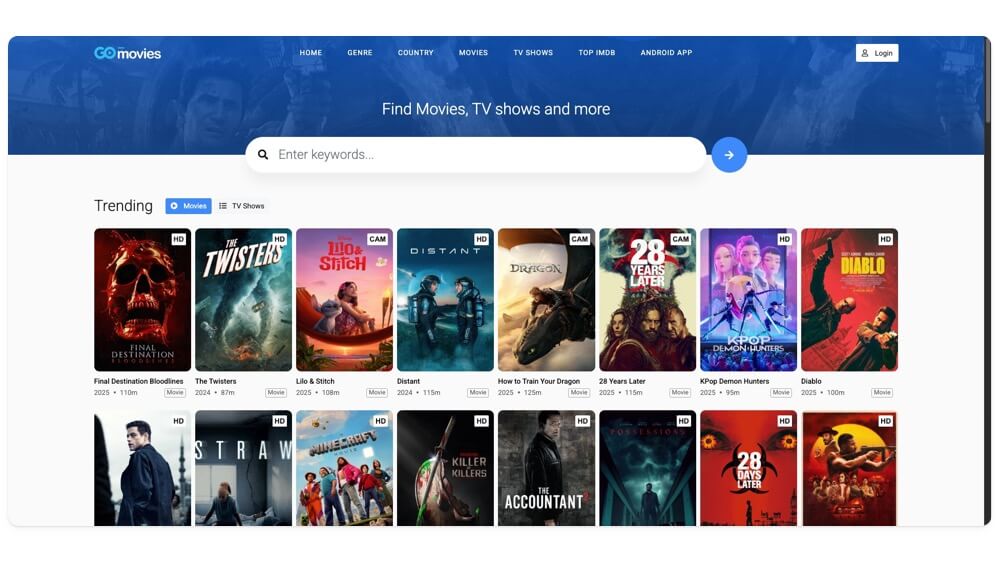
The user interface is not my cup of tea, but to get an even closer, clutter-free experience, I highly recommend using an ad blocker for a better experience.
Finally, we haven’t tested the Android or TV apps extensively; however, we checked them using a free security tool, and it is secure. However, we don’t recommend installing it on your primary device, since it may contain malware, which is not recommended to install on your primary smartphone. You can enjoy the same experience by visiting the website on your TV browser.
Pros:
- Huge content library with trending sections
- Useful media player customisation options
- Android and TV app support
- Free to stream without a signup
Cons:
- Ads can be disruptive
NetMirror.app – Stream Netflix and Prime for Free
Netmirror. cc is a great option if you are looking to stream Netflix and Amazon content for free. The best thing about Netmirror. cc is that it doesn’t consist of ads, and the user interface is very similar to Netflix and Prime Video, depending on your streaming selection.
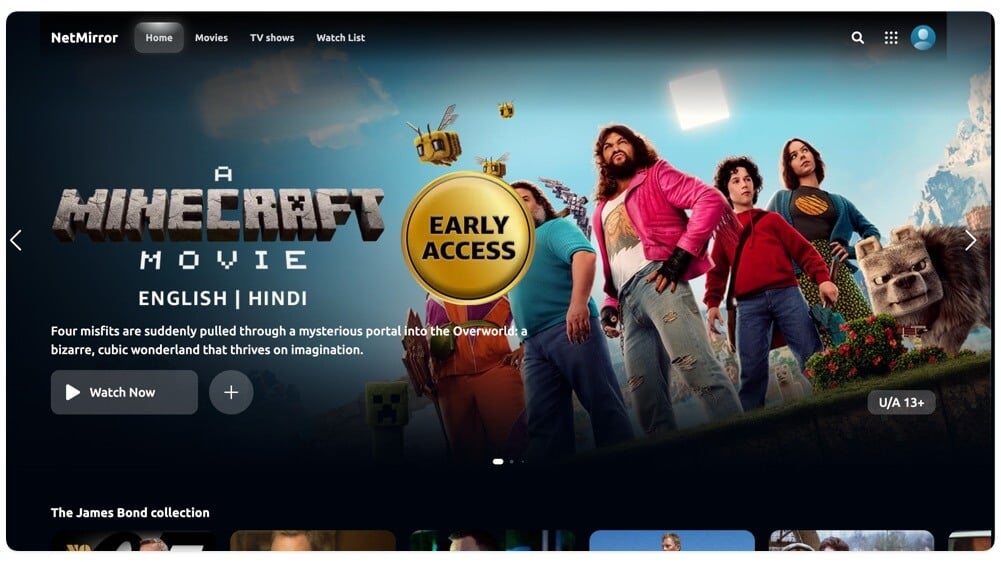
Just like the Netflix or Prime Video Android app, you can browse the content, save for later, and it even allows you to rewatch the content from where you left off.
You can even set up quality preference, select the language you want to stream, and enable subtitles. Subtitles are not available for a few shows on Amazon. You need to watch one ad up to 30 seconds when you open it for the first time.
Pros:
- Let’s you watch Netflix and Amazon Prime-style content for free
- Zero ads during browsing
- Resume watching from where you left off
- Supports subtitle and language settings
Cons:
- Requires watching a 30-second ad before accessing the website
Best Legal Alternatives To Putlocker
These are the 7 best alternatives if you are looking for a Putlocker alternative. They are free to use, you can watch and download a huge content library of movies and TV shows in high quality. However, these sites are filled with ads and malicious content files, and even face downtimes and shutdowns.
While using an adblocker might help you get a clutter-free experience, there are a lot of users or households looking for a convenient experience. If you can afford it, there are plenty of websites that are legal and offer licensed content in high quality and without any risk of ads or even malware, and some offer a completely ad-free experience.
Netflix and Amazon Prime are two options, and recently merged JioHotstar is also a great option if you are looking for an affordable option, especially in India.
How to Stay Safe While Streaming On these Sites
Since these are third-party alternatives hosted by third parties, the majority of these sites can contain ads and malicious file links that can damage your device. So, follow the steps below to stay safe while using these sites:
- Use an ad blocker to block the majority of ads and spam links. For the web, you can use AdGuard, and on mobile, you can use Private DNS.
- While watching, don’t click on the fake download and play button. If the click on them redirects you to a new site, close the new tab.
- I recommend using an alternative browser to view and visit this content.
- Don’t download any apps or files suggested on these websites.
Also Read:
- 7 Absolute Best Free Movie Apps for Android
- 8 Best FireStick Movie Apps to Watch Movies for Free
- How to Download Netflix Movies and Shows on Any Platform

