

Mark Zuckerberg launched Threads as a direct competitor to Elon Musk’s Twitter (now X) a couple of months back. The hype was so real that Threads became the fastest to rake in 100 million users. While a lot can be attributed to the hype, a lot was also due to the fact that Threads is linked to Instagram profiles which accelerated the signups.

Now that the smoke is settled, there are some who don’t really get what Threads are trying to achieve or just want to delete their Threads account for whatever reason.
You can deactivate your Threads ID at any time if you are not happy with the platform for any reason, such as poor content recommendations, restrictive nature, or other reasons. But how to disable/delete Threads ID? This blog will help you with that.
Table of Contents
How to Deactivate/ Delete Threads Account?
Although Threads has become one of the fastest-growing social media platforms, with over 150 million downloads in just a few weeks, it’s not to everyone’s taste. That’s why many people leave the platform too soon. If you want to do the same and wonder how to disable Threads ID or delete Threads ID forever, keep reading this guide. By following the steps described in this article, you can disable/delete your Threads ID.
Steps to Deactivate Threads Account
- Open the Threads app.
- Go to your Profile.

- Click on the icon with two horizontal lines on the top right.

- Now tap on Account.

- Then tap on Deactivate or Delete Profile.
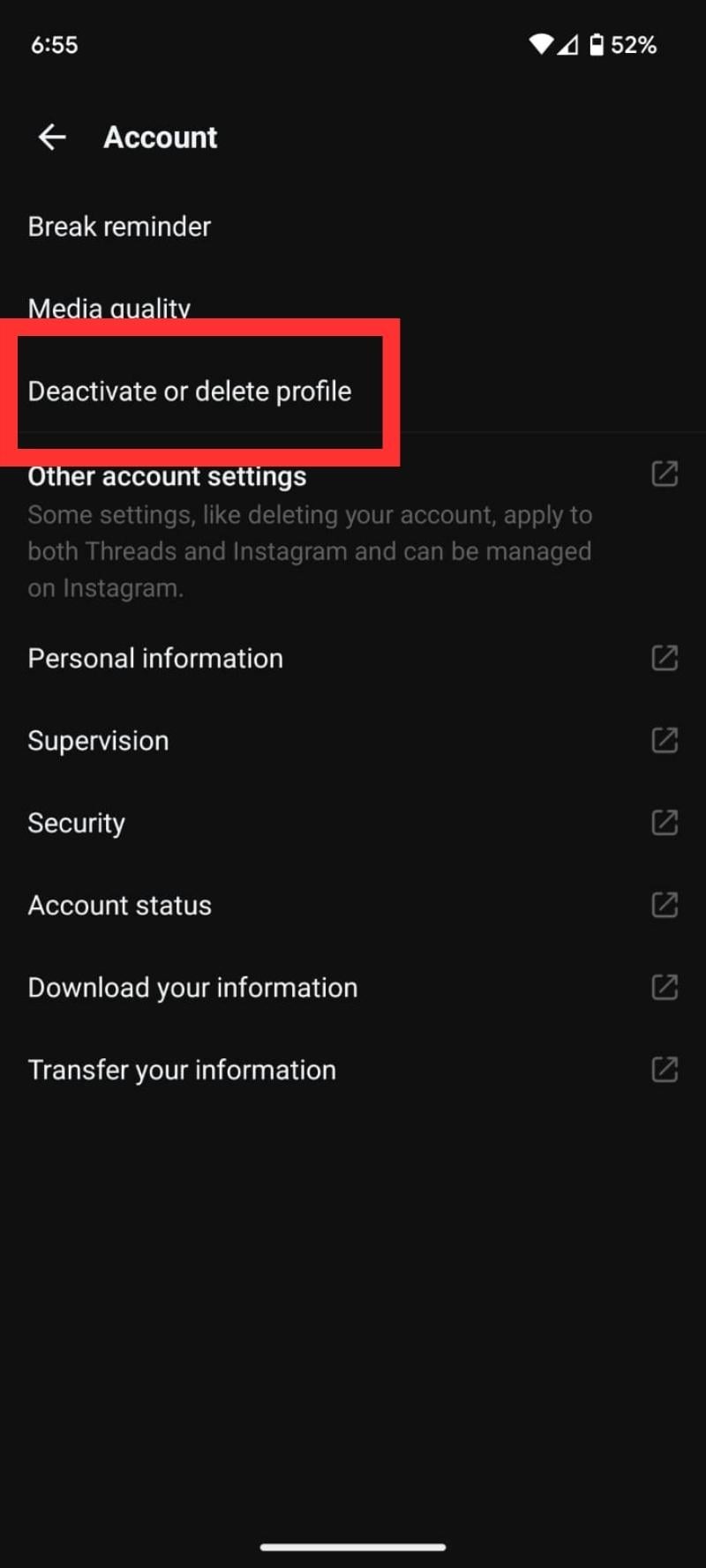
- Tap on Deactivate Thread Profile.

- Now a confirmation page will open; hit Deactivate.

That’s it; now your Threads ID will be deactivated.
Steps to Delete Threads Account
Finally, there’s a way to delete your Threads account without having to delete your linked Instagram account. You can delete your Threads account from the settings menu on the Threads app. Here’s how you can delete your thread ID:
- Open the Threads app. Go to your Profile.
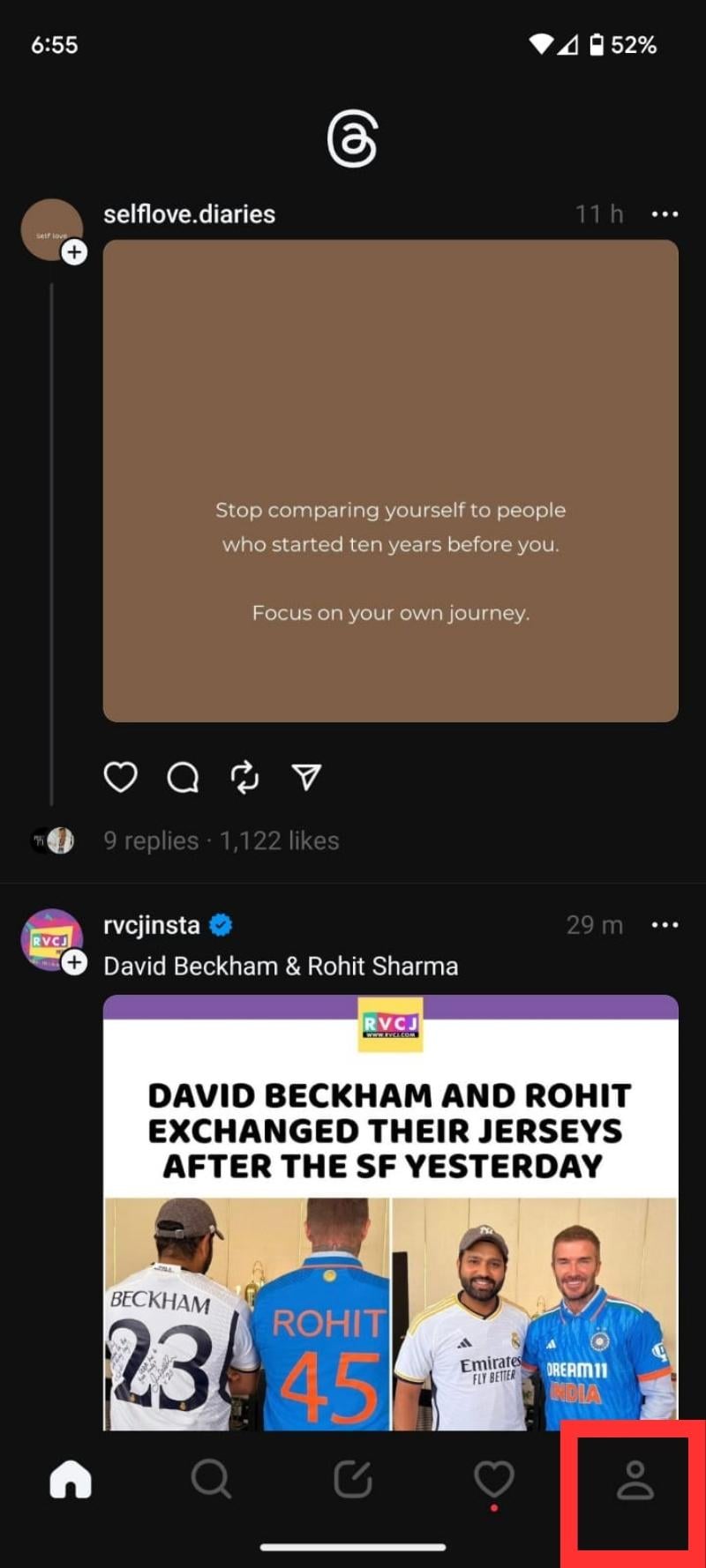
- Tap the two-line icon in the upper right corner.
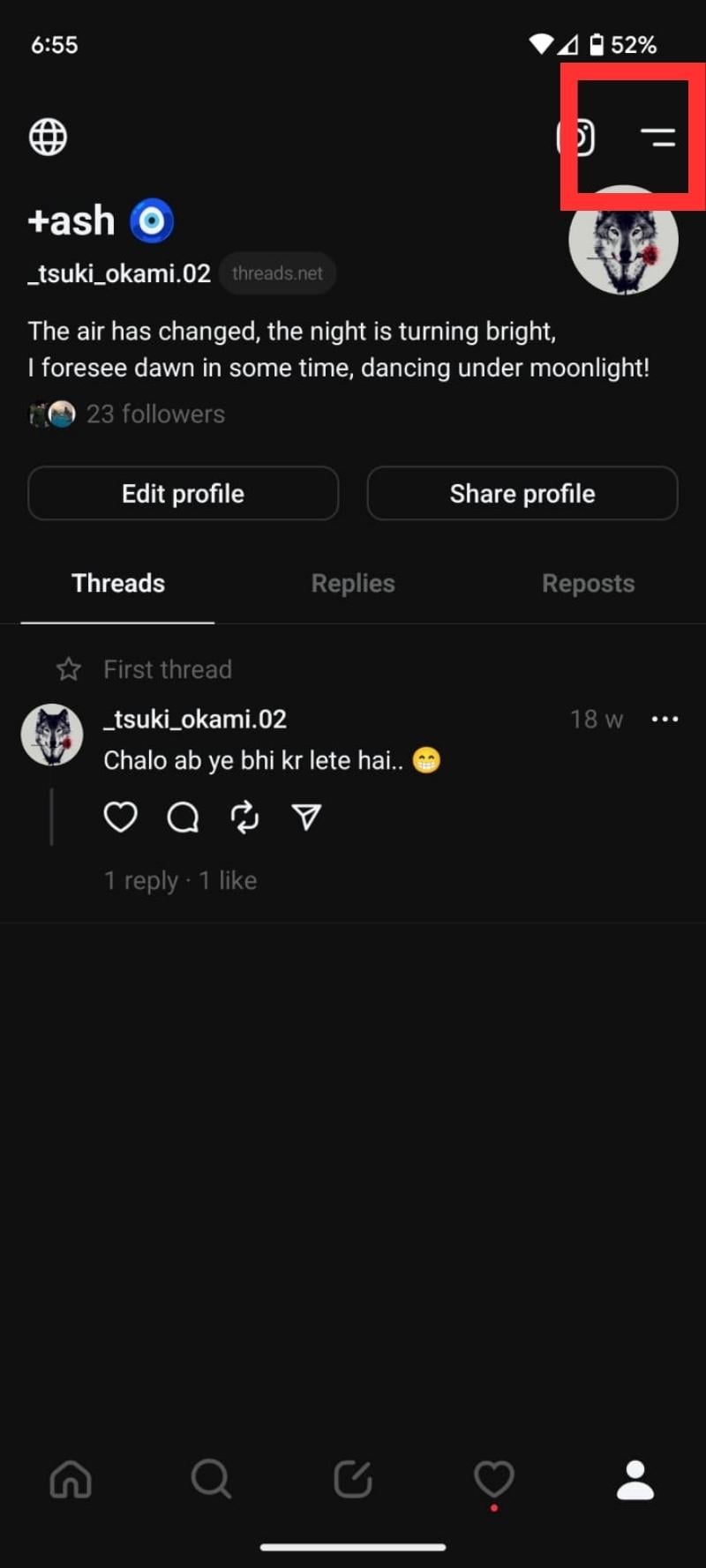
- Tap on Account.

- Now go to Deactivate or Delete Profile.

- Then, tap on Delete Profile.

- Finally, confirm your decision by entering your Password.

- Once done, you will receive a scheduled for deletion notification on your screen. If you want to cancel this decision log in again within 30 days.

That’s it. If you follow these steps, you will be able to delete your ID threads.
Deactivate or Delete Your Threads ID: What Should You Do?

Whether you should deactivate or delete your Threads ID depends on your personal preferences. If you are simply bored on the platform and want to take a break, temporary deactivation is the better option. If you want to remove your data from Threads completely, it might make more sense to delete the account. Following the steps outlined above you can easily deactivate or delete your Threads account.
FAQs: Deactivate or Delete Your Threads Account
1. Can I delete my Threads account without deleting my Instagram account?
No, you cannot delete your Threads account without deleting your Instagram account. Meta’s privacy policy states, “You can deactivate your Threads profile once a week, but your Threads profile can only be deleted if you delete your Instagram account.” However, the Help Center page mentions that the team is looking for a way to delete the Threads account without deleting the Instagram account and that this may happen soon.
2. Can I reactivate my deactivated Threads account?
Yes, you can reactivate your deactivated Threads account. To do so, simply download the Threads app again and open it. Now log in with your account credentials, and your Threads account will be activated again.
3. Can I still use Instagram if I deactivate my Threads account?
Yes, you can continue to use Instagram if you deactivate your Threads account. Although Threads and Instagram are connected, they are two different platforms. Deactivating your Threads account will not affect your Instagram experience in any way.

