

The Epomaker Shadow X is one of the best mechanical keyboards I’ve ever used that doesn’t break the bank. I bought it about three months ago on Epomaker’s website for about $80. My configuration is the Black-Silver colorway with the Epomaker Flamingo switches.

The Epomaker Shadow X is a mechanical keyboard with a 70% key layout, a gasket-mounted body, Poron foam to dampen key noise, a 3000 mAh battery for wireless connectivity, and an onboard display. It can be used in three connection modes: wired mode, 2.4 GHz dongle mode, and Bluetooth 5.0 mode. I have been using it as our primary keyboard for over three months. While technically, this isn’t an Epomaker Shadow X review, I’ll share our experience using it in this article.
Epomaker Shadow X: What Do We Like?
The best thing about the Epomaker Shadow X is each key’s satisfying sound as you type. The Epomaker Flamingo switches that our keyboard comes with are linear-type switches that are smooth due to factory lubrication. The 70% layout is the perfect keyboard layout for us as we don’t need the function keys that often but use the arrow keys a lot.
You have access to all the keys you need, and we were able to get used to this layout very quickly as we came from the Royal Kludge RK84 with a 75% layout. The keys are generously sized so we can type quickly without tiring our fingers, as the actuation point of the switches is quite low, so we can type without pushing the keys all the way down. This keyboard is the perfect layout for anyone switching from a full-size keyboard.
The typing experience on the Epomaker Shadow X is on par with the best mechanical keyboards you can get for twice the price. The gasket mount and poron foam give the keys a little bounce, which makes typing easy. The PCB is also hot-swappable, so you can swap out the switches if you don’t like the default options. The double-shot PBT keycaps are well-made, and the lettering is very elegant, making it easier to read in darker environments. The keyboard has south-facing RGB LEDs for backlighting, but since the standard keycaps don’t let any light through, the backlighting is pretty pointless unless you use keycaps with translucency. I usually leave the RGB lighting off as it doesn’t increase the keyboard’s functionality.

In addition to the typing experience, I also liked the fact that the Epomaker Shadow X can be used with all kinds of devices thanks to the three connection modes. I mainly use the keyboard in wired mode with a special Type-C coiled cable on our PC, but I have also used the keyboard with our laptop via the 2.4 GHz dongle and with my iPad via Bluetooth mode.
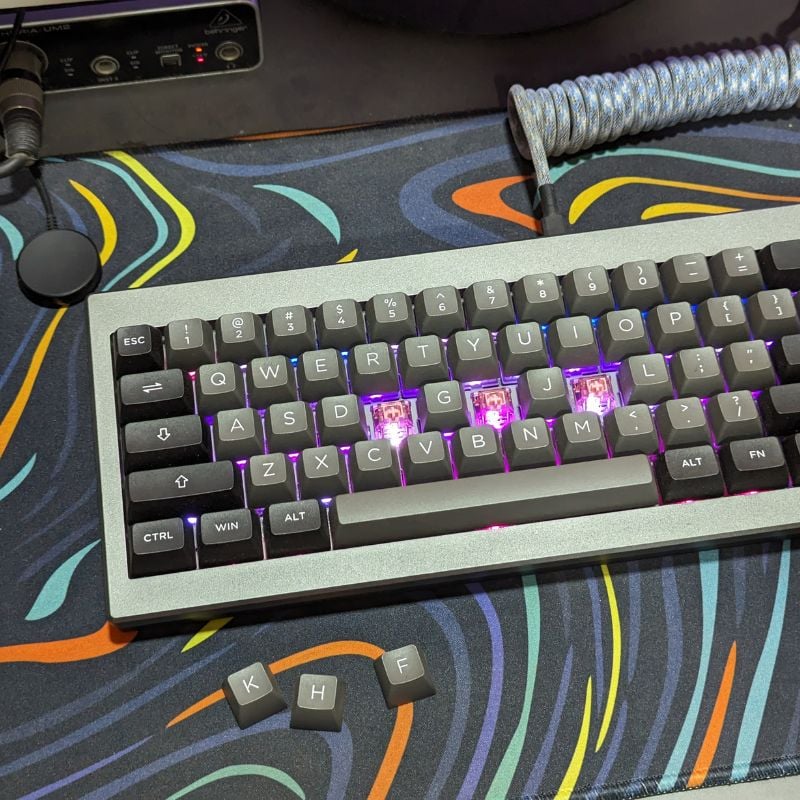
The versatility of the connection modes and the highly customizable companion software that lets you personalize the entire keyboard make the Epomaker Shadow X one of the most complete mechanical keyboards on the market, offering a great typing feel and high customizability. I like the fact that we can take the keyboard anywhere, be it the office, a café or anywhere else. The keyboard is compact enough and can be connected to all our devices, making it a versatile accessory in our tech arsenal.
Epomaker Shadow X: What We Do Not Like?
The Epomaker Shadow X has a small display on the housing that shows the connection modes and battery life, as well as the time and date by default. The display is certainly useful if you only use the keyboard in wireless mode, but I usually only use the Epomaker Shadow X in wired mode with our PC. In this case, the display serves no real purpose and is just a novelty factor.
I have assigned a GIF to the display that plays in an endless loop because you can’t turn the display off to save battery. Since the display is always on when you use the keyboard, it’s definitely a drain on the battery. My unit lasts about 2 to 3 weeks on a single charge in Bluetooth or dongle mode, which is not very good in terms of battery life as I leave the RGB display off all the time.
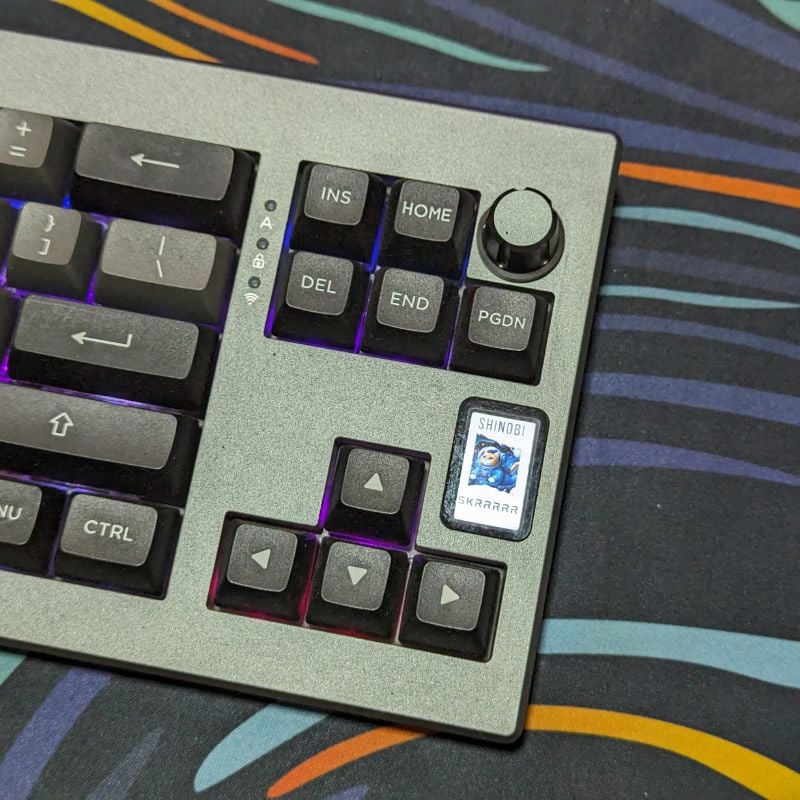
Since this is a 70% layout keyboard, most of the special keys are hidden behind strange key combinations that are difficult to remember and execute. You always need to keep the user manual handy for the shortcuts. I like that the rotary knob can be used to switch between pairing modes, but it would be nice if you could customize it for another task, such as increasing or decreasing the volume.
Epomaker Shadow X: My Favorite Budget Mechanical Keyboard
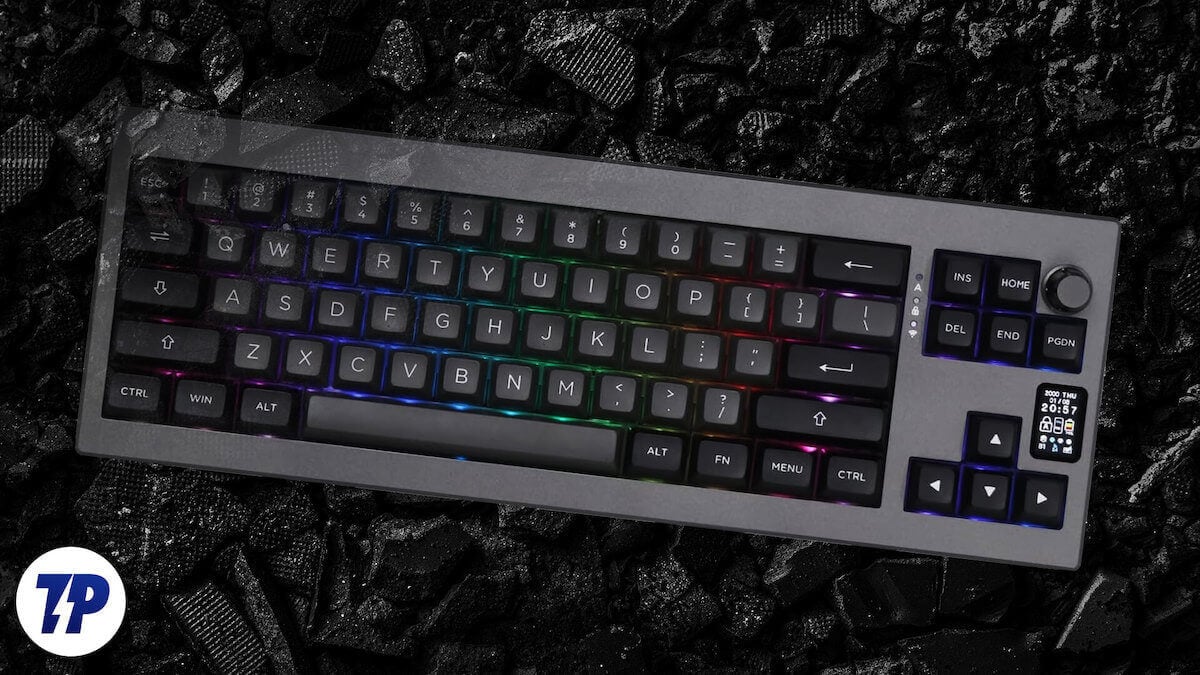
Overall, the Epomaker Shadow X is a very good, reasonably-priced mechanical keyboard. It’s my favorite because it offers all the features necessary for a good keyboard experience. The various connection modes, fantastic typing feel, hot-swap board, custom switches, very good software support, etc., make the Epomaker Shadow X one of the best mechanical keyboards on the market, especially because it is available for well under $100 and is often offered at a discount. The high customizability and fantastic typing and gaming experience make the Epomaker Shadow X my favorite budget mechanical keyboard.

