

If you live in Europe or Asia and record a lot of videos on your iPhone, you may have noticed flickering light effects in your videos shot in artificial lighting. Here’s what causes it and what you can do to stop light flickering in iPhone videos.

What Causes Lights to Flicker in iPhone Videos?
Flickering lights in iPhone videos is a problem common in most European and Asian countries. It occurs because of a mismatch between the electrical power cycles in your region and the frame rate of your iPhone’s camera.
You see, in many European and Asian countries, the AC power has a frequency of 50Hz. Meanwhile, your iPhone shoots videos in the NTSC (National Television System Committee) format by default, which typically offers two frame rates: 30fps and 60fps. As you can see, the power frequency (50Hz) isn’t divisible by the camera’s frame rate (30fps or 60fps). As a result, the two are left out of sync, which induces the flickering effect in your videos.
Switching to another recording format, PAL (Phase Alternating Line), fixes this problem. PAL records videos at 25fps, which completely divides 50Hz and, thus, matches the frame rate with the electrical frequency.
How to Stop Light Flickering in iPhone Videos
Changing the video recording format on your iPhone to PAL is all it takes to prevent lights from flickering in your videos. Follow these steps to change your iPhone’s video recording format:
- Open Settings on your iPhone.
- Scroll down and select Camera.
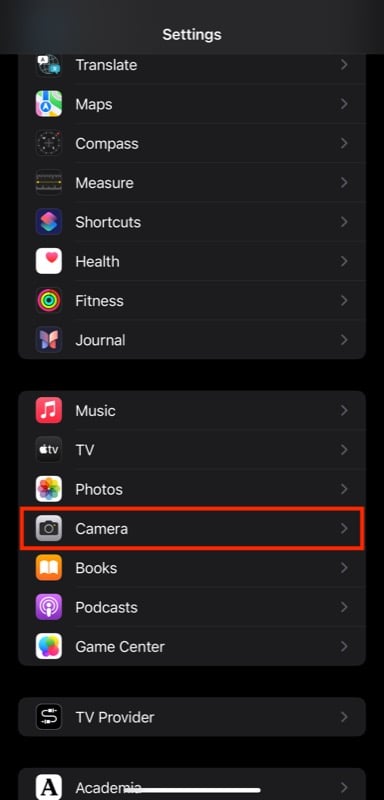
- Tap on Record Video.
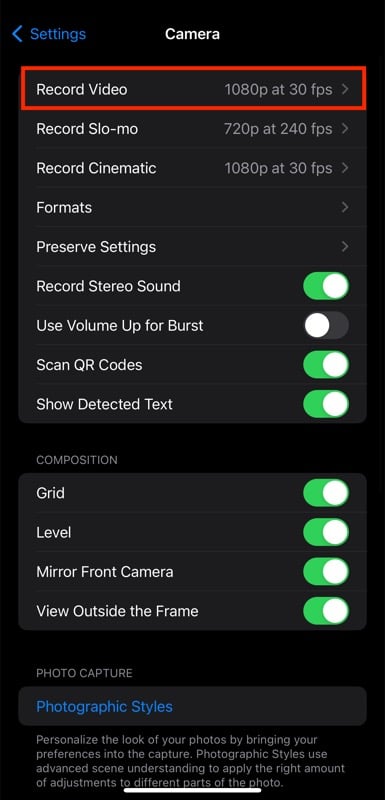
- Select a PAL format from the available video formats based on your resolution and frame rate preferences.

- Go back to the previous screen and select Record Cinematic.
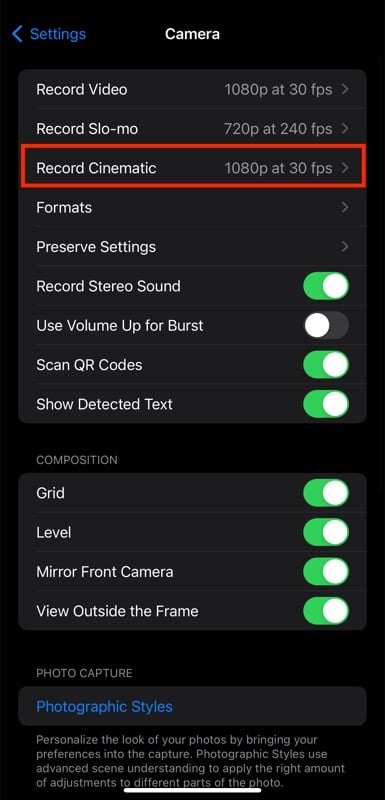
- Again, select your a PAL video format as per your preference.

If you don’t see any PAL formats under video recording settings on your iPhone, it’s likely because the option is turned off. To enable it, go to the video recording settings and toggle on the switch for Show PAL formats.

Related Read: Scan Documents on iPhone and iPad, no app needed!
Shoot iPhone Videos in the PAL Format to Avoid Light Flickering
Seeing lights flickering in your iPhone videos can be really annoying. While fixing flickering videos can be a little challenging, you can prevent the flickering effect from ruining your future videos using the steps above.
After you’ve set your iPhone’s camera to use PAL formats, you can comfortably shoot videos in artificial lighting without worrying about the flickering effect.

