

Quick Answer
Smart glasses can look just like regular eyewear, making secret recording harder to spot. Watch for LED recording indicators, tiny camera lenses on the frame, voice commands, shutter sounds, unusual gestures, or glasses placed suspiciously nearby. None are foolproof, but staying alert can help protect your privacy in the age of camera-equipped smart glasses.
Recently, a woman in London was not only covertly filmed, but when she asked the man to take the conversation down, he asked for money, offering removal as a “paid service”. Yes, that actually happened.
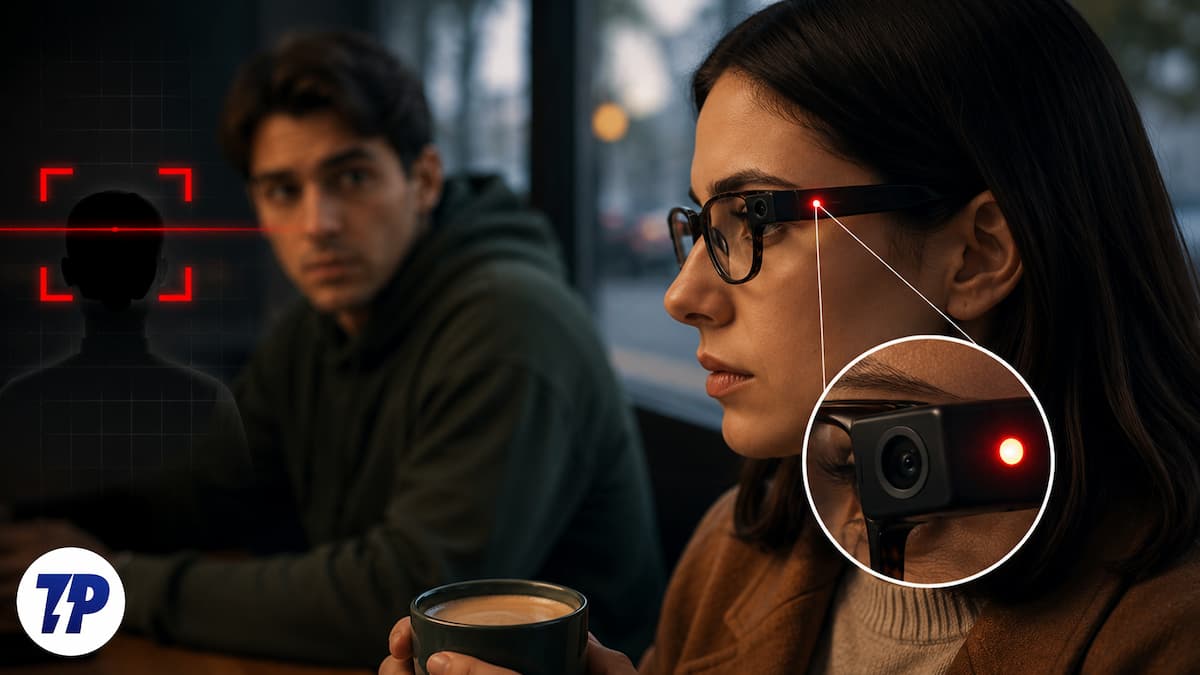
Table of Contents
A new level of privacy invasion
User data privacy has been at the center of heated debates for the longest time now. Our lives have been hanging in balance with tech, of all kinds, ensuring that they keep our data safe, our digital lives private. But every now and then, a new scandal breaks out, showing us the reality mirror. In truth, data is being used to manipulate elections, social media feeds, generate spam messages and emails – you get the gist. With all this chaos around, what would a sensible next step have been? Let’s look at the options:
- Option A: Authorities making stricter laws and regulations to ensure user data remains private.
- Option B: Tech companies take it upon themselves to keep the data of their users safe.
- Option C: Brands use tech that does not collect more user data than is strictly necessary.
- Option D: Tech brands come up with new gadgets that intrude further into our daily lives and do so without our knowledge.
There is no prize for guessing which one of the options has been taken. Although there is no doubting their potential and the level of ingenuity that has gone into their design, smart glasses have now emerged as devices that can slyly record you, not only without your consent, but without your even finding out that you are on camera.
Smart glasses are wonderfully innovative…and can be creepy too
Smart glasses have been around for a while, but have been gaining increasing traction in recent times, with brands like Meta investing heavily in the technology. While they are mostly about enabling you to get information on the move, right on your spectacles, without having to pull out your phone, there is one aspect of them that is becoming increasingly disturbing – the ability to capture images and videos.
Smart glasses look mostly just like regular glasses but have controls in their arms, a tiny display, and a small camera built into their frame. This camera captures the point of view of the person wearing the glasses. On paper, this seems like a great innovation – you can shoot videos and images without having to hold a device (like a phone or a camera) in your hands. In reality, this means that someone can shoot footage without anyone realizing it, as these glasses look very ‘normal’ from a distance.

One of the most popular smart glasses is Ray-Ban’s Meta glasses, which are being heavily promoted by many influencers and are emerging as one of the most aspirational devices around. They allow you to make and receive calls, talk to a virtual assistant, find your way around town…and yes, can also take photos and videos with a press of a button or just a simple voice command. So a person in your vicinity – maybe seated or standing right next to you – might be taking pictures of you or recording you without your consent. Even on an organizational level, a person wearing smart glasses could walk into a sensitive area and record footage without people finding out. With your privacy literally a tap or voice command from being violated, it is time that we looked out for those who are looking at us through smart glasses!
Are those smart glasses shooting you? How to find out!
Such is the popularity of smart glasses that there is a very good chance you will find yourself in front of a person wearing them in many public places, ranging from cafes to airports to hotel lobbies to even parks and other public places. And some of them might be recording you without your knowledge. While there is no single foolproof way of knowing whether you are on a smart glasses’ camera, one can keep one’s eyes open for signs that those smart glasses near you might actually be recording you without your knowledge:
Look out for the blinking light!

While it is not universal or even mandatory, many popular smart glasses have an LED light indicator that lights up when the glasses are recording. This is the most obvious, notable, and visible sign that you are being recorded. In smart glasses like Meta’s Ray-Bans, a white or blue LED light on the corner of the frame indicates that the glasses are in recording mode. While this is very easy to camouflage with stickers or by using a simple marker of the same shade, be on your guard the moment you see a sign of it.
Keep your eyes open, spot that camera, and notice the frame
Smart glasses look like normal glasses from a distance, but they do have some differences that can be spotted if one looks carefully enough. Smart glasses come with small camera lenses on the front of the frame, which are not visible from a distance but can be spotted if you are close enough. The camera is embedded in the frame, which makes it difficult to spot, but it still stands out enough to be visible when the person wearing it is a few feet from you. Most smart glasses are also particularly thick around the frames to accommodate all the circuitry and features. So, pay a little more attention and look for a lens when you see someone wearing unusually thick frames.
Keep your ears open, too
Smart glasses are also equipped with small speakers and microphones. These microphones are used to give simple voice commands. For instance, a person wearing them might say, “Take a photo” or “Take a video.” If you hear a similar command from a person wearing glasses, be alert. The speakers on smart glasses also often produce a shutter-like sound when taking a photo or video. While this sound is brief and often too low to be heard easily in a crowded environment, if you do happen to hear it, scan the area to see if someone is recording.
Look out for gestures and body language
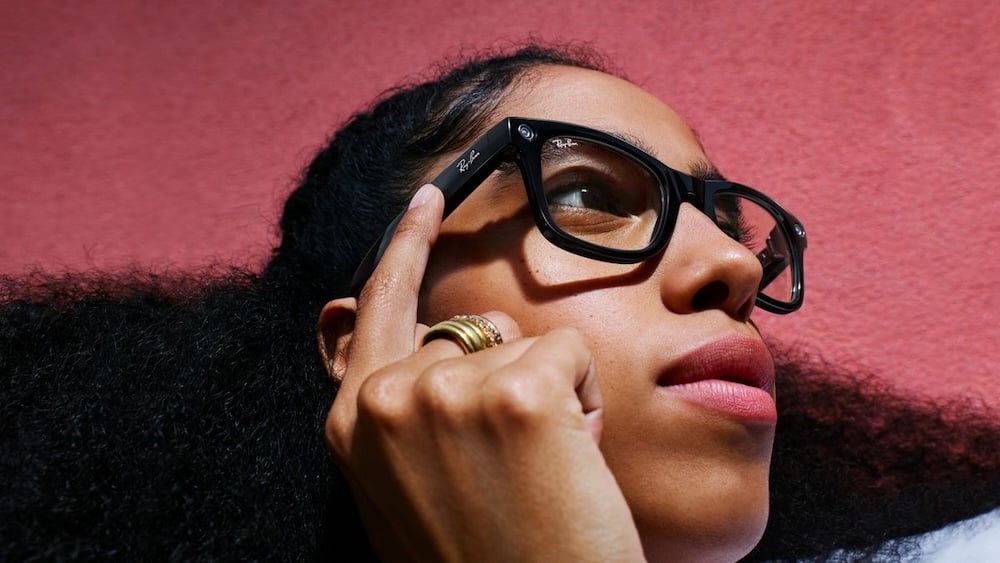
Many smart glasses have a button on the top of the frame to activate recording or to take a photo. It is quite discreet and may look like the person is simply adjusting their glasses, but if a person is unusually tapping on the frame of their glasses a lot, it is likely they are taking photos or recording a video. Some smart AR glasses can also activate recording or take photos with some head movements, nods, or shaking their heads. Apart from this, if you find someone wearing glasses staring in one direction for an unusually long time or moving their head too slowly, it’s best to stay away from their line of sight.
Glasses that are not worn can record you too
It’s not necessary that one must be wearing smart glasses to record through them. There have been instances where the person recording has placed the glasses on a table or a pile of books and recorded video. So if you spot a pair of glasses that look like smart glasses but have been kept in an odd position or pointing at you, just double-check to see if they are in recording mode.
There’s an app for that…well, sort of
Thanks to privacy issues surrounding smart glasses, there are now apps being developed that let you know if there are smart glasses in your vicinity. These are generally based on detecting Bluetooth low-energy signals that many wearables emit. Options include Nearby Lens: Glasses Detector, Nearby Glasses, and a few others. While not totally accurate, they can give you an idea of smartglasses in your vicinity.
As we said earlier, none of these methods is foolproof. With the increasing popularity of smart glasses, it has become all the more important that brands behind them ensure that there is some very obvious sign that the frames are recording video or taking pictures – maybe make the frames glow or make them emit clear sounds. No, we are not holding our breaths for that to happen yet. All we can do is be more attentive and look out for signs that we are on camera, even though we were not asked to say “cheese!”

