

Quick Answer
AdGuard AdBlocker, Consent-O-Matic, Anybox, SponsorBlock for Safari, xSearch for Safari, Noir, and Hyperweb are my top extension picks for Safari on iOS. Page Screenshots, SocialFocus, and Honey are also useful extensions.
Extensions on browsers are very useful. They add additional functionality to the browser. Whether it is an ad-blocker extension to reduce distractions, a password manager to manage multiple passwords, or a grammar checker, you can easily add functionality to your browser through an extension.

There are plenty of browsers that support extensions, but most of them are desktop versions. A few browsers, like Safari, also support extensions on mobile. If you are using an iPhone or iPad, Safari is most likely the default browser on your device. To add extra functionality to your Safari, here are twenty-five extensions you can add:
Table of Contents
Best Safari Extensions for iPhone and iPad
AdGuard for Safari: Blocks ads and trackers
Highlights:
- Price: Free
- Functionality: Blocks ads and fights data tracking to protect privacy while browsing.
- Compatible with iPhone, iPad, and Mac (requires macOS 10.13 or later)

Adguard is the best and must-have ad-blocker extension for Safari. I use it on my Mac and installed it as a Safari extension on your iPhone, and it works flawlessly. You can use the extension to block ads, control which elements to show on the website, and more. It is free to use and offers a smooth, customizable browsing experience.
Consent-O-Matic: Automatically handles cookie consent banners

Highlights:
- Price: Free
- Functionality: Automatically answers consent pop-ups and removes annoying cookie banners when you visit sites.
- Compatible with iPhone, iPad, Mac, and Apple Vision
Pop-ups are a major source of distraction when browsing websites. Due to GDPR rules, many websites display cookie consent banners, which can be annoying, especially when they appear every time you visit a site. This can be frustrating for some users.
In this case, you can install the Consent-O-Matic extension, which automatically accepts or rejects cookie consents based on your preference. You can also specify which types of cookies (like analytics, marketing, or functional) to accept or reject or set your preferences for the individual sites.
VPNIFY – Unlimited VPN: VPN for Safari

Highlights:
- Price: Free
- Functionality: Creates built-in VPN service for Safari.
- Compatible with iPhone, iPad, and Mac
A VPN can be very handy if you want to unblock geo-restricted sites or browse the internet privately. However, setting up a VPN can be helpful, especially if you want to use it for basic browser tasks.
There are plenty of browsers that offer built-in VPN services; using the VPIFY extension, you can get the same functionality on the Safri browser. The free version is limited to a few servers but still provides unlimited browsing.
Download VPNIFY – Unlimited VPN
Grammarly: Get Real-Time Writing Feedback

Highlights:
- Price: Free.
- Functionality: Improve writing with real-time assistance and grammar corrections.
- Compatible with iPhone, iPad, and Apple Vision.
Grammarly is a must-have extension for PCs and laptops and is also available for phones and as a Safari extension. Like a web extension, it supports real-time corrections, highlights grammar mistakes, and offers fixes. You can customize the tone and level of suggestions and disable the extension when needed.
Also See: 15 Best Safari Extensions for Mac Users
Anybox: Save and Organize Content

Highlights:
- Price: Free
- Functionality: Save and organize content into folders and add tags.
- Compatible with iPhone, iPad, and for Mac
Any box is an all-in-one bookmark and read-later extension for Safari. It allows you to bookmark articles and save content across multiple sites. You can organize the content into folders and tags and quickly search through your saved content. You can save the article and read it later and more.
If you want to save multiple types of content, Pocket is also a great option. It further enhances your reading experience by stripping out ads and other distractions and displaying a clean webpage for you. Any box, on the other hand, is ideal for people looking for a complete organization tool that can categorize different kinds of content, search saved content, and more.
Download Anybox – Bookmark & Read Later
Page Screenshot for Safari: Capture Full-Page Screenshots

Highlights:
- Price: $2.99
- Functionality: Capture full-page screenshots in JPG format.
- Compatible with iPhone, iPad and Mac
We often take screenshots of web pages. The built-in screenshot tool on iOS and iPadOS can only capture specific portions of a page. If you need a full-page screenshot, it converts the image into a PDF. This is where the Page Screenshot extension comes in handy. It allows you to take full-page screenshots of web pages and save them to your gallery. The screenshots are saved in JPG format; you can easily access and share them like any other photo.
Download Page Screenshot for Safari
Baking Soda – Tube Cleaner: Simple video player

Highlights:
- Price: $1.99
- Functionality: Replaces custom video players (except the YouTube player) with a minimal HTML video tag.
- Compatible with iPhone, iPad, and Mac
The Baking Soda extension is better if you watch more videos and want a simple video player with faster loading times. The extension replaces the default media player on websites with a lightweight HTML video player, which offers benefits like faster loading times and increased privacy without tracking scripts.
Baking Soda automatically replaces every video player with a minimal HTML video tag. Keep in mind that it doesn’t support YouTube video players.
Download Baking Soda – Tube Cleaner
Turn Off the Lights for Safari: Enhance Video Viewing With Dark Mode

Highlights:
- Price: Free
- Functionality: Provides cinematic viewing experience while watching videos on Safari.
- Compatible with iPhone, iPad, Mac, and Apple Vision.
If you watch YouTube on Safari. You can use the Lightsoff extension to enhance your viewing experience online. As the name suggests, the extension darkens the screen around the video, making the video pop, similar to the movie-watching experience. You can adjust the contrast and also change the color of the light. If you have any issues with the extensions, you can re-install them and fix them.
Download Turn Off the Lights for Safari
PiPifier: Enable Picture-in-Picture Mode for Videos

Highlights:
- Price: Free.
- Functionality: Use every HTML5 web video in Picture-in-Picture mode, even on sites that hide the native video controls.
- Compatible with iPhone, iPad, and for Mac
Pipifier brings support for picture-in-picture mode to all sites on Safari. It allows you to multitask while watching videos. You can position the video frame wherever you want, and it supports controls to control the video playback quickly. Installing the extension automatically enables picture-in-picture for almost all video supports. However, Pipifier does not support YouTube.
SponsorBlock for Safari: Skip YouTube Sponsorship Segments
Highlights:
- Price: $2.99
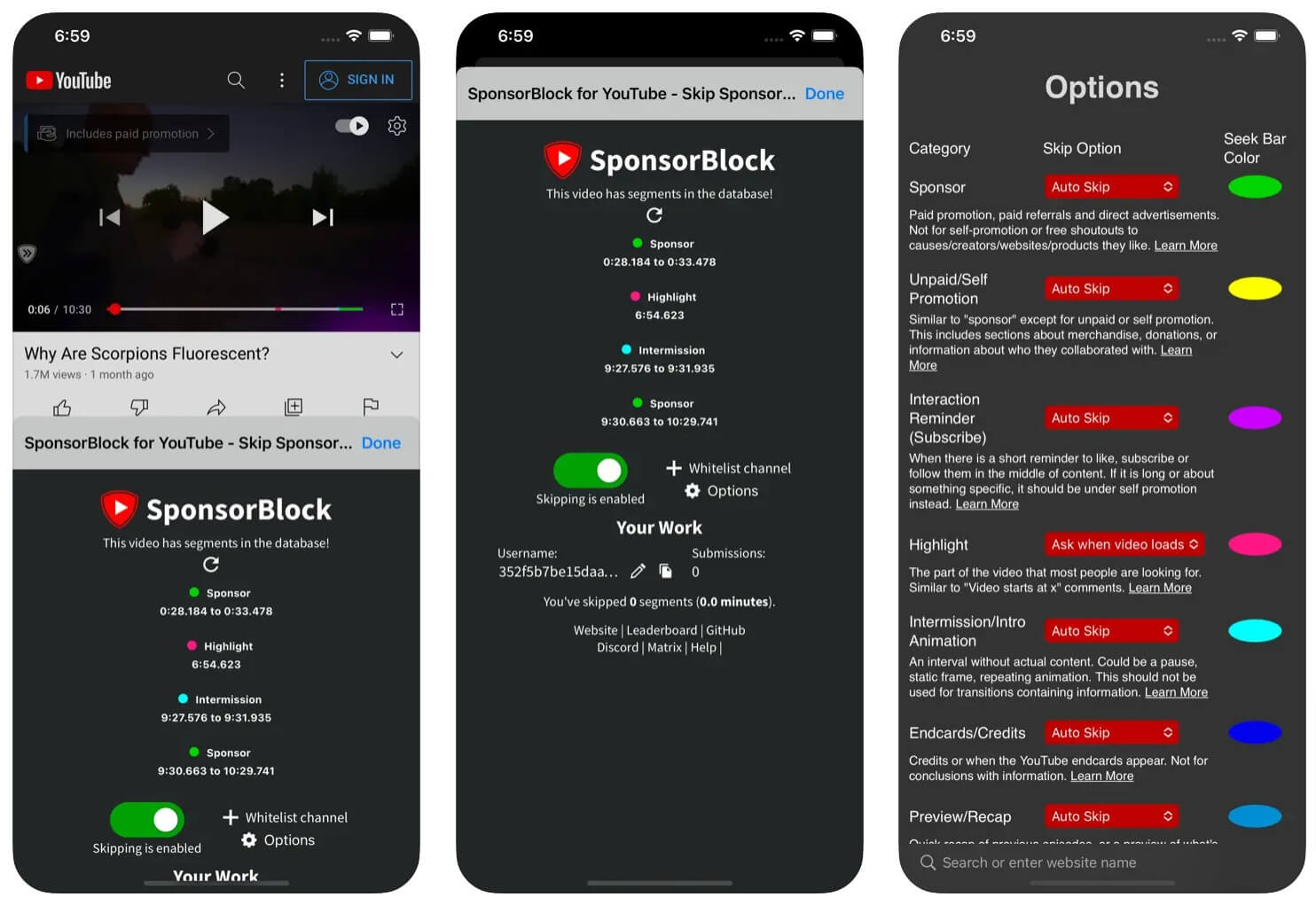
- Functionality: Skips sponsorship segments inside YouTube videos. Note that it does not block regular YouTube ads.
- Compatible with iPhone, iPad, iPod touch, Mac, and Apple Vision
SponsorBlock is one of the best extensions for Safari if you watch YouTube. It automatically blocks these sponsored segments on YouTube videos.
Many YouTube videos these days have sponsored content. Most of them don’t have a timeline. With the community’s help, the extension automatically skips the sponsored content in the video. You can also customize the segments you want to skip, such as sponsorships, intros, outros, self-promotion, and interaction reminders.
Download SponsorBlock for Safari
xSearch for Safari: Easily Switch Between Search Engines

Highlights:
- Price: $2.99
- Functionality: Easily switch between multiple search engines on Safari
- Compatible with iPhone, iPad, and Mac
xSearch extension enables you to switch between various search engines easily. Whether you prefer Google, Bing, DuckDuckGo, or any other search engine, you can quickly change your default search engine without navigating through settings whenever you want to search for a specific keyword.
It also has an all-in-one direct search feature where you can enter the keyword, custom search shortcuts, and directly search from the spotlight. xSearch supports Google, Bing, DuckDuckGo, Yahoo, Baidu, Yandex, Ecosia, Wikipedia, Amazon, and YouTube and allows you to set custom search engines by editing the URL.
Unsmartifier: Remove Smart App Banners
Highlights:
- Price: Free
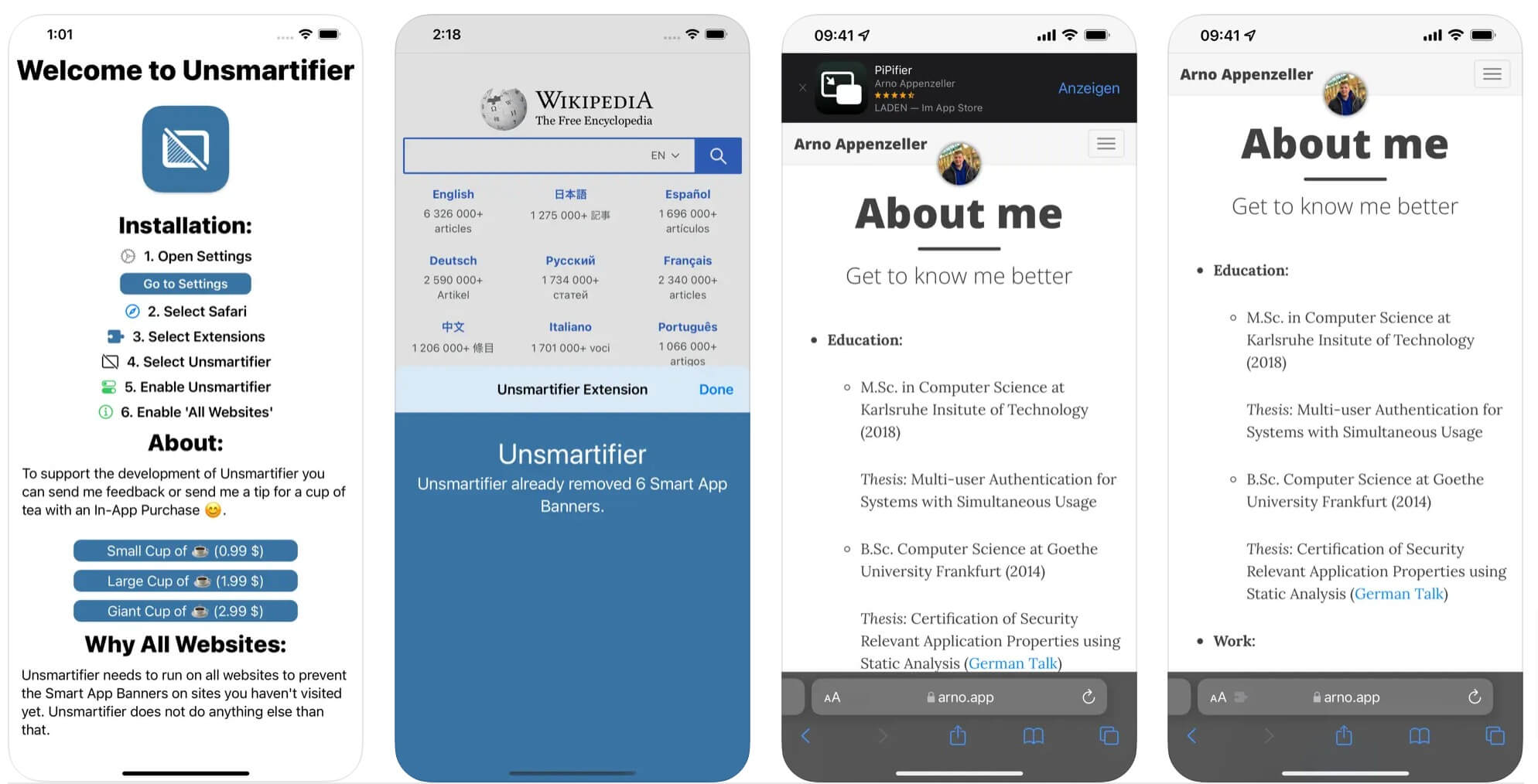
- Functionality: Removes Smart App Banners from webpages.
- Compatible with iPhone and iPad
Most websites often put app download banners on the header, in the middle of the content, or use pop-up banners to promote their apps. While these aren’t direct ads, they can be annoying when you’re reading something, especially on news sites that prompt you to download their app version. You can get rid of those using the Unsamertifier extension. This extension automatically eliminates specific banners or ads that force you to download the app. However, note that it doesn’t remove other types of banner ads.
Noir – Dark Mode for Safari: Force Dark Mode on All Websites
Highlights:
- Price: $4
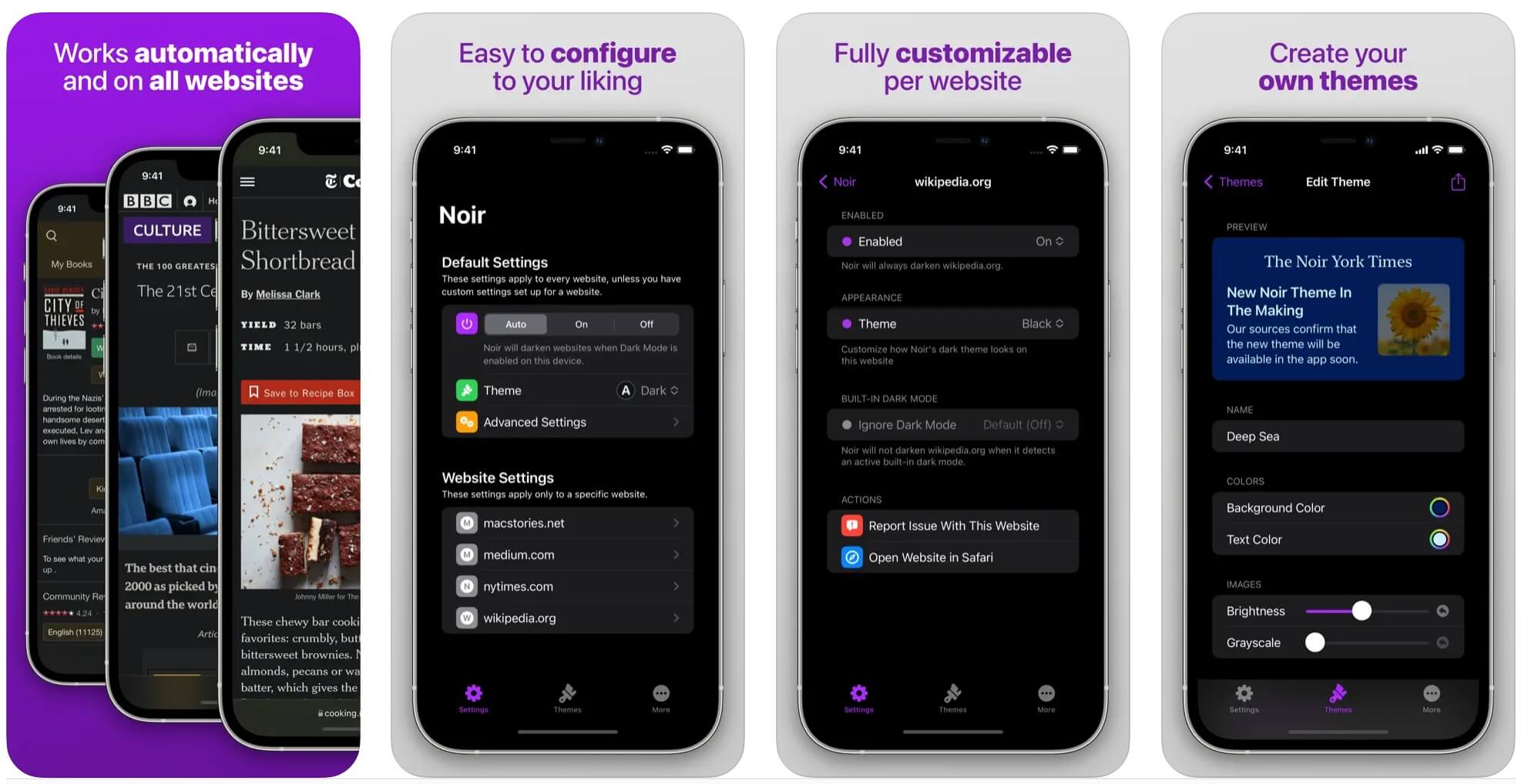
- Functionality: Force dark mode on every website you visit.
- Compatible with iPhone and iPad
Dark mode allows you to relax your eyes and improve your focus while reading. However, not all websites offer dark mode. Using the Noir Dark Mode extension for Safari, you can enable Darkmode on any website, even if it doesn’t support it. You can customize and adjust the darkness level of the websites. Additionally, it automatically activates dark mode based on your device settings.
Hyperweb: Block Ads, Trackers, and More

Highlights:
- Price: Free
- Functionality: An all-in-one Safari extension that automatically suggests enhancements as you browse, blocks annoyances, and offers smart alternatives.
- Compatible with iPhone, iPad
Hyperweb is an all-in-one extension that offers multiple functions. It automatically blocks unwanted content, ads, trackers, and pop-ups that can detract from your browsing experience. One of the most useful features of Hyperweb is the smart suggestions. Based on your usage, the extension suggests improvements and adds quick access buttons for convenience.
Amplosion: Redirect AMP Pages to the Original Versions
Highlights:
- Price: $1.99
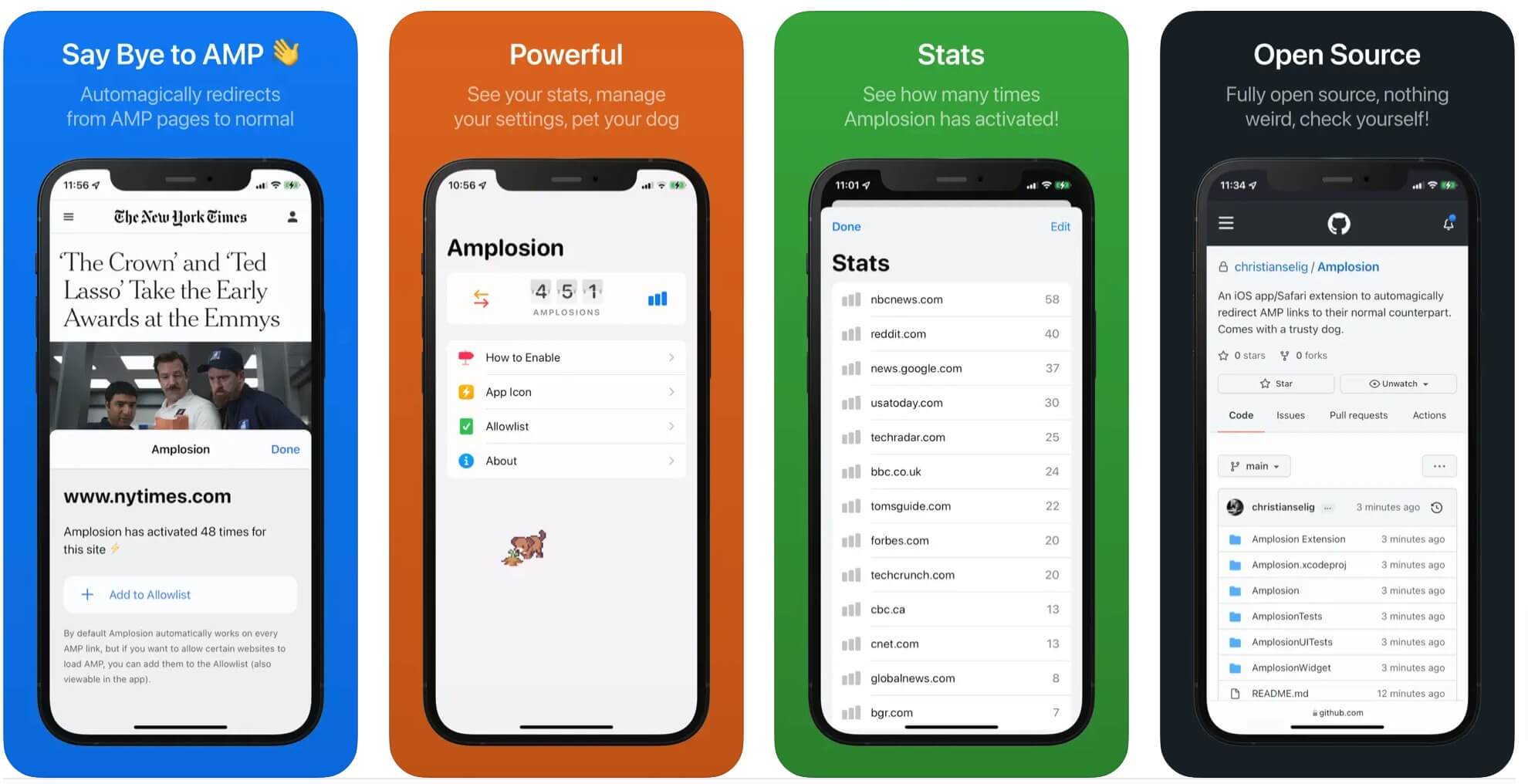
- Functionality: Automatically redirects AMP pages to their normal counterparts within Safari.
- Compatible with iPhone and iPad
AMP (Accelerated Mobile Pages) are simplified versions of web pages. These pages are designed to load faster and have less CSS and functionality than the original site. Although AMP is not so common these days, Still a handful of websites still use AMP pages. If you encounter AMP pages and prefer to visit the original versions, you can use the Amposion plugin. This plugin automatically redirects you to the original page instead of manually redirecting to the website.
Download Amplosion: Redirect AMP Links
Mapper: Redirect Google Maps Links to Apple Maps

Highlights:
- Price: $1.99.
- Functionality: Automatically redirects Google Maps links to Apple Maps in Safari.
- Compatible with iPhone, iPad, and Mac.
There are a few instances where you might prefer Apple Maps over Google Maps, especially if you’re on iOS. Apple Maps is the default map application on iOS devices. However, since Google is the default search engine on Safari, most map links from Google search results lead to Google Maps instead of Apple Maps. This is where the Mapper extension for Safari can be handy. The extension redirects Google Maps links to Apple Maps, allowing you to use Apple Maps seamlessly for your navigation needs.
Speechify Text-to-Speech Audio: Convert Text to Speech

Highlights:
- Price: Free
- Functionality: Listen to written content. Convert any articles, PDFs, and other documents into speeches.
- Compatible with iPhone, iPad, and Mac
The Text to Speech extension converts text to audio for any website, making it especially handy for blogs and news sites. Speechify is one of the best names in audio conversion, offering a wide range of natural-sounding human voices. It works on any website. Simply activate the extension, and it automatically converts the text into speech. You can play, pause, or control the speed of the voice.
Download Speechify Text to Speech Audio
SocialFocus: Hide Distractions on Social Media
Highlights:
- Price: $2.99
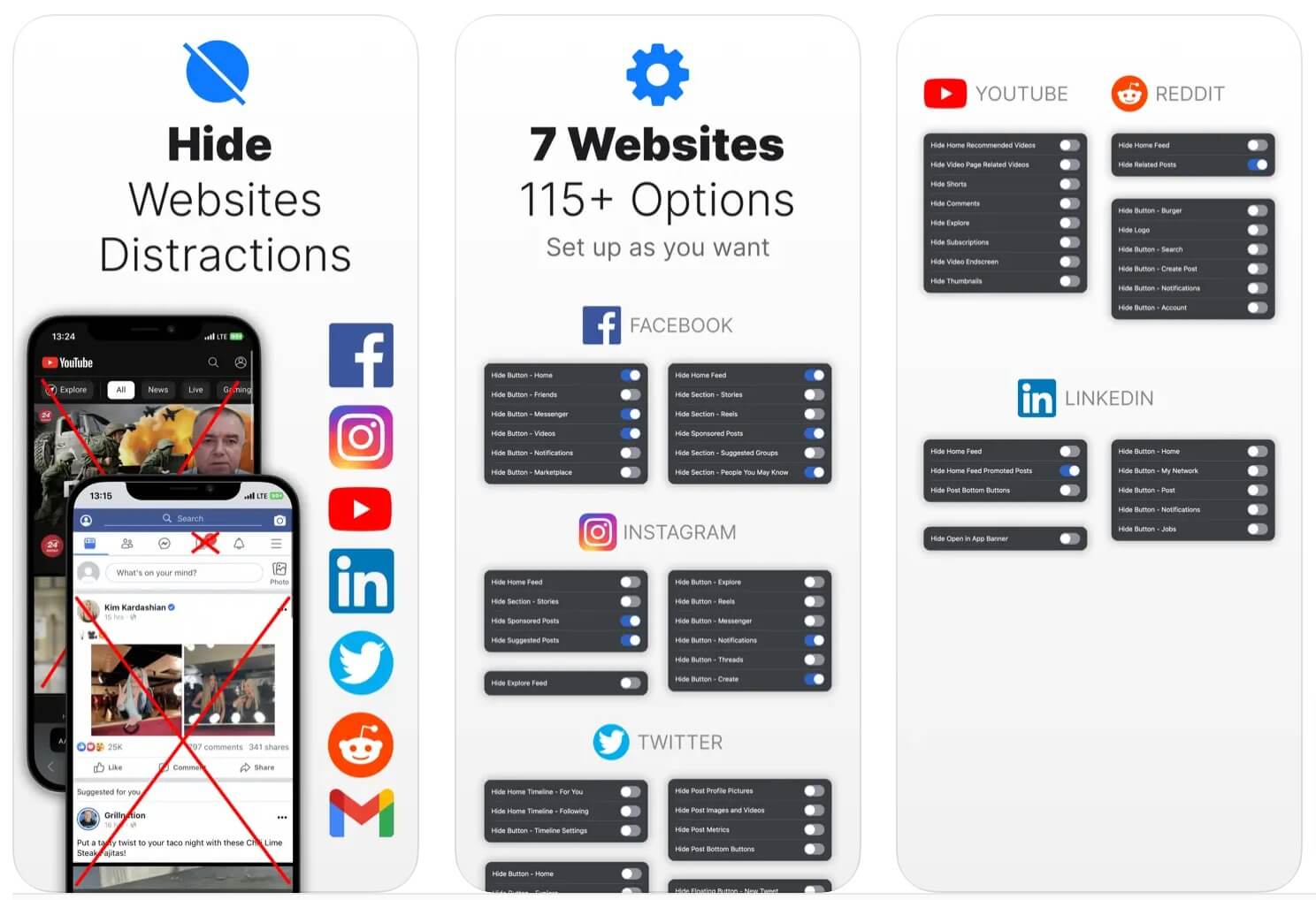
- Functionality: Hides certain elements on social media sites such as YouTube, Facebook, Twitter, Instagram, Reddit, LinkedIn, and more.
- Compatible with iPhone, iPad, Mac, and Apple Vision Pro.
Social Focus enhances the user experience by disabling distracting elements on social media sites. Using the extension, you can automatically hide ads, pop-ups, and non-essential social media features such as comments or suggested content. In addition, you can choose what to show or hide on the screen.
While it might not be as effective on mobile devices due to the smaller screen size, it can still help by hiding certain content to enhance your experience. For instance, I mostly use Instagram on my browser, and this extension is very helpful for the suggested content. The extension works for all popular social media sites, including X (Twitter), Facebook, Linkedin, and more.
Web Inspector: Web Development Tools for Safari

Highlights:
- Price: Free
- Functionality: Brings web inspection tools to mobile.
- Compatible with iPhone, iPad, and Apple Vision.
Web Inspector extension brings web inspection tools to Safari mobile. It allows you to inspect, debug, and test web pages directly on mobile devices. You can view HTML/CSS source code, modify styles, and see real-time changes. This can be handy for web developers who want to use web inspection tools on mobile
Bring! Grocery Shopping List: Create Shopping Lists

Highlights:
- Price: Free
- Functionality: Create grocery shopping lists and share and add reminders.
- Compatible with iPhone and iPad
Bring is the best extension for online shopping. You can create a combined list from different websites, share it with others, and set notifications for each list. It also comes with recipe integration. If you find any recipe online, it can automatically parse the ingredients and add them to your list.
Download Bring- Grocery Shopping List
Honey: Find Coupons and Save Money

Highlights:
- Price: Free
- Functionality: Automatically searches for coupons and finds discounts for you. Works most of the time.
- Compatible with iPhone, iPad, and Mac.
Honey is one of the most recommended coupon extensions, and it works great. I have used Honey, and it saves a lot of money. If you are hearing honey extension for the first time, it automatically searches for and finds the best coupon for the discount. It is one of the must-have extensions if you regularly shop online.
Download PayPal Honey: Coupons, Rewards
Enhance Your Safari Experience with These Top Extensions
Those are the best Safari extensions for iOS and iPads.Extension support is one of the best features of Safari. Most of the extensions are paid but usually require only a one-time payment. If the extension improves your Safari browser experience, I would suggest going for the extension as they are generally affordable. To enable extensions on Safari, install the app on your device, then go to Settings > Safari > Extensions > Enable extensions related to the app.

