

Quick Answer
To mark all messages as read on WhatsApp, Android users can open the app, click on the menu, and select “Read All.” iPhone users can tap the three-dot menu, choose chats, and click “Read All.” For specific chats, long press and select the chats, then tap “Mark as Read” on Android or choose the chats and tap “Read” on iPhone.
WhatsApp allows you to quickly mark all messages as read without going through each conversation. Whether it is group messages, work chats, or unwanted promotional messages, you can mark all of them as read at once. This feature is live on WhatsApp for iOS and is currently in beta for Android. You can use it alongside the regular “Mark as read” feature to mark specific contacts as read.

Table of Contents
How To Mark Messages As Read on WhatsApp
To access the ‘Read all‘ feature, update the app to the latest version. This feature is currently available for limited users on Android and iPhone. If you don’t see the “Read all” option yet, you can use the existing “Mark as Read” feature to mark messages as read.
Mark All Messages as Read on WhatsApp
On Android:
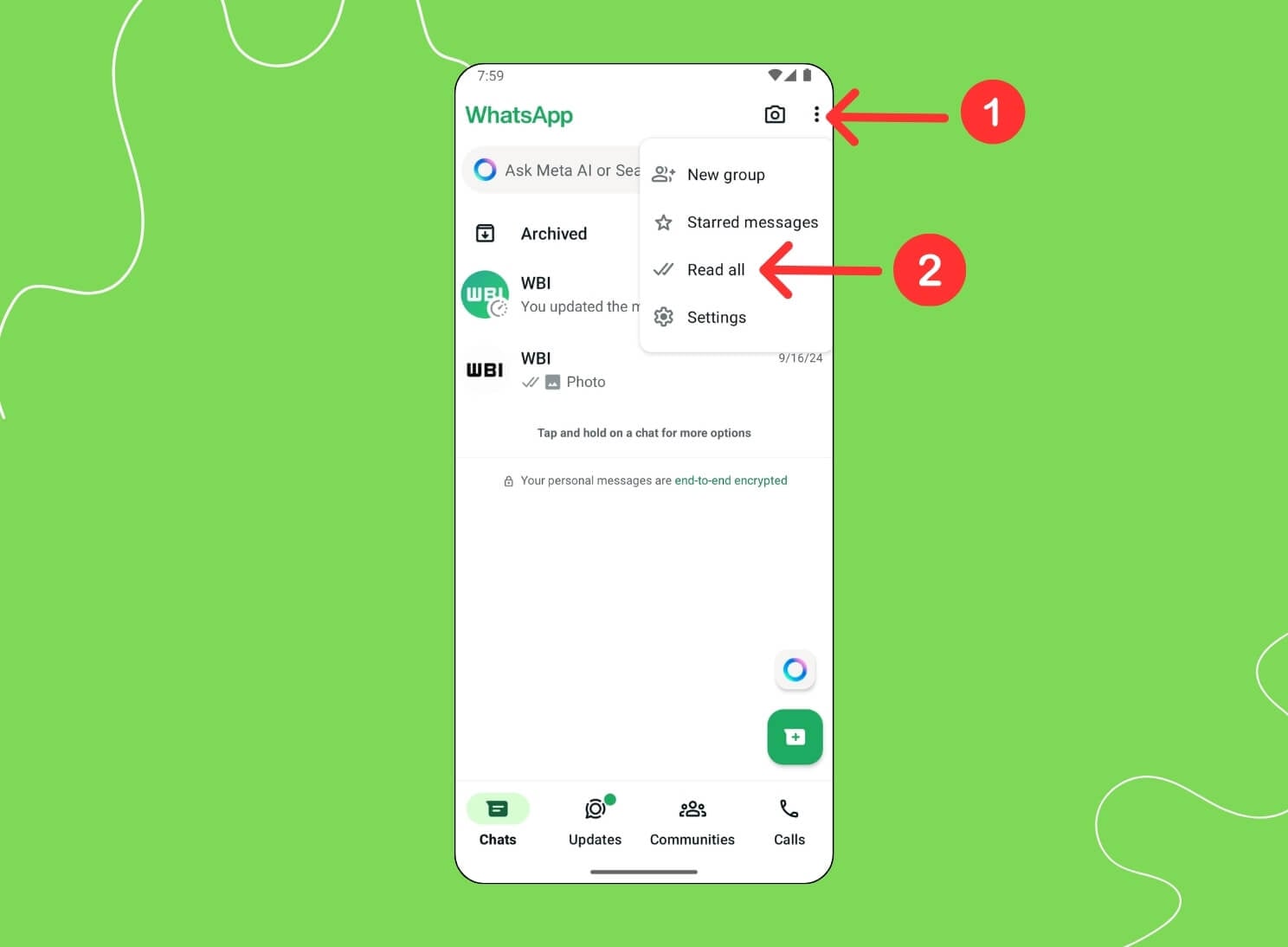
- Open WhatsApp and click on the three-dot menu.
- Click on the option that says “Read all.”
On iOS:

- Click on the three-dot menu in the upper corner.
- Click on “Select Chats.”
- Tap on “Read all.”
Mark Messages as Read from Specific Contacts
Use the existing Mark as Read feature to mark messages as read from specific contacts or groups.
On Android:
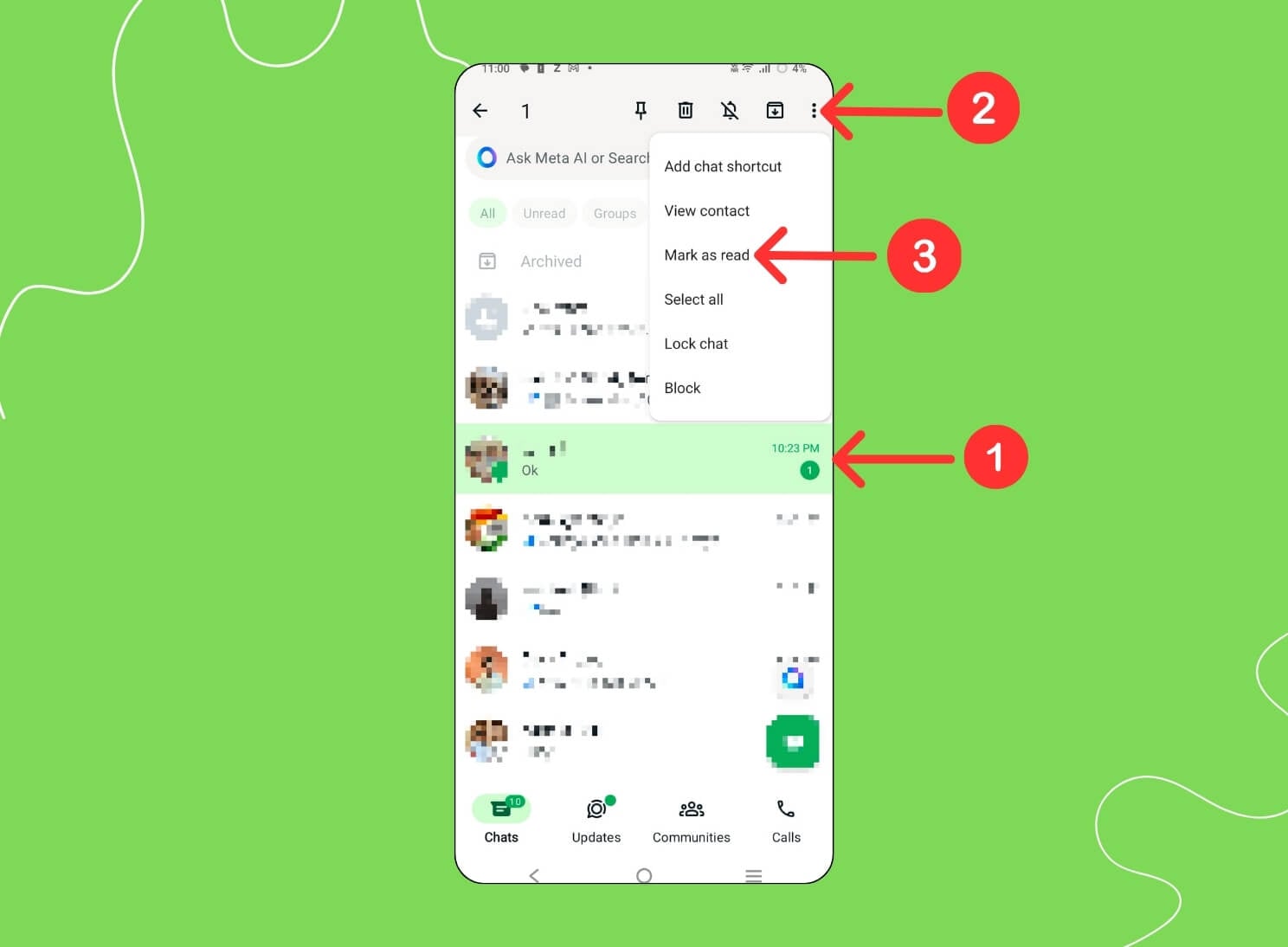
- Open WhatsApp, long press on the chats, and select the chats you want to mark as read.
- Then, click on “Mark as read.”
On iOS:
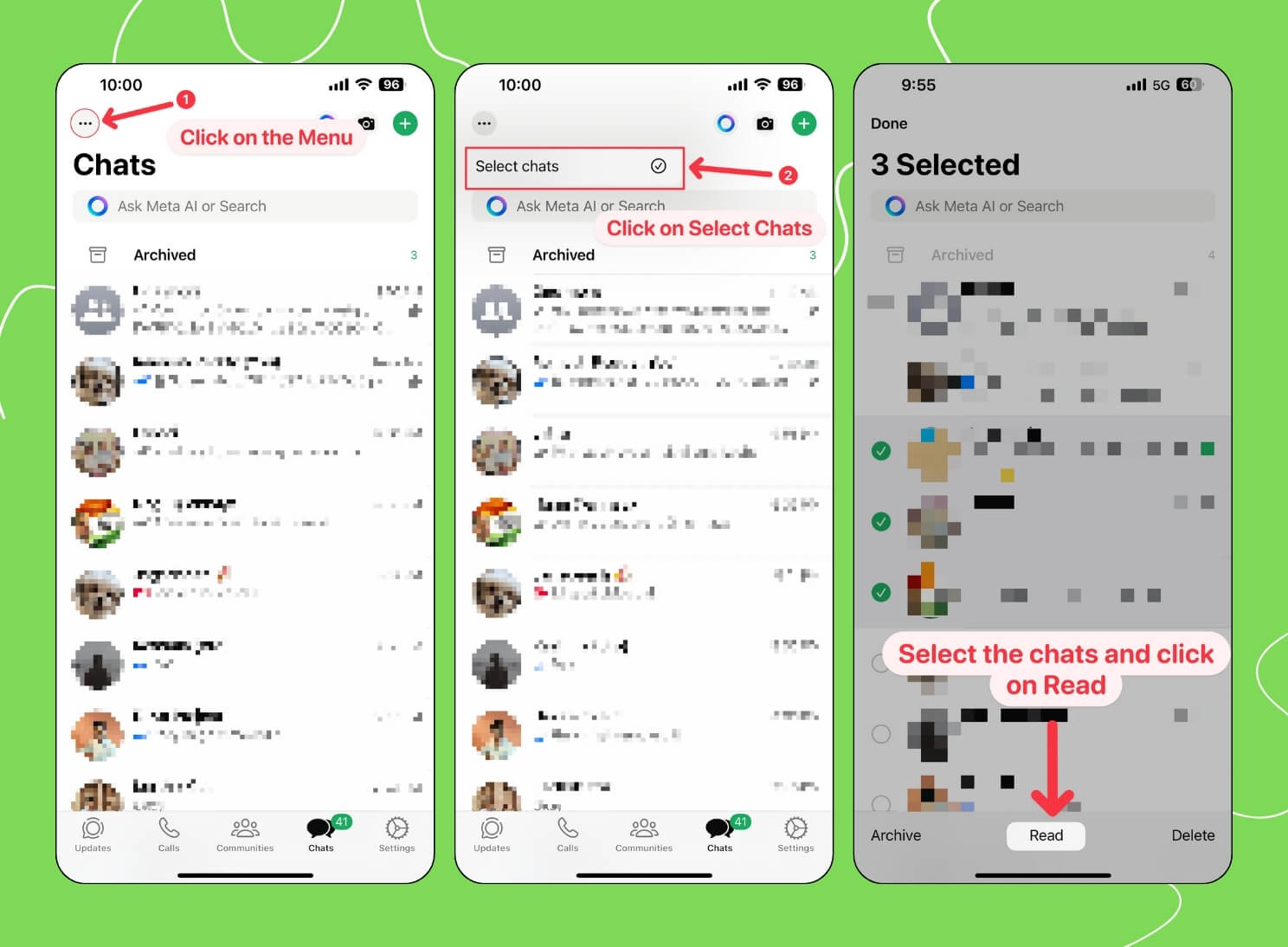
- Open WhatsApp and select the three-dot menu.
- Click “Select Chats” and choose the chats you want to Mark as read.
- Click on “Read” to mark specific messages as read.
Clear Unread Messages in WhatsApp Quickly
Whatsapp has been rolling out useful features for users recently, and the latest mark all as a read feature can help you easily remove clutter and prevent unread messages from piling up on your WhatsApp. Hope you find this guide helpful. If you have any suggestions, comment below. If you haven’t seen the feature, wait a few days until it is widely available.
FAQ’s on Marking Messages As Read on WhatsApp
Can I undo marking all messages as read if I do it by mistake?
No, you cannot mark all messages as unread at once. However, you can select specific contacts and mark them as unread. On Android, select the chat you want to unread, long press on the chat, click on the three-dot menu, and select mark as unread. On iPhone, long press on the chat and tap on mark as unread.
Is this feature available on WhatsApp Web or the Desktop app?
No, WhatsApp <strong>Mark all read</strong> and is only available on Android and iPhone.
Does this feature work for archived chats as well?
No, Mark all as read does not work for archived chats; the archived messages are still unread in my test.
Will marking all messages as read affect notifications for new messages?
Yes, you will only receive notifications for unread messages on WhatsApp in the future.

