

Quick Answer
For a beginner with a DJI drone, it is better to start with DJI Virtual Flight. For a realistic drone flying experience and to play games on Steam with a drone, FPV SkyDive and FlowState are recommended. If you are ambitious to participate in Drone Racing Leagues, you can try the Drone Racing League Simulator. For a standalone program to learn drone flying or racing, Real Drone Simulator is the best.
Drones are now touted as the future. Earlier, they were commonly seen for photography usage. They are now in use not only in photography but also in deliveries, racing, surveying, defense projects of governments, and to help people during natural disasters. The AI surge in every sector of the economy is making it a necessity for people to learn hard skills in addition to soft skills.
As the drones and their emerging upgrades are making them usable in more and more sectors, learning to fly drones can be a great addition to your skills. It does not mean you have to spend money to learn these skills. There are many free drone simulators available on the internet to learn how to fly drones, practice at our own pace. It can also be a good habit to spend some time on after a stressful day. Follow this guide to know more about free drone simulators that you can use on a Windows PC.
To learn and use these drone simulators, it is recommended to have physical controllers for a better experience.
Table of Contents
8 Best Free Drone Simulators for Windows PC
Simulator | Key Features | Best For | Notes |
|---|---|---|---|
1. DJI Virtual Flight | Beginner-friendly, subtle control for photography drones | Beginners, DJI owners | No updates since Mar 2024, but still works |
2. FPV SkyDive (by ORQA) | Realistic physics, racing, cinematic flying | Drone racing & freestyle | Free on Steam; smooth air and gravity response |
3. Real Drone Simulator | Realistic visuals & physics, multiple drones, multiplayer, modes like Free Flight & Cinematography | Gamers, serious drone enthusiasts | Frequent updates; wide drone library |
4. FlowState FPV | Open-source, realistic controls, low system resource use, custom tracks | FPV flying, custom track building | Great visuals, low latency, works on low-end PCs |
5. Drone Racing League (DRL) Simulator | Professional-grade racing sim, training paths, pressure flying | Aspiring racers & pros | Free trial; paid subscription for full features |
6. VelociDrone | Highly customizable, realistic FPV physics, track editor, multiplayer racing | FPV racers & freestyle pilots | Paid upgrades; widely used by racers |
7. Liftoff: FPV Drone Racing | Strong FPV racing focus, track editor, realistic environments | Competitive drone racing | Paid full version, free trial available |
8. FPV FreeRider | Affordable/free, simple interface, basic FPV sim | Casual practice & beginners | Lighter on features but easy entry point |
DJI Virtual Flight
DJI is one of the well-known brands for photography drones. Whenever someone buys a DJI drone, the user manual points to DJI Virtual Flight to learn and practice using the drone for photography as well as flying. Photography requires subtle handling of the drone so as not to mess up the footage. Learning to fly drones with DJI Virtual Flight can be a great way to get introduced to the world of drones.
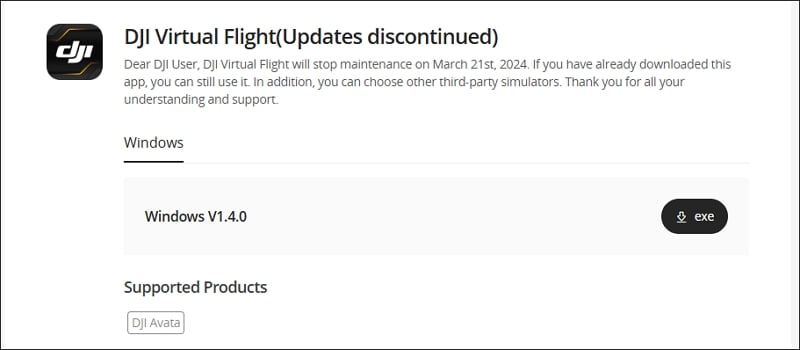
DJI Virtual Flight is designed to connect and use the controller that comes with the DJI photography drones. If you have a controller, you can download the DJI Virtual Flight from the official DJI website, install it on your PC, and use it with the controller.
DJI has stopped the maintenance of DJI Virtual Flight, and there have been no updates for the program since March 21, 2024. The program still works fine to learn flying drones, but there will not be new updates or features that can make the learning even better. You can just use the program as a beginner.
DJI Virtual Flight is available on the Google Play Store for Android devices, too. If you love to learn how to fly drones on your iPhone or iPad, you can download DJI Virtual Flight from the App Store.
FPV SkyDive
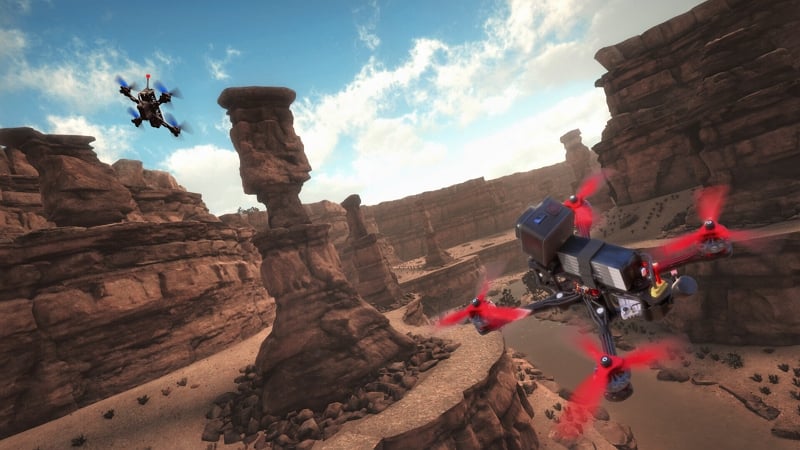
FPV SkyDive by QRDA is available through the Steam platform on Windows PC. You can download it for free and use it to learn how to fly drones. With the FPV SkyDive drone simulator, you can learn racing, cinematic flying, etc.
The primary reason for selecting FPV SkyDive is its features. It has been developed to give users the feeling of flying a real drone. It is developed with great care and realistic physical attributes of the drone and the air that the drone interacts with, so as not to mess with the experience. The smooth flying acceleration, the drone’s response to gravity, and the air are carefully simulated for the finest flying sessions.
To use FPV SkyDive, you need to install Steam on your Windows PC, sign up, and install FPV SkyDive from the Steam Store. Then, connect your controller and configure it to match the settings.
FPV SkyDive is also available on the Google Play Store and App Store for Android and Apple devices, respectively.
Real Drone Simulator
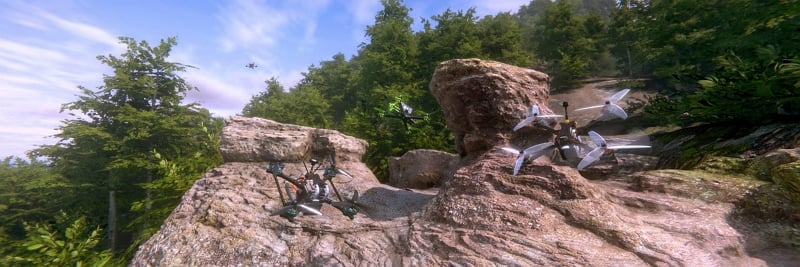
Real Drone Simulator is one of the best drone simulators available for Windows. It is available as a standalone app, which you have to download from the Real Drone Simulator official website. It is designed to cater to gamers as well as learns eager to fly drones in real life.
Real Drone Simulator is designed to give users a realistic experience in terms of visuals as well as physics. The team behind is constantly working to make improvements and give newer experiences with every update. It comes with a choice of various drones that are carefully designed to match their real-life counterparts, with the support of various manufacturers. The list goes on, increasing to let everyone enjoy flying their favorite drone.
There are games available to make the learning more exciting in the form of Free Flight, Time Trial, and Racing with multiplayer support both online and offline. There are different modes like Cinematography, Aerial Filming, FreeStyle, Arcade, Strategic Missions, etc. available for everyone on Real Drone Simulators. You can use any R/C transmitters, game controllers, or touchscreen input to use Real Drone Simulator.
FlowState

FlowState FPV simulator is considered one of the best. It is available for Windows through the Steam gaming platform. It is known for its realistic flying experience with low system resources. The FlowState simulator is considered to have the best visuals that almost seem realistic with FPV goggles. It is carefully developed to match the real in-flight experience.
It is developed and released as an open-source FPV simulator where the priority is to give users accurate drone control and low-input latency. If you want to experience the best drone flying experience and learn to a proficiency level even on low-end systems, you can try FlowState FPV without a second thought. You can even create custom tracks and play single and multiplayer drone games.
The Drone Racing League Simulator

The Drone Racing League Simulator is considered one of the best for drone racing training. It is actively used by DRL racing competitors. Built by Drone Racing League engineers, it is available for Windows through Steam, Epic Games Store, Xbox, etc. The Drone Racing League simulator is available for a free trial. If you like the experience, you can buy the subscription.
If you actively seek to participate in Drone Racing Leagues, the Drone Racing Simulator is the best choice. Even if you do not participate in drone racing, the kind of flying experience you get on this simulator can make you the best drone flyer and help you understand the nuances of pressure flying. It comes with a learning path to let users learn every aspect of drone flying and racing.
Are there free drone simulators available?
Yes, there are many free drone simulators available to learn how to fly drones, as well as learn drone racing. Many free drone simulators like FPV SkyDive and Real Drone Simulators are carefully developed to give the finest flying experience on par with the paid drone simulators.
Are drone simulators worth it?
Drone simulators give you the first-hand experience of flying drones with controllers without using a real drone. It helps you understand the nuances of flying drones, how to control them mid-air, and know the tricks. Before flying real drones, it is better to practice flying drones via simulators to avoid damage to the real drone through experimental flying.
Try These Realistic Drone Simulators on Windows PC
Many free drone simulators are made available with realistic visuals, drone physics, and other physical attributes of flying a drone. They all come together to let users learn how to fly drones and participate in drone racing. You can use these free simulators to even relieve yourself from a stressful day. All you need is a controller connected to your Windows PC with any of these simulators.

