

Quick Answer
Before clicking any suspicious link, inspect the URL for misspellings, odd subdomains, urgency tactics, or shortened links. You can safely verify links using tools like Bitdefender Link Checker, VirusTotal, NordVPN Link Checker, or CheckShortURL without opening them.
Text messages and emails are common for everyone. A lot of unwanted ones go to spam. Messages we receive through apps like WhatsApp, Telegram, and other such apps are not filtered. We get them along with the links, files, and malware APKs.
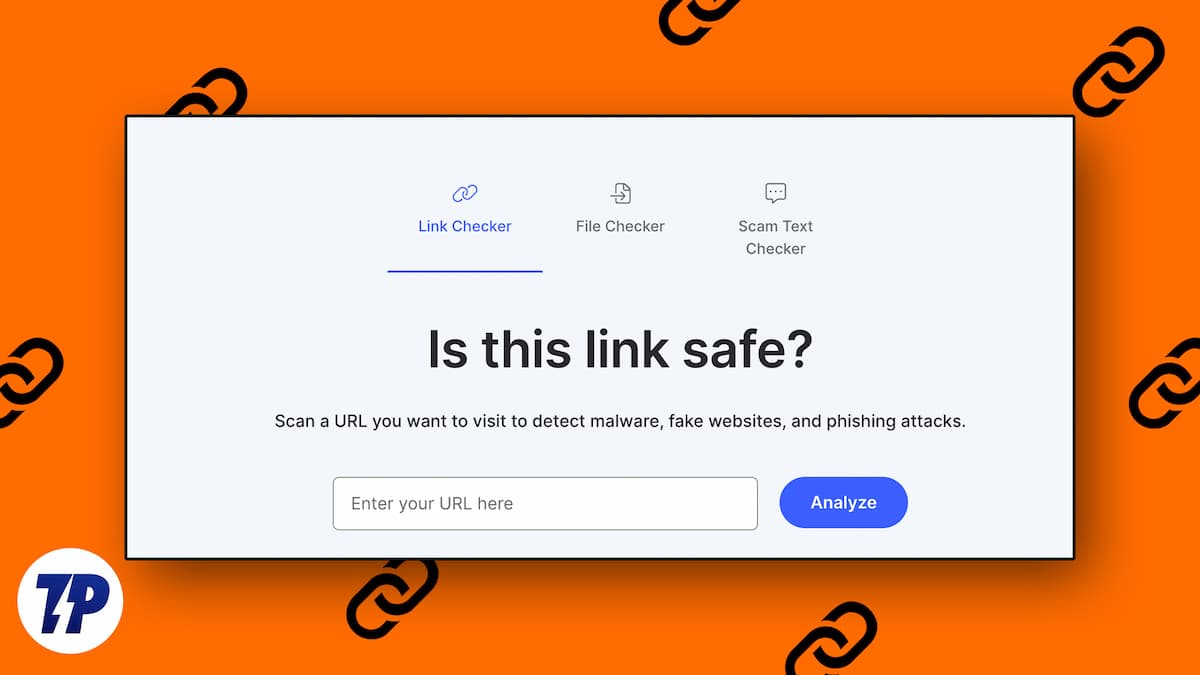
We receive many URLs through emails and messaging apps. We never know what is trustworthy or what is a suspicious link if we do not pay attention. Not all the links we receive are malicious or dangerous.
Links can help bad actors phish us, deliver malware through automatic downloads, infected attachments, etc. Some links, upon clicking, activate the harmful scripts embedded in the page link that opens, and exploit our devices.
The possibilities of links invading our devices and privacy are high. It is always better to keep an eye on the links we receive before blindly clicking on them. Email spoofing makes it even harder.
If you are suspicious of links you receive in your inboxes and are looking for ways to check suspicious links without clicking them, follow the methods below.
Table of Contents
Signs of a Suspicious Link
It is a common notion that the links we receive in our inboxes are legitimate, and coming from known contacts makes them even more trustworthy, until we fall prey to maliciousness.
URL Shorteners Without Context
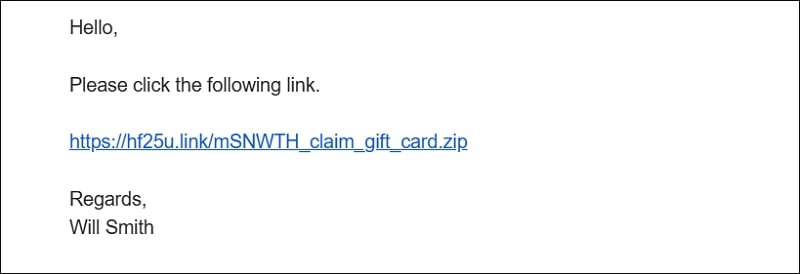
A lot of marketing links are provided with URL shorteners for tracking purposes. The real URL is masked with a shortener service URL. Upon clicking the shortener, it redirects us to the main link. If you receive a shortened URL without a proper reason, do not click on it directly. Use a shortened URL expander or a link checker tool to see the final destination first.
Whenever we get marketing emails, surveys, or promotional emails, we can see the context of the email along with some information on why they sent a link, and what we have to do. Most of the time, the context gives away the legitimacy of the link.
Important institutions like banks, schools, colleges, etc., do not use URL shorteners, not to mention without a clear context.
Misspelled or Similar Domain Names
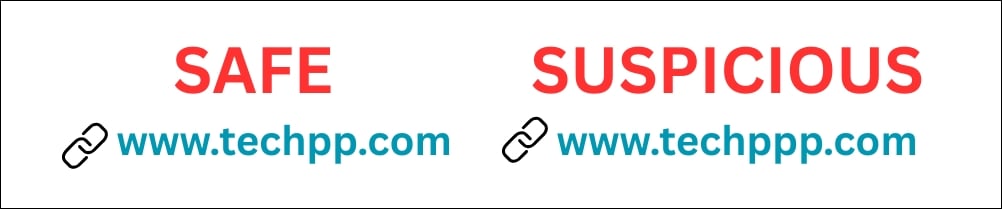
Links that resemble well-known domain names are definitely suspicious. Brands and businesses do not mess with their brand names. They do not use misspelled URLs or similar domain names. They use their original domain for all communications. Some phishing links also use characters that look similar to real brand names. Always check the spelling, domain extension, and the complete URL before trusting it.
It is a known fact that the chance for people clicking on a link that resembles a well-known domain name is higher than a random one. Bad actors use such tactics to phish or spread malware, and then demand ransom to unlock files, etc.
URL Structure

If the URL structure you receive in your inbox looks messy without a clear structure, you can skip clicking on it. The link can be a suspicious one. Sometimes, we receive links with AWS backend links that take us to files or static pages. It is better to avoid such links even if they are from trusted sources.
A malicious URL may contain random characters, tracking parameters, or a confusing path to hide its real purpose. If the URL does not look clean or understandable, it is better to scan it before opening it.
Unusual Number of Subdomains

Legitimate domains do not contain an unusual number of subdomains in a single link. They create different subdomains for different purposes. If a business wants to create a blog to update their business updates and case studies, they use blog.business.com or something like that. They do not use case.studies.blog.business.com.
If you receive a link in your inbox with an unusual number of subdomains, ignore it.
Text Creating Urgency
When you receive an email and the text is written in such a way to create urgency, like a ticking time bomb, and asking to click on the link to complete a process before it expires, you can simply ignore it.
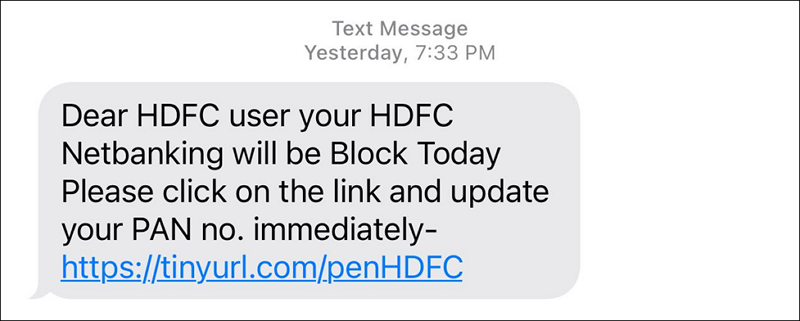
The sense of urgency makes us do random things. We fall prey to malicious links only in such times. We may get an email asking us to update the Know Your Customer (KYC) details for a bank account by clicking on the link they provide. The link looks suspicious, but the text in the email creates a sense of urgency and threatens us with things like an unusable bank account after some time.
Unbelievable Offers

When we receive offers that are too good to be true and ask us to fill out a form by clicking on the link, just delete the email. It definitely will be a phishing email intended to collect your details. Many people fell prey to such scams and even paid tiny amounts to claim those rewards. Nothing is free, and we must not believe such random offers.
7 Ways to Check Suspicious Links Without Clicking Them
If you have received a link in your inbox and are not sure about its authenticity, and want to verify if it is suspicious or not, you can use the following tools. These URL scanner tools help you check link safety, detect phishing pages, and identify malicious websites without opening them in your browser.
1. Bitdefender Link Checker
Bitdefender provides antivirus and antimalware programs for consumer and enterprise users. It basically protects individuals and businesses from viruses and malware. They have introduced the Bitdefender Link Checker tool to enable users to find the legitimacy of a link and decide whether or not to click on a link. This tool works well and provides you with a trusted report on the link.
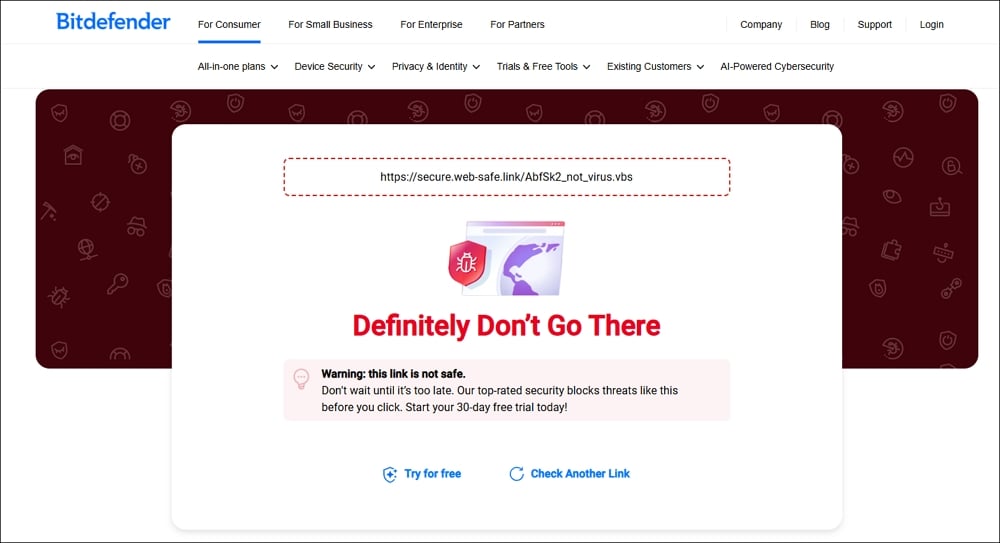
Open a web browser on your device. Visit Bitdefender Link Checker and paste the suspicious link on the page, and click Check URL. It will inspect the URL and tell you what to do. This tool is absolutely free to use anywhere on web browsers.
2. NordVPN Link Checker
NordVPN is a well-known VPN service used around the world. As a part of their threat protection features, they have launched NordVPN Link Checker, a free tool to detect malware, fake websites, and phishing attacks.
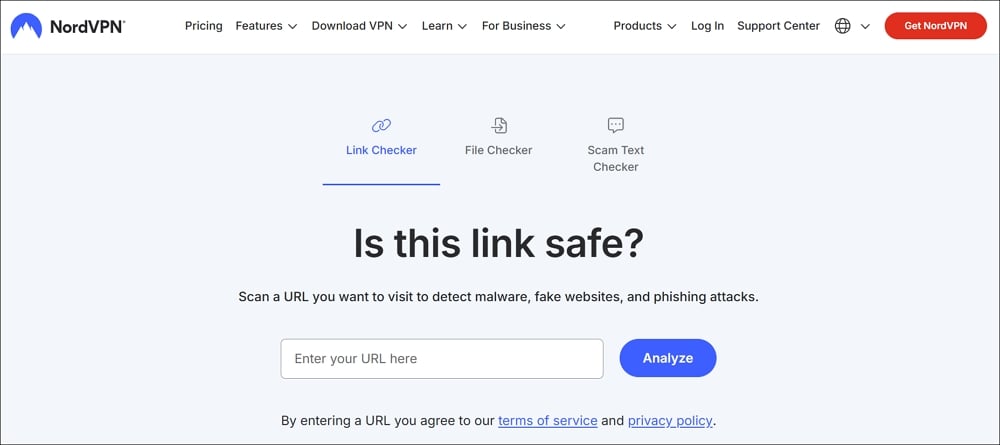
Open NordVPN Link Checker on a web browser, paste a link, and click Analyze. It will analyze the URL and tell you if it is safe to click or not. There are other tools available from NordVPN to check if a text is a scam or a file is malicious.
3. VirusTotal
VirusTotal is a known tool to detect malware in programs and files. They have now expanded their profile to help users detect fake or malicious links on their website. When you receive a link and are unsure about its authenticity, paste the link on the VirusTotal URL checker page and click Search.
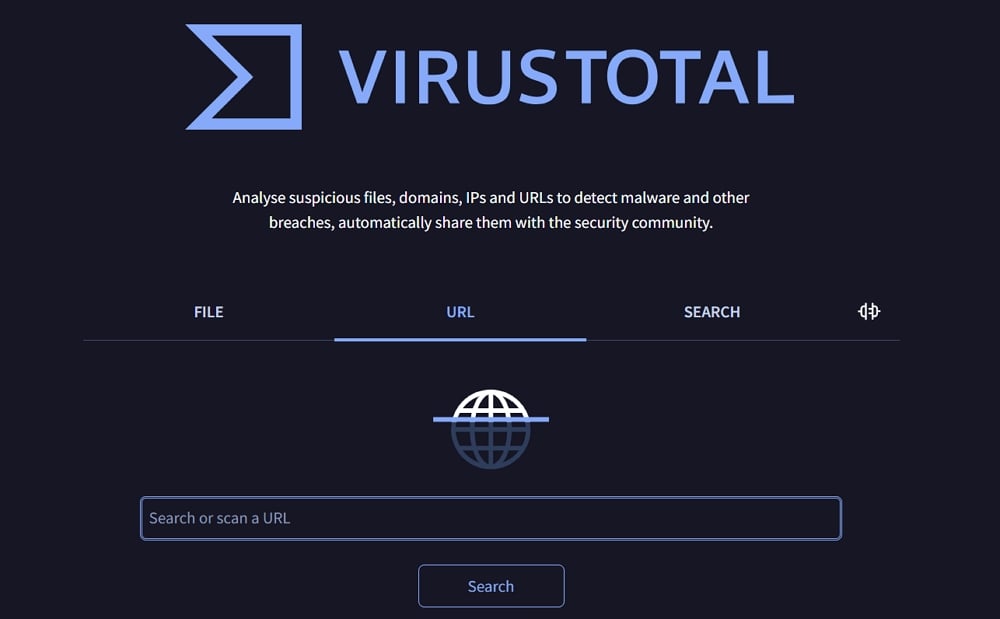
The tool will analyze the link for a few seconds and show you a detailed analysis and community score.
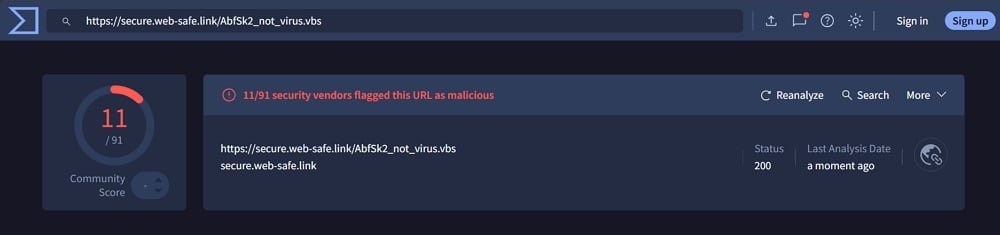
You can decide to click or skip the link based on the analysis and score. If you want more such tools, we have also covered some of the best free online virus scanner tools for instant security checks.
4. F-Secure Link Checker
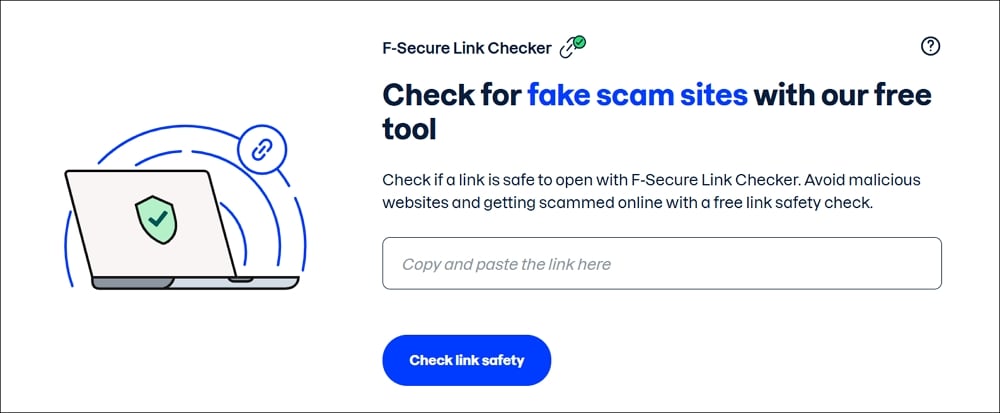
F-Secure is known for its online security and VPN programs. They know almost all the threats playing on the internet and actively update their programs to safeguard their customers. They have created a tool to check fake scam sites. It will help us avoid fake and malicious sites and protect us from threats.
Visit F-Secure Link Checker on a web browser. Then, paste the link you want to check and click Check link safety. It will tell you if it is suspicious or not after analyzing it.
5. CheckShortURL

CheckShortURL shows you the real URL that is shortened with a URL shortener. With the use of URL shorteners, we can only see the destination links when we click and access them. To avoid this, you can just un-shorten the short URL on the CheckShortURL website.
6. Google Safe Browsing
Google Safe Browsing is another simple way to check if a website is unsafe. It is built into Chrome and many other Google products. You can use the Google Safe Browsing Site Status page to check if a website is marked unsafe.
Open the Google Safe Browsing Site Status page, paste the URL, and check the result. If the website is marked unsafe, do not open it.
7. urlscan.io
Sometimes, we want to know what a page looks like without opening it on our device. In such cases, urlscan.io can help. It opens the link in a separate environment and shows details like the page screenshot, domains contacted, and redirects.
Open urlscan.io, paste the suspicious link, and scan it. Once the scan is complete, check the screenshot and other details before deciding what to do.
Be Careful While Using Public URL Scanners
URL scanner tools are useful, but we should not paste every link blindly. Some tools may make submitted links and scan results visible to others. If the link contains private information, login tokens, internal work URLs, or personal details, avoid pasting it into public scanners.
For normal links we receive in emails, SMS, WhatsApp, or Telegram, these tools are helpful. For private or work-related links, it is better to ask the sender or contact the official support team directly.
Best Practices Before Clicking a Link
You need to think wisely before clicking on some random links you receive. We never know which link can be harmful.
1. Inspect the Link
When you receive a link in your inbox, inspect the link, its domain name, pattern, etc. If anything feels suspicious, just copy it and paste on a link checker tool. You will get an idea. If a link is embedded in the text or an image, just hover over it to see the link.
Domain names are the biggest threats. Phishy links that are similar to the service we use regularly are more likely to click upon out of habit. We need to inspect everything from the domain name, spellings, subdomains, URL structure, etc.
2. Don’t Act Hurriedly
Scammers include text to create an urgency while sending a link. If you react to that urgency and act on it by clicking the link, you may fall prey to their scams. You need to pause and think before acting. If it is really important, or if possible, confirm with the official sources, if it is about banking or something similar.
3. Verify Sender’s Legitimacy
When you receive an email asking you to click on a link and complete a process, just verify the sender. If the sender is someone you know, ask them what the link is about. If you do not know the sender, delete the email and move on.
Email spoofing has become common these days. They spoof our emails. When we receive an email from a spoofed email, it looks like a legitimate one. We even receive emails from our own emails due to email spoofing scams. When we carefully observe the sender’s email address, we can prevent the dangers of suspicious links. If important emails are wrongly going to spam, you can also check how to make sure important emails do not end up in spam.
4. Use uBlock Origin
Install uBlock Origin on a web browser where you do your important work, like checking emails, accessing bank accounts, etc. uBlock Origin prevents your browser from opening malicious links even when you click on them. It prevents you from such scams by blocking the links.
5. What to Do if You Already Clicked a Suspicious Link
If you have already clicked a suspicious link, do not enter any details on the page. Close the tab immediately. If a file is downloaded automatically, do not open it.
Run a malware scan on your device, change the password of the affected account, and enable two-factor authentication if available. If the link is related to banking, contact the bank directly using the official number or app.
FAQs About Checking Suspicious Links Without Clicking
How do I know if a link is suspicious?
A link can be suspicious if it has a misspelled domain name, too many subdomains, random characters, shortened URLs without context, or text that creates urgency. If the message asks you to act immediately, enter passwords, or claim unbelievable offers, it is better to avoid the link.
Is it safe to paste a suspicious link into VirusTotal?
VirusTotal is useful for checking links, but you should be careful while pasting private links. Do not paste URLs that contain login tokens, personal details, private files, or work-related information. Use it only for normal links you receive through emails, messages, or websites.
Can a shortened URL be dangerous?
Yes, a shortened URL can be dangerous because it hides the real destination. You cannot know where it takes you until you click on it. Use CheckShortURL or any trusted URL expander to see the final destination before opening it.
Can HTTPS links also be suspicious?
Yes, HTTPS does not always mean the website is safe. It only means the connection is encrypted. A phishing website can also use HTTPS. Always check the domain name, page design, sender details, and context before trusting a link.
What should I do if I clicked a suspicious link?
If you clicked a suspicious link, close the page immediately and do not enter any details. If a file was downloaded, do not open it. Run a malware scan, change your password, enable two-factor authentication, and contact the official support team if the link was related to banking or any important account.
Conclusion
Links are everywhere, so are bad actors. We need to be careful with the links and click on them with utmost attention to detail. An act of impulse or randomness may cost us a lot.
Scammers are finding newer and more innovative ways to make us click links and follow their lead. Be careful with the links, read the context, inspect the URL, and use link checker tools before acting upon them.
The best way to check suspicious links without clicking them is to verify the sender, inspect the domain, expand shortened URLs, and scan the link with a trusted URL checker. If anything feels wrong, it is always better to skip the link than regret clicking on it later.URL Shorteners Without Context

