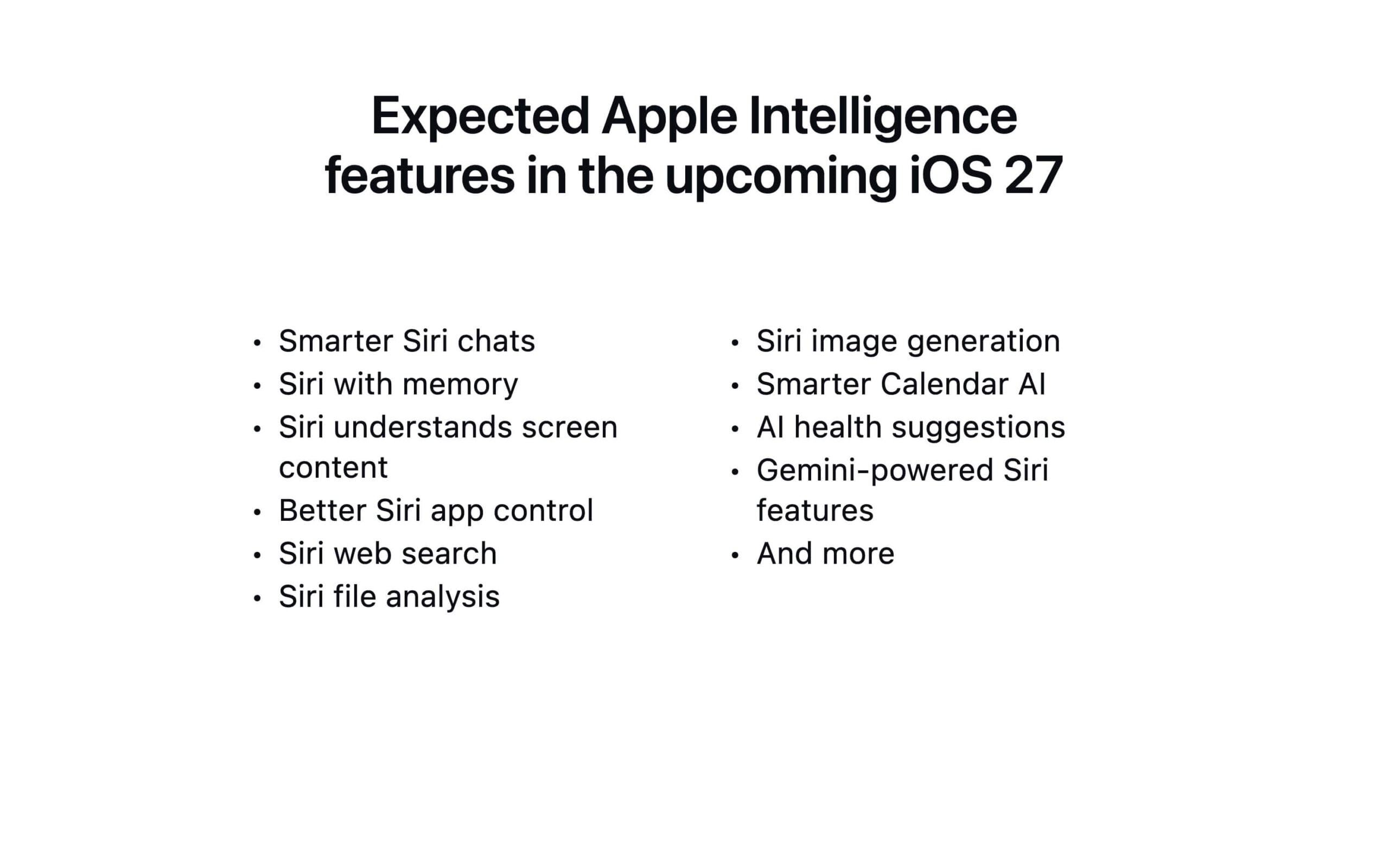
Apple has finally announced the most awaited iOS 27 at its WWDC 2026. This year, Apple is mostly focused on delivering Apple Intelligence, which was promised with iOS 18. Siri gets the biggest update ever. Now, it is more intelligent and answers your questions more smartly. It can search the web, read all the files on your iPhone to take references, and it supports context and much more.
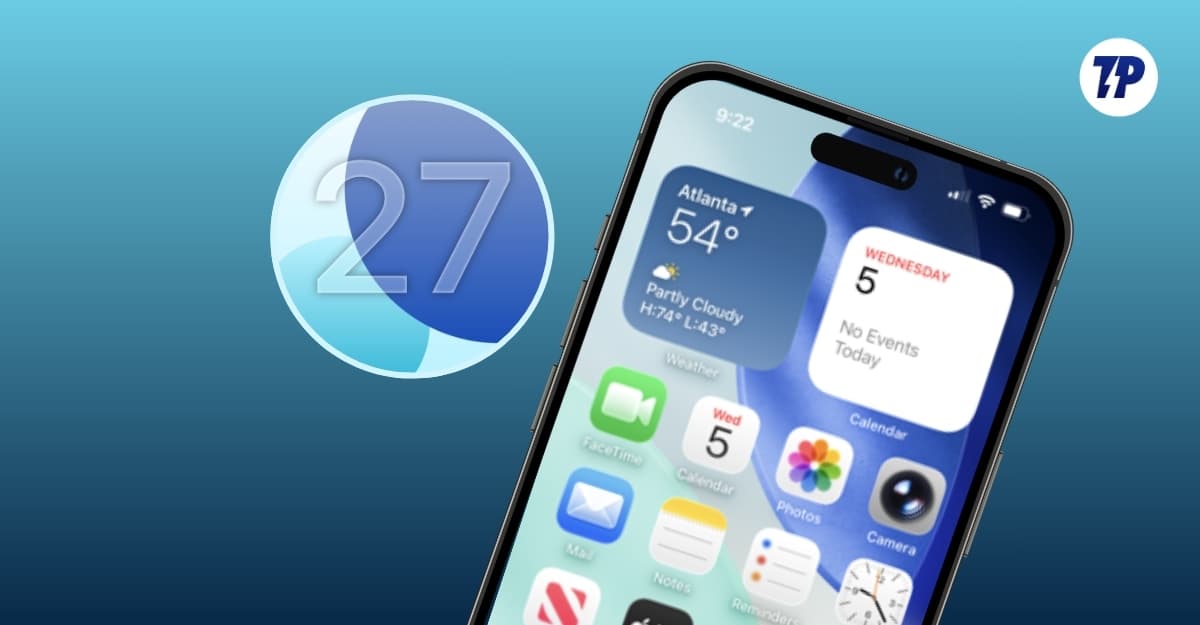
Along with the Apple Intelligence features this year, the update also improves performance and introduces a new liquid glass slider. You can now finally change the liquid glass transparency on your iPhone if you hate it. iOS 27 also brings with it plenty of useful additions, some of which Android users have enjoyed for years.
When is the iOS 27 Release Date?
iOS 27 is currently available as a developer beta for everyone. The final release is expected in September 2027, alongside the iPhone 18 series.

iOS 27 Supported iPhones
Fortunately, this time Apple hasn’t dropped any devices from its support. Similar to iOS 26, iPhone 11 or later devices are compatible with iOS 27. Apple Intelligence features are only available for iPhone 15 Pro or later. Furthermore, advanced on-device Apple Intelligence models are currently supported only on iPhones with a minimum of 12 GB of RAM, which is available only on the iPhone 17 Air and iPhone 17 Pro series.
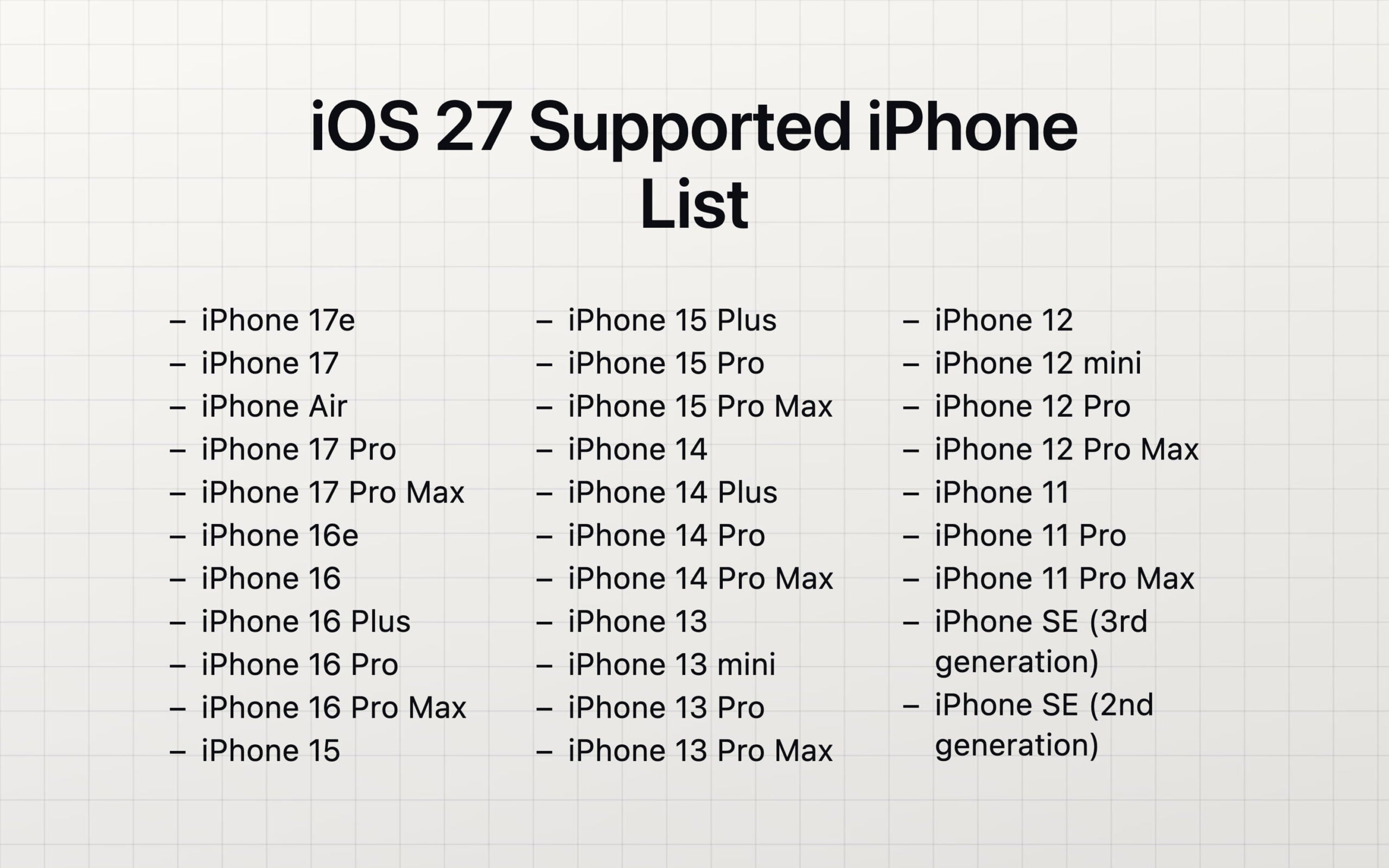
iPhone 17 series
- iPhone 17 Pro Max
- iPhone 17 Pro
- iPhone 17 Air
- iPhone 17
- iPhone 17e
iPhone 16 series
- iPhone 16 Pro Max
- iPhone 16 Pro
- iPhone 16 Plus
- iPhone 16
- iPhone 16e
iPhone 15 series
- iPhone 15 Pro Max
- iPhone 15 Pro
- iPhone 15 Plus
- iPhone 15
iPhone 14 series
- iPhone 14 Pro Max
- iPhone 14 Pro
- iPhone 14 Plus
- iPhone 14
iPhone 13 series
- iPhone 13 Pro Max
- iPhone 13 Pro
- iPhone 13
- iPhone 13 mini
iPhone 12 series
- iPhone 12 Pro Max
- iPhone 12 Pro
- iPhone 12
- iPhone 12 mini
iPhone 11 Series
- iPhone 11
- iPhone 11 Pro
- iPhone 11 Pro Max
iPhone SE series
- iPhone SE (3rd generation)
- iPhone SE (2nd generation)
Everything new in iOS 27
- New Siri: Siri gets a major improvement with iOS 27; it has now been renamed to Siri AI. It now uses better Apple foundational models on top of Gemini to answer your queries. The new Siri AI is more intelligent in answering your questions. It can now search the internet, read the files on your iPhone, and also comes with screen awareness. Not to forget, Siri also comes with agentic capabilities that can take actions on your behalf.
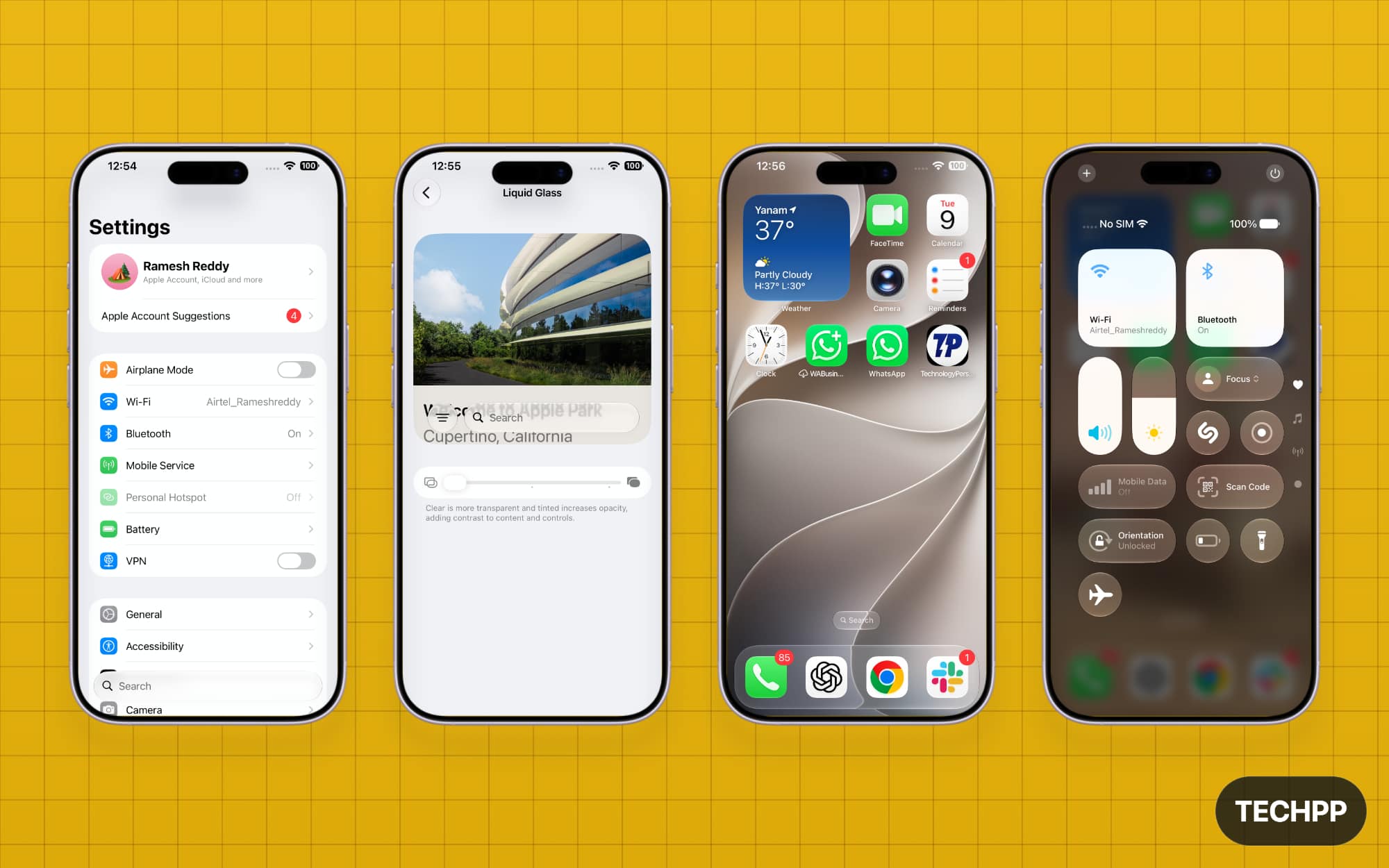
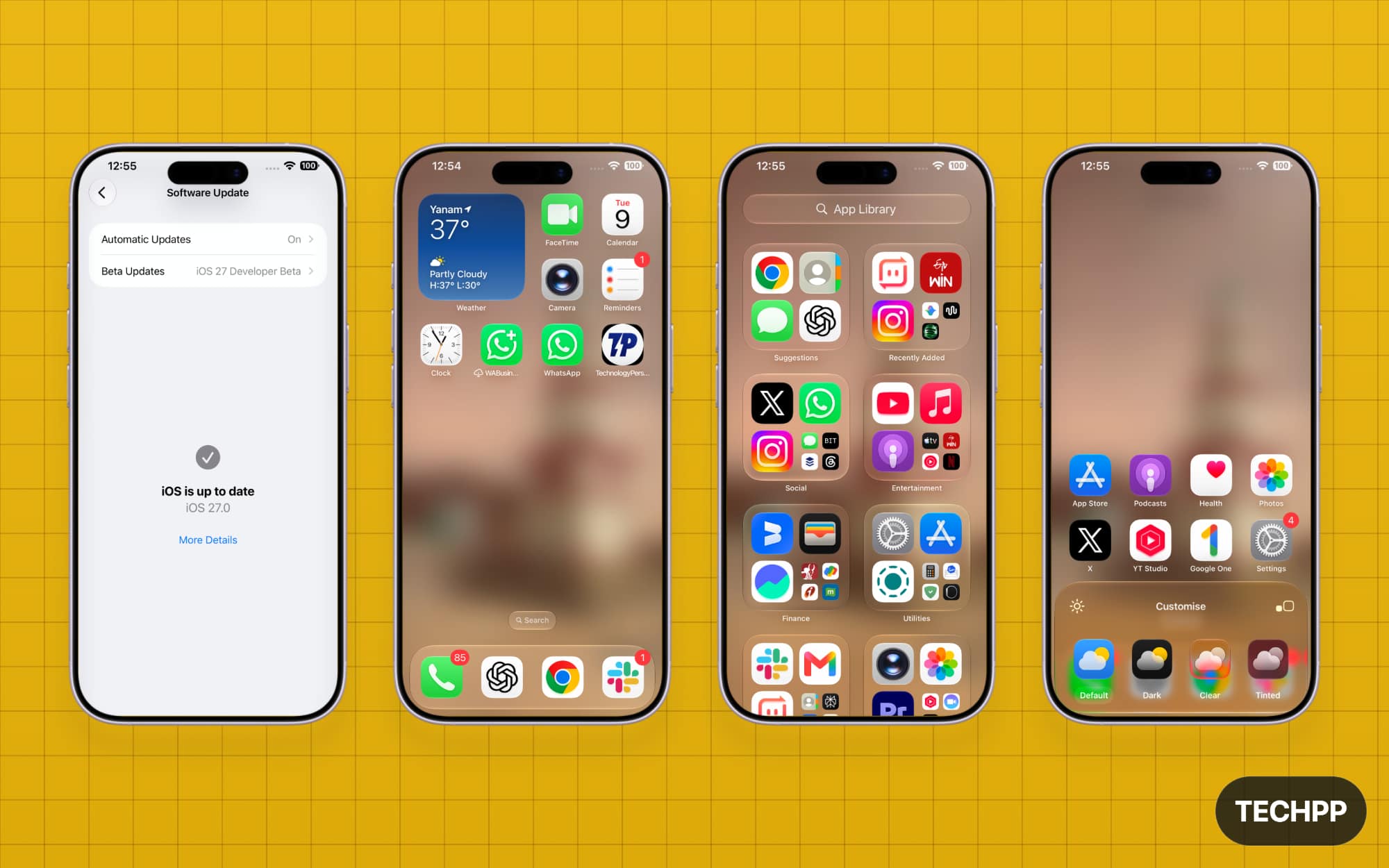
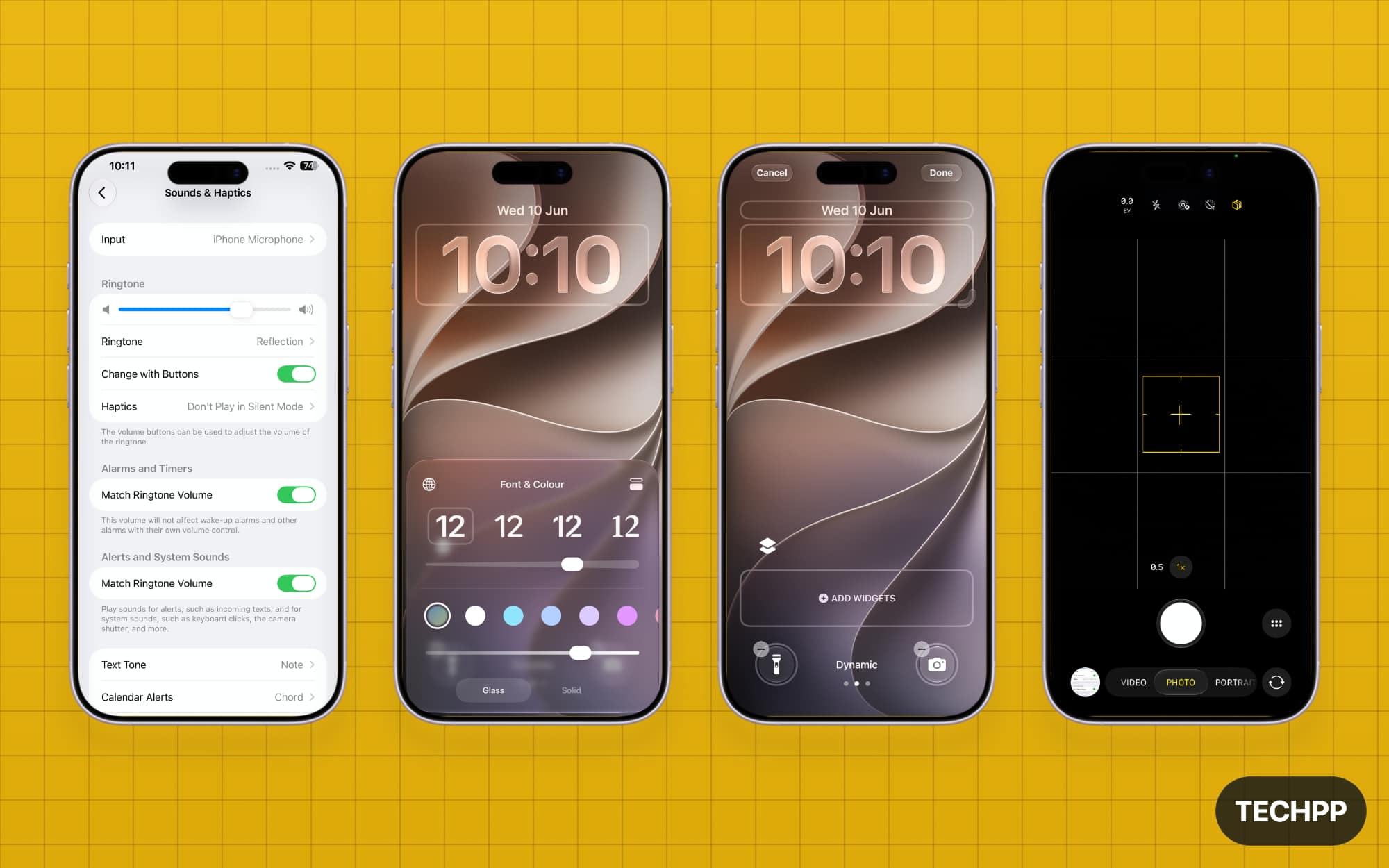
- New Liquid Glass Slider: if you hate the Apple Fold design, finally, you are getting an option to reduce it. Apple is still betting on the liquid glass, but now with iOS 27, there is a new liquid glass adjust slider where you can adjust the transparency. You can go with full transparency or add a full frosted look.
- Separate volume for your Alarms: Finally, you can set independent volume for ringtones, alarms, and timers in iOS 27
- Better Performance: While AI is at the center of all announcements this year, Apple also emphasized how it improved performance with iOS 27. Apple claims that apps now load 30% faster than the previous generation. Additionally, all system apps are now significantly faster and smoother altogether. I have installed the Developer Beta on my device and, honestly, I must admit that this is the smoothest beta I have ever experienced. Since iOS 27 is available for the iPhone 11 or later devices, older devices can also feel faster after upgrading to iOS 27.
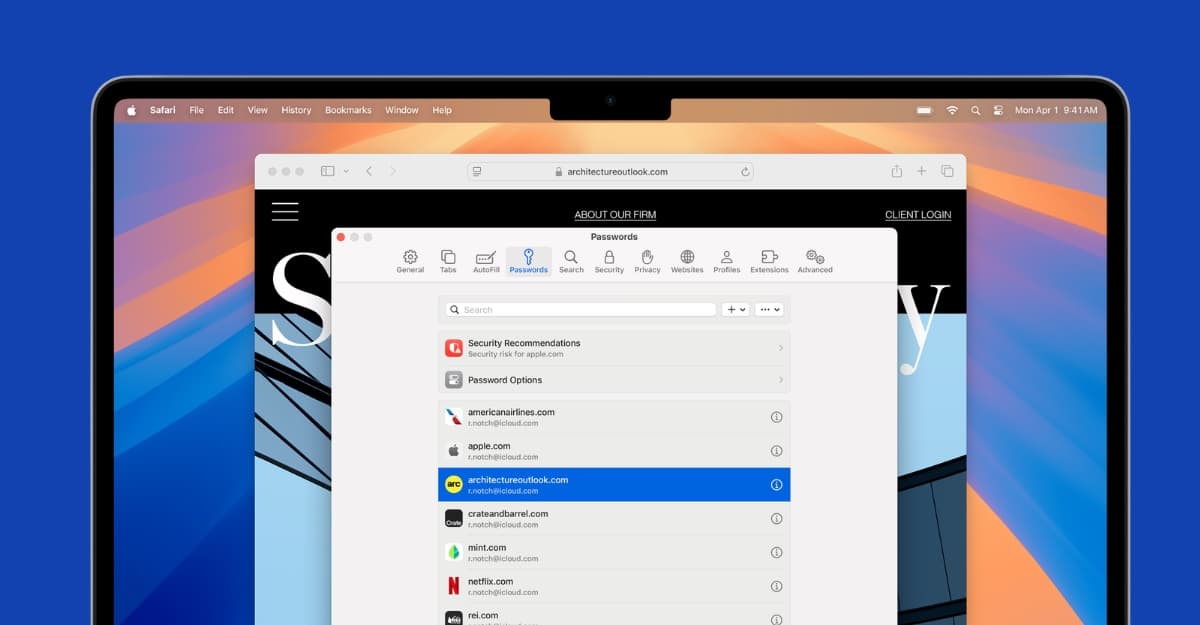
- Safari can autogroup tabs: Tab grouping is officially coming to Safari with iOS 27, which can now automatically group similar tabs.
- Safari can monitor websites for you: the Safari browser can now monitor web pages for you and notify you if there are any changes on the page. Website monitoring is generally available as a third-party service, and some websites even offer a paid version to monitor sites. Apple, however, is now offering this for free to all iPhone users through the Safari browser. Moreover, you can just naturally describe what changes you want to be notified about, and Safari sends a notification if it sees any change in the webpage for you. It works in the background. Moreover, you can just naturally describe what changes you want to be notified about, and Safari sends a notification if it sees any change in the webpage for you. It works in the background.
- Passwords: The Apple Passwords app is also getting agentic capabilities: if any of your passwords are compromised, it can automatically notify you and change the password for you.
- Dedicated Siri app containing previous conversations: Siri is now also available as a dedicated app, and it also stores all your conversations with the chatbot.
- Improvements to Apple photo cleanup tool: Cleanup Tool is now finally available with iOS 27, where it competes with the Samsung Galaxy and sometimes even produces better results.
- Spatial Reframing to change a photo’s composition after capture : Apple introduced a new spatial reframing feature with iOS 27 where, after the photo is taken, you can reframe and change the perspective of the image by simply dragging and dropping the elements in the image.
- Parents can choose which built-in apps are available during child-account setup: Child safety and parental controls are also getting significant updates with iOS 27. You can now control which built-in apps your child can access, and your child can request permission to browse. There will also be a new setup interface specifically for configuring parental controls for your child’s account.
- Custom EQ for AirPods: if you have AirPods, you can now finally customize and fine-tune the sound with the custom EQ support in iOS 27.
- Create shortcuts easily: Apple Shortcuts is the most underrated feature, and now with iOS 27, it is getting a big boost. You can now create shortcuts easily using natural prompts using Apple Intelligence.
Those are the major updates coming to iOS 27. Although the entire focus is Apple Intelligence this time, Apple also managed to add plenty of nifty features that are very useful in real life. Not just those. There are more than 130 changes coming to iOS 27. To make it easy for you, here is the full list of changes coming to iOS 27.
New Siri AI Features in iOS 27:
- Completely redesigned Siri AI
- More natural back-and-forth conversations
- Siri now has personal context that can understand you better across Messages, Mail, Photos, Notes, and other apps
- It comes with on-screen awareness to answer questions about whatever is displayed
- Siri AI can now search the web and provide current information
- It also comes with expanded actions across apps
- Siri AI can now create reminders, notes, calendar events, emails, playlists, and more
- iOS 27 comes with a dedicated Siri app containing previous conversations
- Siri conversation history synced privately through iCloud
- Ability to pin important Siri conversations
- Start a Siri conversation by swiping down from the Dynamic Island
- Ask follow-up questions without repeating the original context
- Customize Siri’s voice, expressivity, speaking pace, pitch, tone, and accent (Only for iPhone 17 Pro or later and iPhone 17 Air)
- Write with Siri anywhere text can be entered
- Generate complete drafts from a description
- Get feedback on existing writing
- Match the user’s writing style, punctuation, and tone in Messages and Mail
Camera updates:
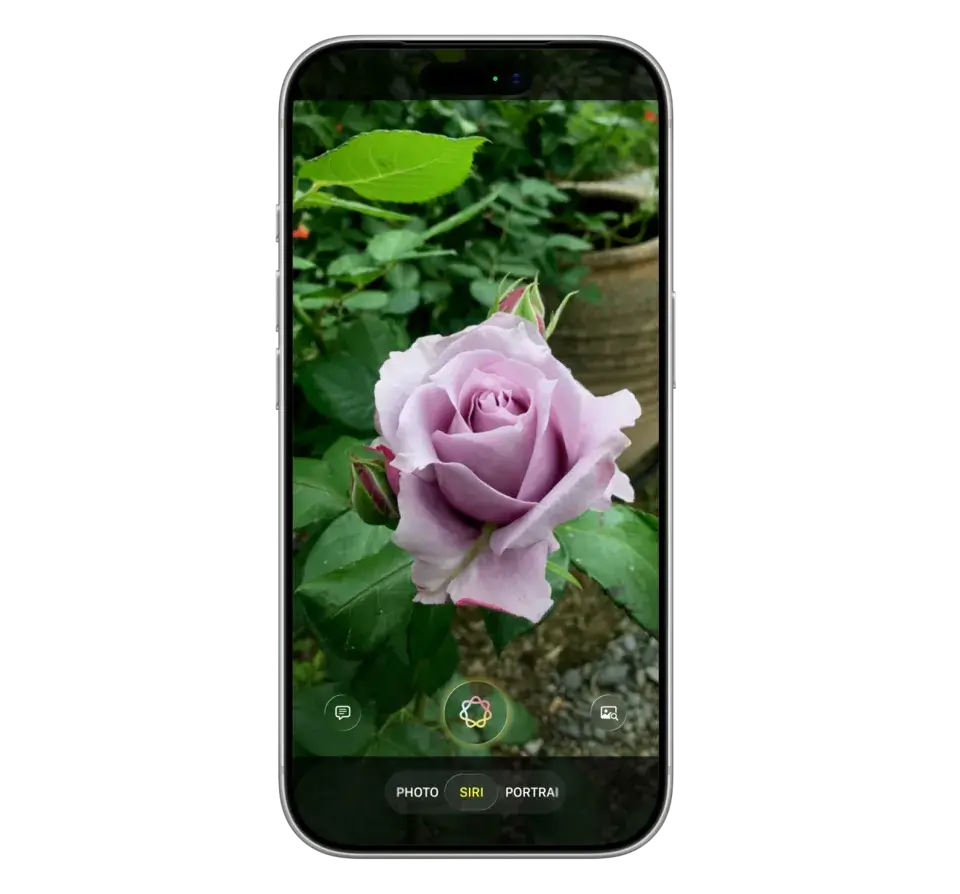
- New Siri mode in the camera app directly for visual intelligence.
- Ask questions about objects, food, locations, and other things seen by the camera
- Take actions based on what the camera detects
- New Spatial Reframing that can change photo composition after capture.
- New: extend the tool to expand the boundaries of an image
- Upgraded Clean Up is capable of removing larger objects, and now it is finally reliable.
- Photorealistic image generation in Image Playground
- Generate images in a wider selection of styles
- Modify existing generated images using text descriptions
- Dual Capture in FaceTime, briefly shown in Apple’s iOS 27 preview
Design Changes:
- Improved Liquid Glass readability and finally Liquid Glass appearance slider
- App icons are now more glossy.
- Apps launch up to 30% faster
- Newly captured photos appear in Photos up to 70% faster
- AirDrop transfers are up to 80% faster
- Smoother switching between Wi-Fi and cellular networks
- Optimized CPU scheduler
- Lower memory and CPU use in parts of the system
- Improvements to display rendering, reliability, responsiveness, and stability
New features in Messages and Mail apps:
- Context-based action suggestions in Messages
- Context-based suggestions in Mail
- One-tap options to create a reminder or note from a conversation
- One-tap options to create calendar events
- One-tap suggestions to search for relevant photos
- Confirmation numbers, booking details, and related information can appear automatically in the call screen while you are on the call
- New Mail search-ranking system, which now shows more relevant results
- New search indexing that can answer your questions better
Safari, Passwords, and Shortcuts
- Safari can automatically group tabs by topic
- Safari Notify Me monitors webpages for changes
- Passwords app detects weak and compromised passwords and can automatically upgrade supported logins
- Create Shortcuts using natural-language descriptions, and shortcuts can also connect actions across several apps automatically
Child Safety and parental controls features:
- Parents can choose which built-in apps are available during child account setup
- Choose essential apps, Apple’s recommended selection, or individual apps
- Ask to Browse requires permission before a child accesses a new website
- Website requests can be reviewed and approved through Messages
- Parents can approve new contacts before children communicate with them
- Communication Safety continues to detect nudity
- Communication Safety now also intervenes for gore and violent content
- Protection applies to shared images and videos
- Suggested time limits based on the child’s age
- Schedules control which apps are available at different times and on different days
Accessibility features
- Richer image descriptions in VoiceOver
- VoiceOver Image Explorer can describe photographs, documents, bills, and records
- Action button integration for Live Recognition
- Ask follow-up questions about objects seen through the camera
- Improved Magnifier visual descriptions
- Control Magnifier using natural spoken instructions
- Natural-language navigation in Voice ControlOn-demand summaries in Accessibility Reader
- Automatic synchronized subtitles for videos that do not contain captions
- Translation of existing video captions into other languages
New Photo features
- Full-resolution sharing in iCloud Shared Albums
- Support for additional file types
- Emoji reactions
- Updated album activity feeds
Health and fitness updates:
- Perimenopause support in Cycle Tracking
- Notifications when logged cycle patterns may suggest perimenopause
- Tracking for related symptoms such as hot flashes, fatigue, and mood changes
Maps Update
- Enhanced Flyover using aerial imagery and Visual Intelligence models
- More detailed buildings, architectural elements, vegetation, and trees
- Local Lists showing trending restaurants, family destinations, and other nearby collections in the US
- Custom location-sharing durations in Find My
- Share location for a chosen number of minutes, hours, or days
- Set an exact date and time for location sharing to stop
- Pause sharing with selected people until the end of the day
Apple Pay updates
- Split bills using Apple Cash and Apple Intelligence
- Scan a receipt using Siri mode in Camera
- Select individual receipt items and calculate each person’s tax and tip
- Create Wallet passes from physical loyalty or membership cards
- Create passes from screenshots containing barcodes or QR codes
- Manually create passes inside Wallet
- Enhanced hotel keys with booking details, activity updates, and available services
- Redesigned Apple Pay checkout
- Swipe between payment cards during checkout
- Add money to eligible debit cards using Apple Pay
- Tap to Share information with participating merchants
- Share email, shipping address, and loyalty information securely
- View basket items, discounts, and totals in real time before paying
Here is how iOS 27 looks on your iPhone:
More iOS 27 Guides
iOS 27: All the Latest Updates
iOS 27 public beta is now live
Apple officially rolled out the public beta for the upcoming iOS 27. If you have a supported iPhone, you can install it on your device and experience the upcoming iOS 27. The stable version is expected to be released in September during the iPhone 18 series launch. Apart from the huge hiccups, the developer version is already stable, and the public version seems to be a much closer version to the stable version. However, we still wouldn’t recommend installing this on your primary device because beta versions are not meant for every user, especially not on your primary phone.

iOS 27 is currently available as a developer beta
You can now try iOS 27 on your supported iPhone. It is officially available as a developer beta. I have installed it on my iPhone 14 Plus, and it is one of the smoothest beta updates that I have ever tested from iOS. Still, I wouldn’t recommend installing it on your primary iPhone.
To install the iOS 27 beta on your iPhone:
- Go to Settings
- Select General
- Go to Software Update
- Tap on Beta Updates and select iOS 27
Once you come back to the main screen, you will see the iOS 27 Developer Beta update. Tap on Update Now to download and install the latest iOS 27 on your iPhone.

Here are all the final expected features in the upcoming iOS 27
Apple is officially kicking off WWDC 2026, where it will announce the upcoming iOS 27. Over the past few months, I have been covering all the expected features coming to the next version of this major update, from new and improved Siri to more Apple Intelligence features, a customizable camera app, new wallet features, foldable support, multitasking support, and much more. So here is a simple list of all expected features in the upcoming iOS 27.
Expected iOS 27 Features
- Improved Siri, dedicated Siri, and a more conversational assistant
- Siri with better personal context understanding
- New Siri design in the Dynamic Island and New Search or Ask interface
- More Apple Intelligence features
- Ability to create shortcuts on your own.
- More AI-powered writing tools
- Smarter Visual Intelligence
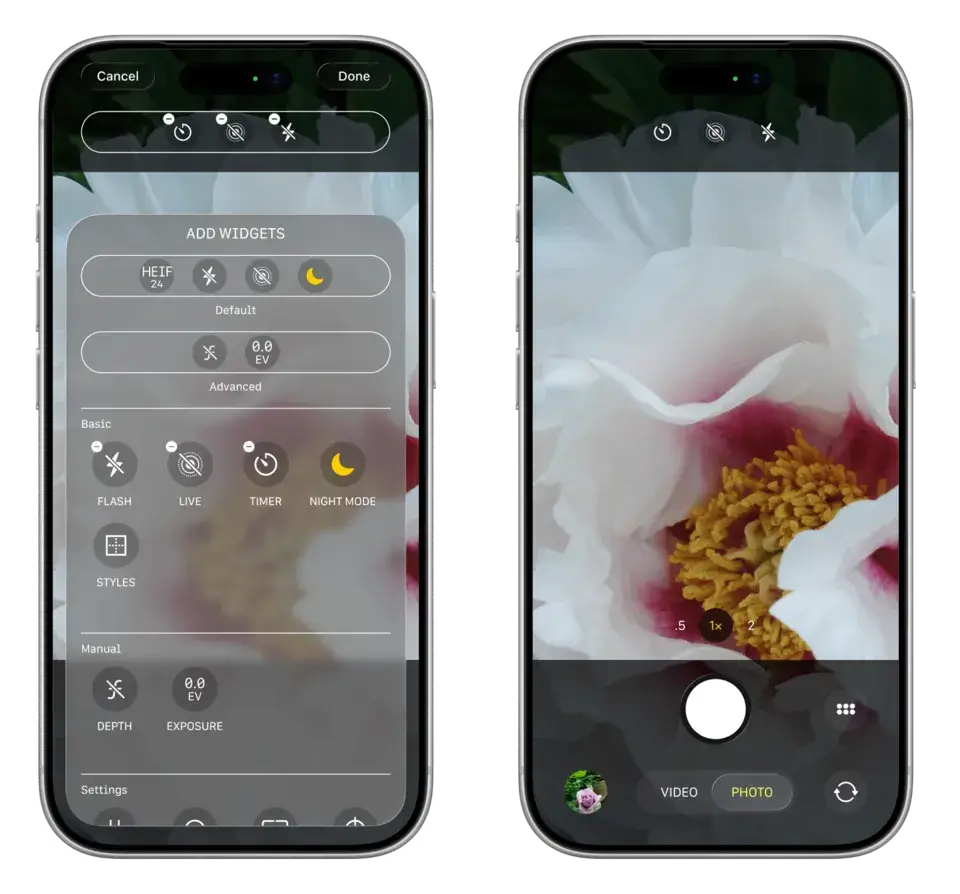
- Advanced photo editing and Customizable Camera app
- Improvements for Liquid Glass design
- Redesigned Apple apps (latest)
- Improved AirPods integration and New AirPods pairing system
- New Apple Wallet features
- Better Home Screen customization
- Improved notifications and animations
- Foldable iPhone support with better multitasking and more for big screens
- Finally, other Better performance and stability updates and more.
How to watch Apple WWDC 2026 and timings
Apple is officially going to kick off its WWDC 2026, wherein it will announce all new major features, including iOS 27. You can watch the event live on YouTube.
WWDC Event Timings:
- United States: June 8, 10:00 AM PT / 1:00 PM ET
- Canada: June 8, 1:00 PM ET
- United Kingdom: June 8, 6:00 PM BST
- United Arab Emirates: June 8, 9:00 PM GST
- India: June 8, 10:30 PM IST
- Japan: June 9, 2:00 AM JST
- Australia: June 9, 3:00 AM AEST
Watch link:

Here is a first look at the upgraded Siri experience in the upcoming iOS 27
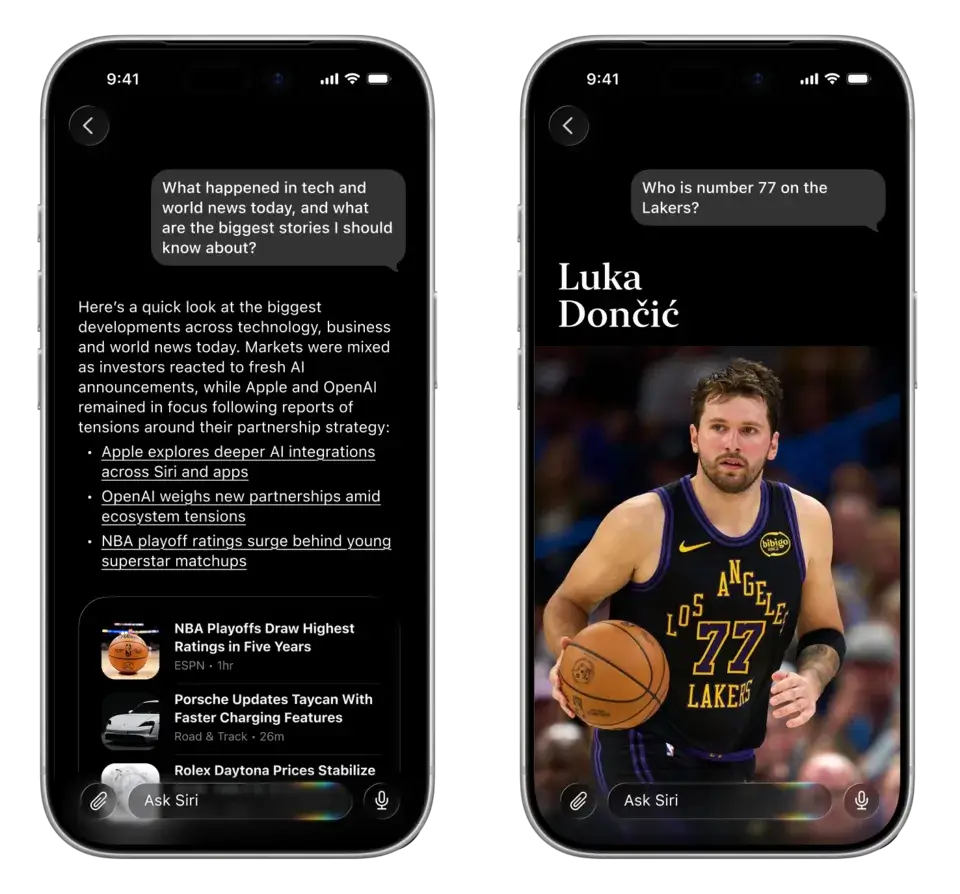
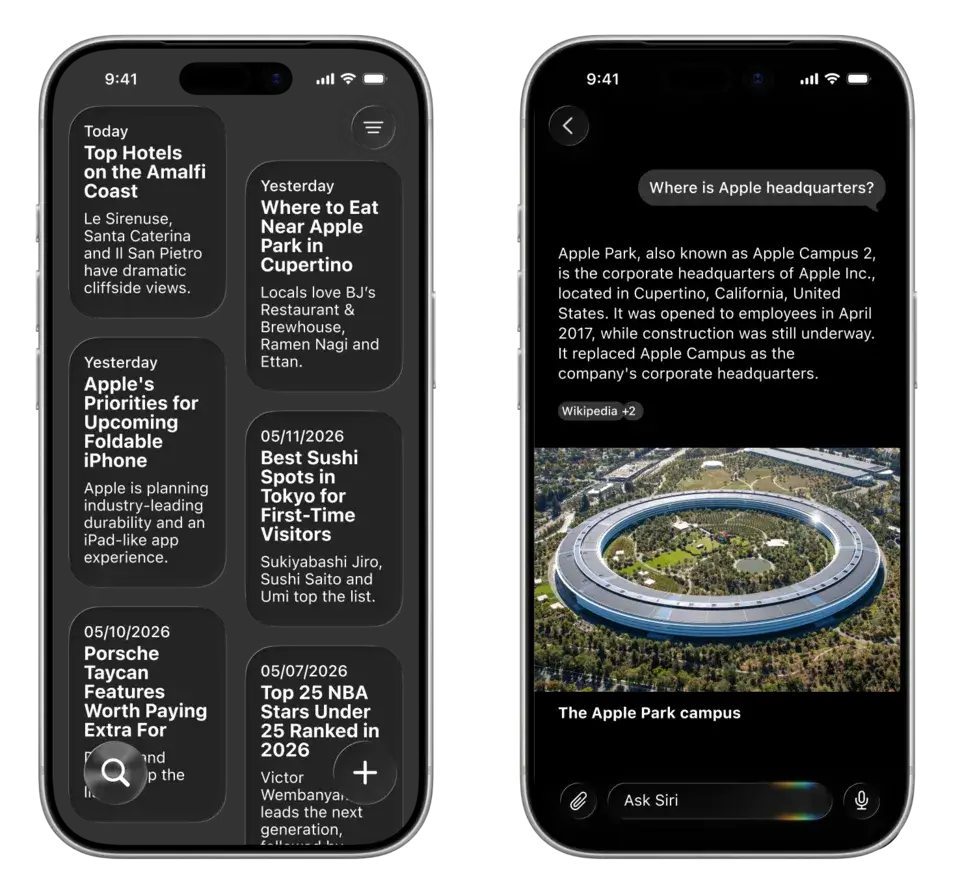
We all know that Apple’s upcoming iOS 27 is set to feature an upgraded Siri experience, and now Bloomberg has given us the first look. Bloomberg shares detailed images of the Siri experience and what it’s going to look like.
These images give us a pretty good glimpse of where Siri will be integrated across the UI. The leaked images also show the dedicated Siri app. Most of the user experience is bland, mostly with mono white and black colors without gradient colors insight.
You can see the images for yourself. However, Bloomberg also notes that the final version may change. Once again, Apple is going to rely on its smooth animations for the best experience. Also, this is our first look at the upgraded city experience in the upcoming iOS 27.
You should be able to generate your own wallpapers in the upcoming iOS 27
There are so many features lined up for the upcoming iOS 27, including revamped Siri, new AI writing tools, big upgrades to the shortcuts, and much more. Latest reports reveal that you can generate your own wallpapers using AI. AI image generation models have gotten so much better recently, especially the latest ChatGPT Image Gen and Google Nano banana.
I am anticipating that Apple might be using Google’s Gemini Nano Banana image model for wallpaper generation, but we should see which model is powering this feature. What’s more convenient is that you can directly generate wallpapers and set them as your background.
The report mentions this will be part of the Image Playground app that is already present on iPhones, so you should be able to generate wallpapers in different styles. There is no information on whether these wallpapers will support Apple features such as depth effect natively, but I am not expecting it anytime soon.

Apple's upcoming Shortcuts app finally gets a major AI upgrade
The shortcuts app on iOS is the most underrated. One of the biggest reasons for this is the technicality behind creating the shortcuts. Not many people are aware of creating shortcuts.
Personally, I use Shortcuts a lot for automating my routine tasks. For instance, every single day, my Apple Watch wallpaper changes. I have set the shortcuts to automatically run every single morning without any intervention.
But that is hopefully going to change in the future, as the latest report from Bloomberg suggests that Apple is going to add the ability to create shortcuts using natural conversations.
Instead of dealing with the complex shortcuts and automation flows, you can simply describe what you want, and iOS will build the shortcuts for you. AI building things isn’t new. Currently, all the AI models are primarily focused on this approach. In the upcoming iOS 27, the Shortcuts app should be able to integrate this with ease.
But we should see what Apple’s approach will be, since it is struggling with its AI implementation. I am also not sure whether this will be powered by Siri or the Gemini-powered Siri that Apple partnered with Google to use.

Writing tools are getting an upgrade in the upcoming iOS 27
AI writing tools are the first set of Apple Intelligence features that Apple introduced in iOS 18. But since then, I have really felt like those app features were left out. Apple has slightly updated them in iOS 18.2.6, but they are not up to the mark, especially in this AI era.
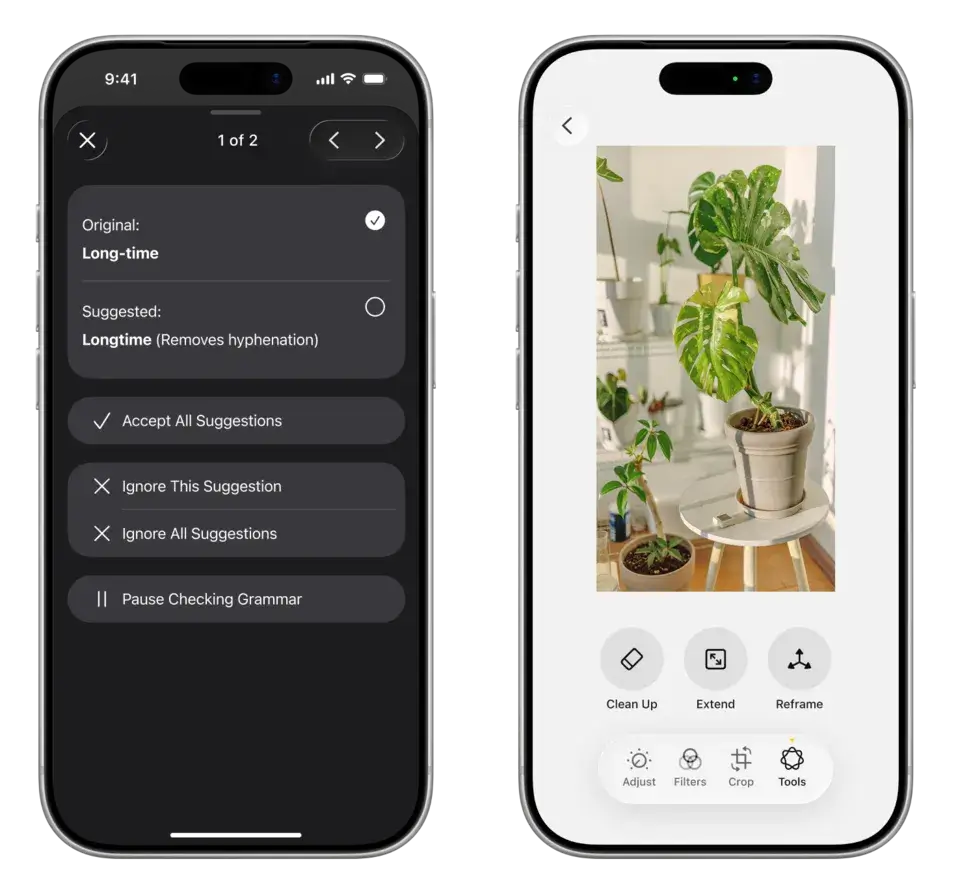
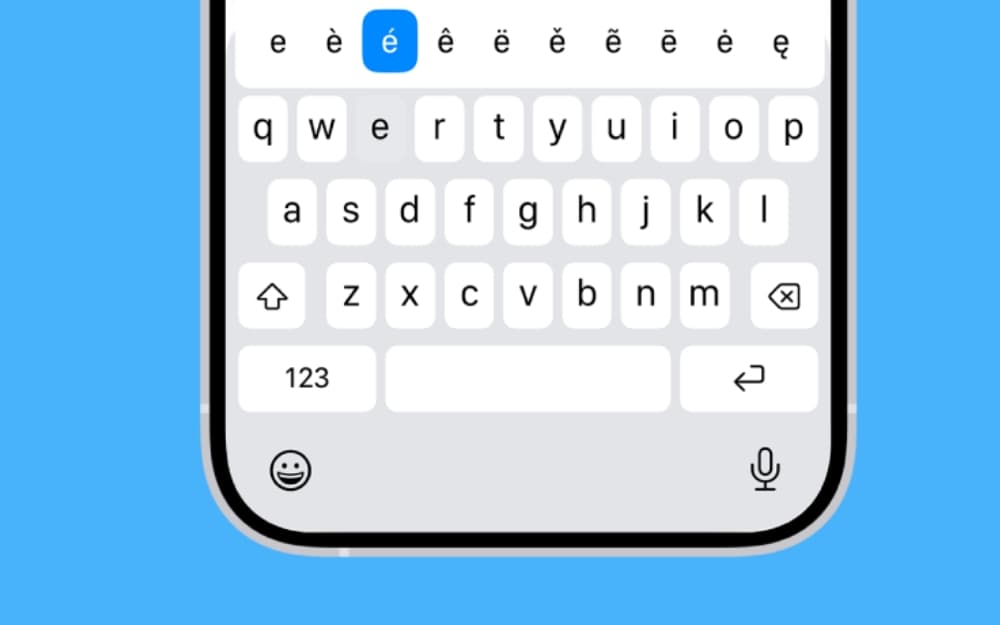
Hopefully, that’s going to change in the upcoming iOS 27. According to the latest report by Bloomberg’s Mark Gurman, the upcoming iOS 27 will feature advanced AI writing tools. Similar to Grammarly, the iOS keyboard will include a feature that can fix spelling mistakes and suggest writing solutions. Plus, along with this, you can also completely generate text from scratch using the Write with Siri toggle.
Since Apple is using Gemini, it should be able to offer better solutions. Google recently announced Rambler, its voice-to-text input that integrated directly into the Google Keyboard. We should see whether Apple will offer such features.
Siri with an AI chatbot-like interface will have an auto-delete chat feature
Apple, since the beginning, has emphasized privacy for AI features. When Apple announced Apple Intelligence for the first time, all the AI features were said to be running on a private cloud specially designed for Apple, so that none of your chats and interactions will be used for data sharing. And now with the upcoming iOS 27, Apple is also expected to include many privacy-first features for its AI features. Siri, which is going to be the main attraction, is going to be revamped and get a chatbot-style interface similar to the current ChatGPT and other AI models. Betting on privacy, Apple is going to include a feature that comes with auto-delete chat features. Rumors suggest that Apple will offer three options for its auto-delete chats feature.
This is a big move in terms of private AI experiences. Most AI models currently need data for training, and many of them explicitly collect that data from their users. But Apple’s approach should put privacy at the forefront.

Safari may get automatic tab grouping in iOS 27
Tab grouping in Chrome is such a handy feature. If you are someone who works with multiple tabs, Tab Grouping automatically categorizes tabs into groups, reducing clutter and allowing you to easily organize and find the tabs. But Apple is going ahead and including automatic tag grouping in the upcoming major update. According to the latest report, Safari in the upcoming iOS 27 and macOS 27 is going to feature automatic tab grouping, which automatically categorizes all your tabs within Safari. The option is expected to be featured in the tab group menu, which, with a single click, can automatically organize your tabs. Currently, we don’t know exactly how this feature is going to work. We should know the full details in the coming days.
iOS 27 could get new Apple intelligence photo editing tools
AI photo editing is honestly bad at its current state in iOS 26. If you are geeky enough, you have already seen comparisons of Samsung AI versus Apple Intelligence. Samsung and other AI tools are miles ahead. Even the budget ones, even the AI on budget smartphones that use cloud processing, are better than Apple’s AI photo editing. That is likely going to change in the upcoming iOS 27. According to the latest report, upcoming iOS 27, iPadOS 27, and even macOS 27 will get a few more AI editing features, such as color editing, lighting adjustments, enhanced image quality amd extending and reframing images
iOS 27 camera app could add a Siri mode with upgraded visual intelligence
Seems like Apple is going to integrate Siri everywhere in the upcoming iOS 27. According to the latest report, iOS 27 will feature a new Siri mode in the camera app for visual intelligence support. So you can point the camera at objects, places, products, and text, and ask Siri related questions in real time. This sounds very similar to Google’s Gemini Live, but in a more Apple way. How many of you use Gemini Live on a regular basis?

Finally, Siri can now handle multiple requests at once
I am posting this news on April 1, and believe me, this isn’t an April Fool’s joke. Apple’s upcoming Siri will now finally handle multiple requests at once. According to a report by Bloomberg’s Mark Gurman, Apple is going to introduce these new multi-request capabilities in the upcoming iOS 27, iPadOS 27, and macOS 27, where Siri can now handle multiple requests at once.
This news might be surprising for most people, because large language models like ChatGPT, Google Gemini, and all other LLMs currently available to users have done this since day one. However, Apple will have its own advantage here, considering Siri is going to be deeply integrated with iOS and other OSes. This means you can perform multiple tasks at once by describing them to Siri.
Mark Gurman also reports that these features are currently marked as a preview, which means they will still be under testing even at launch. All these features are expected to go live in the upcoming iOS 27.
iOS 27 Might Fix Most Annoying Keyboard Feature on iOS
If you use iOS and its keyboard, you know what I am talking about. The autocorrect feature on the iOS keyboard is the most annoying of all.
Many users have reported that AutoCorrect replaces correctly typed words and also silently changes words in the middle of sentences.
However, Apple addressed this in the latest iOS 26.4 update, fixing all the autocorrect issues. But in the upcoming iOS 27, Apple is rumored to be bringing a Grammarly-like approach where the auto solutions will offer alternative word suggestions instead of just fixing spelling.
And of course, it will use Apple Intelligence and will only be supported on Apple Intelligence-supported iPhones.
This feature is expected to come in the upcoming iOS 27. Apple is still considering this approach, according to the report by Bloomberg’s Mark Gurman. Since this future is built using AI with context-awareness of the words, we can expect autocorrect to hallucinate less and replace words correctly.

A New AI Marketplace from Apple
We already know that Apple’s upcoming iOS 27 will feature a dedicated Siri AI app. And it will also support rival models, not only from Apple. This will be done through Apple’s new extension feature in the Siri app. Since the new extension is going to be a marketplace for all the AI models and Tools, we can expect more AI tools from this marketplace, not just the AI models.
Similar to how the apps distributed through App Store unlock a variety of features on iOS, the new AI marketplace inside Siri will also enable multiple opportunities for developers. This means the upcoming Siri will be not only an AI assistant, but also a complete agentic experience through various supported extensions.
If this is true, Apple is going to once again disrupt the market because it already has huge distribution in the form of iPhones.
If it opens a marketplace, it will be a big opportunity for plenty of developers to distribute their AI tools through this new marketplace. And not just for the developers, the new dedicated AI marketplace is also a huge win for Apple, as it can earn 30% commission from all the sales through this marketplace. This is similar to how it charges for the current App Store distribution.
However, we should see how Apple will approach this new strategy, as an AI marketplace isn’t new; ChatGPT and other popular apps already offer similar platforms.
Since it is an iPhone and has such a large distribution, developers will be more interested in building apps for Siri, which means it is a win-win situation for both the developers and Apple.
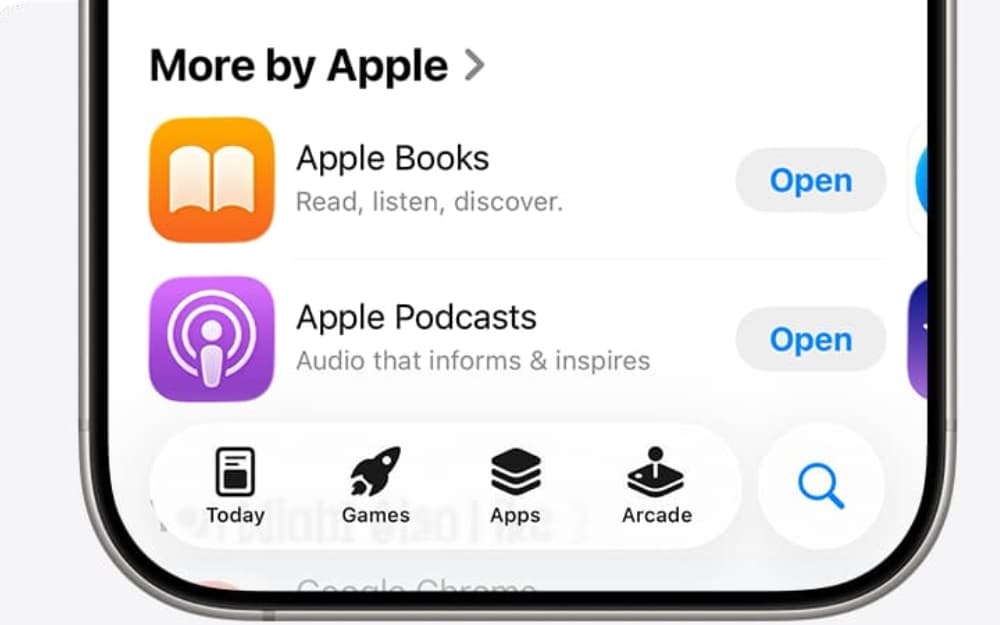
Apple’s Upcoming Dedicated Siri AI App Will Also Run on Other Models
According to the latest report by Bloomberg’s Mark Gurman, Apple’s upcoming dedicated Siri app will also support multiple models from rivals, including Claude.
For those who are unaware, in iOS 27, Apple is rumored to be introducing a new dedicated Siri app that allows users to have conversations in the form of chats, similar to how current AI chats like ChatGPT, Claude, and Gemini work.
However, alongside Apple’s own models, the company will also let users use other models, such as Claude. Apple already offers this approach in the current Siri. Some of the answers from the current Siri model are offered by ChatGPT. The report also says that instead of competing directly with AI rivals, Apple is planning to offer a marketplace where it will let users use multiple models inside Siri.
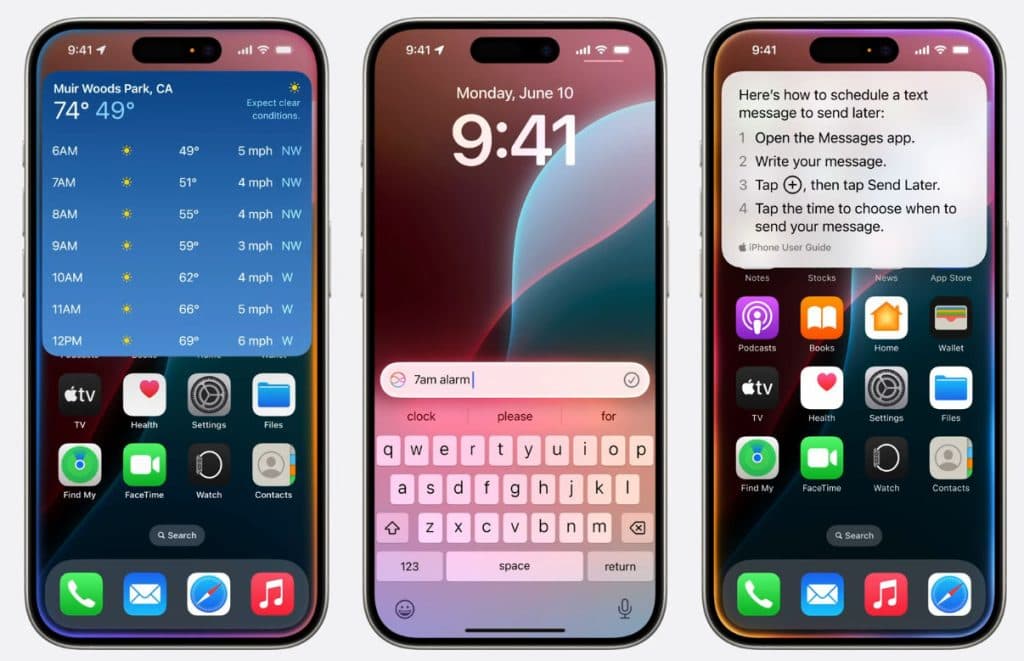
iOS 27 Could Include Foldable-iPhone Multitasking
Apple is rumored to announce its new foldable iPhone this year, along with the iPhone 18 series. To meet the hardware requirements, iOS 27 is expected to include proper multitasking features for the large screen. Apple has already integrated advanced multitasking features on other devices, such as the iPad, which include proper windowing for placing multiple windows on top of each other. And those features are expected in the upcoming iOS 2017, which utilizes the large screen form factor on the iPhone Fold.
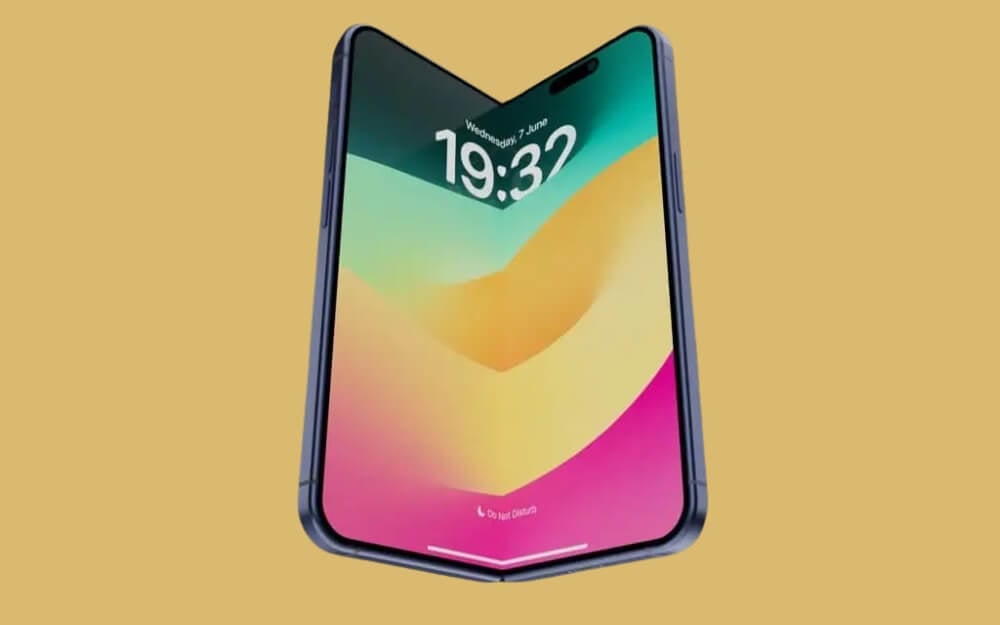
List of the AI Features Rumored for iOS 27 So Far
While everyone is ahead of Apple in terms of AI features, Apple continues to struggle to make its Apple Intelligence features more reliable. iOS 27 is expected to be an entry point into reliable Apple Intelligence features. Apple is set to announce iOS 27 in the coming weeks, as it has already announced WWDC dates, which are going to happen from June 8th.
As we reported earlier, iOS 27 might not be a big redesign. It mostly focuses on refinements, but there are plenty of Apple Intelligence features that are rumored to arrive or be fixed in iOS 27.
Here is a list of Apple Intelligence features rumored for iOS 27 so far:
- Advanced Siri chatbot with real-time conversations
- Siri with memory support so that it remembers your context
- On-screen awareness for better replies for Siri
- Better app control across apps
- AI web search inside Siri
- File analysis for documents
- AI image generation in Siri
- Smarter AI features in Calendar
- AI-powered health recommendations
- Some Siri features may use Google Gemini
- And more.
Along with this, Apple is also expected to include deep integration of Apple Intelligence features throughout the OS.