YouTube is undoubtedly the most popular video engine on the Internet, with its free-to-use model for both creators and viewers. Many artists in the music and video industries have used YouTube as a mainstream platform to distribute their content. Sometimes, individual users feel the need to store their favorite YouTube music offline on their devices. Here are the 5 best free YouTube to MP3 converters you can use on any device!
Table of Contents
What to look for in a YouTube to MP3 converter?
A YouTube to MP3 converter works on the basic principle of sourcing the video from YouTube and converting it into an audio file. A good converter should provide a high-quality soundtrack, with options to download at various bit rates. While this is just about basic video conversion, a few advanced features, such as an in-built audio trimmer for downloading only a certain part of audio from the video file, are great additions. Since MP3 is a widely supported audio format, it is recommended to use audio files in MP3 format for better compatibility across any MP3 player.
In summary, a good YouTube MP3 converter must:
- Provide high-quality output
- Option to download at different bit-rates
- In-built audio trimmer
- Option to download in .wav format
Why use online YouTube to MP3 converters?
Any YouTube video converter will have to fetch data from YouTube servers for MP3 conversion and hence require an internet connection. Since this cannot be processed offline, it is better to use web-based services as they are easy to use and will not require any extra software to download on your system. An online converter also gives you the luxury to use it on any system based on Windows, macOS, mobile devices like Android and iOS, etc.
Best free YouTube to MP3 converters
Here are some of the best free YouTube to MP3 converters available online to download MP3 files with good sound quality.
1. Y2Mate – Quick YouTube to mp3 Converter
Y2mate has become my go-to YouTube video-to-MP3 converter tool for quick file conversions. The biggest reason is it works with no unwanted redirections and offers a minimal user experience. You get a simple input search bar where you can paste the YouTube video URL, select whether you want to download MP3 or MP4 format, and click on convert. The app automatically converts and lets you download the file with a single click without any unwanted redirects or showing you unwanted ads. However, the download speeds are a little slow. It also depends upon your internet speed.
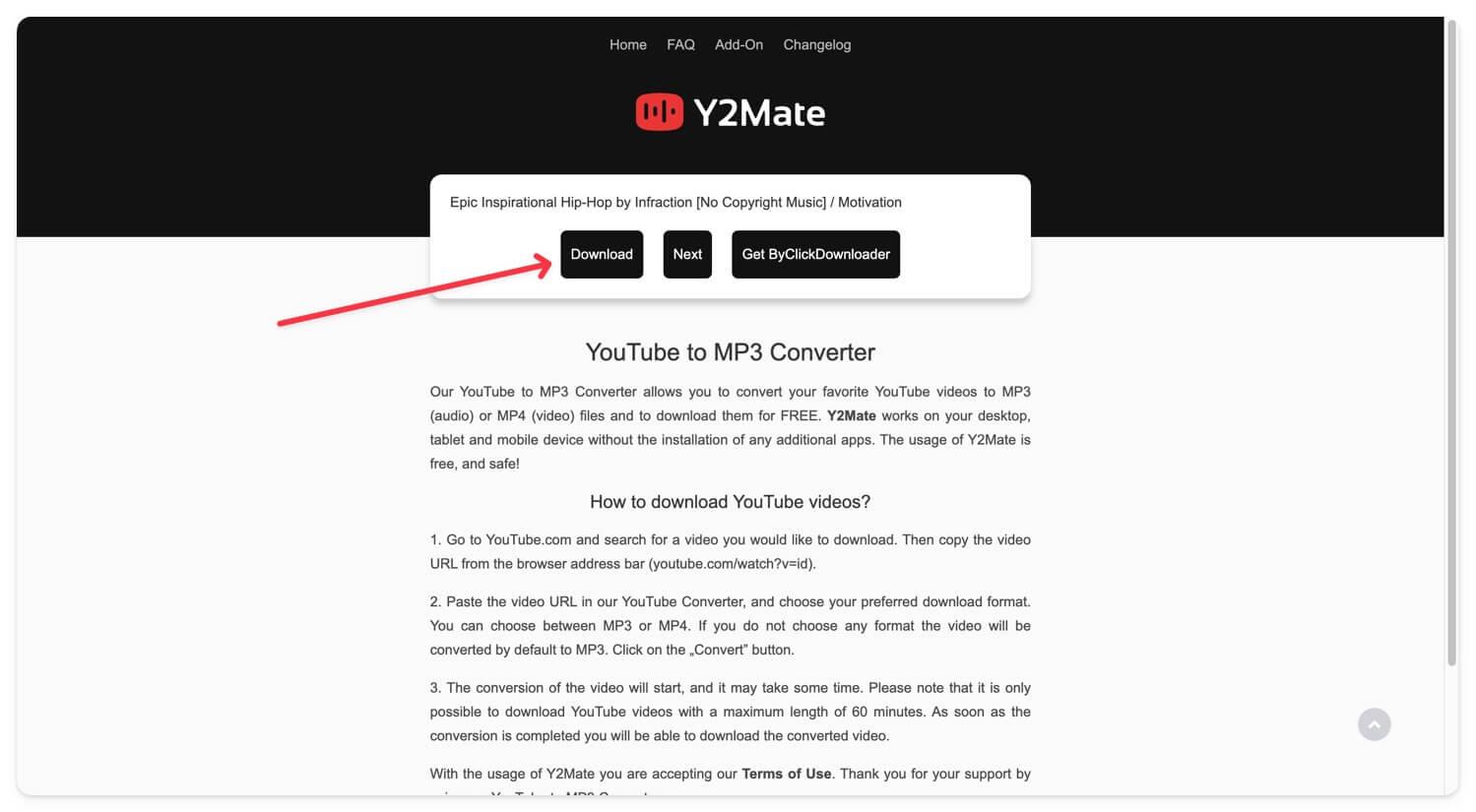
Unlike 9convert and other tools listed in this guide, Y2mate doesn’t allow you to configure the audio quality (320kbps, 240kbps) and download it. The app downloads audio files at 192 KBPS for most YouTube videos by default. Also, there is no option to download the entire playlist. You can only download one video per time. However, the simple interface and ease of use, without unwanted redirections, might also make it your favorite option for quick YouTube to MP4 conversions.
Key features: Easy-to-use interface, no ads, and unwanted redirections, and the ability to convert files instantly. It also supports MP video downloads.
2. YT1s – For High-Quality downloads
YT1s is handy if you are looking for a minimal and straightforward YouTube to MP3 converter that lets you configure audio bitrate. Depending on the video, the app gives you several options to select the bitrate and tone of the audio. You can instantly select the bitrate and download the MP3 files without unwanted redirections and spammy download buttons.
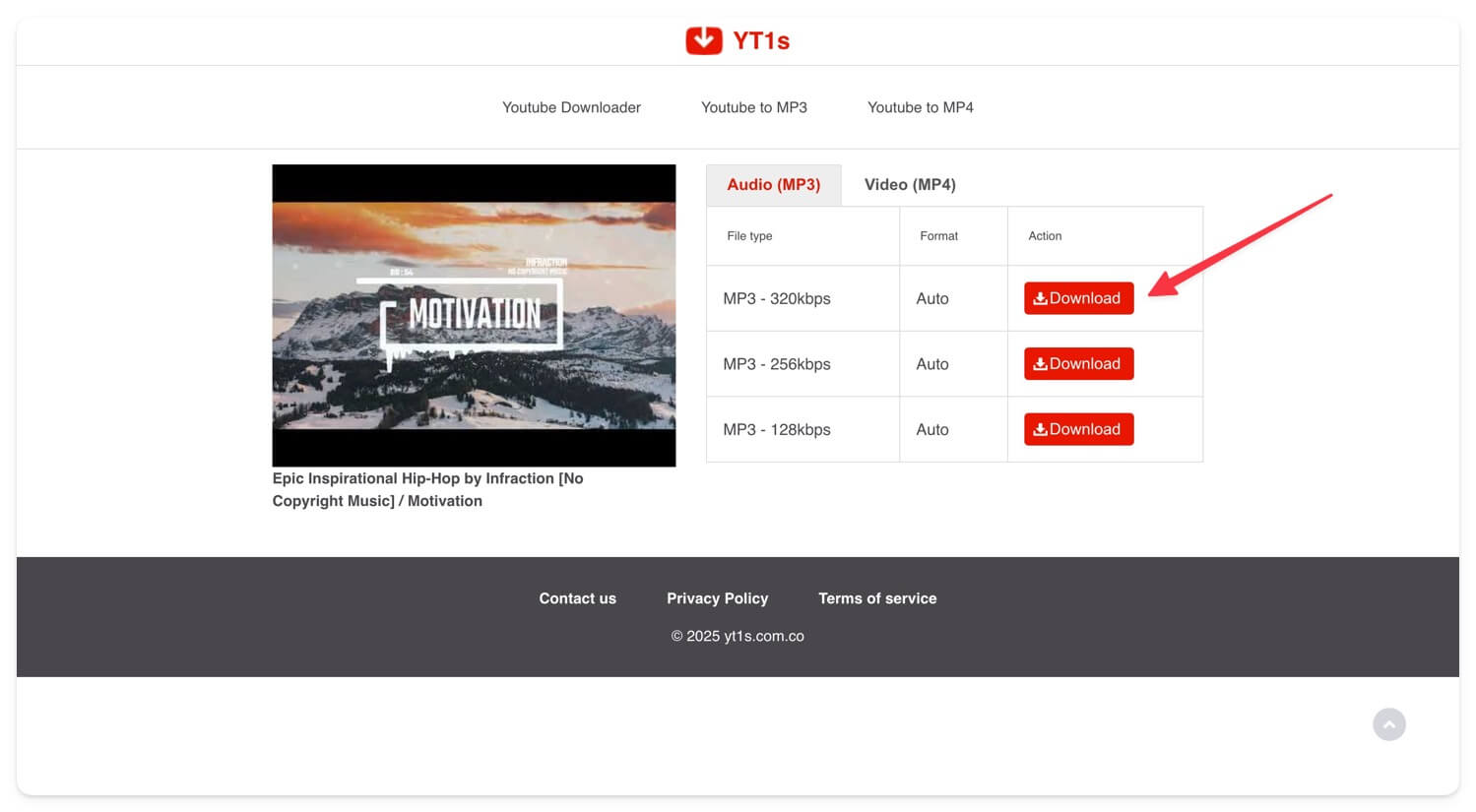
The download speeds are similar to Y2mate and sometimes far better if you have a high-speed internet connection. You can also download and save videos in MP4 format directly from the same interface if you need it.
However, like Y2mate, the app doesn’t support batch downloading, meaning you cannot download the entire YouTube playlist in one go. However, it doesn’t require you to create an account and is free to use, making it a reliable option if you want to adjust the audio bitrates and download instantly without intrusive ads.
Key features: Minimal interface, no ads and unwanted redirections, and high bitrate support.
3. amp3.cc – Convert YouTube Playlists Into mp3
After spending hours testing different YouTube playlists to MP3 converters, I finally landed on amp3.cc developed by an individual developer. The tool is free to use, and it works like a charm. You can easily convert any YouTube playlist into MP3 with the ability to adjust individual start and time in just one click.
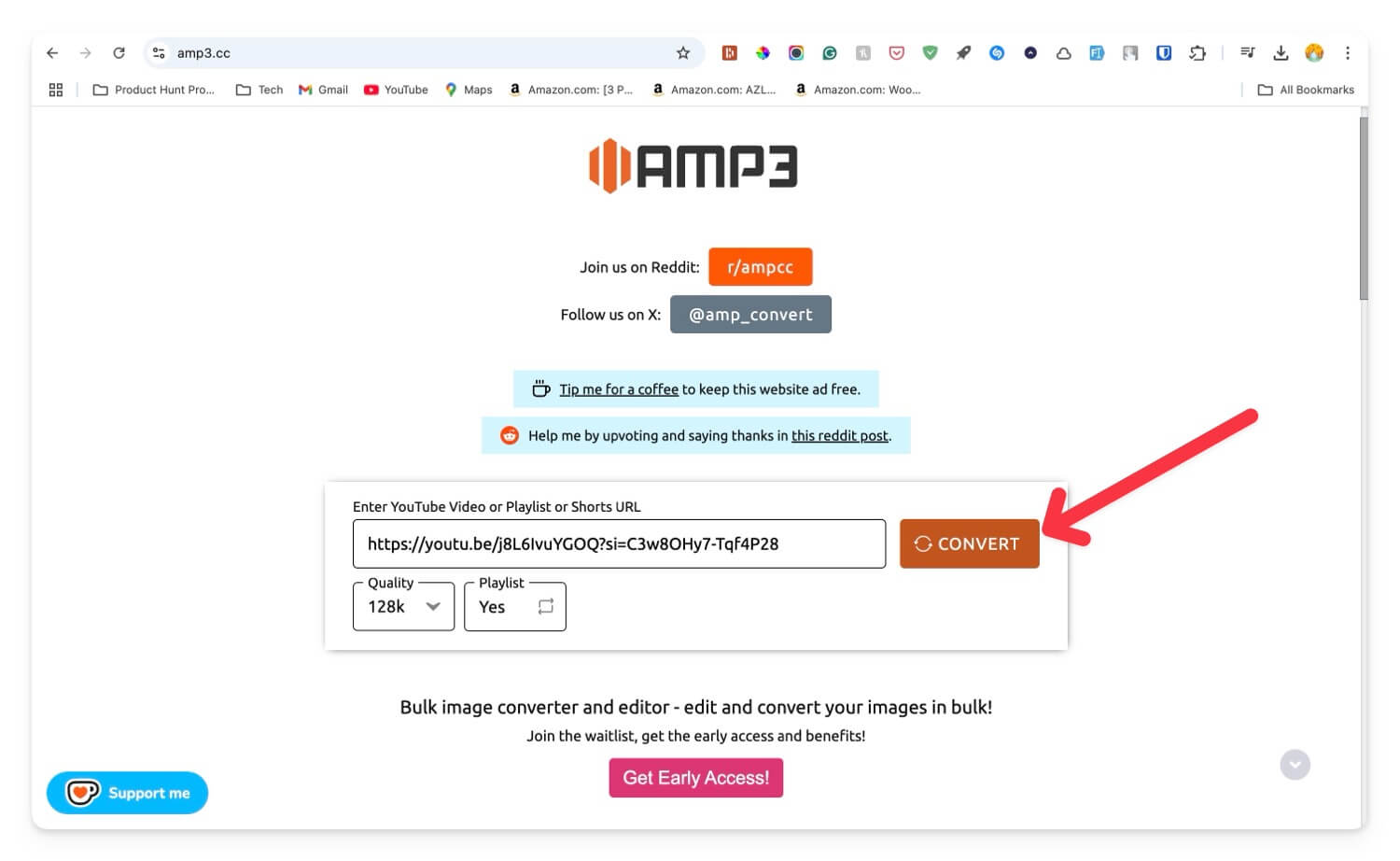
If you are a first-time user, the user interface might be confusing. To help you, you can copy the playlist URL, paste it into the search bar, and select the quality. If you’re downloading a playlist, click on the playlist, select the playlist option to YES, and click on the convert. The app takes several minutes to convert and download all your files automatically.
It is free to use, requires no sign-up, and doesn’t show ads or prompt you to click unwanted buttons. It’s a great option to download or convert all YouTube videos into an MP3 playlist in one go.
Key features: Batch downloading, Bitrate adjustments, no ads, and popups, which are compatible with mobile and desktop.
4. 4K YouTube to MP3 converter
4Kdownload’s YouTube to MP3 converter brings some good features besides just converting YouTube videos into MP3 files. It supports the conversion of an entire YouTube playlist into individual MP3 audio. YouTube videos can be directly searched from the search bar at the top. Alternatively, you can also paste the URL to reach your specific video or playlist. The service will always convert your videos at the best possible setting with support for 320kbps audio. You can limit the download speed to a certain cap, which comes really handy when you are working on a task and need to prioritize your internet bandwidth.

This YouTube to MP3 converter from 4Kdownload is free to use, and you can download it from their official website. The software allows you to manually set your download location and even add a proxy while downloading and converting YouTube videos. The free version allows 30 downloads in a day, and the counter is refreshed daily.
Key Features: Playlist conversion support, 320kbps audio downloads, easy-to-use software with a neat user interface.
I wonder how many beats been stolen from YouTube with youtube to mp3 😂
— Merion Krazy (@MerionKrazy) February 23, 2021
5. Loader.to
Loader.to is a no-nonsense online converter that you can use to download your favorite YouTube videos in MP3 format. All you have to do is to paste the link of the source YouTube video or even a YouTube playlist and hit the download button. You can also choose to download the audio in multiple formats like WEBM, WAV, AAC, OGG, and more for further compatibility.

Loader.to also has its own browser extension that is supported in Google Chrome, Mozilla Firefox, Opera, Safari, and Edge. This extension enables a direct download button on YouTube itself, so you can convert your favorite YouTube videos and download them directly in MP3 format. It also lets you download the video itself in MP4 and other formats.
Key features: Brower extensions for major browsers, download YouTube video in mp4 format.
I’m going to start using a YouTube to MP3 converter again just so I can feeling something…..
— Vincent Adultman (@TheEvanHoffman) September 21, 2021
6. 9convert.com
9convert.com is a powerful online converter tool to convert videos from your favorite content creators on YouTube to MP3 format. What makes it stand apart from others is its support for various languages that include English, Japanese, French, Filipino, Hindi, and much more. The user interface is very beginner-friendly, with a bar to paste the YouTube video URL. This online tool has a breakneck loading speed due to its simple UI and supports downloads at 320kbps. The entire process will take less than a minute.
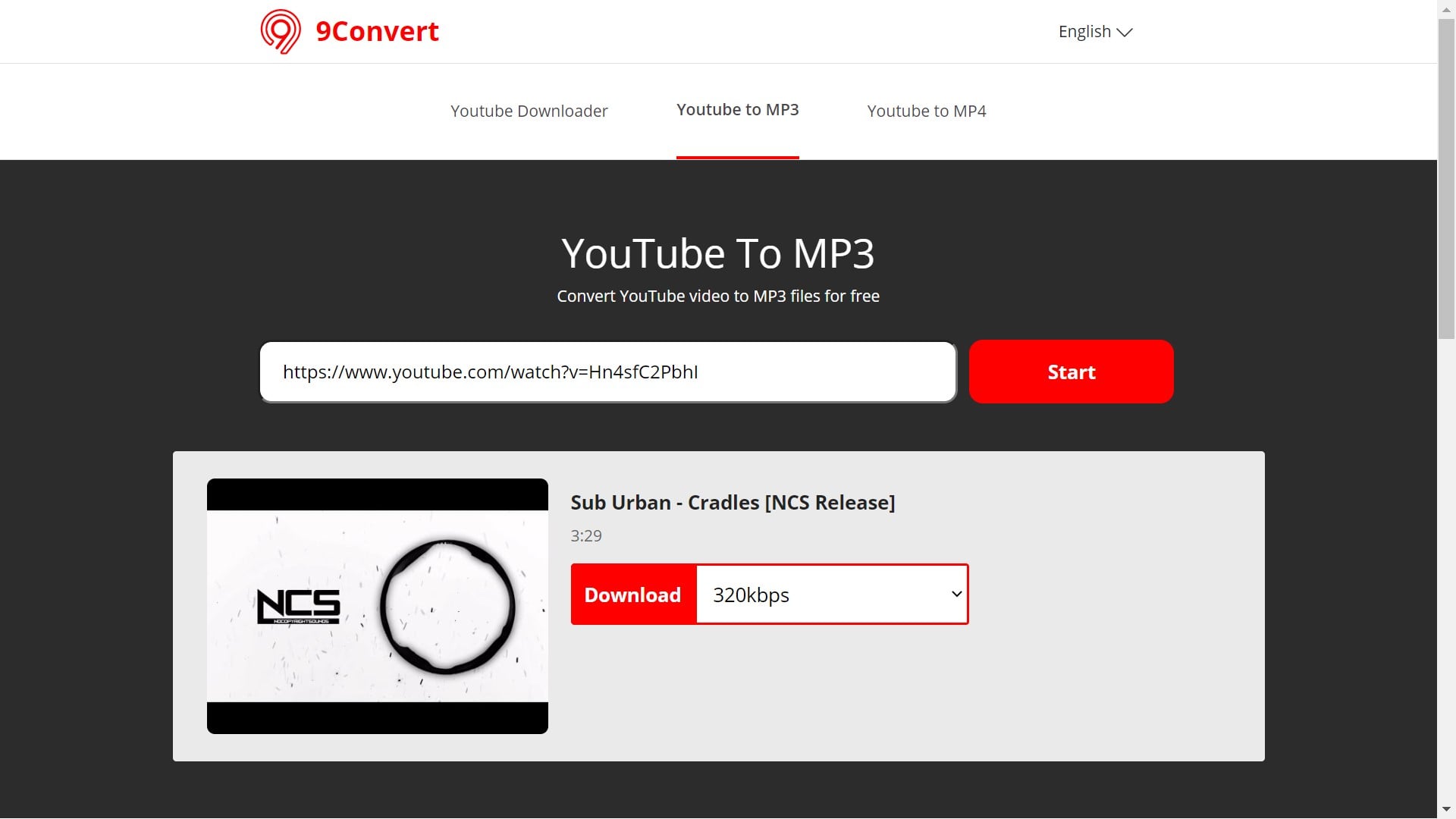
Key features: 320kbps download, multiple languages support.
ITS WORKING THE YOUTUBE TO MP3 WORKEDDDD thank you brick dreamy and miy <3
— Tabs (@tabslemon) September 21, 2021
7. YouTube Premium
This is the official way to store your favorite songs, but this will only work on mobile devices such as smartphones and tablets. The Premium service by YouTube allows downloading of songs in the YouTube Music application, which is available on the Google Play Store and the Apple App Store. Although this will not work on a laptop or a desktop, it allows hassle-free storing of quality audio on your storage spaces in phones.
Additionally, YouTube Premium also brings in support for background playback of a variety of videos. So instead of converting your videos to MP3 files, you can choose to play them online on your mobile phone where the YouTube Music app will act as a regular MP3 player across all video formats.
Platforms Supported: Android and iOS.
Online vs Desktop YouTube MP3 converters
It’s not like desktop YouTube to MP3 conversion apps are less useful. They have their own advantages. For example, you can use one to download MP3s from YouTube in multiple formats like MP3, M4A, FLAC, and more. Another way they are helpful is when you need to convert multiple YouTube videos or even entire playlists at a time. Still, a third reason is if you have made a collection of YouTube videos on your desktop and want to organize them into audio files. You can check WinX Video Converter, which is a great desktop app option to convert YouTube video to mp3.
Which is the best free YouTube to MP3 converter?
With all of its features and a simple interface taken into account, MP3download.to is of the best free-to-use YouTube to MP3 converter, in our opinion. The ability to download at high bit rates of 320kbps for good quality audio tracks and a functional audio cutter to trim the audio clip even before downloading it make this amazing tool to our recommendation list to convert YouTube videos to MP3. Also, you can use this service to download videos from YouTube at 1080p Full HD resolution directly. So this not just makes it a good converter but a fully-fledged online YouTube Video downloader.
Frequently asked questions about YouTube to MP3 converters
Here are some commonly asked questions about YouTube to MP3 converters.
2. How to convert YouTube to MP3?
We have handpicked the best free YouTube to MP3 converters from the web and listed them above. To convert a YouTube video to MP3, copy the video URL to the clipboard. Then choose any converter from the list you like based on the features you need, such as file formats, high-speed conversion, direct audio extraction, output formats, etc.
Now open the MP3 converter in your web browser. Paste the URL in the search bar, and choose your desired audio quality to download your MP3 file. These converters are free to use and do not require any Video Editing Software. Once the download is complete, you can enjoy your music file on any system.
3. Are YouTube to MP3 converters safe to use?
YouTube to MP3 converters are safe to use at a personal level from the legal side of things. There is a slight risk when it comes to viruses, malware, and other unwanted stuff that may enter your system with the MP3 file. This is not because of using a converter, but downloading any file from the web brings in the risk of unwanted junk to your system when it comes to 3rd party services.
Mobile devices like Android and iOS are comparatively safer in this aspect, so you can choose to download the file on your mobile device first and later transfer it to your laptop/PC. Although this does not completely rule out the possibility of viruses entering your system, and it is recommended to use an antivirus on your system to protect you from people with a dark hat.
4. How do I download MP3 from a YouTube URL?
The best way to download the MP3 audio version of a YouTube video from its URL is to copy-paste the URL into any of the services which we mentioned above. The methods mentioned here are tried and tested; hence we recommended using them to get the best results for the conversion of videos.