

Quick Answer
After testing tens of bots, here are my top five picks: @pikaso_me for taking screenshots, @threadreaderapp to Converts Twitter(X) posts into readable blog posts, @SaveMyVideo to download videos, @freegamefinding to discover free game deals, @trinityaudiobot to convert tweets into audio and more.
Twitter (now X) is a popular social media website that allows people from all walks of life to share information, make announcements, seek help, and interact with other Twitter users through tweets.
Although the overall experience on Twitter(X) varies depending on what accounts and topics you follow, using Twitter bots is another way to get more out of the platform. A Twitter bot, for those unaware, is a programmed Twitter(X) account that uses the Twitter(X) API to perform actions autonomously as outlined by its creator.
We’ve curated a list of the best Twitter(X) bots you can follow right now to help you get started with Twitter(X) bots and gain more value from the platform.
Note: After Twitter(X) API changes, many bots have stopped working and a few now have daily request limitations. I have listed the bots (in June 2024) that are currently working after the API changes. If you encounter any issues, wait for a few hours and then retry. I understand this experience is frustrating if you are using a bot and want a quick response.
Table of Contents
10 Use Full Twitter(X) Bots You Should Know
Sl No | Bot | What it does? |
|---|---|---|
1 | Takes screenshots of tweets |
|
2 | Turns tweets into visual quotes |
|
3 | Downloads videos and GIFs from Twitter |
|
4 | Converts Twitter threads into readable blog posts |
|
5 | Tweets near-realtime images of the Earth |
|
6 | Tweets about significant earthquakes |
|
7 | Transforms black-and-white images into colorful versions |
|
8 | Mashes random emojis to create new ones |
|
9 | Shares free game deals on PC, PS, and Xbox |
|
10 | Converts tweets into audio |
Pikaso (@pikaso_me)
- Function: Take screenshots of tweets (Posts).
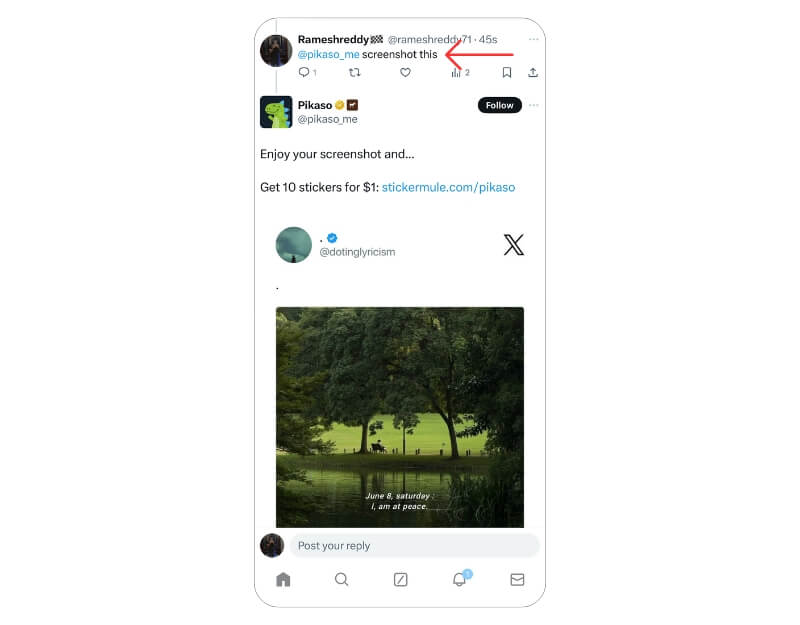
- How to Use: Reply to the tweet with @pikaso_me screenshot this.
If you’re someone who likes to take screenshots of tweets on Twitter(X) to post them on other social media platforms, this is an excellent tool that can help you capture some gorgeous screenshots. Mention Pikaso using @pikaso_me with the text screenshot. Pikaso will share a link for the screenshot, which you can then click on to save to your device. Moreover, you can also customize the screenshot of the tweet to match your style.
Besides these basic features, Pikaso also offers a couple of paid plans, through which you can gain access to API access, automation features, and a few additional features.
Make it a Quote (@MakeItAQuote)
- Function: Turns tweets into visual quotes.
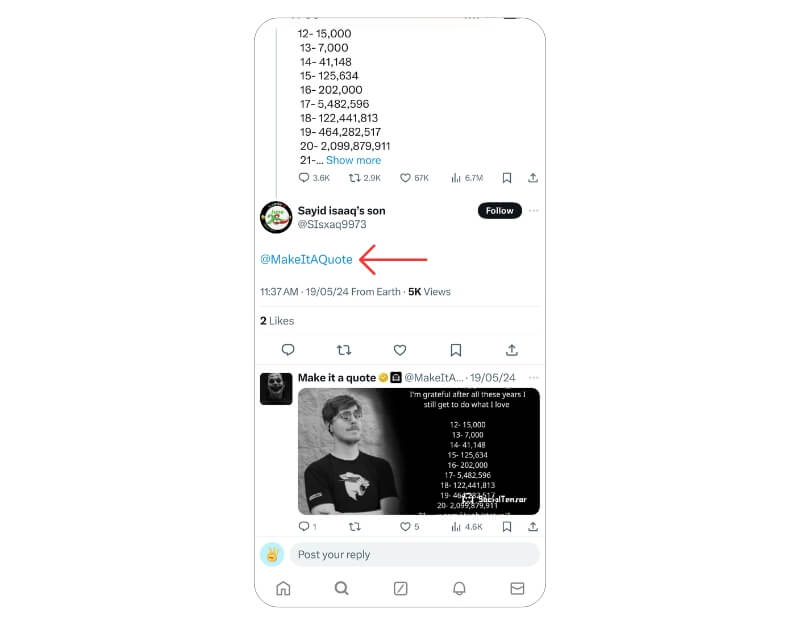
- How to Use: Tag @MakeItAQuote to create a quote image from a tweet.
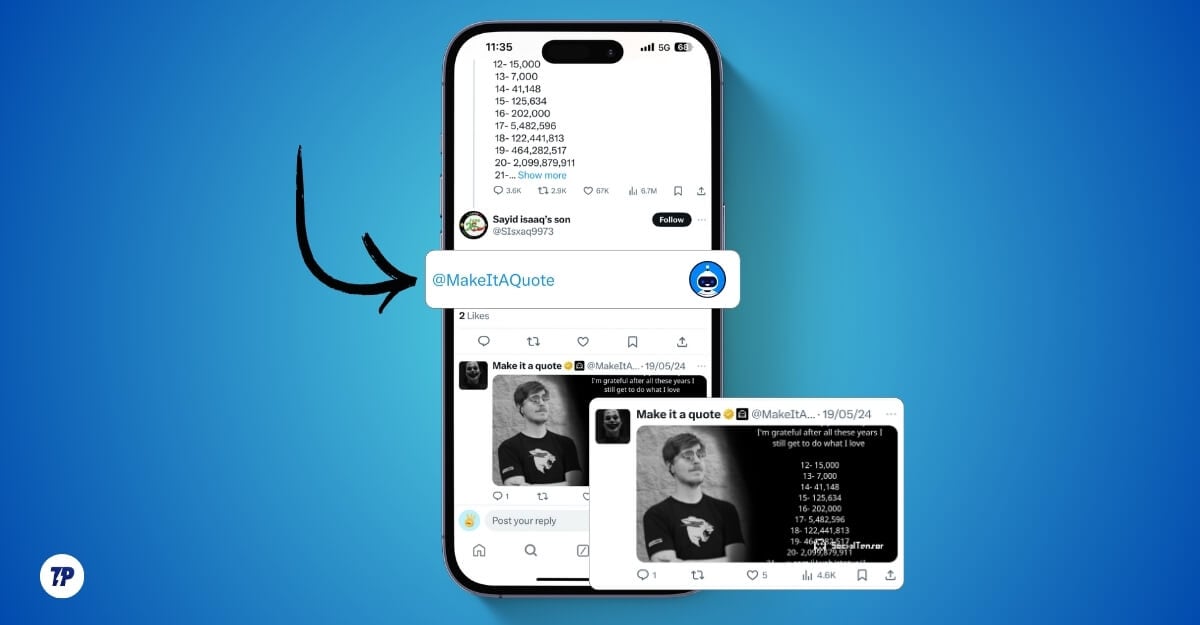
This bot converts regular tweets into quote images. It adds the tweet text to an image with a mono background. You can download the image and share it elsewhere. The image contains a watermark and does not include any account information.
Download video X (@VideoDownloadX)
- Function: Downloads videos and GIFs from Twitter(X).
- How to Use: Reply to the tweet with @VideoDownloadX
There are plenty of video download bots for Twitter(X). However, most of these bots have stopped working due to the API changes. After testing a few, I finally found that DownloadVideoX is a bot that provides a link to the video downloader tool every time you send the request.
Thread Reader App (@threadreaderapp)
- Function: Unrolls Twitter(X) threads into readable blog posts.
- How to Use: Tag @threadreaderapp and reply with “unroll“.
If you use Twitter(X) actively and follow accounts that post informative/insightful threads, the Thread Reader App is an excellent Twitter bot to follow and save threads. It’s one of our favorite Twitter(X) bots to save threads.
To use it, open the thread you want to save and mention @threadreaderapp followed by the unroll keyword. The Thread Reader App will return a link to the thread with all the tweets presented in a blog format, which you can either bookmark or save as a PDF on your device.

DSCOVR:EPIC (@dscovr_epic)
- Function: Tweets real-time images of the Earth taken by the EPIC camera on the DSCOVR satellite.
- How to Use: Follow @dscovr_epic to receive updates.
If you’re fascinated by images of the Earth, you’re surely going to like the DSCOVR:EPIC bot. It’s a basic Twitter(X) bot that tweets out near-realtime images of the Earth taken by the EPIC camera on the DSCOVR satellite. On average, you can expect anywhere between 10 to 13 images of the Earth from SCOVR:EPIC every day.

Earthquake Robot (@earthquakebot)
- Function: Tweets about any earthquakes with a 5.0 or greater magnitude worldwide.
- How to Use: Follow @earthquakebot for updates on significant earthquakes.
If you—or someone you know—live in an earthquake-prone area, Earthquake Robot deserves your attention. It’s a simple Twitter(X) bot service that tweets about any earthquakes with a 5.0 or greater magnitude worldwide when they occur.
Plus, the bot also attaches a map link with precise coordinates to the location where the earthquake occurred, which you can open to view in Google Maps.
Colorize_Bot (@colorize_bot)
- Function: Transforms black-and-white images into colorful versions using AI.
- How to Use: Mention @colorize_bot in the caption of the black-and-white image or reply to the tweet with @colorize_bot
Colorize_Bot, as its name suggests, transforms black-and-white images into colorful versions using AI.
So if you’ve got an old black and white image that you wish had colors in it—or you came across a tweet with an image that’s black and white, Colorize_Bot can turn it into a colorful picture.
For this, all you need to do is mention the bot with its handle (@colorize_bot) below the image you want to colorize. Alternatively, you can tweet an image and mention the bot to transform it into a colorful version.
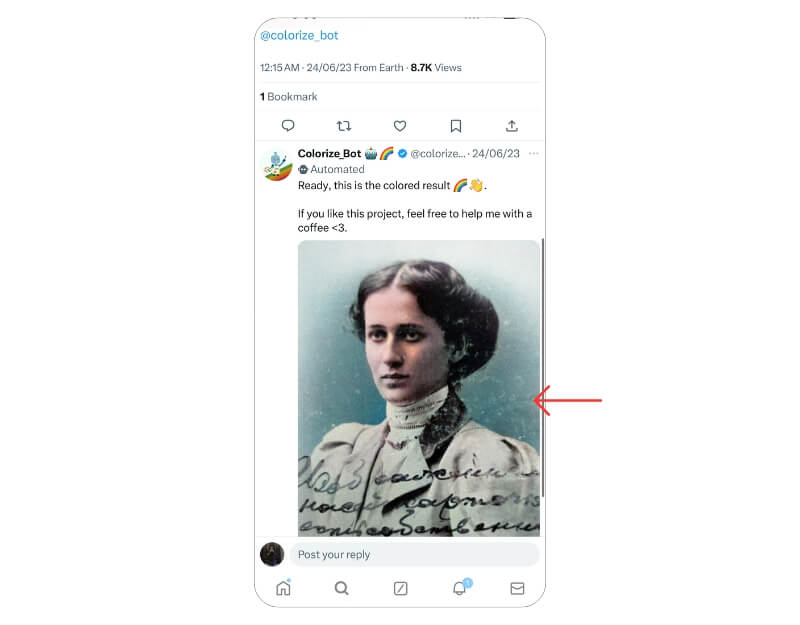
Then, when the bot returns the colorful image, you can save/download it to your device or bookmark it on Twitter(X) itself.
Emoji Mashup Bot+ (@emojimashupbot)
- Function: Mashes random emojis to create new ones.
- How to Use: Follow @emojimashupbot for new emoji creations.
If you ever struggle to find the perfect emoji to use in a given situation, you might want to try out the Emoji Mashup Bot. As its name implies, this bot mashes random emojis to create a new emoji out of them. These emojis are perfect for moods that don’t align naturally with the standard emojis.
Emoji Mashup Bot also has a younger sibling, Emoji Mashup Plus (@emojimashupplus), which creates new emojis out of three random emoji parts.

Free Game Findings (@freegamefinding)
- Function: Shares free game deals on PC, PS, and Xbox.
- How to Use: Follow @freegamefinding to stay updated on free game deals
If you play a lot of games and enjoy trying out new titles, the Free Game Findings bot can help you get free deals on PC/PS/Xbox games. It’s made for the FreeGameFindings subreddit on Reddit. And much like its subreddit, the bot also shares free game deals quite regularly.
If you’re already a member of this subreddit, you should follow Free Game Findings to stay informed about such deals on Twitter(X) as well.
Trinity audio boot (@Trinityaudiobot)
- Function: Convert tweets into audio.
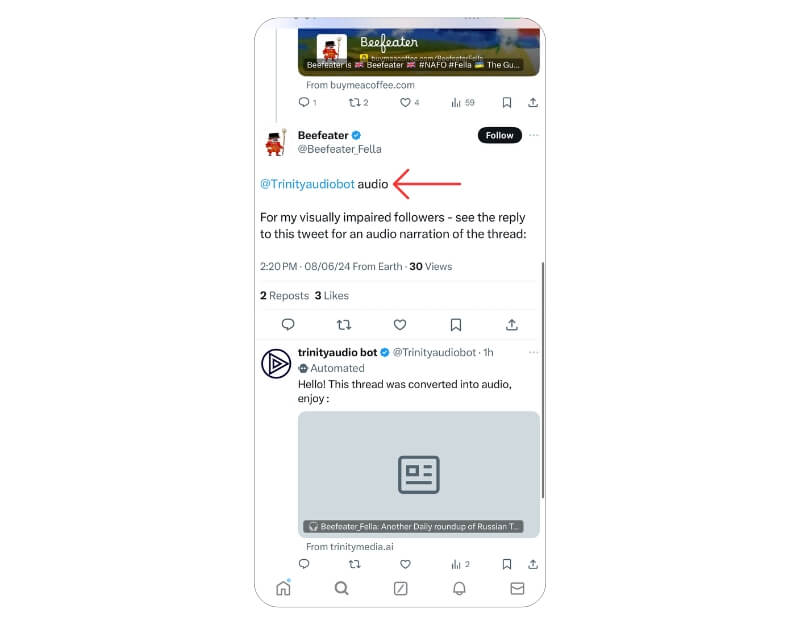
- How to use: Reply to the tweet @trinityaudiobot with any optional text. Ex: @trinityaudiobot generate audio
Convert any text-heavy tweet into an audio-based conversation. Surprisingly, the audio sounds natural. It redirects to an external website with the audio, where you can control the speed, pause, play, stop, and share the audio with others. This is very useful, especially for visually impaired people or those who want an audio version of long threads.
 Do More on Twitter(X) with these Best Bots
Listed above are some of the best Twitter(X) bots you can use to perform a range of useful operations on Twitter(X) besides following tweets. While a few of these bots serve you helpful information, others come in handy to help you with tasks that would otherwise require you to undergo several steps or use additional apps in some instances.
At any point, if you have trouble using a bot, look at the instructions in the bio on its Twitter(X) profile.
FAQs About Twitter(X) Bots
2. Are Twitter bots real?
No, Twitter bots aren't real users; they are automated services programmed using the Twitter API to perform operations directed by their creators.
3. Can Twitter bots reply?
It totally depends on the type of bot. If a Twitter bot is created to assist you with certain tasks, saving a thread or downloading a video, for instance, it will reply to your tweet with the requested information.
4. Should you block bots?
Yes and no. If a bot continues to spam you with irrelevant/spammy messages or tweets, you must definitely block it. On the other hand, if all that a bot does is respond to your query with the requested information or present you with relevant information—as promised when you followed it—you wouldn't need to block it.
5. Is Twitter getting rid of bots?
In the past, Twitter has removed a ton of bots for violating its policies. Most of these Twitter bots didn't abide by Twitter's API guidelines and spammed Twitter users with unsolicited tweets and messages. However, as of now, it seems that certain Twitter bots—like the ones mentioned on this list—aren't on Twitter's radar for removal.
In fact, in September 2021, Twitter introduced a label that allows the 'good bots' to identify themselves. A robot icon identifies automated accounts so they won't be taken for human-helmed ones. It's currently being tested by over 500 developers and clearly indicates Twitter's intention to encourage the usage of good Twitter bots.
6. Why using a Twitter bot or automation tool is a good idea?
A Twitter bot or automation tool can help you to automate your social media marketing. It creates and manages tweets that can respond to people, follow people, retweet tweets, etc. These tools are perfect for businesses who want to engage with their customers on social media but don't have the time or resources to do it themselves.
7. What is a Twitter Follow Bot?
The Twitter follow bot is a piece of automated software that can be used to automatically and repetitively perform actions on the social media platform. By automating such an action, it saves time for business owners who would otherwise have to manually do them themselves. Some examples of these Twitter bots are those that allow users to mass-follow or unfollow people at any given period in their URL address bar with one click.
There are many different ways to create these programs and they can be beneficial for any business. For example, bots could be created to follow the company's most influential followers and retweet their content.

