

For quite a while, getting a tablet and a mouse was associated with desktops. After all, notebooks came with their own keyboards and point-and-click mechanisms (trackballs, trackpads, and so on), and many tablets, for the longest time, did not support mouses. This scenario has, however, been changing in recent times with both iPads and Android tablets coming with mouse support and also trying to get into the notebook space instead of being the touch-only “third screens” envisaged by Steve Jobs.

Suddenly, it makes sense to grab a tablet as a more affordable notebook alternative. And as most tablets still do not come with keyboards and mouses, the demand for these accessories (especially their wireless and portable avatars) has received a boost.
The challenge is to get a pair of devices from the same brand, as brands tend to sell portable wireless keyboards and mouses as distinct entities. Which often results in us having a keyboard from one brand and a mouse from another. Some of us have even started opting for keyboards that come with trackpads, but these, while handy, do not quite deliver the type and point-and-click experience that you can get from the trusty keyboard and mouse combo. They also tend to be a little on the expensive side.
This is exactly why we love Asus’ idea of coming out with a keyboard and mouse combination that seems cut from the same tech cloth – the Asus Marshmallow Keyboard KW100 and the Marshmallow Mouse MD100. They are remarkably stylish, very portable and come with affordable price tags. The big question is: are they worth investing in?
Asus Marshmallow Keyboard KW100 and Mouse MD100 Design: Surprisingly good looking and very portable
When you think of a keyboard and mouse, the last thing that comes to your mind is attractive design. After all, these are supposed to be basic tools and often come in predictable shades of grey, black, and white. Those that come with attractive designs (such as Logitech’s Color Pop series and some gaming keyboards) generally come with stiff price tags, too. Asus has, however, pulled off a bit of a coup in this regard.

The Marshmallow Keyboard is available in a light brown/pink and white Oat Milk and Green Tea Latte, which is a blend of light green and whitish green. The mouse comes in Astreo Beige, Grey, Lilac Mist Purple, Quiet Blue, Solar Blue, and Brave Green. And they look very good indeed. We got the Green Tea Latte keyboard variant and a mouse with swappable Oat Milk and Green Tea Latte covers. We went with the Green Tea Latte cover on the mouse, and both devices did turn heads when we used them, as they were such a far cry from the routine.
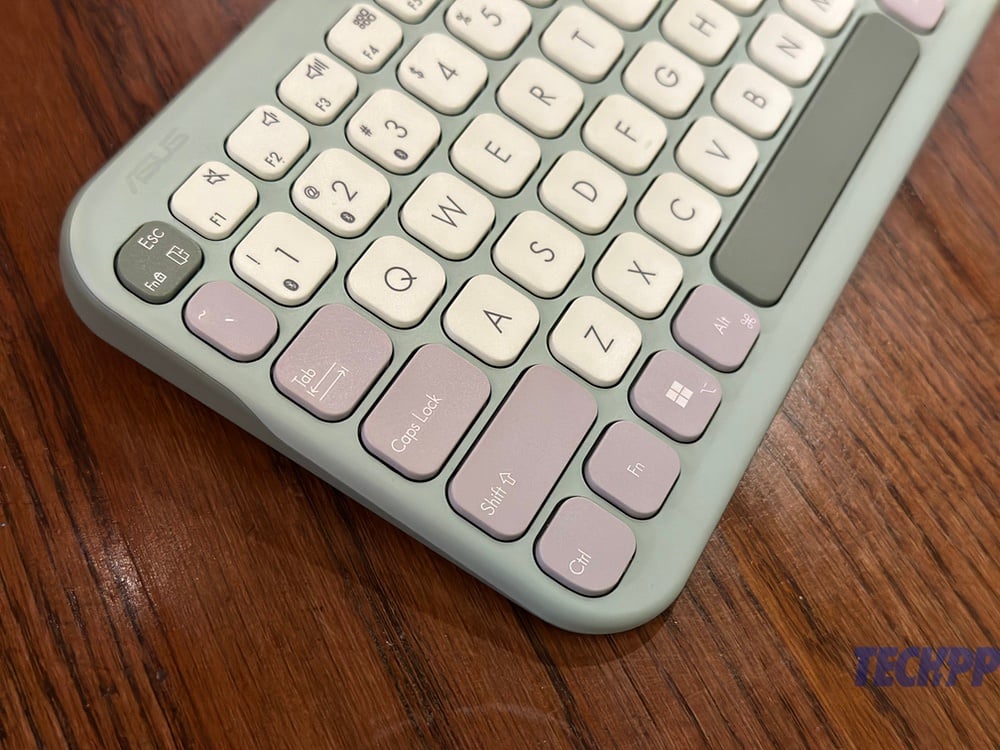
There is some solid functionality and design accompanying those stylish looks. The keyboard is a six-row one and comes with tiny legs under it that let you prop it a little to give you a slightly sloping typing experience. The keys themselves are surprisingly large, given the compact size of the keyboard, and you also get a top row that has special functions, brightness and volume controls, search, and so on. The keys come in three distinct shades – most are in whitish green; the escape, enter, and spacebar are in dark green, while the others (backspace, delete, shift, control, etc) are in lilac purple. There is a connectivity button below the keyboard as well as a slot for storing two AAA cells that power the keyboard (you get two cells in the box).

The mouse is on the flatter side, with a slight arch on its back. It is pretty basic, with two clickable sides on either side of a scroll wheel, which can also be clicked. The top of the mouse (the cover) can be pulled off to change covers and also to access the single AAA cell battery (there is one in the box) as well as a wireless connecting adaptor (interestingly, the keyboard does not have this option), and a snazzy carrying strap too. The base of the mouse has connectivity and DPI buttons.
Both devices are remarkably portable and light as well. The keyboard is slightly less than a foot long and weighs about 375 grams, whereas the mouse is a little under 11 centimeters in length and a mere 56 grams. They are both compact and light enough to easily fit into a bag – the mouse is slightly on the flatter side, so it can even slip into a trouser pocket! If you are looking for a good-looking keyboard and mouse combo, this one is impossible to beat at its price. The Keyboard KW100 incidentally won a RedDot design award this year!
Asus Marshmallow Keyboard KW100 and Mouse MD100 Setup, specs, and performance: Super impressive keyboard, rock solid mouse
Using the keyboard and the mouse is simple enough, although the setup is not really intuitive. In the case of the keyboard, you have to switch on Bluetooth and then press the Fn and 1 number key to get the keyboard into pairing mode. You can use the 2 and 3 number keys to pair the keyboard with two other devices and switch between them. It takes a little getting used to – most Bluetooth keyboards have dedicated keys for the purpose – but once you get the hang of it, it works smoothly enough. The mouse also has a slightly odd pairing process over Bluetooth (we did not use the dongle). You switch on Bluetooth and then press the dpi button to get the mouse into pairing mode.
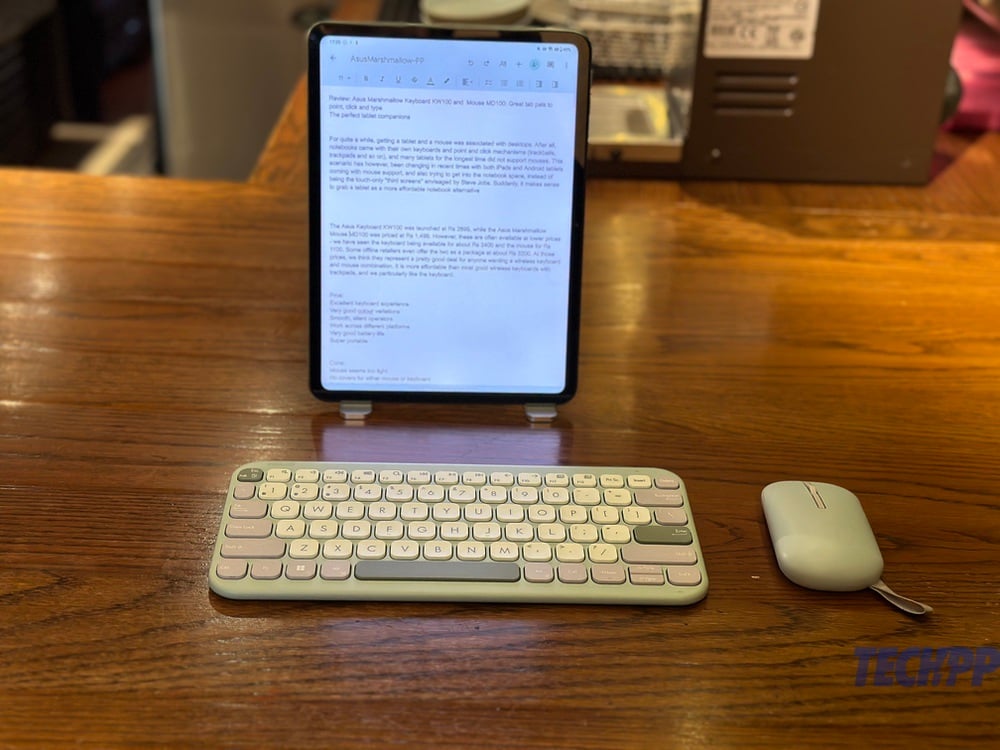
Once you have got the devices connected to your tablet, however, things proceed very smoothly. We used the keyboard and mouse combo with an iPad (10th Generation) and the OnePlus Pad Go, and the experience we got was very good indeed, and infinitely better than the keyboard with trackpad experiences we have had. Yes, you did have two accessories to manage, but they were both light and portable enough.
The Keyboard KW100 is a particularly impressive performer. For a keyboard that is relatively thin and compact, its keys are large and have very good travel (.16 mm). What’s more, they are scissor keys and are very silent. There is no app to customize the keyboard, but we do not see people needing to do so, as most shortcuts work just fine on it. The legs on the base are a small but important touch as you get a choice to type with the keyboard flat on a slight incline.
We could switch between devices very smoothly, and while we would have preferred dedicated keys for this (as on Logitech keyboards), we got the hang of it. We would also have preferred a battery that could be charged, but Asus claims that the two AAA cells in the keyboard will last up to two years. Obviously we cannot verify that, but there has been no battery drain in our two weeks of hefty usage.
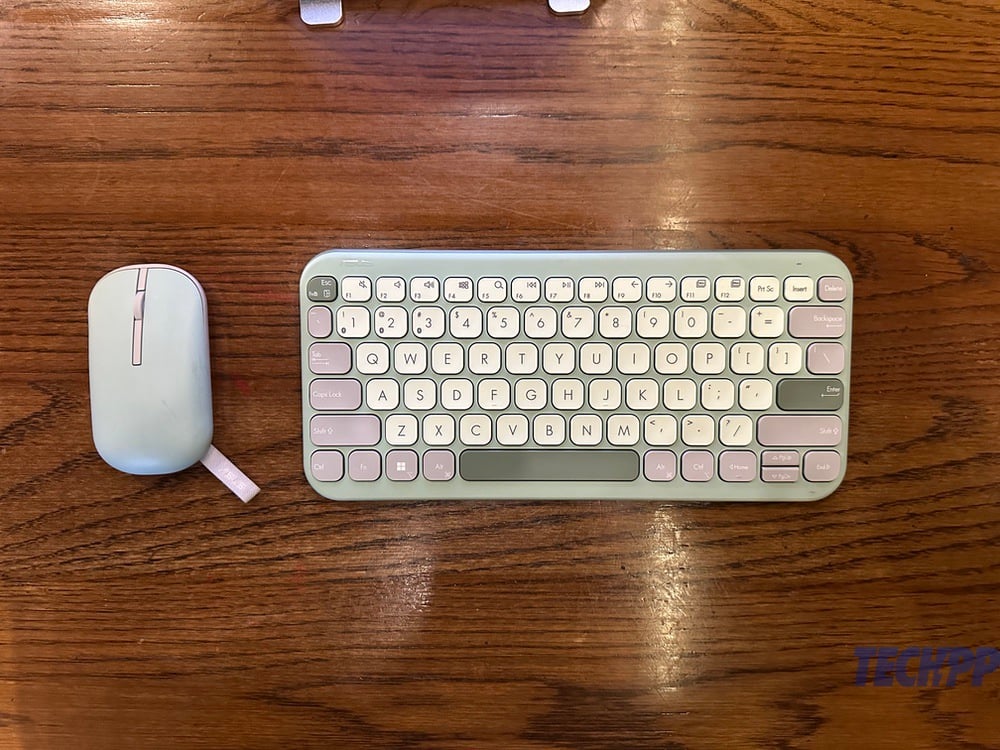
The mouse is not quite in the league of the keyboard but delivers a solid basic performance without too much fuss. We must confess we did not like the slightly rickety cover system (ripping off the top seems a little violent, as it did not come off smoothly), but in terms of performance, it was a smooth operator. The clicks are good, the scroll wheel moves comfortably, and the response time is quick.
We found the mouse’s lack of weight was actually a bit of a drawback as it sometimes moved more than we wanted it to – a little heft would have helped. You can switch between 800, 1200, and 1600 dpi if you wish, but the change is not going to really hit you on a tablet. The carrying strap is a nice style touch, but is actually of not much functional use as we rarely dangle a mouse from our fingers or a bag. It also picks up dust, so we recommend tucking it right back into the mouse (you can). Battery life is said to be a year on that single AA cell – once again, that cannot be verified in a two-week period, but we faced zero drain.
Asus Marshmallow Keyboard KW100 and Mouse MD100 Review Verdict: Should you buy it?
The Asus Keyboard KW100 was launched at Rs 2899, while the Asus Marshmallow Mouse MD100 was priced at Rs 1,499. However, these are often available at lower prices – we have seen the keyboard being available for about Rs 2400 and the mouse for Rs 1100. Some offline retailers even offer the two as a package at about Rs 3200. At those prices, we think they represent a pretty good deal for anyone wanting a wireless keyboard and mouse combination. It is more affordable than most good wireless keyboards with trackpads, and we particularly like the keyboard. Perhaps the closest competitor to it in terms of design and performance is the Logitech Pebble 2 Combo, which is also very eye-catching and a terrific performer but comes at a much higher price (Rs 4799 at the time of writing).
The big question, of course, is whether this keyboard and mouse combination works better than a keyboard with a trackpad (like Apple’s Magic Keyboard setup and some tablet covers). While we cannot deny the convenience of having a pointing device and a keyboard in a single gadget, the fact is that using an independent keyboard and mouse give an experience that is far better. The problem with getting a mouse and keyboard separately generally has been portability – the Asus Marshmallow Keyboard KW100 and Mouse MD100. Yes, they can work perfectly with your desktops and notebooks, too, but we think they are actually the best tablet pals you can get for the price!
Buy Asus Marshmallow Keyboard KW100 Buy Asus Marshmallow Mouse MD100
- Excellent keyboard experience
- Very good colour variations
- Smooth, silent operators
- Work across different platforms
- Very good battery life
- Super portable
- Mouse seems too light
- No covers for either the mouse or keyboard
- Both keyboard and mouse pick up stains
- It could be seen as expensive by some
| Design and appearance |
|
| Performance |
|
| Battery Life |
|
| Features |
|
| Price |
|
|
SUMMARY
Asus Marshmallow Keyboard and Mouse combination is designed for those who want good wireless typing as well as a point-and-click experience. While they are compatible with Windows and Mac machines too, we think they are at their best when used with a tablet! |
4.2
|

