

Podcasts have become very popular in recent years. Most influencers, business people and even celebrities use the platform to share their stories, teach, entertain and much more. No wonder you have a favorite podcast too! If you’re looking for a way to download your favorite podcasts to your device, we have a solution.

In this blog, we’ll show you step-by-step how to download podcasts from Spotify, Apple Podcasts, Google Podcasts and Amazon Music. So, without further ado, let’s discuss how to download podcasts.
Table of Contents
A Step-By-Step Guide to Downloading Podcasts
Podcasts are a new source of entertainment and knowledge. While there are many platforms where you can listen to your favorite podcasts, most of them only allow you to stream them online. This can be quite inconvenient if you are traveling or in an area with poor internet connection. In such cases, you should have your favorite podcasts saved on your devices. You can easily download your podcasts to your device.
To make it easier for you, here are two ways you can download podcasts from your favorite platform.
- Steps to download podcasts in the app
- Steps to download podcasts to your device’s internal storage (using a computer)
Let’s start with the first part.
Steps to Download Podcasts in the App
Most podcast streaming platforms allow you to download podcasts to listen to offline. We take a look at how you can download podcasts on Spotify, Amazon Music, Apple Podcasts and Google Podcasts.
How to Download Podcasts on Spotify
Spotify has over 5 million podcasts and 350,000 audiobooks on its platform that you can stream and listen to for free. To download the podcasts in the app, however, you need a Premium subscription.
Find out how to download podcasts on Spotify here:
- Launch the Spotify app and go to “Podcast.”

- Search for your favorite podcast. Tap on the “Download Arrow Button” below the podcast you want to download.
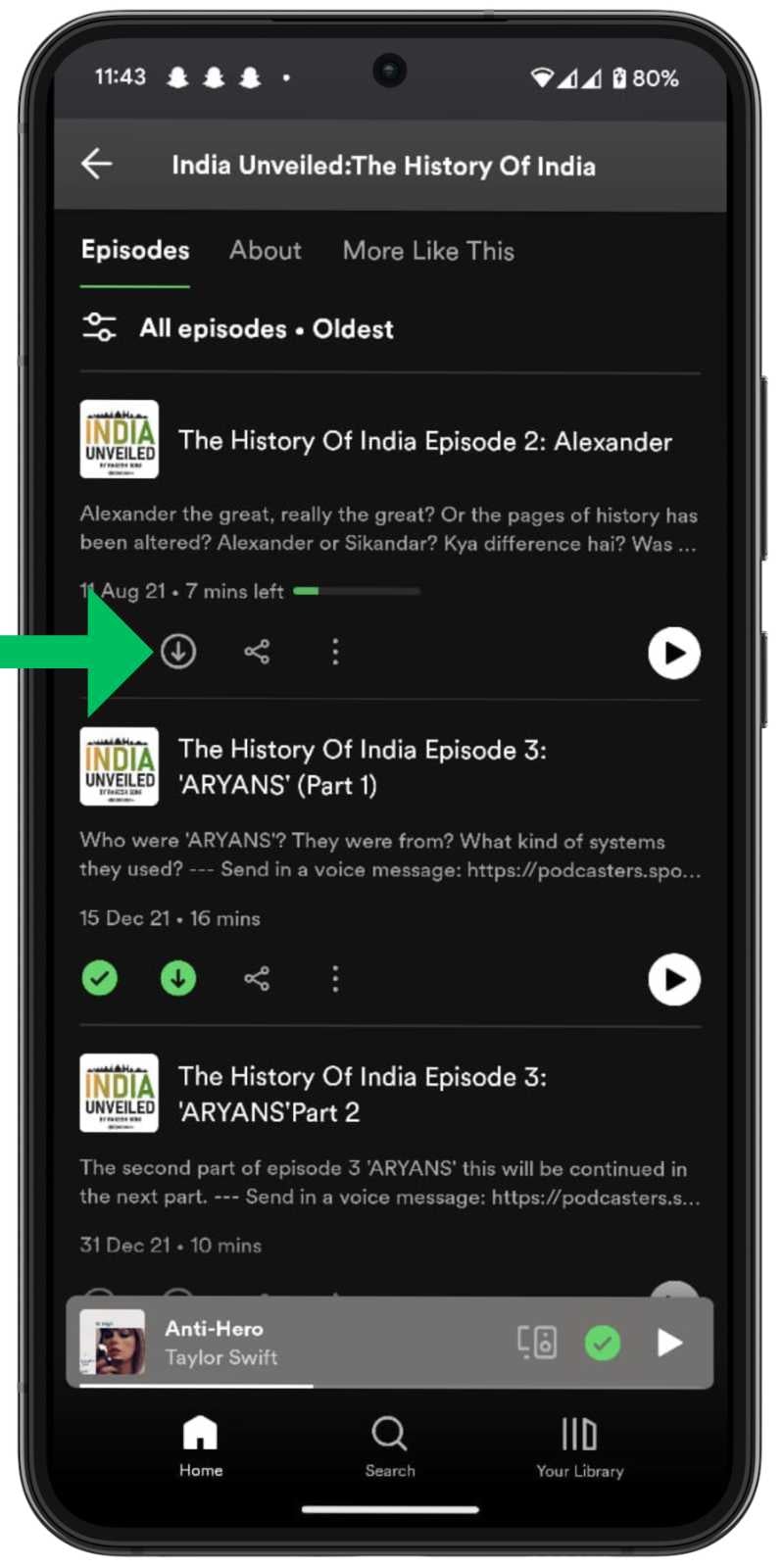
- Or you can also tap on the “Three-Vertical Dot Menu” and then tap on “Download“. The podcast will be saved to your library for offline listening.
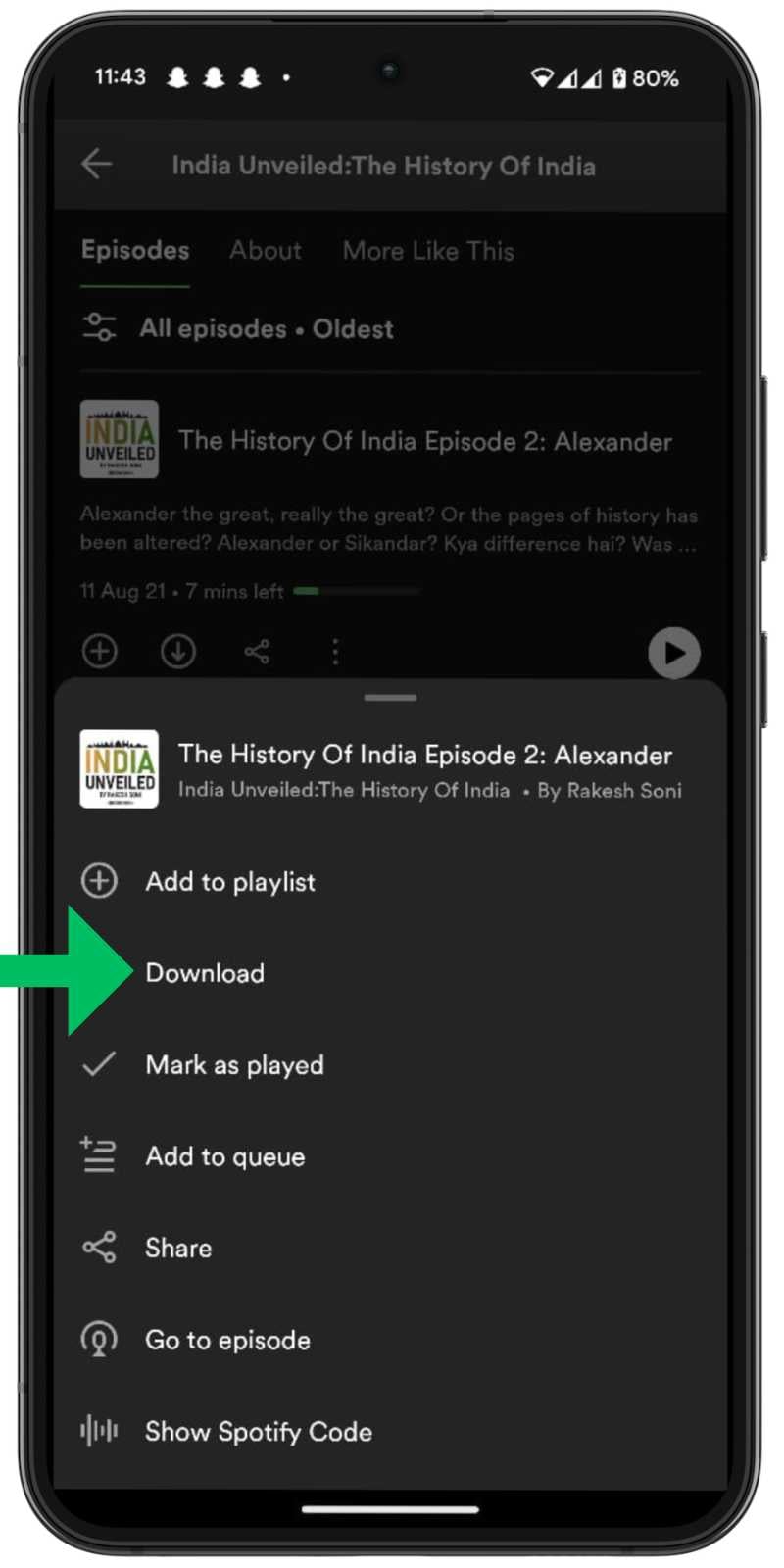
If you have a Spotify Premium account, you can follow the steps above and download your favorite podcasts for offline listening.
How to Download Podcasts on Amazon Music
Amazon Music offers over 15 million podcasts and over 100 million music tracks that can be streamed free of charge and ad-free. However, like its competitors, Amazon Music requires a Prime membership to download podcasts in the app.
Here’s how you can download podcasts on Amazon Music:
- Launch the Amazon Music app. Search for the podcast you want to download.

- Tap on the “Download Arrow” button next to the podcast you want to download.
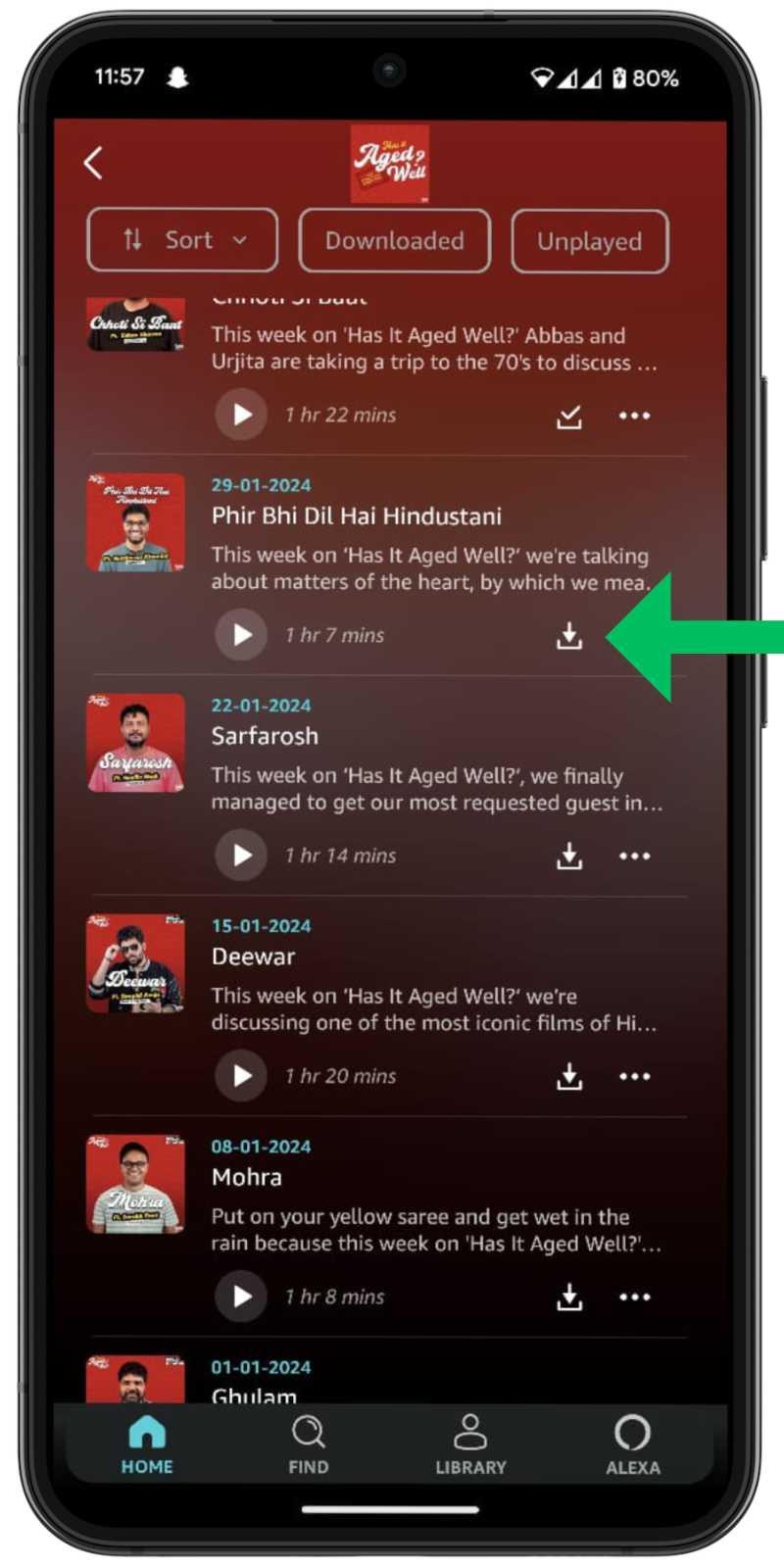
- Or you can tap on the “Three-Horizontal Dot Menu” on the podcast and then tap on “Download.”
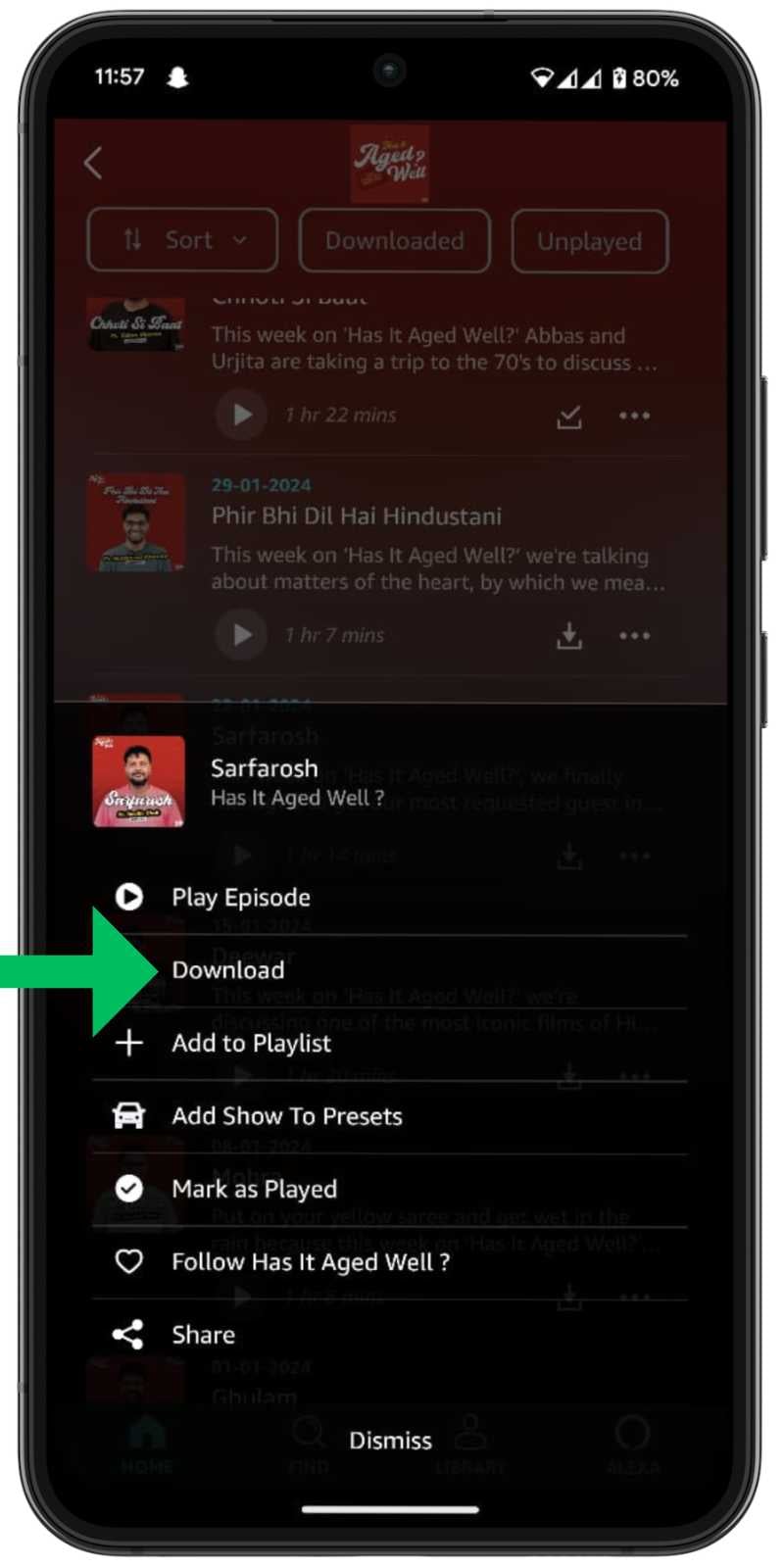
You can access these podcasts from your library. Keep in mind that you can only download podcasts on Amazon Music if you have a Prime subscription.
How to Download Podcasts on Apple Podcasts
Apple Podcasts is another popular platform with millions of podcasts that you can stream for free. You can also download podcasts without a subscription.
Here’s how you can download podcasts on Apple Podcasts.
- Launch the Apple Podcast app. Search for the podcast you want to download.
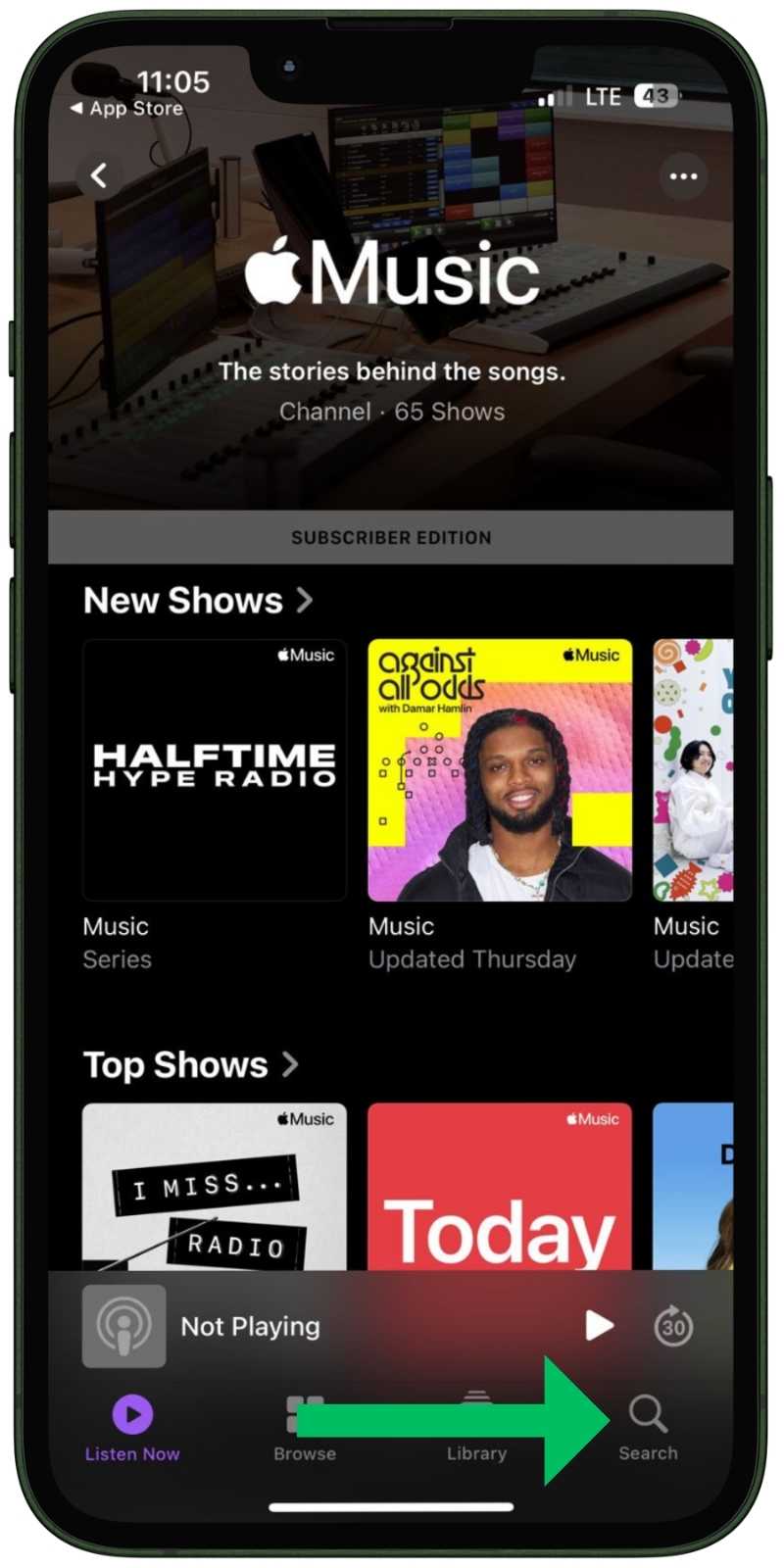
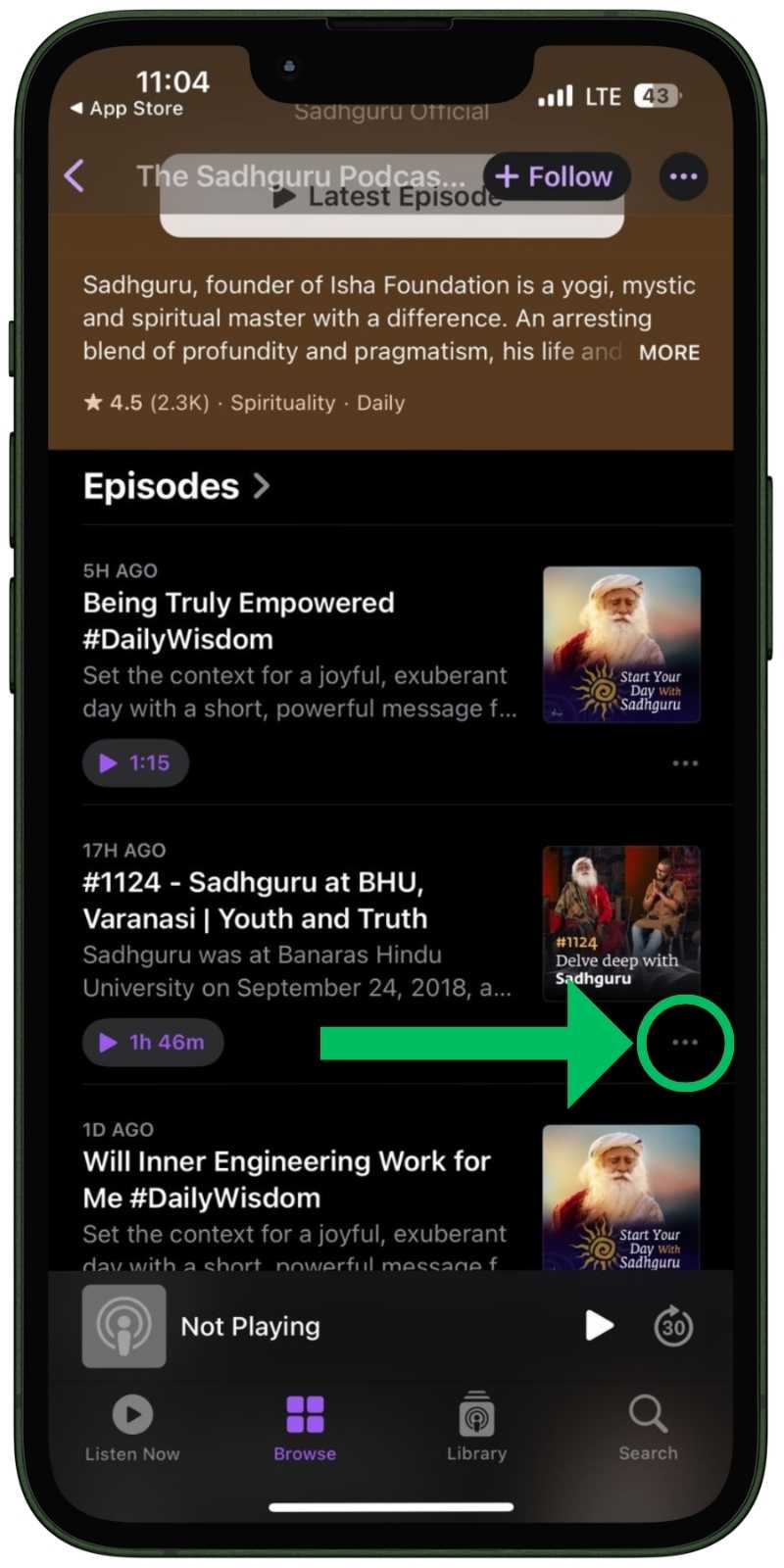
- Tap on the “Three-Horizontal Dot Menu” next to the podcast you want to download.
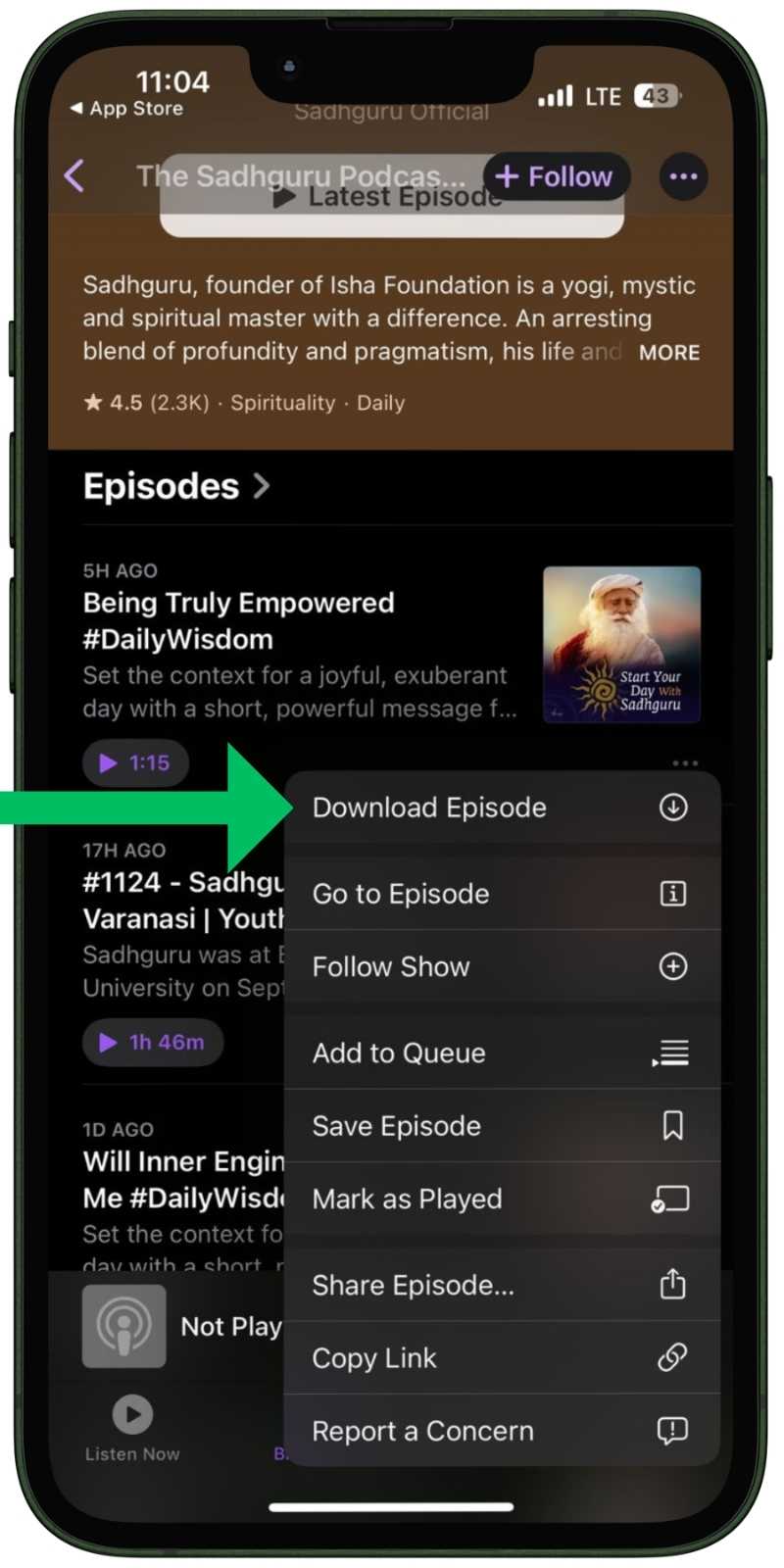
- Tap on “Download Episode,” and the podcast will be saved for offline listening.
The downloaded podcasts can be easily accessed in the library.
How to Download Podcasts on Google Podcasts
Google Podcasts is a completely free platform that provides access to millions of podcasts. Plus, with its intuitive and minimalist interface, you can easily download the podcasts you want.
Here’s how you can download podcasts on Google Podcasts.
- Launch the Google Podcasts app. Search for the podcast you want to download.

- Tap on the “Download Button Icon” right below the podcast you want to download.

You can easily access these podcasts in the library.
By following the steps above, you can download podcasts to your respective apps, which you can then use in their libraries for offline listening. But what if you want to download the podcast to your device’s internal storage? That’s what we’re going to find out.
Steps for Downloading Podcasts to Your Device’s Internal Storage
When it comes to downloading podcasts to your device, in-app downloads are stored as app data and cannot access your device’s memory. However, this doesn’t mean that you cannot download these podcasts to your device’s internal storage.
There are many platforms and plugins that allow you to download podcasts from these platforms. However, very few of them are safe and ethical. I use the HitPaw Video Converter to download podcasts to my computer.
How to Download Podcasts as MP3 Using HitPaw Video Converter
HitPaw Video Converter is a computer software that allows you to download your favorite podcasts to your PC for easy transfer to your smartphone devices. It is a comprehensive multimedia platform that offers numerous features for editing, downloading and converting various file formats. It supports a variety of audio and video formats, making it versatile for all your multimedia needs.
The platform also allows you to download music tracks and podcasts from Spotify, Amazon Music, Apple iTunes, etc. All you have to do is launch the software on your computer and log in to your respective account from which you want to download the podcast (Amazon Music, Spotify and Apple iTunes).
Here you can find out how to download podcasts as MP3s to your device.
- Download “HitPaw Video Converter Software” on your computer and install it. Launch the app and go to “Music.”
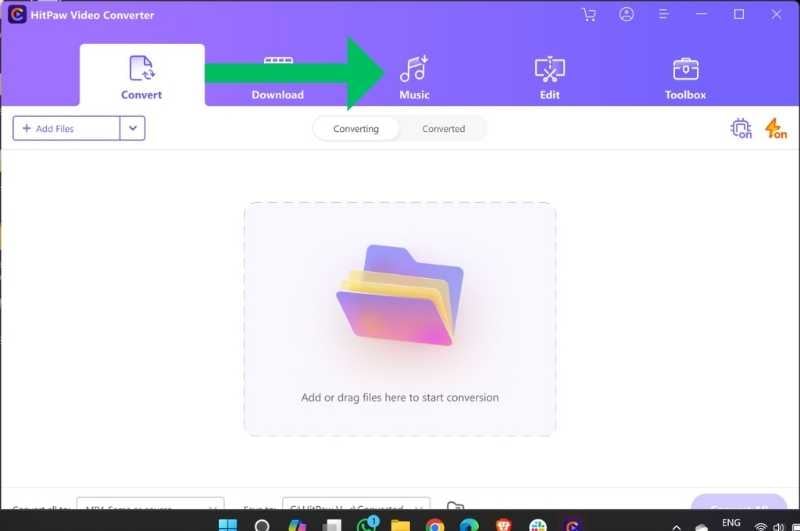
- Now, Choose the Platform (Amazon Music, Spotify, Apple iTunes) from which you want to download your podcast. Login into your account – Amazon Music/ Spotify/ Apple iTunes.

- Search for the podcast you want to download. Hit on the “Download Button” on the top right corner of your screen.

- Now, go to “Converting” and tap on “Convert All” to download the podcasts on your device.
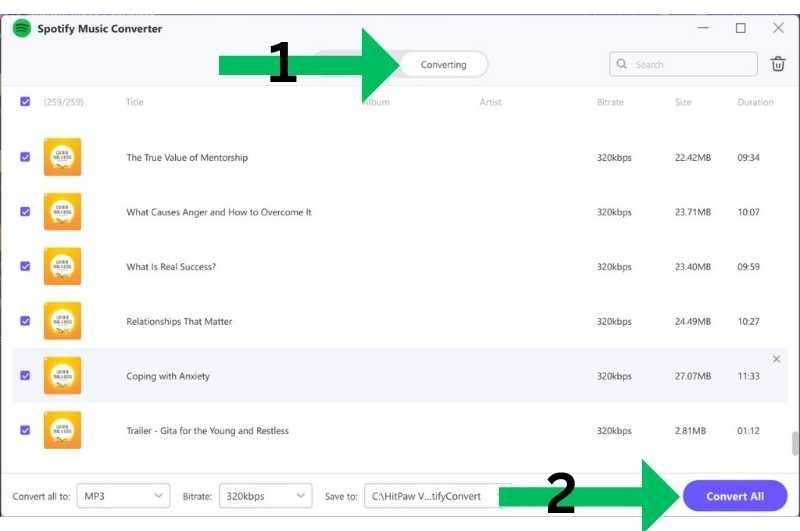
Following these steps, you can easily download podcasts on your computer’s storage.
Wrap Up

You can easily download your favorite podcasts by following the steps in our blog. Whether you want to download podcasts as mp3 to your internal storage or as an app for offline listening, these steps will guide you through the process. Have fun listening to your favorite podcasts anytime, anywhere!
FAQs about Podcasts Download
1. Can I download podcasts for free?
While most popular platforms such as Spotify and Amazon Music require a premium subscription to download podcasts, you can listen to and download podcasts for free on other platforms. Google Podcasts and Apple Podcasts are two popular platforms with a wide range of podcast content that you can download for free.
2. What are the best platforms to listen to podcasts?
There are plenty of apps and platforms for listening to podcasts. Some of the best ones include:
- Apple Podcasts
- Spotify
- Google Podcasts
- Amazon Music
- Overcast
- Castbox
- Audible
- Pandora

