

Quick Answer
To get iOS 18’s Vehicle Motion Cues feature on an Android smartphone, you can use the KineStop app available on the Google Play Store. It replicates the feature by displaying dots on your screen that move in sync with the vehicle’s motion, helping to mitigate motion sickness.
With iOS 18, introduced at the WWDC 2024 event, Apple introduced multiple new features for iPhones and iPads. Some features that are new for iPhones, such as the ability to place icons anywhere on the home screen, light and dark modes for icons, the ability to hide apps, lock apps using FaceID, etc., have been available on Android phones for years. Apple did introduce the option to change the focus of the flashlight on iPhones with iOS 18.
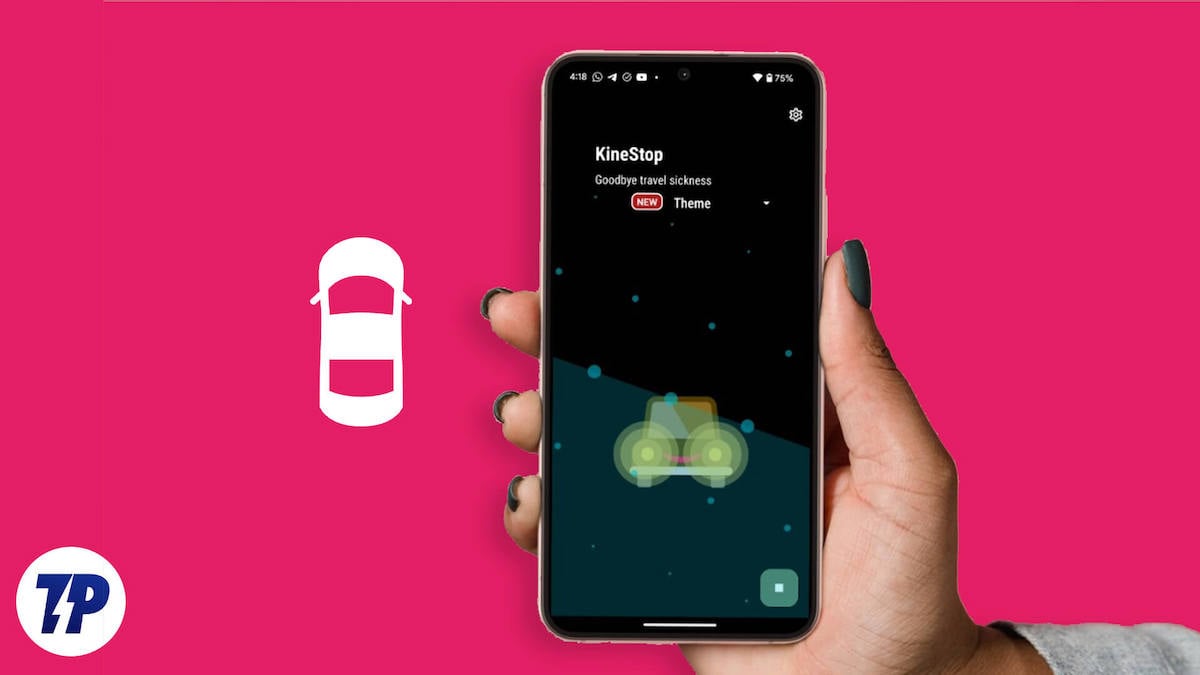
However, multiple new accessibility features have been introduced with the iOS 18 update, such as Eye Tracking, Vehicle Motion Cues, etc. The Vehicle Motion Cues feature, in general, is a great feature that helps mitigate motion sickness when using your phone in the car. Interestingly, there is an Android app you can use to get the Vehicle Motion Cues-like feature on any Android device. In this guide, we will discuss the app and how you can use it to get Vehicle Motion Cues on Android. Let’s dive into it.
How do Vehicle Motion Cues help mitigate motion sickness?
Motion sickness occurs when there is a sensory mismatch between what you see and what you feel. Because of motion sickness, you may feel nauseated, have headaches, and dizziness when you are using your phone inside a moving vehicle. Even though you are holding your phone to your tablet tightly, your brain registers that you are actually moving quite quickly, which results in motion sickness.
Apple introduced the Vehicle Motion Cues feature that makes use of dots in the iPhone or iPad’s screen to mitigate motion sickness. When you sit inside a car, start using your phone, and the vehicle starts moving, you will see dots appearing on your screen. The dots running on the screen move, corresponding to the shifts in the car’s direction, minimizing sensory conflicts with no obstructions to the content on your phone.
What is Android’s answer to mitigating motion sickness?
The best solution that many of us would have applied, at least when we have an Android phone, is to stop using it when inside a moving car. However, some may want to continue using their smartphones to stay connected to the digital world. Apple has its answer in the form of Vehicle Motion cues, which may not fully fix motion sickness but at least help minimize it; Petr Nalevka, the developer of KineStop: Car sickness aid, has the same idea for Android, which he introduced back in 2018.
KineStop has been on the Google Play Store since 2018, and it says it can “get rid of kinetosis, which is another term for motion sickness. It works exactly like iOS 18’s Vehicle Motion cues. It places a bunch of dots on your phone’s screen and makes use of your phone’s sensors to move the dots in the direction of the vehicle.
How to get Vehicle Motion Cues on Android?
Make sure you have an Android device running Android 7.0 or above. Here are the steps that you need to use to use KineStop: Car sickness aid.
- Download the KineStop: Car sickness aid from the Play Store.
- Open the app.
- Grant permission to the app to appear on top of other apps.
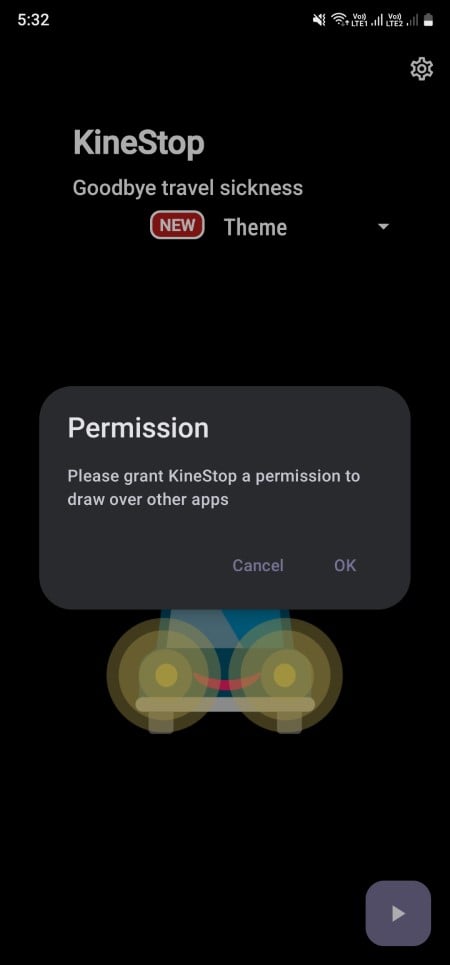
- Simply hit the Play button on the bottom right corner of the app’s home screen.
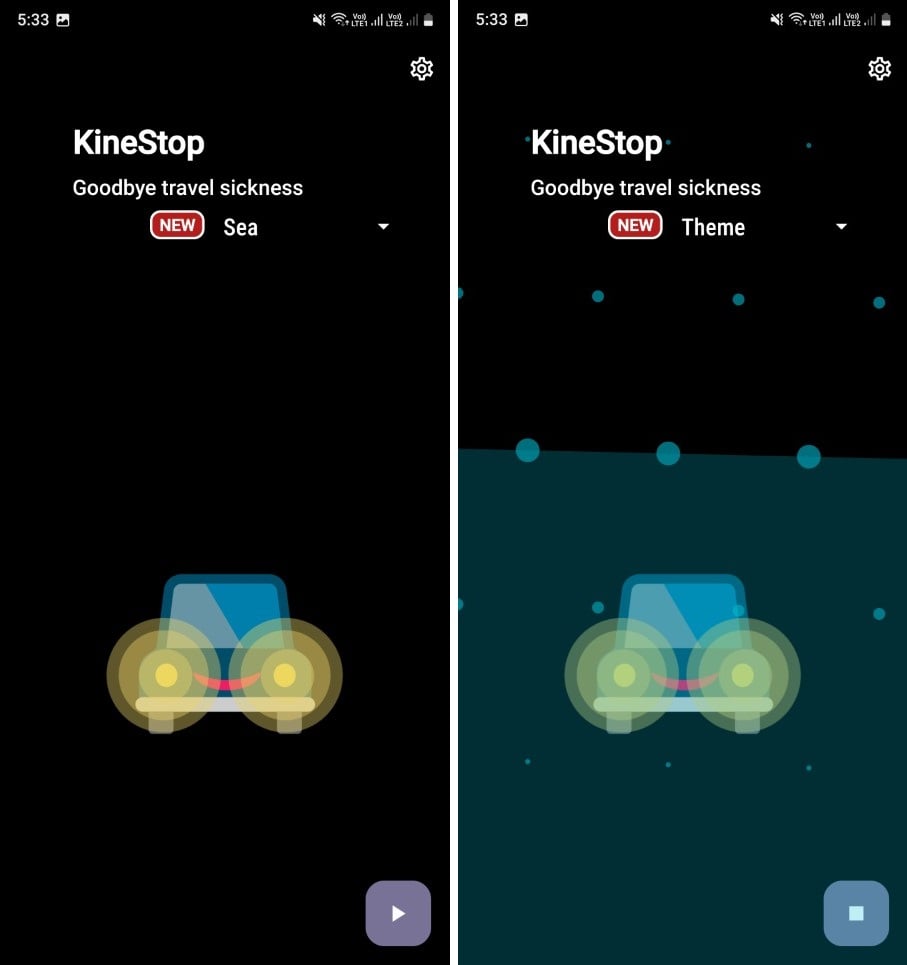
Now, you will see dots appearing on your screen that move in correspondence to the vehicle movement. The app also lets you change the theme of the app, but for that, you need to purchase a subscription, which isn’t required, to be honest.
The best part about the app is that it worked for me. I have tried using the app multiple times during my car trips and found it effective. I was surprised that the solution to motion sickness could be this simple. If you also suffer from motion sickness, then I would suggest KineStop, especially if you have an Android phone.
Another good thing about the app is that the developers haven’t given up on the app, and the latest update it received was on July 5. So, expect new features, changes, and bug fixes frequently. The KineStop app has a high 4.6 rating on the Play Store, and it has just breached 100K downloads.
Android’s answer to motion sickness
This is another hint of how Apple’s iOS is getting up to Android. The Vehicle Motion Cues have garnered all the attention, and many believe that it is a first-of-a-kind feature, but it has been available for Android since 2018. Let us know in the comments below if you tried the app and if it helped you in any sense. For more such amazing content, do follow TechPP.

