

In Summary
- Although it is legendary for its mainstream product innovation, Apple has made it a point to make accessibility for the differently abled a key feature of its product portfolio.
- Unlike most brands that pay lip service to access, Apple walks its accessibility talk, highlighting accessibility features in keynotes, ads, and short films.
- Apple’s latest short film, The Relay, once again highlights the importance the brand accords to accessibility. Now, THIS is an Apple feature we wish others would copy.
At the very core of it, technology is supposed to bridge gaps and make lives easier for everyone. It is supposed to be inclusive. To be available to more than just one type of demographic. However, most technology today is centered around normal, able-bodied humans, often ignoring the needs of the differently abled. Not too many are really interested in catering to differently-abled audiences whose lives could be immensely enriched by technology. Some would even argue that it is these audiences who actually need technology more than the ‘normal’ ones.
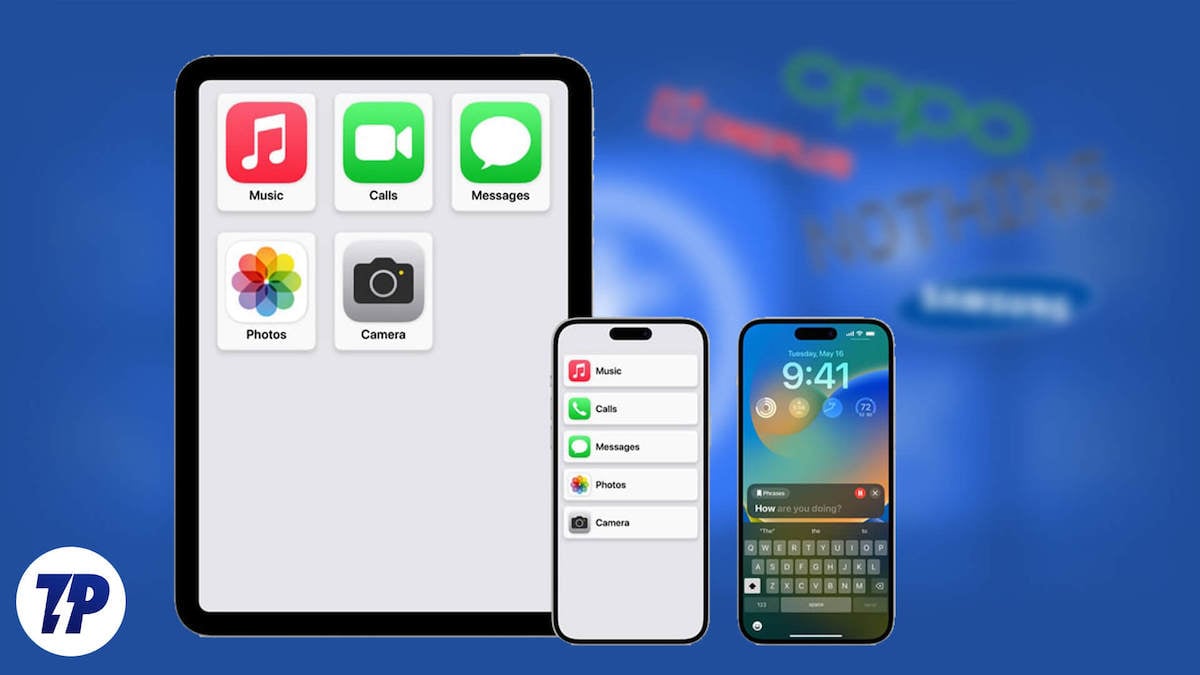
Fortunately, there are brands that are working towards making lives other than ‘normal’ easier, too. One of the brands that has not only been vocal but has also been adding features that make its technology more accessible to every user is Apple. The Cupertino tech giant has been working on its accessibility features for a long time now to make technology a level playing field, and with every new OS and device upgrade, it keeps making its devices easier to use for people with disabilities.
Adding accessibility features…and talking about them too
Over the years, Apple has introduced features like Personal Voice– a feature that allows people at risk of losing their voice to record themselves and then use their own voice with Live Speech feature to communicate on apps like FaceTime, Phone, and other assistive apps. This ensures that these people never lose the sound of their voice, even when they are unable to speak. Another feature is Assistive Touch, which allows users (those with upper-limb disability) who may have difficulty tapping the screen or touching the screen to use their iPhones with gestures using an Apple Watch. Other Apple accessibility features include Live Speech, which turns your typed message into speech, which can be used while using apps like Phone FaceTime or even in-person communication, which helps users with speaking disabilities, and Wheelchair Workouts.
Apple does not just add these features. It also puts a massive effort into highlighting them, often through high-profile ads and short films, ensuring more exposure to the world about how its technology can actually make a real difference. The brand has released multiple ads and films over the years to highlight how these features can let people do what they love, even if they have physical limitations.
Adding accessibility to Apple ad sense

For instance, Apple’s “Sady” showcases multiple people with disabilities going about their lives like non-disabled people with the help of Apple’s accessibility features. It revolves around Sady Paulson, who suffers from cerebral palsy but still creates a video using Apple’s Switch and Control feature on her Mac to share her thoughts. She not only featured in the video but even edited it, showing how when technology can truly allow people to do what they love if created while keeping the needs of different demographics and their physical limitations.

Similarly, in The Greatest, Apple showed how people’s disabilities do not hold them back from being spectacular, creative individuals, with a little help from its accessibility features.
More recently, even as the 2024 Olympics ended and the Paralympics were set to get underway, Apple took the idea of technology enabling the disabled up a notch. The brand released a film called Relay, which shows how athletes with disabilities compete with their ‘normal’ counterparts and actually match them! With a little help from Apple products.

Walking the accessibility talk, but no one seems to follow
Now, while the idea in Relay might in itself be utopian, Apple has been showing its peers in the industry and the world that accessibility to mainstream tech products is achievable. Instead of designing products especially for the differently abled (which makes them expensive as their volumes are limited), adding powerful accessibility features to mainstream products can make lives easier for those who may already be having a difficult time finding their way in this world.
Unfortunately, unlike mainstream features that get picked up in a split second after Apple releases them on its devices, accessibility features have not yet been met with the same enthusiasm. There are brands that have similar features on their devices, but there is barely anyone ready to really push them or showcase them as Apple does. Features like pinch to zoom, the Notch, cinematic video, and the designs of iPhones and MacBooks have been thoroughly copied and pushed in ads by competitors. But accessibility features, even if they exist, lurk unseen in Settings and never make it to the foreground.

It is important that they do. Because bringing accessibility to the foreground and talking about it is truly the only way to make brands realize that these features are a need rather than a niche want. This is all the more important considering that Apple and its products fall on the expensive side of the price spectrum, and the only way to democratize these accessibility features is if more and more brands start including them on their devices. Portrait mode, for instance, was initially limited to premium smartphones but became mainstream within a few years after Apple pushed it on the iPhone and is now available even on budget-segment smartphones. The same needs to happen with accessibility features.
We are not asking brands to be innovative here. We are not asking them to make groundbreaking discoveries. We are only asking them to copy. Something they have been doing for a while. But to think differently while doing so. Make that Think Different. Pun intended.
Is that so difficult?
Further Reading:
- How to Use Guided Access to Limit What Others Can Do on Your iPhone/iPad
- How to Control Your Apple Watch With Gestures
- Top 20 iPhone Features You May Not Know About But Should Start Using
- How to Use iPhone Vehicle Motion Cues Feature to Reduce Motion Sickness

