

Quick Answer
To receive important calls even when your iPhone is on Silent or Focus mode, you can use the “Emergency Bypass” feature. Go to the contact, tap “Edit,” select “Ringtone,” and enable Emergency Bypass. For Focus mode, go to Settings > Focus, choose a mode, and under “Allow Notifications,” select the contacts to bypass the Focus mode restrictions.
It has happened to all of us – missing an important phone call because our iPhone was on Silent or Focus mode. More times than we would like to count or remember. For instance, after a meeting, we would inevitably forget to turn our iPhone back to Ring mode and would end up missing a number of important calls. There is a cure for this, though. A way that can easily bypass Silent mode on your iPhone. For certain important contacts, at least.
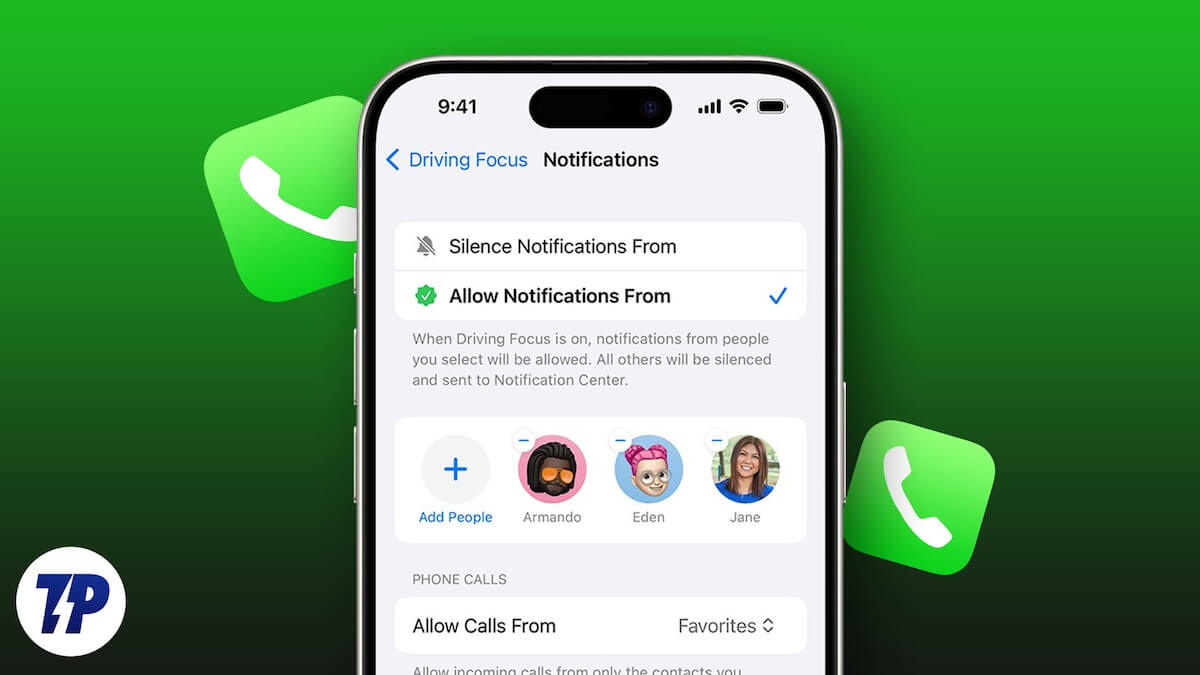
Emergency Bypass, as the name suggests, allows certain contacts on your iPhone to get past Silent and even Focus mode, letting you know that an important contact in your list has tried to reach you. Activating this feature is very easy as well, although the steps are different for Silent mode and Focus mode.
Bypassing iPhone Silent Mode: Activate Emergency Bypass
Step 1: Get those contacts:
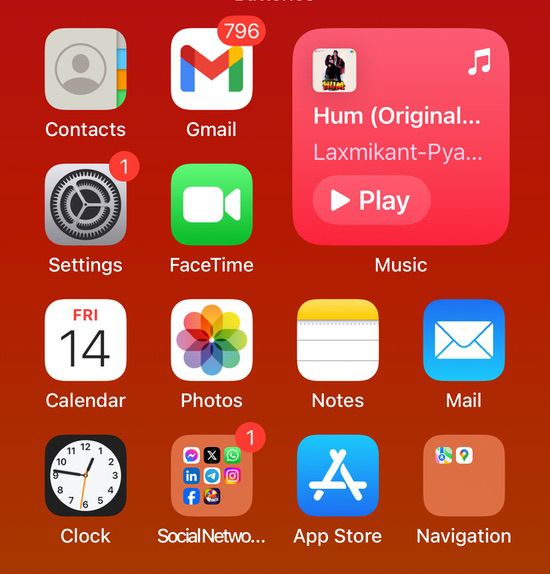
While all the How-Tos on an iPhone usually begin by diving into the Settings and then fishing through a number of options to find the one you are looking for, this one does not. The first thing you have to do is open Contacts on your iPhone.
Step 2: Choose the special contact
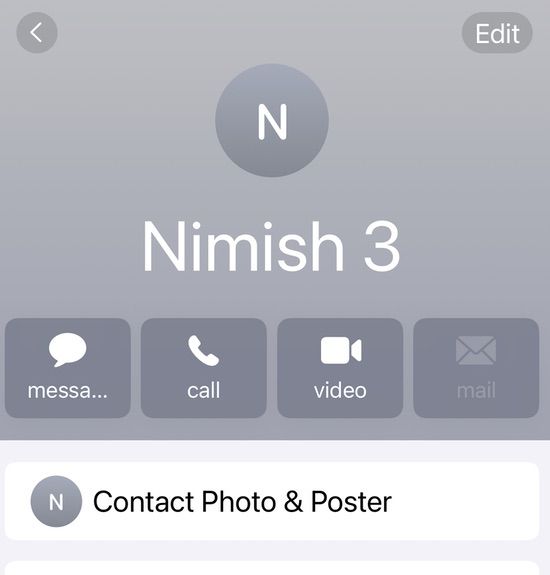
Once you have opened the list of contacts on your iPhone, you now have to scroll or search for the name of the contact for whom you wish to activate this feature. This could be any contact on your list. Simply tapping on the contact will get you to the next step.
Step 3: Edit time
Once you have selected the contact, open it and tap on the Edit option present in the top right corner of the screen.
Step 4: Ringtone time (yes!)
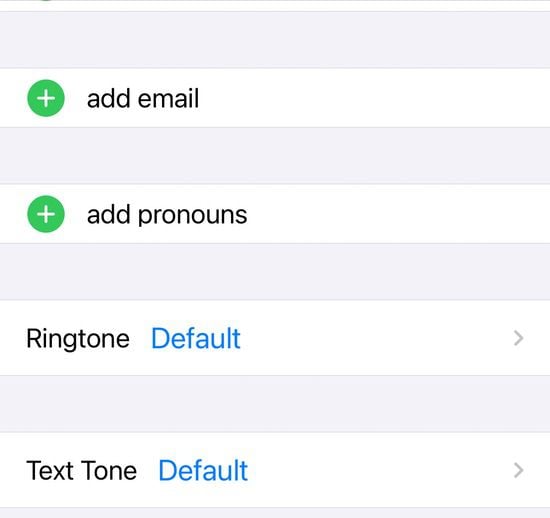
This is going to sound unusual, but bear with us. When you tap open the Edit menu, scroll down and find the Ringtone option. This option generally allows you to put a ringtone of your choice for a particular contact, which can be a very handy tell-tale as to who is calling. Tap on Ringtone.
Step 5: Turn on the Emergency Bypass
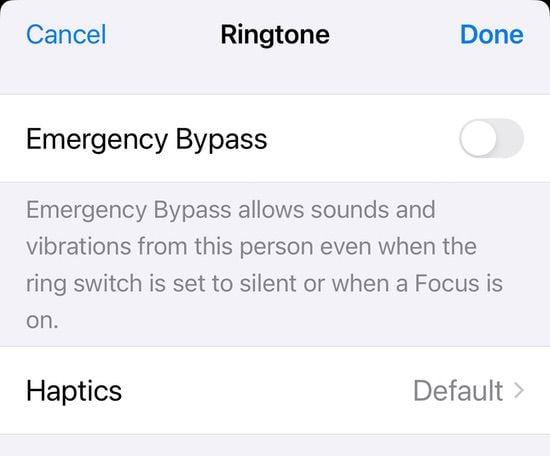
And lo and behold, you will find the Emergency Bypass option right on top. Tap on the toggle next to it and turn it green to activate the feature for this particular contact.
To turn on message notifications, you have to follow the same steps broadly. Only instead of choosing Ringtone, tap on the Text option just below it. Once you tap on it, you will again find the Emergency Bypass toggle right next to it. Tap to turn it green, and you will now be notified of messages from this particular contact, even when your iPhone is in silent mode.
Letting calls sneak past that Focus mode
So much for Silent mode. But what about Focus mode? Well, the process is slightly different but still simple enough and will allow your phone to ring even in Focus mode if this contact tries to reach you. You can also customize Focus mode on your iPhone and allow or silence notifications from certain contacts in general. This is how you go about it:
Step 1: Find Focus in Settings

Hooray, it is back to familiar settings. Literally! To customize Focus, you need to go to Settings and tap it open. In Settings, scroll down a bit to find the Focus option and select it.
Step 2: Pick the mode
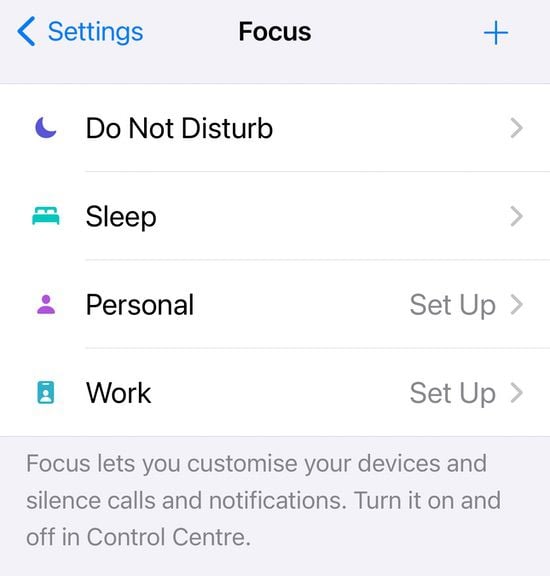
In the Focus section, you get four different modes:
- Do Not Disturb
- Work
- Personal
- Sleep
Tap on the one that you would like to customize.
Step 3: Getting to allow notifications
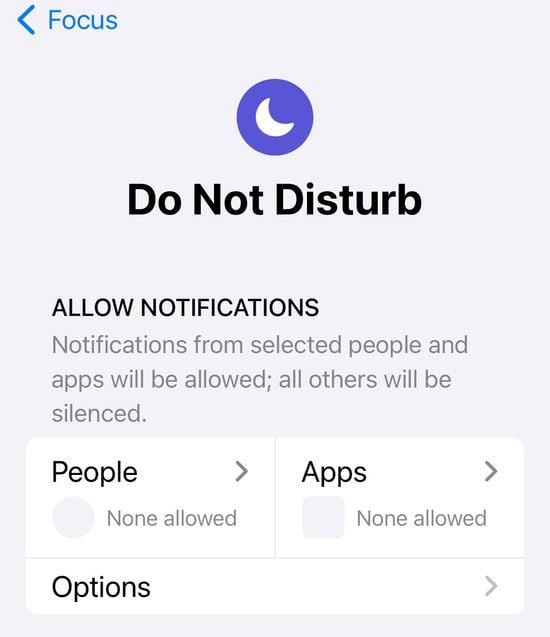
Once you have selected the mode, you will see Allow Notifications right on top. Under this, choose People.
Step 4: Choose the people
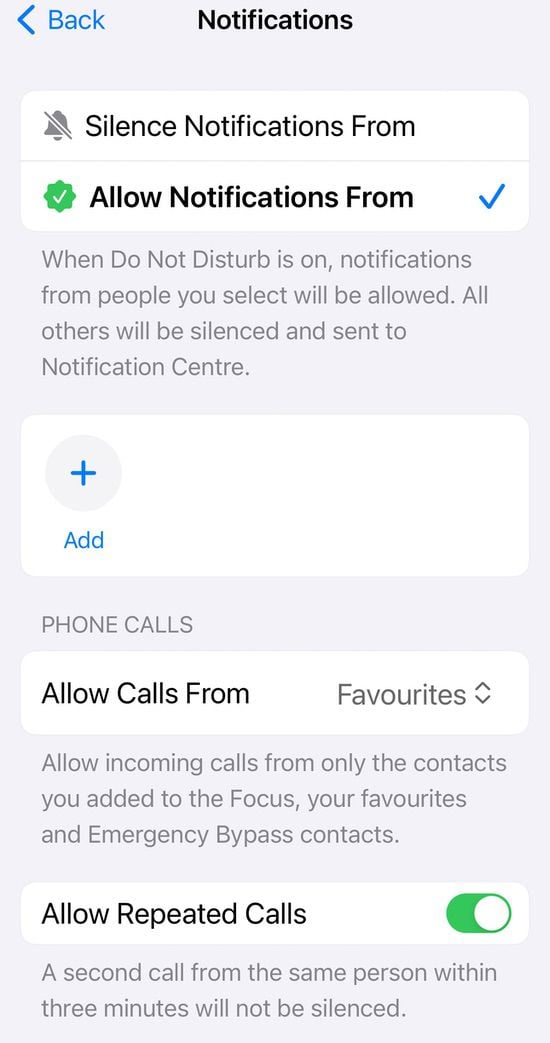
You will now see two options: Silence Notifications From and Allow Notifications From. You can choose either option and add people using the “+” icon below these two options. Additionally, you can also choose to allow calls from a particular set of already selected contacts on your iPhone, with the option of Allow Calls From.
That’s it; your calls will get through, whether your iPhone is in Silence or Focus mode, because silence is not golden for some contacts.

