

In Summary
- Browser games are easy to access, fun, and quick to play. If you’re bored at school, you can play the best-unblocked games that include both single and multiplayer games.
- You can also find more unblocked games using sites like Cool Math Games, ABCYa, Crazy Games, and more. These websites offer a variety of games in various genres.
- If your school blocks these games, you can try accessing them through a VPN or proxy websites.
Browser-based games are lightweight, easy to access, and don’t require installation, making them a preferred choice to play during short breaks or when you feel stressed. Most schools have strict restrictions and block games on their network. Depending on their restriction level, some schools allow games from specific websites, while others block games completely to prevent distractions and maintain security.

However, sites that often have educational games and a few unblocked websites can be accessed from a school network. Most of these don’t have restrictions, and they are free and allow you to play a wide variety of games.
In case, if your school network blocks the listed games, you can use the methods below (How to Access Unblocked Games When Blocked) to remove the restrictions. We also have a list of the best unblocked gaming websites to discover more unblocked games. With that in mind, here are the 20 best unblocked games.
Table of Contents
Best Unblocked Games You Should Play
Quick Draw

Highlights:
- Game Type: AI-based drawing game
- Price: Free
- Typical Duration: 2-5 minutes per session
- Multiplayer/Singleplayer: Singleplayer
- Device Compatibility: Desktop and mobile browsers
Quick Draw is one of my favorite games on this list and is best for passing the time if you are bored. The game is simple: you need to draw the character or object the game suggests, and it recognizes it. It helps you increase your thinking power and also your drawing skills. You can use your mouse or the finger if your device supports a touch screen.
Cut the Rope 2

Highlights:
- Game Type: Fun Physics-based puzzle game
- Price: Free
- Typical Duration: 3-5 minutes per level
- Multiplayer/Singleplayer: Singleplayer
- Device Compatibility: Playable on mobile and desktop browsers
Cut the rope is another engaging puzzle game you can play during short breaks. Your goal is to feed the character. Each level comes with challenges and characters to help solve the puzzle and feed the character. The game sounds are also one of the best elements, making it more engaging with the visual graphics.
You can use your mouse on the finger, and if you have a touch screen, ply the hame. It is quick and gentle, and the session generally lasts 2-10 minutes, depending on your solving skills.
Try the Cut the Rope 2 Game Alternative
Snake
Highlights:
- Game Type: Snake Game
- Price: Free
- Typical Duration: 10-15 minutes per level
- Multiplayer/Singleplayer: Singleplayer
- Device Compatibility: Playable on mobile and desktop browsers
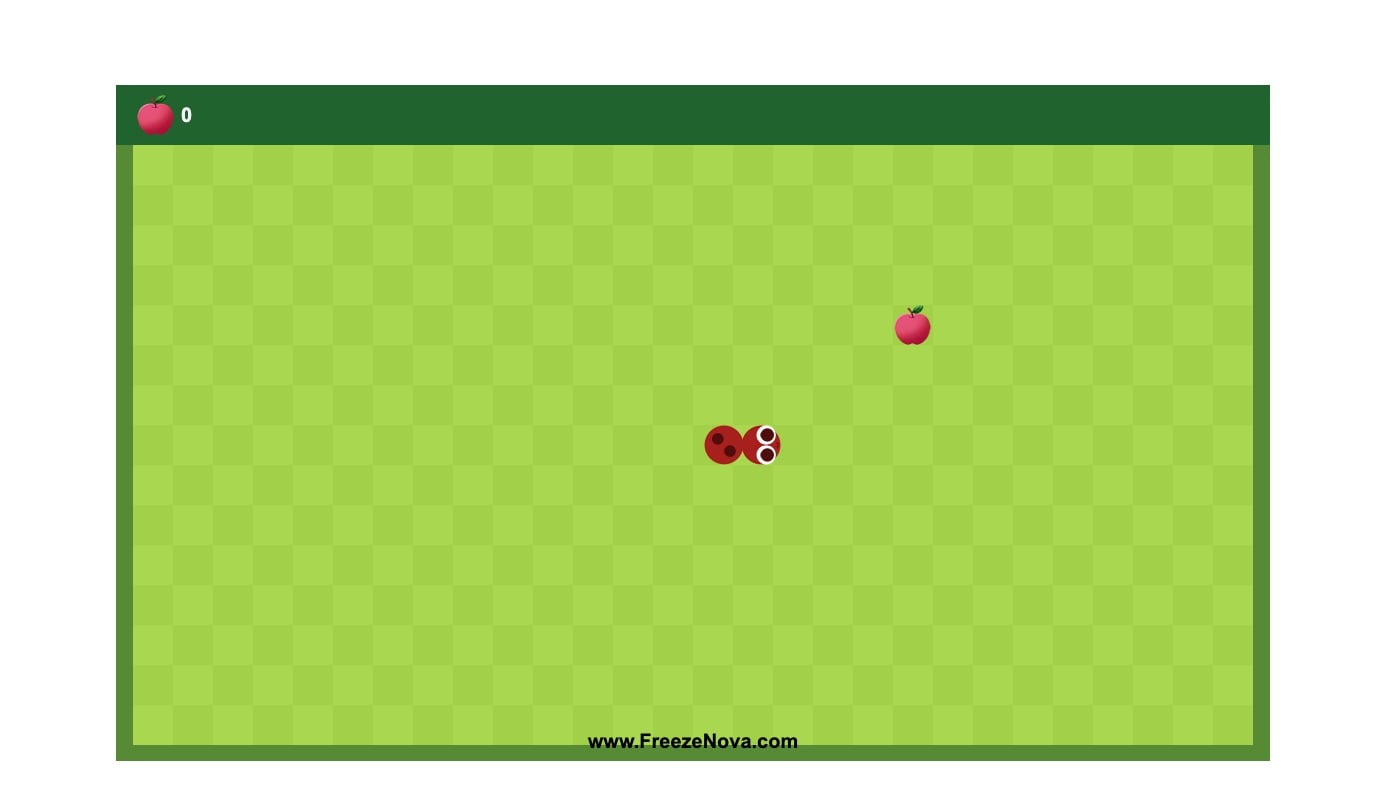
No matter how many graphics-intensive games have arrived, Snake games will always remain in our hearts and are still fun to play. There are still several types of Snake Game, from the OG Snake Game available on the Nokia phone to colorful games like the one above. It is also the easiest and most fun game to play without high-intensity graphics or game physics.
You simply have one goal in mind to make your snake big and avoid obstacles, even from its own body. In the above game, you just have to feed the snake with the apples, and it grows bigger with each apple consumed. you can use the keys on your keyboard or your mouse to guide the snake.
Realistic Buggy Driver Game
Highlights:
- Game Type: Simulation Game
- Price: Free
- Typical Duration: 10-15 minutes per level
- Multiplayer/Singleplayer: Singleplayer
- Device Compatibility: Playable on mobile and desktop browsers
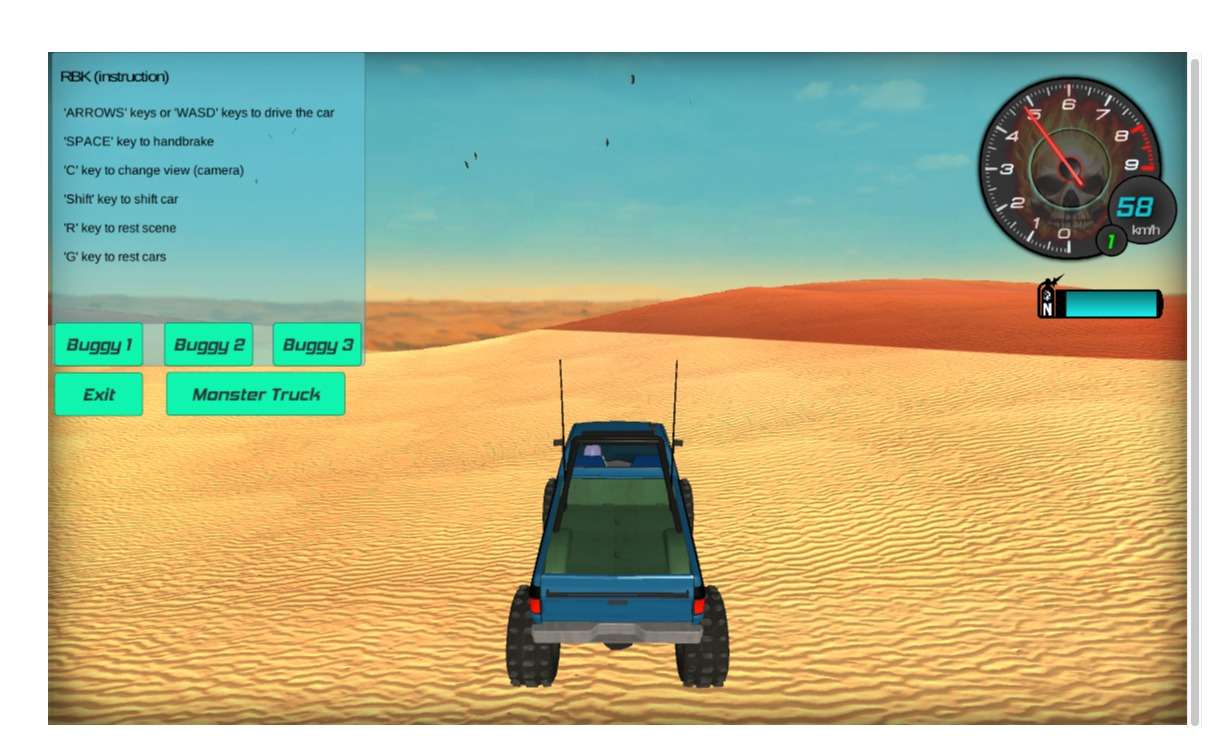
This is one of my favorite games on this list, solely because of how realistic it is. No, I am not talking about the graphics; this is the best you can get on a browser. But apart from the graphics, everything in the game is so realistic, including the smoke that comes when drifting, the dust that arises when you just touch the edge of the road, and the effects when you smash into other cars.
This is not a racing game, but more of a simulation where you get to choose the car and the location. The game offers four vehicles, including three different buggies and one monster truck, and you can choose four locations to drive, including Desert, City, Streets, and Sand Dunes. This is an open-world game. It doesn’t have any time limit, but the only thing is the maps are too small which is fine considering it is a browser game.
Play Realistic Buggy Driver Game
Car Football
Highlights:
- Game Type: Sports Game
- Price: Free
- Typical Duration: 2-3 minutes per level
- Multiplayer/Singleplayer: Singleplayer/Multiplayer
- Device Compatibility: Playable on mobile and desktop browsers
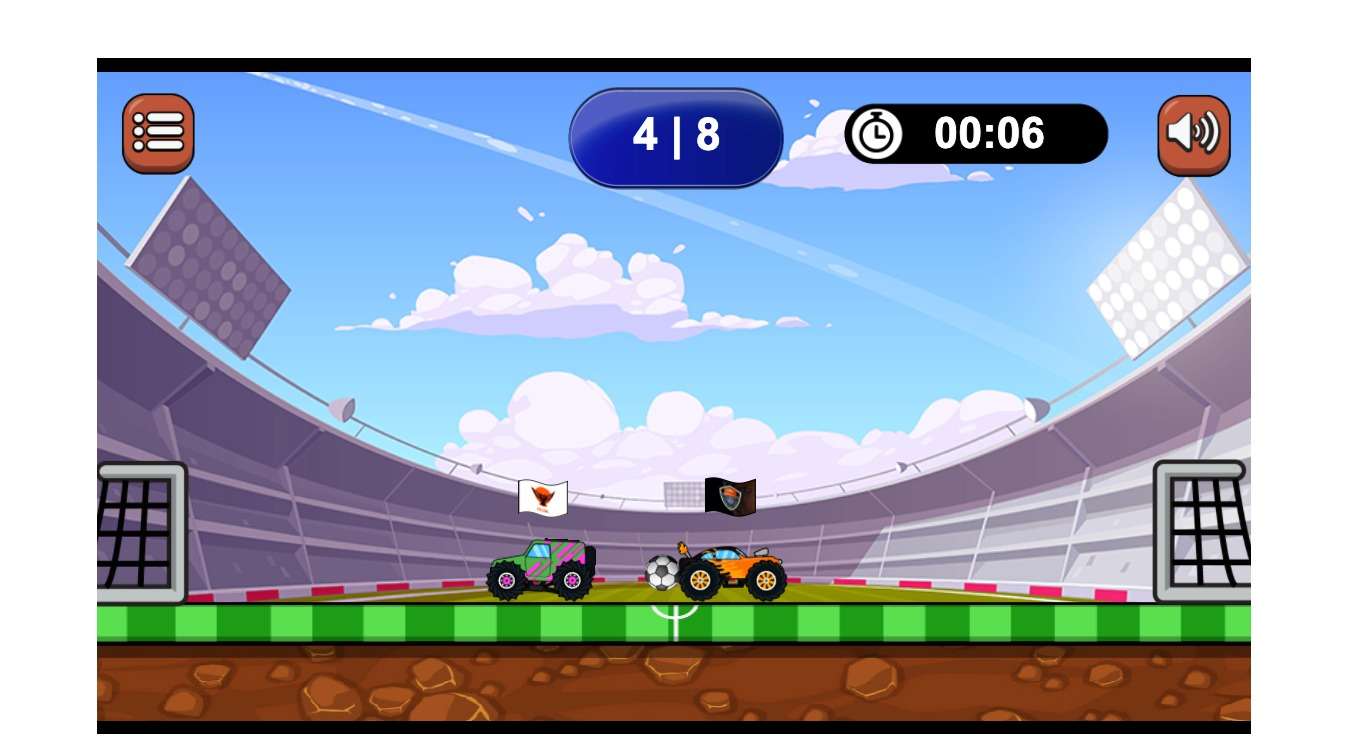
This is a must-try game if you love multiplayer games. You can also play the game in single mode, where you play against the computer. The game is not only challenging but also very fun to play. The game theme is simple: you need to score a goal, but instead of being a player, you drive a car, and you need to push the ball to the opposite goal. The game comes in different levels. You will begin with Level 1 and progress as you win each level.
You can also choose different locations and cars, depending on your preference. If you are playing multiple modes, the players can use the WASD keys on the left and regular arrow keys on the right. I had the most fun playing against a computer and also a strict advisor don’t get too excited or maybe too frustrated if you lose the game.
Fire and Water Game
Highlights:
- Game Type: Puzzle Game
- Price: Free
- Typical Duration: 3-5 minutes per level
- Multiplayer/Singleplayer: Singleplayer/Multiplayer
- Device Compatibility: Playable on mobile and desktop browsers
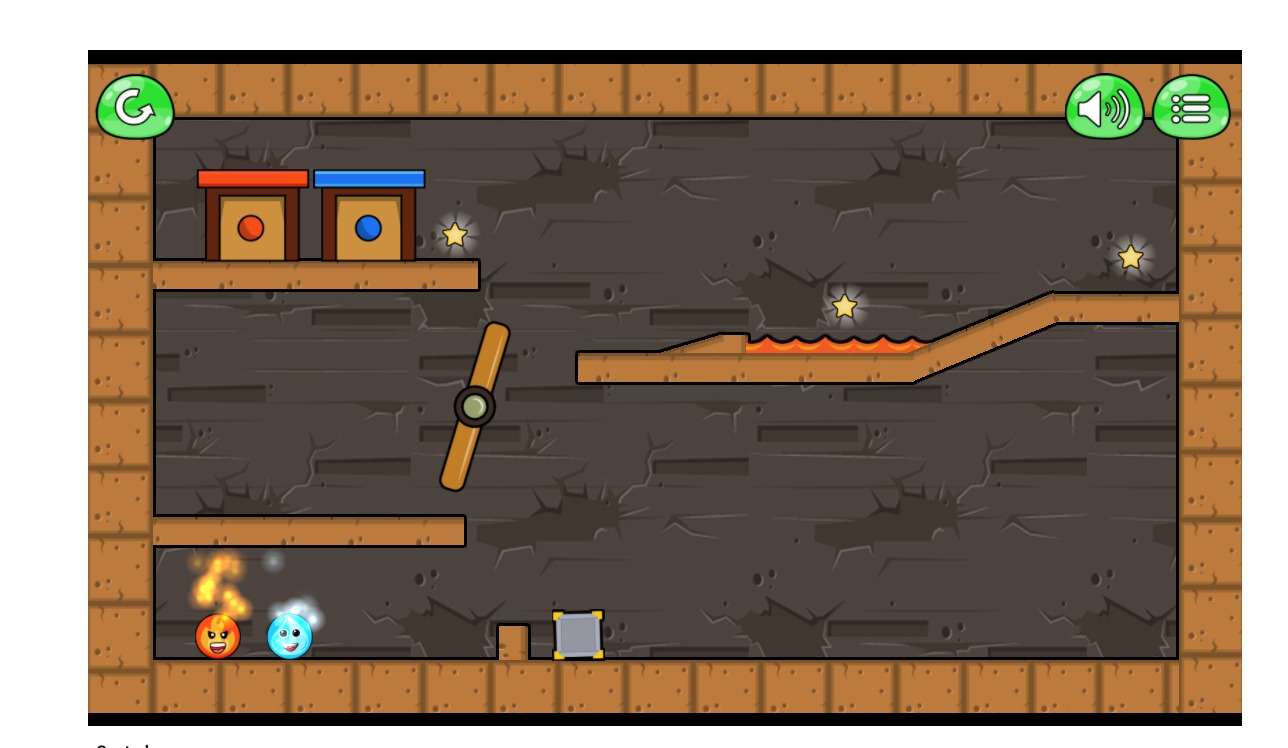
Fire and water are two opposite forces in the real world, but they are partners in this game. While the game is technically a multiplayer mode, you can also guide the two fire and water balls to their destinations by playing solo. The game theme is simple: you get two balls (one fire and one water) with their own obstacles along the way.
The goal is to reach the destination to qualify for the levels. If you have a partner to play with, you can use the other keys on the left to simultaneously guide the board to the destination. You can also play the game solo without any limitations.
Squad Shooting Game
Highlights:
- Game Type: Puzzle Game
- Price: Free
- Typical Duration: 3-5 minutes per level
- Multiplayer/Singleplayer: Singleplayer
- Device Compatibility: Playable on mobile and desktop browsers
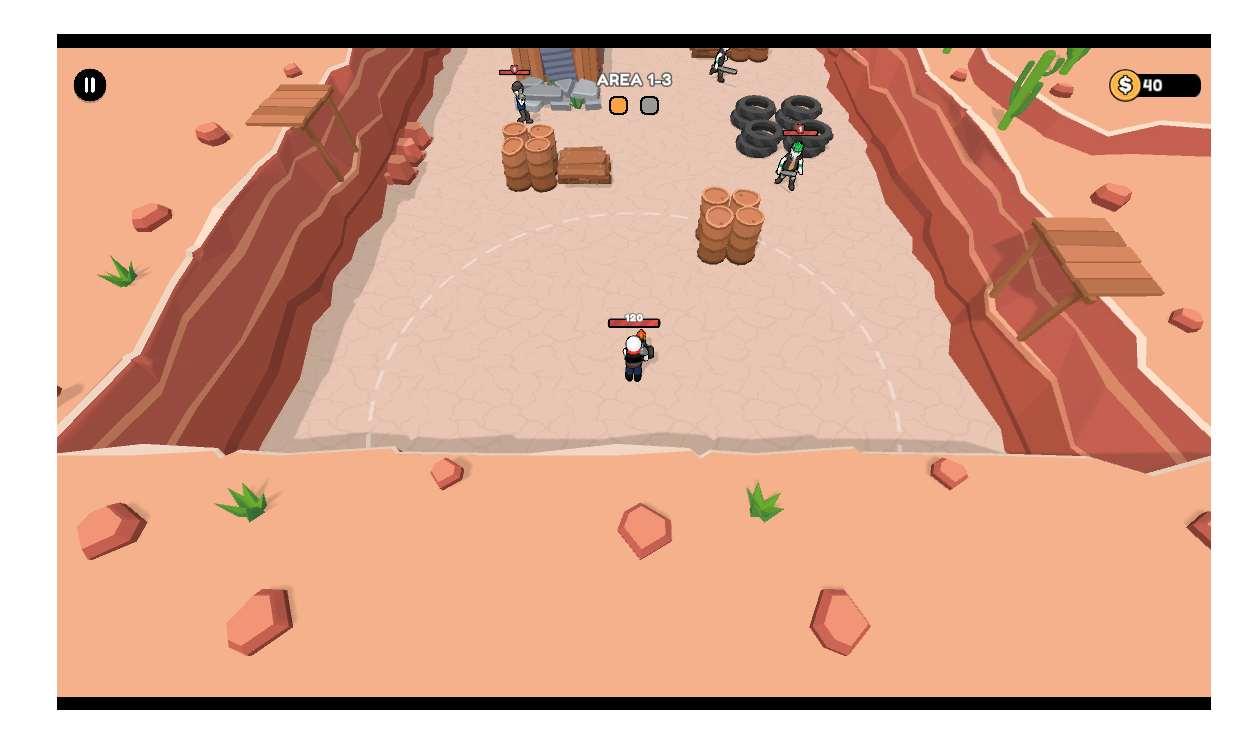
Have you ever played the Sticky Man games? Yes, those funny black and white characters. If you love playing those games on your mobile, then you should definitely try this game. Like the other Sticky Man games, the theme is simple: you need to shoot the other characters and pass the level to win. The best part of the game is not only killing your enemies, but also saving yourself from them. The gun automatically fires when you point it in their direction.
Highway Traffic

Highlights:
- Game Type: Endless driving simulator
- Price: Free
- Typical Duration: Endless gameplay.
- Multiplayer/Singleplayer: Singleplayer
- Device Compatibility: Playable on desktop browsers
If you want fast-paced racing games, Highway Traffic might be the best game for you. The best part of this game is the ability to control your gameplay in different gaming environments. You can choose from different game modes such as single-player, two-player, and the level of the game. I like the two-way traffic in the reality version, which I recommend if you want fast-paced gameplay.
The game theme is simple, like any other racing game; it is endless gameplay where you must ride the balance through different traffic conditions without crashing. You get points if the vehicle moves by a close call, which you can later use to upgrade your vehicle.
Driftboss

Highlights:
- Game Type: Car drifting game
- Price: Free
- Typical Duration: 5-10 minutes per session
- Multiplayer/Singleplayer: Singleplayer
- Device Compatibility: Desktop and mobile browsers
Drift Boss is simple-looking yet the most challenging game on this list. The goal is to ride the car through the drift without driving off. The hardest part is you only have to use the space bar to control the car, which makes it challenging to control. To move right, you need to press the space bar and leave it to move the car to the right. Moreover, the sharp turns add extra hard elements to the game.
All the combos, the music, and the design of the game are impressive. If you like hard challenges, give it a try. My highest score points collected in this game are 21. Let me know your highest score. By the way, the play session usually lasts 5-10 minutes, which I am not sure about since I barely reached the mid-level.
Google Dino Game (Online)

Highlights:
- Game Type: Endless Runner
- Price: Free
- Typical Duration: Endless gameplay
- Multiplayer/Singleplayer: Singleplayer
- Device Compatibility: Desktop and mobile browsers
Google’s Dino game is a familiar game that appears on Chrome when you lose an internet connection. However, this particular Google Dino game is accessed online, separate from the existing Google Chrome. You don’t need to disconnect from the internet; the gameplay remains the same.
Bullet Force (Paco Games)

Highlights:
- Game Type: First-person shooter (FPS)
- Price: Free
- Typical Duration: lasts 5-20 minutes
- Multiplayer/Singleplayer: Multiplayer
- Device Compatibility: Playable on desktop browsers
If you love first-person shooting games, Bullet Force by Paco games might be the best game for you. It is a first-person shooter game where you must kill enemies and survive. The first-person view enhances the experience. The graphics are good for a quick, easy session, and you can control the game settings simply and naturally and play in hard mode.
The game typically lasts 10-15 minutes, depending on how many enemies you must kill. I had the best experience with action-packed elements and shooting sounds. You need a mouse for better controls and use the keyboard to move the character.
Doodle Jump

Highlights:
- Game Type: Endless jumping platformer
- Price: Free
- Typical Duration: Endless
- Multiplayer/Singleplayer: Singleplayer
- Device Compatibility: Desktop and mobile browsers
Doodle Jump is my favorite game on this list. There are plenty of reasons for this. The game theme is simple: you need to jump from platform to platform and reach as high as possible while avoiding the breakable platforms. The controls are easy; you can move right and left and avoid obstacles. This is an endless game, and as you jump higher, the game gets difficult with moving platforms and power-ups like springs and jetpacks to reach new heights.
Tap Tap Shots

Highlights:
- Game Type: Basketball arcade
- Price: Free
- Typical Duration: 5-10 minutes per session
- Multiplayer/Singleplayer: Singleplayer
- Device Compatibility: Desktop and mobile browsers
Tap Tap Shots is a simple basketball game where you need to hop the ball into the basket to score points. However, the fun part of the gameplay is how you control the ball. You can click on the ball to jump and continuously click to hop the ball
You only have two chances when the ball falls back to the ground. The game’s biggest strengths are quick reactions and making a good jump at the right time. Depending on the game, you might have 10-15 minutes per session, and as you progress, the game can get increasingly difficult.
The Spear Stickman

Highlights:
- Game Type: Stickman archery/spear combat
- Price: Free
- Typical Duration: 5-10 minutes per session
- Multiplayer/Singleplayer: Singleplayer
- Device Compatibility: Desktop and mobile browsers
The Spear Stickman is another fun and engaging game you can play during short breaks or when you feel bored. The game theme is simple: you need to kill the other spear stickman using the spears. Both of you throw spears at each other, and any stickman, including you and your opponent, can bear four shots, but one headshot will kill the sticky man.
Everything about the game, including the intense music, even elevates the situation as you reach higher levels. However, one thing that I didn’t like was the mouse control, which was not smooth. I used to play this game on mobile, and I miss this smoothness. If you are using an external mouse, it makes it easier for you.
Cookie Clicker

Highlights:
- Game Type: Mouse-clicking game
- Price: Free
- Typical Duration: Endless
- Multiplayer/Singleplayer: Singleplayer
- Device Compatibility: Desktop and mobile browsers
If you think you are too bored, then try Cookie Clicker. All you have to do is click on the cookie and score points. As the game progresses and you produce more cookies, the game becomes super addictive and makes you want more. However, the biggest downside of this game is that it doesn’t save your game progression, meaning all you have achieved in one session will be gone, and you need to start from scratch.
Get to the Top

Highlights:
- Game Type: 2-player fighting game
- Price: Free
- Typical Duration: 2-5 minutes per match
- Multiplayer/Singleplayer: Multiplayer (local, two players)
- Device Compatibility: Desktop browsers
Get on Top is the first multiplayer game on the list and a fighting game. You can play the game with two players on the local browser on the same device. The goal is to get your friend or the opponent to hit the ground first (and there’s also a little head-breaking animation when you knock down your friend). You control two stick figures, and the weird music adds fun to the game.
There is also a single-player mode where you must balance both players and prevent the character from falling on the ground and breaking their head. It is an endless game, and the session might last around 2-5 minutes, depending on the gameplay of you and your opponent.
Ragdoll Fall

Highlights:
- Game Type: Falling game
- Price: Free
- Typical Duration: 2-5 minutes per session
- Multiplayer/Singleplayer: Singleplayer
- Device Compatibility: Desktop and mobile browsers
Ragdoll is one of the most challenging yet simple games on this list. The game’s concept is simple: you must guide the character through a series of obstacles.
You can use the mouse to control the character, but instead of the character jumping when you hit the button on the mouse, the character is forced into the ground for the next step. You must ensure the character hits the ground at the right for the next jump instead of falling between the obstacles.
This alone makes the game more challenging. It took me time to understand the game, but once you get used to it, it becomes fun, engaging, and challenging.
Sniper Elite

Highlights:
- Game Type: Shooting
- Price: Free
- Typical Duration: 2-5 min
- Multiplayer/Singleplayer: Single
- Device Compatibility: Desktop
Sniper Elite is a simple sniping game. Like any other sniper game, the goal is to kill the thieves with limited bullets. The game is divided into levels, and as you progress, you get moving targets and more challenges to shoot. Like popular sniping games, you can enjoy a cool view of the bullet passing through the gun and hitting the enemies.
Zombie Crowd

Highlights:
- Game Type: Zombie survival
- Price: Free
- Typical Duration: 5-10 minutes per session
- Multiplayer/Singleplayer: Singleplayer
Have you ever played a zombie game? Instead of killing the zombies, you play as one, aiming to infect humans and increase the Zombie Crowd to take over the city. The only concern with my game is the playback speed; I wish the gameplay were smoother and faster for a better experience. Nonetheless, it is a good game to kill boredom if you love infecting people and zombies.
1 on 1 Soccer

Highlights:
- Game Type: Sports (Soccer)
- Price: Free
- Typical Duration: 5-10 minutes per match
- Multiplayer/Singleplayer: Multiplayer (local, two players)
- Device Compatibility: Desktop browsers
One on-one game is the best option if you want to play short-session multiplayer games. These games generally last 2-3 minutes, are simple, and are available for most popular game types. Similarly, there is one-on-one tennis, hockey, basketball, and more.
Slope – 2

Highlights:
- Game Type: Endless rolling ball
- Price: Free
- Typical Duration: Endless
- Multiplayer/Singleplayer: Singleplayer
- Device Compatibility: Desktop and mobile browsers
The Slope 2 is an endless rolling game with one the best visuals of any game on this list. You have to control the ball, avoid distance, and score points. You can control the ball using the arrow buttons on the keyboard. The best part is that it comes with smooth movement controls where the ball moves in a smooth, continuous motion instead of just switching lanes, making the game better and more fun.
Subway Surfers

Highlights
- Game Type: Endless Runner
- Price: Free
- Typical Duration: Endless
- Multiplayer/Singleplayer: Singleplayer
- Device Compatibility: Browser, Mobile browser
When playing games in short sessions or when bored, endless runner games first come to mind. In the endless runner genre, Subway Surfers is the prominent game that most of us have played on other devices. If you miss Subway Surfers at school, it is also available as an unblocked game you can play in your browser. The game is very similar to the mobile version, You can use the touchpad or touch control to control the game.
Wordle

Highlights:
- Game Type: Word puzzle game
- Price: Free
- Typical Duration: 5-10 minutes per game
- Multiplayer/Singleplayer: Singleplayer
- Device Compatibility: Desktop and mobile browsers
Wordle took the world by storm during COVID-19; later, it was acquired by The New York Times. If you’ve never heard of this game, it’s a word puzzle game where you must guess a 5-letter word. You have 5 attempts, and there will be a new word every day. Most school networks allow games like Wordle on their network. You can visit the NYT Games site to access this game. You can also create an account to help you save the game’s progress.
Hill Climb Racing

Highlights:
- Game Type: Driving game.
- Price: Free.
- Typical Duration: 5-15 minutes per session (depends)
- Multiplayer/Singleplayer: Singleplayer.
Hill climb racing is the best game to eliminate boredom during small breaks. You might have already heard about his game; if you haven’t, it is a physics-based driving game; you will have a vehicle with a sticky character driving a car where you need to reach the finish deadline with the hills and slopes on the way.
You need to balance the vehicle speed and avoid flipping over. You need to collect the coins, and then you can upgrade your vehicle. The game is free to use and is a single-player game. The sessions last around 5-10 minutes, depending on your skill. It is a simple player game.
2048
 Highlights:
- Game Type: Number puzzle game
- Price: Free
- Typical Duration: 5-15 minutes per session
- Multiplayer/Singleplayer: Singleplayer
- Device Compatibility: Desktop and mobile browsers
Finally, ending the list with the most popular and widely played game, 2048, which most schools allow on their network. The game is great for quick sessions and also helps improve your math skills during play. If you still don’t know how to play, there is a simple tutorial that you can find here. It is a single-player game and great for quick sessions.
More Games
| Game | URL |
| Run 3 (Endless Running Game) | https://sites.google.com/view/run-3-play/ |
| Retro Bowl (Google Sites) | https://sites.google.com/view/unblockedretrobowlgame/ |
| Slope (Google Sites 6x) | https://sites.google.com/6xclassroom.com/slopeunblockedgame/home |
| Slope Tunnel | https://sites.google.com/view/classroom6x/slope-tunnel |
| Moto X3M Winter | https://sites.google.com/view/classroom6x/moto-x3m-winter |
| Basketball Stars (Classroom 6x) | https://sites.google.com/view/classroom6x/basketball-stars |
| 1v1.lol (Classroom 6x) | https://sites.google.com/view/classroom6x/1v1-lol |
| Retro Bowl Unblocked (alt) | https://retrobowlunblocked.me |
| Bloxorz | https://bloxorz.org |
| Temple Run | https://templerun.org |
| Temple Run 2 | https://1v1lol.us.com/temple-run-2 |
| Monkey Mart | https://monkey-mart.io |
| OvO | https://www.hoodamath.com/games/ovo.html |
| World’s Hardest Game | https://roblox-unblocked.org/worlds-hardest-game |
| Slope Unblocked (hub) | https://slopeunblocked.ee |
| Classroom 6x main hub | https://classroom6xgame.github.io |
Where to Find More Unblocked Games
If you want more games, here are some popular unblocked game sites you can visit to discover more unblocked games to play at your school.
1. Cool Math Games
Cool Math Games offers plenty of educational Math games in various genres, such as puzzles, strategy, and logic games. These are generally unblocked on most school networks. If you have access to this site, you can play games like 2048, 50 and Little Alchemy, strategy games that are engaging and fun for short periods of time.
This website is designed for children and offers more engaging games that are often allowed on school networks. The games are divided into different classes, and most of them are basic and well suited for students for elementary and middle school students who want to learn and say games, which also improves their learning.
3. Crazy Games
Crazy Games is a new site in the unblocked category that offers a variety of HTML games, including various genres like puzzles, sports, and strategy. It is also one of the most popular unblocked sites used on school networks.
4. Geometry Sport Activities
Geometry Spot is a popular site that has all gemetry explanations. It also has a dedicated “Activities” section that lists all the simple and popular games. This website has been around for a long time, and it works well on many school networks. There are plenty of games that you can play, and most of the games are already available on other sites. Geometry Spot is reputable, which means these games are less likely to be blocked. If you plan to play games, this might be the first option you should consider.
5. Itch. io
One of the main concerns with browser-based games is that school networks often block them to protect student privacy. In this case, you can use the Itch.io website to download the games. The best part is these websites offer a list of mini-games that can help you to save and download the games offline. You can play these games on your device without any restrictions. However, if you are using a Chromebook or a device that is monitored by your parents or school, they might know about the installed games and also might restrict you from installing games.
6. Unlock Websites
Websites like Unblocked 67, Unblocked 68, and Unblocked 77, which are often websites from Google sites, list all games with the ability to play them directly on the site without creating an account. These websites have a good collection of games with different genres. You can visit the web, find the game you want to use, and then play it freely on the site.
If you are looking for specific unblocked games, you can find them using the website and then play the game. If your game is educational and falls under the norm of any school environment, it might not be blocked on the website.
Those are the best school-friendly sites you can visit to play unblocked games in your school network. However, schools can block these websites. If those sites are blocked and you cannot play your favorite games, there are methods you can use to override the restrictions and play unblocked games.
How to Access Unblocked Games When Blocked
There are different methods you can use, but remember, these methods might not work on your device if you have strict restrictions by your school or if your device is supervised by your parents using parental controls. It is important to note that you should not use these methods to play games that violate school rules. We at Techpp do not recommend this process as it might break and violate your school’s internet usage policies.
1. Using VPN
Using a VPN is the most common way you can unblock a game on any network. VPNs encrypt your internet traffic and make it appear like you’re browsing from a different location, which allows you to bypass local internet and network restrictions. Since VPNs are very popular, some school sites also block popular VPNs to prevent students from using them to access inappropriate content.
If you’re using a VPN, try using one that is not as well-known. Some VPNs are paid, but free options with limited data transfer are still available. You can try those VPNs to access games from your device. However, it is still not guaranteed that you can access unblocked games because schools often block VPNs using their security settings.
2. Proxy Websites
If a VPN doesn’t work, try using a proxy network. Similar to a VPN, a proxy server allows you to access blocked sites from your school network. It masks your IP address and makes it appear like your request is coming from a different network, not the school network. This way, you can access plenty of proxies available online.
Here is a list of some proxy websites you can try:
- https://historyfacts.7s.com.tr/
- https://khanacademy.mr24.co/
- https://kahoot10.69.mu/
- https://schoolstudys.info.gf/
- https://mysite.atomybomb.com/
3. Blocking Tools Like GoGuardian
In our previous post, published in 2022, we first discussed removing GoGuardian access on your computer and accessing these websites. Since then, a lot of methods have been disabled by both GoGuardian, school networks, and Chrome updates, which have fixed the majority of the loopholes.
Until recently, the easier bookmark method also doesn’t work anymore. If GoGuardian or another tool your school is using to monitor is blocking your access, there is not much you can do since it also monitors your web usage and can detect whether you’re using a VPN or proxy site. You may try contacting the administration for permissions or adjustments, especially if your parents are supervising your device. As of now, all the methods that worked before no longer work.
FAQs on Best Unblocked Games
What should I do if the unblocked game websites get blocked later?
If a site is blocked, you can use different methods to access the site without restriction, like using a VPN, Proxy server, and more. You can also use the alternative sites I listed above since most of them have similar games.
Are these unblocked games available on mobile devices?
Yes, these are browser games available on any device that supports a browser. however, few are limited to the desktop site layout, which means that the user experience might not be good on mobile compared to desktop.
How can I find multiplayer unblocked games to play with friends?
We have listed a few multiplayer games on this list. to find more multiplayer games, you can visit the unblocked games sites and apps; you can filter multiple players if available; if the site doesn't have the filter, you can open the game and find whether it has a multiplayer option.
Can I download any of these games to play offline?
You can download games like Hill Climb Racing, Subway Surfers, and games on Itch. io. You can also play Google Dino Game disconnecting from the internet.

