

In Summary
- Apple Mac Mini M4 is priced at $599 (Rs 59,900), making it an attractive choice for people considering a budget Mac with powerful performance.
- While the upfront cost might appeal to more users, the Mac Mini’s total cost increases with the peripherals’ cost.
- MacBook Air is ideal for users who need portability and work on the go. On the other hand, Mac Mini M4 is best for a fixed desktop setup and offers the best performance.
Apple recently surprised me with the pricing of the Apple Mac Mini M4. The base model of the M4 Mini starts at $599 (Rs 59,900/-). It is an attractive price, considering the powerful M4 processor and the redesigned compact design, which looks cute and saves a lot of space on your desktop setup.
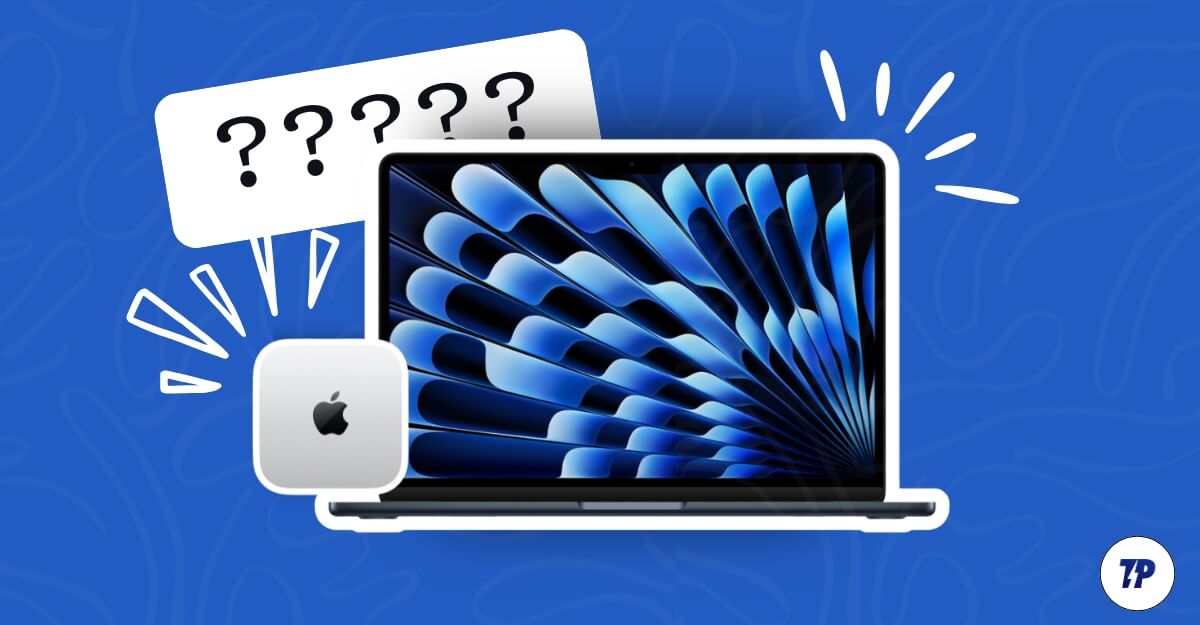
The base model now starts at 16GB, doubling the RAM from 8GB in the previous models, and the entry variant now starts even lower than the MacBook Air M3, which makes it a compelling package for people who want to buy a MacBook Air M3.
If you are looking for an upgrade and confused about which one to opt for, here is everything you should consider. Also, note there is more than the tempting pricing of the Apple Mac Mini. After researching for over a month, here is what I found and which is right for you.
Table of Contents
MacBook Air vs Mac Mini: Which one is right for you
The Mac Mini and the MacBook Air are designed fundamentally for different uses. While the price might be tempting for you to choose the Mac Mini M4 over the MacBook Air M3, there is a lot more you should consider, and it can be a deal breaker if you consider all the limitations and use cases of the devices.
Portability: MacBook Air M3 Is Lightweight, Easy To Carry
The recent Mac Mini M4 is 40 percent smaller than the previous Mac Mini models, taking up far less space. While the compact design is easy to carry in a bag, its fundamental design is to stay in one place. Moreover, using it requires a complete setup and external peripherals, such as a monitor, keyboard, mouse, and a constant power source.
Considering all these factors, the Mac Mini M4, even though it is so small that you can fit it in your bag, is designed and only ideal for a fixed setup and is not practical if you often travel and want to use it on the go.

On the other hand, the MacBook Air is no less than a slimmer form factor. It comes in two sizes: 13.6 inches and 15.6 inches. You can carry it around; it is lightweight, fits easily in your bag, and is designed for this specific use. You don’t need to carry an external peripheral to use it.
Also, the battery life on the recent MacBook is exceptional, and you don’t need to connect it to the charger in most cases for short journeys.
On average, even our tests, Macbook Air, lasted more than 15 hours, which is more than enough for most people attending classes or using a laptop while traveling. Considering all these factors, the MacBook Air M3 is an excellent choice for students, travelers, and professionals who work on the go and don’t require more power.
Performance: Mac Mini M4 Delivers More Power Than the MacBook Air
Mac Mini generally has an edge in terms of performance. The latest MacBook Air only comes with an M3, while the Mac Mini is available in both M4 and M4 Pro variants for power users.
Therefore, the Mac Mini with M4 is better than the MacBook Air M3. Speaking of the configurations, the M4 Mac Mini is available in both M4 and M4 Pro chips. The base model M4 features a 10-core CPU, and the M4 Pro features a 14-core CPU.
On the other hand, M3, which is currently available for the MacBook Air, features an 8-core CPU. While the GPU remains the same in the base M3 and M4 models, the M4 Pro gets up to 20 GPU cores for better gaming and graphical performance, which can come in handy if you use software like Final Cut Pro or Blender.

If portability is not an issue and you are looking for a powerful device, the Mac Mini M4 is an easy pick, especially for desktop tasks like video editing, gaming, or other resource-heavy tasks only designed for the desktop.
If you are also looking for portability and decent day-to-day performance, the MacBook Air M3 is the best option. Still, it does not match the Mac Mini’s performance, especially for video editing and resource or graphic-heavy intensive workloads. Still, it is enough for daily tasks like browsing, presentations, meetings, and watching movies.
To help you better pick one in terms of performance, the Mac Mini m4 is the winner. However, if you want portability, there is no option other than the MacBook Air M3 since the Mac mini is not portable. Here is the Geekbench score comparison of the latest M4 Mac Mini with the M3 MacBook Air. As you can see, the Mac Mini performs significantly better in both performances.
Device | Geekbench 6 Single-Core | Geekbench 6 Multi-Core | Cinebench 2024 Single-Core | Cinebench 2024 Multi-Core |
|---|---|---|---|---|
MacBook Air (M3) | 3,100 | 11,800 | 140 | 712 |
Mac Mini (M4) | 3,700 | 14,700 | 176 | 972 |
Expandability: Mac Mini Lets You Upgrade Storage and Connect Multiple Monitors
The Mini is the best choice to increase storage or set up additional hardware upgrades. The latest M4 Mac Mini comes with a removable SSD module, which allows you to remove the SSD and increase the storage on the M4 Mac Mini models. This is new to the latest model and unavailable on previous models.
While Apple has increased storage, the RAM remains on the system-on-chip, and upgrading is impossible. The Mac Mini M4 offers a variety of ports, including USB ports, a headphone jack, HDMI, and a Gigabit Ethernet port.
On the other hand, you cannot upgrade the RAM and the storage on the Macbook Air M3 because of SOS architecture, although you can choose a different RAM configuration while purchasing. However, the price difference is huge, and we often recommend buying the base variant and expanding the storage using external drives (also ensure the base variant uses the same storage version since Apple uses different storage versions on the base and higher variant models).
The port selection on the MacBook Air M3 is also limited; however, you can connect an external USB hub to increase the ports on your MacBook using external ports.
You can connect external monitors and others that work along with the Mac. In addition, you can connect up to two external displays simultaneously while the lid is closed on the Macbook Air M3 (While the lid is open, you can connect one external display). It supports up to 6K resolution at 60 Hz, and the secondary display supports up to 5K resolution at 60 Hz.

The Mac Mini M4 is the better choice for expansion, especially if you want to bump up the storage. While there are limitations in expanding the RAM, there is an option to extend the storage. However, it is not easy since Apple designs all the elements in a way that requires some professional experience. It is not as user-friendly for regular users, but there is a possibility you can expand the storage.
On the other hand, You can expand the ports on the Macbook Air using external USB hubs, which lets you connect multiple external displays and use the Macbook in the calm shell mode to transform your Mac into a desktop-like workstation.
Cost: Mac Mini’s Price Is Lower Upfront, but You’ll Need To Spend Extra on Peripherals
The biggest reason many of us prefer the Mac Mini M4 over the MacBook Air M3 is its pricing. However, if you think the upfront pricing of the Mac Mini is just a beginning cost for the Mac, there is also an upfront cost for setup if you don’t have any other peripherals.
To help you out, here is a breakdown of the base MacBook, the latest version of the MacBook M3, and the Mac Mini M4, the basic version. Let’s calculate some unit economics and decide how your budget will be for both of these devices.
Category | MacBook Air (M3) | Mac Mini (M4) |
|---|---|---|
Base Price | ₹98,990 ($899 in the US) | ₹59,000 ($599) |
Monitor | In-built (0) | ₹15000 ($200) on average |
Keyboard and Mouse | Included (0) | ₹2500 ($60-80) on average |
Total Estimated Cost | ₹1,05,000 ($899 in the US) | ₹59,500 – ₹99,500 ($950–$1,200) |
Here is a rough upfront cost you might have to pay to set up the Mac Mini M4 and the MacBook Air. As you can see from the table, with the MacBook Air, which comes with the M3 processor, you can get it for roughly Rs 85,990 in India for the base variant, 8GB RAM, and 256GB SSD, and $899 in the US. The Mac Mini is available for Rs 59,900 for the base variant with 16GB RAM and 256GB SSD, and it costs around $599 in the US.
This is the final price for the MacBook since the monitor, keyboard, and mouse are all included, but depending on your desktop setup, the Mac Mini M4 might require additional peripherals, which can cost you more. After considering all the prices, with a minimal setup, the Mac Mini price is closer to the MacBook Air M3, which is in a similar range. However, you have to choose one based on your use case.
Which One Should You Pick?

The Mac Mini M4 price might make you forget your purpose and create ambiguity. Both devices are fundamentally different, catering to different users. It is not an easy decision, and since your primary purpose varies from mine, I have created a table considering the real use cases. Remember, I have considered various subcategories and options before suggesting a device for the specific use cases. I will explain each case after the table to help you make a better decision with the valuable information.
| Use Case | Recommended Device | ||
|---|---|---|---|
| If you work entirely from home or an office | Mac Mini | ||
| If you travel frequently and need portability | MacBook Air | ||
| You want device for heavy resource tasks like video editing | Mac Mini | ||
| You are a student attending classes | MacBook Air | ||
| You need a device for casual browsing/videos | MacBook Air | ||
| You are on a budget and already own peripherals | Mac Mini | ||
| You need a portable device for presentations | MacBook Air | ||
| You want to a desktop setup for gaming and work | Mac Mini | ||
| You have a small desk or limited space | MacBook Air |
Primarily, Mac Mini is for people who want a fixed desktop desktop and work from a fixed location. Despite the small factor of the Mac, you can use it while traveling, and it requires a complete setup to use it, including the power to use the Mac Mini; if you work from home or in an office environment, the Mac Mini is the best option.
If you already have a MacBook for travel and are looking to invest in a desktop setup for video editing or high-resource work, a Mac Mini with the M4 is the best option for a budget.

However, if you are choosing the Mac for the first time, and you are a student or working professional who carries your machine to work and travels to multiple places and work, you can get a MacBook Air M3; it has exceptional battery life and is the best companion for regular tasks, especially for a student or a professional. Who uses the browser spreadsheets and coding? If these are enough for you, and if you still consider picking which one is best for you, here are the pros and limitations of each device to help you make the final decision.
Feature | MacBook Air M3 | Mac Mini M4 |
|---|---|---|
Portability | Lightweight and slim, easy to carry, perfect for travel or work on the go. | Compact size, but requires a monitor, keyboard, mouse, and constant power source. Not portable |
Battery Life | Excellent battery life, great for work without charging. | Requires constant power source |
Performance | Great pick for daily tasks like browsing, writing, and light editing well. | Ideal for heavy tasks like video editing. |
All-in-One Design | No external peripherals needed. You get high quliaty display, better keyboard and mouse | Requires external peripherals (monitor, keyboard, and mouse). |
Ports | Two Thunderbolt 4 ports and a headphone jack. | HDMI, 3 Thunderbolt 4, USB-A, and Ethernet. |
Expandability | No upgrades possible for RAM or storage. | Removable SSD allows storage upgrades. |
Cooling Design | Fanless design, completely silent. | Active cooling system for sustained high performance. |
Price | Starts at ₹85,990 ($899) with everything included. | Starts at ₹59,900 ($599), but need to purchase extra peripherals seperately. |
FAQs about Mac Mini vs MacBook Air Comparison
Can the Mac Mini M4 be used portably with external peripherals if I work from home and occasionally travel?
While the compact size of the Mac Mini still allows you to carry it while you are travelling, to use it, you need to connect an external monitor, keyboard, mouse, and cables, and it requires a constant power source, which is a considerable drawback. While you can carry the Mac Mini M4, you cannot use it on the go. On the other hand, you don't have any of these issues with the MacBook Air M3, but you have to compromise on performance.
Which device is better for a hybrid user who occasionally travels but mostly works from home?
MacBook Air M3 is the best option if you work in light to moderate use cases. You can also use it in clamshell mode and turn your experience into a desktop-like experience. However, if you value high performance, like video editing, and require a dedicated desktop setup, the Mac Mini M4 is the best option in terms of budget.
Can a portable “mini workstation” for the Mac Mini M4 with compact peripherals and a portable monitor be created?
Yes, you can create a portable mini workstation that is also easy to carry along with a small-sized monitor and a compact mouse and keyboard. However, to use it, you need constant power to power your Mac and all your accessories, which is not flexible. Still, carrying and setting up your desktop workstation in a new location can be easy. You can easily purchase any monitor that has a size of 15.6 inches or below for your setup. You can buy a compact mouse and keyboard, a combined mouse trackpad, and a case, which lets you easily carry the entire workstation.
Is it worth waiting for a MacBook Air with an M4 chip instead of buying the MacBook Air M3 now?
Apple is rumoured to release the MacBook Air with M4 in the first quarter of 2025. I suggest you wait for similar performance with an upgrade for your MacBook. According to the Geekbench scores, the Apple M4 is 30% faster in single-core rankings and has two more physical cores for better performance and multitasking. You can find the full performance comparison between the M4 and the M3 here. Additionally, the M4 offers better AI performance compared to the M3. If you can wait, I suggest you hold off on the M4 MacBook. However, the pricing might be higher compared to the M3.

