

In Summary
- One of the most high-profile accessories of Apple’s iPad series is the Magic Keyboard, which converts the tablet into a notebook of sorts. However, it comes with a stiff price tag and is available only for the more expensive iPad Pro and iPad Air.
- While there are some Magic Keyboard clones available in the market, these are generally for the Pro and Air models. There are very few options for the basic, most affordable iPad (10th generation and now the A16).
- The Portronics Padmate tries to bring a Magic Keyboard-like experience to the iPad (10th generation) at a surprisingly affordable price tag of around Rs 5,000. At that price, it is a no-brainer for all those wanting to add some keyboard magic to their basic iPads!
A few years ago, Apple surprised everyone when it launched the Magic Keyboard for the iPad. It was a wireless keyboard quite unlike any that had been seen. White, it connected to the iPhone over Bluetooth, and it came in the form of a cover that morphed into a stand that kept the tablet suspended above the keyboard, giving it a very notebook-like vibe and feel. It did have its share of teething troubles (most notably battery drain) but carved a niche for itself in the keyboard accessory market.
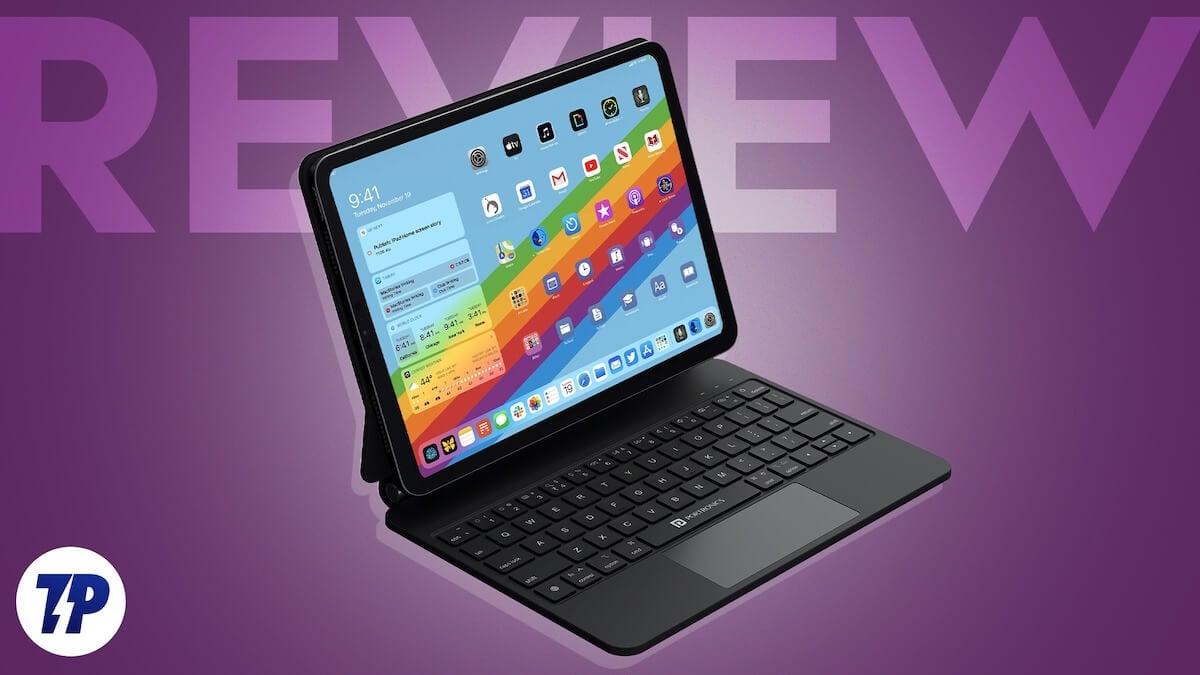
Of course, being an Apple product, the Magic Keyboard did not come cheap. It not only set you back by a price in the range of Rs 25,000 – Rs 30,000 but also worked only with the iPad Air and Pro models, leaving the basic iPad with nothing quite as magical. Fortunately, that seems to be changing. The Portronics Padmate delivers Magic Keyboard vibes not just to the iPad (10th generation) but also to the just-released iPad (A16) at a price in the range of Rs 4,999 ($60). But does that low price come at the cost of performance? Fortunately, it does not, as we found out.
Portronics Padmate Looks and Features: Pretty solid and smart (with strong magnets)
The Portronics Padmate looks solid rather than spectacular. Our review unit was jet black in color and was mainly made of plastic. The top and base have some padding, but can pick up some smudges and stains, but nothing that cannot be cleaned with a cloth. Opening the case reveals the keyboard and the slightly bendable back of the cover, which connects magnetically to the iPad.
This portion, which covers the back of the iPad, connects to the iPad with very strong magnets that keep it firmly in place – we never felt that the iPad was unsteady. This means that you can actually keep the Padmate with an iPad attached to it on your lap and work, just as with the Magic Keyboard. This part also has a soft fabric-like finish, ensuring that the iPad gets no smudges or scratches when attached, and can tilt back and forth, allowing you to use the iPad at different viewing angles.
The Padmate comes with a five-row keyboard, with reasonably sized letter keys but rather small number keys on the top row. There are tiny LED indicators on the top for caps lock, battery, and Bluetooth connectivity status, and below the keyboard is a small rectangular trackpad that supports gestures. The keyboard comes with backlighting, which is a huge surprise at this price point. On the top right side of the keyboard is a USB Type C port for charging it and a button for switching the keyboard on and off.

Like all Magic Keyboard clones, it is not exactly light – about 675 grams – so attaching it to the iPad takes the total weight of the whole package above a kilogram. When folded with the iPad inside, the Padmate looks like a slightly large book. It folds symmetrically, and there is no unevenness or rough edges. It will not scream for attention but is smart, easy to carry around, and reassuringly solid. At the time of its release, it was compatible with the iPad (10th generation), but it will work just fine with the new iPad (A16) too.
Portronic Padmate performance: Ticking the key (board) boxes
Setting up the Padmate is simple. You switch on Bluetooth on the iPad, switch on the Padmate using the slider, and then just choose Padmate from Bluetooth devices on the iPad. It will reconnect automatically after that. In terms of performance, the Padmate is very good if you are looking mainly for a very good typing experience.

The keys are clicky and have surprisingly good travel, giving you the ‘feel’ of striking them. The backlighting is surprisingly good, and you can easily work on this keyboard in the dark. There was an odd case of latency, and the connection sometimes seemed to ‘drop,’ but switching the keyboard on and off normally fixed the issues.
There are a number of shortcuts built into the keyboard, but we did not really feel the need to use them as it seemed easier just to reach out and touch the tablet. The fact that we could adjust the viewing angles (albeit only to a limited extent) made both typing and viewing a much better experience. In simple terms, for its price and feature set, the Padmate is a very good keyboard for typing. A lot of this review has been written on the Padmate

While typing using the letter keys is generally smooth, using the keys for symbols on the right-hand side can be a little bit of a challenge – the key for quotes and commas is tiny, for instance. In a rather odd decision, the more used return/enter key is also actually smaller than the Shift key. The number keys on the top row, which also double up as shortcut keys, are also difficult to use initially as they are small and also end up being very close to the iPad, resulting in our accidentally touching them. The trackpad supports gestures and scrolling, which is handy, but we wish it was larger. We actually would have preferred a larger keyboard with no trackpad, as the tablet is literally within touching distance of most commands.

Battery life is pretty good. We got about 40-50 hours on a single charge with backlighting on, which was enough to see us through close to 7-10 days of hectic usage. Charging takes place through the Type-C port, and there is a Type-A to Type-C cable in the box. Charging itself takes 2 hours using a 33W charger, which is reasonable. We would have liked a better manual with the keyboard, as the one that accompanies it currently has tiny fonts seemingly designed to be read with a microscope. We are sure we could have done more with the keyboard, but we did not really know what else it could do as there was no easy-to-access source of information (the website is not very helpful either).
Portronics Padmate Review Verdict: Want a Magic Keyboard-ish experience on a budget on the regular iPad? This is your best option

The Portronics Padmate is generally available for a price in the vicinity of Rs 5,000 (we have never seen it being sold at its official price of Rs 9999), and at that price, it comes close to being a must-have for all those who want a keyboard case for their basic iPads – whether it is the iPad (10th generation) or the recently released iPad (A16). Yes, you can get better standalone Bluetooth keyboards at lower prices (the Asus Marshmallow and the Logitech Pebble Keys are both available for under Rs 3,000), but there is nothing that mimics the functionality of the Padmate at close to its price from an established brand at the time of writing. It is not perfect, but it delivers an experience similar to that of a Magic Keyboard at a fraction of the budget. Want to give your basic iPad a Magical notebook-like feel? Pad up for the Padmate!
- Price
- Decent typing experience
- Multiple viewing angles
- Backlit keyboard
- Price (worth mentioning a second time)
- Good battery life
- Solidly designed product
- Did we mention the price?
- Some latency in typing
- Can disconnect sometimes
- Number keys and trackpad are small
- Microscopic manual
| Design & looks |
|
| Features |
|
| Battery |
|
| Performance |
|
| Price |
|
|
SUMMARY
The Portronics Padmate tries to bring a Magic Keyboard-like experience to the iPad (10th generation) at a surprisingly affordable price tag of around Rs 5,000. At that price, it is a no-brainer for all those wanting to add some keyboard magic to their basic iPads! |
4.1
|

