

In Summary
- The OnePlus Pad Go 2 is the latest tablet launched by OnePlus in the Indian market and is the successor of the OnePlus Pad Go, which was released in 2023.
- The OnePlus Pad Go 2 comes with a bigger display, a faster processor, 5G connectivity, and also has stylus support, making it more productivity-oriented than the OnePlus Pad Go, which was more of a content consumption device.
- All of these additions, however, literally come at a price. The OnePlus Pad Go 2 is significantly more expensive than the OnePlus Pad Go, which places it in direct competition with some very well-established devices, including the iPad.
It might be best known for its smartphones, but OnePlus has been building a formidable tablet portfolio as well. After starting out with high-end tablets, the Never Settling brand has been moving into the budget and mid-segment zone. The OnePlus Pad Go 2 is its second mid-segment tablet of the year after the OnePlus Pad Lite, and is the successor of the OnePlus Pad Go released in 2023. The Pad Go 2 comes with a bigger display, more processor power, and stylus support, but will it be enough to make it the preferred productivity pad in the very competitive tablet mid-segment?
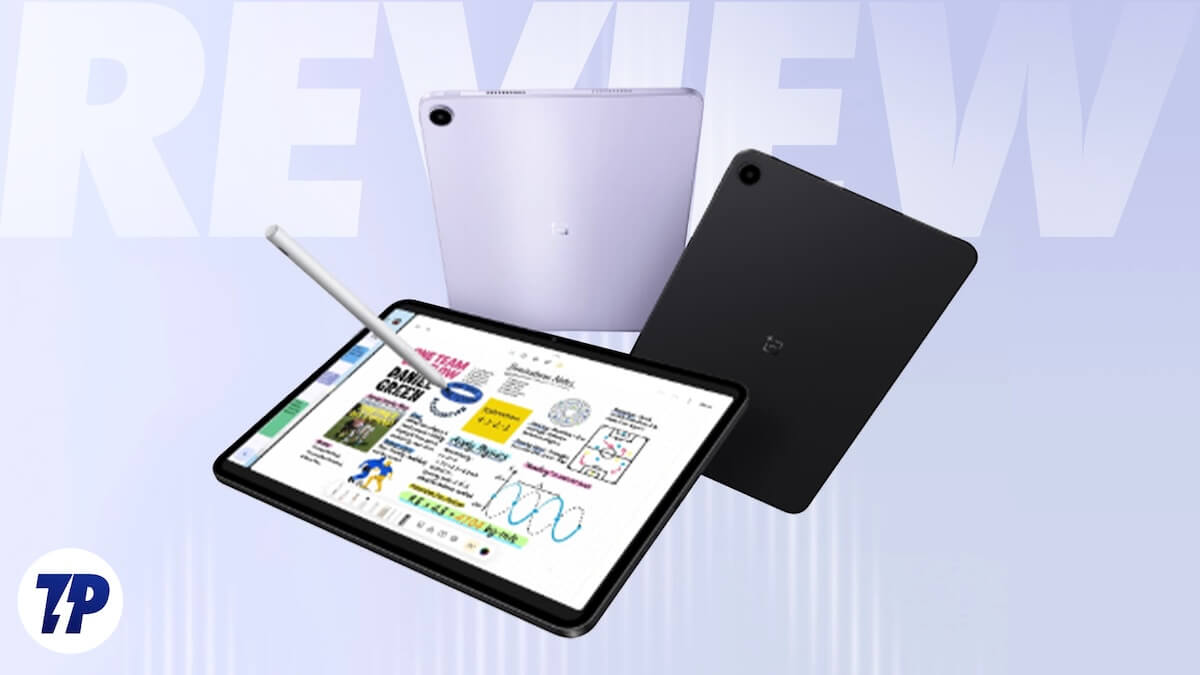
Table of Contents
OnePlus Pad Go 2 Looks and Appearance: Big, sleek, slim, with premium feels
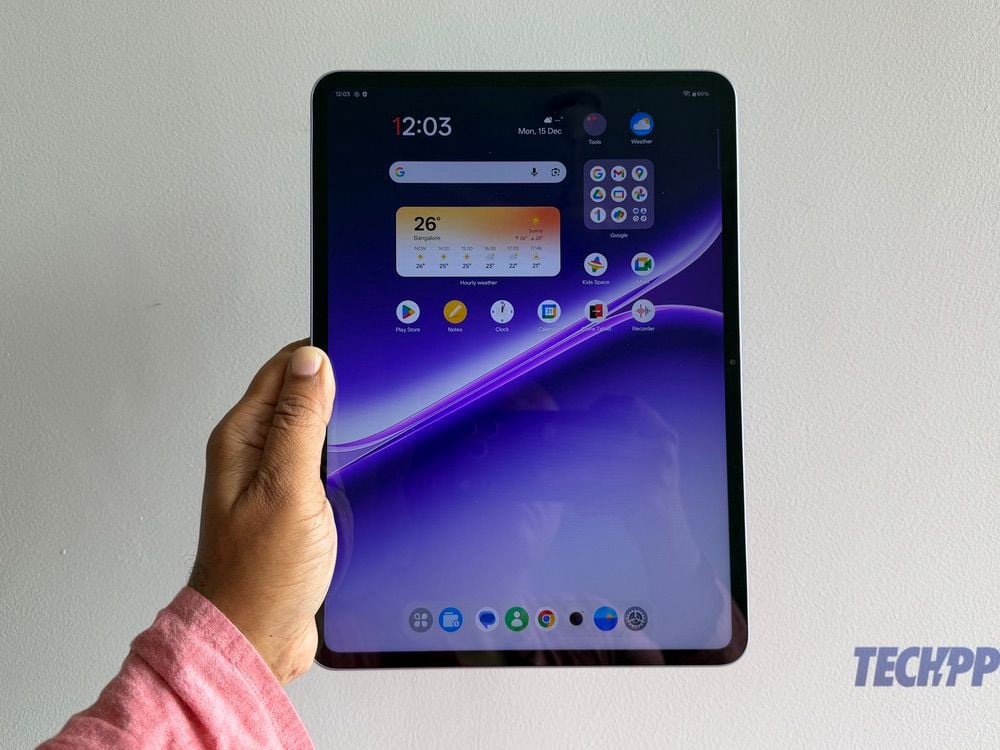
The OnePlus Pad Go 2 is a big tablet. It is 266 mm tall and at 192.7 mm is unusually wide for a tablet in the segment – we needed both our hands to use it, and found it easiest to use while sitting down. This is because it not only sports a 12.1-inch display but also comes with a 7:5 aspect ratio (what OnePlus calls the ReadFit Aspect Ratio), making it slightly more square than the rectangular-shaped tablets with a 16:10 aspect ratio. In that regard, it is very similar to the classic iPad, which has a 4:3 aspect ratio. It gives a more book-like feel. That said, it is remarkably thin at 6.83 mm, and at 597 grams, it is surprisingly light for its size.
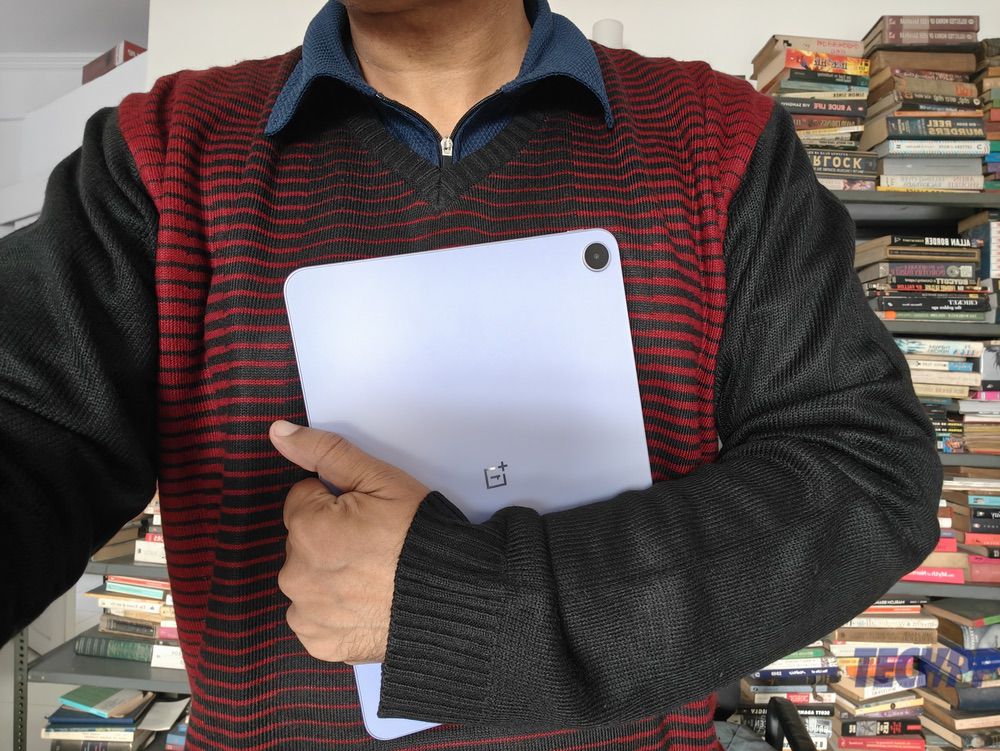
It is available in two colors: Lavender Drift and Shadow Black. There is no dual tone scheme on the back as was seen in the previous Pad Go and Pad Lite, but just a smooth, clean finish, with a camera on the top left corner. The sides are fashionably straight, with volume buttons on the right side, and a display/power on/off button on the top right side. The front is all-display with relatively slim, symmetrical bezels and a camera in the middle of the bezel on the right – it is mainly designed for video calls.
The base houses a Type-C port and speaker grilles, and there is another set of speaker grilles on top. The front is glass, the frame is aluminum, and the back is a blend of plastic and fiberglass, giving the tablet a very premium feel. While classic tablet users might prefer the black one, it is the Lavender variant that will turn more heads. There is no dust or water resistance, but then, that is rare in tab-land. All said and done, the OnePlus Pad Go 2 punches well above its price in terms of design, and its Lavender shade (the one we got for review) is a welcome dash of color.

OnePlus Pad Go 2 Specs and Hardware: Solidly mid-segment
Inside that very sleek frame, the OnePlus Pad Go 2 comes with some classic mid-segment specs. The star of the show is undoubtedly the large display. The 12.1-inch display is one of the brightest in the segment, with a typical brightness of 600 nits and HBM of 900 bits, and has a resolution of 2800 x 1980, or what OnePlus terms 2.8K, and a 120 Hz refresh rate. It comes with support for Dolby Vision and has 12-bit color depth. The tablet also comes with four speakers, whose performance changes depending on orientation (Omnibearing Sound Field technology in OnePlus speak), giving the tablet some multimedia muscle.

The OnePlus Pad Go 2 runs on the MediaTek Dimensity 7300-Ultra, a solid mid-segment chip seen on devices like the Redmi Note 14 Pro, paired with 8 GB of LPDDR5X RAM and two storage options of 128 GB and 256 GB of UFS 3.1 storage. The tablet comes with an 8 megapixel camera on the back and another in front. While it packs in the usual Bluetooth 5.4 and Wi-Fi connectivity, the OnePlus Pad Go 2 is also the first OnePlus tablet to offer 5G connectivity, although this is limited to the Shadow Black variant for some reason. Running all of this is a large 10,050 mAh battery with support for 33W charging and a 45W charger in the box.
The OnePlus Pad Go 2 is also the first tablet in the Go and Lite range to come with stylus support. The rather elaborately named OnePlus Pad Go 2 Stylo works with the tablet, although it has to be purchased separately. At 165.3 mm, it is a tall stylus and comes with 4096-level sensitivity and a single shortcut button. While it has Bluetooth 5.4 connectivity, it charges over USB Type-C, and has no magnetic attachment to the tablet. Rather surprisingly, there is no keyboard cover for the tablet at the time of writing. We also missed a fingerprint scanner, although the tablet comes with a face unlock feature.
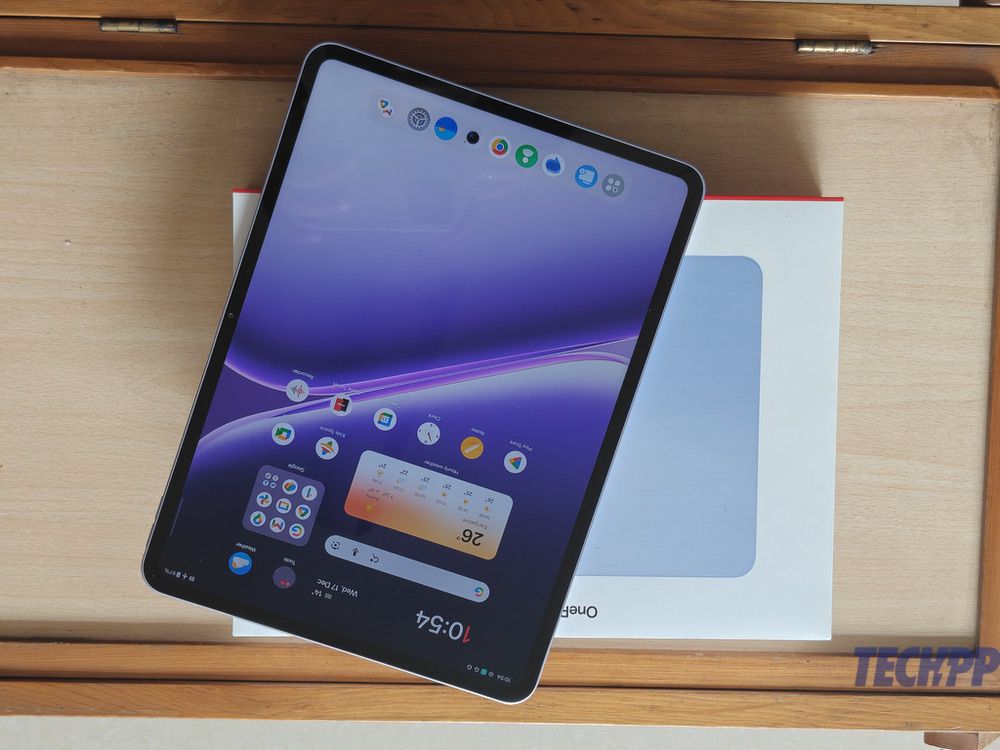
On the software side, the OnePlus Pad Go 2 comes with OxygenOS 16 on top of Android 16 out of the box, with an assurance of four years of “powerful and reliably smooth performance.” All in all, this is a very solid mid-segment spec sheet.
OnePlus Pad Go 2 Performance: Read, sketch, watch!
The OnePlus Pad Go’s greatest strength is its display and speaker combination. The 12.1-inch display makes viewing content ranging from websites to videos an absolute delight, and the very good speaker setup delivers very good sound, making this a terrific device for content consumption, just like its predecessor. The presence of a much faster processor makes the OnePlus Pad Go 2 a reasonably good mid-segment gaming tablet, too. Tweak the settings a little, and you can even get reasonably good sessions of Call of Duty and even Genshin Impact (which actually sounds very good indeed on those speakers) on the tablet.
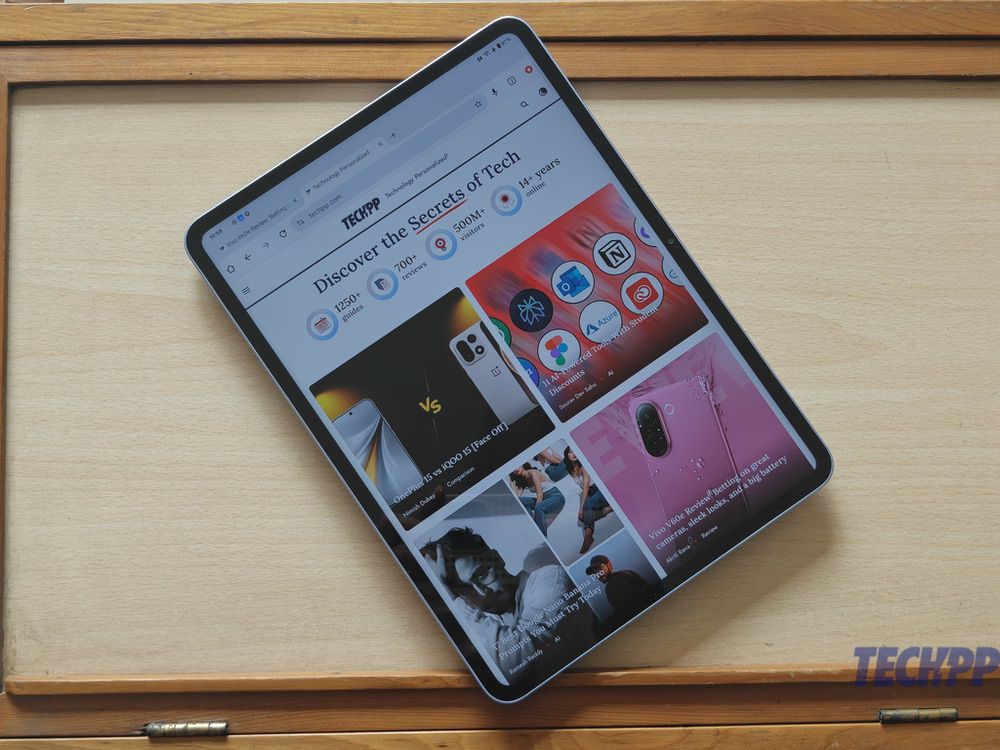
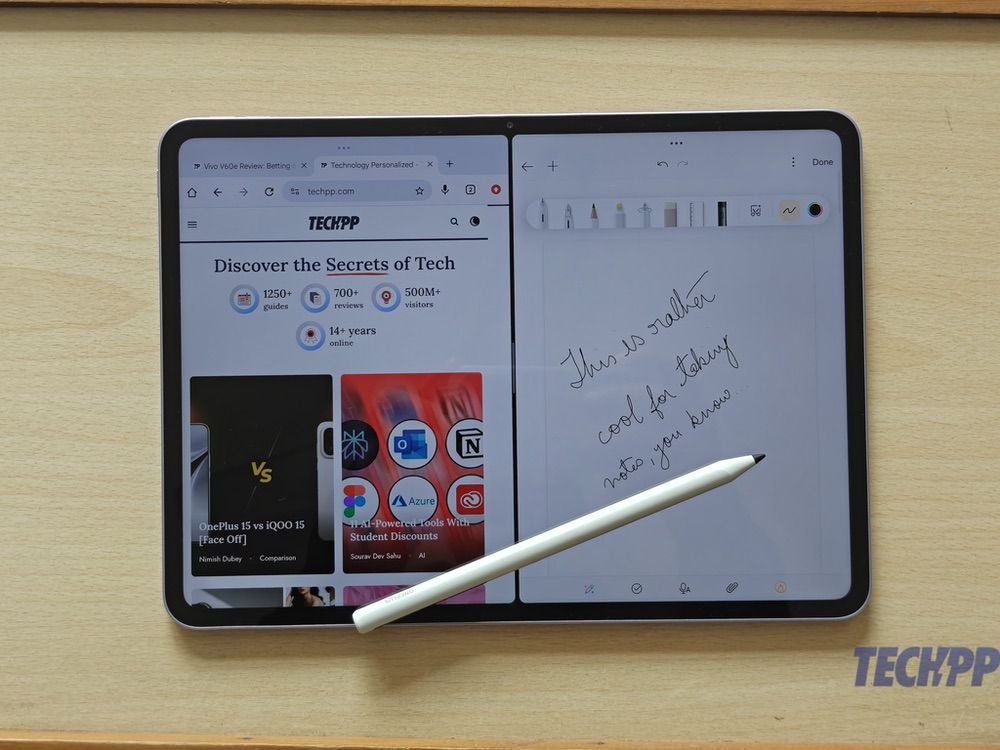
It is, however, in the productivity zone that the OnePlus Pad Go 2 really excels. That large 12.1-inch display means one can multitask on it easily, with plenty of space to open windows side by side. It comes with Open Canvas, OnePlus’ superb multi-tasking tool that lets you run apps next to each other and makes the most of the display real estate. It is because of the display too that we would recommend getting the OnePlus Pad Go 2 Stylo with the tablet, as there is plenty of display real estate to note, annotate, and sketch.
The Stylo cuts a smart figure with a white body and black tip, and while it is not as super sensitive as the stylus with the OnePlus Pad 2 and Pad 3, it turns in a very good performance, although palm rejection seems to be missing here. Hitting the button on it lets one take a screenshot, and once activated, we could even tap on the locked screen of the tablet to start scribbling a note. Handwriting recognition generally worked smoothly, and there are some neat touches in the form of Handwriting Enhancement, which makes one’s handwriting more presentable (without converting it into type), and Handwriting Calculator, which lets us solve mathematical problems by scribbling them.
Battery life on the Stylo is close to 15-20 hours, and while this is impressive, keeping track of battery levels on the stylus is a challenge as there are no indicators on it (a tiny LED near the top only blinks while charging and connecting, and does not show battery levels when not connected). That said, even if the Stylo runs out of charge, it can easily work for another ten hours after just 10-15 minutes of charging, which is more than ample for most users.
The bigger display and faster processor also mean that the OnePlus Pad Go 2 gets the full range of OnePlus’ AI tools, including AI Writer, AI Recorder, AI Editor, and AI Translate and Summary, as well as the usual options like Gemini and Circle to Search. There are plenty of image and video editing tools onboard, and the tablet has enough power onboard to handle them all reasonably well. The big display makes the OnePlus Pad Go 2 a great tablet to work on and read. OxygenOS 16 brings its own shortcuts and gestures to the interface and comes with hardly any bloatware, giving us a very clean experience. The cameras are a little on the basic side and are best used for scanning documents and video calls, but we have rarely used a tablet for serious photography.
A key feature of the OnePlus Pad Go 2 is connectivity with other devices. While the tablet can send and receive files from Windows PCs, Macs, and even iPhones (an app is needed), it is the seamless connectivity with OnePlus phones that brings out the best in the OnePlus Pad Go 2. We could view our OnePlus 15 from the OnePlus Pad Go 2 and even move files between them, sync photos and videos, and even cut and paste content from phone to tablet and vice versa. Our favorite feature was how easily the tablet connected to the 5G connection of our phones, so much so that we never missed having 5G onboard the tablet.
OnePlus Pad Go 2 Battery Life and Charging: Ticking the boxes

The OnePlus Pad Go 2 comes with a large 10,050 mAh battery, which is bigger than the batteries on the OnePlus Pad Go (8000 mAh) and the OnePlus Pad Lite (9340 mAh), making it the biggest battery on the OnePlus’ Lite and Go range of tablets. It charges at 33W and comes with a 45W charger in the box. In our usage, the tablet regularly delivered 10-12 hours of battery life on a single charge, which is right in the iPad range. A little care can see this number to 14-15 hours, although using 5G on it might bring those numbers down, based on connectivity. The 33W charger gets the tablet from 0 to full in about two hours and 15 minutes, which is not exceptionally quick but is good enough for most users in this segment.
OnePlus Pad Go 2 pricing: Mid-segment but pro pricing
The OnePlus Pad Go 2 is available in the following variants at these prices:
- 8 GB / 128 GB: Rs 26,999
- 8 GB/ 256 GB: Rs 29,999
- 8 GB / 256 GB 5G (only in Shadow Black): Rs 32,999
The OnePlus Pad Go 2 Stylo is available for Rs 3,999, but it will be available free of cost with the tablet initially. That makes it a very compelling proposition.
That pricing is well above the price of the OnePlus Pad Go, which had started at Rs 19,999, but then the OnePlus Pad Go 2 is a vastly better-specced device. The price, however, also puts the OnePlus Pad Go 2 up against some very stiff competition.
OnePlus Pad Go 2 Challengers and Competition: Xiaomi, Redmi, and even Apple
Redmi Pad Pro – oldie that’s a headache
Rs 20,000 (approx)
It is showing signs of its age, but the Redmi Pad Pro is likely to be a huge headache for OnePlus’ newest tablet. It has a similarly sized display, a battery that’s almost as big, 4G connectivity, and good stylus and keyboard support. It does lose out on other parameters, such as processor, RAM, and storage speed, display resolution, and 5G connectivity, but that lower price will tempt many, as will the option of a 3.5 mm audio jack and expandable memory.
Xiaomi Pad 7 – the classy contender
Rs 25,999 (approx)
The Xiaomi Pad 7 is hands down one of the best mid-segment tablets out there with a super display and a great set of accessories, including a Magic Keyboard-like Focus Keyboard. It has a slightly smaller display and no 5G option, but comes with a more powerful chip, the Snapdragon 7+ Gen 3.
Lenovo Idea Tab Pro – spec monster but with dated OS
Rs 28,999
The Lenovo Idea Tab Pro is the spec monster in this group – it packs in a large 12.7-inch display, a MediaTek Dimensity 8300 chip, quad speakers from JBL, and even comes with a stylus onboard. The problem is that it runs on Android 14 out of the box, and updates are erratic.
iPad – the OG tablet challenger
Rs 30,000 (approx)
It might have a smaller 11-inch display, and its A16 chip might seem a little old now, but its legendary smooth performance, app support, and trademark design make the iPad the “we could spend a little more and get this” option.
OnePlus Pad Go 2 Review Verdict: The mid-segment has a new pro player – grab it while the Stylo is free with it
At its price, the OnePlus Pad Go 2 is a very good value for money for those who want a tablet with a large display and a productivity side. We would say that the OnePlus Pad Go 2 is especially good for those who have OnePlus devices, given its seamless connectivity with them. We recommend getting the OnePlus Pad Go 2 with the Stylo (which is being offered free with the Pad Go 2 for a limited period of time), as it enables one to do more with the tablet, more so as there is no keyboard for it at the time of writing. Does it beat the iPad? That really depends on how much you value the Apple ecosystem and whether you have the extra bucks to spend on it. We wouldn’t blame you if you opted to Never Settle for anything but the OnePlus Pad Go, though. OnePlus’s tabby new pro player in the mid-segment is that impressive.
- Sleek design and Lavender shade are eye-catching
- Brilliant display
- Smooth performance
- Very good battery life
- Handy stylus support
- Clean software with plenty of AI tools
- Good speakers
- Slightly older chip
- Not a gaming device
- 5G only for the black model
- No keyboard cover (yet)
| Design & Appearance |
|
| Specs |
|
| Software |
|
| Performance |
|
| Price |
|
|
SUMMARY
With a big, brilliant display, strong multitasking, solid performance, and excellent OnePlus ecosystem perks, the Pad Go 2 is a compelling mid-range productivity tablet, especially with the free stylus. |
4.0
|

