

Quick Answer
AirTag alternatives like Tile Pro, Chipolo Pop, Moto Tag, MiLi MiTag Duo, and JioTag Go help track lost items on Android and iPhone. They offer features like loud alerts, long range, Find My or Find My Device support, replaceable batteries, and affordable pricing, making them reliable options beyond Apple’s AirTag.
We as humans are forgetful of things as we should be, but the day turns into a nightmare if you lose something of utmost importance, say your house or car keys, gadgets, essential documents, or something else. Even I’m guilty of doing that at least once a week. Earlier, you would be frazzled looking for the lost entity, but we are in the AirTag era now, so all you need to do is pull out your iPhone and let it do the rest for you in a minute’s time. It indeed is a gift to mankind and a savior in a true sense.
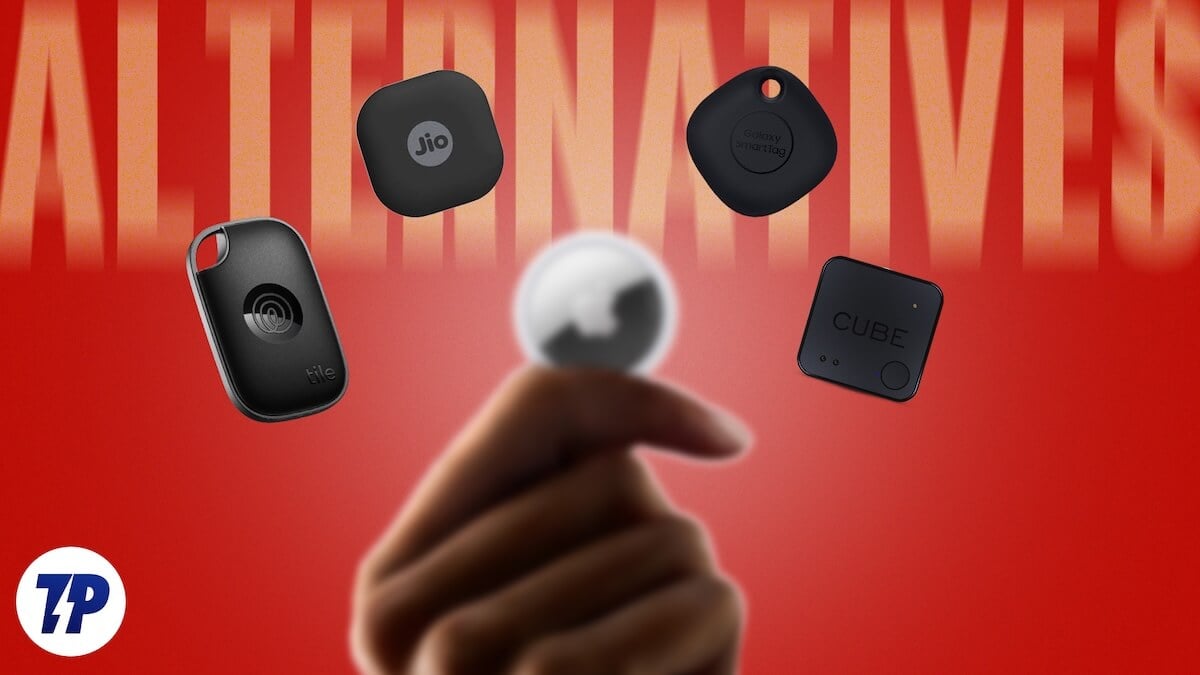
It all sounds assuring, but what if you’re on Android? After all, AirTags don’t work with Android devices, so what do you do now? Enter AirTag alternatives for Android, which replicate the functionality of Apple AirTags on Android to the tee. Plus, it’s not as if AirTags are perfect. iPhone users deserve options, too, after all. This makes choosing the right Bluetooth tracker among dozens of options more cumbersome than you think. Fret not; I’m here to guide you and showcase my recommendations for the best AirTag alternatives for Android and iPhone. Let’s get going!
Table of Contents
Testing Criteria
You might be wondering why, if every tracker does the same job of locating lost items, they are different from each other. Well, I did the hard work for you by preparing a testing methodology to compare the best available AirTag alternatives for Android and iPhone. Here’s how it goes:
- Firstly, I considered the general specifications of each available tracker and compared them side by side. It gives a good idea about its value proposition, the quality of sensors used, and the features it has to offer to enhance usability.
- Next, I did an unadulterated real-world test where I attached the tracker to one of my personal belongings and asked someone to hide it from me. I tested the tracker’s ability to locate the lost items without manual assistance.
- And finally, I tested any further claims made by the brand, such as the tracker’s loudspeaker volume, app features, water resistance, and more. After all, qualifying a marketed feature as applicable or flagging it off as a gimmick is essential.
Things You Should Know About Bluetooth Trackers
If you are looking for options yourself, here are a few considerations you should get right before you finalize on a Bluetooth tracker. In other words, consider this a buying guide before getting a Bluetooth tracker.
1. OS Compatibility
First and foremost, check the tracker’s compatibility with your phone’s operating system. Trackers meant for Android phones might not6. work with iPhones and vice versa. However, trackers exist that work well in both cases. For iPhones, ensure the tracker is compatible with Apple’s Find My network for advanced tracking capabilities.
On the other hand, ensure the tracker isn’t OEM-exclusive, like the Samsung Galaxy SmartTag, which works only with a Samsung smartphone. Moreover, do pay attention to the compatibility with software versions, in case you’re rocking an older one on your phone.
2. Network Coverage
Network coverage is another crucial aspect of any Bluetooth tracker. It includes compatibility with proprietary networks such as Apple Find My, Google Find My Device, Samsung SmartThings Find, and more. Furthermore, since Bluetooth trackers rely on Bluetooth, it’s essential to pick ones supporting the latest Bluetooth versions, preferably Bluetooth 5.1 or higher. Latest Bluetooth versions not only ensure a more extended range but also provide more battery backup, thanks to being energy efficient.
3. Battery Life
A Bluetooth tracker is only as good as long as its battery lasts. Getting one with exceptional battery life is recommended if you fear forgetting to change the batteries. It’s common for Bluetooth trackers to last for over a year without needing a battery replacement, but when they do, it’s best to ensure the replacement cells are cheap and readily available. Most of them use the widely available CR2032 button cell, but yours could use a different one, which you should be aware of before buying.
4. Form and Factor
Bluetooth trackers come in various sizes and forms, the most common of which is the round button-style form that can fit almost everywhere. However, if you’re looking for a different purpose, for example, keeping it in your wallet or phone, a Bluetooth tracker similar in size to your credit card makes more sense. Ensure you pick the form that fits your use case the best.
5. Water and Dust Proofing
After all, Bluetooth trackers aren’t always meant to be kept in the comfort of your wallet or backpack; they can also be used to locate your pets, outdoor gadgets, vehicles, and whatnot. Water and dust are the most common threats that can damage your electronics, so consider it a mandate to not get a Bluetooth tracker without proper ingress protection or an IP rating. It secures them from getting damaged by water or dust.
6. Price Structure
Apart from the upfront cost of buying the Bluetooth tracker, it’s not uncommon for companies to charge you more on a subscription basis. It’s usually to get access to exclusive locked features, some of which are indeed essential, like real-time monitoring, tracking history, lost and found alerts, and more. I recommend staying away from such trackers since the subscription costs will only increase, and the cost of ownership will soon skyrocket.
7. Privacy Features
It’s evident that inappropriate individuals can misuse Bluetooth trackers for malicious acts other than being used for genuine purposes. While Google and Apple have already addressed this situation and introduced features to notify users if an unknown Bluetooth tracker is near them, there are various other features you must look out for. These include end-to-end encryption of data, sound alerts for unidentified trackers nearby, and more.
Best AirTag Alternatives for Android and iPhone
TRACKER | PRICE | SUPPORTED OS | BATTERY | CONNECTIVITY | KEY FEATURES |
|---|---|---|---|---|---|
Tile Pro | $34.99 (Subscription costs start at $2.99/mo) | Android & iOS | Up to 1 year | Tile network, no UWB; Life360 app | Loud speaker and the longest range of 500ft |
Chipolo Pop | $29.00 | Android & iOS | Up to 1 year | Apple Find My, Google Find My Device, no UWB; Chipolo app | Affordable and works well with both Android and iOS |
Moto Tag | $29.99 | Android | Up to 1 year | Google Find My Device, UWB; Moto Tag app | Supports UWB for precision finding, IP67 rating |
Samsung Galaxy SmartTag 2 | $29.99 | Android (Samsung Galaxy devices only) | Up to 500 days in normal mode, and up to 700 days in power-saving mode | Galaxy Find, UWB, and NFC; Galaxy SmartThings App | Can control connected smart devices, supports UWB for precision finding, long battery life |
MiLi MiTag Duo | $19.99 | Android & iOS | Up to 8 months | Apple Find My, Google Find My Device, no UWB | Affordable, IP67 rating, and ON/OFF button |
Eufy SmartTrack Link | $19.99 | iOS / can connect with Android with limited functionalities | Up to 1 year | Apple Find My, no UWB; Eufy Security app | Affordable and works well with Apple devices |
JioTag Air | JioTag Go | ₹1,499 ($16.52) | iOS | Android | Up to 1 year | Apple Find My | Google Find My Device, no UWB; JioThings app | Affordable, comes with a lanyard and a spare battery, loud 120dB speaker |
Best for Connection Range and Loudness: Tile Pro
Key features:
- 500ft range and 110dB sound
- 1-year battery life with a replaceable CR2032 battery
- Works with Android and iOS
- Available in Black and White colorways
Tile is the pioneer of Bluetooth trackers, even before Apple thought of releasing the AirTag, and in fact, the first one to introduce the product category. I have been using Tile trackers for some time, and they have been mostly reliable in my use case. Tile Pro’s most significant advantage over others is its frankly insane 500ft range, which in the real world equates to about 400ft, which is still double what most offer. I can imagine many pet owners being quite intrigued with this attribute. With this, the speaker volume is louder than most others, as it should be, given its tracking range. Thankfully, the CR2032 battery inside is user-replaceable and claimed to last a year. Another handy feature on the Tile Pro I truly admire is the multi-function button, which can be used to ping your phone or as an emergency SOS button to notify others, including local authorities, about potential unsafe situations.
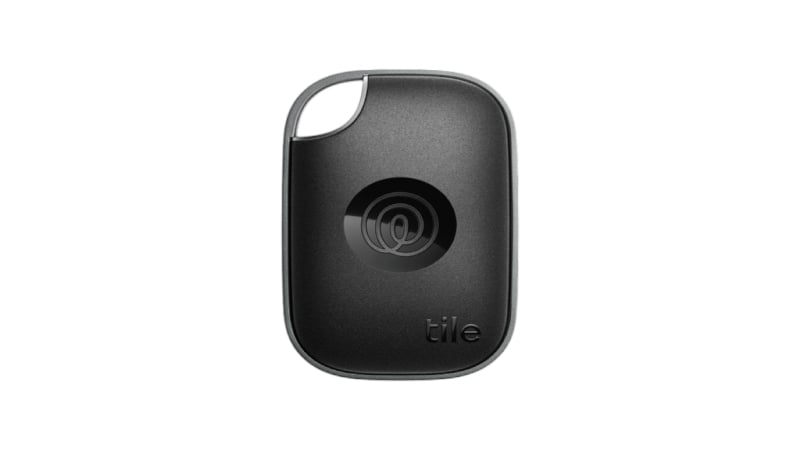
While real-time tracking is a valuable feature present on most Bluetooth trackers, including the Tile Pro, emergency SOS alerts take it up a notch. My only gripe with Tile in the years I have owned a Tile tracker myself is their ridiculous subscription model. It’s because many crucial features are locked behind a paywall, including location history of more than two days, emergency dispatch for SOS, and others related to assistance and protection. Tile Pro is compatible with Android and iOS. Still, it uses its own network of trackers instead of relying on Apple or Google’s Find My network of devices, which isn’t a letdown since Tile has a large tracker network, but it is smaller than Apple Find My and Google Find My Device.
Tile Pro sells for $34.99, with subscription prices starting at $2.99/month or $29.99 annually. If the Tile Pro does not lure you, I suggest checking out other variants, such as the Tile Mate, Tile Slim, and Tile Sticker. I recommend Tile Pro for its reliability, range, and quality of life features, provided you’re willing to subscribe to Tile’s Life360 plan.
Pros:
- Class-leading Bluetooth range and speaker volume
- Reliable and packs a lot of features
- Available in many form factors and has a vast network of trackers
Cons:
- The subscription model for crucial features makes the ownership expensive
- Large size compared to other Bluetooth trackers
Best for Ease of Use and Looks: Chipolo Pop
Key features:
- No subscriptions involved
- Works with Apple Find My and Google Find My Device
- 1-year battery life with a replaceable CR2032 battery
- Available in six distinct colors
If simplicity had a face, it would be Chipolo. It leaves all the unwanted traits of a Bluetooth tracker outside, and I can very well confirm that. For starters, the app has no subscriptions involved; in fact, you don’t even need to use the app unless you want to change the tracker’s ringtone, find your phone using your Chipolo Pop, update the tracker, or use your Chipolo Pop as a selfie remote. If you’re on Android, you get the additional functionality of out-of-range alerts, but that’s about it. The best part about the Chipolo Pop Bluetooth tracker is certainly its dual compatibility with Android and iOS, and not just that, but also with both Apple’s Find My and Google’s Find My Device network of devices – it doesn’t get better than this.

Chipolo Pop comes in six lively colors and has a built-in keyring holder so you don’t have to rely on additional accessories, unlike Apple’s AirTag. It has an ingress protection rating of IP55, which isn’t the best, but the claimed battery life of a year and a replaceable CR2032 battery aren’t anything worth complaining about. Compatibility with Google’s Find My Device network means you can directly link the tracker to your Google account; however, because it doesn’t support UWB (ultra-wideband technology), you can’t use Apple’s Precision Finding feature to locate nearby things with accuracy. Thanks to Bluetooth 5.x, the best you can get, the 300ft of claimed range is admirable. I was particularly impressed by its speaker, which is very loud given its form factor.
Chipolo Pop sells for $29 for a one-pack. Chipolo also sells wallet finders in the form of a card, with separate versions for Android, iOS, and the Chipolo app. It is the best no-nonsense Bluetooth tracker you can get for your Android or iPhone device.
Pros:
- Affordable, despite having no subscriptions
- Works equally well with both Android and iOS
- Supports Apple Find My and Google My Device networks
- IP55 protection is only good enough for light splashes of water
- The feature set could have been a little more generous
- Support for UWB (ultra-wideband) technology to locate nearby things accurately
- Works with Android only
- 1-year battery life with a replaceable CR2032 battery
- Available in two colorways – Sage Green and Starlight Blue
- Among the few Bluetooth trackers for Android that support UWB (ultra-wideband) technology
- An IP67 rating is a plus
- No subscription model despite the low price
- The Moto Tag app needs fixes
- Speaker volume isn’t the loudest
- No keyring holder
- Works with Galaxy devices only and supports UWB (ultra-wideband technology)
- Up to 700 days of battery life in power-saving mode alongside a replaceable CR2032 cell
- Range of up to 120 meters and an IP67 rating
- Available in two colorways – Black and White
- Works very well for Samsung Galaxy devices and supports UWB (ultra-wideband technology)
- Insane battery life of up to 500 days in normal mode, and 700 days in power saving mode
- No subscription model despite the low price
- A bit bulky compared to other trackers
- Doesn’t work with other Android devices
- The Search Nearby feature for precision finding only works with select high-end Galaxy devices
- Works with both Apple Find My and Google Find My Device
- 6-8 months battery life and a user-replaceable CR2032 cell
- IP67 rating and a range of 80-100 meters
- Available in two colorways – Black and White
- Among the cheapest options on this list, and no subscription model on top of that
- Works with both Apple Find My and Google Find My Device
- The dedicated ON/OFF button is a nice addition
- 6-8 months of battery life falls short of current industry standards
- The speaker’s volume could have been louder
- Works properly with Apple devices only
- 1-year battery life with a replaceable CR2032 battery
- No subscription models involved
- Available in a single Black colorway
- The cheapest AirTag alternative for Apple users, plus no subscription model to go alongside
- Works with Apple Find My network of devices for location tracking
- Includes most of the required features despite the low price
- Dull-looking and no color options available
- IPX4 rating is a letdown
- Somewhat exclusive to Apple devices
- Separate versions for Android and Apple devices
- 1-year battery life with an additional replaceable CR2032 battery in the box
- No subscription models involved
- JioTag Go is available in four colorways, whereas JioTag Air is available in five colorways
- Affordable price tag without any additional subscription costs
- Loud 120-dB speaker
- Comes with a lanyard attachment and an additional CR2032 battery
- Cannot work simultaneously with its native app and Google Find My Device/Apple Find My
- No official IP rating
Cons:
Best for Android Users Looking for an AirTag Replica: Moto Tag
Key features:
If replicating the AirTag’s functionality and form factor was a task, Motorola gets an A+. The similarities begin with the design: except for the metal lid, the Moto Tag is an exact copy of the AirTag, giving it the unseen advantage of compatibility with AirTag’s accessories. Genius move by Motorola? You be the judge, but after I tell you that you get no keyring holder or anything to latch on to. Despite the similarities, the Moto Tag isn’t supported on iPhones. As for the Android side of things, the Moto Tag is among the few Bluetooth trackers that support Google’s Find My Device network with UWB (ultra-wideband technology) for precisely locating nearby items.
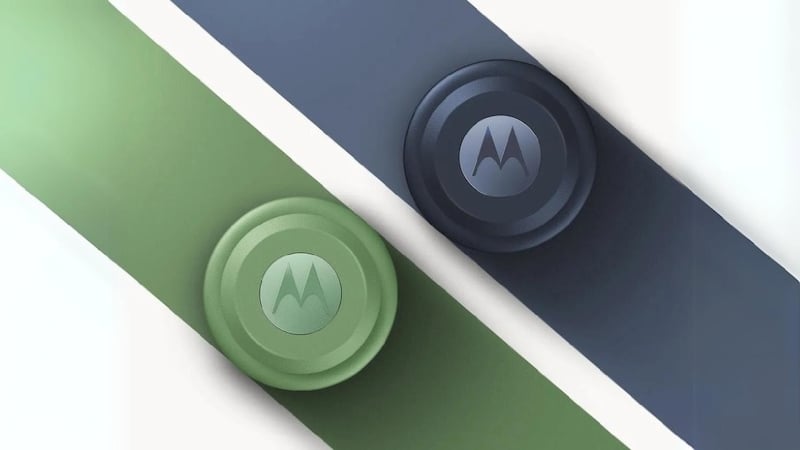
While the precision finding feature isn’t as intuitive as Apple’s, it’s still better than what most other Android Bluetooth trackers have to offer. When paired with the Moto Tag app, the Motorola logo on the tracker can be pressed to locate the connected device and act as a camera shutter button. Of all the things about the Moto Tag, the Moto Tag app isn’t the best due to bugs and glitches, which sometimes cause some features not to work. Other notable features include its IP67 rating, which is precisely what a Bluetooth tracker should have for protection against submersion under water, and up to a year of battery life, thanks to the user-replaceable CR2032 battery inside.
Moto Tag sells for $29.99 for a one-pack, and is the only product in Motorola’s lineup of Bluetooth trackers exclusive to Android devices. The Moto Tag is highly recommended if you’re scouting the market for a Bluetooth tracker with all of AirTag’s capabilities.
Pros:
Cons:
Best for Samsung Users: Samsung Galaxy SmartTag2
Key features:
The Galaxy SmartTag2 makes the most sense for Samsung users, and you would be right to think so. It rightfully brings AirTag’s features to Samsung’s abode, but not its form factor-related shortcomings. I’ll admit: the Galaxy SmartTag2 is weirdly shaped, but it’s functional, far more so, thanks to the attachment loop, which can attach not just keyrings, but also carabiners. It retains AirTag’s battery replacement trick, but changing the CR2032 cell inside requires an ejector pin, making it less intuitive. Unlike the AirTag, the Galaxy SmartTag2 has a customizable button, which can be used to find your connected Galaxy device and initiate up to two more functionalities or routines linked to the Samsung SmartThings app. A great use case would be turning on a connected appliance or light using your Galaxy SmartTag2 after reaching home.
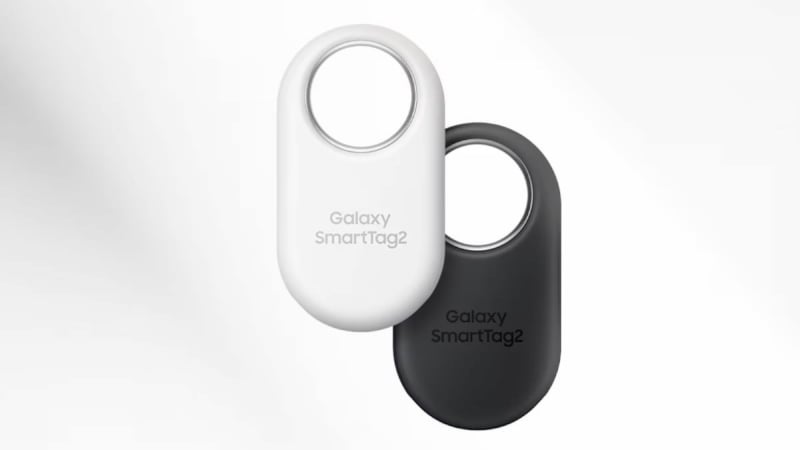
Samsung relies on a similar concept to Apple’s Find My network and uses the Galaxy Find network to locate the Galaxy SmartTag2. However, you must be signed into your Samsung account and the Galaxy SmartThings Find app for optimal tracker functionality. The Galaxy SmartTag2 supports UWB (ultra-wideband technology) that works similarly well to Apple’s, but requires a higher-end Samsung device (Galaxy S21+ and above, Galaxy S21 Ultra and above, Galaxy Z Fold 2 and above, and Galaxy Note20 Ultra). I genuinely appreciate Galaxy SmartTag2’s insane claimed battery life of 500 days in normal mode and 700 days in power-saving mode. A Lost Galaxy SmartTag2 can display contact information on a finder’s phone using NFC.
Galaxy SmartTag2 sells for $29.99 for a one-pack on Samsung’s website. I recommend it out and out for Samsung users, who are in for a treat with such a feature-rich Bluetooth tracker.
Pros:
Cons:
Best for Budget Buyers: MiLi MiTag Duo
Key features:
If you are looking for a budget Bluetooth tracker that works perfectly with both Android and iOS, you are in for a treat. Get this: you pay nearly half the price of other popular Bluetooth trackers and don’t miss out on anything in general. That’s MiLi MiTag Duo for you, which supports both Apple’s Find My and Google’s Find My Device network of devices. Sure, it misses out on UWB (ultra-wideband) technology, but you get the other good stuff about other Bluetooth trackers, including a decent design with a keyring hole and an ingress protection rating of IP67, which is on par with the best in the market.
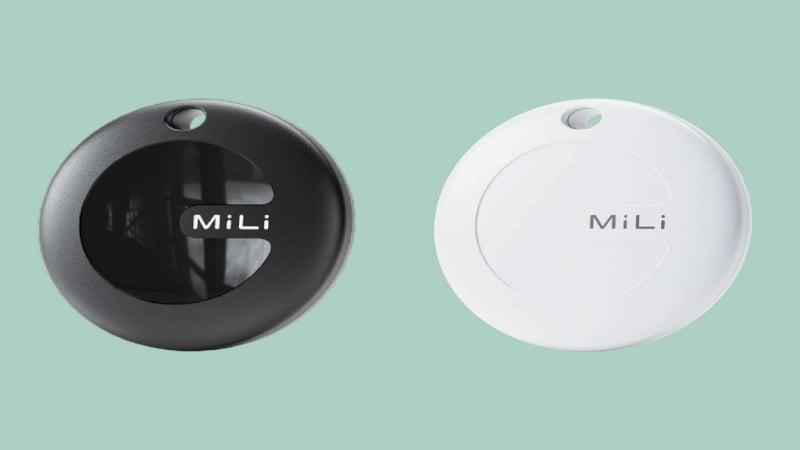
You might be wondering if it relies on a subscription model, but you would be wrong, as the MiLi MiTag Duo has no app or subscription going for it, making it even more affordable. My only minor gripe is the battery life, which is eight months at best, lower than the industry standard of a year. The CR2032 cell inside the MiLi MiTag Duo is thankfully replaceable, and it also packs an ON/OFF button to prevent idle drain when not being used, which is a thoughtful workaround. It packs other essential features, including real-time location tracking and alerts if the tracker is left behind.
MiLi MiTag Duo is available for $19.99 for a one-pack. MiLi also sells separate versions for Android and iOS, which are even cheaper and recommended if you don’t switch devices often. I cannot stress enough the value-for-money aspect of the MiLi MiTag Duo.
Pros:
Cons:
Best Budget Offering for iPhone Users: Eufy SmartTrack Link
Key features:
Coming from the MiLi MiTag Duo and its rock-bottom pricing, which is tough to beat, the SmartTrack link is a similarly affordable option catered towards iPhone users from the household brand Eufy. I’ll be straightforward: the Eufy SmartTrack Link doesn’t look the best, but it ticks other necessary boxes, such as a compact design and a keyring hole. While it does support Android devices, it’s only through Eufy’s security app and not Google Find My Device. I don’t recommend that Android users opt for it since there are various other options to choose from. It’s all good on the iOS front since the tracker supports Apple Find My network.
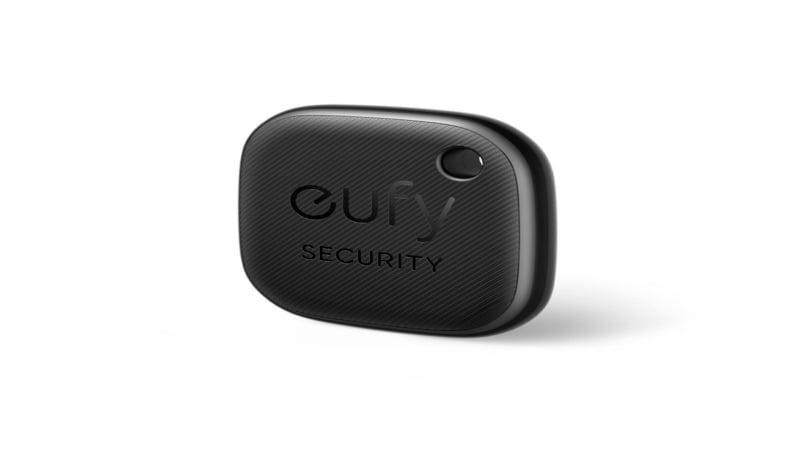
The Eufy SmartTrack Link is similarly feature-packed and includes useful ones, like Left-Behind alerts if you leave the tracker behind, real-time location tracking, locating connected devices using the tracker, and more. While the one-year battery life is respectable, thanks to the replaceable CR2032 battery inside, the ingress protection rating of IPX4 doesn’t exude confidence in leaving it outdoors. Although you don’t need Eufy’s security app for the tracker to function appropriately, it’s only required during the setup process to register the device and your account.
Eufy SmartTrack Link sells for $19.99, and Eufy also sells Bluetooth trackers in a card-style form factor. I recommend the Eufy SmartTrack Link to iOS users looking for a budget AirTag alternative.
Pros:
Cons:
One for Our Indian Readers: JioTag Go
Key features:
An exclusive for our readers from India, it’s of course the JioTag. To clear the confusion, JioTag is available in two versions: JioTag Go and JioTag Air. The former is for Android users and supports Google Find My Device, whereas the latter is exclusive to Apple users and supports Apple’s Find My network. Other than that, both versions come with an identical feature set. The tracker follows a simple squircle design language and is available in several colorways. To keep the budget in check, the JioTag Air and JioTag Go don’t come with UWB (ultra-wideband technology), so you’ll be missing out on the precision finding feature present on some others.

As for the features, you get the usuals, including real-time location tracking, a loud 120-dB speaker, and up to a year of battery life, which is possible using the replaceable CR2032 cell inside. However, for features such as disconnection alerts or finding the connected device using the tracker, you will have to pair the device using the JioThings app instead, as the tracker cannot interact with two apps simultaneously. As a definite downgrade, there’s no claimed official ingress protection rating, so the best we can assume is that it can survive interaction with water. Other than that, the JioTag Air and JioTag Go are fantastic options to consider, even more so because they include a lanyard attachment and an additional CR2032 battery in the packaging.
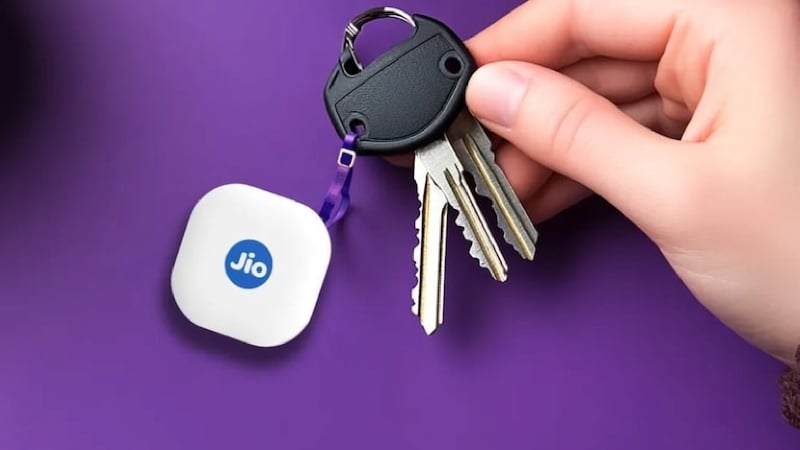
JioTag Air and JioTag Go retail for ₹1,499 (~$16.52). They are an instant recommendation from my end.
Pros:
Cons:
Don’t Lose Your Things With These AirTag Alternatives for Android and iPhone
Losing things is a human habit, but there exist trackers that can ease the process of finding them. I was surprised to see Bluetooth trackers coming this close to replicating the functionality of AirTags, some even for a far lower price. With Google’s Find My Device network expanding faster than ever, options on this list, including the Moto Tag, JioTag Go, MiLi MiTag Duo, and Chipolo Pop, would be my instant recommendations. The Eufy SmartTrack Link, JioTag Air, MiLi MiTag Duo, and the Chipolo Pop make sense for Apple users to get over AirTag. On the other hand, the Galaxy SmartTag2 and Tile Pro are recommended for Samsung and existing Tile users, respectively.
FAQs about AirTag Alternatives and Bluetooth Trackers
1. Can I pick just any Bluetooth tracker for my device?
While the majority of Bluetooth trackers support both Android and Apple devices, some of them are OS-specific. For instance, the Samsung Galaxy SmartTag2, Moto Tag, and Eufy SmartTrack Link are exclusive to Samsung Galaxy, Android, and Apple devices, respectively. Even though a Bluetooth tracker may support both platforms, you must ensure compatibility with their respective network of devices – Apple Find My and Google Find My Device. If all’s in check, you’re good to go.
2. How does a Bluetooth tracker work?
Every Bluetooth tracker connects to the host device using Bluetooth and sends its location data for you to track it. Since Bluetooth is limited by range, which is usually not more than 100-150 meters, Bluetooth trackers rely on surrounding devices to help you find your lost items attached to them. For Apple, the surrounding network of devices that allow an AirTag or a supported tracker to report its location is called Find My, whereas for Android, it’s the Google Find My Device feature. To find one, you can look for it on the map, use the precision finding feature (if supported), or ring the tracker if it’s nearby.
3. How will I know if a Bluetooth tracker is tracking me?
It is, indeed, a serious privacy concern, and thankfully, it’s addressed by both Apple and Google. Apple and Android devices have a built-in feature to notify you if an unknown tracker is following you. For further help, you can visit here for Apple devices and here for Android devices. Moreover, many trackers can track others and notify you of the same. If you’re using an Android device, I recommend installing an AirTag scanner app since the default system warning may occasionally fail for AirTags.
4. What happens after my tracker’s battery dies?
It will stop sending you its current location data – as simple as that. All you will be left with is its last known location, and hopefully enough battery to ring and locate it. After that, you can replace the battery yourself, as most Bluetooth trackers run on the widely used CR2032 battery. You can check the tracker’s instruction manual for the battery replacement process. Replacement cells are readily available at convenience stores.
5. Do trackers supporting Apple devices work exactly like AirTags?
While they can replicate most of AirTag’s functionalities, including supporting Apple’s Find My network of devices, none support AirTag’s most significant advantage – Precision Finding. AirTags come with U1/U2 chip that enables Precision Finding. It’s not the same for Android, as many third-party Bluetooth trackers support ultra-wideband technology on Android.

