

Quick Answer
Some Netflix shows are geo-restricted, but reliable VPNs like NordVPN, Surfshark, ExpressVPN, Proton VPN, X-VPN, and Privado VPN can still unblock multiple regions. They offer fast speeds, strong privacy, and broad server networks, helping you stream global Netflix content smoothly, often even in 4K.
Some Netflix libraries are geo-restricted due to licensing deals. As a result, a few shows and movies that are exclusive to a specific region are not available globally. Fortunately, you can use a VPN to watch geo-restricted Netflix content from any location without any restrictions.

Using a VPN violates Netflix’s Terms of Service, so Netflix blocks VPNs daily. Because of this, most VPNs often fail to work.
Fortunately, there are still plenty of VPN service providers that work with Netflix. In this guide, you will learn about the best VPNs for Netflix, their pros and cons, and how they stand out from the rest, helping you choose the right VPN for your needs. If you are ready, let’s get started.
Table of Contents
Best VPN for Netflix in 2026
VPN | Best For | Price | Free Option |
|---|---|---|---|
NordVPN | Best option | $3.39/mo | No |
X-VPN | Best option for mobile | Free / $2.99/mo | Yes (mobile and desktop) |
ExpressVPN | Best for 4K streaming | $6.67/mo | No |
Surfshark | Best for sharing with friends and family | $2.19/mo | No |
Proton VPN | Best for Privacy | $4.99/mo | Yes |
PrivadoVPN | Best Free option | Free / $4.99/mo | Yes (10GB) |
Note: Pricing may differ; please check the service provider before opting for the premium plan.
NordVPN: Best Overall Choice If You Want Reliable Netflix Streaming
Key Details:
- Price: $12.99 per month, or $3.39 per month with a 2-year plan.
- Servers: 8,000+ servers in 118 countries.
- Netflix Libraries Unblocked: 16+ libraries, including the US, UK, Canada, Japan, Australia, Germany, France, and Italy.
- Streaming Quality Support: 4K UHD support.
- Simultaneous Connections: 10 devices.
- SmartDNS Feature: Yes.
- Works on Smart TV: Yes.
NordVPN is the most popular and highly reliable VPN for unblocking Netflix content restricted by geolocation.
Thanks to its 8000+ servers across 111 countries, it offers a competitive advantage, helping you choose any server and unlock most geo-restricted content on Netflix.
In many tests, NordVPN passes almost all Netflix unblocking tests, making it the most reliable option. Here is how NordVPN stands out from the rest.
Reliable option to unblock Netflix geo-restricted content
NordVPN has over 8,000 servers across 111 countries, with multiple servers in each country. Because of this network, users can connect to any server and unblock any content on Netflix.
It also has a proven track record of successfully unblocking Netflix content across many regions.
Faster compared to others
The biggest downside of using a VPN to watch Netflix is that it can reduce speed and result in low-quality streaming and even buffering; however, since NordVPN uses the NordLynx protocol, it is faster and can help you stream Netflix content faster, even in 4K.
It is compatible with most devices
The biggest advantage of NordVPN over others is its compatibility with all major platforms, including Windows, macOS, Linux, Android, iOS, Fire TV, Apple TV, Smart TVs, Routers, Gaming Consoles, and more.
So you are not restricted to a single device, you can watch unblocked Netflix content on most device types, including smart TVs.
Not just that, you can also use and connect to 10 devices simultaneously with a VPN, so you don’t need to worry about multiple users watching at the same time.
Related: How to Install and Set Up VPN on Android TV
No free version
However, not everything about not using a VPN is great. NordVPN doesn’t offer a free version or a free trial; its subscription is also higher than its competitors’.
However, if you want the best experience. NordVPN is a very good choice, but you’ll have to spend a bit more.
Pros:
- Best option for Netflix unblocking, as well as other streaming sites like Prime Video, Disney+, and more.
- Faster compared to others.
- Has a massive server network.
- Multi-Platform support.
- Also great as a standard VPN.
- Dedicated IP option.
- No logs policy.
- Advanced security features such as double VPN, ad blocker, kill switch, and more.
Cons
- Higher price and no free trial.
- Still occasional server blocks.
X-VPN: Best Free Option for Mobile
Key Details:
- Price: Completely free plan available. Or $11.99/month, or $2.99/month with a 2-year plan.
- Servers: 1,000+ servers in 26 locations on the free tier; 10,000+ servers in 225+ locations on the premium tier.
- Netflix Libraries Unblocked: 10+ libraries, including the US, UK, Canada, Japan, and Brazil.
- Streaming Quality Support: HD, also supports 4K.
- Simultaneous Connections: 5 Devices.
- SmartDNS Feature: No.
- Works on Smart TVs: Apple TV, Android TV, Amazon Fire TV Stick.
If you are looking for an affordable VPN service, or even a free VPN service to get started and test before paying for a subscription, then X-VPN might be the best choice for you.
How it stands out:
Generous Free Tier Without Restrictions
X-VPN offers a generous free plan on limited servers, which you can try in some regions to unblock Netflix content. For example, X-VPN provides a completely free tier on mobile. It allows you to manually choose from 26 different locations to unblock Netflix content without data limits. If you watch Netflix on mobile, you can try X-VPN, especially if you are looking for a free option on mobile.
Largest Server Network
With 10,000+ servers in 225+ locations, X-VPN offers broad global coverage and more server choices for streaming. A larger network can help reduce congestion at peak hours and make it easier to switch servers when accessing different Netflix regions.
In my testing, I was able to unblock most of the regional content on Netflix and many other streaming platforms; you can find more details in our X-VPN review.
Streaming-Focused Server Optimization
While it doesn’t unlock the most Netflix libraries, for the price, it can be a reliable option to test before paying for the subscription. The company also introduced platform-specific streaming servers, so you can choose a server optimized for the exact streaming service you’re using.
Pros:
- Free tier available for mobile with unlimited data transfer.
- Simple and easy-to-use interface.
- Reliable for unblocking Netflix geo-restricted content, and also works for other streaming sites.
- Affordable, even if you want to upgrade to the premium plan.
Cons:
- Slower speed compared to other VPN service providers.
Proton VPN: Best for You If You Want a Free VPN That Never Shows Ads
Key Details:
- Price: $9.99 per month, free tier available, or $4.99 per month with a 2-year plan.
- Servers: 18,000+ servers in 125+ countries.
- Netflix Libraries Unblocked: 20+ libraries on the paid version, including US and Japanese.
- Streaming Quality Support: HD.
- Simultaneous Connections: 10 devices.
- SmartDNS Feature: No.
- Works on Smart TV: Limited support.
Proton VPN is the best free VPN and the best privacy-focused VPN you can use. In fact, it is at the top of a list for the best free VPNs if you care about privacy.
However, the free version is unreliable for accessing Netflix content, as it offers limited server locations and automatically assigns servers based on availability. If you can upgrade.
How it stands out
Dedicated Streaming Servers
Proton VPN’s free version is great for standard VPN use; however, if you’re looking to unblock Netflix or access restricted content, a paid version is recommended.
The paid version is very reliable. It also comes with a dedicated streaming server that lets you unblock Netflix from all popular locations, with support for 20+ libraries, including US, Japanese, and more.
Privacy-focused VPN
Proton VPN is known for its privacy-focused approach, and it is completely safe to use if you care about privacy. It does not store user logs, which is part of its no-user-log policy, and it doesn’t come with ads in the free version, making it one of the most reliable options that value privacy.
Pros:
- Best privacy-focused VPN.
- Unlimited Free tier (But very limited for streaming Netflix).
- Also best for watching anime.
- Block ads and malware at the VPN level.
- Supports Tor VPN, peer-to-peer split tunneling, and more.
Cons:
- Higher premium price compared to others.
- No manual server selection in the free version.
- Also, some complex pricing plans.
Surfshark: Best Option If You Want More Simultaneous Connections
Key Details:
- Price: $15.45 per month, or $2.19 per month with a 2-year plan.
- Servers: 4000+ servers in 100 countries.
- Netflix Libraries Unblocked: 30+ regional libraries.
- Streaming Quality Support: 4K capable, HD without buffering.
- Simultaneous Connections: Unlimited devices.
- SmartDNS Feature: Yes.
- Works on Smart TV: Yes.
If you want a VPN network that can unblock any content from any region without any device limitations, then Surfshark VPN is the best option for you.
It can unblock 30+ regional libraries, more than most of the best Netflix VPNs, including NordVPN, and it also supports unlimited device connections, so you can connect multiple devices.
How it stands out:
Access 30+ Netflix Libraries
One of the biggest upsides of a Surfshark VPN is support for more Netflix libraries, so if you watch content from many international regions, this is the best option for you.
You can unblock most regional content on Netflix and watch it without any restrictions. At the time of writing, Surfshark supports all major regions, including the US, India, Japan, and Netflix, with support for Korean dramas, Star Trek, Brazzers, and more.
Unlimited device connections
While other VPN service providers allow up to 10 simultaneous connections, which is enough for most households, if you want more than 10 device connections, Surfshark VPN is a better option. Unlike other VPNs, they don’t impose any device limitations. You can connect as many devices as possible.
Better speeds
You also don’t need to worry about speed limitations, because it’s one of the most reliable VPNs that offers very good speeds. Even if the content is from a different region, thanks to its faster network, you can stream in 4K quality without buffering.
Pros:
- Gives access to more regional content than competitors.
- Unlimited device connections.
- Support for smart DNS lets you watch Netflix on smart TVs without installing the app.
- Ram-only servers don’t store any of your data.
Cons:
- Expensive premium.
- Larger Netflix libraries aren’t optimized for streaming, so it can cause hiccups sometimes.
- No dedicated streaming servers.
Express VPN: Best for You If You Stream in 4K and Want Zero Buffering

Key details:
- Price: $12.95 per month, or $6.67 per month with a 1-year plan.
- Servers: 3,000+ servers in 105 countries.
- Netflix Libraries Unblocked: 20+ libraries.
- Streaming Quality Support: 4K UHD, best for 4K streaming.
- Simultaneous Connections: 8 devices.
- SmartDNS Feature: Yes.
- Works on Smart TV: Yes.
The biggest downside of using a VPN for streaming is buffering. If you have a slow internet connection or stream high-quality 4k content, this issue becomes evident. However, if you really want to enjoy 4K content, I would recommend using ExpressVPN. Thanks to its lightweight protocol and recently upgraded bandwidth, it offers significantly better speeds than the competition.
How it stands out
Lightweight Protocol
Express VPN is faster and almost as close to not having a VPN as it gets, sometimes even beating it, thanks to its lightweight protocol. Because of this, you can also stream 4K content without facing any buffer issues.
No log policy
Since ExpressVPN uses a no-logs policy and RAM-only servers, it is ideal for both privacy and watching Netflix. ExpressVPN also uses RAM-only servers, so it doesn’t store any user data, which improves unblocking reliability.
Pros:
- RAM-only servers.
- Stream 4k quality content without buffering.
- Best faster streaming speeds.
Cons:
- Expensive premium tier.
- Supports only 8 simultaneous connections.
- No Free tier.
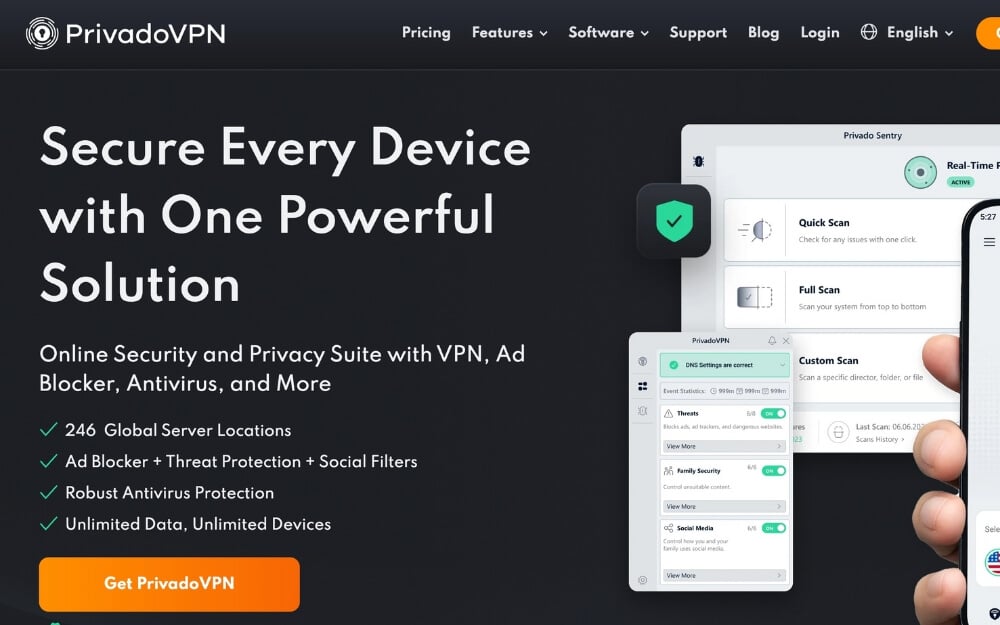
Privado VPN: Best for You If You Only Need Occasional Free Netflix Access
Key details:
- Price: Free (10 GB per month) | Premium: $4.99 per month.
- Servers: Free servers in 10+ countries.
- Netflix Libraries Unblocked: US, UK, India, and more on the free tier.
- Streaming Quality Support: HD max.
- Simultaneous Connections: Limited.
- SmartDNS Feature: No.
- Works on Smart TV: No.
If you don’t want to pay and want a completely free VPN to watch Netflix, Privado VPN is the best option. While there are plenty of free VPNs available, they don’t let you choose a custom server, which might not be the location you want to connect to. However, with Privado, you get access to more free server locations.
The free version comes with 10 GB of bandwidth, which is sufficient for streaming for at least 1 to 2 hours, depending on the quality settings. This is currently the best free option available.
How it stands out
Free to use
Most VPNs listed in this guide, and also most reliable network providers, are often paid versions
However, if you are looking for a completely free version, Privado VPN is the best option. The free version gives you 10 GB of data transfers, enough to stream Netflix content. In the free version, you can also connect to any custom server, which currently offers a decent selection, including servers in the US, India, the UK, and more.
Final Thoughts: Picking the Right VPN for You
So those are the simple tips you can follow to make your Netflix VPN connection more reliable.
I hope you found this guide helpful to summarize. NordVPN is the best option if you are looking for the best overall experience. X-VPN is the best alternative if you are looking for an affordable version.
Proton VPN is great if you value high privacy, Surfshark VPN is a great affordable and best alternative to the NordVPN, Express VPN is the best if you want a faster and 4K video streaming support, and finally Privado is the best option if you are looking for a completely free version without any subscriptions but you are limited to 10GB data transfers per day.
Also, since Netflix blocks VPNs daily, the VPN that currently works today may not work tomorrow, so choose a reliable service. However, you can follow some tips to get the best VPN experience on Netflix.
- Change to a different server. Most VPNs offer different servers within the country, so you can easily switch and connect to Netflix and watch without any issues.
- If your VPN supports obfuscation and Stealth Mode, enable them whenever you stream Netflix.
- Another simple hack is to clear your browser history and cookies.
- Use a custom IP address if your VPS service provider offers it.
- Another important setting to enable when connecting to Netflix is DNS leak protection. Most VPN servers offer this feature by default. If your VPN service doesn’t enable it by default, it prevents Netflix from learning your accurate location and also flushes your DNS every time there is an issue
- Use a browser VPN extension instead of an app or software. Netflix primarily blocks at the system level. VPN connections using only browser VPN, which works only for the browser, can prevent you from accessing Netflix.
I hope you find this guide helpful. If you have any suggestions, let us know in the comments below. Please note that using a VPN to access Netflix violates its terms of service. For more information about using VPNs to access Netflix, you can check the detailed Frequently Asked Questions below.
FAQs on How to Use Netflix With VPN
1. Will Netflix ban my account for using a VPN?
No, Netflix won’t ban your account completely. However, they will block you from accessing the content. However, please note that if you are repeatedly caught using a VPN, which violates its terms of service, Netflix may ban your account.
2. Is using a VPN to watch Netflix illegal?
Using a VPN to watch Netflix is legal in most countries. However, using a VPN to access geo-restricted content or exclusive content from a specific region violates Netflix’s terms of service. This may result in blocking your account.
3. How do I know if Netflix detected my VPN?
In most cases, you will see a M7111-1331-5059 error when accessing the content. Netflix also shows You seem to be using an unblocker or proxy, which means Netflix has detected that you are using a VPN to access their service.
4. Do I need to change any settings on my Netflix account?
In most cases, you don’t need to change any VPN settings. However, if you are unable to access the content, ensure that features such as SmartDNS are enabled. Some VPN service providers also offer dedicated IP addresses, which reduces the risk of being banned from Netflix.
5. Will using a VPN affect my Netflix recommendations?
Yes, using a VPN will change your Netflix recommendations. Since Netflix treats you as if you are connecting directly from that specific region, it will serve you content available in that area.

