

Quick Answer
PutMask is a free face masking app for Android that uses AI to automatically detect and blur faces in both videos and photos. All processing happens on your device with no server uploads, making it one of the best free tools for video anonymization and identity protection on Android. The free version adds a watermark to exports and limits resolution to 540p.
Most of us shoot video constantly on our Android phones. A birthday party, a street event, a crowded public space. The moment you decide to post that clip online, the faces of people in the background become a real problem. Not everyone in your frame agreed to be on the internet, and in many countries, sharing footage without protecting identities can land you in a difficult spot. If you have ever tried to blur faces in a video on Android manually using a generic photo editor, you already know how badly it tends to go. People move, and a static blur ends up covering the wrong part of the frame entirely.
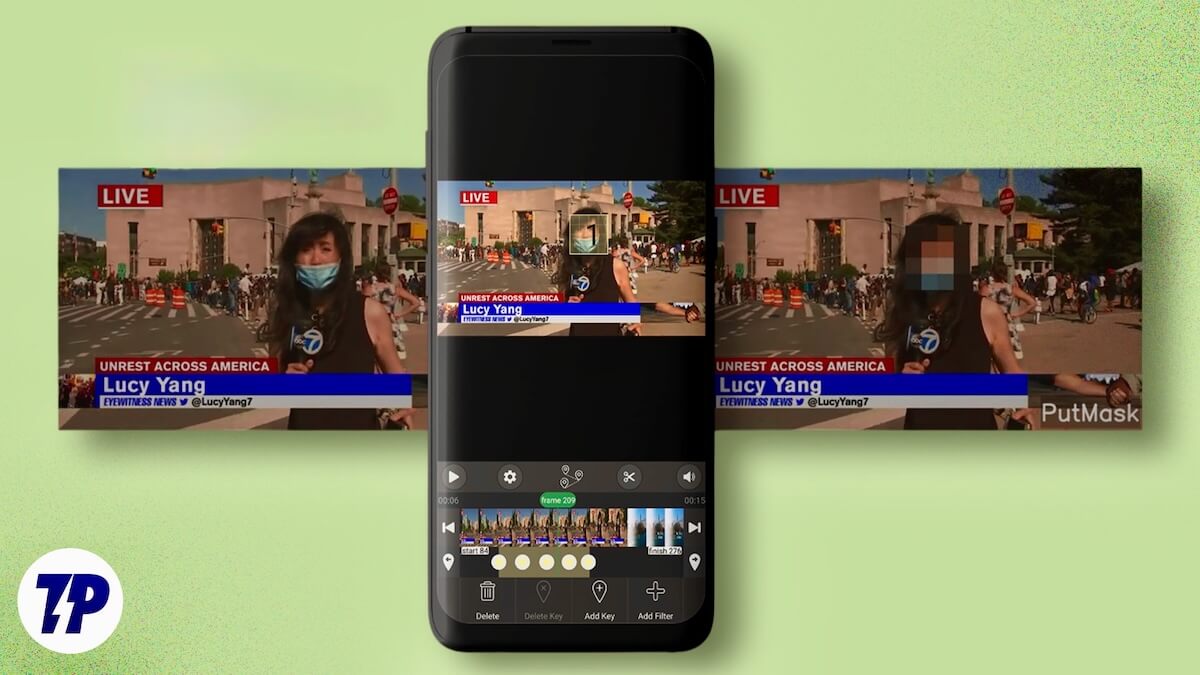
Thankfully, blurring faces in a video on Android for free is far simpler than it sounds, and you do not need a desktop editor or a paid app subscription to do it right. PutMask is a free Android app that uses AI to automatically detect and track faces across video frames, doing all the processing directly on your phone. No server uploads, no fiddling with manual selections. Let us get into how it works.
Table of Contents
Meet PutMask: A Free Face Blur App Built for Android
The app name itself says that it puts a mask on people’s faces. If you were looking for a seamless, hassle-free way to protect the privacy of people in your images, then PutMask is the app to go for. The app is available on the Google Play Store for free, and it takes the tedious process of masking people’s faces.
At its core, PutMask is a dedicated privacy application that you can use to not only censor faces, but license plates and other sensitive details in your photos and videos before you share them with the world. The best part about this application is that, where other photo editing apps require you to manually draw circles and mask objects, PutMask makes use of automation (Artificial Intelligence) to do the heavy lifting.
Most apps that attempt this are really just general-purpose video editors with a blur tool bolted on. They make you draw a box manually, adjust it frame by frame, and hope for the best when the subject moves. PutMask was built specifically for face redaction, which is why it handles the hard parts automatically where everything else falls short.
It also works as a video anonymizer in the truest sense. Your footage never leaves your phone. There are no server uploads, no third-party processing, and no account required to get started. It is one of the only reliable offline face blur tools available on Android for free, and that alone sets it apart from most of the competition.
While “artificial intelligence scanning your photos to mask them” might immediately set off some alarm bells. But here is the best part: PutMask has a strict “local-first” approach. Meaning, all the intense processing happens directly on your smartphone. Your photos and videos are never uploaded to a remote server. This is a sign that an app that claims to protect your identity, respects it, and never uploads your media to a third-party company’s servers.
Why PutMask Stands Out from Other Face Blur Apps
There is no shortage of apps on the Play Store that offer some form of blurring. Open any generic video editor and you will usually find a blur tool tucked away in the effects panel. But most of them make you draw a rectangle around a face, manually adjust it, and then try to track it frame by frame. When the subject is moving, the results are often quite poor.
Here is what makes PutMask a different proposition.
Most apps that use AI for face blurring process your footage on their own servers. PutMask is one of the very few free apps that does this entirely on your device. If you are working with sensitive footage, or simply do not want your personal media sitting on someone else’s infrastructure, this is a meaningful difference. It is a privacy app that actually respects your privacy.
The detection accuracy also sets it apart. PutMask can identify faces as small as 10×10 pixels in a frame, meaning it picks up faces in the background that most editors would completely miss. It also detects license plates automatically, without any manual input from you.
For video specifically, the gap between PutMask and a generic editor is even more obvious. The Key Frame Editing feature gives you timeline-level control over blur placement, which is the kind of tool you would normally expect from a paid desktop application. And because PutMask is built entirely around this one task rather than being a general-purpose editor, everything about the interface is focused and fast. There are no unnecessary settings to wade through before you can get to work. The result is a focused, privacy-first app that fills a genuine gap in Android video privacy tools, without asking you to pay for the features that actually matter.
How to Blur Faces in Videos with PutMask
Here is how to censor faces in a video and blur identities in photos on Android for free using PutMask, step by step.
- Download the PutMask app from the link above.
- After installation, open the app and grant the necessary permissions. You will see a clean interface that doesn’t confuse you with unwanted settings and controls.
- Choose your image, and the AI will instantly recognize the face that you likely want to blur. As already mentioned, PutMask also instantly detects a license plate if you have uploaded an image of a vehicle.
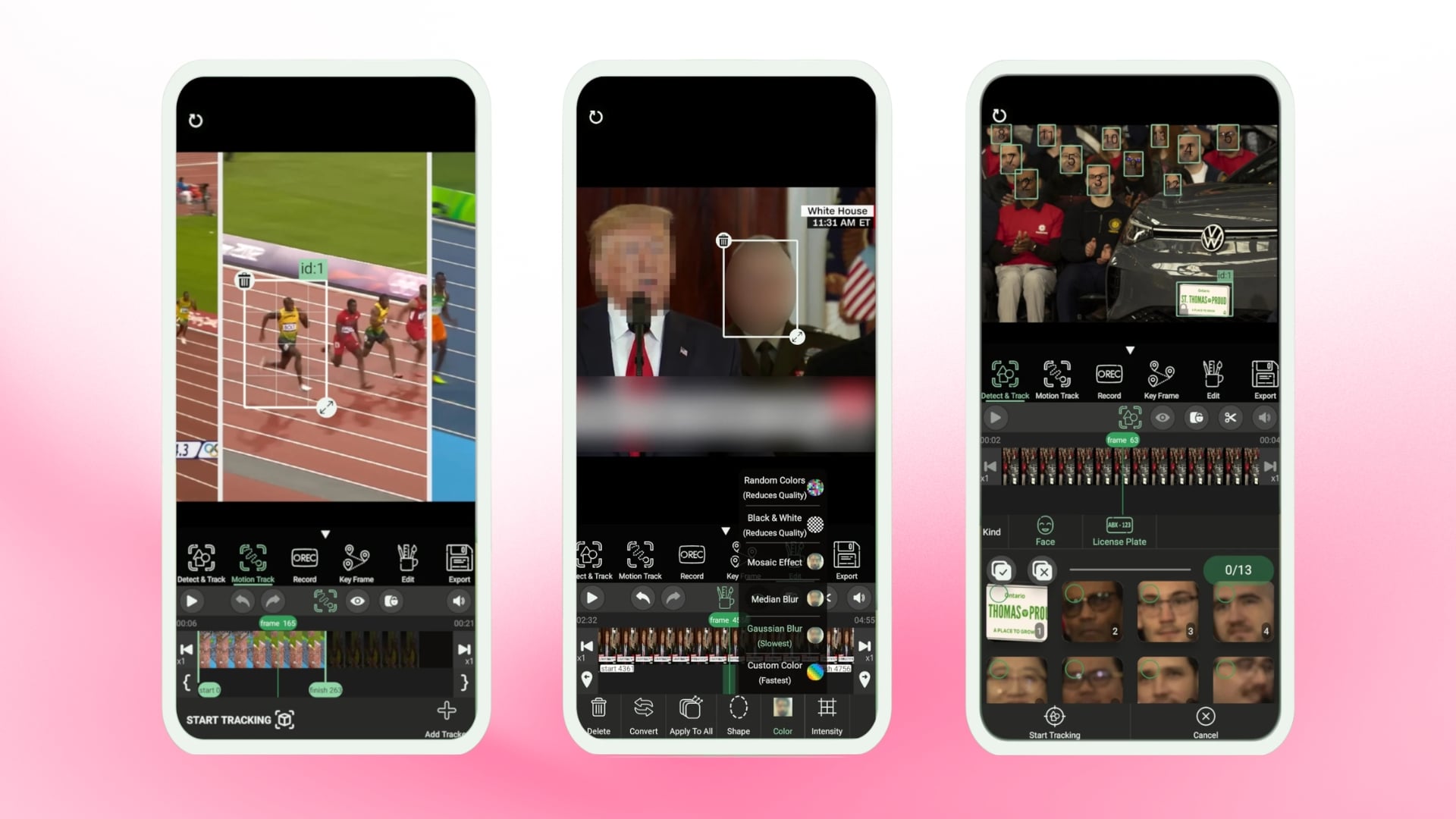
- Once the file loads, PutMask’s AI face detection engine instantly scans the entire frame and places a green box around every face it finds, including smaller faces in the background as tiny as 10×10 pixels.
- Once the face is detected, it will show you all the faces detected in thumbnail form at the bottom. If you want to keep your face and your family’s face visible, tap those faces to remove the mask.
You get three ways to mask each face. The mosaic blur effect pixelates the face with a blocky grid pattern, Gaussian Blur applies a smooth soft-focus overlay, and the standard Blur gives a classic out-of-focus look. All three work for both photos and video.
- Mosaic Effect: This gives you the blocky pixelation that instantly communicates that the person is censored.
- Gaussian Blur: This produces a soft, smooth, and professional-looking blur that tends to blend naturally in the background of most photographs.
- Median Blur: It is something that sits between the mosaic and Gaussian blur.
- Random Colors: It is a vibrant way to cover the faces, and it basically tells people that the faces are being covered.
- Black and White: Desaturates the masking area to make it less distracting.
- Custom Color: You can fancy your thoughts and use any color to block out a face.
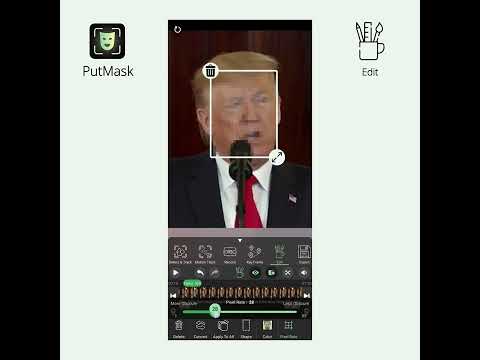
The app also lets you set a default filter as a permanent option. This saves you from the hassle of having to pick up the same filter every time you start a new project. There is also the option to adjust the “Default Pixel Rate” that lets you fine-tune the mosaic block’s appearance.
Video blurring is on point
The core challenge of blurring moving faces in a video is exactly where most free apps fall apart completely. PutMask handles it better than anything else in its price range on Android.
While masking out faces on a static image is quite easy, PutMask does a fantastic job using AI to figure out the faces in a matter of seconds. But applying blur to a video can be a bit challenging. Because people are moving, walking, or running across the frame. A static blur doesn’t work since the blur will get applied to a different place than you intended. PutMask really elevates itself from a basic photo editor and gives the result of a professional photo/video editor.

For video editing, there is a feature called “Key Frame Editing.” PutMask first lets AI handle the task of detecting faces in a video. While this is quite accurate, just in case things don’t work out, you can use Key Frame Editing that lets you set points on your video’s timeline. Aside from this, the video processing is remarkably fast. The app’s engine processes the video forward and backward simultaneously at high speeds. This ensures that you aren’t left staring at the screen for long, even when working with a longer video.
PutMask has a catch
PutMask is a great free application that lets you hide faces, license plates, and any object from not only photos but also videos. But just like every other free app, there are a few limitations to it. Yes, the free version of the app is incredibly capable and handles the heavy lifting quite easily, but the downside is that the exported file carries a watermark. On photos, you won’t probably see it, but on videos, the watermark is visible, and the video exports will be capped at a maximum resolution of 540p.
Moreover, if you upload high-frame-rate footage, then it will ask you to convert it to 30fps in the free version. If you wish to get the same output, then you need to upgrade to the premium usage.
Overall, if blurring faces in your Android videos has felt like a frustrating and time-consuming task, PutMask makes the whole process feel surprisingly easy. The AI detection is fast, the face tracking holds up well across video frames, and the local-first processing is a genuine advantage over most alternatives in this space. The free version does carry a watermark on exported videos and caps resolution at 540p, but for most everyday sharing situations, that is plenty to work with. If protecting identities in your photos and videos matters to you, this is the app to start with.
Download PutMask for Free on Android
FAQs About Blurring Faces in Android Videos

Can PutMask track and blur faces in moving videos?
Yes, and this is genuinely where it earns its reputation. The app uses AI-powered face tracking that follows faces across video frames, so the blur moves with the person rather than staying fixed in one spot. For situations where the automatic tracking is not quite accurate enough, the Key Frame Editing feature lets you manually set the blur position at specific points in the timeline.
Does PutMask upload my videos to any server?
No. All processing happens locally on your device. Your photos and videos are never sent to a remote server or a third-party company. For an app that is built around protecting people's identities, this local-first approach is exactly what you would want.
Is PutMask completely free to use?
PutMask is free to download and covers the core functionality well. The only catch with the free version is that exported videos carry a watermark and are limited to a maximum resolution of 540p. High-frame-rate footage also gets converted to 30fps on the free tier. Upgrading to premium removes these limitations. If a face blur without watermark is a hard requirement, upgrading to the premium tier is the only way to get there within PutMask itself.
Can PutMask blur anything other than faces?
Yes. The app automatically detects license plates alongside faces, which makes it handy for blurring vehicles in dashcam or street footage. You can also manually select and censor any other object or sensitive area in your photos and videos beyond what the AI picks up automatically.
Is PutMask available on iPhone?
PutMask is currently Android-only and is available on the Google Play Store. There is no iOS version at the time of writing.

