Quick Answer
Relumi AI Retake Photo stands out as an all-in-one AI editor with features like enhancement, object removal, restoration, and portrait retakes, powered by high-quality models. It’s beginner-friendly, delivers consistent results, and works across Android and iPhone with cloud processing.
What counts as a photo in the AI era feels less straightforward than it used to. Once AI entered mobile photo editing, the line between a captured moment and an improved one became much blurrier.
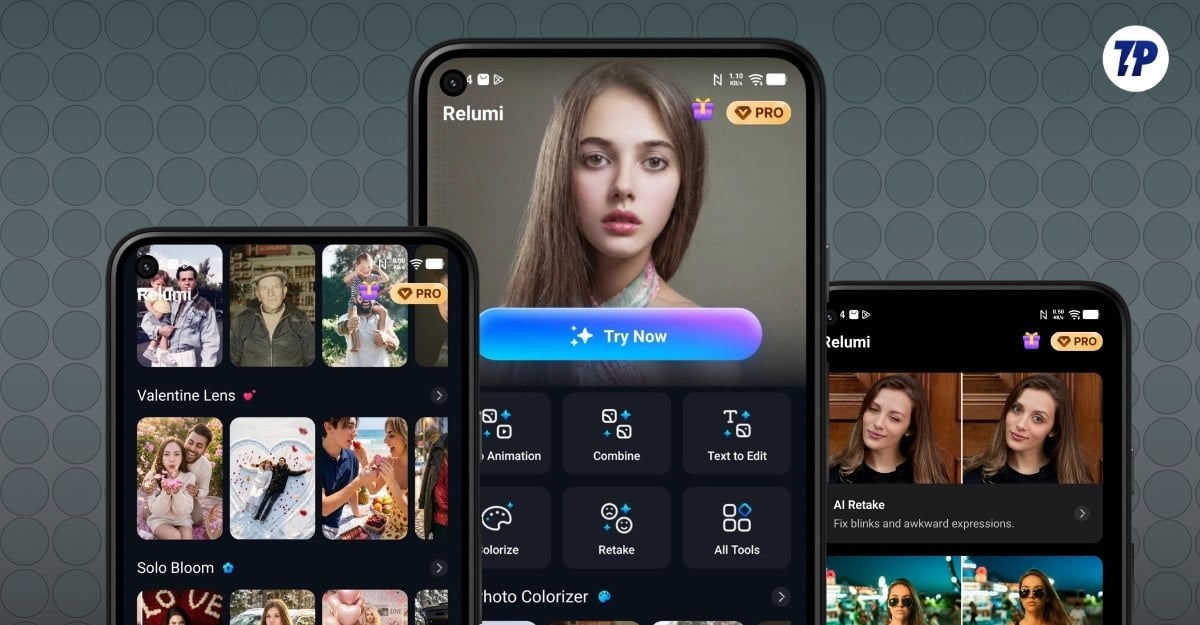
The fundamental meaning of Photo has changed over the years. If a photo is slightly blurry, missing detail, or affected by a blink in a group shot, mobile AI tools can now often recover it in a fairly natural-looking way.
You can simply use AI to fix all of that, and the best part is you won’t even notice it was edited. That’s how real the AI-edited images are now.
I have been used several AI image editing tools and tested tens of them for the past couple of months, fixing all photos, removing unwanted details in the image and increasing the clarity of the blurred images and much more, even though I don’t have any expertise in image editing, I fairly able to produce high quality results, which can be only achieved by the photo editing professionals using high end software.
That shift has made high-quality photo editing much more accessible on mobile. There are plenty of tools already available that help you to do that. However, Relumi, an AI-powered photo retake app by Wondershare, can be a reliable option if you frequently edit images using AI.
Relumi brings several common AI photo workflows into one mobile app. That includes photo enhancement, old photo restoration, object removal, AI retake features for portraits, image generation, animation, and corrupted photo repair. There are several other things that make this app stand out from the rest, and here are the five reasons why I think you should consider it for your next AI edits.
Table of Contents
What Makes the Relumi App Stand Out
A Useful All-in-One AI Photo-Editing Tool
One of the biggest limitations of AI photo editing tools is that they are scattered across multiple apps. You generate an image in one tool and use another tool to remove objects. And even the best ones, like Google Gemini Nano Banana 2, the latest and high-quality image generation model from Gemini is also limited to the Gemini app.
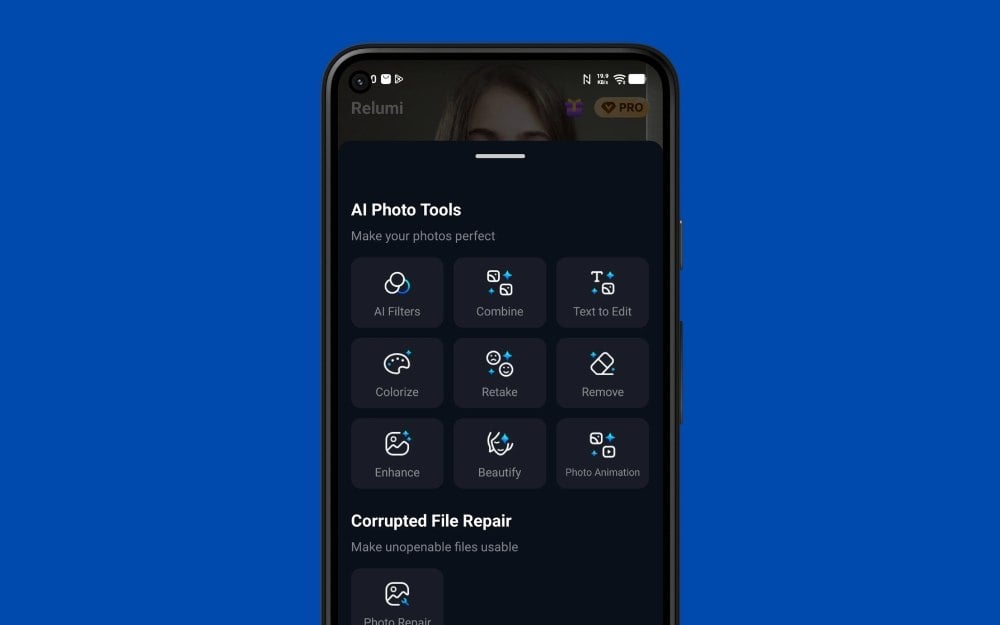
That may not matter if you only edit occasionally. But if you regularly enhance portraits, remove distractions, restore old photos, or experiment with AI retakes, then Relumi might be the perfect choice for you.
Whether you want to combine multiple images, generate images from text, improve portraits, remove unwanted elements from an image, enhance image quality, or repair damaged files.
Among the most practical tools here are AI enhancement, old photo restoration, object removal, and AI retake features for portraits.
The AI Enhancement feature is designed to improve blurry or low-resolution images. Even if the photo is unreadable, Relumi can easily enhance it by reconstructing the missing details. Old Photo Restoration is aimed at scanned, faded, or damaged older images that need repair and cleanup. It can add missing details, colors, and also enhance the quality without altering the image.
AI filters aren’t quite common because even adding details using AI can produce unexpected results. However, Relumi comes with predefined filters similar to AI avatars, including ones for single and group photos.
Not only edits, but you can also generate an image using text-to-image generator tools powered by the latest Gemini Nano Banana, and also fix corrupted photos, which can fix images using AI.
Related: Best Image Extender Tools
Easier for Beginners Than Many AI Editors
While AI models are significantly better and have been improving over the years, they still hallucinate and produce inconsistent results, especially if you want to make multiple edits to any image.
To avoid this, you need to be precise and more detailed when prompting, even though the results are not guaranteed.
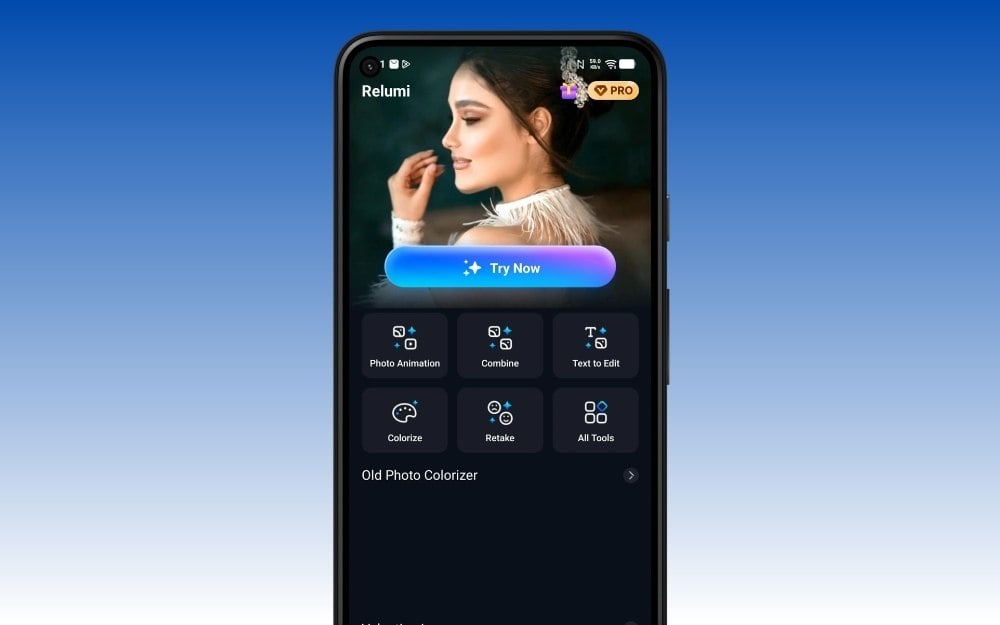
I haven’t noticed any such hallucinations when making edits with Relumi AI app. Apart from a few minor unwanted additions, most of the time, the app produced stable results.
Users generally do not need to describe every change from scratch. Instead, they choose the task first and let the app work within that context.
You can simply select the tool and start editing. This approach makes it very easy for beginners to use the app and make complex photo edits.
It Covers Several AI Features People Actually Use
The results of AI-edited or generated images completely depend on the type of model you are using. There are plenty of models that already exist in the market, even the free ones like the Qwen-Image-Edit image model; however, after using them, Google Nano Banana 2 beats all other models with its high-quality image generations. Relumi covers a broad range of practical tools, from portrait retakes and restoration to photo animation and image generation.
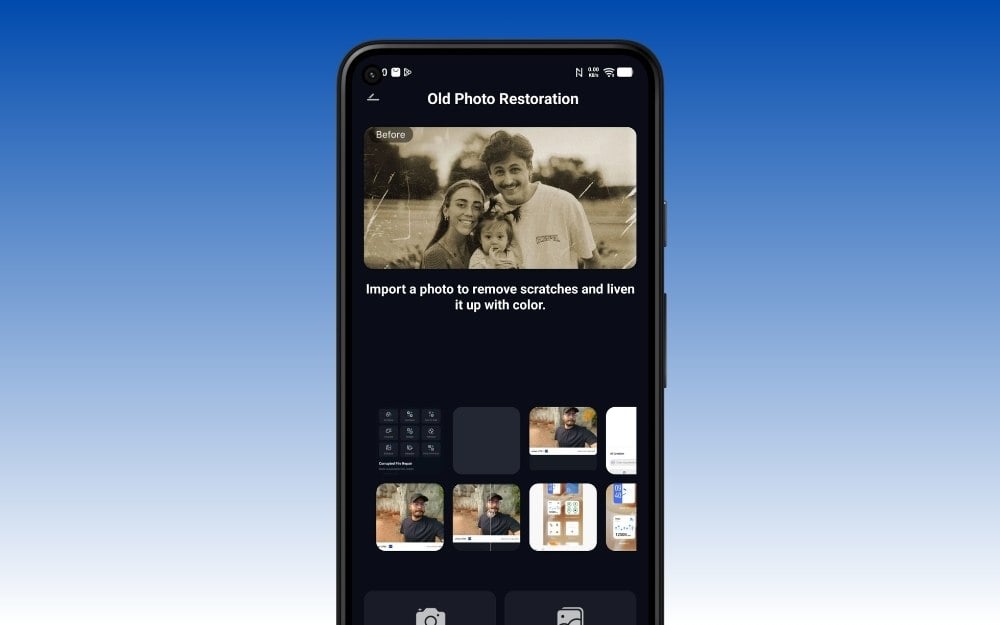
With the right instructions, you can produce very high-quality results using the Google Nano Banana 2, and you can get the same model inside the Relumi app.
As soon as you open the app, you will be greeted with a Nano Banana icon inside the app icon that allows you to generate images from text. Since it is the same model, you get very similar results.
The Relumi app hasn’t disclosed what models it uses for other AI photo editing features, like image enhancement.
More Consistent Output Than Many Mobile AI Apps
Using a high-quality image model is necessary for the best results. However, it is equally important that the tool you are using steers the model in the right way for the same high-quality inputs.
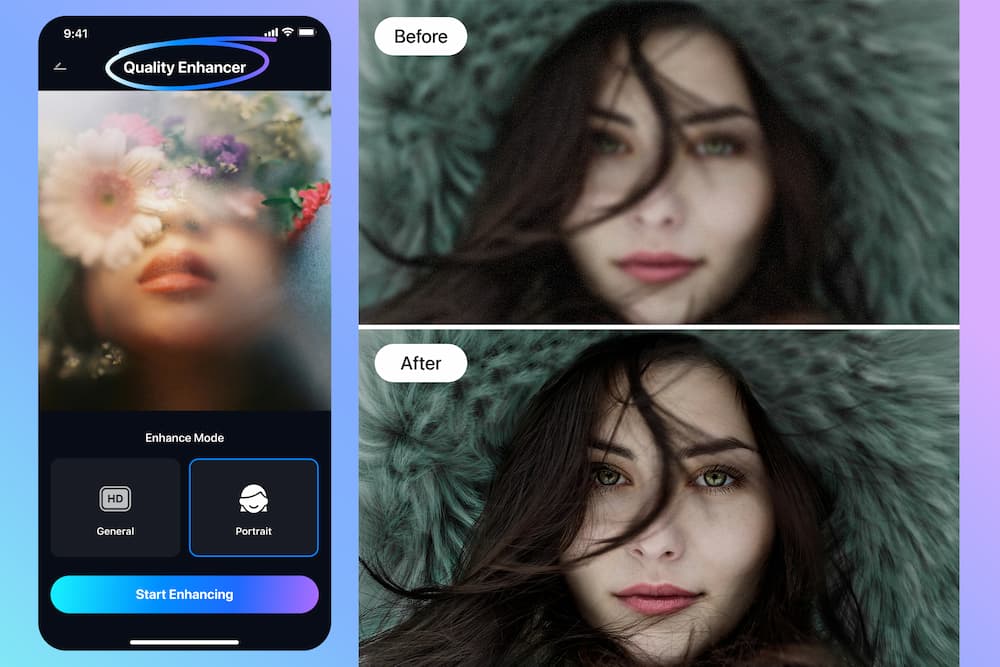
I have tested plenty of AI-generated tools over the years, including the ones that have on-device photo editing models used on high-end phones like OnePlus, Vivo, and even Samsung. While AI-generated image models are definitely improving to the point where they can even run locally on your device, the biggest limitation is the quality of the output. Since everyone uses a different model, the results vary widely.
Relumi’s output appears more stable than many lightweight mobile AI editors, especially in practical correction tasks. The app didn’t specify which models it is using to make the image edits, but I am very impressed by the results.
Object removal is a good example: background distractions such as text or small clutter can often be cleaned up without leaving obvious traces.
Easy to Access on Both Android and iPhone
While most flagship smartphones now offer native image editing tools, some brands even manage to run them locally on the device. However, currently only a few high-end and some mid-range phones support these features. Relumi, by contrast, is available on both Android and iPhone, and its cloud-based processing lowers the hardware barrier for users.
Moreover, most AI-generated tools are limited to specific platforms. However, Relumi is available as an app on Android (Play Store), iOS (App Store)
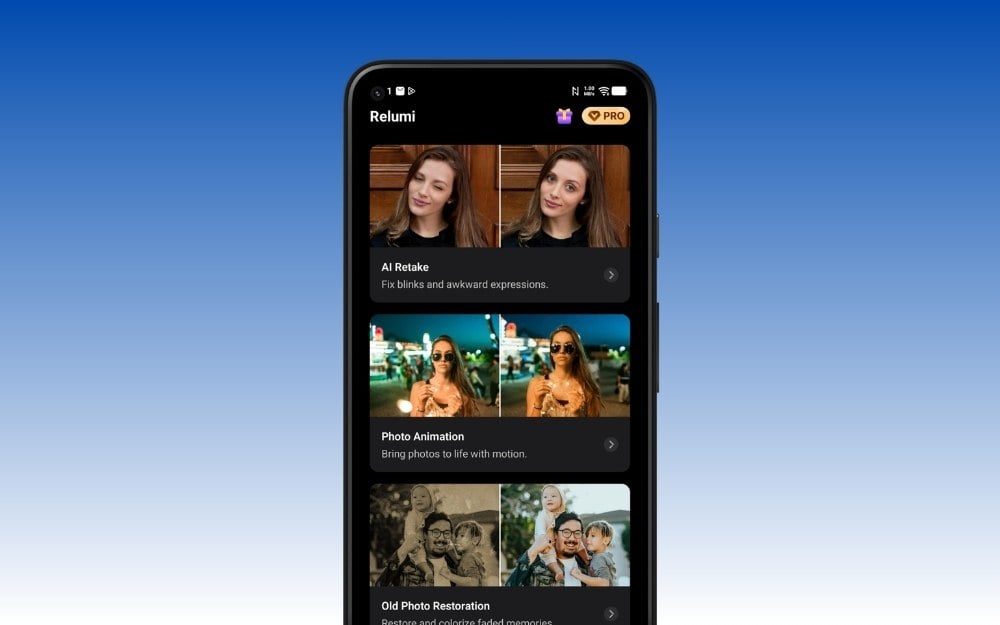
So those are the five best features that stand out on the Relumi AI retake app. It combines all tools and lets you easily access them from a single app. Since it runs, it doesn’t have any limitations and even works on low-end smartphones.
However, the biggest downside is that since AI models require a lot of compute to run, the app currently offers limited credits in the free version. The pro version is also affordable. It comes in both weekly and yearly plans.
Pricing and AI credit allocations can vary by region, with the latest details available in the app.
By default, the watermark appears at the bottom of the image, though it can be turned off in the settings. So those are the 5 biggest things I like about the Relumi app by Wondershare. Sign up for free to receive 90 AI credits – a generous welcome gift that lets you start exploring the features immediately. For those interested in learning more, download Wondershare Relumi and see it for yourself. The free version gives you 30 free credits without even creating an account.