

Quick Answer
The best Google Gemini Nano Banana prompts help you create stunning AI images like 3D figures, retro portraits, miniature keychains, dioramas in coffee mugs, hyper-realistic statues, holograms, and Pixar-style avatars. Just upload your photo, paste the prompt, and enjoy fast, high-quality results for free.
Unlike the ChatGPT Ghibli style trend that took the internet by storm, Google Gemini Nano Banana (the name of its AI model) didn’t get the same hype or attention, at least not at the beginning. But compared to the ChatGPT native image generator, which is initially available only for paid users, the Gemini image generator is free to use.
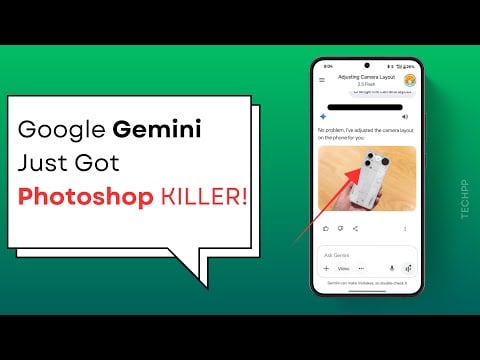
I have tested both the image generators, and while both have their cons, the Gemini Nano banana model excelled in two areas: it is faster and produces high-quality outputs.
Slowly, people have started noticing the tool, and I see a lot more Gemini-powered posts on social media generating different, uniquely styled images. From 3D avatars, making high-quality image edits that once required high-quality image editing software like Photoshop.
If you are curious, you can generate some really unique styles of images using the Google Gemini Nano Banana image generator. While it requires prompting to get the best results, you don’t need to explicitly prompt the model precisely to get similar results. Here is the best collection of nano gemini prompts people are using to generate unique styles of images.
Table of Contents
Collection of the Best Nano Banana Prompts
You can simply copy and paste the prompt and get similar high-quality results. Before that, if you are a beginner to the Nano Banana image model in Gemini, here is the guide on how to edit images using Google Gemini.
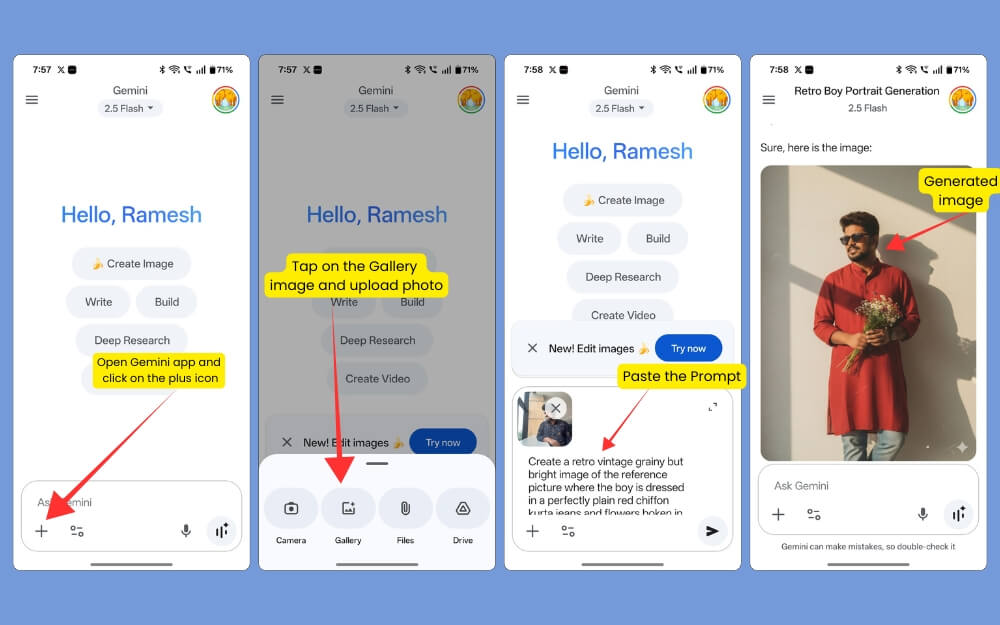
Open the app, create a new chat, and upload the image you want to convert. Then, copy and paste the prompt, click on Enter, and it will generate an image for you.
Create 3D Figures
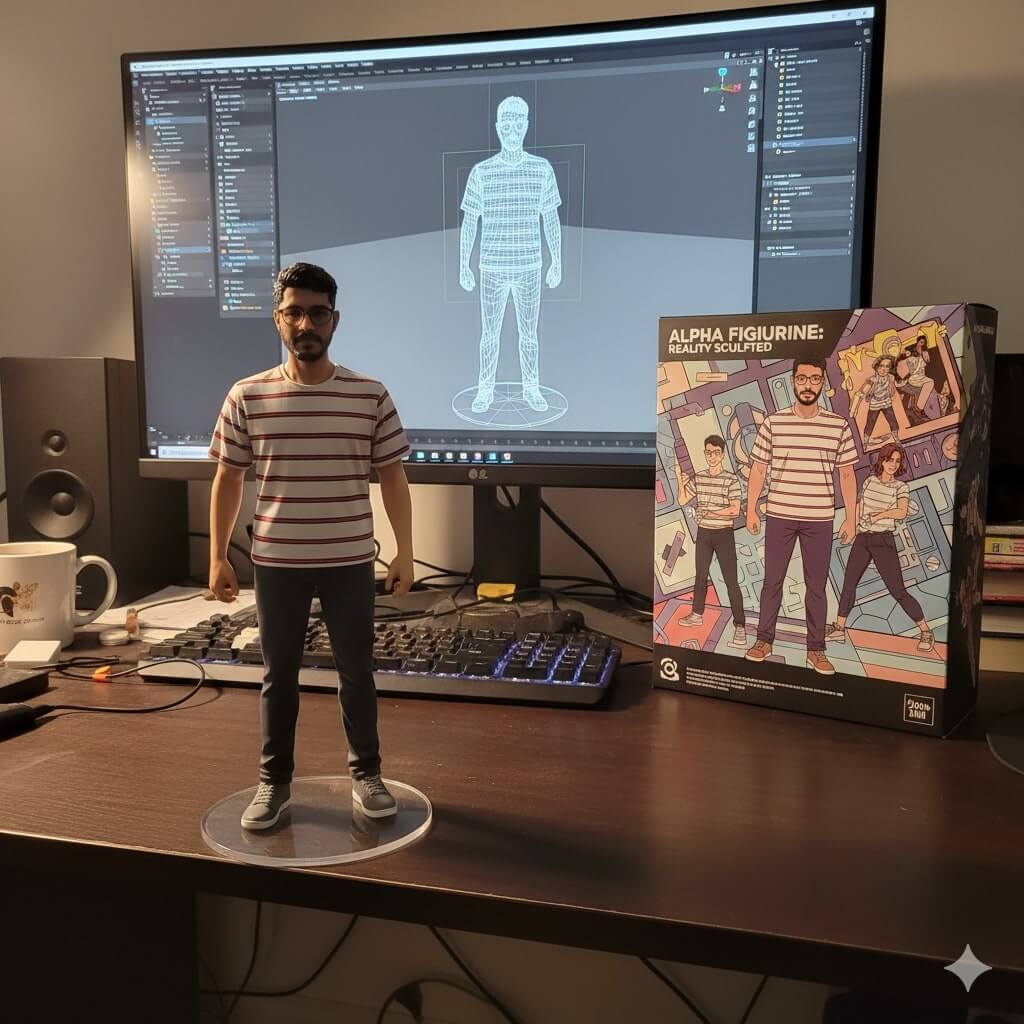
Creating 3d figures in the current trend is similar to how users generated Ghibli-style images in ChatGPT. You can simply upload a photo of yourself and copy-paste the below prompt, and that’s it, Gemini will generate a 3d version of yourself similar to one that is from the image above.
Prompt 1:
Create a 1/7 scale commercialized figurine of the characters in the picture, in a realistic style, in a real environment. The figurine is placed on a computer desk. The figurine has a round transparent acrylic base with no text on the base. The content on the computer screen is a 3D modeling process of this figurine. Next to the computer screen is a toy packaging box, designed in a style reminiscent of high-quality collectible figures, printed with original artwork. The packaging features two-dimensional flat illustrations.
Prompt 2:
Create a 1/7 scale commercialized figurine of the characters in the picture, in a realistic style, in a real environment. The figurine is placed on a wooden artist’s desk, scattered with sketchbooks and paintbrushes. The figurine has a round transparent acrylic base with no text on the base. The content on the computer tablet screen is a digital illustration painting process of the figurine, showing layers and brush strokes. Next to the tablet is a toy packaging box styled like an art book, decorated with colorful concept sketches.
Generate a Miniature Keychain of Yourself
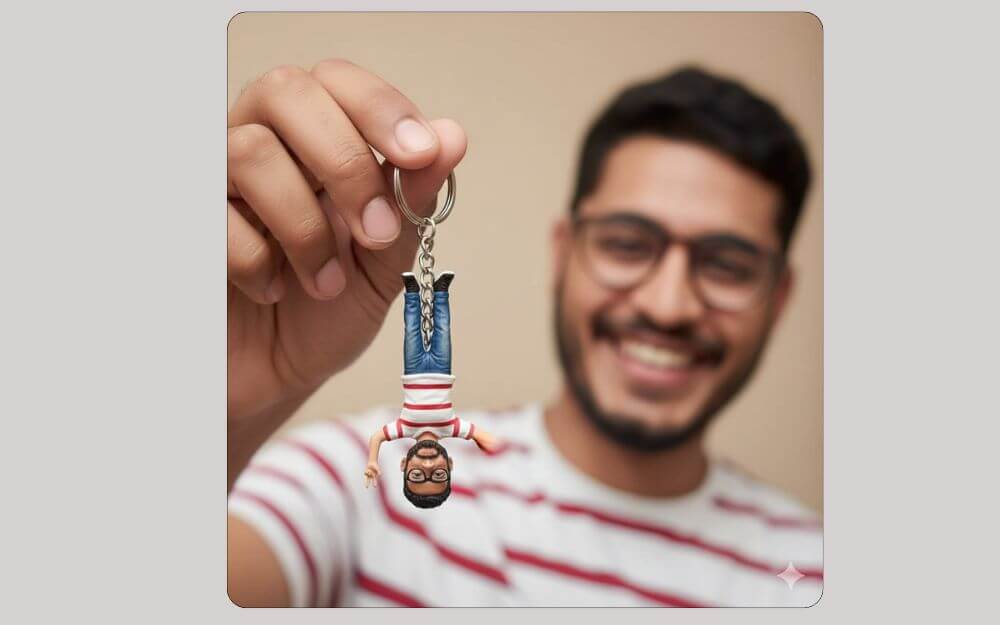
Another fun way to create a miniature keychain of yourself. Use the prompt below to generate a miniature keychain of yourself.
Prompt:
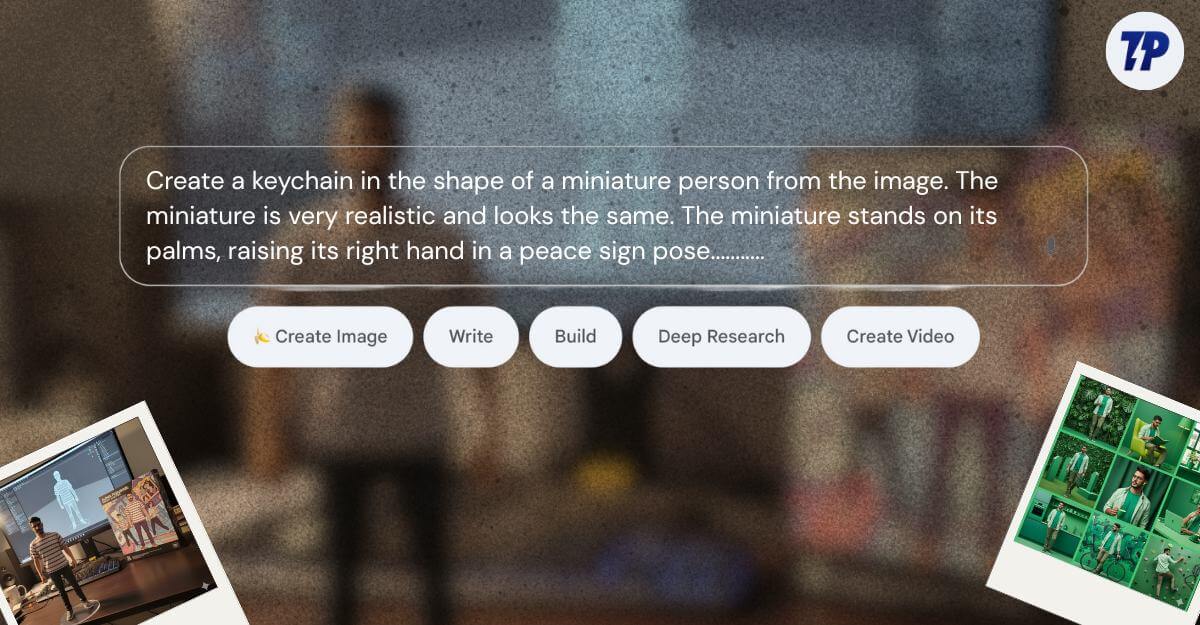
Create a keychain in the shape of a miniature person from the image. The miniature is very realistic and looks the same. The miniature stands on its palms, raising its right hand in a peace sign pose. The background is blurred with the person in the photo with a happy smile holding his miniature.
Generate Retro Style Images
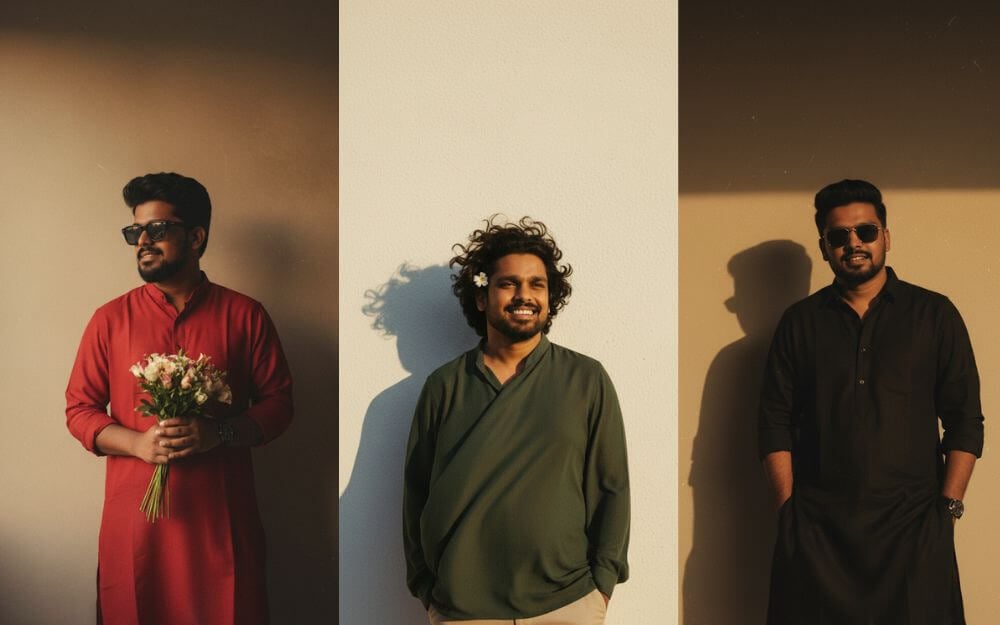
If you have noticed this trend in social media posts, you are not alone. This current trend is catching up, and lately, I have been seeing a lot of social media posts in similar styles. If you want to join the trend, you can just use the prompts below to convert yourself into the images as shown above.
Prompt 1:
Create a retro vintage grainy but bright image of the reference picture where the boy is dressed in a perfect black Pinterest-style aesthetic retro kurta and pant pajama, and sunglasses, capturing a timeless and stylish vibe. It must feel like a ’90s movie with short, neatly styled black hair. The boy is standing against a solid wall, with deep shadows and dramatic contrast adding mystery and artistic depth to the scene. The lighting is warm, with golden tones evoking a sunset or golden hour glow. The background is minimalist and slightly textured. His expression is moody, calm yet happy and introspective, exuding effortless charm in a cinematic, retro atmosphere.
Prompt 2:
Create a retro vintage grainy but bright image of the reference picture, but draped in a perfectly elegant royal blue silk kurta and jeans, shoes, and also sunglasses in a Pinterest-style aesthetic with a retro 90s movie vibe. He should have short, neatly styled black hair. The boy is standing against a solid wall with deep shadows and high contrast drama, creating a mysterious and artistic atmosphere. The lighting is warm with golden tones evoking a sunset or golden hour glow. The background is minimalist and slightly textured. His expression is moody, calm yet happy and introspective, like a classic 90s film hero lost in thought.
Prompt 3:
Create a retro vintage grainy but bright image of the reference picture where the boy is dressed in a perfectly plain red chiffon kurta, jeans, and flowers in his hand, and wearing sunglasses in a Pinterest-style aesthetic, giving it a soft yet striking retro look. It must feel like a 90s movie, dark brown wavy, with short, neatly styled black hair. The boy is standing against a solid wall, with deep shadows and dramatic contrast adding mystery and artistic depth to the scene. The lighting is warm, with golden tones evoking a sunset or golden hour glow. The background is minimalist and slightly textured. His expression is moody, calm yet happy and introspective, creating a cinematic, retro, and artistic atmosphere.
Create a Giant Hyper-Realistic Statue
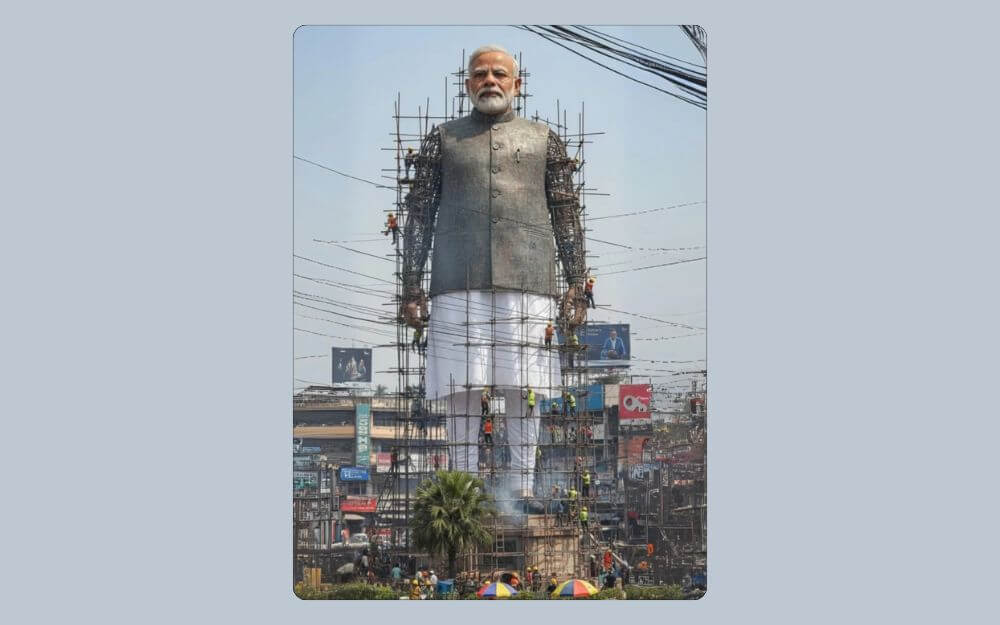
This is not the trend, but you can convert your favorite stars into a giant, realistic statue. Use the prompt below. Upload the image or describe the name. I have included the prompt most people are using; however, you can change or modify the details based on your needs. Remember to replace [Your city] placeholder with your city to get the desired output.
Prompt:
Create a giant hyper-realistic statue based on the given photo, keeping the original face exactly the same without changes. The statue stands tall in the middle of a roundabout in (your city), near a famous historical landmark. The statue is still under construction, surrounded by scaffolding, with many construction workers in yellow helmets and orange vests climbing, welding, and working on it. Parts of the statue’s body are still exposed metal framework, while other sections are already detailed and finished. The background shows the realistic atmosphere of [your CITY]: crowded streets with colorful rickshaws, packed buses, and small cars circling the roundabout. Street vendors with tea stalls, fruit carts, and colorful umbrellas line the roadside. Shop signs, big billboards, and messy hanging electric wires crisscross above the streets, creating the typical Dhaka city vibe. The bright daytime sky shines above, with tropical trees and a bustling, lively atmosphere. Style: photorealistic, vibrant, and full of life.
Create a Fragmented Portrait
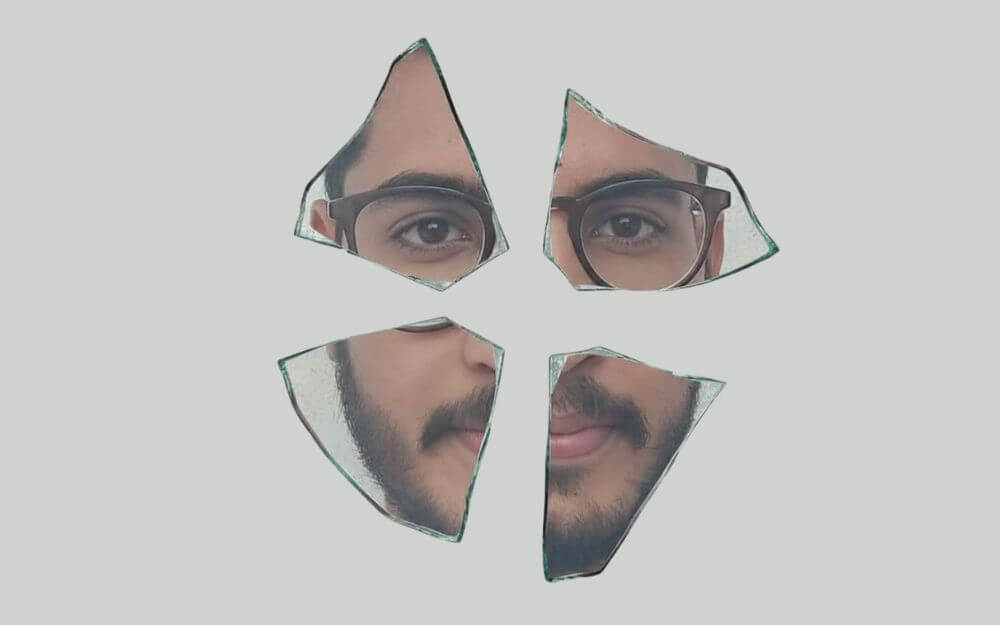
Another popular trend is currently being used for anime characters and other objects. If you want to create on you can use the prompt below.
Prompt:
Close-up image capturing a fragmented portrait of a [SUBJECT] through [4 or 5] irregularly shaped glass shards scattered on a textured off-white background. Each shard reveals intricate details with light reflections, while jagged glass edges with a slight green hue emphasize the image’s disjointed, fragmented composition. The shards are arranged to suggest a cohesive subject without fully revealing it.
5. Create a Macro Diorama Inside a Ceramic Coffee Mug
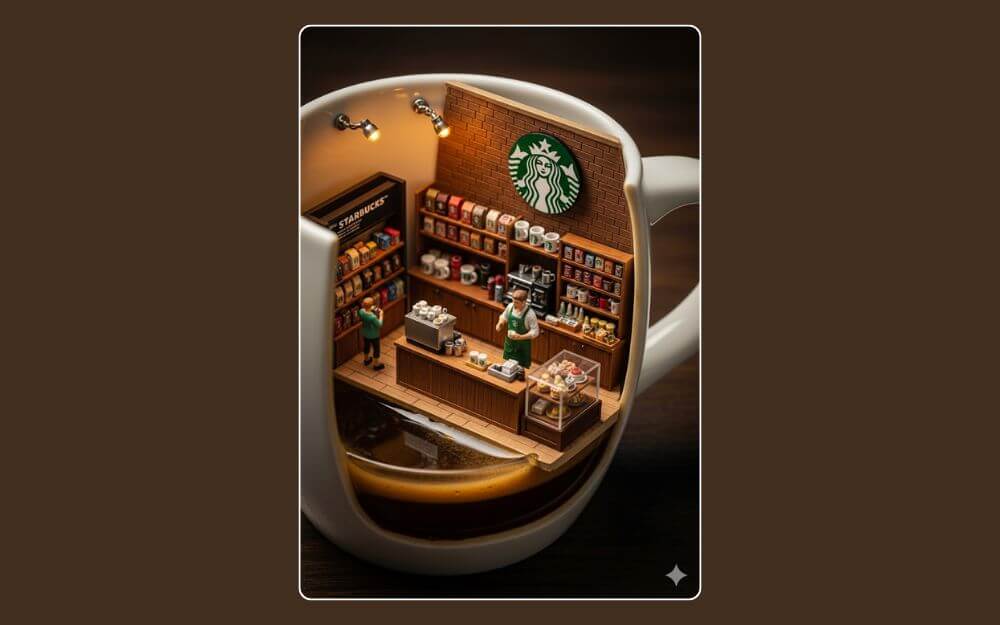
You can convert your favorite brands into small, beautiful-looking miniatures. You can follow the prompt below to get started.
Prompt:
A hyper-realistic macro diorama inside a ceramic coffee mug filled with espresso, the mug is sliced open on one side. A small [BRAND] store is located within, featuring a large [BRAND] logo on the back wall. Neatly display [PRODUCTS] around the room; include one seller behind a wooden counter and one customer browsing. Brand color palette, warm cinematic lighting, tilt-shift depth of field, realistic textures, ultra-detailed, vertical 3:4. No extra text
Fix Your Old Images
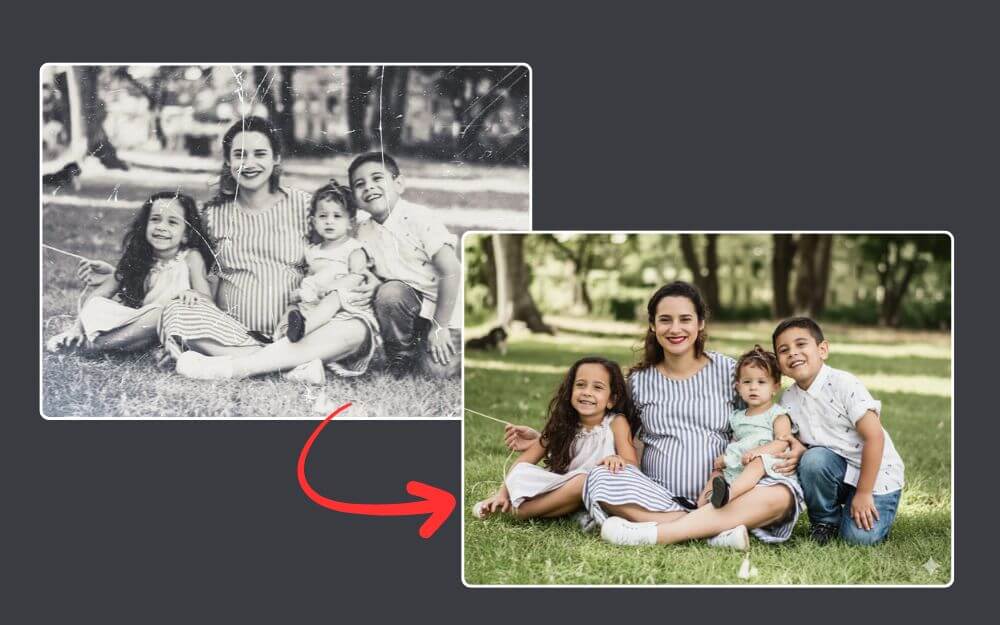
The best use case of AI is transforming your old images and fixing them. You don’t need high-end software or even visit the local photo studio, or even complex prompts. You can simply upload the old image, use the prompt below, and get your old images fixed instantly using AI.
Prompt: Restore this image
Editorial-Style Photos
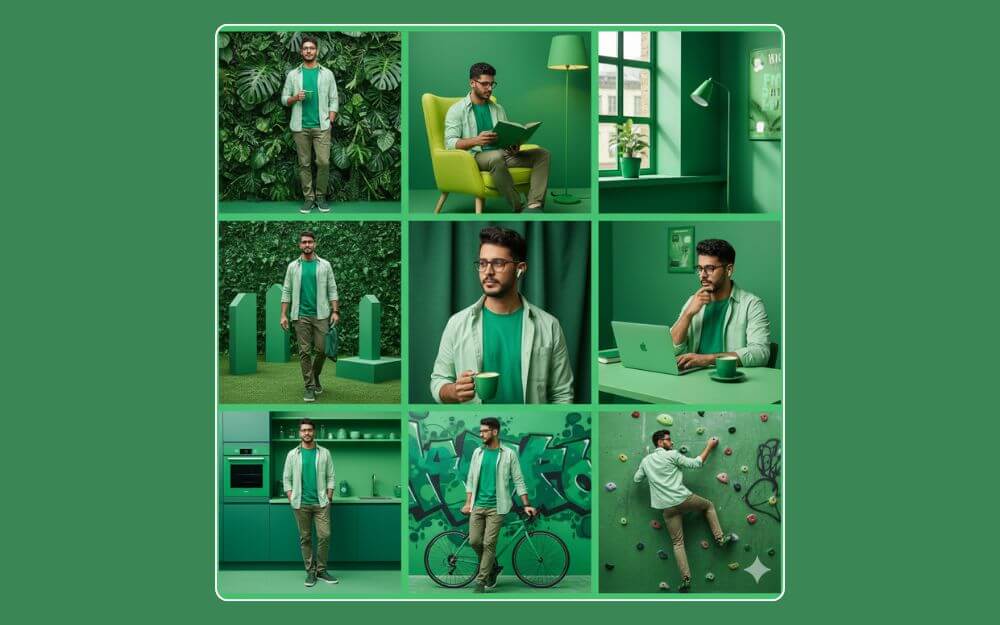
If you love editorial-style photos, you can use Gemini to generate one like this in the image. You can simply upload and use the prompt, or you can generate similar-looking styles in any color theme. Remember to replace the green color with another color theme of your choice from the prompt below.
Prompt:
A collage of 9 editorial-style photos with a green color theme. The background, all objects, items, and props are dynamically colored green, except for the human figures. Each collage is framed with a bright green border. The male character matches the reference, standing at 170 cm tall, weighing 70 kg, with an ideal physique. He is dressed in a modern casual all-green outfit: a long-sleeved open orange shirt over a light green t-shirt.
Close-Up Profile Portrait
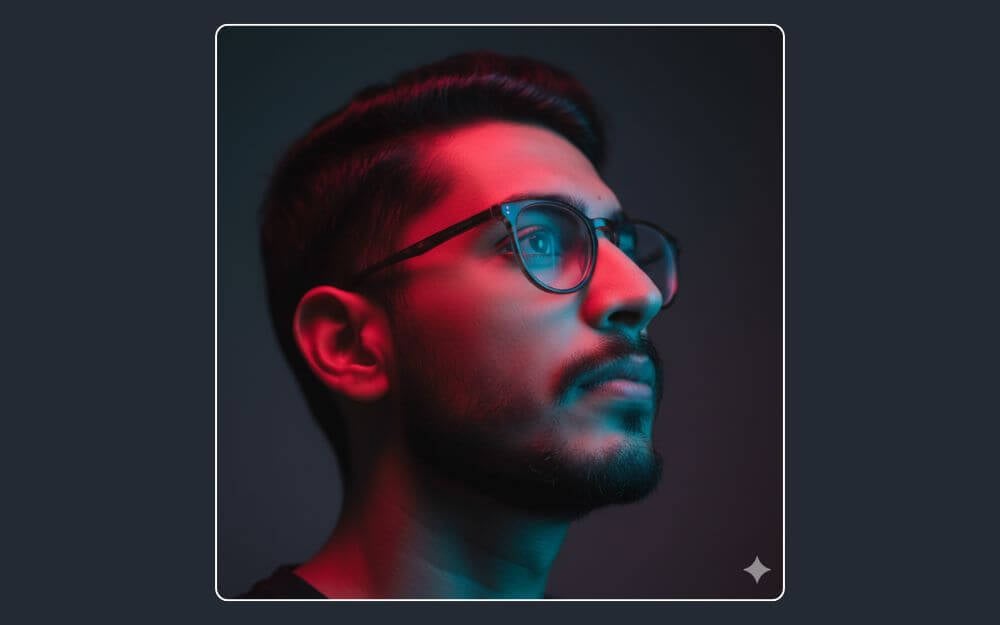
You can convert yourself into your cinematic photorealsitci close out portrait photo. Simply upload the image and copy-paste it into your Gemini to get a similar output.
Prompt:
A high-resolution, cinematic, and photorealistic close-up profile portrait of an image. The image features dramatic split-lighting with a vibrant, glowing red light illuminating the top of his face and a contrasting, cool neon blue light casting a soft glow on his jawline and neck. He has a contemplative expression, looking upwards and away from the camera. The focus is sharp on his eye, with a dark, minimalist background. The style is moody, ethereal, and high-fashion.
Turn the Image Into a 3D Transparent Line Art Hologram
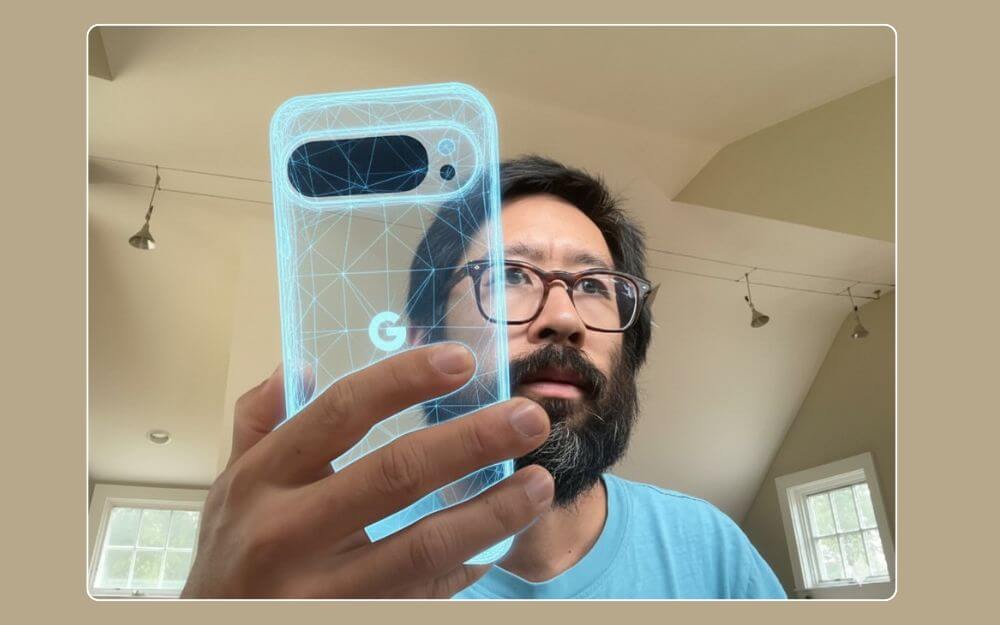
I found this style on X, and it’s one of the unique ways to convert objects into halograms. Whether it’s a laptop, a mobile phone, or a coffee mug, you can convert the object into an art hologram, and it looks incredible.
Prompt 1:
Turn the object I am holding into a 3d transparent line art hologram
Create a Realistic Photographic Collage
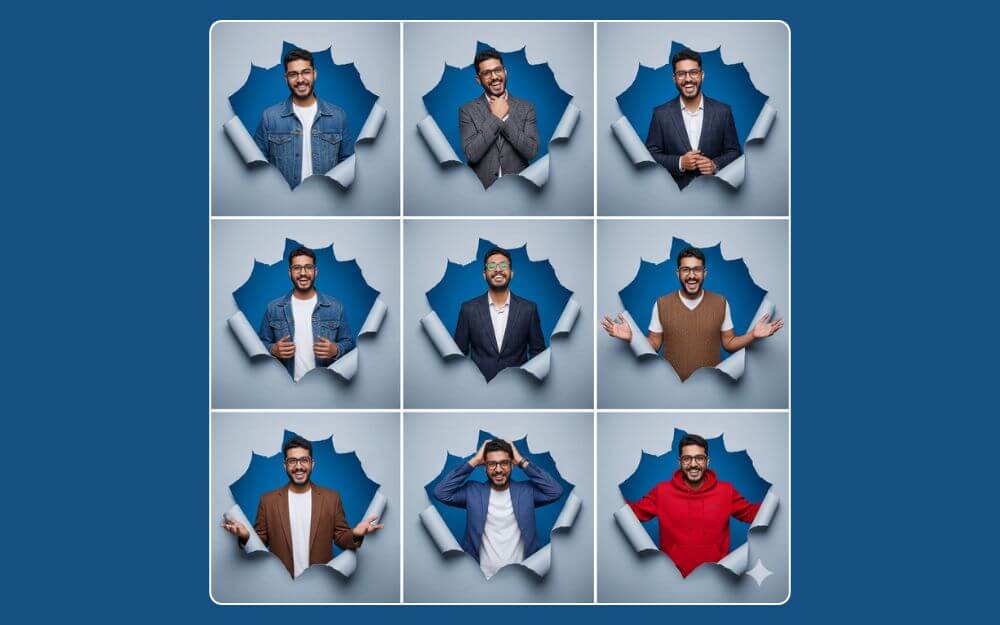
Another studio-style image generator of different expressions of yourself in different styles. You can use the prompt to get similar results.
Prompt:
Hyper-realistic photographic collage with a studio style that shows a Man like the reference image, in various facial expressions, poses facially, and with different angles. Each pose appears Tear Through background, overlapping a wall, with a 3D effect that gives the sensation of it standing out from the background. In each tear, the man appears with a different outfit, whether casual, semi-formal, or sporty, highlighting diversity and extravagance. The illumination is brilliant, and the background is a light gray color. The composition is ordered in a 3×3 grid, with each expression and movement being unique and interesting, for example, winking, tilting, turning, pretending to be thoughtful, or making gestures with the hands.
Create a 3D Pixar-Style Portrait
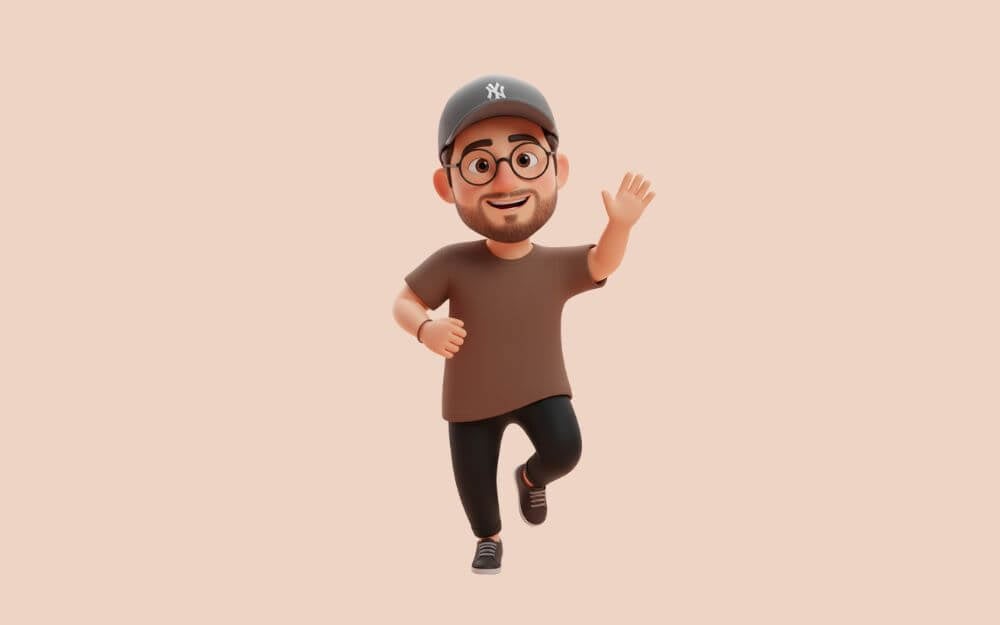
If you want to turn yourself into a cute memoji style, you can use the prompt below. Simply upload an image and enter the prompt, and generate an image.
Prompt:
Create a cute 3D character in the style of Apple’s memoji or Pixar animation from the image, soft, rounded features, and smooth, slightly plush surface. Keep the original outfits’ colors, patterns, and accessories exactly as in the photo. Pose the character in a simple, playful gesture such as a gentle wave or a light hop. Use a clean, monochrome, or pastel background with only subtle shadows or a faint gradient to maintain a minimal and focused aesthetic
Download Gemini and Use These Prompts for Free
Those are the eleven best collections of Google Nano Banana image generator prompts. You can use these prompts to generate unique images. The Google Gemini image model is available on both the web and the Google Gemini app. You can download the app for free from the Play Store or the App Store and start generating images. I hope you find this guide helpful.

