

The iPhone’s new Type-C connector has opened a new world of accessory options. The Type-C connector is also used on many other devices. This means many accessories designed for the Type-C connector are now compatible with the Apple iPhone 15 series. With these accessories, people can do more with their iPhones, making them more useful and fun.

In this post, we’ll introduce you to the 15 best Type-C accessories for storage, charging, gaming and more.
Table of Contents
Best USB Type C Accessories for iPhone
Storage Accessories
1. Flash Drives
External storage devices are an excellent option for iPhone users who need more storage space. Among these devices, flash drives are simple and easy to use. With the support of the iPhone’s new Type-C connector, you can now use Type-C flash drives on your iPhone. There are hundreds of Type-C flash drives on the market with different storage sizes, from 32GB to terabytes. Compared to Lightning flash drives, Type-C flash drives are cheaper and more widely available. Below are some of the most popular Type-C flash drives.
Samsung MUF-128DA
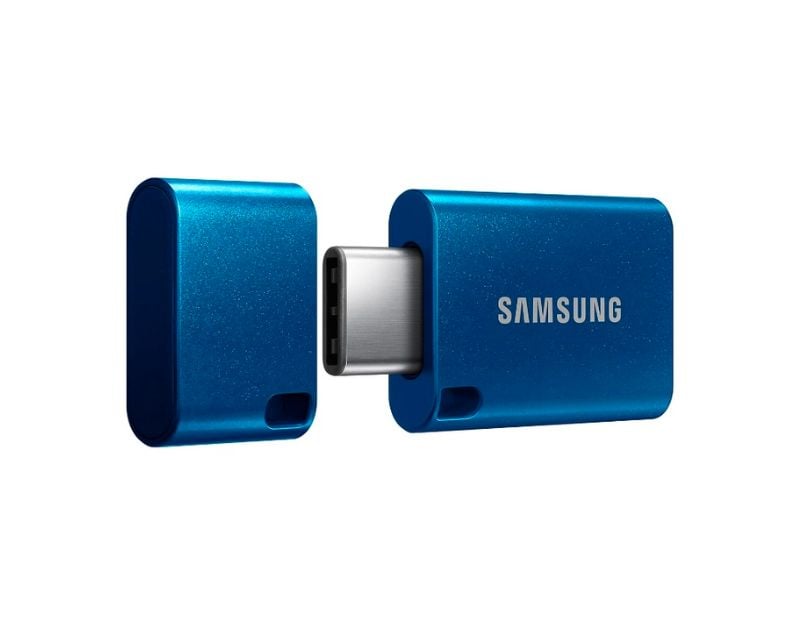
- Memory Storage Capacity: 64, 128, 256 GB Storage Variants.
- Hardware Interface: USB 3.2 Gen 1.
- Special Features: Compact and Waterproof.
- Write Speed: 300.0 MB/s.
Samsung’s MUF-256DA is a compact USB Type-C flash drive with capacities ranging from 64 GB to 256 GB. It uses a USB 3.2 Gen 1 interface with read and write speeds of up to 400 MBPS. It is compatible with laptops, smartphones and iPhones with Type-C support. It is compact and solid. It is also waterproof, shockproof, magnet-proof, temperature-proof, and X-ray-proof.
It also has a 5-year warranty. The price is on the higher end. It starts at $40 for the 128GB variant.
SanDisk Ultra Dual Drive Go USB Type C Pendrive

- Memory Storage Capacity: 128 GB
- Hardware Interface: USB
- Special Feature: Lightweight
- Read Speed: 150 Megabytes Per Second
The SanDisk Ultra Dual Drive Go USB Type C flash drive is an affordable device with a 2-in-1 USB Type-C and a traditional Type-A connector. It is a USB 3.1 Gen 1 interface with a read speed of 150 MB/s. It is compatible with laptops, smartphones and iPhones with Type-A and Type-C ports. It offers automatic backup for photos with the SanDisk Memory Zone app. The USB flash drive is available in 64GB, 128GB and 256GB storage.
Buy SanDisk Ultra Dual Drive Go.
2. SSD
SSDs offer more storage space and faster read and write speeds than pen drives. Thanks to support for the new Type-C connector on the iPhone, you can plug your SSD directly into the iPhone and use it as an external storage device. SSDs come in various form factors, such as 2.5-inch, 3.5-inch, M.2, and U.2, and with a wide range of capacities from 120GB to several terabytes. Here are some of the best SSD devices for your iPhone Type C.
Samsung SSD
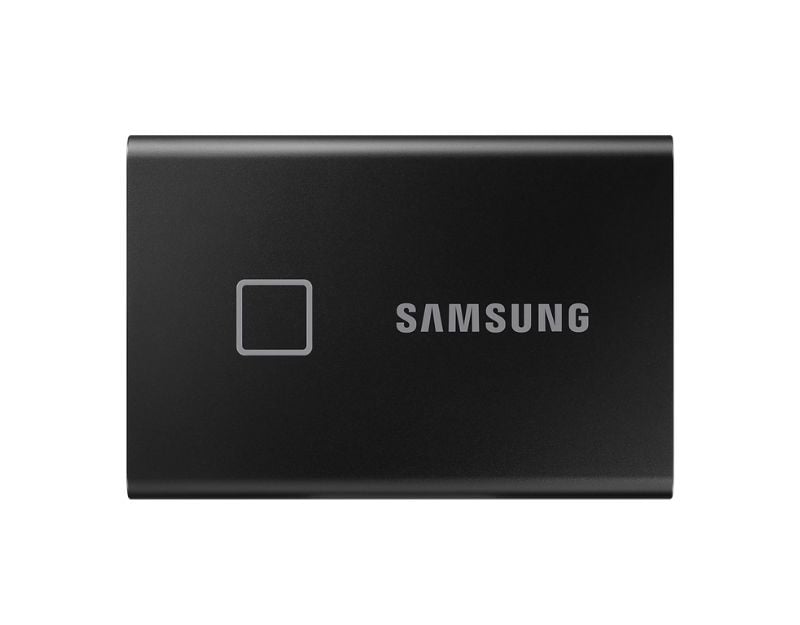
- Capacity: 1TB
- Transfer Speed: Up to 540MB/s
- USB Version: USB 3.1 Gen 2 and USB Speed: 10Gbps
- Connector Type: Type-C
Again, our first option is from Samsung if you want faster data transfer rates. The Samsung T9 offers a storage capacity of up to 1 TB with transfer rates of up to 530 MBps. It uses the latest 3.2 Gen 2 interface and offers speeds of up to 1 Gbps. In addition to faster transfer rates, the Samsung T9 looks and feels solid. You can connect the included Type-C cable to your iPhone. No setup is required. The SSD connects to your iPhone instantly, and you can share files between the two.
Since it’s a Samsung SSD, you can expect the price to be high. There are several storage variants, including the 1TB variant that costs $139. It is available on Amazon and in the official Samsung stores. You can also opt for a Samsung T4 SSD with lower capability. The Samsung T7 offers a capacity of 1 TB with the same data transfer speeds. Also, check out the Samsung SSD T7 Touch, the premium option with fingerprint security.
Crucial X8 1TB Portable SSD

The Crucial X8 1TB Portable SSD is the best option if you’re looking for an affordable SSD for your Type C iPhone. It is available with various storage capacities ranging from 1TB to 3TB. It uses a USB 3.2 Gen 2 interface and offers read speeds of up to 1050 MB /s, similar to the Samsung SSD we recommended. The SSD works with Windows, Mac, iPads, Chrome, Android, and your latest iPhone 15, and you can connect the Pendrive with the included Type-C cable. If you want to back up your SSD, it’s compatible with Windows Backup, macOS Time Machine, and many other programs. Unfortunately, you can’t back up the SSD with your iPhone.
Buy Crucial X8 1TB Portable SSD
Charging Accessories
1. Charging Brick
Apple no longer includes chargers when you buy a new iPhone. You can use existing chargers, buy a new one from Apple, or turn your back on Apple and use third-party chargers to charge your iPhone. Third-party chargers are often cheaper than official Apple chargers and offer faster charging speeds. Third-party chargers are designed to be universally compatible with many devices, not just Apple products. Most popular third-party chargers are safe, especially Apple’s MFI-certified chargers. However, buy a charger from a reputable brand if you want to use a non-certified Apple charger. Here are some of the most popular third-party chargers for your iPhone.
Anker Nano II Charger

There are so many options from Anker. After hours of searching, I finally settled on the Anker Nano II charger, which is the best choice if you have multiple devices. It has two USB-C ports and one USB-A port. It’s compatible with your iPhone, Macbook, or iPad and can deliver up to 65 watts of power. You can also charge three devices simultaneously, and the power is automatically distributed efficiently between the ports. It’s also compatible with the latest iPhone 15 series.
Anker 511

The Anker GaN Charger might be the best option if you’re looking for a compact device. GaN refers to Gallium Nitride, considered the best alternative to silicon material in modern electronics. GaN chargers are known to be more efficient, withstand high temperatures, and are also compact. Speaking of chargers, the Anker 511 charger is a compact charger for your iPhone. It can charge the iPhone series at full speed (30W). It also supports Samsung Super Fast Charging (25 W). You can purchase this charger from the official website of Anker.
2. USB Type C Cables
It’s time to finally use those fancy Type-C cables with the iPhone 15 series. There are many third-party Type-C cable options designed for different needs. You can choose any cable that suits your needs. Consider parameters like certification, build quality, charging speed, data transfer speed, cable size, and more. I know that’s all the research. To make things easier, here are the two Type-C cables we like. You can use them for the iPhone 15 series. As we said, there are many options for you to choose from.
Anker USB C to USB C Cable

Anker’s USB-C cable is the best option and choice for the best USB cable for iPhone. It has a braided, sturdy cable with a length of up to 6 feet, making it suitable for laptops and the iPhone 15 series. It supports fast charging and has a USB 2.0 interface for data transfer. It is the best option for the standard iPhone 15 and 15 Plus. If you’re using the Pro version of the iPhone, you can spend a few more bucks and buy the Anker USB-C to USB-C 3.1 Gen 2 Cable. It doesn’t come with the braided cable but with the 3ft size. However, it does offer USB 3.0 for faster data transfer. The charging speed is identical for both cables. You can find these cables on Amazon.
Mophie Fast Charge USB-C 3.1

If you’re looking for an affordable USB cable with faster data transfer rates, the Mophie Fast Charge USB-C 3.1 is your best bet. It offers a USB 3.1 interface, which means much faster data transfer rates than USB 2. Here are the data transfer rates between USB generations: USB 2.0: 480 Mbps (60 MB /s), USB 3.0: 5 Gbps (640 MB /s), USB 3.1 Gen 1: 5 Gbps (640 MB /s. The cable has a length of 1.5 m, is braided and comes in white.
Buy Mophie Fast Charge USB-C 3.1
3. USB Hub for iPhone

You can connect the USB hub to connect multiple accessories to your iPhone 15 simultaneously. You can charge your iPhone, insert the SD card, connect a USB flash drive, and more. You can also plug in the Ethernet cable and use a faster-wired internet connection with your iPhone. This sounds wild, especially since the iPhone has a USB-C port. If you want to know exactly, check out the video of Stephen Robles and his experience with USB Type C.
If you want to use the USB hub on your iPhone, you can get one from Mokin. You can also use these USB Hubs for Mac designed especially for them. Thanks to the USB Type C on iPhone, you can connect and use it for iPhones, too. Makin USB Hub has 3 USB ports: USB C to HDMI, USB C to RJ45 Ethernet, and SD card reader. It also supports a 100W PD charging function if you want to charge your iPhone. If you’re looking for a cheap alternative, check out this USB hub from Acodot. You can plug in the HUB, connect external devices and use them without any setup process.
4. Type C power bank

Powerbanks can come in handy when you quickly want to charge your device. It can be a handy accessory, especially when you are travelling and If you’re outdoors and away from power sources. However, Sometimes, Power banks are hard to carry and need extra cables, which can be a hassle for some people to set up and carry along. But, This will not be the case with the Anker Nano Power bank. Thanks to the type C port in the iPhone 15 series, you can directly connect the power bank to your iPhone and charge it.
Anker Nano Power Bank
The Anker Nano Power Bank is a compact, portable power bank. It has a single Type C pin that can charge any Type C device. Anker says the power bank is designed especially for the iPhone 15 but works with other USB-C devices as well. It has a 5,000mAh battery, which can charge the iPhone 15 series once or twice. It is compact and tiny and has only one port, used for recharging the internal battery. The power banks support high-speed charging with PowerIQ 3.0 technology, which delivers up to 22.5W output. It is small, stylish, and priced around $30, and it is available on Amazon.
Gaming Accessories
1. Type C Gaming Controller on iPhone
iPhones are best for mobile gaming. Thanks to the powerful A17 Bionic chip and gaming enhancements on the iPhone 15 Pro series, you can play games on your iPhone better than ever. A gaming controller can enhance the smartphone gaming experience by providing more precise control, comfort, and a traditional gaming fee. Instead of tapping the screen, you can use physical buttons and joysticks, making games more accessible and immersive. There are several gaming controllers on the market. We like the gaming controller from Backbone. The company has also developed a special Lightning gaming controller for iPhones that uses the Lightning cable.
Backbone One for iPhone & Android (USB-C)

The Backbone One is a simple and compact gaming controller for your iPhone. You can use it for any size smartphone, including Android. You can extend the width of the controller to 10 inches, which is more than enough for any smartphone. It turns your smartphone into a Nintendo Switch-like device. The controls are on both sides, and the screen is in the middle. It also has a dedicated USB-C port to charge your smartphone while your Backbone One gaming controller is plugged in. You can also plug in your headphones via the headphone jack on the bottom. Backbone One has no battery and uses power from your iPhone. It also has its own Backbone app and can record your gameplay with simple clicks and double taps to mute. The controller is available directly from the Backbone website and Amazon.
Audio Accessories
1. Type C Earphones for iPhone 15
I know that many people still prefer wired earphones to trendy wireless earbuds. Wired earphones are less expensive and offer better sound quality than wireless earphones. And most importantly, there is less risk of losing an earbud. Wired earbuds come in various styles and designs, including those with 3.5mm headphone jacks and USB-C ports. USB Type-C is your option because your iPhone doesn’t have 3.5mm headphones. There are several USB Type-C earphones available on the market; here are some of our favourites.
Apple Type C earphones

You can get Apple Type C earphones if you want minimal earphones. They have a plastic design and a Type C cable. It is compatible with the latest iPhone 15 series and other devices with Type C cable. It is available at the Apple store and also from Amazon.
Alternatively, if you want silicone-tipped headphones, you can buy the Samsung AKG-tuned wired headphones, also available on Amazon. Similarly, The Skullcandy wired earphones offer better sound quality and powerful bass.
2. USB DAC
“DAC” means “digital-to-analogue converter,” which converts your smartphone’s digital audio output to analogue. Your iPhone already has a built-in DAC, but an external DAV greatly improves audio quality. Your music will sound more accurate, fuller, and more detailed through your headphones. The external DAC is the best choice if you are an audiophile and like to listen to high-resolution audio.
Digital-to-analogue converters (DACs) come in different sizes and output quality. For your iPhone, you can buy a basic USB DAC. Here are some of our favourite USB DACs for your iPhone.
FiiO – KA1
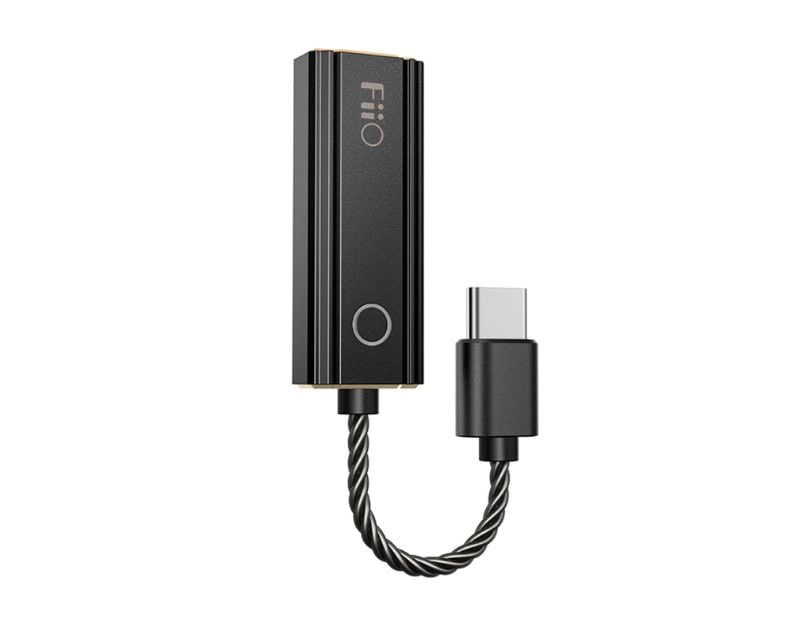
FiiO – KA1 is our best choice; when writing this article, the product is out of stock at Headphonezone. Co., there is no information on the website. We have asked but have not yet received a reply. It may be back in stock by the time you read this article. You can click on the link below to check availability.
FiiO – KA1 is simply a USB DAC. It is equipped with an ESS Saber ES9281AC PRO DAC chip that amplifies the audio quality of the iPhone. It comes in two variants: The lighting adapter, which you can use for older iPhones, and the Type-C adapter, which is mainly for Android smartphones and iPhones. You can also plug it into your laptop. In the box, you get a Type-C to Type-A port with a USB-A port for connecting to your computer.
The device is small and portable. It comes with a short braided cable. On the top is a LED status light that indicates what Type of audio you’re listening to. Blue for a sample rate below 48 kHz, yellow for a sample rate above 48 kHz, green for a DSD file and more. You can connect the headphone jack to the DOC and enjoy your favourite track.
3. USB C Microphone
Next, we have a USB Type-C microphone, the best option for content creators or those who want to record videos with the best audio quality on an iPhone. We all know that iPhones produce better video quality than any other smartphone, and with the addition of the microphone, you can take this game to the next level. Plug the Type-C microphone into the 14 series iPhone and start recording video. We have a few options from Boya and another brand. Here are our favourite USB Type-C microphones.
BOYA Wireless Lavalier Microphone
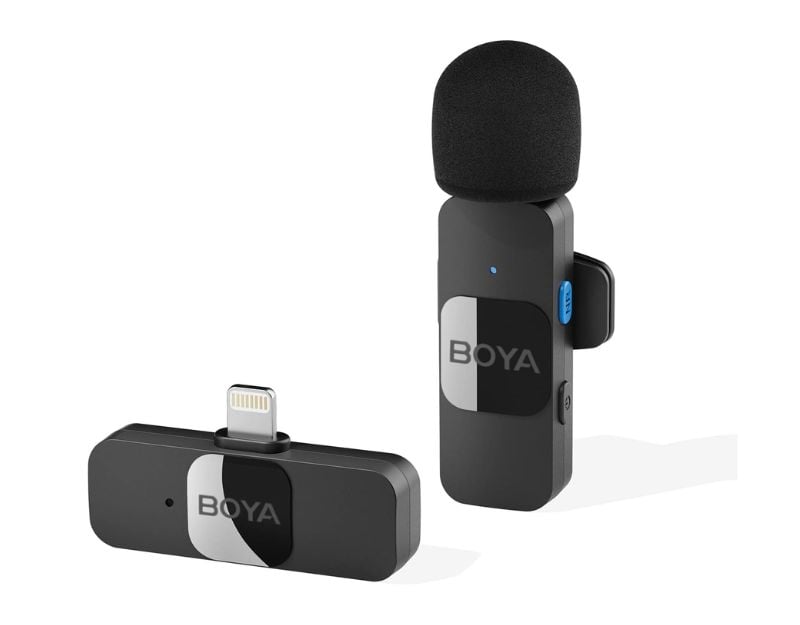
The Boya Lavalier Microphone is the best option for recording video on the go. It comes with a transmitter and a receiver. It pairs automatically, is plug-and-play, and has a range of 50 meters. It is compatible with most Android devices with USB-C ports, including iPhones. It also has a USB-C charging port on the side of the receiver that allows you to broadcast live and charge your smartphone simultaneously. There’s no need to charge the receiver. Battery life is great, too: the company claims you can get up to 9 hours of battery life on a single charge.
4. Apple HDMI Cable

Apple’s USB-C Digital AV Multiport Adapter lets you connect your USB-C-enabled Mac, iPad, or iPhone to an HDMI display. It also comes with a standard USB-A and Type-C cable. This lets you connect a standard USB device and a USB-C charging cable. You can mirror your iPhone to your HDMI-enabled TV or display. Connect the adapter to your USB-C or Thunderbolt 3 (USB-C) port. This is beneficial if you want to watch videos or content on large screens. The advantage of this device is that it automatically adjusts to the quality you play on your smartphone and displays the same rate on the TV or other supported devices.
Keyboard and Mouse
There is no accessory list without a keyboard and a mouse. So, let’s end the list with the best Type-C keyboard and mouse. An external keyboard and mouse can improve the user experience, especially for spreadsheets, gaming, video editing, or photos. Here are some of our favourite keyboards and mouse accessories for your iPhone.
1. Perixx PERIBOARD-210C Wired Full-Size USB C Keyboard
If you’re looking for a traditional full-length keyboard, Perixx PERIBOARD-210C Wired Full-Size USB C Keyboard is your best bet. It connects to your iPhone using the Type C. It is the best option if you are looking for a full-length keyboard and also with quite a mode for sound-free typing. Alternatively, you can pick the Durgod Taurus K320 TKL Mechanical Keyboard for better typing and the HyperX Alloy Origins Core for gaming. For a better experience. For a wired mouse, you can get a Lenovo 400 wired mouse. It is compact, lightweight, and easy to use.
We have also curated the 7 best iPhone 15 accessories, which includes stuff other than the Type-C post. Make sure you check them out as well.
FAQs about Best USB Type-C Accessories for iPhone 15
1. Why did Apple switch to USB-C for iPhone 15?
Thanks to the EU, Apple was forced to switch to USB-C on the 15th iPhone. The European Parliament passed new rules requiring a single charging port for most electronic devices. They opted for USB Type-C, which is the most widely used on Android smartphones and other devices. Starting in the fall of 2024, all phones must have a common charging port, USB-C. Apple has no choice (although there is speculation that Apple could go completely portless; for now, Apple has decided to comply with the law and include the Type-C port in its iPhones. Apple’s devices, including the iPad, Airpods and Macbook, have switched to the USB port.
2. Can I use my old iPhone accessories with the iPhone 15?
No, the latest iPhone 15 series comes with the USB Type C, while the previous iPhones had a light cable. You can still use the accessory with iPhone 15 if you have a Type-C port with light.
3. Are there any compatibility issues with third-party USB-C accessories?
Most USB-C accessories should work fine with the latest iPhones with Type-C ports. However, we have found that some USB devices do not work with the latest iPhone series. Check the specifications and compatibility before you buy an accessory for your iPhone. Some manufacturers have not yet specified compatibility with iPhone 15 on their product pages.
4. How do I identify genuine USB-C accessories for iPhones?
You can opt for accessories that are MFI-certified. MFi certified means something like “Made for iPhone,” “Made for iOS,” or “Made for iPad.” “Simply put, when a product is MFi certified, it guarantees that Apple has recognized the accessory and devices as safe and that they fully support iPhones. This certification ensures that the accessory is compatible with Apple devices mee,ts Apple’s quality standards, and is ingenious. Remember that Mfi-certified devices are slightly more expensive than standard devices. However, MFI-certified devices are fully compatible with the iPhones.

