

Quick Answer
- Zedge is my favorite with its extensive collection of wallpapers. I recently also started using Backdrops; it has the best collection and user experience.
- Lockd offers high-quality wallpapers with a depth effect, and Wallcraft has a vast range of wallpapers tailored for different iPhone models.
- Pinterest also has the best wallpaper collection. Unsplash is another great option with a huge selection of high-quality images.
People change their wallpaper for a variety of reasons. Some people want their wallpaper to match their mood or the season, e.g. cozy images in winter or bright images in summer. Some people change their wallpaper to feel motivated by a quote or happy by setting a favorite photo as their wallpaper.

iPhones come with a set number of wallpapers by default, and there aren’t many to choose from. Third-party wallpaper apps give you more choice than the default wallpapers on the iPhone. Some apps even let you create your wallpaper by mixing different designs, and they offer an easy way to set the wallpaper. In this guide, you’ll learn about the ten best wallpaper apps for your iPhone.
Table of Contents
Best iPhone wallpaper apps you must check out
| App Name | Description | Download Link |
| Zedge | Popular app offering HD and 4K wallpapers, ringtones, and sounds. | Download Zedge |
| Lockd | Offers high-quality lock screen wallpapers with depth effect integration. | Download Lockd |
| Backdrops | Offers an exclusive collection of high-quality, handcrafted wallpapers. | Download Backdrops |
| Wallcraft | App with a vast range of wallpapers tailored for different iPhone models. | Download Wallcraft |
| Wallpaper and Themes | Offers an extensive collection of high-quality wallpapers for iPhone. | Download Wallpaper and Themes |
| Vellum | Provides beautiful, high-quality wallpapers with a daily archive feature. | Download Vellum |
| A social platform to discover and save a vast array of wallpapers in various styles. | Download Pinterest | |
| One4Wall | App offering diverse wallpaper segments including iPhone and desktop collections. | Download One4Wall |
| Superhero Wallpaper | Offers a vast collection of high-quality superhero wallpapers updated daily. | Download Superhero Wallpaper |
| Unsplash | Offers a massive collection of high-quality, copyright-free images from a global community of photographers. | Download Unsplash |
Zedge
Highlights:
- Unique Additions: Offers HD wallpapers, ringtones, and sounds.
- Supported Resolutions: HD and 4K.
- Wallpaper Categories: Various themes including animated live photos.
- Update Frequency: Frequently updated with community uploads.
- Price: Free with optional in-app purchases and subscription
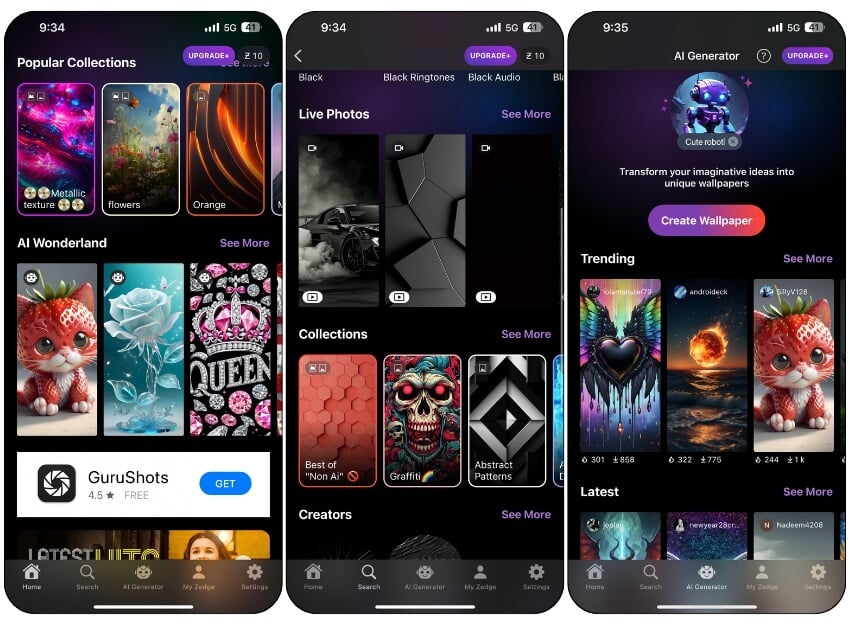
The Zedge Wallpaper app is the first choice for me. It has an extensive collection of wallpapers in various resolutions such as HD and 4K. It offers animated live photos and a wide selection of sounds for notifications and alarms. You can customize your phone with a variety of wallpapers, ringtones, and more.
One of the reasons I preferred Zedge is because of its extensive collection of wallpapers. The app is based on a community model where you can upload and sell their wallpapers. However few things to note, some user-created wallpapers are creative and offer the best quality, while others are of poor quality.
You can also create your wallpaper using AI. Zedge is free and can be used as a one-off payment or as a subscription. You can pay a one-off fee of $9.90 or a monthly or annual subscription.
Pros:
- Huge selection of wallpapers and ringtones.
- User-friendly, easy to search like Google.
- Free to use with many options.
Cons:
- Quality varies since it’s community-driven.
- Some cool features need a subscription.
Backdrops
Highlights:
- Unique Additions: Handcrafted exclusive wallpapers.
- Supported Resolutions: High-quality images.
- Wallpaper Categories: Abstract, nature, patterns, and more.
- Update Frequency: Daily updates.
- Price: Free with premium subscription options.
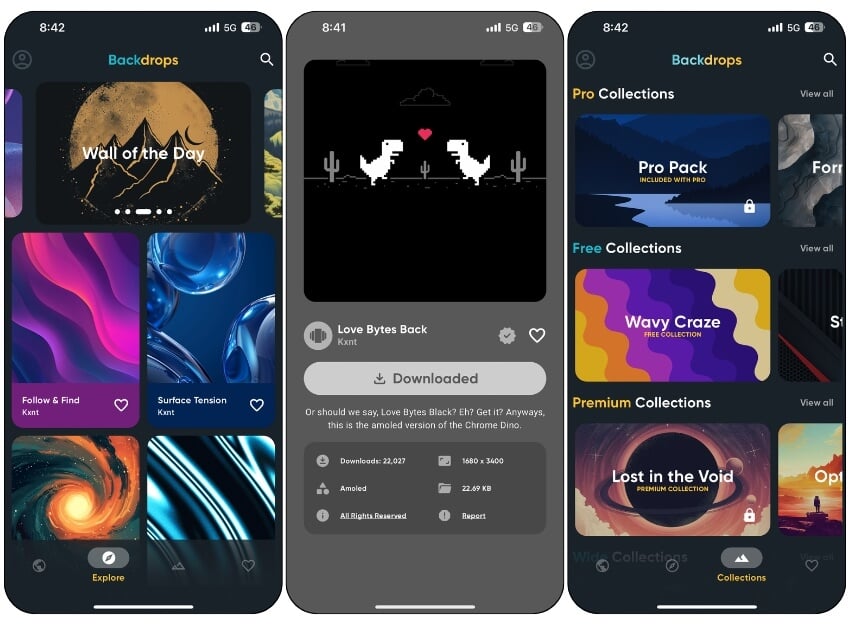
Backdrops have quickly become my default wallpaper app after using Zedge for years. Many of you requested that I add the Backdrops wallpaper app to the list, and after testing it for a while, I have to say sorry for not including the app sooner. Finally, it’s here. There are plenty of reasons why I use this app as my default wallpaper app.
First, is the user experience. It has the best user experience of all the wallpaper apps I have used so far. It is simple and easy to use, without annoying notifications, and has a clean and minimal interface. Next, the app provides hundreds of high-quality, hand-crafted wallpapers designed by the Backdrops team. These exclusive wallpapers are not available in any other app.
The wallpaper collection is another highlight. The app offers a high-quality collection designed for various users, and it regularly gets new wallpapers. The wallpapers will be directly saved into your photos. It also supports a community feature where you can upload wallpapers to the app.
Pros:
- Unique, handcrafted wallpapers.
- Community feature to share and discover.
Cons:
- A premium version is needed for exclusive wallpapers.
Related Read: 25 Cool 4K Dynamic Island Wallpapers for iPhone 15
Lockd – Lock Screen Wallpapers

Highlights:
- Unique Additions: Depth effect integration for lock screens.
- Supported Resolutions: 4K and high-quality resolutions.
- Wallpaper Categories: Lock screen themes.
- Update Frequency: Daily updates.
- Price: Free with in-app purchases.
Apple has introduced several features in iOS 16, and one of the significant changes is the lock screen customization. One such feature is the depth effect on the wallpaper. This feature gives the wallpaper of your iPhone’s lock screen a 3D effect. However, depth effect wallpapers are hard to find.
Thanks to the Lockd Wallpaper you can find an extensive collection of depth wallpapers with new wallpaper added every 2 hours. The app has a wide collection of wallpapers including movies, Nature, Superheroes, and Cars, and also has its exclusive collection. The free version also has a good collection. You can save the wallpaper to your devices directly and use them as a lock screen wallpaper.
Pros:
- Great for lock screen wallpapers with depth effects.
- Simple and easy-to-use interface.
- Straightforward downloads.
Cons:
- Ads
- Some wallpaper requires a premium subscription.
Related Read: 25 Best 4K Christmas Wallpapers for Your iPhone
Unsplash

Highlights:
- Unique Additions: Massive collection of high-quality, copyright-free images.
- Supported Resolutions: High-resolution, including 4K.
- Wallpaper Categories: Nature, architecture, abstract, and more.
- Update Frequency: Continuously updated by a global community of photographers.
- Price: Free.
Unsplash is a photo platform with a huge collection of high-quality photos that can be used as wallpapers for your iPhone. The app works very similarly to other wallpaper apps. You can browse through thousands of options, save your favorite images to your device, and set them as your wallpaper.
It comes with a dedicated wallpaper section where you can find images with the perfect resolution to set them as wallpaper. The app is completely free, and photos are continuously updated by the community. No matter how many times you open the app, you will be greeted with new wallpapers every time.
Pros:
- High-quality, copyright-free images from a global community.
- Easy navigation and no ads
- Completely free
Cons:
- Varies in resolution and size.
Wallcraft Wallpapers Live 4K
Highlights:
- Unique Additions: Tailored for different iPhone models.
- Supported Resolutions: 4K and HD live wallpapers.
- Wallpaper Categories: 3D, animals, anime, and more.
- Update Frequency: Daily updates.
- Price: Free with optional PRO subscription.
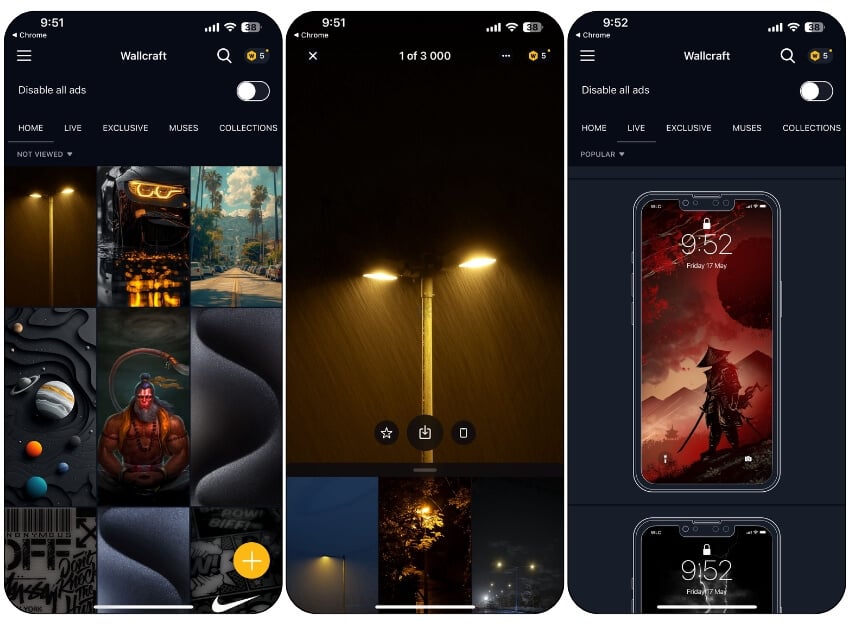
Wallcraft is another best app that offers a collection of high-quality wallpapers. The app offers wallpapers in different resolutions including 4K and HD live options with new wallpapers added daily.
You can find a wide variety of wallpapers such as 3D, nature, music, and even video backgrounds, so there is something for everyone. The app also offers a collection of live and double wallpapers. The user interface is user-friendly and makes it easy for you to navigate and find what you’re looking for.
Unlike other apps, Wallcraft doesn’t bombard you with too many ads, but there is the option to watch short commercials to unlock certain wallpapers. The app is free and also offers a premium subscription.
Pros:
- Provides wallpapers tailored for different iPhone models
- Supports a wide range of wallpaper categories including 3D.
Cons:
- Some wallpapers are locked behind a subscription paywall
Wallpaper and Themes
Highlights:
- Unique Additions: Special seasonal updates and Apple Watch support.
- Supported Resolutions: High-quality images.
- Wallpaper Categories: Animals, cities, nature, and more.
- Update Frequency: Daily updates.
- Price: Free with premium upgrade available.
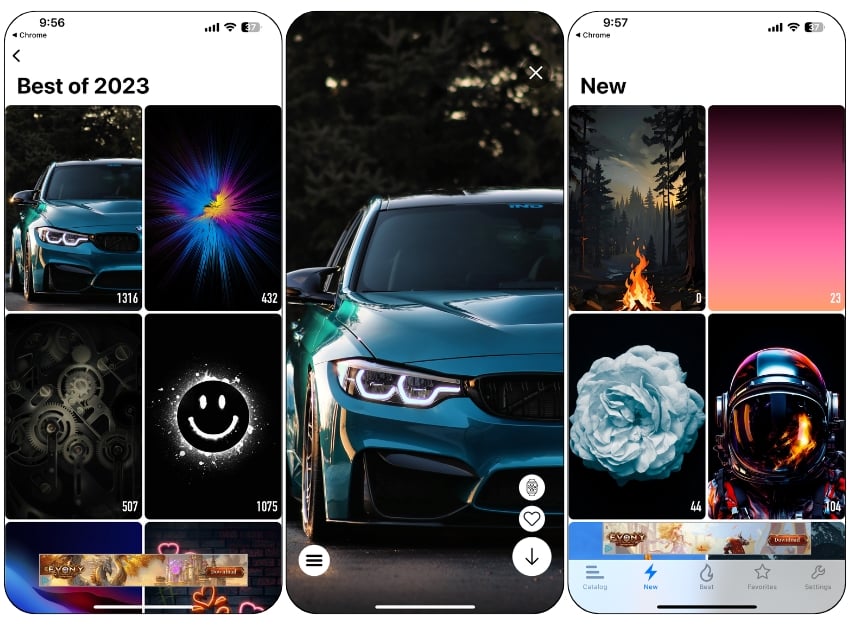
The “wallpapers & themes for me” app provides a variety of high-quality wallpapers in different resolutions and categories like animals, cities, and more. You can customize your device with themes and easily find new or popular wallpapers.
The app updates its content daily and offers special images for different occasions. It is also available for Apple watch, If you use the Apple Watch, you can also set the same wallpaper as the watch face for your watch.
The user interface is simple and easy to navigate. The only thing that is annoying in the free version is the ads. They pop up constantly while you are looking at the wallpapers, which is sometimes very annoying. The app is free and you can upgrade to the premium version to get rid of the ads and unlock premium wallpapers and other additional benefits.
Pros:
- Offers a wide range of high-quality wallpapers with regular updates.
- Supports for Apple Watch, You can match the wallpaper with the Apple Watch
Cons:
- Ads in the free version.
- Some wallpaper are only for premium users.
Download wallpaper & themes app for iPhone
Vellum Wallpapers
Highlights:
- Unique Additions: Daily archive of new wallpapers.
- Supported Resolutions: High-resolution images.
- Wallpaper Categories: Seasonal themes and abstract designs.
- Update Frequency: Daily updates.
- Price: Free with a premium subscription to remove ads.
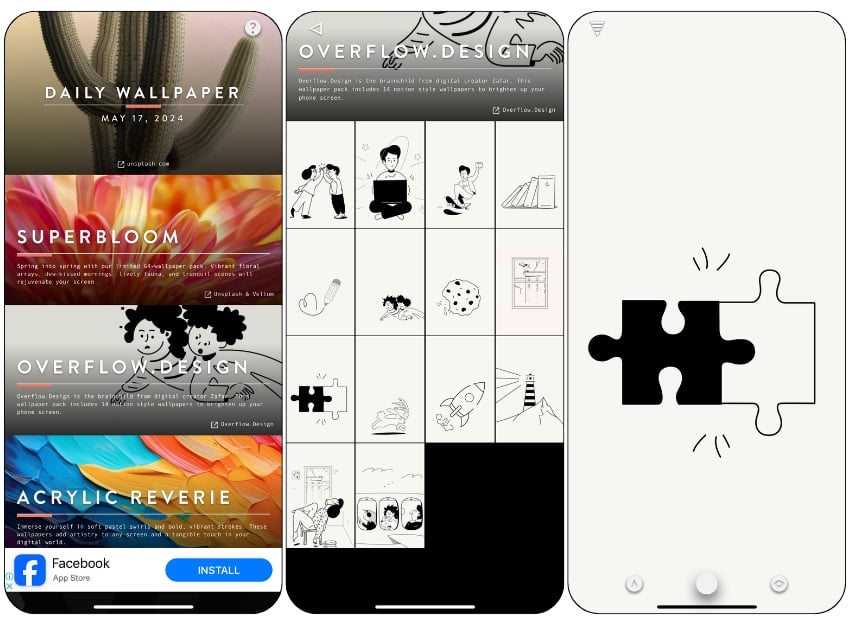
Vellum Wallpaper offers a collection of high-quality wallpapers. Similar to the Wallpapers and Themes app, Vellum categorizes wallpapers. It offers a straightforward interface.
The app offers an extensive collection of wallpapers. The best thing about the app is that new wallpapers are added daily to get the most updated collection of wallpapers. The app offers a variety of wallpaper packs, including seasonal themes, such as the summer pack with 57 summer-themed themes.
Vellum also offers basic wallpaper customization tools. You can adjust the blur of each wallpaper. You can preview wallpapers for the home screen and lock screen. You can save wallpapers directly to your photos and set them as wallpaper later.
The user interface is simple and clear. There are ads in the free version, but they are not as annoying as in other apps. The Vellum also offers a premium subscription to get rid of the ads and unlock additional benefits. The app can be downloaded for free from the App Store.
Pros:
- Known for beautiful, high-resolution wallpapers updated daily.
- Customization options are handy
Cons:
- Some wallpapers are locked behind a paywall.
Highlights:
- Unique Additions: Social platform for discovering wallpapers.
- Supported Resolutions: Varies by image quality.
- Wallpaper Categories: Modern, Minimal, vintage, art, and more.
- Update Frequency: Continuously updated by users.
- Price: Free.
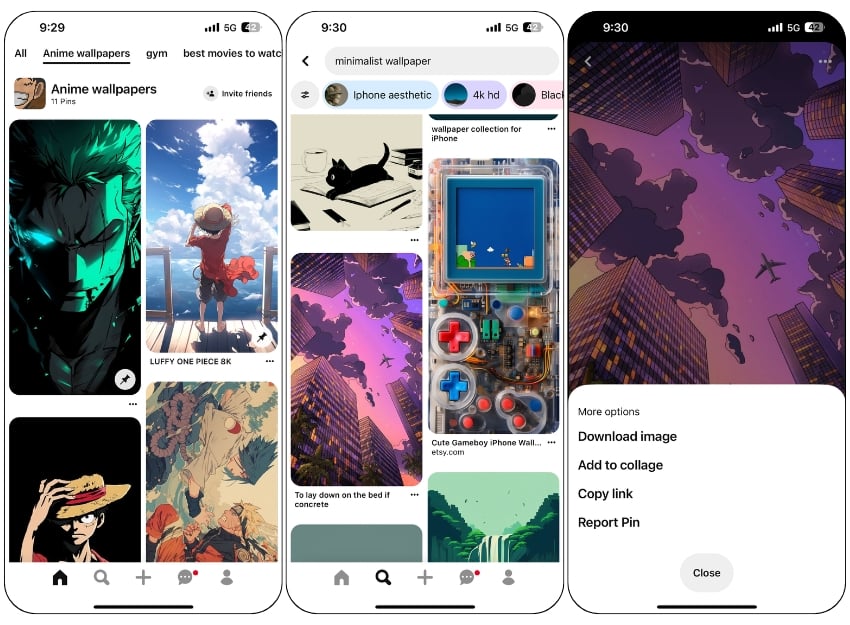
Pinterest is also a great source for wallpaper; most of the wallpapers I use I discovered on Pinterest. In case you don’t know Pinterest: Pinterest is a social media platform for sharing visual content, especially images. You can find a wide range of visual content on the platform.
You can find wallpapers on the platform. It is my most visited site after Zedge whenever I want non-traditional wallpaper. You can search for a variety of wallpapers for your iPhone. One of the best things about the app is the recommendations for similar posts, which can be very helpful in finding similar wallpapers in the app.
The quality of the wallpaper depends on individual image quality. You can download the image like any other wallpaper app and save it to your photos. Pinterest is free to use and you can download unlimited wallpapers for free. You can download the app for free from the App Store. Pinterest is also available on the internet.
Pros:
- Find a vast array of wallpapers in various styles.
- Easy to save and share favorite images.
- Completely free to use
Cons:
- Quality might vary largely
- Finding the right wallpaper can be hard.
One4Wall-Wallpapers-app
Highlights:
- Unique Additions: Includes desktop wallpapers.
- Supported Resolutions: 8K, Pro, and more.
- Wallpaper Categories: Nature, vehicles, abstract, and more.
- Update Frequency: Daily and monthly updates.
- Price: Free with a premium subscription for additional content.
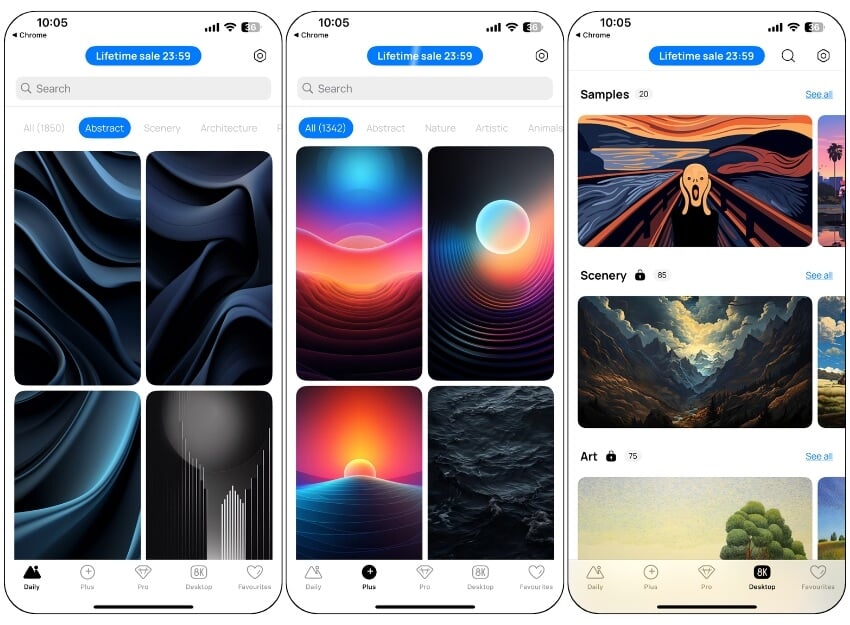
One4Wall Wallpapers is another simple wallpaper app with support for desktop wallpaper collections. The app offers thousands of unique wallpaper in a wide variety of categories such as nature, vehicles, abstract designs, and more.
You can access new wallpapers every day, subscribe to exclusive content, and even discover premium collections with Pro and 8K options.
The app offers one of the cleanest and simplest user interfaces. You can sort the wallpapers by day categories and resolutions. The app also has a dedicated tab for desktop wallpapers. The app is free to use. There is also a Pro version that allows you to unlock additional premium wallpapers. There are no ads in the free version. The app can be downloaded for free from the App Store.
Pros:
- Offers new wallpapers daily, including options for desktop.
- Customise wallpapers before downloading.
Cons:
- Some wallpapers are locked behind a paywall.
Superhero Wallpaper

Highlights:
- Unique Additions: Daily updates with superhero themes.
- Supported Resolutions: High-quality images.
- Wallpaper Categories: Superhero-themed wallpapers.
- Update Frequency: Daily updates.
- Price: Free with premium subscription available.
Some people prefer superhero images as wallpapers. Due to their popularity, many apps offer superhero wallpapers as a separate category in the app. If you are someone looking for an app with an extensive list of superhero wallpapers, the Superhero Wallpaper app is the best choice for you.
The app offers high-quality superhero wallpapers. The app also offers a ‘Wall of the Day’, where newly created or favorite wallpapers are featured in the app every day. You can also create your wallpaper from photos. It offers dedicated wallpaper creator features. you can upload any image and convert it into wallpaper.
The user interface is simple and clear. The app is free and comes with a premium subscription that removes the ads and unlocks some premium wallpapers.
Pros:
- A huge collection of superhero-themed wallpapers is updated daily.
- Simple and easy to use
- Straightforward download option
Cons:
- Limited to superhero genres
Notable Mention
Wallpapers for Dynamic Island
The wallpaper for Dynamic Island was supposed to be in the main list, but the app’s pricing model has resulted in the app appearing in the notable mentions section instead. The app has a great collection of creative dynamic wallpapers for your iPhone featuring the dynamic island, but it only offers 3 dynamic wallpapers for free, and the rest are limited to Pro users. Also, the premium version of the app costs $10/month, which is not recommended, especially since you can find the wallpapers for free from other sources, including ours. The app offers a clean and easy-to-use interface.
How to choose the best wallpaper app for iPhone
- Wallpaper collection: The wallpaper collection is the most important thing you should consider when choosing the best wallpaper app for your iPhone. Make sure that the app updates the wallpapers regularly and adapts them to the trends and iPhone models.
- Wallpaper Quality: Make sure the app offers high-resolution wallpapers that look crisp and clear on your iPhone screen.
- Ease of Use: The app should have a user-friendly interface that makes it easy to browse, select and set a wallpaper.
- Customization support: Few apps offer support for customizing the wallpaper so that you can adjust it to your needs.
- Preview Wallpapers: Some apps offer preview images of their wallpapers. This gives you a good impression of the quality and variety of images they offer.
- Regular Updates: Choose apps that update their wallpaper collection regularly. This ensures that you always have fresh and trendy wallpapers to choose from.
- Search Feature: If you have specific themes in mind, it is an advantage if the app has a search function.
- Customization Options: Some apps allow you to customize the wallpapers by adding filters, text or other design elements.
- Pricing: Some apps are free to download but may contain in-app purchases or advertising. Check if the app requires a subscription or if there is a cost to access premium wallpapers.
FAQs about Best iPhone Wallpaper Apps
Can dynamic wallpapers affect my iPhone’s battery life?
Yes, dynamic wallpapers can affect the battery life of your iPhone, but not very much.
Are there any risks in using third-party wallpaper apps?
No, the apps listed in this article are available in the App Store. These apps are completely safe to install and use. However, it is advisable to check the privacy policies of the apps when it comes to the use of your data.
Can I use wallpapers from these apps for commercial purposes?
Some apps source wallpapers from other websites, while other apps develop their wallpapers. It is always better not to use apps for commercial purposes.

