

In 2022 and 2023, we saw companies lay the groundwork for groundbreaking AI technologies. 2024 is about tech giants embracing them to deliver a new mobile experience.

While Google was the first to get the ball rolling with the Pixel 8 series late last year, Samsung isn’t far behind and has joined the trend with the Galaxy S24 series, which is rife with AI smarts—part of its suite of AI features called Galaxy AI—that change how you communicate, search things on the internet, edit images, and more on your device.
Let’s check out all the features the Galaxy S24 series is getting as part of Galaxy AI.
Table of Contents
Live Translate

Live Translate is one of the best Galaxy AI features by a mile and a godsend for international travelers. It’s available as part of Samsung’s Phone app on the Galaxy S24 series, and it uses AI to generate two-way voice and text translations for phone calls in real-time—while you’re on the call.
What’s great about the Live Translate feature is that it doesn’t need a Samsung device on the other end to work. Additionally, Samsung says the feature relies on-device AI for translations, so all your conversations remain private.
Interpreter
Another useful Galaxy AI feature is the Interpreter. Although this isn’t something new, as we’ve had a similar functionality in Google Translate for years, it’s good to see Samsung offering it natively on its devices.
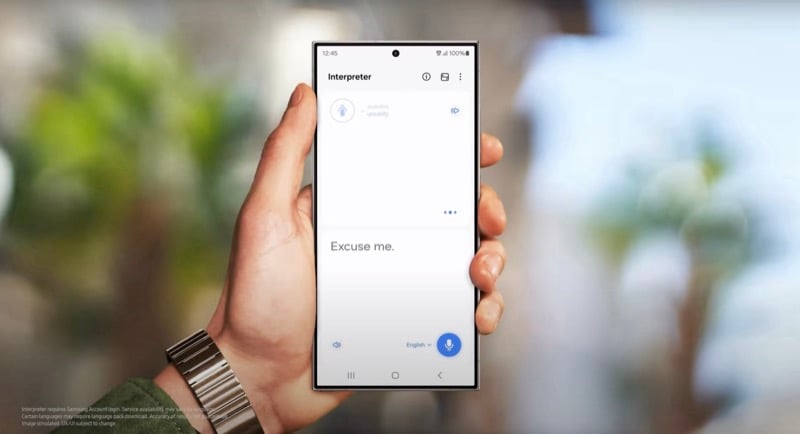
As the name implies, the Interpreter allows you to translate and transcribe conversations between two languages on the fly. It requires you to select the two languages between which you want to perform the translation, after which it interprets what you speak to it and transcribes it (in written form) for the other person to read. Just like Live Translate, Interpreter is a great feature for travelers.
Samsung says the Interpreter relies on an offline language model to work, so you can use it even when you’re offline.
Chat Assist

Chat Assist is a Samsung Keyboard feature that uses AI to help you write better messages to suit the situation. It works in different apps, and there are various scenarios where you can benefit from it.
For example, say you’re exchanging text with a colleague. Chat Assist will give you a few recommendations to change the tone of your messages in this case to get your message across more professionally or politely. Similarly, when you add captions to your social media posts, Chat Assist can help you turn them into short and witty ones.
Besides assisting with writing style, Chat Assist also supports text translation. At the time of writing, Chat Assist can help translate messages in real-time in 13 different languages.
Note Assist

Samsung’s Galaxy AI features extend to some of its other applications, too. Samsung Notes is one such app, which gets the Note Assist feature that help with note creation, summary, and organization.
Note Assist, as the name implies, offers assistance with creating notes. It provides templates to help you create different kinds of notes and auto-generated covers to make notes readily identifiable. Moreover, the feature also generates note summaries to give you a quick gist of a note and save you the trouble of reading it from start to finish.
Related Read: How to Get Samsung Galaxy AI Features on Any Phone
Transcript Assist

Voice Recording is another Samsung app that gets AI smarts. Samsung calls the feature Transcript Assist, and it’s kind of similar to what Google offers in the Google Recorder app on its Pixel devices. Transcript Assist relies on AI and speech-to-tech technology to work.
With Transcript Assist, you can summarize your voice memos and generate transcripts and translations for them. The way it works is that you first transcribe a recording into text and then, depending on your requirement, translate it into another language or summarize it to get a gist of it.
Generative Edit, Edit Suggestions, and Other Editing Tools

Generative Edit is the equivalent of Google Photos’ Magic Editor feature. It’s available in the Samsung Gallery app and lets you perform complex editing tasks with a few simple taps without much editing know-how.
For example, with Generative Edit, you can easily move objects in photos, increase or decrease their size, delete them, and extend backgrounds for crooked images, among other things, and the feature will automatically fill in the gaps to blend everything well and make it look like a true image.
Anytime you use the Generative AI feature to edit or manipulate an image, the Gallery app will put a watermark on top of the image and its metadata. Besides Generative Edit, the Gallery app also gets Edit Suggestions. These also use Galaxy AI and suggest suitable tweaks to enhance the appearance of your photos.
Likewise, Samsung also provides a few AI-based editing tools in the Gallery app. These facilitate object removal, re-composition, and remastering, along with a few other things. Instant Slo-mo is a similar feature—but for videos. With it, you can easily slow down any video for a detailed look with a few simple taps in seconds.
Circle to Search
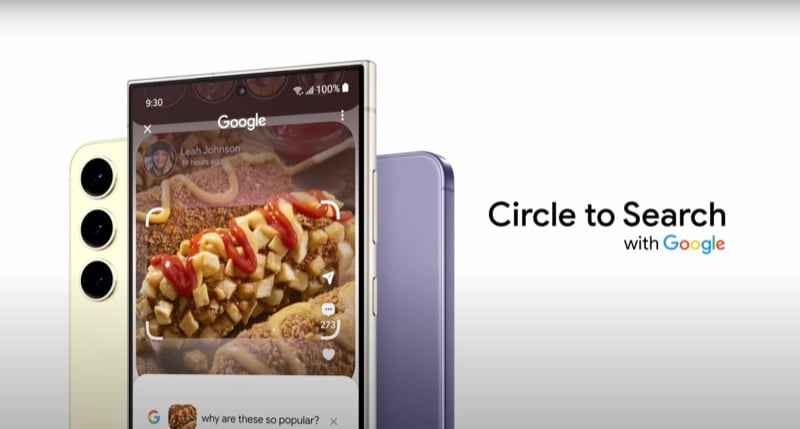
Last but not least, the Samsung Galaxy S24 also gets Circle to Search. It’s a unique approach to searching, wherein you circle any subject on your screen to look it up online.
For example, if you see a landmark in a photo on your Galaxy S24, you can simply long-press on the home button (or the navigation bar, if you use gesture navigation) and circle out, tap, or highlight the landmark to bring up more information about it—without leaving the app. In some regions, you’ll also be able to append your search with a question to get a more accurate response.
Circle to Search isn’t a Samsung-exclusive feature. It’s a collaborative effort between Google and Samsung, and it will soon be available on Pixel 8 series, too.
Will Older Samsung Phones Get the Galaxy AI Features?
Yes, Google will bring select Galaxy AI features to its existing Galaxy flagship phones and tablets. However, we aren’t sure what these features are at the time of writing. What we do know, though, is that they’ll arrive as part of the One UI 6.1 update sometime in the first half of 2024.
Here’s a list of devices that will get these Galaxy AI features:
- Galaxy S23, S23 Plus, and S23 Ultra
- Galaxy S23 FE
- Galaxy Z Fold 5
- Galaxy Z Flip 5
- Galaxy Tab S9, S9 Plus, and S9 Ultra
Galaxy AI Also Works Under the Hood
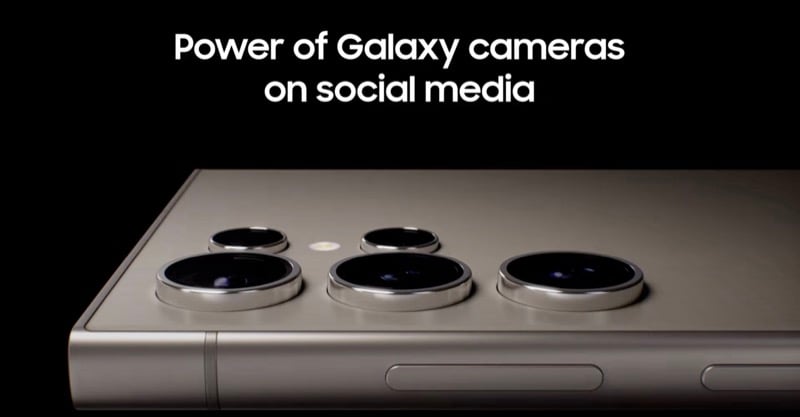
Galaxy AI isn’t just limited to the features we’ve discussed above. It also works under the hood to improve the camera performance of the S24 series to bring improvements in areas like digital zoom, low-light photography, and slow-motion video recording.
Not only that, but Samsung has also worked with popular social media apps, like Instagram and Snapchat, and integrated the new Galaxy AI features right into their mobile apps, to allow for better image capturing and sharing on the platform from its devices, giving people more reasons to switch to a Samsung phone.

