

You don’t need complex or high-end software to enhance your images. Thanks to technological advancements, a simple image enhancement app can turn your pictures into brilliant images and is sometimes better than any complex software.

In this guide, we’ll introduce you to various image enhancement apps available for iPhone and Android. These apps offer simple image enhancement features. You can upload the image, and the app can improve your image with the help of AI. Here is a short and simple guide to choosing the best image enhancement app so that you can make a better choice.
Table of Contents
10 Best Photo Enhancer Apps
App | Highlight |
|---|---|
Remini | Overall Best app. MAI-driven photo enhancement, face retouching, old photo restoration, video enhancement, artistic effects, premium subscription available. |
Pixel Up | AI-driven enhancement, batch processing, supports various image formats, upscale images up to 8x, noise reduction, sharpening; comes with both free and premium subscriptions with additional features. |
EnhanceFox | AI-driven enhancement, face retouching, old photo restoration, colour correction, noise reduction, batch processing, and premium subscription are available. |
Fotor | Photo editing, collage making, graphic design, HDR processing, beauty retouching, batch processing, supports various image formats, premium subscription available. |
Upscale. Media | AI-driven enhancement, upscale images up to 16x, supports various image formats, noise reduction, sharpening, and premium subscription with additional features. |
PicWish | AI-driven enhancement, face retouching, old photo restoration, upscale images, supports various image formats, premium subscription available. |
PhotoFix | AI-driven enhancement, face retouching, old photo restoration, upscale images, colourising black & white photos, turning words into photos, premium subscription available. |
MyHeritage | AI-driven enhancement, old photo restoration, colourization, animation, family tree integration, supports various image formats, premium subscription available. |
AI photo enhancer | AI-driven enhancement, optimising portrait details, restoring damaged photos, improving photo resolution, unblur photos, enhancing real-time photos, upcoming features like colour old photos, cartoon effects, filters, premium subscription available. |
Remini
Remini is very popular and known for its various image enhancement features. You can upload an image and improve the quality of the image in just a few steps. The app also has an AI image generator that creates an AI version of you and AI avatars from your images.
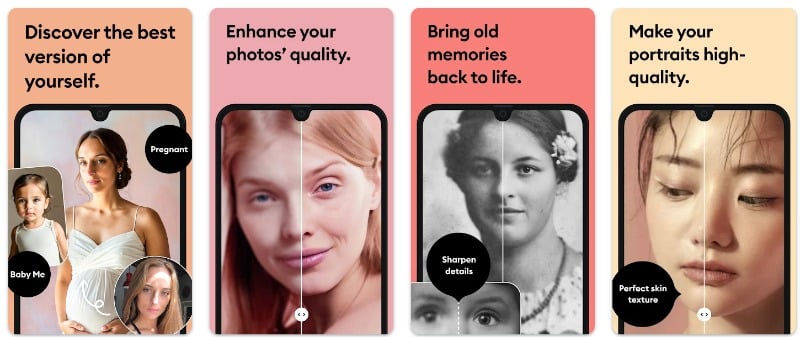
With the app, you can enhance both photos and videos. You can enhance the details of the photos and videos, provide more clarity, and make the content of the images and videos sharper and more vivid. The app supports a variety of image enhancement features such as High Definition Enhancement, which improves the quality of images; Old Photo Reports, which tell you how to fix old, blurry, and scratched photos and sharpen and blur blurry images; Pixel increase in low light photos, which increases the number of pixels in poor quality images and more.
There are different levels of enhancement. If you use the free version, you already get the basic features in full. You can upgrade to the premium version to get the enhancement features v2 and v3. The quality of the images is also really good. I’m sure you’ll be thrilled with the results when you use the app for the first time.
The usability has also been improved recently, making the app suitable for beginners. The UI has been updated with modern elements and makes it easy to navigate between the core features of the app. Speaking of functions, the app also has an AI image generator and an AI avatar generation feature. These two features are only available in the premium version of the app. You can upload your images and generate hundreds of generated images.
The app is compatible with both Android and iOS versions. The app can be downloaded for free. The free version includes restrictions like ads and a two-hour waiting period to enhance the images. You can upgrade to the premium version to get rid of these restrictions. The app offers weekly, monthly, and yearly subscriptions.
Overall, Remini is the best app for image enhancements. With the simple enhancement tools, you can upload the photo, and the app will automatically improve the quality of the images. It is free to use and fast. It also offers other features like AI images and an AI image generator. It is also simple and easy to use. You can download the app for free from Google and Apple app stores and improve the images.
Related Read: How to Detect AI Images
Pixel Up

Pixel Up is a simple and best app to improve photos. With the app, you can improve the quality of the image, colorize it, animate the images, remove the scratches in the old photo, and much more. Like Remini, you can upload the image, and the app will take care of everything else. For the free app, there’s the Pro version that lets you unlock more benefits.
Starting with the features, the app offers photo enhancement features that let you instantly improve the quality of old, pixelated, or damaged images and turn them into HD resolution. The app helps you recover old photos with the help of AI. You can select the image from your gallery. The app automatically scans your gallery and suggests images that need to be improved.
Also, the app offers features like colorizing old black-and-white family photos, de-blurring videos, faces, and text and increasing the resolution of photos. Finally, you can also animate images from the default images. This only works well for some images. For example, in the picture below, I look like a hungry zombie.
The user experience is simple and uncluttered. The free version of the app includes ads, which are, unfortunately, very annoying. You can upgrade to the premium version of the app to unlock additional benefits. The app offers weekly and yearly subscriptions to unlock benefits like unlimited high-definition enhancement, restoration and de-scratching of old photos, colorization of black and white images, animated photos, an ad-free experience, and priority support.
AI Photo Enhancer – EnhanceFox
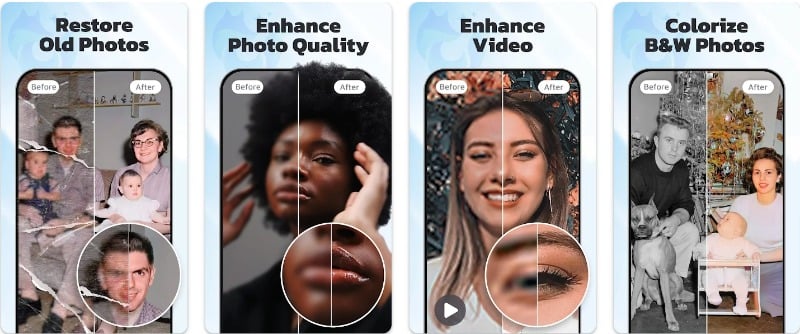
AI Photo Enhancer – EnhanceFox is a photo and video enhancement app with simple features to improve the quality of images and videos. The app offers various features like photo and video quality enhancement, clear photo enhancement, sharpened image, photo quality enhancement, video upscaling, and more. Apart from these features, the app also offers features like increasing video FPS to make videos smoother, toon photo that lets you convert images into cartoons, colorize photo that adds colors to black and white images, and more.
You can scan the photo or upload it from the gallery and start using the photo enhancement features. You can enhance the photo with more details, sharpness, and colors. You can instantly see the difference between the before and after images. You can use the scroll bar to view the changes made to the images. There is no option to adjust the individual parameters of the image.
Next, we have a colorizing feature that enhances the colors of the image. If you have uploaded black and white images, the app will automatically add colors to the images with colorize. Finally, there’s Toon and DeSracth; as the name suggests, the Toon feature automatically converts images into cartoons, and DeeSracth removes scratches from any image using AI. You can preview the image before and after and apply all four enhancements to a single image. The app also provides an option to undo the changes.
Speaking of the app’s other features, Enhancefox also offers video enhancement options. Just like photos, you can select any video on your device and enhance its quality. You need a card (built-in token) to use the video enhancement feature. The app also has an increased video FPS (Frames per Second) to increase the number of frames in the video. You can select up to 240 FPS and apply the changes to the video. The FPS feature is free to use. Finally, we have a toon function that converts any image with a face into a cartoon image.
The interface is simple, clean, and suitable for beginners and advanced users. You can upload the photos, and the app will do the rest. The app offers both a free and a pro version. In the free version, there are limitations and in-app ads. When you upgrade to the premium version, the ads are removed, and you get additional benefits.
All in all, Enahnce Fox is the best choice for those looking for the best image enhancement app and other features like coloring, converting images to cartoons, enhancing videos, and more. The app offers a simple and easy-to-use interface. You can upload the photo and apply various functions to enhance or change the images. The app supports most file formats.
Google Photos

Google Photos is Android’s most popular and default photo app. It has image enhancement features that allow you to improve the quality of the images quickly. Google Photos is the best app for those who don’t need an external image enhancement app and are satisfied with the initial image enhancement features of the Google Photos app.
Starting with the smart suggestions, the Google Photos app automatically detects the weak points in the image and automatically suggests image enhancements. For example, the popular Correct Light feature automatically corrects the light in the image and brings light to the image if it was taken in low light conditions or with a poor-quality phone.
Alternatively, you can use other image enhancement features to improve the image quality, enhance the colors of the image, and make the image more vivid. You open the Google Photos app on your smartphone, select the image you want to edit, and click the Edit button. The app will automatically suggest changes to your photo. You can tap on the suggestions to improve the photo of your choice.
In addition to photo enhancement features, the Google Photos app also offers built-in photo filters and basic image editing tools like cropping, rotating, resizing, and more. Let’s say you’re a Pixel user or a Google Workspace. In that case, Google Photos also offers features like Magic Eraser, which automatically removes unwanted objects from photos, blurs the background, and more.
You can also edit videos with Google Photos. You can improve video quality with new stabilization features that automatically stabilize shaky videos and more. Google Photos also lets you create animations with photos.
All in all, Google Photos is the best photo enhancement app with simple photo enhancement features. Most Android phones have Google Photos installed as the default photo app, so more people have access to photo enhancement features without having to download third-party photo enhancement apps.
Google Photos is free to use. Some tools, like the magic eraser and other photo enhancement features, are limited to Google Pixel phone users and Workspace subscribers. If you use an iPhone, you can download the Google Photos app from the App Store. For Android devices, you can download the Google Photos app from the Play Store if it’s not already integrated.
Fotor

Fotor offers several tools to enhance your images. It has built-in tools to improve the quality of the images. Apart from image enhancement tools, Fotor also offers features like removing image backgrounds, generating AI images, using templates to convert images, and more. The free app is best for those who are looking for an image enhancement app with more editing features.
Speaking of enhancement features: Similar to other photo enhancement apps, you can select the image you want to enhance. Give the app gallery permission to list the images on your device. You can select the image you want and the level at which you want to enhance the image. The levels are divided into Low, Medium, and Pro, and all levels, including the low level, are hidden behind a paywall. You need a Pro app subscription to access the image enhancement tools.
Likewise, the app offers tools to remove unwanted objects from images, using magic erasers to remove people, objects, acne, buildings, and watermarks. There is also an AI retouching feature that offers skin and makeup enhancements like wrinkle removal, reshaping, red eye removal, teeth whitening, and more. There is also a special background remover tool that can remove the background of the image and add different options like white or blue background, custom background images, and more.
Besides the image enhancement tools, the Fotor app is a proper photo editing app with various photo effects that include different design features. It also includes templates for wallpapers, posters, Instagram posts, YouTube video covers, cards, logos, and more. The app also offers various collage templates for different themes like food, festivals, travel, etc. The app also includes an AI cartoon generator that turns photos into artworks in the style of famous artists like Van Gogh, Monet, and Picasso, as well as trendy art styles like “cyberpunk. “. The app also includes stickers, frames, fonts, backgrounds, mosaics, stock photos, and other creative elements.
Fotor is the best choice for those looking for an image enhancement app and other proper photo editing features. Fotor is free to use, but there is also a Pro subscription that is billed monthly or annually. By upgrading to the Pro version, you can unlock image enhancement tools, remove unwanted ads, and enjoy other benefits of the app. The app is available for both Android and iOS devices.
Upscale.Media

Upscale.Media is the best option for those who want to increase the resolution of their images. The app offers simple upscaling features to scale up the resolution of the images. The app is free, and you can upscale unlimited images without paying any additional fees. Upscale is also available on the web, where you can upscale the images.
The app is available for free. You can download the app from Google Play or Apple App Store, depending on which phone you use. After you install the app, you can select the images to upscale. The app supports a limited number of image formats, including PNG, jpeg, jpg, and web.
You can also upload the images using the URL. You can paste the URL, the image will be automatically loaded into the app, and you can enhance the images. You can enhance the image up to 4x. You can see the before and after results of the image enhancement immediately. You can also switch between different magnification levels. You can download the enhanced image by clicking the Download button after you have made all the image enhancements. The quality of the output images is mostly good, but sometimes they look cartoonish for some reason.
The user experience is simple and easy to use. The mobile version of the app still needs to be optimized for mobile and has a lot of bugs. The developer uses the web version of the mobile app. Sometimes, the page elements don’t load, and the upload button doesn’t work, so you can’t upload photos. Aside from the ease of use and turning photos into cartoons, everything about the app is great. The app is free, and you can download it from the Google Play Store or use the web version to upscale your pictures.

Overall, Upscale.Media is the best option if you are looking for a simple and easy-to-use image enhancement tool. It only includes the image upscaling tool, which makes it the ideal option for people who are only looking for an image upscaling feature. The usability still needs to be improved. You can download the app for free and upscale the images. The app is suitable for both beginners and advanced users.
PicWish

PicWish is another best photo editing app that offers various features to enhance photos. It offers features like blur correction, removal of blue in photos, crop function, AI that removes objects from images, retouch function that enhances images, batch removal, ID photos, Resize images, and more. The app is best suited for people who are looking for simple photo enhancement features with a simple and easy-to-use interface. The app comes in both free and paid versions.
Speaking of the Cutout feature, the app automatically cuts the objects from the photos and brings out the transparent background. You can use the app to remove specific objects. Let’s say you want a transparent, predictive image for your e-commerce website. You can upload the image; the app will automatically strip the object from the images and give you a transparent background.
The output quality is good, and it only takes a few minutes to process the image. After you remove the background, you can resize the images with different templates. The app watermarks the images you’ve edited with the Picwish app. You can also use other basic editing apps like Replace, refine, crop, and rotate to edit the image.
As for other features, it has a fixed blur feature that automatically removes blur from images. You can tap on the feature and select the image you want to remove from the background. Other features of the app include a retouching function that lets you improve the quality of the image and adjust various parameters like color, brightness, contrast, and more.
The app also has special template features that list pre-made templates for displaying retail products. You can choose any template, add a photo, adjust the background, and make the necessary changes. The user experience is simple and clear. You can use all the features of the app from the home screen. The app comes in a free and paid version. You can upgrade to the premium version to eliminate ads and unlock additional features, such as batch processing, additional image enhancement features, and more. The app can be downloaded for free from the Google and Apple app stores. It is compatible with almost all devices.
PhotoFix
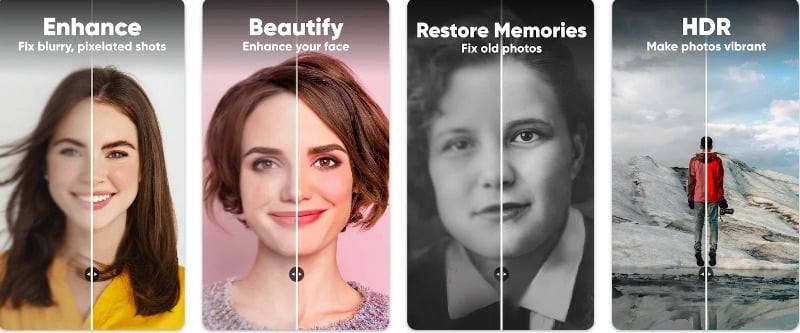
PhotoFix is a simple photo editing app to enhance your photos. The app is best for beginners and people who want to improve their photos quickly. The app is free; if you watch an ad, you can unlock many premium features. Upgrade to the premium version to turn off ads and unlock more benefits.
As with other apps, you can select a photo and use various features to enhance the image. The app offers basic enhancement features and an enhancement plus a pro feature. You can select each option according to your needs. The basic enhancement feature is free, and you can upgrade to the premium feature or check it out if you want to use the pro feature to unlock the benefits. You can preview the changes made to the images and apply various features like blur and retouching before saving the images to your gallery. There is no option to undo the changes, which is annoying because you have to reselect the photo and start over to apply the changes again.
On the home screen, the app directly lists the images in your gallery. You can sort the images by recent and by categories like Twitter, download, camera, and more. The app lets you select multiple photos, but you can only enhance one image at a time. You can also use the camera and take and enhance the photo instantly. The app has a dedicated section where you can view all the pictures you’ve edited with the app. This can be very useful if you want to show and share your edited images on social media quickly.
The controls are simple and easy to use. As mentioned earlier, the app is the best choice for beginners who just want to get started and for those who want to improve their images on the go. The app can be downloaded for free from the Google and Apple Apps stores.
Download: Android
MyHeritage
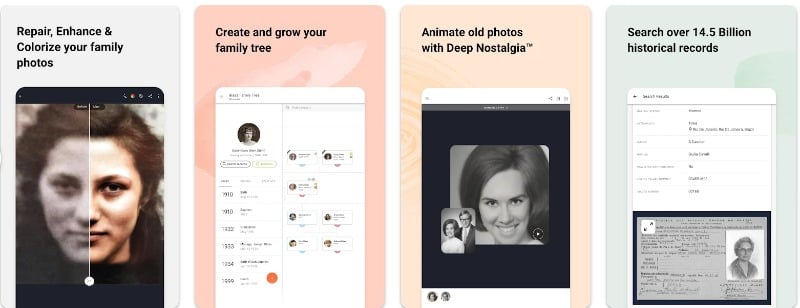
MyHeritage is the best app for people who want to improve old family photos. The app is primarily for genealogy and family tree building, with features like Build Your Family Tree, which automatically matches your family tree with others. The app also has special features for enhancing photos.
Starting with photo enhancement features, the app offers photo repair that lets you fix scratched or damaged photos. As with other apps, you can upload a photo to the app; the app automatically enhances the photo for you. It automatically detects the face in the photo and suggests improvements.
The app also has a photo coloring feature that lets you add color to black-and-white photos. This is useful for turning old family backpacks and white photos into color photos. Finally, there’s a special Photo Enhancer that brings blurry faces back into focus. Also, the app lets you create photo-realistic AI avatars and images of yourself as a historical figure traveling through different eras. Also, the app features Deep Nostalgia, which animates the faces of ancestors using AI technology.
The user experience is simple and easy to use. You can find the image enhancement feature on the home screen. You can tap on the feature and upload an image of your choice to the app. The app will enhance the images automatically. You can also adjust the individual settings, like the photo colors and more. The app is free to download, and you can upgrade to the premium version to unlock the additional benefits of the app.
AI photo enhancer

AI Photo Enhancer is specially designed for users who want to enhance the faces in the photo. The app automatically detects the faces in selfies or group photos and enhances the facial details. Besides the face improvements, the app also offers the ability to restore photos, improve the resolution of the photos, unblur images, and much more.
The app is available in multiple languages. After you install it and use it for the first time, you can choose the language you want. All the features that the app offers can be found on the home screen. The user interface is simple and clear. You can easily navigate to the different parts of the app without any confusion.
Starting with the photo enhance feature, you can select the image you want to enhance. The app offers a basic enhancement and a professional enhancement. You can use the basic version for free by watching an ad and then upgrading to the premium version to access the pro enhancement features. Depending on the images, the app takes a few minutes to process. The result is good, and you can see the before and after results of the image. You can save the images to the gallery or share them with social media apps.
Besides the photo enhancer feature, the app also has a cartoon feature that lets you turn your photos into cartoons. Just like a photo enhancer, you can select the images, and the app converts your photos into images using AI. The app is free to download. You can upgrade to the premium version to eliminate ads and unlock additional benefits.
Download: Android
How to Choose the Best Image Enhancer App
- Compatibility: Check the app’s compatibility with your smartphone software. The list includes both Android and iOS apps. Choose the app that is compatible with your mobile operating system.
- Features: Think about what features you want in an image enhancement app. Here are the most common features that an image enhancement app offers.
-
- Instant Transformation & One-Tap Enhance: Ability to turn old, blurry photos into clear HD images with just one click.
- Cutting-Edge AI Technology: Utilizing advanced AI algorithms to enhance facial photos, everyday portraits, and selfies, producing professional-style output.
- Restoration Capabilities: Repairing old, blurry, and scratched images, including the ability to restore and colorize vintage photos.
- Selective Adjustments & Masks: Make adjustments to specific elements or areas of your photos, like selecting the specific area and making changes to that without affecting the other parts of the image.
- Background Editing: Features to blur, remove, or replace the background of an image, giving more focus to the subject. And also adding custom backgrounds to the image.
- Face & Skin Enhancement: Tools to improve skin appearance, remove imperfections, and make subtle changes to facial features.
- Object Removal: Ability to remove unwanted objects from photos.
- Eye Enhancements: Tools to emphasize the eyes, making them appear more vibrant and captivating.
- Dynamic Backgrounds & Animated Decorations: Adding motion to the background or including animated elements to the image.
- AI Enlarger: Enhancing the clarity of blurry images without sacrificing quality and upscaling the image.
- Rich Elements & Resources: Providing a range of stickers, frames, fonts, backgrounds, and other elements and the ability to add them to the images.
- Clear Comparison: Ability to compare the original image and the processed image side by side to see the improvements.
- Noise Reduction & Sharpening: Tools to remove noise and sharpen images, improving clarity and focus.
- Color Enhancement: Tools to enhance and adjust colors, including saturation, contrast, and toning, to make images more vivid and appealing.
- Image Output Quality: Pay attention to the output quality of the image. Most image enhancements provide the best quality. However, it is always better to check the output quality. There is no direct way to determine the quality of the image. You can consider the following parameters: Image resolution, color accuracy, noise reduction, sharpness, file format support, compression quality, recovery capabilities, try and test, AI capabilities, real-time preview, and more.
- File Format Support: Make sure that the app supports different file formats. Since there are many different image formats, you should make sure that the app supports as many file formats as possible so that you can enhance the image while working with different formats.
- Batch image processing: Look for an app that offers batch processing to enhance multiple image formats. Batch processing lets you select multiple images at once and enhance them with a single click.
- User Interface: A good user interface makes it easy to play with the features and gives you better results without any ambiguity. If you are a beginner or a professional, you should look for an app that offers a simple and easy-to-use interface for a better experience.
- Pricing: Most image enhancer apps offer both free and paid versions of the apps. Consider your needs and budget before upgrading to the premium version.
Finding the Right Photo Enhancement App
With Photo Enhancer apps, you can enhance your photos with just a few clicks. Thanks to technological advancements, these apps can deliver incredible results in seconds. I hope you find this list helpful. If you have any other suggestions, feel free to share them with us in the comments below.
FAQs on Best Photo Enhancer Apps
1. Can I Use These Apps to Restore Old or Damaged Photos?
Yes, you can use these apps to recover old or damaged photos. You can upload the photo, and the app will automatically restore the image. You can also use the app to adjust individual parameters like blur, color of the image, scratches on the image, and more.
2. Can These Apps Enhance Videos as Well as Photos?
Yes, some apps on the list also support video editing features. Just like photos, you can also upload videos to the app, and it’ll automatically enhance the videos. You can adjust the FPS and color, remove blur, and stabilize the video.
3. How Secure Are My Photos When Using AI-Powered Enhancement Apps?
It’s difficult to explain the security policies of all the apps listed in this post. Instead, you can visit each app’s privacy policy for details on encryption, data storage, and sharing with third parties.

