

Downloading files from the Internet is an everyday activity for all of us. Whether for work or for entertainment, we often download files. However, a simple virus file downloaded from the internet can put all your personal data at risk. That’s why it’s important to use an antivirus tool.

Online virus scanner tools offer an easy way to scan your downloaded files on the go. They alert you if the downloaded files contain malicious data that could affect your computer. These tools also offer the ability to upload local files to your computer, scan files from the URL, search for hashes, and more. They provide detailed reports on the scan.
There are a variety of online virus scanner tools. Most of them are free, support various antivirus search engines, and offer detailed reports to protect you from online viruses. In addition, some tools allow you to enable automatic scanning so you don’t have to submit the file for scanning manually. In this guide, you will learn about the eight best online virus scanner tools.
Table of Contents
Best Free Online Virus Scanners
- VirusTotal: The best online tool to scan files quickly and securely online. It’s free, works with many file types, and scans your files with over 70 antivirus programs. Offers a clear interface.
- Kaspersky Threat Intelligence Portal: Provides detailed insights and investigation reports. There is a free and paid version, and is known for its comprehensive threat tracking and in-depth analysis tools.
- Internxt: A privacy-focused tool that allows you to upload large files securely. It doesn’t provide detailed malware reports, but your data remains private.
- OPSWAT File Security for Chrome: The best Chrome extension automatically scans your downloads; it uses more than 30 anti-malware engines.
- Hybrid Analysis: Provides a dedicated virtual environment to scan files securely. Provides detailed reports.
- Dr. Web: A simple and easy-to-use application that allows quick file scans directly in your browser.
- Jotti: Enables fast and reliable scanning of files by using multiple antivirus engines. It supports various file formats.
- ANY.RUN: Perfect for cybersecurity experts, provides in-depth analysis and valuable insights. Best suited for security professionals.
VirusTotal

- Scanner Type: Cloud-based, multi-engine malware scanner.
- Price: Free
- File input types supported: Wide range, including executables, PDFs, and images.
- Key Features: It uses over 70 antivirus scanners, provides real-time updates, and provides detailed reports.
- File Upload Limit: Varied, supports large files (Up to 500 M.B)
- Require Signup?: No, but optional for more features.
VirusTotal is my favorite, and I’ve been using it for a long time. It’s user-friendly, detects many threats and viruses, and offers good file upload speeds and accurate results. The virus scanner is free and is best for simple, safe, and fast online file scans.
The tool detects many malicious files, including viruses, worms, and Trojans. It aggregates the data from various antivirus engines and analysis tools and uses its scanning techniques, including dedicated heuristics engines and metadata extraction technology, to find malicious data in the file.
The tool supports different file inputs, including Windows executive files, Android AP cases, PDF images, documents, and even Java Script codes. You can upload or scan the file using the URL or search any file on the internet using the IP address, domain name, or file hash. The tool supports a maximum file size of up to 650 MB.
The tool uses various antivirus engine detection tools to scan files; if it finds something malicious, it automatically identifies the data of the files and labels them. The labels include malicious, pushing sites, and suspicious pages. You can easily determine how malicious the file is based on the labels. You can also comment on the files you receive and share them with the community for better results.
In terms of privacy, VirusTotal states that the file samples submitted by users (e.g., files or URLs for analysis) are shared with VirusTotal’s partners for review. The reports generated are also shared with the user and the partners, who can use the results to improve their systems.
Before you submit the file, you must agree to the terms and conditions. The terms and conditions didn’t affect me much as I only used a tool to scan downloaded files from the internet. These are publicly accessible anyway. But make sure you don’t upload any confidential, sensitive, or personal data.
As for pricing, VirusTotal is free for personal and non-commercial use. It is also available for premium or commission services. Using VirusTotal is easy. You can visit the website and upload the file. Click on “Confirm” and upload the files. Depending on the file, the tool will take a few to several minutes to scan the file. It will display detailed results and the community survey. You can analyze the files again.
Kaspersky Threat Intelligence Portal
- Scanner Type: Cloud-based threat intelligence service.
- Price: Free and premium tiers.
- File input types supported: Malware samples, URLs, IP addresses, and file hashes.
- Key Features: In-depth threat analysis; access to Kaspersky’s database; detailed behavior reports.
- File Upload Limit: Specific to the type of query.
- Require Signup?: Yes, for access to detailed features.
The Kaspersky Threat Intelligence Portal is one of the best online tools for scanning files. Kaspersky is a leading provider of security services and offers various antivirus services. The Threat Intelligence Portal is designed to monitor and track a variety of threats around the world.
The tool provides a detailed analysis of threats occurring around the world. It has a dedicated cyber map that displays the threats worldwide. It lists the top 10 countries with the highest threats and the top 10 threats detected worldwide.
The portal offers a quick and easy way to upload and scan files. It supports various formats, such as executable files, documents, images, etc. You can also scan files by specifying the URL. After verification, the file will be displayed in a detailed scan report.
If you want to upgrade to the premium version, you will also receive a dynamic analysis summary where the results of the Kaspersky Cloud Sandbox analysis are displayed in a detailed report. The results also show the specific category to which the malicious files belong and the similar files that were detected. You can click on the file and view more details, such as the name, the parent virus, a detailed description of the file, its threat level, and much more.
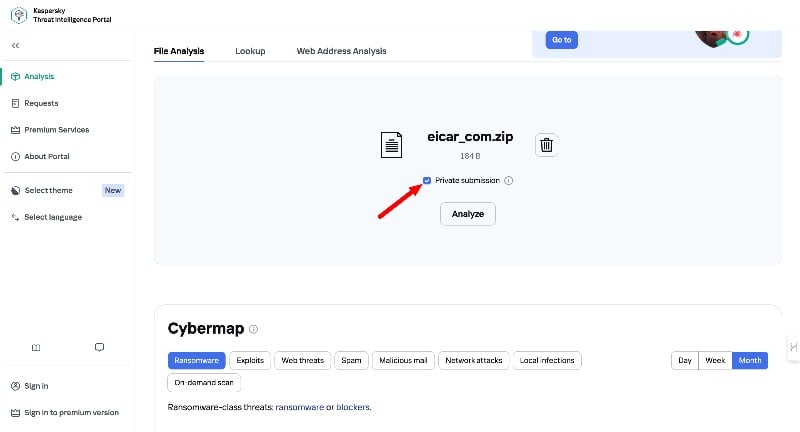
If a virus is detected, you can unsubscribe from the public file share. Don’t forget to check the box before submitting the file for scanning. This checkbox is required to mark your file as private and refuse to share your file with the public.
The tools are free to use. You can create an account to access additional features such as web address analysis, track your file uploads, scan results, and more.
Internxt

- Scanner Type: Cloud-based threat intelligence service.
- Price: Free
- File input types supported: Wide range, including executables, PDFs, and images.
- Key Features: Uses over 70 antivirus scanners; real-time updates; No detailed reports.
- File Upload Limit: Up to 1GB
- Require Signup?: No, but optional for more features.
Internxt is another popular tool that I occasionally use to scan files smaller than one GB. The tool offers file upload limits of up to one GB. It offers a clear user interface, supports various file inputs, and is accurate. The only downside I had with it is that it doesn’t show details about the malware in the file. It only shows whether your file is virus-free or virus-infected.
The tool is accurate. I tested the tool with more than ten different types of malicious files, and it detected a virus in every test file I uploaded. The tool supports various file inputs such as documents, images, PDFs, etc. You can upload files up to 1 GB in size, making it suitable for scanning documents and media files for viruses.
The tool works with a zero-knowledge architecture, which means that the company has no access to the files you scan or store on its platform. The website states that the uploaded files remain confidential, and there is no explicit mention of the data being shared with third parties. Speaking of missing. The tool also cuts off the ability to scan files from the URL or search the file. The Internxt Online Scanner is a part of Internxt’s overall antivirus package.
Overall, Internxt is a reliable option if you’re looking for better file upload limits. However it lacks some important features like the ability to view detailed scan results, scan files from the URL, search files, and more. Internxt is free to use.
OPSWAT File Security for Chrome
- Scanner Type: Browser extension, multi-engine malware scanner.
- Price: Free, with API usage limitations for free users.
- Types of file input supported: Supports files up to 140MB, including PDFs, DOCs, JPGs, and XLS.
- Key Features: It uses over 30 anti-malware engines for scanning via MetaDefender Cloud and offers automatic and manual scanning options.
- File Upload Limit: Up to 140MB per file.
- Require Signup?: No for basic usage; advanced features/API key updates require an OPSWAT account.
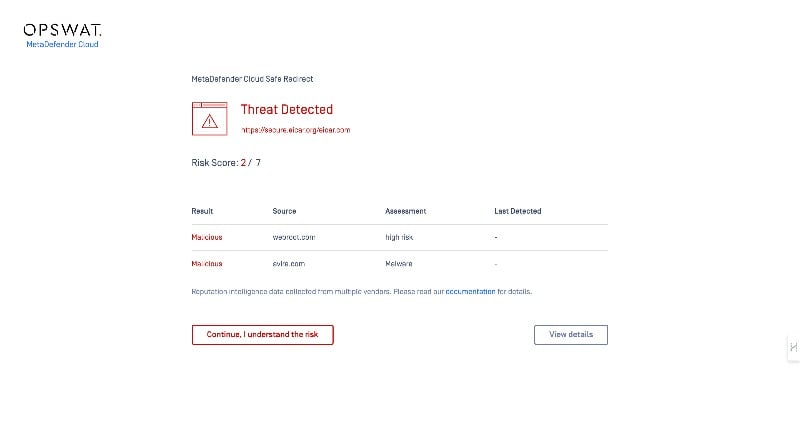
OPSWAT File Security is a Google Chrome extension that automatically scans files downloaded via the Google Chrome browser. The tool supports over 30 anti-malware engines and offers automatic and manual scanning options. When automatic scanning is enabled, the scanner runs continuously in the background and provides real-time protection by scanning every file downloaded via the Google Chrome browser.
You can add this extension from the Chrome Web Store. Once installed, the tool allows automatic scanning of all downloads and manual scanning of specific files before downloading. The OPSWAT Chrome extension sends all your downloads to the service and scans them for you. But this is sometimes a gamble. In my tests, there were a few instances where the extension didn’t scan the file; in other cases, it worked flawlessly.
You need to allow access to the file URLs to enable automatic scanning. To do this, you need to pin the extension to the top, open it, and click on the settings. In the first settings you allow access, you will be redirected to the Chrome settings. Scroll down and allow the file URLs in Chrome. Now, go back to the extension settings and activate the auto-scan function.
Visit Site
Download Google Chrome Extension
Hybrid Analysis
- Scanner Type: Cloud-based, dynamic malware analysis tool.
- Price: Free
- Types of file input supported: Exe formats, major Microsoft Office document formats, Java jar files, and common archive formats.
- Key Features: Virtual sandbox environment for malware analysis, detailed reports on behavior, network traffic analysis, and execution screenshots.
- File Upload Limit: Up to 500 M.B
- Require Signup? : No, Required for accessing full features and detailed reports.
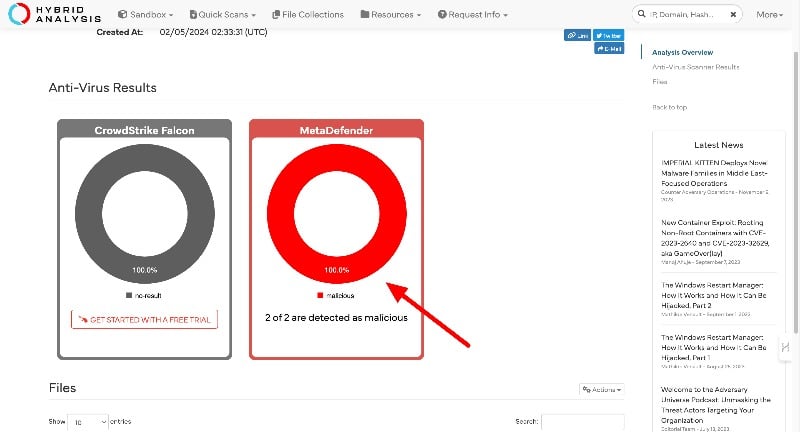
Hybrid Analysis is another straightforward online scanner for scanning files. Like other online scanners, you can upload the file or submit the file URL and get detailed scan results. The tool supports various file types, including executable files, office documents, and images. The tool works with a virtual sandbox environment to detect malicious behavior. This means that it creates an isolated test space without compromising the security of your system. The results were accurate when we tested with more than ten malicious test files.
Hybrid Analysis also supports YARA search (not an acronym), a popular technique that cybersecurity professionals use to set up rules to identify malware based on specific patterns. You can create rules based on strings, binary patterns, and logical conditions. The YARA hybrid analysis is suitable for both beginners and advanced users. You need to create an account on the website to use the advanced search and change the rules.
In addition to the YARA search, the hybrid tools also offer a string search to find specific sequences of characters in the uploaded files. This technique is used to find known malicious code in the file. The tool offers both advanced and basic string search methods. To use the advanced string search, you need to log in. You can select a specific file and the search type, date of first and last visit, and more.
Files scanned with the tool are shared publicly with others. Therefore, the site advises against submitting personal and sensitive information. You can ask the tool to delete your report, but it will only remove the file that might contain sensitive information. It is important to note that this can be dangerous as someone will need to review the file.
As for the price, the hybrid tool is available for free. Basic malware scans can be performed without an account. However, to access advanced features, users must log in or create an account.
Any Run

- Scanner Type: Cloud-based, multi-engine malware scanner, dynamic malware analysis tool.
- Price: Free
- File input types supported: Wide range, including executables, PDFs, and images.
- Key Features: It uses over 70 antivirus scanners, provides real-time updates, and provides advanced detailed reports.
- File Upload Limit: Varied, supports large files.
- Require Signup?: Yes, a business email is required.
Any.Run is an advanced and interactive threat analysis tool that allows you to test and interact with malicious files in real-time. The tool is best suited for cybersecurity researchers, malware researchers, and IT security teams. It provides a detailed analysis of malware in real-time. It also shows how malware behaves and how it affects different systems and specifications. You need to sign up with a business email to create an account.
The tool is more than just an online scanner; it shows detailed reports and real-time analysis of how the malware behaves in a particular environment. You can set up real-time environments and test how malware behaves, how it communicates, and how it tries to evade detection. For example, if you want to test a file in Windows 11, you can set up the Windows 11 environment, test malicious programs, and see how the malware interacts with the software and how it can damage the computer.
Initially, I felt overwhelmed when I looked at all the reports the tool offered. But after testing it and playing with all the features, I learned a lot about the tool. First, if you find all the reports overwhelming and confusing, you can use the text report option to remove all the CSS and visual elements and create a simple and detailed analysis.
No information is neglected; all the information you find in the main report can also be found on this page. These are clearer and easier to use. The information includes general info, behavioral activities, videos and screenshots, processes, and more.
There is so much to say about this tool. If you ask me, “Is the tool suitable for an everyday user?” Yes, it is, mainly because the simple text report offers similar results to other online scanners, but the information the tool provides makes it unique.
The files that are uploaded above are shared publicly with the community. Be careful not to submit any personal or sensitive information. For advanced users, the tool can be integrated with other cybersecurity tools and platforms, and for recurring analysis, ANY.RUN offers task templates that can save time.
Dr web
- Scanner Type: Web-based antivirus scanning tool.
- Price: Free
- Types of file input supported: Various, including executables and documents.
- Key Features: Direct browser-based file scanning without installation, leveraging Dr. Web’s antivirus engines for real-time malware detection.
- File Upload Limit: 10 M.B
- Require Signup?: No, accessible without account creation.
With Dr. Web’s online scanner, you can scan files and URLs directly from your web browser. Dr. Web is an established name in cybersecurity. The company offers a wide range of security services for businesses and individuals. The online scanner is a free tool for scanning files instantly.
The tool supports various file formats, including documents, JPG, Excel files, PDFs, and more. There is no support for scanning files via the URL. You can use a separate tool to scan the URLs. Also, there is a strict file size limit. You can upload a file with a size of 10 MB, which is usually sufficient for quick file scans.
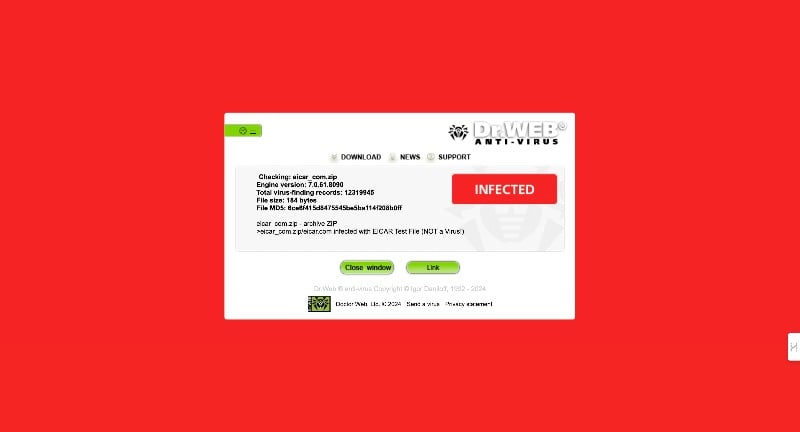
Dr. Web’s online scanner is fast, easy to use, and accurate. But it still needs improvement in some areas. Starting with the design. Don’t get me wrong, it’s usable, and the experience is good, but the bright green color demands attention, especially with the results.
I pointed this out because it was difficult to see the results. This may be subjective, but I hope they will update this design. Next, the tool not loading and occasionally not working. Those are the two biggest issues I’ve had with this tool. Other than that, the tool is great for quick online scans. The DR Web online scanner is free to use.
Jotti Online Scanner
- Scanner Type: Multi-engine online malware scanning service.
- Price: Free
- Types of file input supported: Multiple file formats, including executables, documents, and archives.
- Key Features: Scans files using several antivirus engines simultaneously
- File Upload Limit: Up to 250MB per file.
- Require Signup?: No registration is required for use.
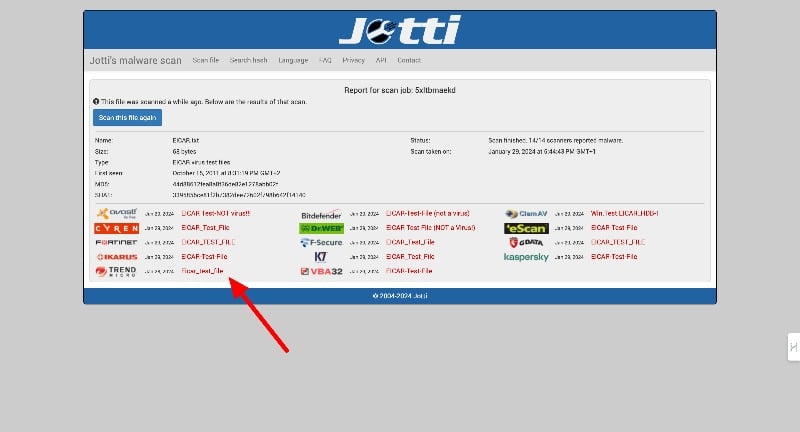
The Jotti online scanner is quick and easy to scan files on the go. The tool supports various formats and uses fourteen antivirus engines to scan the file. It is best suited for users who want to get more accurate results in less time and scan files online.
The tool supports uploading files up to 1 GB in size. There is no option to scan files with the URL. Along with the file, you can also search and find the hashes. The site offers a dedicated function to search for different hashes. The Jotti Online Scanner uses fourteen antivirus engines to scan the tool. These include Avast, DR Web, Kaspersky, and others. The tool provides basic reports and results of each antivirus engine.
The privacy policy page states that the uploaded files are shared with the companies. Uploading files with sensitive or confidential information is not recommended. The use of the Jotti online scanner is free of charge.
How To Choose the Best Online File Scanners

- Multiple Scanner Enginers: The more antivirus engines the tool uses, the better. This means your file gets checked by various scanners, increasing the chances of finding malware.
- Speed of Scanning: Speed is important, especially when uploading large files. Most tools listed on this post offer fast upload and scan details.
- File Size Limit: Check how big of a file you can upload. Some tools let you upload large files, while others have a smaller limit. Pick one that suits the size of the files you usually work with.
- Privacy and Security: Your files might contain personal or sensitive information. Ensure the scanner keeps your files private and deletes them after scanning.
- Require Signup: Most virus scanners let you upload and scan files without creating an account. This process is easy and fast. Creating an account has additional benefits like viewing previous reports, access to other features, etc.
- Ease of Use: The tool should be simple to use. Look for a straightforward website where you can easily upload your file and get the scan results.
- Detailed Reports: Make sure the site offers a detailed report about the scan, especially if malware is detected. This can give you insights into how to fix similar issues in the future.
- Compatibility: Ensure the scanner supports various file inputs, whether documents, executables, or images. The more file types it can handle, the better.
- No Downloads Required: Ensure the dont tool prompts you to download anything. You should be able to do everything directly on the website without downloading additional software.
- Free or Cost-Effective: Most online scanners are free to use. Some tools offer additional features as part of a paid plan. If you really need these features, you should upgrade to the premium plan. If not, the standard plan should be sufficient for most users.
Side-by-Side Comparison of Best Online Virus Tools
Feature/Scanner | VirusTotal | Kaspersky Threat Intelligence Portal | Internxt | OPSWAT File Security for Chrome | Hybrid Analysis | ANY.RUN | Dr.Web | Jotti |
|---|---|---|---|---|---|---|---|---|
Scanner Type | Cloud-based, multi-engine | Cloud-based threat intelligence | Privacy-focused design | Browser extension | Cloud-based, dynamic malware analysis | Interactive threat analysis | Web-based antivirus scanning tool | Multi-engine online malware scanning |
Strengths | Over 70 antivirus engines, detailed reports | In-depth analysis, global threat tracking | High privacy, supports large files up to 1GB | Automatic Scans downloads in Chrome, 30+ engines | Virtual sandbox, detailed Malware behaviour analysis | Real-time interaction with files | Direct browser scanning, easy to use | Fast, uses several antivirus engines |
File Input Supported | Wide range, including executables, PDFs | Malware samples, URLs, IP addresses | Executables, PDFs, images | Various types up to 140MB | PE formats, Office documents, archives | Specific to cybersecurity analysis | Various, including executables | Executables, documents, archives |
File Upload Limit | Up to 650MB | Up to 500 M.B | Up to 1GB | Up to 140MB per file | Not explicitly mentioned | Up to 500 M.B | Up to 10 M.B | Up to 250MB per file |
Privacy & Security | Files shared with partners | Can opt out of public sharing | Zero-knowledge architecture | Basic privacy | Files are shared publicly | Files shared publicly | Basic privacy | Files shared with antivirus companies |
Ease of Use | User-friendly | Requires signup for full features | Simple interface | Chrome extension, easy setup | Requires signup for detailed reports | It may be complex for casual users | Straightforward | Simple and fast |
Detailed Reports | Yes | Yes, especially in premium | No detailed malware reports | Quick detection alerts | Detailed sandbox analysis | In-depth, real-time analysis | Quick, basic reports | Basic reports, comparative insights |
Compatibility | Wide variety of file types | Wide variety of threats | Various file types | Chrome downloads | Wide variety of file formats | Designed for cybersecurity professionals | Various file types | Multiple file formats |
No Downloads Required | Yes | Yes | Yes | Chrome extension required | Yes | Yes | Yes | Yes |
Free or Cost-Effective | Free (premium services available) | Free and premium tiers | Free | Free (limitations for API users) | Free (signup required for full features) | Business email signup is required | Free | Free |
Test Results (Virus detection rate from our tests) | 100% | 100% | 100% | 70% | 100% | 100% | 80% | 100% |
FAQs about Best Online Virus Scanner Tools
1. What is the best online tool?
Every tool has its advantages. If you want to scan files for viruses quickly and in great detail, VirusTotal is the best general tool. For data protection-oriented scanning of large files, Internxt is the best tool. If you are a professional and want to analyze how malware behaves, ANY.RUN is the best option for you. Kaspersky is best for advanced scans, and Dr. Web and Jotti are best for quick scans.
2. What is the best free online file scanner for large files?
Internxt is a good choice for scanning large files up to 1 GB for free. The tool was developed with data protection in mind and ensures that your data remains confidential. While it doesn’t provide detailed malware reports, it accurately detects malicious files and supports large files.
3. Can I scan files directly from my browser without downloading software?
You can use OPSWAT File Security for Chrome, a browser extension that scans your downloads directly in Google Chrome. You can enable automatic scanning. The tool supports files up to 140 MB.
4. What online scanner offers the most detailed malware analysis?
ANY.RUN is a tool that provides detailed malware analysis. It is ideal for cybersecurity professionals seeking in-depth, real-time malware behavior analysis. The tool allows you to interact with suspicious files safely and provides extensive details about the behavior of malware and how it interacts with specific environments.
5. Is there an online scanner that doesn’t share my files with third parties?
Internxt works with a zero-knowledge architecture, i.e., your files are inaccessible to the company and are not passed on to third parties. It’s a good option if you’re worried about your privacy.
Note: The article was first published by Raju PP in August 2009 and was recently updated by Ramesh Reddy in February 2024.

