

Quick Answer
After testing seven alternatives, Google still wins in 2026 thanks to superior relevance, localized results, real-time data, product discovery, and seamless ecosystem integration, making it far more reliable and convenient than competitors despite privacy concerns.
Google is synonymous with searching for something on the internet. Nobody, literally, nobody says “I’ll search on the internet“. They just say, “I’ll Google it“. That’s how Google built and revolutionized web search. There were a few search engines prior to Google, and many after Google. But none of them comes close to Google search.
Seeing the social media posts and articles on user privacy, and Google’s data collection policies, I ditched Google search in the previous year and used alternative search engines, including DuckDuckGo, Bing, Brave Search, Yandex, Qwant, Yahoo, etc. And to my surprise, none of those search engines provided me with the answers I was looking for.
Gradually, I stopped using them and came back to using Google search and setting it as the default on my web browser. The answers to my queries become more relevant. There are a few other reasons that made me come back to Google search. I will tell you those reasons and why you should not cut Google entirely out of your digital life.
Table of Contents
Why Google Search Is Better Than Others
For context, I have used Microsoft Bing, DuckDuckGo, Brave, and Yandex search engines, and Qwant search at times.
Easier Accessibility
Google search is easier to access on any device. You do not even need to visit Google.com to search. Google is the default search engine on Android phones through its browser, Google Chrome. Apple Safari on iOS has Google Search as the default search engine. Most other web browsers like Mozilla Firefox and Opera also default to Google search, though this may vary by region and browser version.
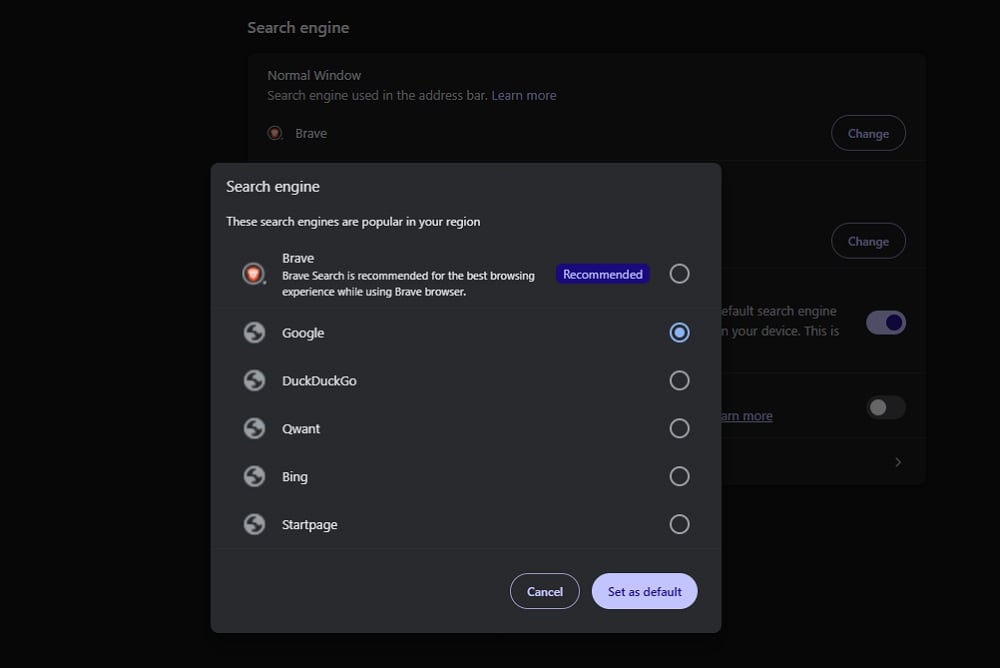
Accessing Google is effortless, but ditching Google takes a lot of effort. We need to consciously install the DuckDuckGo browser to use DuckDuckGo search, or change the default browser to DuckDuckGo or another search engine in the browser settings. Though it is a one-time process, they do not work the same way on smartphones.
You can just call up Google Assistant on your phone and ask it to search for something on the internet. As it is powered by Google, you will get answers instantly. When you ditch Google and use DuckDuckGo or other search engines, you have no option but to use a web browser.
Localized Search Results
Since Google started as a search engine service and then expanded into other areas, the search is far better than other ones. I live in a two-tier city in India. If I need to find a business or something related to the city, only Google can help.
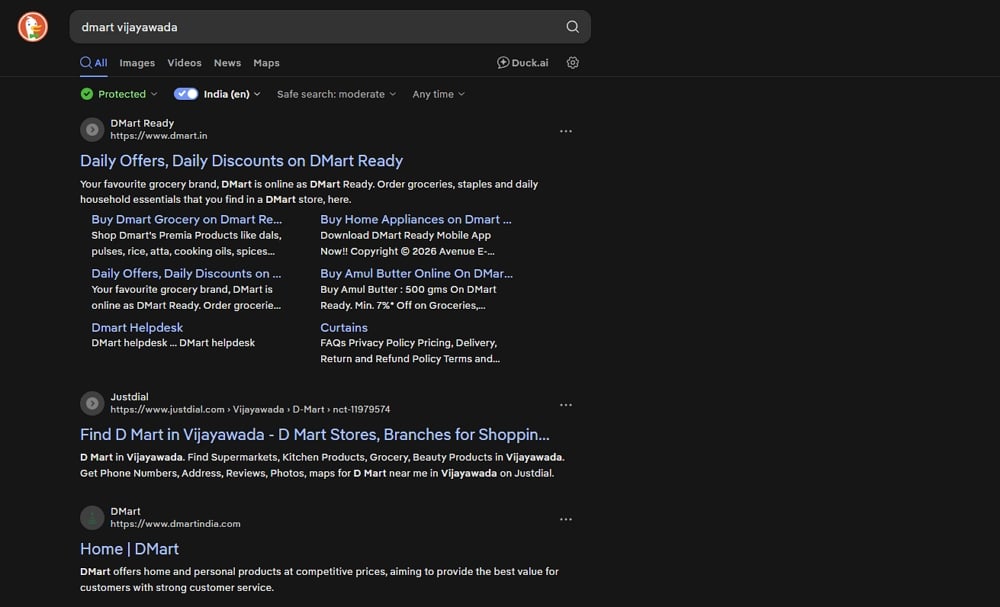
DuckDuckGo and other search engines do not even have listings of businesses. When I search for a store in my city or area, DuckDuckGo fails to even provide the information about its existence and just guides me to its official website. Toggling the button to see India-nized results does not help either.
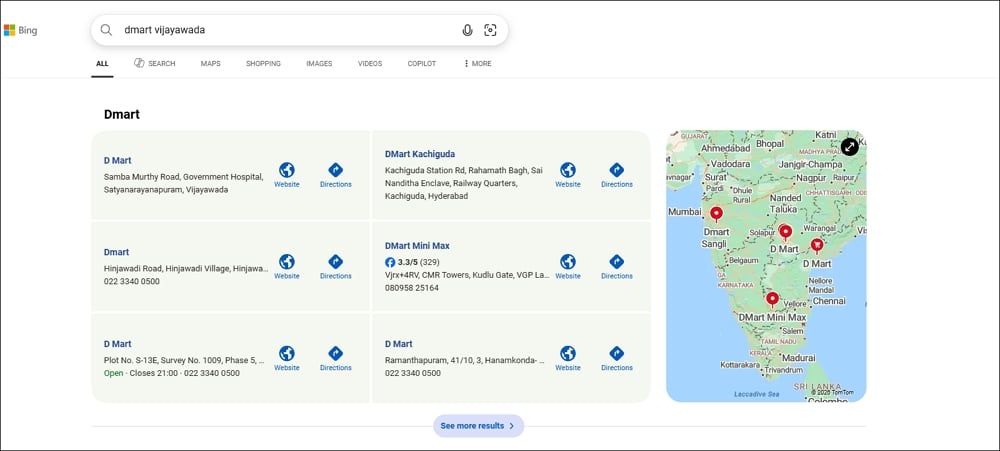
Microsoft Bing helps to an extent, but with no up-to-date information related to business, reviews, and a lot of other information that can help. All you can find is a business listing with address, official website, and a Directions button that takes me to Microsoft Bing Maps, which is unavailable on my phone.
But when I search the same thing on Google, it provides me with a lot of information. The information includes whether the business is open or closed at that time, the address, user ratings for the business, contact information, how busy the store is, and an option to call or visit the store using Google Maps.
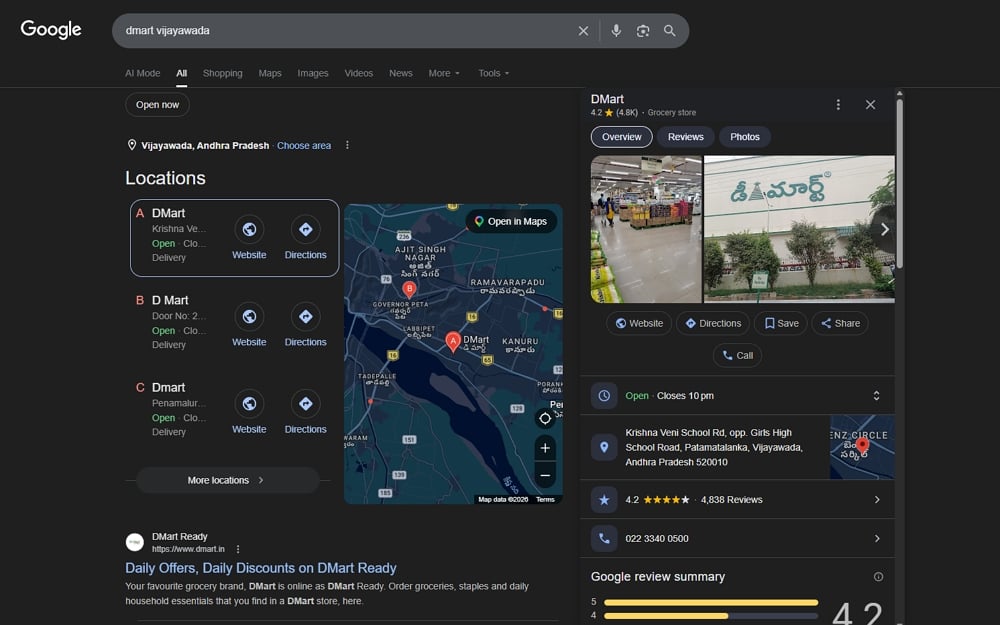
With such an abundance of information on Google search, it is inevitable for anyone to stop using it for other search engines.
More Choices When Searching for Products
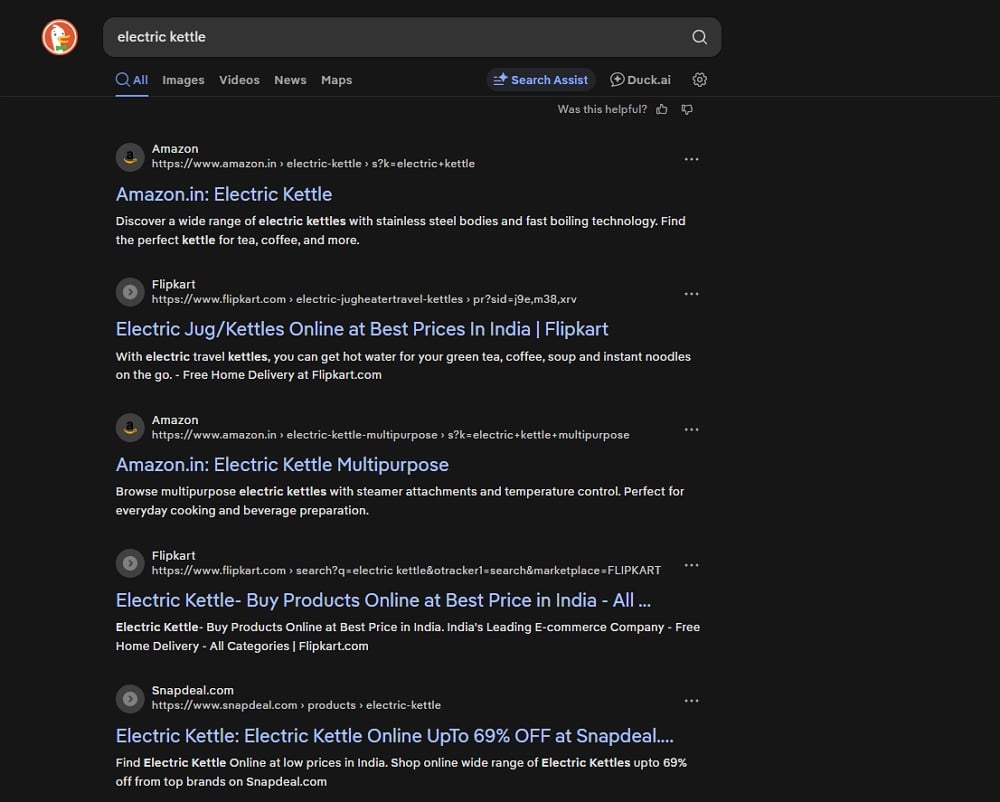
Google search provides more options while searching for products. When you search for an electric kettle in a two-tier city in India on DuckDuckGo, all you can see are search results directing you to either Amazon India or Flipkart, the two major online marketplaces. Or SnapDeal at times. Except that you do not get any more information. You do not see any search results pointing to reviews for an electric kettle, help guides, etc.
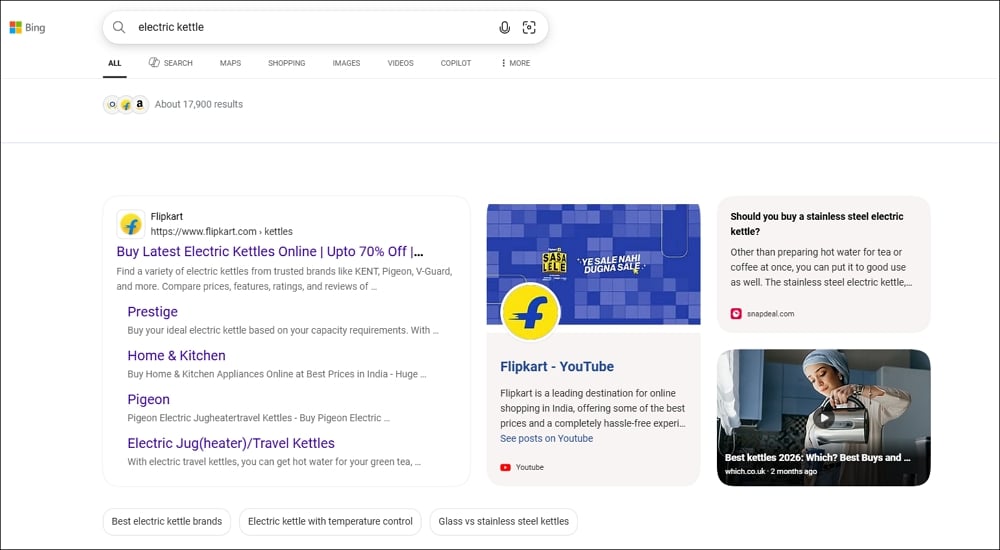
When I search for the same “electric kettle” on Microsoft Bing, it gives me better results with multiple online marketplaces, videos for reviews, and references, etc. But it lacks the feature to show products from nearby businesses. It does not show reviews for the products it showed in the search results.
Google search for the same keyword “electric kettle” provides multiple products along with their price, reviews, sort them by popularity, price, etc. It shows if the products are available nearby. To get more contextualized results, we can use the filters Google offers for product searches, like Stainless Steel, Glass, etc., in the context of an electric kettle.
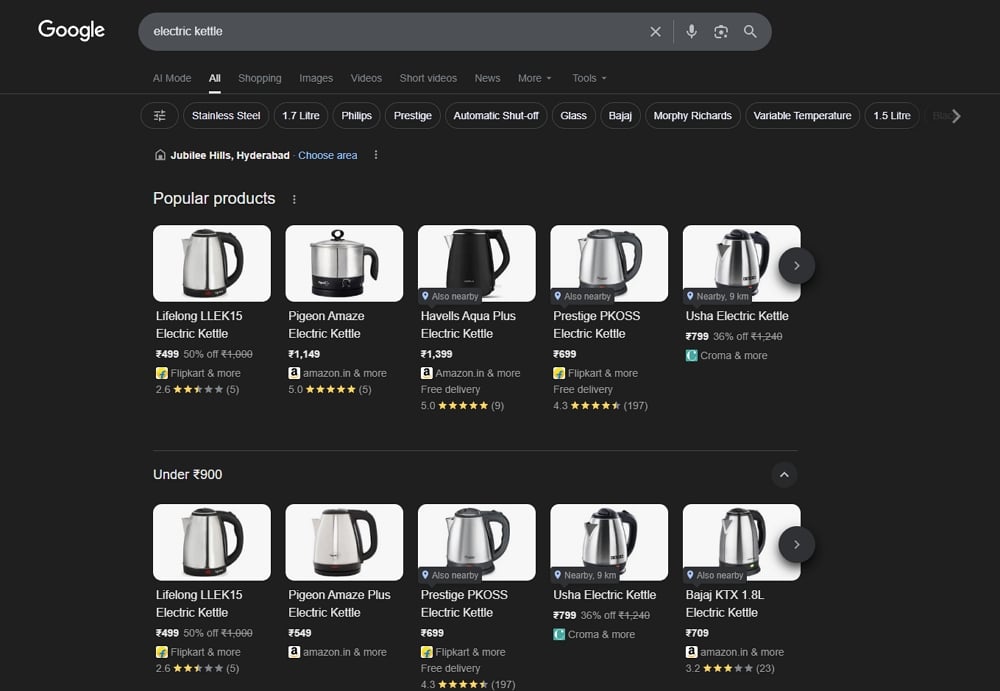
Google makes it easy to narrow down to the product we are looking for. Other search engines just show the listing, where we have to do all the work manually.
Better Reliability for Reverse Image Search
DuckDuckGo and Brave Search have limited reverse image search capabilities compared to Google. DuckDuckGo allows searching by image URL, but lacks the seamless drag-and-drop or lens-based experience. Only Microsoft Bing and Yandex offer a more complete reverse image search feature comparable to Google. They both have good engines for reverse image search, but lack the easy accessibility that Google has. To use Yandex or Microsoft Bing reverse image search, you need to visit their websites or install apps and go to the image search page.
We have to go through the same process to reverse image search on Google if we use a web browser. Unlike Bing and Yandex, we can just use the Lens feature to reverse image search. It does not need the installation of any new app except for the pre-installed Google or Google Chrome app on Android. The reliable accessibility options make Google a better choice for reverse image search.

Though we all use various tools to reverse image search, Google reverse search works well for me.
Better Search Results With Up-to-Date Information
Google integrates up-to-date or real-time information when we search for something. For example, when I want to get a product, I can search for it online, find a reliable store nearby, and open the directions on Google Maps. In these three steps involved in a single process, Google differentiates itself by providing additional and the latest information.
The first one is user reviews for the product, as well as the store I want to visit. Then, if the store is opened or closed, or when it will close, whether the holidays change its working hours, etc. When I decide to visit that store, and am unsure of how much time it takes to visit and come out of the store, it provides how busy the store is daily, seven days a week. It lets me decide if I want to visit the store or plan something for convenience.
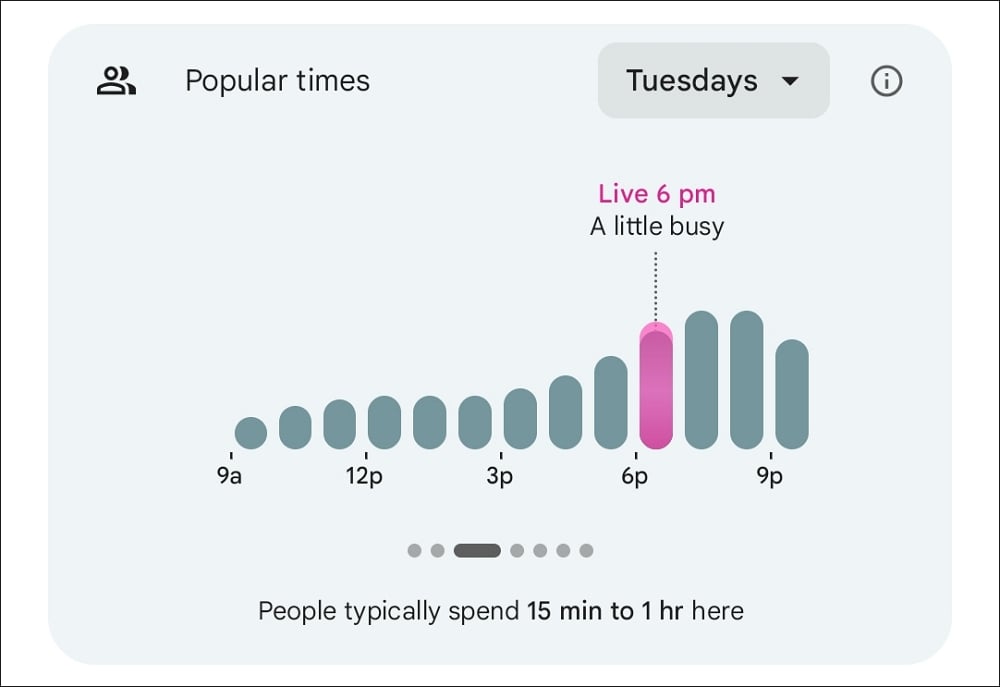
If I choose to visit a store and am unsure about how the traffic in the area is, I simply go to Google Maps for the business listing on Google search. Then, see how the traffic is currently in real-time from my location to the store.
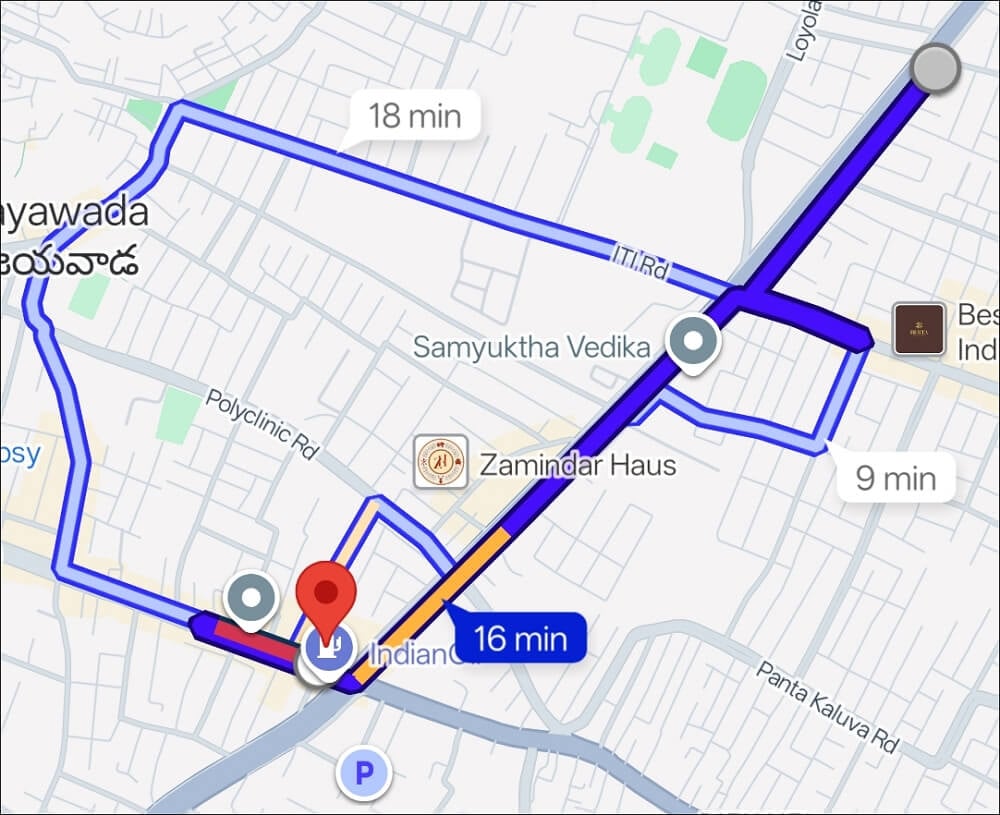
It provides me with all the necessary information up-to-date or in real-time and lets me plan things at my convenience.
One Account Everywhere
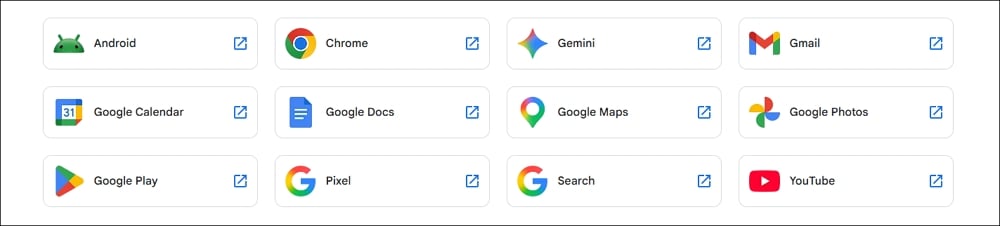
One Google account is sufficient to use everywhere on the internet. The searches you do get saved to your account. You can access the same search results on multiple devices and continue with what you are doing, even if you change the device.
Signing in with your Google account to use Google search gives you personalized and contextual search results. You can use the same Google account on other Google products like YouTube, Gmail, Google Calendar, Google Docs, etc.
Even on the majority of third-party apps and services, you can sign up and use the service with a Google account. If you ditch Google and use other services, the convenience of using one account everywhere might not be possible.
Conclusion
Except for countries like China where Google is banned, or regions where access is heavily restricted (like Russia), it is nearly impossible not to rely on Google search or its allied features. No matter how hard you try not to use it, there always comes a necessity in some form. Hope companies that project themselves as safer alternatives to Google build an ecosystem that works everywhere, like Google. Google is more convenient than others at this time.

