

Quick Answer
Want AI on your phone without cloud limits? Models like Llama 3.2, Qwen3, Gemma 3, and SmolLM2 run locally for private chats, coding, reasoning, and image tasks. Llama 3.2 is the best all-rounder, while Qwen3 excels at reasoning and Gemma 3 adds image support.
Running AI models locally also has a plethora of benefits. First, your data never leaves your device. All the conversations are privately secured on your device, and of course, since you are running them locally, there are no limits; you can chat as much as you want, and the best part is, you can choose any model you want to run locally.
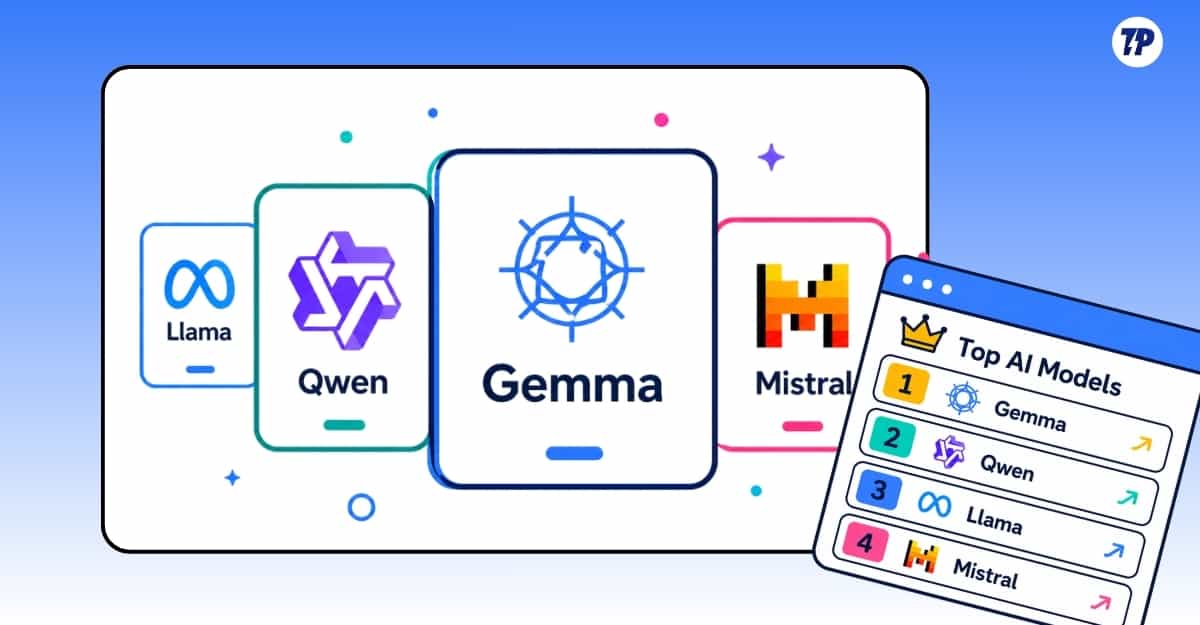
When most AI models are free to use, there is definitely debate about running models locally, but if you’re looking for one, you can try the 10 best models below that I have tested over the past couple of weeks.
It is getting increasingly harder to keep track of AI updates. Every day, there is a new model and a new announcement from these AI companies. I’ve done all the hard work and listed 10 of the best AI models currently on the market, and I update it whenever a new model beats the current list.
However, if you want the latest updates and to keep track of them every day, I have also created an AI local model Arena on our sister site, Techpp Insights, where you can see a list of the best and current AI models, as well as new models. You can click on this link to visit: Best AI Models to Run Locally on Your Device (Dashboard)
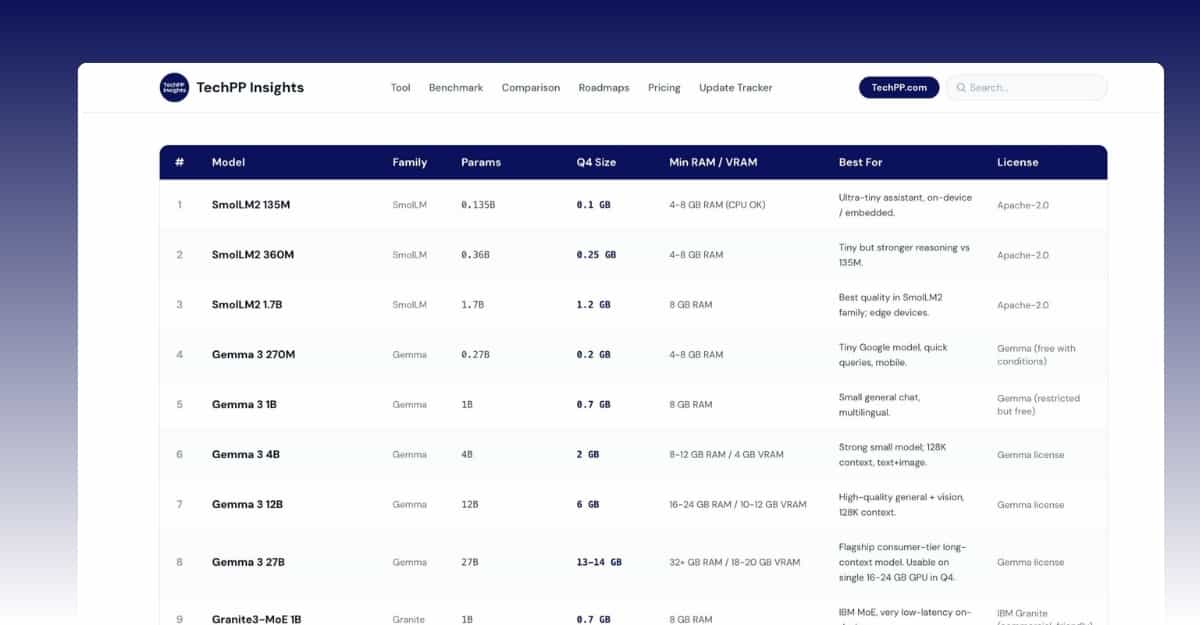
Table of Contents
5 Best Local AI Models to Run on Android and iPhone
SmolLM2 1.7B: Best Lightweight Model for Daily Text Tasks
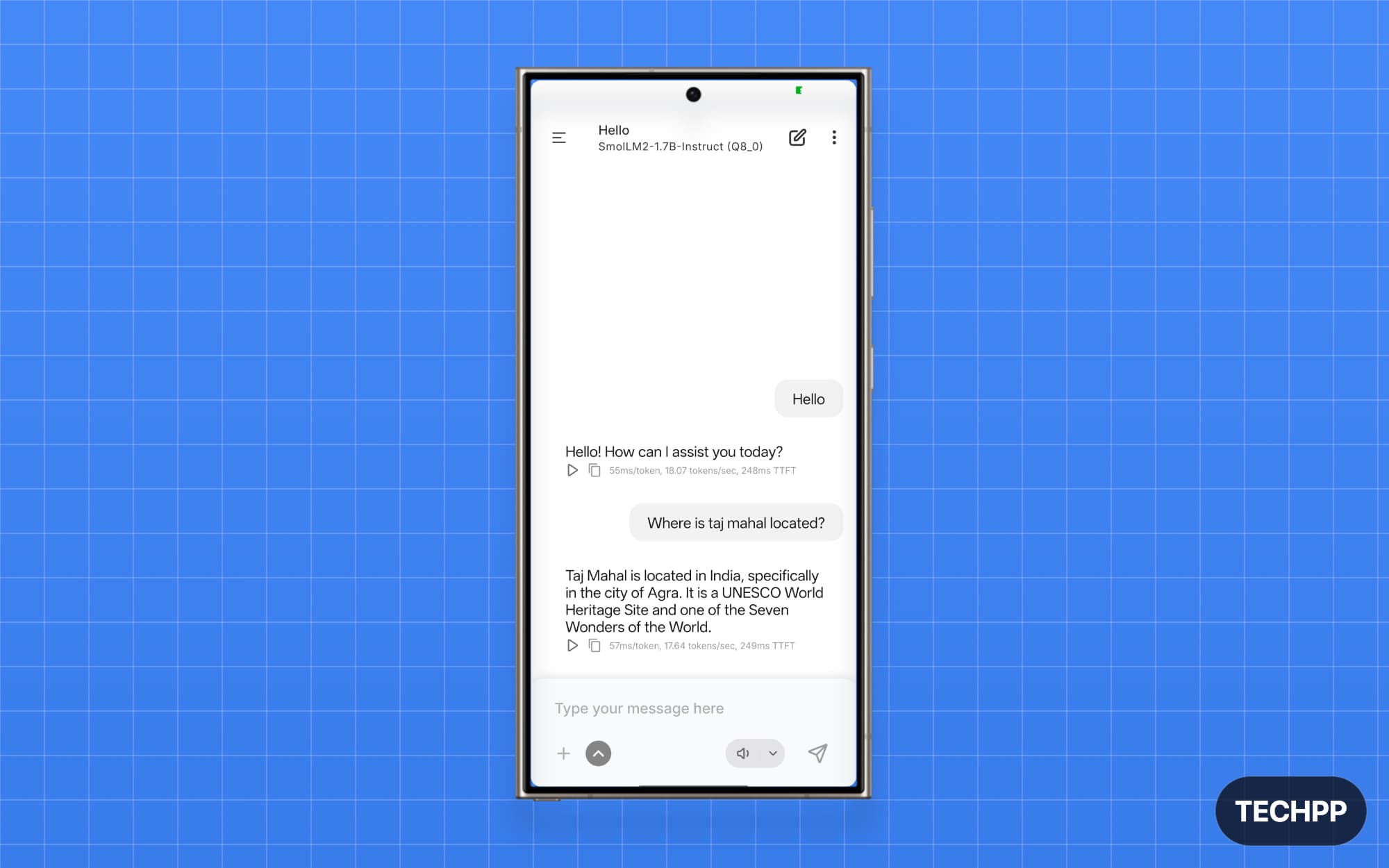
SmolLM2 1.7B is still the best if you want a lightweight model you can run locally on your device. Hugging Face, a popular open-source model website, is behind this model development, and it outperforms larger Qwen and Llama models.
SmolLM2 1.7B comes in three sizes. The 136M, 360M, and 1.7B. Both 136M and 360M are fast, but they don’t hold enough reasoning and context for daily tasks. However, 1.7B is still smaller than other large models but beats Qwen and Llama 7B in certain benchmarks thanks to high-quality data used for its training and better instruction tuning.
I asked both to provide a summary of our recently published John Ternus article, and both did a fairly decent job. Gemma offered a more comprehensive response, whereas SmolLM2 1.7B missed some points. However, SmolLM2 1.7B is much faster than Gemma.
Hugging Face also claims the model is best for drafting and replying to emails by reading them, so I tested it. I willingly generated a complex email with ChatGPT and fed it into both models. You can find the sample here. To my surprise, both models provided accurate answers. They did not even hallucinate; I cross-checked with other AI models to improve accuracy.
I also tested it for coding. I asked both models to generate a simple login UI for my webpage, but for an unknown reason, SmolLM2 1.7B failed to generate the code, while Gemma generated full-page code for the login website with all necessary fields.
After testing it, I recommend the SmolLM2 1.7B model for your local text workflows.
Gemma 3 4B: Best Multimodal Model for Text and Images
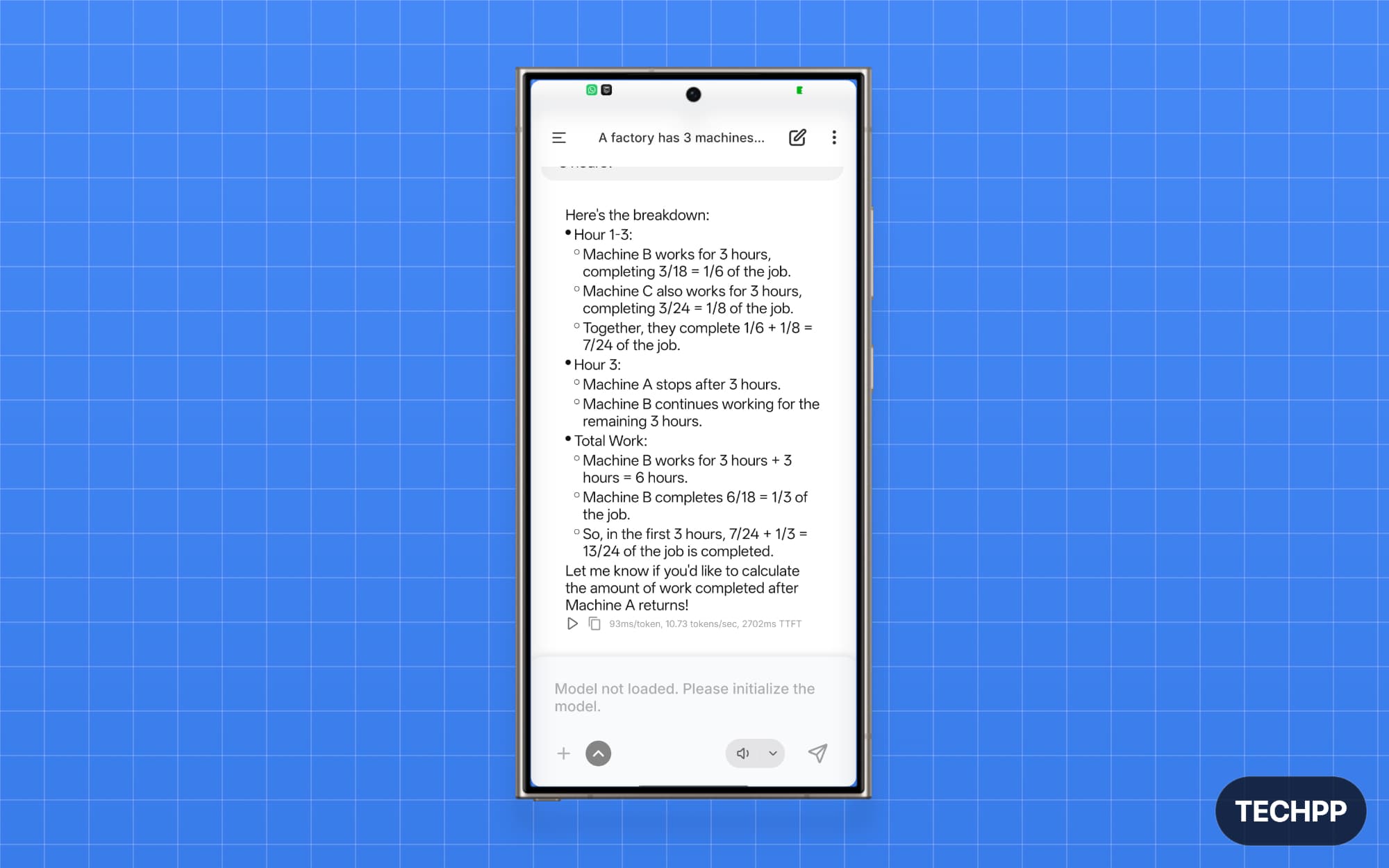
Gemma 3 2B is the best multimodal model, and it is more reliable and smaller to run locally on your phone. When I compared it against SmolLM2 1.7B, it not only delivered comprehensive results but also generated an output for every query, unlike SmolLM2 1.7B, which failed on some tasks.
Gemma also comes in other variants. Gemma 3 4B is the best multimodal and also smaller that can run locally on high-end phones. It can understand both image and text. You can upload a screenshot to see what it is, scan a document to get a summary, show an error and get a solution, and use all other text capabilities.
It’s not available natively in the PocketPal; you can import from Hugging Face or use the Google Edge Gallery app to access the latest Gemma 3 models. Gemma 3 models are also available as 7B, 12B, and 31B models. Gemma 3 2B model can run on any smartphone with low requirements; however, Gemma 3 4B requires at least 8GB of RAM. Beyond this size, bigger models are incapable of running on smartphones as they require more computing power to process your requests.
Granite 4.0 H 1B: Best Small Model for Coding Tasks
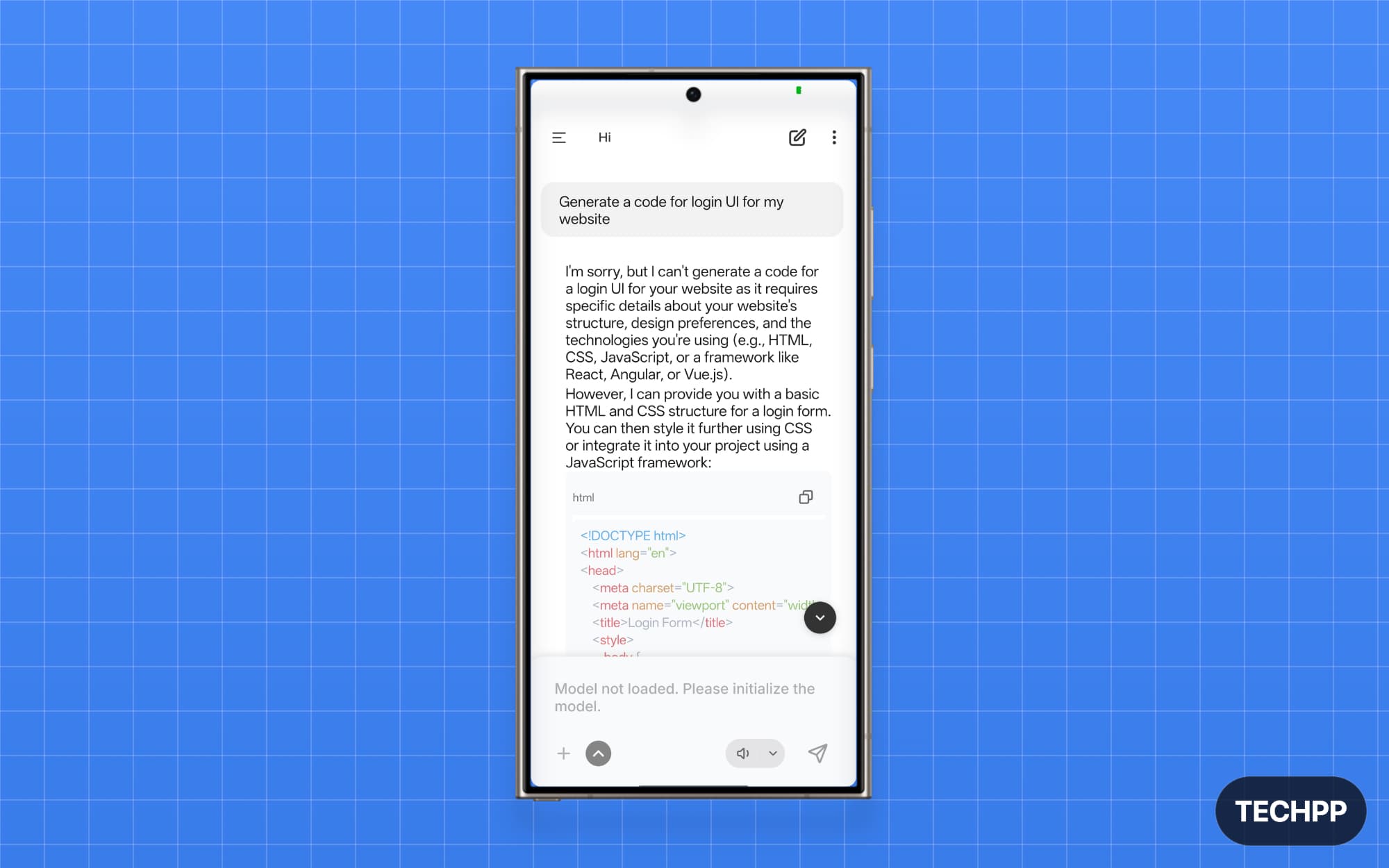
If you are looking for a model specifically to help you with coding tasks, then IBM’s Granite-4.0-H-1B is the best option. IBM recently announced its new Granite 4 models, and I tested both Granite-4.0-H-1B and Granite-4.0-Micro (3B) in PocketPal on my OnePlus 13.
Granite models have a different personality. When I asked the model to generate and answer a specific question, it was straightforward, whereas for other tasks involving text input offered a comprehensive response. Granite-4.0-H-1B failed at email tasks even after multiple attempts. It could not remember the content and did not respond, while Granite-4.0-Micro (3B) passed the test. Although IBM claimed these models are efficient, I encountered a memory hog error with both models.
However, both models are very good at coding tasks. I asked it to generate a code for the login page and it provided me a full page login HTML code. However, you need to be precise while asking, and it is also faster for coding tasks for some reason.
Llama 3.2 3B: Best Overall Local AI Model for Most Users
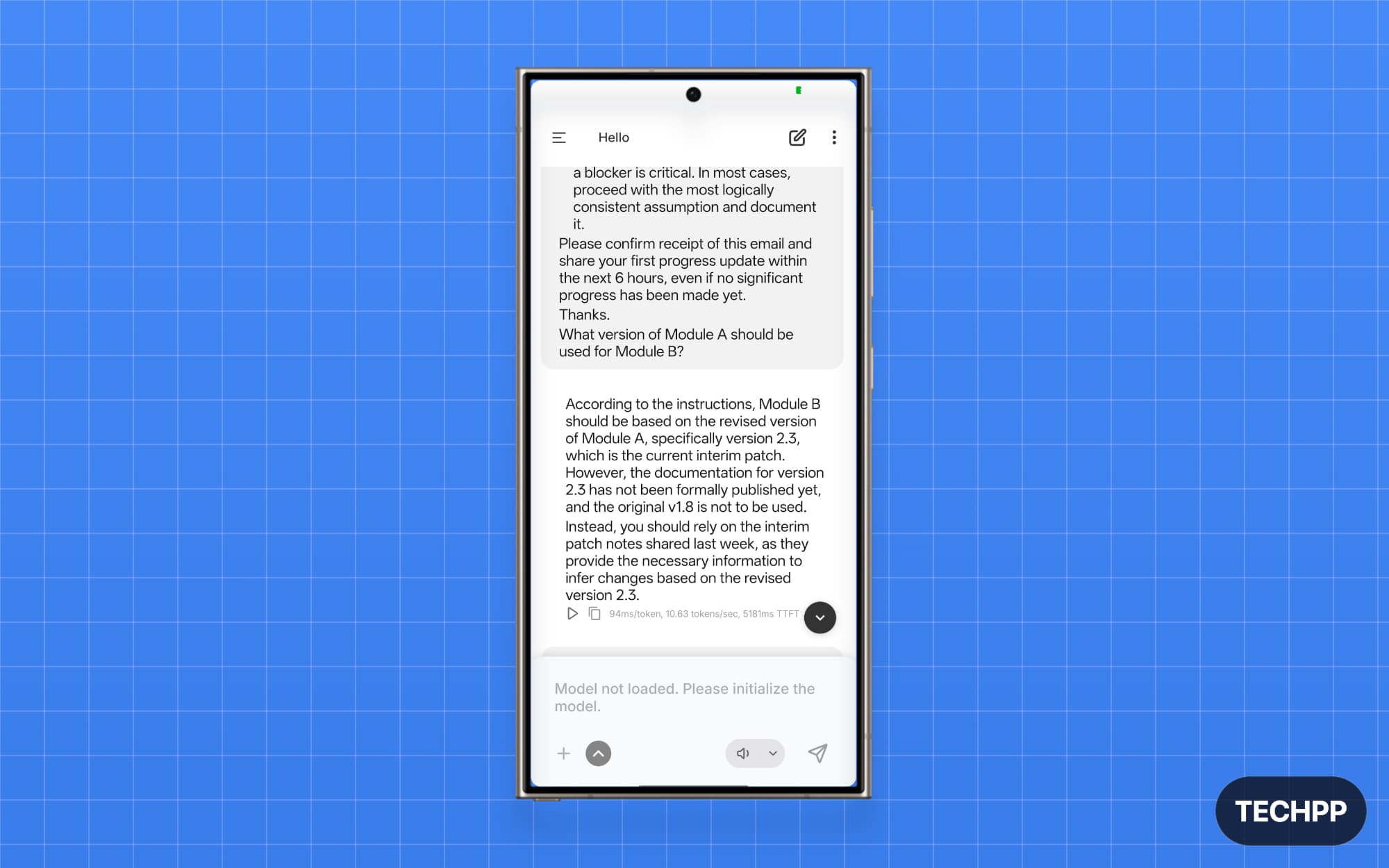
Llama 3.2 3B is the best of all I tested locally on the device. It is a text-only model, and it’s very expressive and very fast at answering your queries.
Llama models are from Meta. Don’t worry, although they are from Meta, these open-weight models are very popular and used by hundreds of people. Moreover, these models run locally on your device, so no data leaves your device. It passed the email test at an impressive speed. It is also very good at generating code, offering comprehensive responses with minimal input.
Despite using 3B parameters, the model is also lightweight. Llama 3 family also comes in other variants, including 8B and 70B parameters, and is available on all platforms. On mobile, you can use Llama 3.2 3B, or if you use a flagship phone, you can also try Llama 3.1 8B Instruct.
Qwen3 1.7B: Best Lightweight Model for Reasoning and Study Tasks
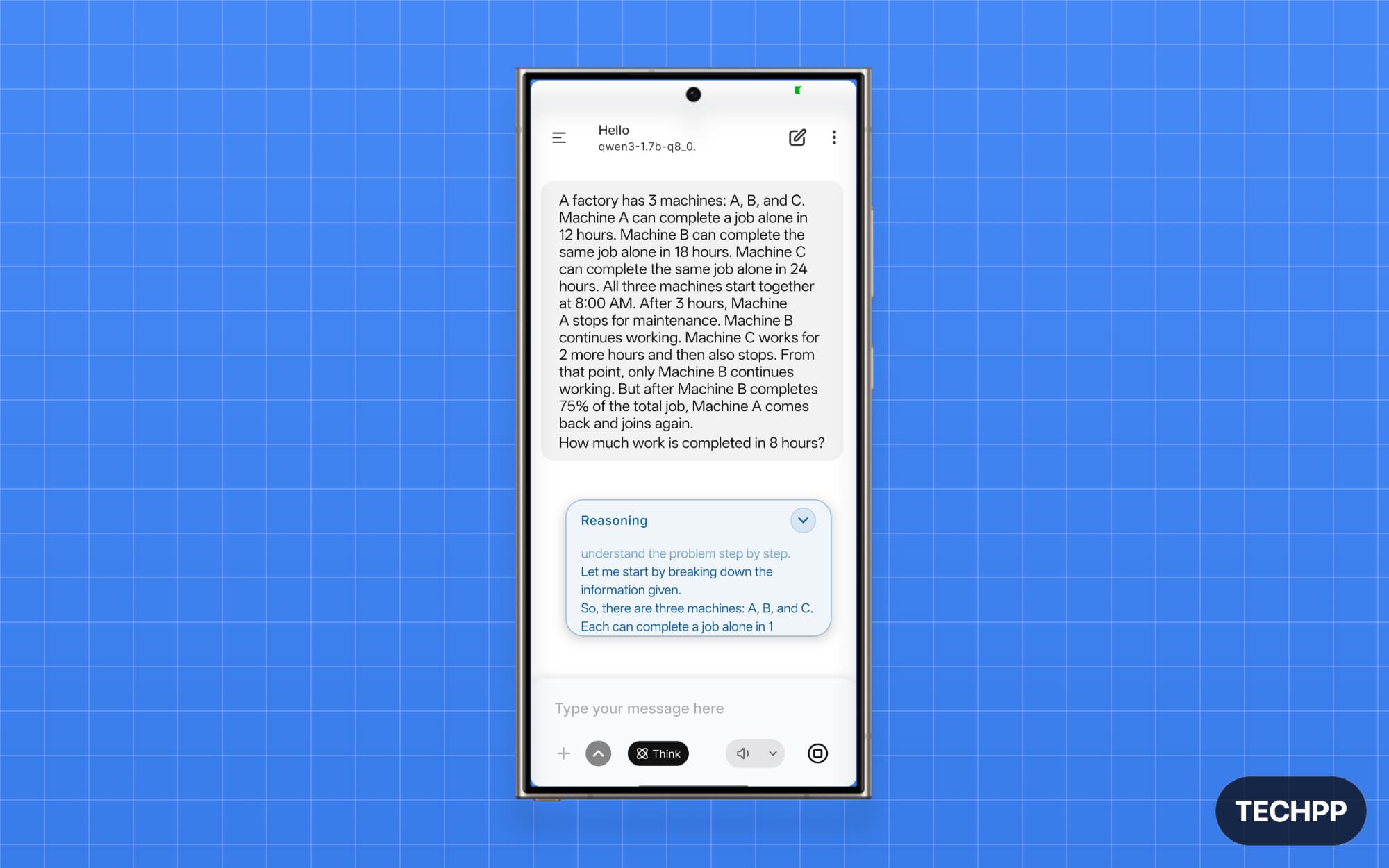
If you want a model for reasoning tasks, Qwen3-1.7B is the best option. Qwen family models are from Alibaba; they are not only efficient but also have strong reasoning capabilities. The smaller 1.7 billion-parameter model also supports both thinking and non-thinking modes.
In the test, the model is not only faster but also accurate and very expressive. It passed the email test and the coding test, and to test its reasoning capabilities, I even tested it on other hard math problems, and it solved them even without the thinking mode.
Qwen3-1.7B only supports text input. It can create email drafts, summarize the text, and even fix spelling and grammar mistakes. It also has stronger reasoning capabilities, which you can use for academic purposes or, if you are a student, as a study parameter. Qwen3-1.7B is also lightweight and can run on low-end phones, too.
Those are the best AI models you can run locally on your device. After testing different variants, Llama’s approach is more responsive and faster. It is the best model you can try if you have a high-end Android phone. Qwen3-1.7B and other family models are also excellent for reasoning tasks. Gemma 3 is only a model with multimodal support, which can parse your photos and answer your questions. Granite is decent at AI tasks, while SmolLM2 is an excellent choice for low-end phones.
How to run AI models locally on an Android Phone
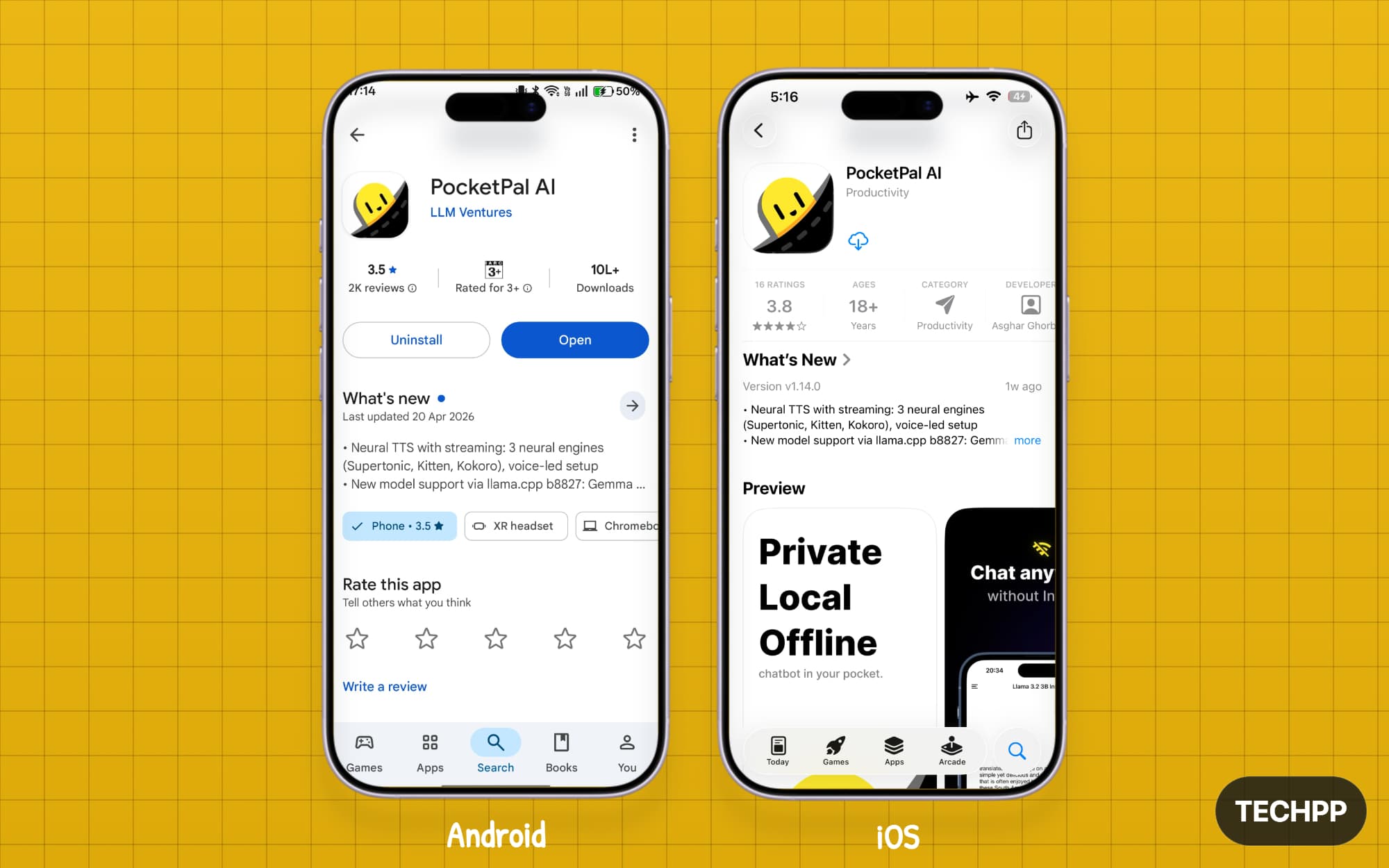
PocketPal is the best app for running AI models locally on any Android phone. The app is open source and free to download, and it is available on both Android and iOS. It is also free and open source. We already covered everything about PocketPal, explaining why it’s better than other options and how to load and run models locally with it. You can view the detailed guide here.
Step 1: Download the PocketPal app on your phone. For Android, visit the Play Store, and for iOS, visit the App Store.
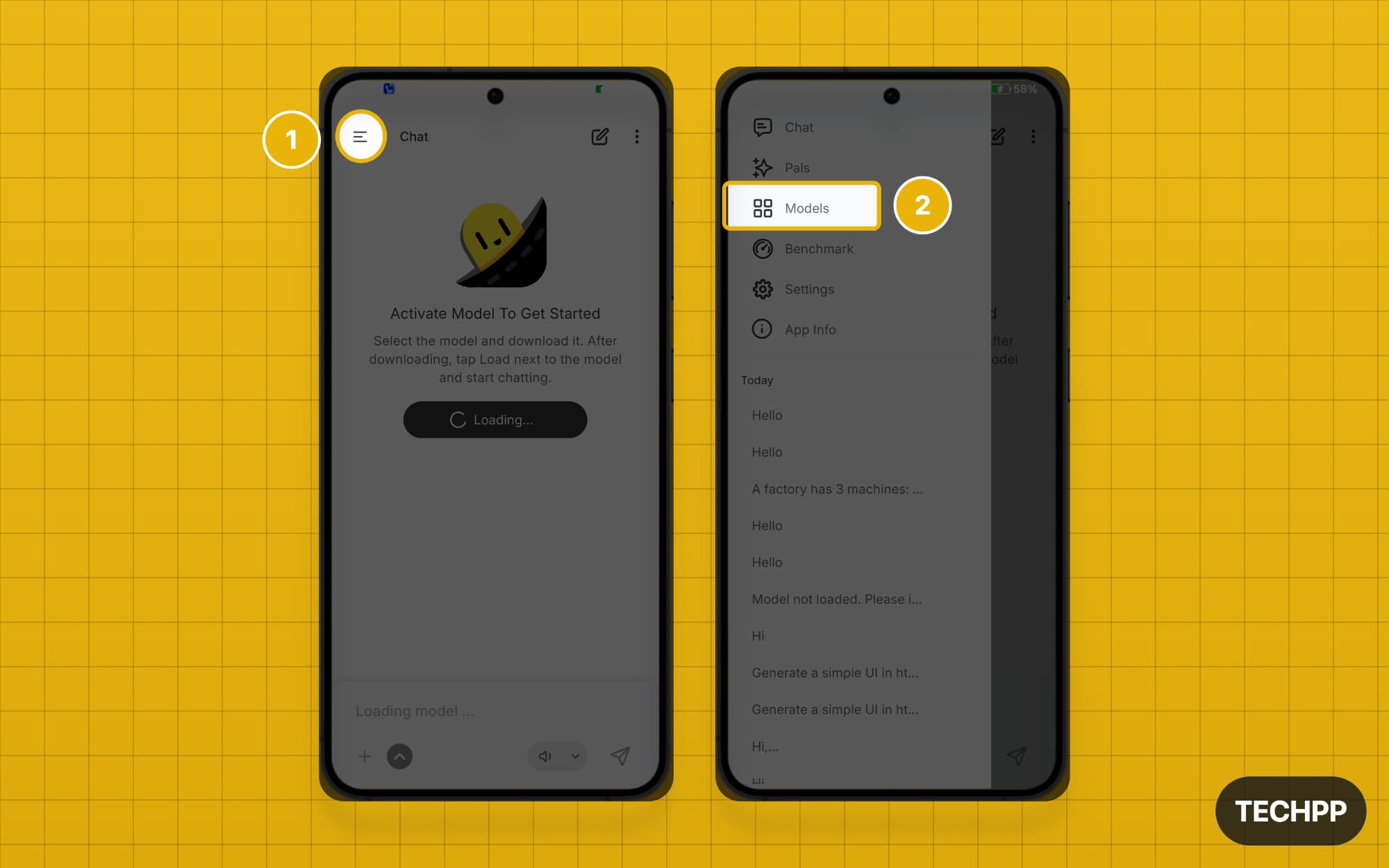
Step 2: Open the app, click the horizontal menu in the top-left corner, and tap the models option.
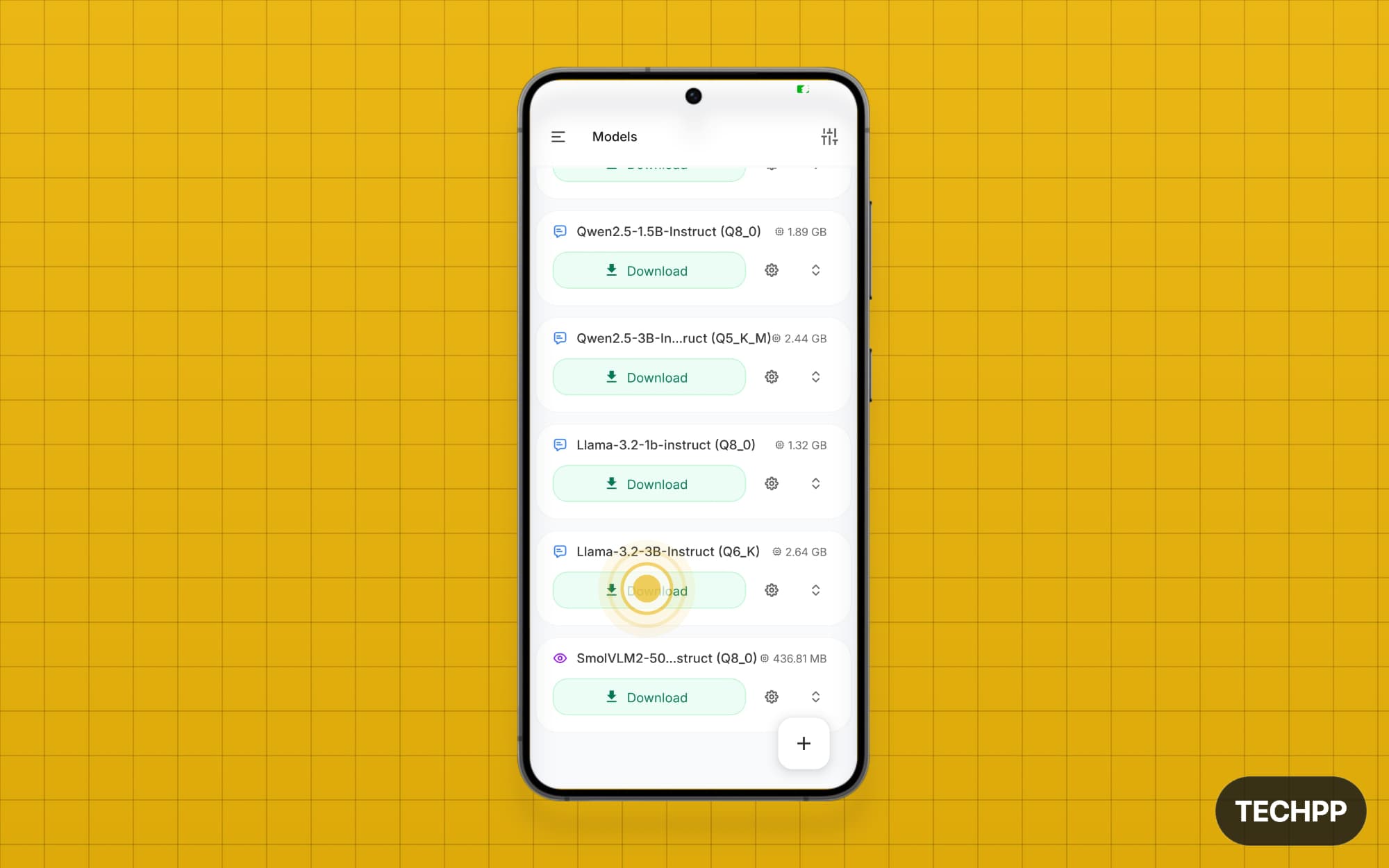
Step 3: Here you can see all the ready-to-use models. You can tap on the download button to start downloading.
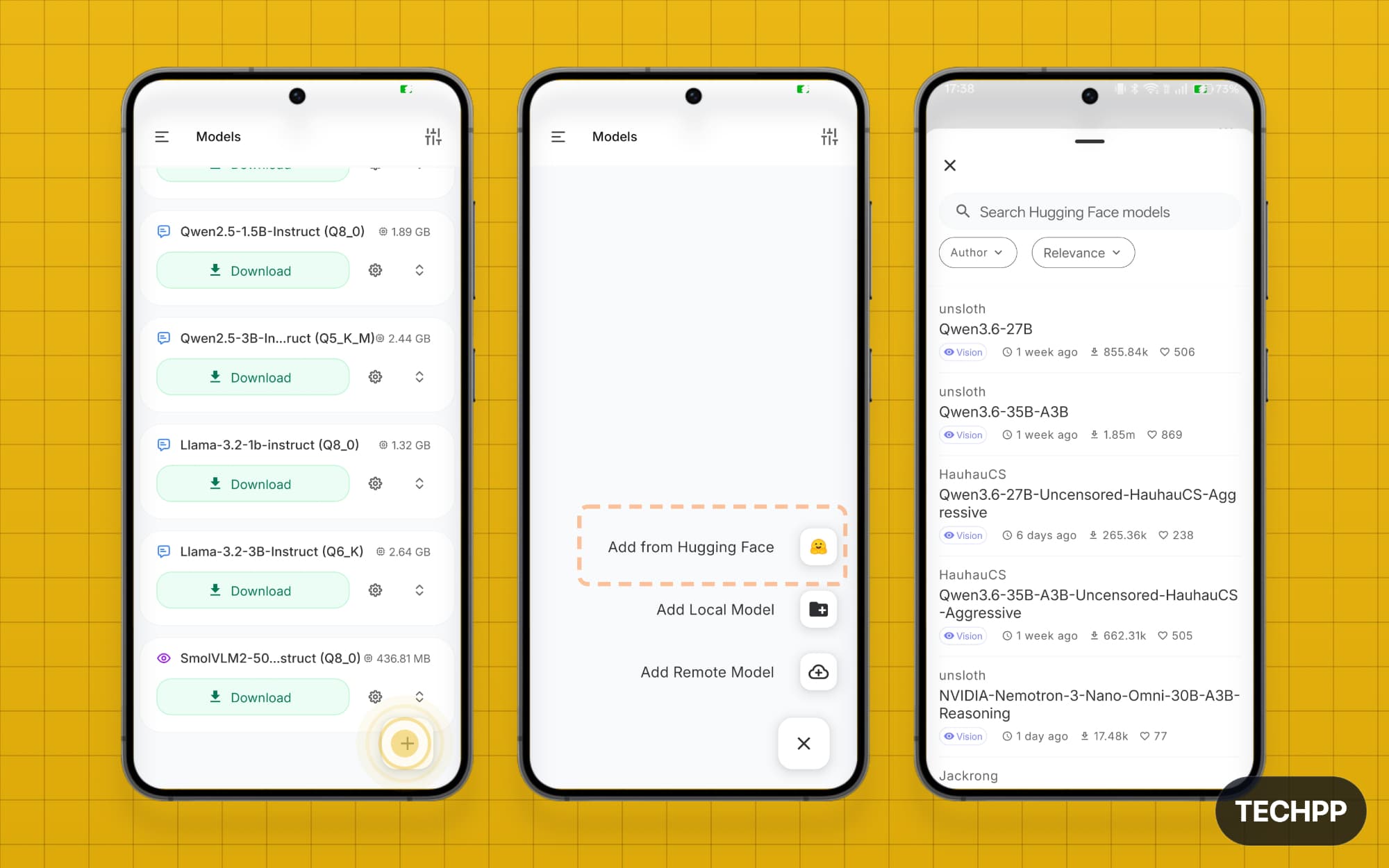
Step 4: If you don’t find the model you are looking for, click on the plus icon and select one of these options. You can add the model from Hugging Face, from a local model on your device, or even connect to a remote model. For the best available option, I recommend “Add from Hugging Face“.Tap on it, and you can see all the models from Hugging Face. You can search or sort them by relevance or by author.
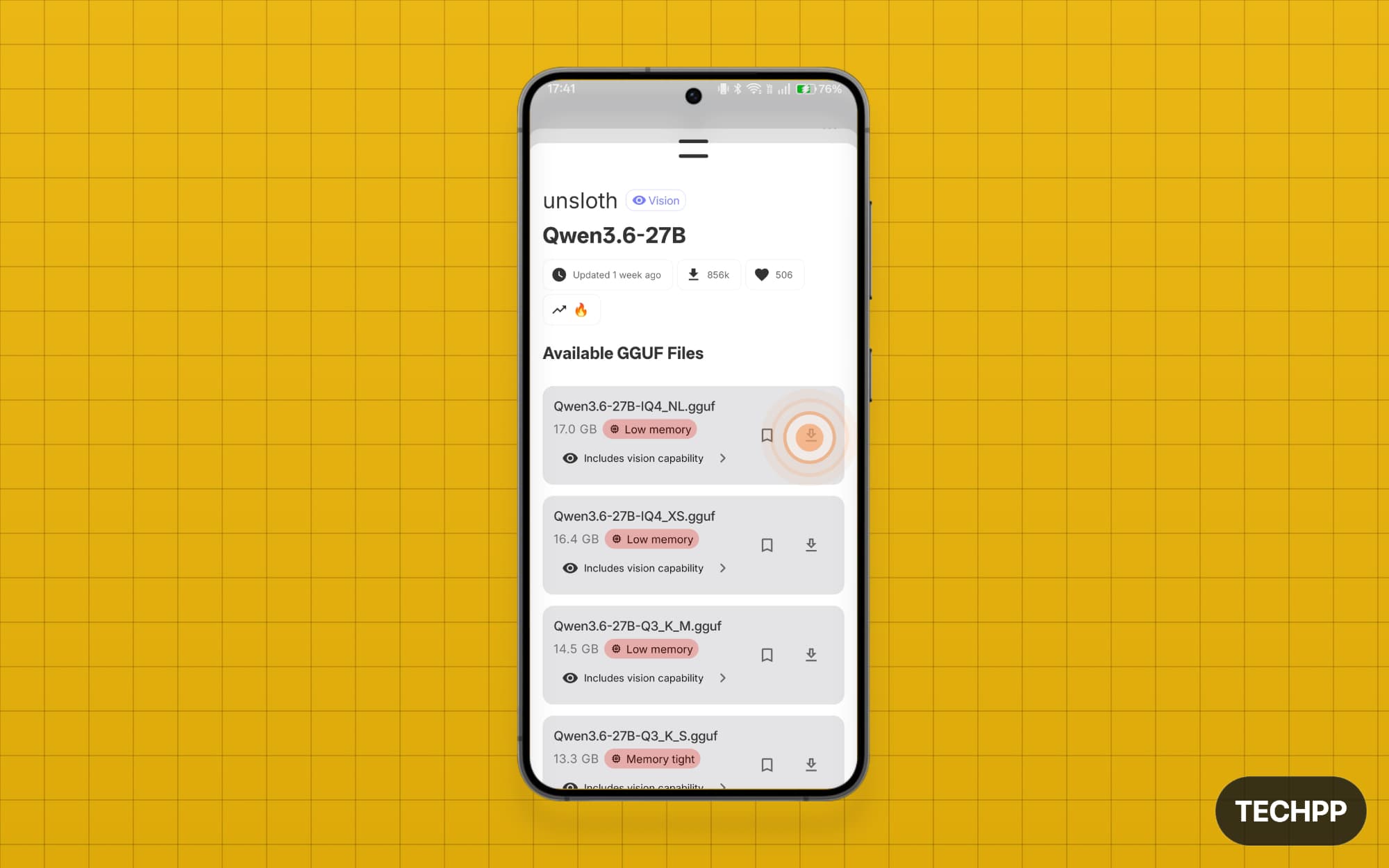
Step 5: Once you have found the model, you will find different options. Click on the download icon to download it locally.
Step 6: Once downloaded, to use the model on the home screen, tap the up arrow icon, then switch to the Models tab. Here you can see all your downloaded models; tap on them to select.
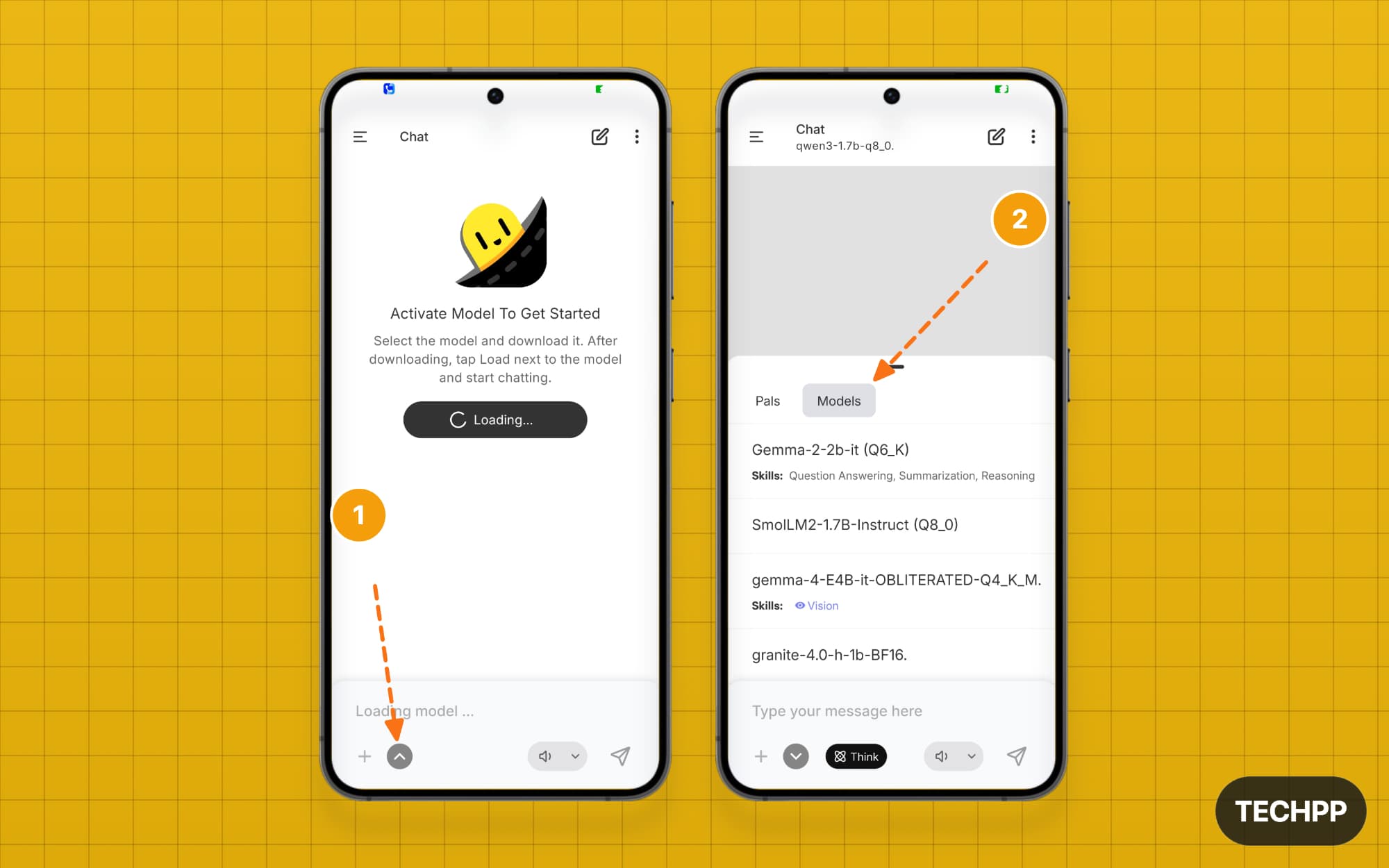
Step 7: Loading the model takes time. Wait a moment until you see the “Type your message here” option. That’s it. You can also switch to a different model for a new chat by tapping the new chat icon at the top.
Why Run AI Models Locally on Your Phone?
“You have reached the current usage cap. Please try again later”. This was a common message in the early days of ChatGPT. Your cap is at 15 messages at 4 hours. If this limit were enforced today, everybody would go mad; that’s how much we have integrated AI into our daily lives.
Not just for answering your questions or for drafting your emails. AI models can do much more than that today; they are so powerful that some models are being withheld for public release due to security concerns.
We are in the AI era. Everything around us will eventually integrate AI. But the good thing is that AI models, which are the backbone of every AI application or gadget we use today, are also becoming increasingly efficient.
You can run some of the lighter models locally on your device using the best models from above, and they are very reliable at generating text and summarizing the documents, helping with your coding, acting as a personal assistant, and even serving as your second brain for dumping all your weird ideas.
I hope you find this guide helpful. If you have any questions, let me know in the comments below.
FAQs on the best AI model to run locally
1. Which local AI model should I choose first if I am a beginner and want one model for daily use?
Except Granite, all these models are excellent choices for beginners. If I have to recommend, I would just start with Llama or Qwen, as they are more expressive and more accurate. You can also try the Google Gemma 3 2B model, which is available natively on the PocketPal app.
2. Will these models actually run smoothly on my phone, or will they make my phone slow, hot, or crash?
Running AI models requires a lot of resources. If you are using an Android device, you must have at least 6 GB of RAM and a reliable processor. Even my OnePlus 13 warms up on the back after running this model for a while.
3. How much storage space do I need for each model before downloading?
Size varies based on the model. The models I recommend in this post range from 2 GB to 6 GB. Ensure your device has at least 10 GB of free storage to run without any issues.
4. Can local AI models fully replace ChatGPT, Gemini, or Claude for daily work?
No, local models won’t replace existing cloud models, at least for now. Cloud models are powerful and run on a decentralized infrastructure. Local models are limited in scope and capabilities. They are great for running AI tasks locally for more privacy.
5. Why should I use PocketPal instead of apps like Ollama, LM Studio, Google Edge Gallery, or Jan?
If you are on mobile, PoketPal is the best option. It is free and open-source and available on both Android and iOS. Google Edge Gallery is also a good option, but it is only for the Google AI models. LM Studio is the best option for Windows.

