

Quick Answer
There are plenty of apps available to enhance your book-reading experience. Story Shorts, a book summary app allows you to grasp key points of books quickly. E-reader apps like Kindle and Moon+ Reader lets you buy and import digital books and help you to read on the go. Audible, from Amazon has extensive collection of audiobooks to listen. Additionally, tracking and community engagement apps like Goodreads help you monitor your reading habits and connect with other readers.
Book reading is one of the best habits; whether you are a student, professor, or someone who enjoys reading fiction books, there are plenty of apps available for both Android and iPhone that can enhance your reading experience. These apps let you discover new books, track your reading progress, quickly recall your insights on a book, and more. Whether you prefer physical books or digital formats, here are the ten best apps for every book lover to know.

Table of Contents
Best Apps for Book Lovers
Sl No | App Name | Description | Download Link |
|---|---|---|---|
1 | Story Shorts | Best book summary app that lets you quickly grasp the key points of non-fiction books. | |
2 | Kindle App | Popular e-book reader from Amazon Buy digital versions of the books; read them anywhere. | |
3 | Audible | Best Audiobook app with extensive collection of audiobooks. | |
4 | Bookly | A book-tracking app that helps maintain and track your reading habits and book reading goals. | |
5 | Goodreads | Like IMDb for books, it helps track what you read, participate in discussions, and get book recommendations. | |
6 | Libby | Libby allows you to borrow digital versions of books and magazines from your local library. | |
7 | Moon+ Reader | Best e-reader app, supporting various file formats with enhanced readability features, available for Android. | |
8 | Epic | Made for kids. Offers a vast library of books, audiobooks, and educational content. | |
9 | Wattpad | A platform for self-publishing writers to share their stories with a community of readers and writers. | |
10 | Scribd | It provides access to a wide range of reading materials, including books, audiobooks, and magazines, with a monthly subscription. | |
11 | Twilight | Reduce eye strain while reading books. |
Best Book Summary app – Story Shorts
Book summary apps are an excellent option for nonfiction book readers who want to quickly read books and recall critical information. These apps provide a quick book summary and help you grasp the main points in the book without reading the entire book.
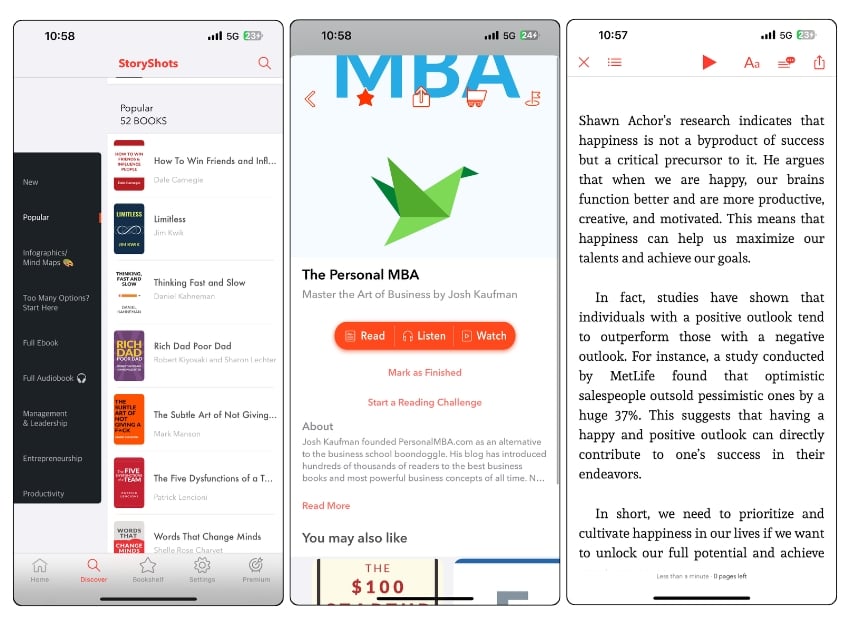
Whether you are on the go, commuting, or during lunch breaks, you can quickly open the app and read the book summaries. These apps also offer annotation features that allow you to highlight important points and recall them later.
However, there is also a downside to using book summary apps. One of the most significant downsides is overreliance on them.
Due to the ease of grasping content quickly, I often preferred using book summary apps instead of following the traditional book reading process. This approach has led to a loss of depth and a missing out on nuances and details that full books can offer.
Another major drawback I have noticed with a few book summary apps is the potential for misinterpretations. Whether these apps use AI or humans to summarize, there is a chance for oversimplified interpretations and biased opinions, which can lead to the wrong message. Apart from these two, book summary apps are great options for reading a book or quickly recalling information about the book.
There are plenty of book summary apps available on the market. We have a detailed guide on the best book summary apps, listing the best options. It’s hard to pick one app from the list. I use the Storyshots app, which is great for all users.
- Quickly grasp key points of a book.
- Access summaries in multiple formats like text, video, and audio.
- Less expensive than buying multiple books.
- Annotate and recall information.
- Misses detailed insights and nuances.
- Chance of over-relying on these apps.
- Summaries could be biased.
Download Story Shorts: Android / iOS
Ebook Reader
If you are a bookworm or someone who carries a lot of books, you might find yourself in a situation where you need to carry multiple physical books, which can be inconvenient. You may even have to leave a book at home because your backpack lacks space. In this case, the Kindle app is a great alternative that can help you save space and prevent boredom from being unable to read.
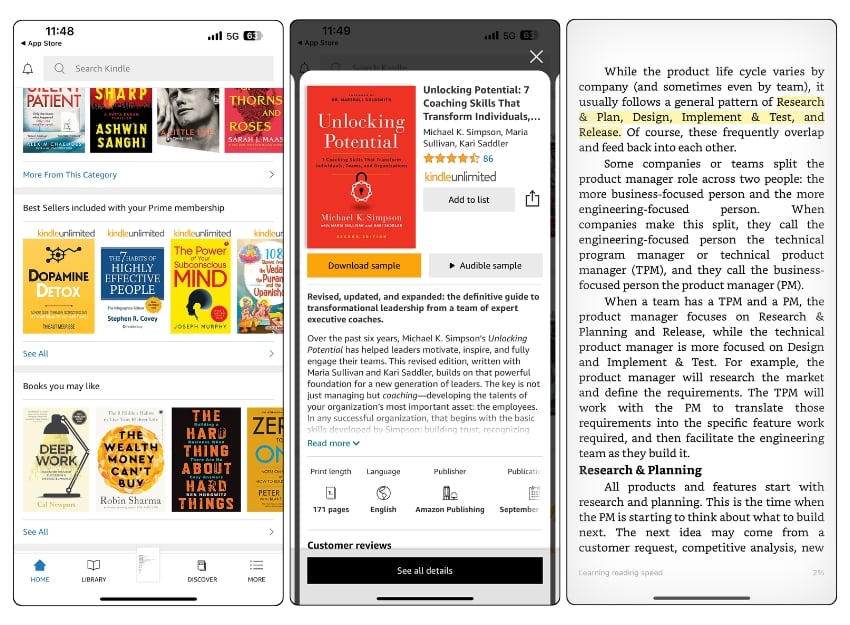
We have two types of Kindles here: the Kindle e-reader, a dedicated device that mimics the physical book reading experience, and the Kindle app, which can be installed on any supported device.
The Kindle app is a great option for getting the Kindle-like experience on your smartphone. The app lets you purchase and read digital versions of all popular books. The best part is that the Kindle version of a book has been made available on the same day as the hard copy. This adds conveniences like not needing to visit a bookstore, avoiding long delivery times, and often costs less than hard copies. Another advantage of the Kindle app is adjustable reading settings, annotation features, and more.
One of the key features I like about the Kindle app is its ability to enhance the book-reading experience. You can also download and import local book files to the Kindle app and get the best reading experience without paying a penny. Occasionally, Kindle offers free versions of books you can download and store.
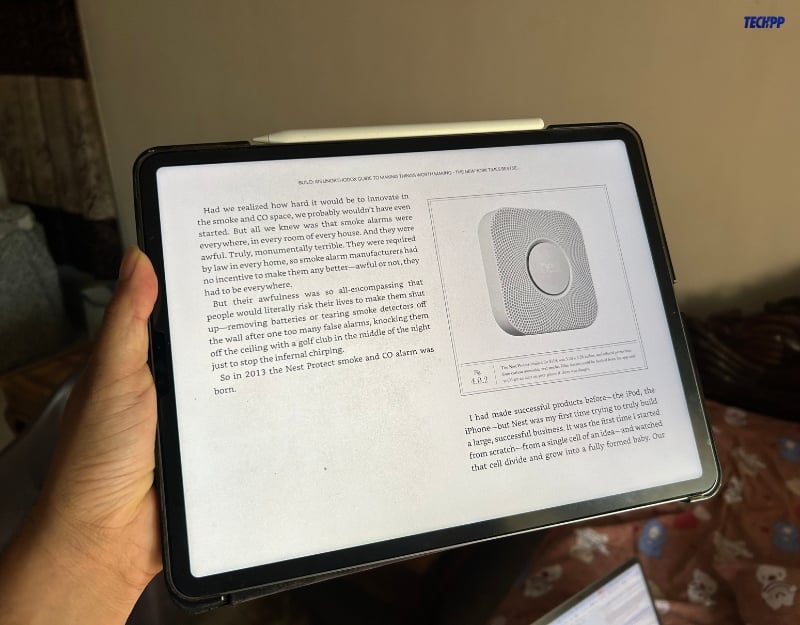
However, some people, especially those who read physical books might find it difficult to read books on the Kindle app. I installed the Kindle app on an iPad, which generally has a large screen and, with an Apple Pencil, helps me highlight important points and annotate easily. Some people are comfortable reading books on small devices. Nevertheless, the Kindle app can be a great alternative and offers easy access to books instantly while traveling.
- Carry multiple books in one device. Has the largest collection of book titles.
- New releases are generally available on the launch day.
- Adjust text size, font type, margins, and background color to suit their reading preferences.
- The Kindle version of the book is cheaper than the physical hard copy.
- Import third-party book pdf and convert into Kindle version.
- Some people might not like the experience of reading books.
Download Kindle: Android / iOS
AudioBook
Some people prefer listening to books rather than reading them. Audiobooks can be convenient for busy people who find it challenging to read books.
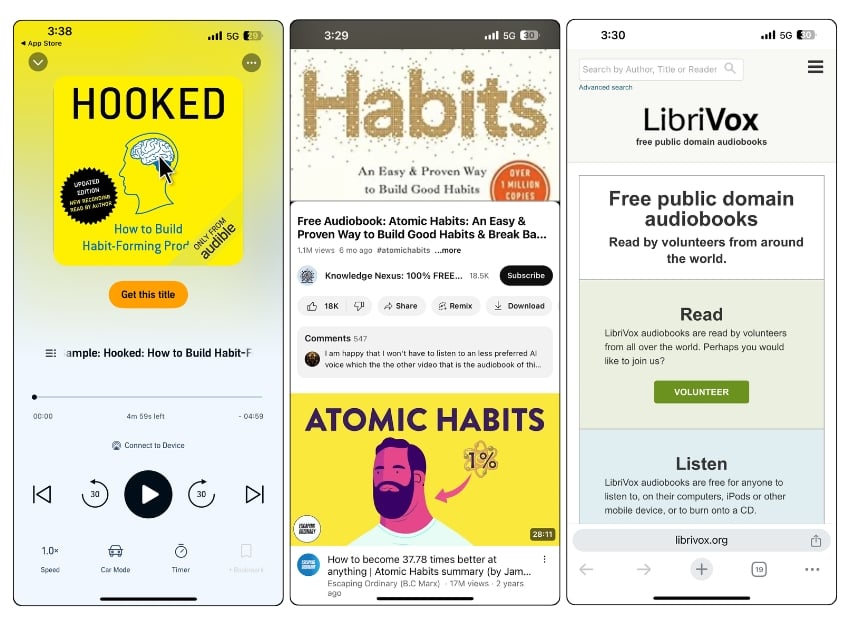
Audiobooks can be consumed while you are driving, commuting, or exercising. You can control the pace of the voice and increase the speed to suit your preference. Some audiobooks are narrated by the authors, which can add depth and emotion to the storytelling.
Audible by Amazon is one popular app that comes to mind when considering audiobook apps. Thanks to Amazon’s strong footprint in the book market, Audible has an extensive collection of audiobooks, and new books are often available in audio format on the same day they are released.
Given that Audible’s premium subscription and pricing might not appeal to everyone, you can use the free alternatives for Audible. After testing several free options, I found that all the free audiobook apps offer limited audiobooks that are already free in the public domain.
If you are looking for a reliable solution, consider subscribing to audiobooks (Not sponsored in any way). If you are looking for free alternatives, you can listen to audiobooks on platforms like YouTube, which is better than most audiobook apps.
You can also consider Spotify, which recently rolled out audiobook support. Additionally, LibriVox’s website lists all the free audiobooks available in the public domain that you can download and listen to locally on your device. If you are looking for an audiobook app, check out Storytel.
- Great option for some people who want to listen to audiobooks rather than read.
- You can listen while driving, cooking, or even working out.
- Not a lot of free options are available.
- AI conversion might not appeal to some people.
Download the Audible app: Android / iOS
Book Tracker App – Track Your Book Reading
If you start reading books or making reading a habit, you might begin enthusiastically but gradually stop after some time. This can happen for various reasons, such as losing interest, lack of motivation, or simply forgetting about your book-reading habit. This is where a book reading tracker app can be helpful.

Book-tracking apps remind you of the book habit you recently adopted and let you keep track of all the books you read. You can set book-reading goals that will remind you of the goal and motivate you to complete the task.
Plenty of apps help you keep track of your book-reading habits. One notable and famous app is Bookly. This app lets you add books to the app, set book reading goals, and send you notifications.
One of the biggest downsides of the book -the tracker apps, including Bookly, is adding books manually for tracking. This requires an effort from you. To make it easy for you, many apps let you enter the ISBN or search for the book directly, eliminating friction for someone who thinks it’s a lot of effort. Once you’ve added a book, you can select the page you’re currently on, and start tracking.
I also tested other popular apps, such as Bookworm and Basmo. Both apps allow you to import books from different platforms, such as Kindle, and offer good readability, which is missing in Bookly. Bookworm comes with community support, where you can join book clubs and interact with the community. This helps you feel like part of a community and encourages you to read more books and discover new ones. Basmo felt great for its user experience; the app is visually appealing and more interactive than Bookly and Bookworm.
- It tracks your progress and reminds you to keep reading.
- Set reading goals, such as several books per year or pages per day, and it works with a bit of internal motivation.
- Organize your reading list and categorize your books.
- Apps like Bookworm come with a community feature.
- Adding books manually can be a painful task for some.
- Some users may find the detailed tracking and data analytics overwhelming.
Download Bookly app: Android / iOS
Goodreads
I usually share my insights and opinions about the books I read to help others learn about them and engage with the community for more interesting takes on those books. If you are someone who also does the same, Goodreads might be the best choice. Goodreads is like IMDb for books, where you can find your next book to read, share your insights with the community, keep track of the books you are reading, rate them, and get similar book recommendations from its extensive library.

Amazon owns Goodreads. The platform has an extensive collection of books and reviews, hundreds of book clubs, and a vast community where you can engage, share your discussions, and participate in book insights. You can also use Goodreads as a book-tracking app to keep track of your current reading. Thanks to its vast collection of books, Goodreads offers book recommendations based on your readings and the ratings you have given to the books.
There is also an author interaction feature where you can follow your favorite authors, join Q&A sessions, and receive updates on new releases and author events.
- IMDB for books, Owned by Amazon, and has a massive collection of books across all genres
- Join discussions, read challenges, and engage with other book lovers.
- Read reviews from other readers before deciding on a book.
- Interact with authors, receive updates on new releases and upcoming events
- Personalized book recommendations based on your reading history and the ratings you’ve given
- The app interface can sometimes feel cluttered and overwhelming for some users.
Download the Goodreads app: Android / iOS
Libby – Get Access to the Digital Version of the Library Books
Libby by OverDrive allows you to borrow eBooks, audiobooks, and magazines from your local library’s digital collection. Many libraries have started offering digital versions of books as a convenience for people who don’t have time to visit libraries. Libby is one of the services many libraries use to offer digital versions of books, and there are plenty of other apps you can use to access digital versions of books.
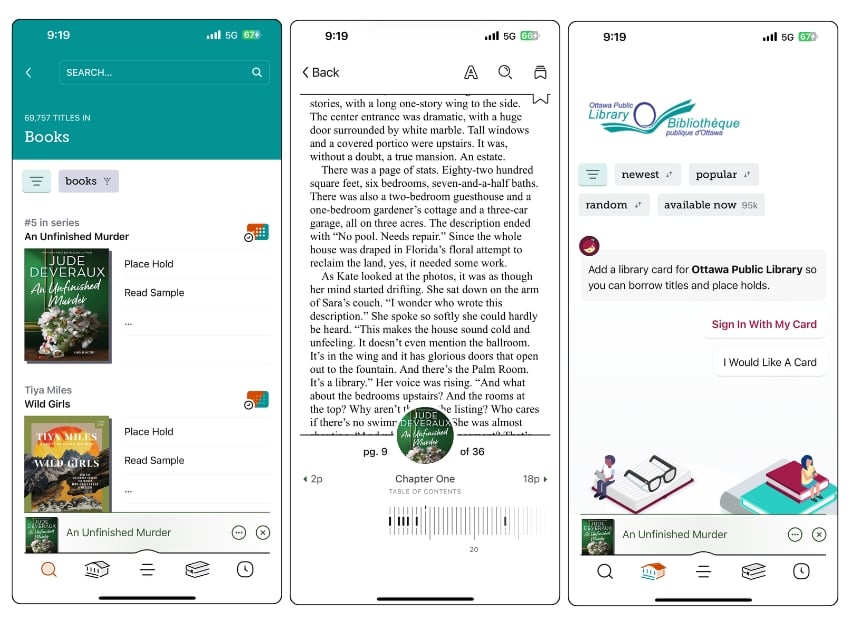
You need a digital library card to access the full catalog of books, and the app has limited collections for free available for all Liby users.
The availability of digital versions depends on the library and the service you have chosen for their digital offerings. Look at the options in your locality and choose the apps that your local library uses. Some libraries have their own digital library apps.
- Access your local library’s extensive collection of e-books, audiobooks, and magazines.
- You can download books and audiobooks to your device.
- Limited availability.
- Your access to books depends on whether your local library uses OverDrive.
Ebook Readers
While Kindle is an excellent app for e-reading. However, it is tightly integrated with Amazon’s books and services and has limited support compared to other dedicated eBook readers.
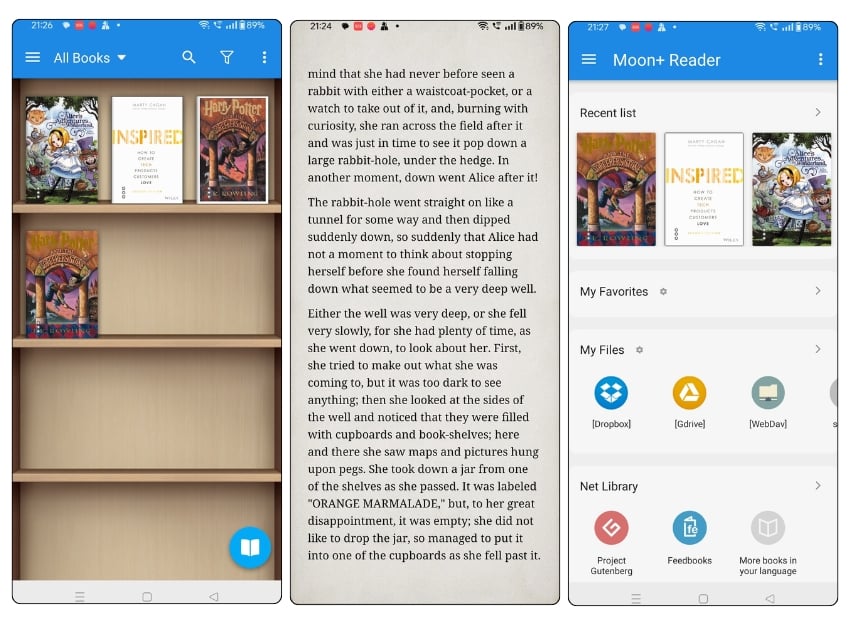
One popular app that recently gained attention is Moon+ Reader, available only for Android. It is a complete eBook reader solution for people who read PDFs from third-party websites. It supports various file formats and offers better annotation features than Kindle, enhancing the flexibility and reading experience.
You can import books from your local devices and store them on a shelf. Like the physical shelf, Moon+Reader offers a virtual bookshelf inside the app where you can store all your books and access them anytime.
The app tracks your progress and supports annotation tools to highlight important text in the book, adjust the readability features, and more.
The app is currently only available for Android. If you use an iPhone, you can use FBReader or another alternative to Moon+ Reader. These apps also support many file formats, including useful annotation features, the ability to save changes, and more.
- Store thousands of books on a single device and access them anywhere
- Digital versions of books are often cheaper than their physical counterparts.
- Adjust the font size, background color, and brightness to suit your reading preferences.
- It cannot replace the tactile experience of holding a book, turning its pages, or the smell of paper.
- Reading from a screen for prolonged periods can lead to eye strain.
Download Moon+ Reader: Android / FB Reader app for iOS
Epic Book Reading App for Kids
If you are looking for a book reader app specifically for kids, Epic is the best option. Everything about the app, from content to app design and privacy controls, is designed with kids in mind. Epic offers popular book titles and also includes videos, audiobooks, and other educational content that can help kids learn science, mathematics, and more.

Epic’s biggest advantage is its access to over 40,000 books, including picture books, chapter books, educational books, audiobooks, and read-to-me books.
Most of the books support the “Read Me” feature, where the text is converted into audio, which can be helpful for kids who enjoy bedtime stories. The app also comes with different text size adjustments and the read-aloud option, making it easier for children with visual impairments. It also comes with parental controls, allowing parents to monitor and manage their children’s reading activities, and a dashboard that provides insights into the types of books children prefer how they interact with the content, and more.
- Many books come with a human-recorded narration option, enhancing the reading experience.
- Manage children’s profiles and track reading progress through a parent dashboard.
- Offers over 40,000 titles, including picture books, chapter books, educational books, audiobooks, and more.
- Requires a subscription to access most of the content. Free limited previews.
- Reading digital books can lead to lead to screen fatigue.
Wattpad
Wattpad is a unique platform in the realm of book-reading apps. It hosts user-generated content with a community of readers and writers who share their writing with others on the app.
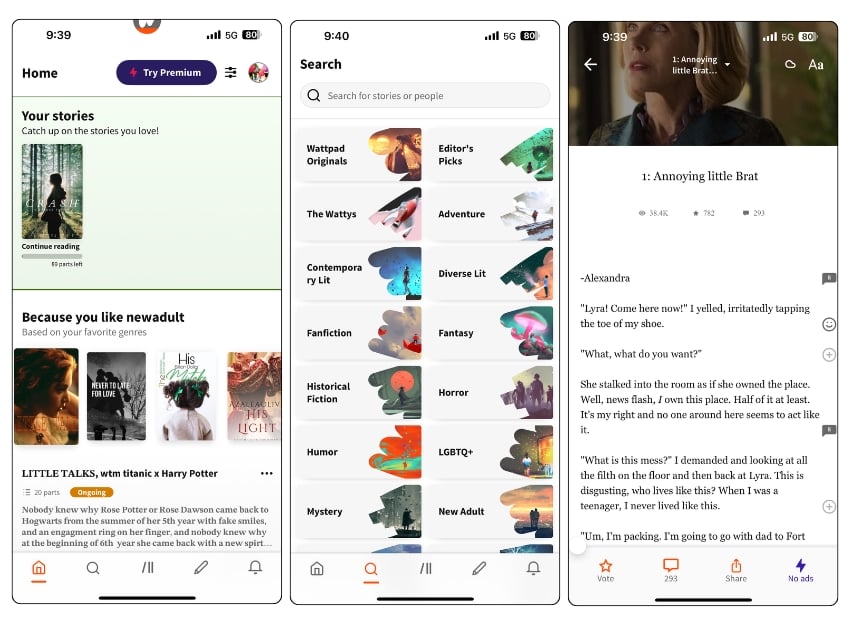
You won’t find traditional books here; all hosted books are self-published by writers. Anyone can write and share stories on Wattpad, and when signing up for the platform, you can choose whether you want to be a writer, a reader, or both.
As a reader, you can enjoy millions of stories across various genres, from romance to science fiction and adventure. Some stories are short and well-written, while others are long and page-turners. Many stories published on Wattpad follow a series format, where each book is released as part of a series. A
Additionally, the app has plenty of community engagement features; for instance, you can comment directly on specific pages within a story and participate in discussions. Most of the content on Wattpad is free, allowing you to follow regular authors and stay updated with the latest stories. There is also a pro version that gives access to the premium books.
Anyone can publish stories on Wattpad as a writer. You can also get paid through different programs. You can publish your story as a paid one, where you get directly paid when a user purchases your stories.
There is also a Wattpad Stars program where you can participate in brand promotions and more. If you are fortunate enough, there is also a Wattpad Books program where the app publishes the best books. If your work is selected, the platform pays a royalty check.
- Hosts millions of stories from a lot of authors.
- Any writer can publish their work on Wattpad.
- Most of the content on Wattpad is available for free.
- The quality of writing on Wattpad can vary significantly.
Download Wattpad: Android / iOS
Scribd
Scribd offers a vast selection of books, audiobooks, magazines, and documents, including bestsellers, classics, and new releases, making it a one-stop solution for various reading materials.

With a single monthly subscription, you can access the entire library, which can be more cost-effective than other applications where you have to buy individual titles. Plus, Scribd adds new content daily, making it the best choice.
Scribd offers different forms of content, including ebooks, audiobooks, magazines, academic papers, business documents, children’s books, instruction manuals, and more. For ebook readers, it includes many ebooks from various genres.
It comes with a clean reading interface that mimics the ebook reader; you can turn the pages, annotate important highlights text, make notes as you read, find specific passages or topics within the book, adjust the text size, bookmark pages, and read later.
However, there are some downsides to Scribd. First is content rotation; as part of its business model, Scribd rotates its titles in and out of availability. This can be frustrating if a book you plan to read suddenly becomes unavailable. Additionally, there are restrictions on a few books. Apart from these Scribd is a great option if you want an extensive collection of books.
- You can access vast content, including e-books, audiobooks, magazines, academic papers, and documents.
- Single monthly fee.
- Download content to read offline
- and sync your reading progress across devices.
- Some book titles can go out of availability as Scribd follows content rotation.
- Finding the right ebook can be hard.
Download Scribd: Android / iOS
Blue-Light Filter
One of the biggest disadvantages of book-reading apps is that they can cause eye discomfort and strain. Most smartphones these days come with an in-built blue-light filter, but having an app has advantages like setting the tone of the light, setting custom schedules, and more.

There are plenty of blue-light filters available for both Android and iPhone; I used Twilight when using an Android and later started using Night Shift on iOS. We have a detailed guide on the best blue light filters for Mac and PC; if you are looking for an app, consider Twilight for Android and the Blue Light Filter App for iOS.
Download Twilight: Android / iOS
Great Apps That Book Lovers Swear By
Here is the list of the best apps to enhance your book-reading experience. Reading books can be one of the most crucial habits anyone should have. Finding time to sit down and read books is hard. Addressing these needs, these platforms of apps aim to enhance your book-reading experience. Each app listed in this post serves a different purpose; you can install all these apps and improve all aspects of your book-reading experience. I hope you find these apps helpful. If you have any suggestions, feel free to comment below. We are happy to learn from you.

